Call CA Tally HelpDesk
+91 9205471661,
7428779101
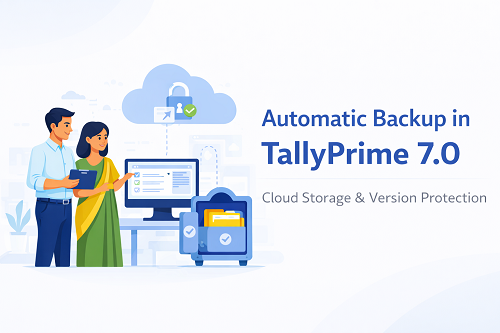
TallyPrime 7.0 is generating excitement because it is expected to introduce features that were never available in Tally ERP 9 or earlier TallyPrime versions. One of the most anticipated upgrades is the Automatic Backup system, powered by cloud infrastructure through Tally’s upcoming services like TallyDrive and Connected Features.
For years, Tally users have struggled with:
- manual .tsf backup files,
- relying on pen drives,
- storing data on local hard disks,
- version mismatches,
- backup corruption,
- and complete data loss due to hardware failure.
TallyPrime 7.0 aims to eliminate these problems by automating the entire backup process.
This article explains how automatic backups are expected to work, the kind of storage space users may receive, what happens behind the scenes, and how this feature will help Indian businesses modernize their accounting systems.
What is Automatic Backup in TallyPrime 7.0?
The automatic backup feature will allow Tally to:
- store backup versions in cloud vaults,
- protect data against corruption,
- restore older versions instantly,
- and avoid manual dependency.
In simple words, you will not have to manually click:
Gateway → F3 Backup → Select Path → Save
The system will generate backups on its own based on a timer, user configuration, or transaction activity.
How Automatic Backup Will Work (Step-by-Step Expectation)
Since TallyPrime 7.0 is under development, exact internal workflow may change, but technical behaviour will be similar to the steps below:
1️⃣ Backup Activation
Users will enable automatic backup in Settings → Data Management → Backup Rules.
They will select:
- frequency,
- storage destination,
- number of backup versions,
- and data folders.
2️⃣ Backup Scheduling
Backups may run based on:
- hourly schedule
- daily schedule
- weekly plan
- or event-triggered (after closing company or session logout)
Users will decide the style.
3️⃣ Backup Location
Two backup options:
Local backup:
Stored to:
- hard disk
- network drive
- external drive
Cloud backup:
Automatically uploaded to:
- Tally cloud storage
- TallyDrive
Cloud is the actual key upgrade.
4️⃣ Auto Versioning
Each backup version will be separate.
If data gets corrupted, earlier versions can be restored instantly.
5️⃣ Data Compression
Backups stored online will be compressed to reduce size, saving space and time.
6️⃣ Auto-Restore
If a user’s Tally data gets damaged, the system may allow:
Restore → Choose Version → Open Company → Continue Working
7️⃣ Real-Time Sync
When used with TallyDrive, multi-location users will sync their work with cloud updates automatically.
Why Automatic Backup in TallyPrime 7.0 Is a Big Deal
This feature removes:
- human dependency
- memory mistakes
- forgotten backups
- overwriting problems
- accidental deletion
- hardware failure risks
It increases:
- data reliability
- accounting confidence
- audit safety
- GST compliance strength
How Much Cloud Backup Space Will You Get in TallyPrime 7.0?
Tally has not officially published storage capacity details yet,
but Expectation based on industry patterns:
Possibility 1 – Base Storage Included
New license or subscription may include:
10GB to 50GB free storage per license
Possibility 2 – Paid Additional Storage
Users may purchase more storage as:
- 100GB
- 250GB
- 500GB
- 1TB annual plans
Possibility 3 – Usage by Company Data Size
Storage consumption depends on:
- number of companies,
- number of versions,
- auto compression ratio,
- number of branches,
- and daily vouchers.
For a typical MSME company file:
Full year accounting data = 200MB–1GB
So even 25GB storage can hold:
20–80 companies comfortably
How Cloud Backup is Different From Local Backup in Tally
|
Feature
|
Local Backup Today
|
Cloud Backup in 7.0
|
|
Manual action
|
mandatory
|
not required
|
|
Risk
|
high
|
extremely low
|
|
Corruption chance
|
common
|
rare
|
|
Access
|
only on local system
|
anywhere
|
|
Space
|
HDD dependent
|
expandable cloud
|
|
Security
|
password based
|
encryption based
|
Why Cloud Backup is 10× More Reliable
Cloud backup protects you from:
- hard drive crashes
- virus attacks
- ransomware
- laptop theft
- office fire
- water damage
- employee sabotage
Backup stored online cannot be manipulated easily.
Expected Backup Customisation Options
Users may be able to define:
- who can take backup
- backup naming formats
- branches included
- ledger data count
- auto deletion cycle
- retention period
Automatic Backup + Tally Drive Combine Effect
When both are used together:
- CA can download backup remotely
- data remains uniform across branches
- backup stays in cloud even if office closes
- faster audit
- safer data migration
This combination makes Tally Prime 7.0 future-ready.
Who Needs Automatic Backup Most?
- retailers
- manufacturers
- distributors
- mid-size traders
- CA firms
- auditors
- multi-branch companies
- GST filing consultants
These industries generate huge vouchers and cannot afford corruption.
Conclusion
Automatic backup storage and Tally cloud vault usage are going to redefine Tally accounting.
TallyPrime 7.0 will:
- save time,
- reduce risk,
- improve security,
- eliminate manual processes,
- enable cloud sharing,
- and protect business data long-term.
This upgrade brings Tally at par with modern ERP platforms that already offer automated, encrypted, multi-version backup controls.
For businesses that treat accounting data as wealth, automatic backup will be one of the most valuable features.
Powered by Binarysoft Technologies
Authorized Tally Partner
Location : 1626/33, 1st Floor, Naiwalan, Karol Bagh, New Delhi – 110005, INDIA
Contact us : +91 7428779101, 9205471661, 8368262875
Email us : tally@binarysoft.com (10:00 AM – 6:00 PM, Mon–Fri)
Frequently Asked Questions
Is automatic backup confirmed for TallyPrime 7.0?
Yes, it is one of the most highlighted upcoming features.
Will cloud backup cost extra?
Possibly—official plans will be shared later.
Will old manual backup continue to work?
Yes, manual backup options will remain.
Will storage be limited?
Yes, users will receive cloud storage allocation based on product plans.
CA. Darshit Malhotraa has hands-on experience in GST compliance, accounting reviews, and MSME consulting. He regularly works with businesses transitioning from manual systems to digital accounting platforms. His content emphasizes real-world problem solving and operational efficiency.









