Call CA Tally HelpDesk
+91 9205471661,
7428779101
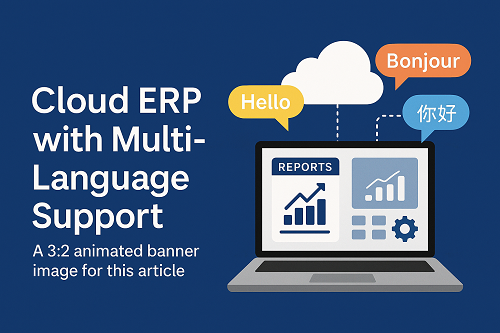
Businesses today operate in a world that is fast, digital, and global. Many companies have teams located in different cities or countries, work with suppliers from multiple regions, and serve customers who speak many languages. Because of this, modern organizations need Cloud ERP systems that support multiple languages, enabling smooth communication and easy operations for everyone involved.
This guide explains what cloud ERP is, how multi-language support works, why it matters, and how businesses can benefit from it in 2025 and beyond. The language is simple, readable, and perfect for beginners.
1. What Is Cloud ERP? (Simple Explanation)
ERP stands for Enterprise Resource Planning.
It is software that helps a company manage:
- Accounting
- Inventory
- Sales & purchase
- HR & payroll
- Manufacturing
- CRM
- Banking
- Fixed assets
- Reporting
A Cloud ERP means the software runs on the internet instead of a local computer. You can access it from:
- Laptop
- Mobile
- Tablet
- Anywhere in the world
All you need is a secure login and an internet connection.
2. What Is Multi-Language Support in Cloud ERP?
Multi-language support means the ERP interface (menus, reports, screens, notifications) can appear in different languages based on the user’s preference.
For example:
- Admin uses English
- Accountant uses Hindi
- Warehouse staff uses Gujarati
- International branch uses Arabic
- Supplier uses French portal
Every user sees ERP in their own language, without affecting others.
3. Why Multi-Language Cloud ERP Is Important in 2025
Today’s businesses operate across multiple cities, countries, and regions. Multi-language ERP helps companies:
✔ Improve communication
Teams understand the software easily in their local language.
✔ Reduce training time
New staff can learn faster if the ERP interface is in a language they know.
✔ Prevent data entry errors
Employees understand instructions clearly and avoid mistakes.
✔ Support global expansion
One ERP works across India, Asia, Europe, Middle East, or Africa.
✔ Boost employee comfort
Workers feel confident using a familiar language.
✔ Increase productivity
When tools are easy to understand, work gets done faster.
4. Key Languages Supported by Modern Cloud ERPs
Most cloud ERP platforms support:
- English
- Hindi
- Gujarati
- Marathi
- Tamil
- Telugu
- Kannada
- Malayalam
- Bengali
- Punjabi
And globally:
- Spanish
- French
- German
- Arabic
- Chinese
- Japanese
- Portuguese
Some ERPs even allow custom language packs, so businesses can add industry-specific terminology.
5. How Multi-Language ERP Works (Simple Explanation)
Multi-language ERP works through a translation engine inside the system.
Step-by-step idea:
- The user logs in.
- ERP checks the preferred language set by that user.
- ERP displays menus, forms, errors, and reports in that language.
- Data remains the same for everyone, but the interface changes.
This means:
- One company
- One database
- One ERP system
- Many languages
All users work together smoothly.
6. Benefits of Cloud ERP with Multi-Language Support
Here are the major advantages for modern businesses:
6.1 Best for Multi-State and Multi-Office Businesses
Companies with branches across India or abroad can use one ERP with multiple language options.
6.2 Ideal for Manufacturing & Warehousing
Workers on the shop floor may prefer regional languages.
The ERP becomes easier to use for scanning, issuing, and tracking materials.
6.3 Useful for Import/Export Companies
Foreign buyers and suppliers can use the portal in their own language.
6.4 Faster User Adoption
Even non-technical employees can learn quickly.
6.5 Better Accuracy in Accounting & Inventory
Language clarity reduces mistakes in orders, invoices, stock updates, and reports.
6.6 Increased Transparency
Everyone understands the same process, regardless of location.
7. Features to Look for in a Cloud ERP with Multi-Language Support
Before choosing a cloud ERP, ensure it offers these:
✔ Interface Translation
Menus, forms, pop-ups, error messages.
✔ Language Switch Anytime
Users can switch languages without reinstalling anything.
✔ Multi-Language Reports
Invoices, purchase orders, job cards, and labels can print in local languages.
✔ Unicode Support
Allows smooth display of all scripts—Hindi, Tamil, Arabic, Chinese, Japanese, etc.
✔ Mobile App Support
Language options should work on mobile and tablet versions too.
✔ Multi-Currency Support
Useful for global business operations.
✔ Employee-Level Language Control
Each user can select their preferred language individually.
8. Real-Life Use Cases
1. Retail & Supermarkets
Cashiers prefer local language; management views dashboards in English.
2. Manufacturing Units
Shop-floor operators use Hindi/Gujarati; supervisors use English.
3. Import/Export Businesses
Suppliers receive purchase orders in their own language.
4. Educational Institutions
Staff, teachers, and administrative teams choose different languages.
5. International Companies
One ERP works across multiple countries with multiple languages.
9. Challenges and Considerations
Multi-language ERP has many advantages, but keep in mind:
- Some technical words may not translate perfectly.
- Custom reports may need manual translation.
- Training material should be available in multiple languages.
- Some regions require right-to-left languages (Arabic, Hebrew).
However, most modern systems handle these effectively.
Conclusion
Cloud ERP with multi-language support is essential for modern businesses that operate in diverse regions, employ multilingual teams, or work with international partners. It improves usability, reduces errors, increases employee satisfaction, and makes business operations smoother across different locations.
Whether you are a small business or a growing enterprise, choosing a cloud ERP with strong language flexibility can make your digital transformation faster, easier, and more inclusive.
Powered by Binarysoft Technologies
Authorized Tally Partner
Location : 1626/33, 1st Floor, Naiwalan, Karol Bagh, New Delhi – 110005, INDIA
Contact us : +91 7428779101, 9205471661
Email us : tally@binarysoft.com (10:00 AM – 6:00 PM, Mon–Fri)
CA. Pankaj Bhadoria brings practical experience in GST, accounting, and business process consulting. He works closely with MSMEs to resolve compliance challenges and improve operational transparency. His articles aim to simplify complex regulations for everyday business use.