Complete Guide to Adding Foreign Currency Symbols (AED & SAR) in Accounting Software – Simplified Steps (2026)

Call CA Tally HelpDesk +91 9205471661, 7428779101
Complete Guide to Adding Foreign Currency Symbols (AED & SAR) in Accounting Software – Simplified Steps (2026)
By CA. Darshit Malhotraa   |   Published on: 08-04-2026 | 10 min read

Global business is no longer optional—it’s expected. Indian businesses, freelancers, and exporters are increasingly working with clients in the UAE and Saudi Arabia. But here’s the hidden problem: many accounting systems are still not properly configured for foreign currencies like AED and SAR. This leads to incorrect invoices, confusion in payments, and even loss of trust with international clients.

Recent shifts in digital accounting, cross-border GST considerations, and real-time financial reporting have made multi-currency setup a necessity. A small mistake—like using the wrong currency symbol or outdated exchange rate—can delay payments and impact credibility. The benefit of proper setup is immediate: accurate invoicing, faster payments, and professional financial records. In today’s competitive global market, getting your currency configuration right is not just technical—it’s a business advantage.


Introduction: Why Foreign Currency Setup is Important

As businesses expand beyond India, handling multiple currencies becomes essential. Without proper configuration:

  • Invoices may show incorrect currency
  • Exchange calculations may be wrong
  • Financial reports may become inconsistent
  • Client confidence may decrease

Adding AED and SAR correctly ensures smooth international transactions and professional communication.


Real Story: One Small Change That Opened Global Opportunities

Sandeep, a service provider from Delhi, landed a project from a Saudi client. He quickly generated an invoice—but it showed INR instead of SAR.

The client was confused and delayed payment.

After that experience, Sandeep updated his accounting system to include AED and SAR currencies. His next invoice was accurate and professional. Payments became faster, and he started receiving more international projects.

Sometimes, a small configuration change can unlock big opportunities.


What is Multi-Currency in Accounting Software?

Multi-currency functionality allows businesses to:

  • Record transactions in foreign currencies
  • Generate invoices in client-specific currency
  • Automatically calculate exchange differences
  • Maintain accurate financial statements

Understanding AED & SAR Currency

UAE Dirham (AED)

  • Country: United Arab Emirates
  • Code: AED
  • Symbol: د.إ

Saudi Riyal (SAR)

  • Country: Saudi Arabia
  • Code: SAR
  • Symbol: ﷼

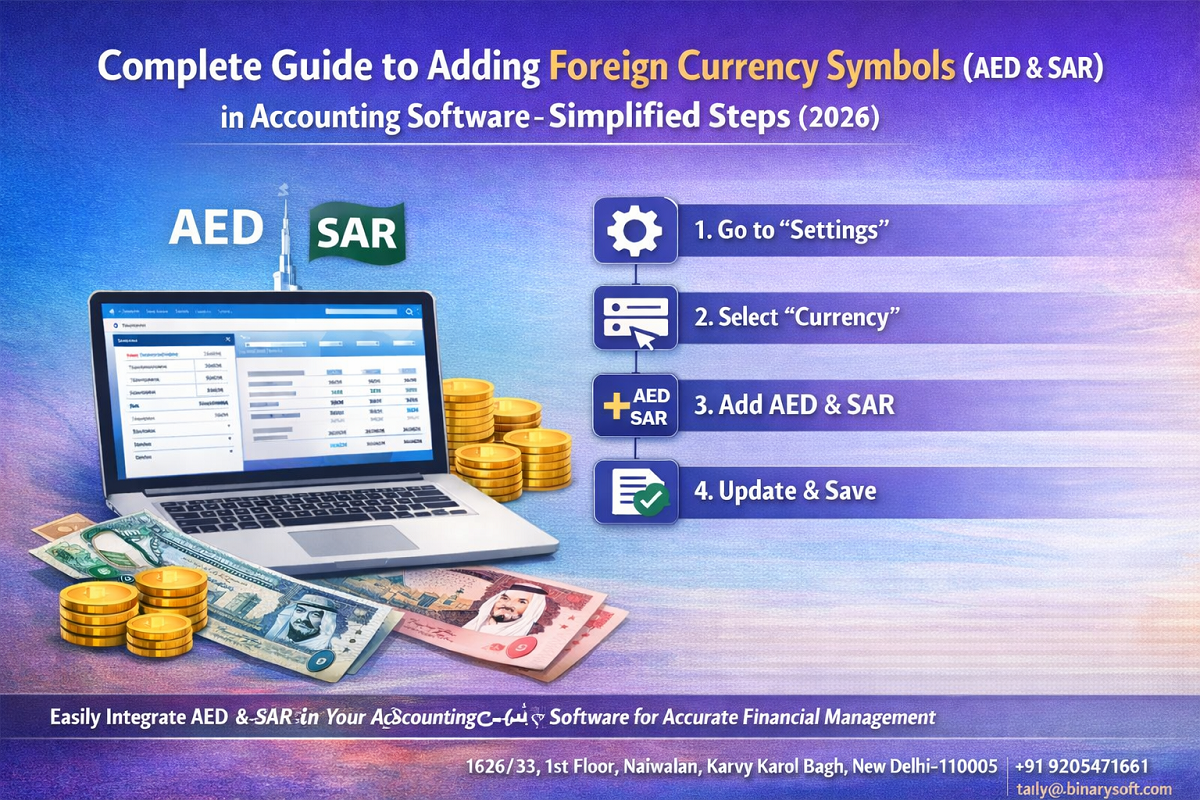
Step-by-Step Guide: Add AED & SAR in Accounting Software (Tally Prime Example)

Step 1: Enable Multi-Currency Feature

  1. Open Tally Prime
  2. Go to Gateway of Tally
  3. Press F11 (Features)
  4. Enable Multi-Currency

Step 2: Create AED Currency

  1. Go to Gateway of Tally → Create → Currency
  2. Enter:
    • Symbol: AED or د.إ
    • Name: UAE Dirham
    • Decimal Places: 2
  3. Save

Step 3: Create SAR Currency

  1. Repeat same steps
  2. Enter:
    • Symbol: SAR or ﷼
    • Name: Saudi Riyal
    • Decimal Places: 2
  3. Save

Step 4: Set Exchange Rate

  1. Go to Gateway of Tally → Alter → Currency
  2. Select AED/SAR
  3. Enter exchange rate with INR

Step 5: Use Currency in Transactions

  • Select currency while creating invoice
  • Tally automatically converts values

Best Practices for Managing Foreign Currency

1. Update Exchange Rates Regularly

Avoid outdated rates for accurate accounting.

2. Maintain Currency Consistency

Use correct symbols in all documents.

3. Double-Check Before Sending Invoices

Ensure currency and conversion are correct.

4. Maintain Backup of Data

Protect financial records during transactions.


Common Mistakes to Avoid

  • Using incorrect currency symbols
  • Not enabling multi-currency
  • Forgetting to update exchange rates
  • Mixing INR and foreign currencies
  • Ignoring rounding differences

Benefits of Adding AED & SAR Correctly

  • Professional global invoicing
  • Faster international payments
  • Accurate financial reporting
  • Improved client trust
  • Better business expansion opportunities

Why This Matters in 2026

With increasing exports, freelancing, and global services, businesses must be ready to operate internationally. Proper currency setup ensures:

  • Smooth transactions
  • Compliance readiness
  • Financial clarity
  • Competitive advantage

Conclusion

Adding foreign currency symbols like AED and SAR in your accounting software is a simple yet powerful step toward global business readiness. It ensures accuracy, professionalism, and seamless financial operations.

In 2026, businesses that adopt multi-currency systems will not only avoid costly mistakes but also unlock new growth opportunities. Don’t overlook this setup—it’s your gateway to international success.


Frequently Asked Questions

How do I add AED and SAR currency in accounting software like Tally Prime?

Enable multi-currency from F11 Features, then go to Create → Currency, enter details for AED and SAR, and save.

Can I use foreign currency symbols in invoices?

Yes, once currencies like AED and SAR are created, you can select them while generating invoices for international clients.

How do I update exchange rates in Tally Prime?

Go to Gateway of Tally → Alter → Currency, select the currency, and update the latest exchange rate manually.

Can I maintain multiple foreign currencies at the same time?

Yes, accounting software like Tally Prime allows you to manage multiple currencies simultaneously.

About the Author

Written by CA. Darshit Malhotraa • 08-04-2026

CA. Darshit Malhotraa has hands-on experience in GST compliance, accounting reviews, and MSME consulting. He regularly works with businesses transitioning from manual systems to digital accounting platforms. His content emphasizes real-world problem solving and operational efficiency.


Verified Content 10 min read Support: +91 9205471661, 7428779101

Need Quick Support for Tally Prime?

For Tally Prime discount schemes and product inquiries, connect with our team.

+91 9205471661 | +91 7428779101

Subscribe For Product Updates

Opt-in Subscription

Tally Prime Auditor Renewal (One Year)

Applicable for CAs / Firms Using GOLD (Multi User ) Only
Renew your license now and upgrade from Tally ERP 9 to Tally Prime for Free!
Rs 6750 + 18% GST (Rs 1215)
Continue Here >>

Tally Prime Auditor Renewal (Two Years)

Applicable for CAs / Firms Using GOLD (Multi User ) Only
Renew your license now and upgrade from Tally ERP 9 to Tally Prime for Free!
Rs 12150 + 18% GST (Rs 2187)
Offer Continue Here >>

Tally Prime Gold Renewal (One Year)

Unlimited Multi-User Edition For Multiple PCs on LAN Environment
Renew your license now and upgrade from Tally ERP 9 to Tally Prime for Free!
Rs 13500 + 18% GST (Rs 2430)
Continue Here >>

Tally Prime Gold Renewal (Two Years)

Unlimited Multi-User Edition For Multiple PCs on LAN Environment
Renew your license now and upgrade from Tally ERP 9 to Tally Prime for Free!
Rs 24300 + 18% GST (Rs 4374)
Offer Continue Here >>

Tally Prime Silver Renewal  (One Year)

Single User Edition For Standalone PCs ( Not applicable for Rental License )
Renew your license now and upgrade from Tally ERP 9 to Tally Prime for Free!
Rs 4500 + 18% GST (Rs 810)
Continue Here >>

Tally Prime Silver Renewal  (Two Years)

Single User Edition For Standalone PCs ( Not applicable for Rental License )
Renew your license now and upgrade from Tally ERP 9 to Tally Prime for Free!
Rs 8100 + 18% GST (Rs 1458)
Offer Continue Here >>

Tally On Cloud

Tally On Cloud ( Per User Annual)
Now access Tally Prime anytime from anywhere – Just Deploy your Tally License and Tally Data on our Cloud Solution.
Rs 7000 + 18% GST (Rs 1260)
Continue Here >>

Tally Prime Gold

Unlimited Multi-User Edition
For EMI options, please Call: +91 742 877 9101 or E-mail: tally@binarysoft.com (10:00 am – 6: 00 pm , Mon-Fri)
Rs 67500 + 18% GST (Rs 12150)
Continue Here >>

Tally Prime Silver to Tally Prime Gold

Unlimited Multi-User Edition For Multiple PCs on LAN Environment
Renew your license now and upgrade from Tally ERP 9 to Tally Prime for Free!
Rs 45000 + 18% GST (Rs 8100)
Continue Here >>

Tally Prime Silver

Single User Edition For Standalone PCs
For EMI options, please Call: +91 742 877 9101 or E-mail: tally@binarysoft.com (10:00 am – 6: 00 pm , Mon-Fri)
Rs 22500 + 18% GST (Rs 4050)
Continue Here >>

Tally On AWS Cloud Personal (For 1 user)

(Per User/One Year)
TallyPrime latest release pre-installed
Rs 7200 + 18% GST (Rs 1296)
Continue Here >>

Tally On AWS Cloud Regular (Upto 2 users)

(Two Users/One Year)
TallyPrime latest release pre-installed
Rs 14400 + 18% GST (Rs 2592)
Continue Here >>

Tally On AWS Cloud Regular Plus (Upto 4 users)

(Four Users/One Year)
TallyPrime latest release pre-installed
Rs 21600 + 18% GST (Rs 3888)
Continue Here >>

Tally On AWS Cloud Regular Pro (Upto 8 users)

(Eight Users/One Year )
TallyPrime latest release pre-installed
Rs 43200 + 18% GST (Rs 7776)
Continue Here >>

Tally On AWS Cloud Performance (Upto 12 users)

(Twelve Users/One Year)
TallyPrime latest release pre-installed
Rs 64800 + 18% GST (Rs 11664)
Continue Here >>

Tally On AWS Cloud Performance Plus (Upto 16 users)

(Sixteen Users/One Year)
TallyPrime latest release pre-installed
Rs 86400 + 18% GST (Rs 15552)
Continue Here >>

Latest Articles

Smart ERP Software for Manufacturing Units: Complete Factory Management Solution for Production Planning, Inventory Control, GST Compliance & Financial Reporting
In 2026, manufacturing businesses are facing a completely different operational reality. Rising raw...
Read More →
What is Chartered Accountants Day? Know the History, Significance, ICAI Establishment & Role of CAs in India’s Economy
In 2026, the role of Chartered Accountants in India has become more critical than ever as businesses...
Read More →
Complete Business Billing Software in Janakpuri & Tilak Nagar for GST, Inventory & Accounts
In 2026, businesses in Janakpuri and Tilak Nagar are rapidly shifting toward automated billing and a...
Read More →
Billing Software for Shops & Traders in Chandni Chowk, Sadar Bazar & Gandhi Nagar
In 2026, retail and wholesale markets in Delhi are changing faster than ever. Traders in Chandni Cho...
Read More →
Tally Prime 7.1 Upcoming Release with Smart GST & Faster Banking Features
Businesses across India are preparing for a major accounting technology shift in 2026 as the upcomin...
Read More →
GST Software in Chandni Chowk & Rajouri Garden for Wholesale Billing and GST Compliance Solutions
Wholesale traders in Chandni Chowk and Rajouri Garden are facing growing pressure due to stricter GS...
Read More →
Get Complete Guide to Adding Foreign Currency Symbols (AED & SAR) in Accounting Software – Simplified Steps (2026)
Call us at +91 7428779101, 8368262875.

Tally Query | Discounted Tally New License | Discounted Tally Renewal