Call CA Tally HelpDesk
+91 9205471661,
7428779101
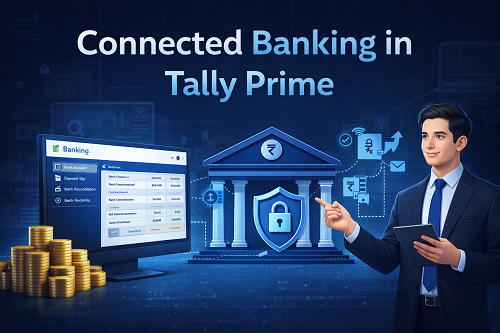
Managing business finances was never easy—especially for Indian SMEs, traders, manufacturers, and accountants dealing with daily bank transactions, reconciliations, RTGS/NEFT payments, vendor settlements, and receipt confirmations. Traditionally, accountants used to manually update ledgers inside Tally and then log in separately into banking portals for payment processing.
This manual method caused:
- errors in entry
- duplicate transactions
- mismatch of balances
- reconciliation difficulty
- data entry delay
- dependency on bank staff
To solve these challenges, Tally introduced Connected Banking Integration—a major innovation allowing businesses to handle accounting and banking operations together.
In this article, you’ll understand everything about Connected Banking in Tally Prime, including:
- What Connected Banking means
- How Tally integrates with banks
- Supported banks & formats
- How bank statements are imported
- Bank reconciliation process
- Making online payments through Tally
- Security, charges & compliance
- Who benefits most
- Real examples
- FAQs
Let’s begin.
What Is Connected Banking in Tally Prime? (Simple Explanation)
Connected Banking is a feature that connects your Tally Prime accounting system with your bank account to automate:
- data import
- payment processing
- reconciliation
- statement validation
- ledger posting
In short:
You no longer have to manually enter every bank transaction.
Tally communicates with banks through secure digital APIs and approved formats to automate workflows.
Why Connected Banking Is So Important in 2025?
Digital banking adoption in India has exploded:
- UPI
- Net banking
- RTGS
- IMPS
- NEFT
- Bill payments
- Auto settlement
Businesses need real-time accuracy across accounting and banking.
Connected Banking solves this demand by:
✔ Eliminating manual bank entry
✔ Reducing errors
✔ Speeding up reconciliations
✔ Strengthening internal control
Key Features of Connected Banking in Tally Prime
1️⃣ Bank Statement Import
Users can directly import bank statements into Tally using:
- Excel formats
- XML
- CSV
- MT940
- API feeds (bank dependent)
Imported entries update ledgers instantly.
2️⃣ Auto Ledger Mapping
While importing statements, Tally automatically identifies:
- vendor ledger
- customer ledger
- charges
- taxes
- GST classifications
This drastically reduces manual mapping.
3️⃣ Online Payment Processing
Tally Prime supports online payments through:
- ICICI Connected Banking
- HDFC Connected Banking
- Axis Bank integrations
- Yes Bank
- SBI Corporate banking
Users can initiate payments directly from Tally.
4️⃣ Reconciliation Automation
Connected Banking lets you match:
- bank statement line items
with
- ledger entries
inside seconds.
It highlights:
- matched
- mismatched
- pending
- difference entries
5️⃣ Secure Approval Workflow
Businesses with multiple roles benefit from structured rights:
- entry maker
- approver
- viewer
- release controller
6️⃣ Real-Time Bank Balance Tracking
Users can view accurate balances inside Tally dashboard—no need to open net banking separately.
How Connected Banking Works – Step-by-Step Flow
Below is a universal workflow example:
Step 1: Configure Bank in Tally
Go to:
Gateway → Banking → Bank Accounts → Configure
Select bank type.
Step 2: Download Bank Statement (If Needed)
Download from:
- net banking
- corporate portal
- auto feed
Step 3: Import into Tally
Use:
Gateway → Banking → Bank Statement Import
Upload file.
Step 4: Tally Auto Matches Entries
Mapped entries include:
- receipt → debtor ledger
- payment → supplier ledger
Step 5: Bank Reconciliation is Updated
Outstanding and cleared entries show.
Step 6: Online Payment Option
Tally integrates using a secure gateway.
Banks Supported by Connected Banking in Tally
Bank support may vary by region, but generally includes:
- ICICI Bank
- HDFC Bank
- Axis Bank
- Yes Bank
- SBI
- Kotak Mahindra Bank
More banks are joining every year.
Benefits of Connected Banking in Tally Prime
1️⃣ Saves Time
No repeated data entry for:
- payments
- receipts
- charges
2️⃣ Removes Manual Errors
Automation avoids:
- posting mistakes
- duplication
- incorrect ledger mapping
3️⃣ Speeds Up Audit Process
Auditors love Tally banking reports because:
- trial balance matches
- bank reconciliation documents
- movement trails
4️⃣ Improves Cash Flow Clarity
Business owners see:
- receipts pending
- dues
- payment reminders
- cheque clearing status
5️⃣ Makes Internal Control Strong
Connected Banking prevents fraud by keeping every transaction traceable.
6️⃣ GST Compliance Simpler
Payments link directly to invoice entries.
Real Example: Using Connected Banking for Vendor Payment
Before Connected Banking:
- Accountant enters voucher manually
- Goes to bank portal
- Fills beneficiary details
- Initiates payment
- Re-enters details into Tally
- Matches voucher next week
Cons: Slow and error prone
With Connected Banking:
- Voucher created in Tally
- Approved
- Payment triggered
- Auto entry done
- Auto reconciliation created
Result: Minutes saved → monthly days saved.
Online Payment in Tally – Options Explained
Tally supports online transfers such as:
- RTGS
- IMPS
- NEFT
- Fund Transfer
- Vendor settlement
- Salary payments
This removes portal dependency.
Connected Banking Security Highlights
Tally uses:
- encrypted API endpoints
- OTP / token verification
- multi-factor authentication
- role control
Your bank password is never stored inside Tally.
How Connected Banking Helps Audit Teams
Auditors analyse:
- vouchers
- bank statements
- approval trails
- dates and timestamps
- transaction mapping
Audit work reduces drastically.
Bank Reconciliation Report in Tally Prime
Shows:
|
Status
|
Meaning
|
|
Cleared
|
Matches bank side
|
|
Pending
|
Not cleared yet
|
|
Difference
|
Amount mismatch
|
Connected Banking Accuracy level
Approx 95–100% mapping accuracy achieved when:
- ledgers are well structured
- narration patterns match
- supplier/customer tags are consistent
Limitations of Connected Banking
❌ Works best with supported bank partners
❌ Internet required
❌ Initial setup needed
❌ Staff training required
Who Should Use Connected Banking in Tally Prime?
Strongly Recommended For:
- Multi-branch companies
- GST filers
- Purchase-heavy traders
- Online sellers
- Retail billing stores
- Manufacturing firms
- CAs with many clients
Optional for:
- Micro enterprises
- Cash-only businesses
Tips for Efficient Connected Banking Usage
✔ Maintain proper naming of ledgers
✔ Configure approval layer
✔ Update UTR references
✔ Run daily reconciliation
✔ Maintain TSS active
✔ Always backup
Future Scope of Connected Banking in India
The banking + ERP connection model will grow, including:
- automated rule-based payments
- AI reconciliation
- instant fraud alerts
- predictive expense analytics
- international banking links
Conclusion
Connected Banking in Tally Prime gives Indian businesses a smarter way to manage accounting and banking transactions in one unified system. It:
- saves time,
- enhances accuracy,
- automates reconciliation,
- supports digital payments,
- and improves business confidence.
In an era where digital payment volume is exploding, implementing connected banking is no longer optional—it is a competitive advantage.
Whether you are a CA firm processing thousands of vouchers a month, or a retail store using bank feeds daily, Tally Prime Connected Banking will reduce manual work and provide clean financial clarity.
Powered by Binarysoft Technologies
Authorized Tally Partner
Location : 1626/33, 1st Floor, Naiwalan, Karol Bagh, New Delhi – 110005, INDIA
Contact us : +91 7428779101, 9205471661, 8368262875
Email us : tally@binarysoft.com (10:00 AM – 6:00 PM, Mon–Fri)
CA. Rohin Mehtaal is a Chartered Accountant with experience in accounting systems, audit support, and GST compliance. He has assisted businesses in adopting structured financial processes and improving inventory accuracy. His writing emphasizes clarity, control, and data-driven decision making.