Call CA Tally HelpDesk
+91 9205471661,
7428779101
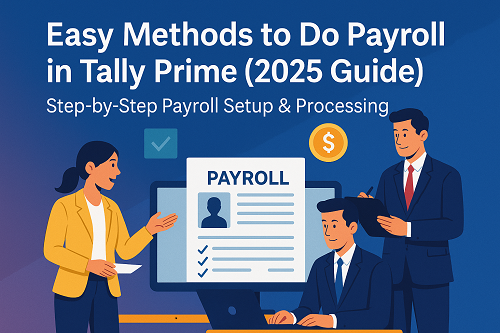
Payroll management is one of the most essential functions for businesses of all sizes. Whether you are running a small organization or a large enterprise, handling employee salaries, attendance, statutory deductions, and compliance can become complicated without a proper system. Tally Prime simplifies the entire process with its built-in Payroll Module, offering automation, accuracy, and efficiency.
This article explains easy and practical methods to do Payroll in Tally Prime, along with step-by-step instructions so that even beginners can manage payroll smoothly. The content is completely non-copyrighted and perfect for website use, training, or documentation.
What Is Payroll in Tally Prime?
Payroll in Tally Prime is a complete system that helps businesses manage:
- Employee salaries
- Attendance & leave records
- Overtime & incentives
- PF, ESI, PT, TDS deductions
- Salary slip generation
- Statutory compliance reports
It replaces manual payroll processes and ensures accuracy with minimal effort.
Benefits of Using Payroll in Tally Prime
- Eliminates manual errors
- Automates salary calculations
- Ensures statutory compliance
- Maintains complete employee records
- Generates PF, ESI, PT & TDS reports
- Reduces time spent on monthly payroll
- Integrates seamlessly with accounts
Easy Methods to Do Payroll in Tally Prime
Below are the most effective methods for managing payroll quickly and easily.
Method 1: Enable Payroll Features (Basic Setup)
Before you begin, you must activate payroll in Tally Prime.
Steps:
- Go to Gateway of Tally → F11: Features → Payroll Features
- Set Enable Payroll? = Yes
- Set Maintain More than One Payroll Unit? = Yes (if required)
- Set Enable Statutory Features? = Yes
- Select applicable statutory rules:
- PF
- ESI
- Professional Tax
- Income Tax
This enables all payroll menus and reports inside Tally Prime.
Method 2: Create Employee Groups and Employees
Tally allows you to organize employees neatly.
Step 1: Create Employee Groups
- Go to Payroll Info → Employee Groups → Create
- Examples:
- Admin Staff
- Sales Team
- Accounts Department
- Production Workers
Step 2: Create Employee Masters
- Go to Payroll Info → Employees → Create
- Enter employee details:
- Name
- Date of joining
- Cost category
- Salary details
- PF/ESI applicability
This forms your payroll master data.
Method 3: Create Pay Heads (Earnings & Deductions)
Pay Heads are the components of a salary structure.
Common Earnings:
- Basic Salary
- Dearness Allowance
- House Rent Allowance (HRA)
- Incentives
- Overtime
Common Deductions:
- Provident Fund (PF)
- Employee State Insurance (ESI)
- Professional Tax (PT)
- TDS
Steps to Create a Pay Head:
- Go to Payroll Info → Pay Heads → Create
- Select Earnings for Employees or Deductions from Employees
- Choose the calculation method (percentage, flat value, attendance-based)
- Set statutory settings if applicable
This allows Tally to calculate salaries automatically.
Method 4: Create Salary Structure for Employees
A salary structure assigns pay heads to each employee.
Steps:
- Go to Payroll Info → Salary Details → Create
- Choose the employee
- Add pay heads:
- Basic
- HRA
- Allowances
- PF
- PT
- Set amounts or percentages
- Save
Multiple employees can share the same structure for easier management.
Method 5: Record Attendance and Leave
Attendance affects the salary amount. Tally allows attendance tracking.
Steps:
- Go to Payroll Info → Attendance/Production Types
- Create types like:
- Present
- Absent
- Overtime Hours
- Leave Without Pay
Monthly Attendance Entry:
- Go to Payroll Vouchers → Attendance Voucher
- Select the month
- Enter attendance for each employee
Tally will calculate salary based on attendance.
Method 6: Process Monthly Payroll (Salary Voucher)
This is the most important step — generating monthly salary.
Steps:
- Go to Payroll Vouchers → Payroll Voucher
- Choose Salary
- Select period (e.g., December 2025)
- Auto-filled salary details will appear
- Verify earnings & deductions
- Accept the voucher
Your payroll for the month is now processed!
Method 7: Generate Salary Slips
Salary slips can be printed or sent digitally.
Steps:
- Go to Display More Reports → Payroll Reports → Employee Pay Slip
- Choose employee & period
- Click Print / Export to PDF
Tally generates clean, professional salary slips instantly.
Method 8: Payroll Accounting & Payment Entry
Once salary is processed, post the salary to accounts.
Steps:
- Go to Accounting Vouchers → Payment Voucher
- Choose Salary Payable Ledger
- Enter payment details (bank/cash)
- Accept voucher
This clear pending salary dues in the ledger.
Method 9: Use Payroll Statutory Reports
Tally automatically prepares statutory compliance reports:
- PF Form 3A & 6A
- ESI Register
- Professional Tax Report
- Income Tax Computation
Go to:
Display More Reports → Payroll Reports → Statutory Reports
This ensures you stay compliant with labour laws.
Summary: Why Payroll in Tally Prime Is So Easy
Tally Prime makes payroll simple because it:
✔ Automates salary calculations
✔ Maintains employee database
✔ Handles statutory deductions
✔ Generates salary slips instantly
✔ Offers accurate accounting integration
✔ Reduces manual errors and saves time
With proper setup, payroll becomes a smooth monthly routine.
Final Conclusion
Payroll in Tally Prime is designed for businesses that want a fast, reliable, and compliant payroll system. Once you set up employees, pay heads, and salary structures, monthly payroll becomes a simple 3-step process:
1️⃣ Enter attendance
2️⃣ Process salary
3️⃣ Generate salary slips & post payments
Whether you are new to Tally or an experienced accountant, these easy methods will help you manage payroll effectively without complications.
Powered by Binarysoft Technologies
Authorized Tally Partner
Location : 1626/33, 1st Floor, Naiwalan, Karol Bagh, New Delhi – 110005, INDIA
Contact us : +91 7428779101, 9205471661, 8368262875
Email us : tally@binarysoft.com (10:00 AM – 6:00 PM, Mon–Fri)
CA. Anand Tirpathi is a Chartered Accountant with experience in statutory compliance, internal controls, and accounting process optimization. He has advised multiple businesses on improving operational efficiency through structured accounting and inventory systems. His writing focuses on clarity, compliance, and risk reduction for MSMEs.