Call CA Tally HelpDesk
+91 9205471661,
7428779101
Introduction
For GST-registered taxpayers in India, digital authentication is a mandatory part of return filing, e-invoicing, and other compliance activities. One of the most important tools used for this purpose is GST emSigner.
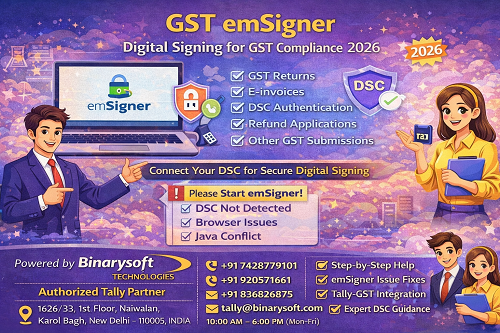
Many users face confusion and errors related to emSigner—such as “emSigner not running,” “DSC not detected,” or “Please start emSigner”—especially while filing GST returns or working in accounting software.
This detailed guide explains:
- What GST emSigner is
- Why emSigner is required
- How emSigner works
- How to install and use it
- Common errors and solutions
- FAQs for smooth GST compliance
This article is fully original, non-copyrighted, and suitable for direct copy-paste on websites, blogs, or training material.
What Is GST emSigner?
GST emSigner is a digital signing utility used to authenticate GST documents using a Digital Signature Certificate (DSC).
It acts as a bridge between your computer and the GST portal, enabling secure digital signing of:
- GST returns
- Applications
- Refunds
- E-invoice authentication
- Other GST submissions
The emSigner utility is provided for use on the GST system operated by Goods and Services Tax Network.
Why Is GST emSigner Required?
GST law mandates digital signing for certain taxpayers to ensure:
- Authenticity of data
- Security of filings
- Non-repudiation of submissions
emSigner Is Mandatory For:
- Companies
- LLPs
- Foreign entities
- Taxpayers using DSC instead of EVC
Individuals and proprietors may use EVC, but DSC users must use emSigner.
Where Is GST emSigner Used?
GST emSigner is required in multiple scenarios:
- Filing GST returns (GSTR-1, GSTR-3B, etc.)
- Registering or updating DSC on GST portal
- Filing GST refund applications
- E-invoice authentication
- Using accounting software integrated with GST (like Tally)
How Does GST emSigner Work?
The working of emSigner is simple:
- emSigner runs as a background service on your system
- It detects the DSC connected via USB token
- GST portal sends signing request
- emSigner signs the data digitally
- Signed data is submitted securely
Without emSigner running, GST portal cannot access the DSC.
System Requirements for GST emSigner
To run emSigner smoothly, your system should have:
- Windows OS (recommended)
- Java installed (compatible version)
- Active internet connection
- Valid DSC USB token
- Browser access (Chrome / Edge preferred)
How to Install GST emSigner (General Steps)
Note: Steps may vary slightly depending on system configuration.
- Download emSigner utility from GST system
- Install emSigner on your computer
- Restart system after installation
- Connect DSC USB token
- Start emSigner as Administrator
- Ensure emSigner status shows “Running”
Once running, proceed with GST filing.
Common GST emSigner Errors & Solutions
1. “Please Start emSigner” Error
Cause:
- emSigner not running
- Service stopped
Solution:
- Start emSigner manually
- Run as Administrator
- Restart system if required
2. “DSC Not Detected” Error
Cause:
- USB token not connected
- Driver not installed
- Token expired
Solution:
- Reinsert USB token
- Install token drivers
- Check DSC validity
3. emSigner Installed but Not Working
Cause:
- Java issue
- Port blocked
- Antivirus restriction
Solution:
- Update Java
- Disable antivirus temporarily
- Allow emSigner in firewall
4. Browser Compatibility Issues
Cause:
- Unsupported browser
- Cache problem
Solution:
- Use Chrome or Edge
- Clear browser cache
- Restart browser
GST emSigner and Tally Integration
Businesses using Tally often require emSigner for:
- GST return filing
- E-invoice generation
- DSC-based authentication
Tally works seamlessly with emSigner when system configuration is correct.
Tally is developed by Tally Solutions Pvt. Ltd., and emSigner acts as a compliance utility alongside it.
Best Practices for Using GST emSigner
✔ Always run emSigner as Administrator
✔ Connect only one DSC token at a time
✔ Keep Java updated
✔ Check DSC expiry regularly
✔ Restart emSigner before filing returns
✔ Avoid multiple emSigner versions
Following these practices avoids last-minute filing issues.
Is emSigner Safe?
Yes. emSigner is:
- Secure
- Encrypted
- Uses standard DSC authentication
- Designed to protect taxpayer data
It does not store sensitive GST data permanently.
Why Do Businesses Need Expert Support for emSigner?
Many GST filing delays happen due to:
- System misconfiguration
- Java conflicts
- Token driver issues
- Improper Tally-GST setup
Expert guidance saves time and prevents late fees and penalties.
Powered by Binarysoft Technologies – Authorized Tally Partner
For businesses facing GST emSigner issues, DSC errors, or Tally-GST integration problems, Binarysoft Technologies provides reliable professional support.
Why Binarysoft Technologies?
✔ Authorized Tally Partner
✔ GST & DSC expertise
✔ emSigner & Java issue resolution
✔ Tally GST configuration support
✔ Reliable post-sales assistance
Contact Details
Powered by Binarysoft Technologies
Authorized Tally Partner
�� Location:
1626/33, 1st Floor, Naiwalan,
Karol Bagh, New Delhi – 110005, INDIA
�� Contact Us:
+91 7428779101
+91 9205471661
+91 8368262875
�� Email:
tally@binarysoft.com
�� Business Hours:
10:00 AM – 6:00 PM (Mon–Fri)
Frequently Asked Questions (FAQs)
Q1. What is GST emSigner?
GST emSigner is a utility used to digitally sign GST documents using DSC.
Q2. Is emSigner mandatory for GST filing?
Yes, for companies, LLPs, and DSC-based taxpayers.
Q3. Can I file GST returns without emSigner?
Only if you use EVC. DSC users must use emSigner.
Q4. Why does emSigner show “Not Running”?
Because the service is not started or blocked by system settings.
Q5. Does emSigner work with Tally?
Yes. emSigner works alongside Tally for GST compliance.
Q6. Is emSigner required for e-invoice?
Yes, for DSC-based e-invoice authentication.
Q7. Who can help fix emSigner issues?
An Authorized Tally Partner like Binarysoft Technologies.
Final Conclusion
GST emSigner is a critical tool for secure and compliant GST filing in India. Without it, DSC-based authentication is impossible.
Key Takeaways:
✔ emSigner is mandatory for DSC users
✔ Must be running during GST filing
✔ Works with Tally and GST portal
✔ Proper configuration avoids errors
For smooth GST filing, emSigner support, and expert Tally assistance, trust Binarysoft Technologies – Authorized Tally Partner.
CA. Rohin Mehtaal is a Chartered Accountant with experience in accounting systems, audit support, and GST compliance. He has assisted businesses in adopting structured financial processes and improving inventory accuracy. His writing emphasizes clarity, control, and data-driven decision making.