Call CA Tally HelpDesk
+91 9205471661,
7428779101
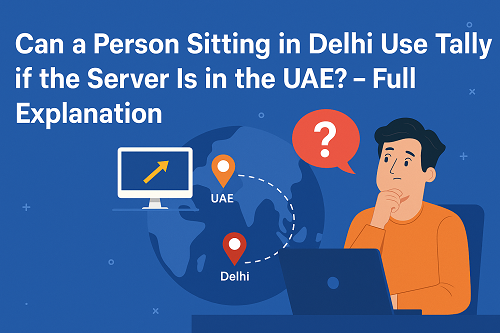
The simple answer is YES.
A person sitting in Delhi, India can easily use Tally if the Tally server is located in the UAE, as long as the correct remote-access setup is in place.
Tally is no longer limited to local computers. With the help of cloud hosting, remote desktop access, VPN, and Tally on Cloud solutions, users in any country can access their Tally data from anywhere in the world—securely, instantly, and without delay.
This guide explains how it works, what solutions are used, what setup is needed, and how businesses use cross-country Tally access every day.
1. How Cross-Country Tally Access Works
When Tally is installed on a UAE server, you can access it from Delhi using one of the following:
- Remote Desktop (RDP)
- Tally on Cloud
- VPN-based Access
- Windows Server + User Login
- Private Cloud Services
- Tally Data Hosting Platforms
In all methods, the UAE server stays ON, and Delhi users connect to it through the internet.
It works exactly like logging into a remote computer.
2. What You Need to Access UAE Tally Server from Delhi
To use Tally remotely, a Delhi user only needs:
✔ A laptop or PC
Windows, Mac, or Linux — all work.
✔ Stable internet connection
4G/5G or broadband is enough.
✔ Login credentials
Provided by the UAE server admin or cloud provider.
✔ Remote access software
Such as:
- Remote Desktop Connection (RDP)
- AnyDesk / TeamViewer (not recommended for full-time accounting)
- VPN access
- Cloud dashboard login
✔ Valid Tally license (on the server side)
TallyPrime Gold or Server Edition for multi-user.
3. Methods to Use Tally from Delhi When Server Is in UAE
Here are the most commonly used methods:
3.1 Method 1: Remote Desktop Protocol (RDP)
The UAE server creates a remote user account.
Delhi user logs in using:
- IP Address
- Username
- Password
Once logged in, the Delhi user sees the UAE computer screen and works on Tally as if sitting in UAE physically.
Benefits
- Fast
- Secure
- Works 24/7
- Multi-user supported
3.2 Method 2: Tally on Cloud (Most Popular Option)
Tally is hosted on a cloud server in UAE.
Delhi users open a browser or cloud app and log in.
Benefits
- No installation needed on Delhi PC
- Access from mobile, tablet, or laptop
- Extremely stable
- Encrypted
- Automatic backups
- Supports multi-location, multi-user
Businesses across Dubai, Abu Dhabi, Sharjah & India widely use this method.
3.3 Method 3: VPN-Based Access
VPN creates a secure tunnel between India and UAE.
Delhi user connects to VPN → gets UAE network access → opens Tally data safely.
Benefits
- Good for private servers
- Highly secure
- Ideal for companies with in-house IT teams
3.4 Method 4: Private Server + User Login
Tally is installed on a dedicated Windows server in UAE.
Delhi user connects using:
- RDP
- Citrix
- SSH (for Linux + Wine installation)
Benefits
- Fully controlled setup
- Custom configurations
4. Things That DO NOT Work
Some people think Tally data can be opened directly via file-sharing (Google Drive, OneDrive, email).
This does NOT work because:
- Tally requires real-time multi-user access
- Data must stay on the server
- Files cannot sync properly between two countries
So always use:
- Cloud
- RDP
- VPN
- Private server
- Tally on Cloud solution
5. How Fast Will Tally Work from Delhi to UAE?
Speed depends on:
- Server quality in UAE
- Internet speed in Delhi
- Latency (distance between India & UAE)
- Cloud provider performance
In 2025, remote Tally access is very smooth, usually:
- 15–30 ms latency
- No input delay
- No lag during voucher entry
- Real-time multi-user performance
Modern cloud servers make it feel like Tally is running locally.
6. Is Remote Tally Access Safe Across Countries?
Yes—if done correctly.
To keep it secure:
- Use encrypted RDP
- Use VPN for private servers
- Use official cloud solutions
- Use strong passwords
- Enable two-factor authentication
Many UAE companies work with Indian accountants, and remote access is completely safe.
7. Real-Life Use Cases (Delhi ↔ UAE)
1. Dubai company hiring Delhi accountant
Accountant logs in daily, enters purchase, sales, VAT, and bank entries remotely.
2. Multi-branch company with Indian back-office team
UAE team handles operations, Delhi team handles accounting.
3. CA firms in India maintaining UAE books
CA staff connects to UAE server and works on TallyPrime data.
4. Indian IT team managing ERP remotely
They configure, customize, and support Tally from Delhi for UAE branches.
These setups are extremely common today.
8. What Is the Best Method for Most Businesses?
The most recommended solution is:
Tally on Cloud (UAE-based Cloud Hosting)
Because it is:
- Fast
- Encrypted
- Multi-user
- Maintenance-free
- Works from any country
- Mobile-friendly
- Safe for VAT and audit data
No installation needed at the Delhi user’s end.
Conclusion
A person sitting in Delhi can easily operate Tally when the server is in the UAE.
With modern cloud servers, remote desktop access, and VPN connectivity, Tally becomes a global accounting system accessible from any country.
Businesses in 2025 commonly run Tally from:
- UAE
- India
- Saudi Arabia
- Qatar
- Oman
- Kuwait
- Europe
- USA
All using the same cloud or remote server.
This allows companies to:
- Hire talent from anywhere
- Maintain centralized accounting
- Improve productivity
- Reduce IT cost
- Ensure data safety
- Work without location limits
Tally is no longer a local software.
It is now a global remote-access accounting solution when configured correctly.
Powered by Binarysoft Technologies
Authorized Tally Partner
Location : 1626/33, 1st Floor, Naiwalan, Karol Bagh, New Delhi – 110005, INDIA
Contact us : +91 7428779101, 9205471661, 8368262875
Email us : tally@binarysoft.com (10:00 AM – 6:00 PM, Mon–Fri)
CA. Pankaj Bhadoria brings practical experience in GST, accounting, and business process consulting. He works closely with MSMEs to resolve compliance challenges and improve operational transparency. His articles aim to simplify complex regulations for everyday business use.