Call CA Tally HelpDesk
+91 9205471661,
7428779101
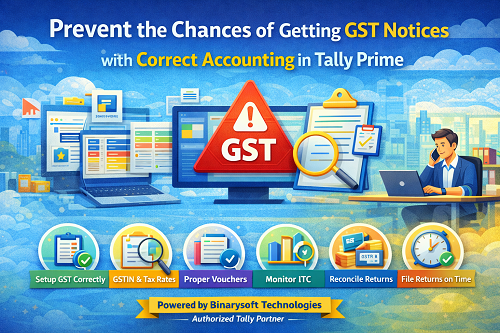
Introduction
Receiving a GST notice is one of the biggest concerns for business owners, accountants, and professionals. Most GST notices are not issued due to fraud, but because of accounting mistakes, mismatches in returns, or incorrect data entry. The good news is that many of these issues can be avoided by maintaining proper and accurate accounting in Tally Prime.
Tally Prime, when configured and used correctly, helps businesses comply with GST rules, maintain accurate records, and significantly reduce the chances of receiving GST notices. This article explains how correct accounting in Tally Prime can prevent GST notices, common mistakes to avoid, and best practices to follow.
Why Do Businesses Receive GST Notices?
GST notices are usually issued due to the following reasons:
- Mismatch between GSTR-1 and GSTR-3B
- Difference between GST returns and books of accounts
- Incorrect tax rates applied
- Wrong GSTIN entered for parties
- Claiming excess Input Tax Credit (ITC)
- Missing or incorrect invoice details
- Late or non-filing of returns
Most of these issues are directly linked to improper accounting practices.
Importance of Correct Accounting in Tally Prime for GST Compliance
Correct accounting in Tally Prime ensures that:
- GST returns match with accounting data
- Tax calculations are accurate
- ITC claims are genuine and supported
- Reports are ready for audit and scrutiny
- Errors are identified before filing returns
This reduces the risk of notices, penalties, and interest.
Step 1: Proper Company GST Configuration in Tally Prime
Correct GST compliance starts with company setup.
Ensure the following:
- Correct GST registration type selected
- Accurate state and GSTIN entered
- Proper financial year selected
- GST features enabled correctly
A wrong setup at this stage can cause repeated mismatches and notices.
Step 2: Correct Party Ledger Creation
Many GST notices arise due to incorrect party details.
Best practices:
- Always enter correct GSTIN of customers and suppliers
- Select correct registration type (Registered, Unregistered, Composition)
- Ensure state is correctly selected
- Avoid duplicate party ledgers
Incorrect party ledgers directly affect GSTR-1 and ITC claims.
Step 3: Use Proper GST Tax Ledgers
Tax ledgers should be properly configured.
Important points:
- Separate ledgers for CGST, SGST, IGST, and Cess
- Correct tax percentages assigned
- Avoid manual tax calculation
- Do not mix GST and non-GST ledgers
Using correct tax ledgers ensures accurate GST reports.
Step 4: Apply Correct GST Rates on Transactions
Incorrect tax rates are a major reason for GST notices.
To avoid this:
- Assign correct GST rate to stock items or services
- Verify HSN or SAC codes
- Review rate changes as per notifications
- Avoid overriding tax rates manually
Always verify tax before saving vouchers.
Step 5: Proper Sales and Purchase Voucher Entry
Voucher-level accuracy is critical.
Follow these practices:
- Use appropriate voucher types
- Do not skip invoice numbers
- Enter correct invoice dates
- Select correct tax classification
- Avoid backdated entries without review
Even small errors in vouchers can lead to mismatches in returns.
Step 6: Regular Reconciliation of GST Returns
Reconciliation helps identify issues early.
You should regularly reconcile:
- GSTR-1 with sales register
- GSTR-3B with books
- Purchase register with GSTR-2B
- ITC claimed with eligible ITC
Early reconciliation prevents notices later.
Step 7: Monitor Input Tax Credit Carefully
Wrong ITC claims are one of the top reasons for GST scrutiny.
Best practices:
- Claim ITC only when supplier has filed returns
- Match invoices with GSTR-2B
- Reverse ineligible ITC on time
- Maintain proper documentation
Do not rely on assumptions while claiming ITC.
Step 8: Maintain Clean and Error-Free Data
Data hygiene is essential.
- Avoid duplicate vouchers
- Remove unused ledgers
- Correct mistakes immediately
- Do not delete vouchers after filing returns
- Keep audit trail intact
Clean data builds confidence during assessments.
Step 9: Generate and Review GST Reports Before Filing
Before filing GST returns:
- Review GSTR-1 summary
- Check tax liability reports
- Verify ITC reports
- Cross-check turnover figures
Tally Prime provides powerful reports that help detect errors early.
Step 10: File GST Returns on Time
Late filing attracts notices, interest, and penalties.
Ensure:
- Timely filing of GSTR-1 and GSTR-3B
- Correct data is filed, not estimated values
- Corrections are done in the next return if required
Timely and accurate filing builds a strong compliance record.
Common Accounting Mistakes That Trigger GST Notices
- Using wrong GSTIN
- Applying IGST instead of CGST/SGST
- Claiming ITC without invoice
- Manual tax adjustments
- Incorrect expense classification
- Non-reconciliation of returns
Avoiding these mistakes significantly reduces risk.
How Tally Prime Helps in Preventing GST Notices
Tally Prime helps by:
- Automating GST calculations
- Providing GST-ready reports
- Highlighting mismatches
- Enabling reconciliation
- Maintaining audit-friendly records
When used properly, it acts as a strong compliance tool.
When Should You Seek Professional Help?
You should consult an expert if:
- GST notices are already received
- Large mismatches exist
- ITC reconciliation is complex
- Multi-state or branch accounting is involved
- Compliance workload is increasing
Professional guidance ensures accuracy and peace of mind.
Conclusion
GST notices are not always a sign of wrongdoing, but they do indicate gaps in accounting or compliance. By maintaining correct, disciplined, and transparent accounting in Tally Prime, businesses can significantly reduce the chances of receiving GST notices.
Proper configuration, accurate data entry, regular reconciliation, and timely return filing together form a strong defense against GST scrutiny.
Powered by Binarysoft Technologies – Authorized Tally Partner
Binarysoft Technologies
Authorized Tally Partner
Address:
1626/33, 1st Floor, Naiwalan, Karol Bagh,
New Delhi – 110005, INDIA
Contact Numbers:
+91 7428779101
+91 9205471661
+91 8368262875
Email:
tally@binarysoft.com
Business Hours:
10:00 AM – 6:00 PM (Monday to Friday)
Frequently Asked Questions
Can correct accounting really prevent GST notices?
Yes, most GST notices are issued due to accounting and reporting errors.
Does Tally Prime automatically ensure GST compliance?
Tally Prime provides tools, but correct usage and configuration are essential.
Can wrong GST rate entry lead to notice?
Yes, incorrect tax rates are a common reason for notices.
Is reconciliation mandatory to avoid notices?
Regular reconciliation greatly reduces the chances of notices.
CA. T.R Venkat is a Chartered Accountant with extensive experience in accounting systems, GST compliance, and MSME advisory. He has worked closely with Indian traders and businesses on inventory control and accounting process improvement. His writing draws from real operational challenges faced by growing enterprises.









