Call CA Tally HelpDesk
+91 9205471661,
7428779101
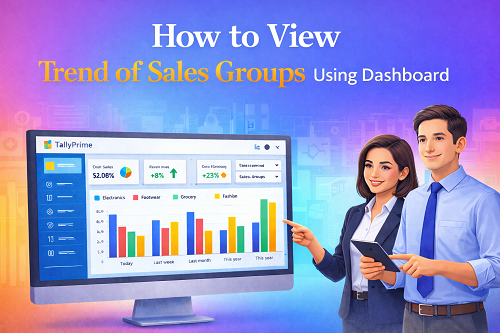
Businesses today no longer make decisions only on the basis of intuition—data, patterns, and trend visibility define smarter planning. In accounting and ERP systems, dashboards work as real-time analytics screens that help companies analyse their performance across different product segments, locations, categories, and sales groups.
One specific dashboard capability that adds massive value is the ability to view sales group trends.
It lets you visually compare:
- different product categories,
- performance cycles,
- customer buying behaviour,
- growth and decline seasons,
- and revenue contribution patterns.
This article explains, in simple language:
- What is a Sales Group trend?
- Why sales trend dashboards are important
- How dashboards show Sales Group performance
- How to view trend using filters and date ranges
- How retailers, wholesalers & CA firms use trends
- Mistakes to avoid while analysing trends
- Dashboards in accounting platforms like TallyPrime
- Best practices for trend monitoring
- FAQs
Let’s begin.
What Is a Sales Group Trend? – Simple Definition
Sales group trend analysis shows how different product groups behave over time.
For example:
- Electronics vs Electrical Materials
- Grocery vs FMCG
- Men’s Fashion vs Women’s Fashion
- Silver Jewellery vs Gold Jewellery
- Branch A vs Branch B
Each group becomes a category. The dashboard compares their revenues across:
- days,
- weeks,
- months, or
- financial years.
Why Businesses Need Sales Group Trend Visualization
Because it answers real questions like:
- Which product group sells the most?
- Which group is losing momentum?
- Which segment requires marketing?
- How does festive season change sales?
- Which group performs strongest in Q1 vs Q4?
- Which group provides highest revenue share?
Business owners no longer guess—data guides them.
Sales Groups Explained with Examples
Imagine a retail store selling:
|
Group Name
|
Items Included
|
|
Footwear
|
Shoes, sandals
|
|
Electronics
|
TVs, mobiles
|
|
Grocery
|
Dry food
|
|
Fashion
|
Clothing range
|
A dashboard will combine revenue under each group and display trend lines—making performance comparison easy.
Where Are Sales Group Trends Viewed?
Sales group trend analysis is available in:
- Accounting dashboards (Tally dashboards conceptually included)
- CRM dashboards
- POS dashboard systems
- ERP analytics
- Power BI dashboards
- Retail software dashboards
- E-commerce analytics portals
The way the dashboard is built may change, but the data purpose remains identical.
How Dashboard Shows Sales Group Trend (General Logic)
Dashboards convert raw sales entries into visuals:
1️⃣ System reads vouchers/transactions
Sales entries are grouped under product categories.
2️⃣ Dashboard combines values
Totals are prepared monthly/weekly.
3️⃣ Trend graphs reflect patterns
Usually line charts or bar graphs.
4️⃣ Filters refine data
User filters the dashboard view to isolate trend with:
- specific branches
- specific time period
- specific product groups
Understanding Dashboard Components for Sales Group Trend
The dashboard displays:
�� Sales value contribution
Shows revenue against each sales group.
�� Trend line
Shows movement across time.
�� Comparison
Group vs group performance.
�� Colour coding
Makes groups visually distinctive.
�� KPI summaries
Total revenue, growth %, and profit.
How To View Trend of Sales Groups in Dashboard – Step-By-Step Guide
The following universal steps apply across modern accounting dashboard platforms:
Step 1: Login to Dashboard Panel
Access the dashboard with your login ID.
If using ERP/Accounting dashboards, go to:
Dashboard → Sales Analytics
Step 2: Open Sales Trend / Product Group Trend Screen
Dashboards usually provide an option like:
- Sales Trend
- Sales Group Trend
- Group Analysis
- Category Sales
Open this section.
Step 3: Choose Date Range
Trend visualisation depends on time selection.
Common date presets:
- Today
- This Month
- Last Month
- Financial Year
- Custom Range
If you want seasonal analysis, choose long ranges.
Step 4: Select Sales Group Filter
Select groups like:
- product categories
- business units
- departments
- locations
- branches
Dashboard will filter and show trend lines.
Step 5: Compare Multiple Sales Groups
Dashboards allow multi-group plotting:
Example comparison chart:
- Mobile Sales vs Laptop Sales
- Dairy vs Grocery
- Clothing vs Footwear
- Gold vs Silver items
The dashboard displays coloured graph lines.
Step 6: Analyse Trend Indicators
Trends may show:
- increase
- decrease
- stability
- seasonal spike
- irregular drop
These help managers make decisions.
Trend Interpretation Examples
�� Case A: Sales Earlier vs Today
If footwear line rises every weekend → Increase weekend stock.
�� Case B: Group decline
If electronic items drop for 3 months → Marketing required.
�� Case C: Festival trend spike
Sales shoot during Onam, Diwali, Christmas → seasonal planning.
�� Case D: Branch comparison
Branch A consistently sells 50% more fashion items → focus business in that region.
Why Sales Group Trend Dashboards Are Powerful
Because they:
- Forecast future outcomes
- Reduce management risk
- Speed up decision making
- Identify weak & strong areas
- Improve purchase planning
- Detect market direction
- Bring transparency
- Increase profitability
Dashboard Trend View in TallyPrime (Conceptual Explanation)
TallyPrime dashboard trend tiles allow:
- daily movement
- monthly movement
- group wise stock trend
- multi-store comparison
- drag & drop tile organisation
Users can add sales trend tiles and simply adjust the period to analyse groups.
Benefits for Business Owners
✔ Better inventory planning
Know which item sells fast.
✔ Stop deadstock
Avoid over-stocking weak groups.
✔ Increase working capital control
Prioritise high-return groups.
✔ Set realistic targets
Performance data supports goal setting.
✔ Team accountability
Sales managers track their outcome.
Mistakes to Avoid While Viewing Sales Group Trend
❌ Very short date ranges
One week view hides seasonality.
❌ No comparison
Trend without comparing groups gives partial clarity.
❌ Ignoring external factors
Festivals, pricing shifts, news events affect trend.
❌ Too many filters
Over filtering hides useful information.
Sales Group Trend Dashboard Output Examples
Output 1: Group performance ranking
A list showing highest to lowest selling groups.
Output 2: Trend line visualization
Graph shows how revenue changes over time.
Output 3: Growth percentage
Dashboard calculates YoY or MoM growth.
Future of Sales Group Trend Dashboards
Dashboards will gain:
- AI prediction
- automatic forecasting
- profit mapping
- customer segmentation
- drill-down analytics
Soon dashboards will automatically highlight reasons for performance change.
Conclusion
Viewing the trend of sales groups through dashboards is one of the most important data analytics functions available for modern accounting and ERP environments.
It helps you:
- understand group performance clearly
- compare product categories
- plan inventory
- monitor business cycle
- support decision making with real numbers
Dashboards turn numbers into visual business intelligence—helping companies grow faster, smarter, and more confidently.
Powered by Binarysoft Technologies
Authorized Tally Partner
Location : 1626/33, 1st Floor, Naiwalan, Karol Bagh, New Delhi – 110005, INDIA
Contact us : +91 7428779101, 9205471661, 8368262875
Email us : tally@binarysoft.com (10:00 AM – 6:00 PM, Mon–Fri)
Frequently Asked Questions
Can all employees view sales trend dashboard?
Only if allowed by admin.
Can trend graphs export to PDF or Excel?
Yes, most dashboards allow export/download.
Can a dashboard track profitability instead of revenue?
Yes—groups can show both profit and sales value.
Is dashboard real-time or delayed?
It depends on software system design.
CA. Praneet Bansaal is a Chartered Accountant with experience in taxation, accounting controls, and financial process reviews. He has advised businesses on aligning inventory movement with accounting and GST requirements. His content focuses on compliance, accuracy, and long-term sustainability.









