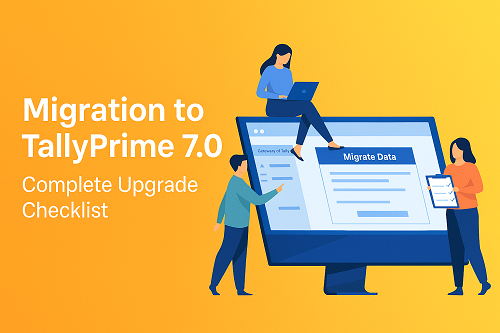
Migration to Tally Prime 7.0 – Complete Upgrade Checklist

Call CA Tally HelpDesk +91 9205471661, 8368262875

Migration to Tally Prime 7.0 – Complete Upgrade Checklist
By CA. Priya Tanvi   |   Published on: 21-11-2025 | 5 min read

Introduction

Tally Prime 7.0 is an advanced and improved version of Tally that brings better speed, automation, SmartFind search, GST accuracy, and easier data management. To use these features smoothly, you need to migrate your existing Tally data to Tally Prime 7.0.
This guide explains the complete upgrade checklist in simple language.


What Migration Means

Migration means converting your old Tally data (ERP 9, Tally Prime 1.x, 2.x, 3.x, 4.x, 6.x) into a format that works with Tally Prime 7.0.


Before Migration – Things To Check

1. TSS Validity

Make sure your Tally Software Services (TSS) is active. TSS is required for upgrades.

2. Install Tally Prime 7.0

Download and install the latest Tally Prime 7.0 version without removing the old Tally version.

3. Take a Complete Backup

Always take a full backup of your company data, TDL files, user roles, and custom settings.
Save the backup in two places (external drive and cloud).

4. Verify Data Health

Open your current Tally and verify the data to check if any errors exist. Fix them before migration.

5. Note Down Custom Settings

If you use add-ons, TDL files, or custom configurations, keep them ready for re-setup after migration.


How to Migrate to TallyPrime 7.0

Step 1

Open TallyPrime 7.0.

Step 2

On the startup screen, select “Migrate Data.”

Step 3

Browse and select your company data folder. Tally will scan the data.

Step 4

Click “Migrate.”
Tally will convert all masters, vouchers, inventory, and GST settings to the new format.

Step 5

When migration completes, you will see the success message.

Step 6

Open the newly migrated company from the Select Company screen.


After Migration – Things To Check

1. Verify Data

Check Day Book, Trial Balance, GST Summary, Stock Summary, and outstanding reports.

2. Check Important Reports

Open sales register, purchase register, bank reconciliation, cash book, etc., to confirm everything is correct.

3. Re-Enable Add-ons

If you use TDL files or add-on modules, enable them again and check compatibility with 7.0.

4. Set Up Connected Services

Activate e-invoice, e-way bill, remote access, banking, and auto backup.

5. Train Your Team

Explain new features like SmartFind, Auto Backup, and faster reports so your team can use Tally Prime 7.0 properly.


Common Problems and Simple Solutions

If values don’t match, press Ctrl + Alt + R to recalculate.
If TDLs don’t work, update them for version 7.0.
If GST reports show errors, review GST rates and HSN codes.
If company doesn’t appear, copy the data folder again and retry migration.


Helpful Tips

Always take backups before migration.
Avoid migrating during office rush hours.
Test migration on one sample company first.
Keep both Tally versions installed for a few days for safety.
Check inventory values carefully after migration.


Conclusion

Migrating to TallyPrime 7.0 is easy when you follow the correct steps.
A proper migration ensures your data is safe, reports work correctly, and your business gets full advantage of new features like faster performance, better GST tools, SmartFind, and modern automation.

Powered by Binarysoft Technologies
Authorized Tally Partner
Location : 1626/33, 1st Floor, Naiwalan, Karol Bagh, New Delhi – 110005, INDIA
Contact us : +91 7428779101, 9205471661
Email us :  tally@binarysoft.com (10:00 AM – 6:00 PM, Mon–Fri)


About the Author

Written by CA. Priya Tanvi • 21-11-2025

CA. Priya Tanvi specializes in accounting compliance, GST advisory, and business reporting for small and growing enterprises. She works with business owners to improve record-keeping and financial clarity. Her articles focus on practical compliance solutions and operational discipline.


Verified Content 5 min read Support: +91 9205471661, 8368262875

Need Quick Support?

For Tally discount schemes and product inquiries, connect with our team.

+91 9205471661
+91 8368262875

Subscribe For Product Updates

Enter your email and mobile number, verify the OTP sent to your email, and we will save your subscription in the database.

Tally Prime Auditor Renewal (One Year)

Applicable for CAs / Firms Using GOLD (Multi User ) Only
Renew your license now and upgrade from Tally ERP 9 to Tally Prime for Free!
Rs 6750 + 18% GST (Rs 1215)
Continue Here >>

Tally Prime Auditor Renewal (Two Years)

Applicable for CAs / Firms Using GOLD (Multi User ) Only
Renew your license now and upgrade from Tally ERP 9 to Tally Prime for Free!
Rs 12150 + 18% GST (Rs 2187)
Offer Continue Here >>

Tally Prime Gold Renewal (One Year)

Unlimited Multi-User Edition For Multiple PCs on LAN Environment
Renew your license now and upgrade from Tally ERP 9 to Tally Prime for Free!
Rs 13500 + 18% GST (Rs 2430)
Continue Here >>

Tally Prime Gold Renewal (Two Years)

Unlimited Multi-User Edition For Multiple PCs on LAN Environment
Renew your license now and upgrade from Tally ERP 9 to Tally Prime for Free!
Rs 24300 + 18% GST (Rs 4374)
Offer Continue Here >>

Tally Prime Silver Renewal  (One Year)

Single User Edition For Standalone PCs ( Not applicable for Rental License )
Renew your license now and upgrade from Tally ERP 9 to Tally Prime for Free!
Rs 4500 + 18% GST (Rs 810)
Continue Here >>

Tally Prime Silver Renewal  (Two Years)

Single User Edition For Standalone PCs ( Not applicable for Rental License )
Renew your license now and upgrade from Tally ERP 9 to Tally Prime for Free!
Rs 8100 + 18% GST (Rs 1458)
Offer Continue Here >>

Tally On Cloud

Tally On Cloud ( Per User Annual)
Now access Tally Prime anytime from anywhere – Just Deploy your Tally License and Tally Data on our Cloud Solution.
Rs 7000 + 18% GST (Rs 1260)
Continue Here >>

Tally Prime Gold

Unlimited Multi-User Edition
For EMI options, please Call: +91 742 877 9101 or E-mail: tally@binarysoft.com (10:00 am – 6: 00 pm , Mon-Fri)
Rs 67500 + 18% GST (Rs 12150)
Continue Here >>

Tally Prime Silver to Tally Prime Gold

Unlimited Multi-User Edition For Multiple PCs on LAN Environment
Renew your license now and upgrade from Tally ERP 9 to Tally Prime for Free!
Rs 45000 + 18% GST (Rs 8100)
Continue Here >>

Tally Prime Silver

Single User Edition For Standalone PCs
For EMI options, please Call: +91 742 877 9101 or E-mail: tally@binarysoft.com (10:00 am – 6: 00 pm , Mon-Fri)
Rs 22500 + 18% GST (Rs 4050)
Continue Here >>

Tally On AWS Cloud Personal (For 1 user)

(Per User/One Year)
TallyPrime latest release pre-installed
Rs 7200 + 18% GST (Rs 1296)
Continue Here >>

Tally On AWS Cloud Regular (Upto 2 users)

(Two Users/One Year)
TallyPrime latest release pre-installed
Rs 14400 + 18% GST (Rs 2592)
Continue Here >>

Tally On AWS Cloud Regular Plus (Upto 4 users)

(Four Users/One Year)
TallyPrime latest release pre-installed
Rs 21600 + 18% GST (Rs 3888)
Continue Here >>

Tally On AWS Cloud Regular Pro (Upto 8 users)

(Eight Users/One Year )
TallyPrime latest release pre-installed
Rs 43200 + 18% GST (Rs 7776)
Continue Here >>

Tally On AWS Cloud Performance (Upto 12 users)

(Twelve Users/One Year)
TallyPrime latest release pre-installed
Rs 64800 + 18% GST (Rs 11664)
Continue Here >>

Tally On AWS Cloud Performance Plus (Upto 16 users)

(Sixteen Users/One Year)
TallyPrime latest release pre-installed
Rs 86400 + 18% GST (Rs 15552)
Continue Here >>

Latest Articles

How CAs Can Work Anytime, Anywhere with Tally on Cloud
What changed now in 2026? Compliance timelines are tighter, client expectations are higher, and work...
Read More →
Top 10 Mistakes in Client Books & How to Catch Them in TallyPrime
Accounting errors are no longer small oversights—they are high-risk triggers for GST notices, audit...
Read More →
How TallyPrime 7.0 Helps CAs Offer Faster Client Turnaround
Chartered Accountants are under intense pressure to deliver faster results, maintain perfect complia...
Read More →
Automate Bank Reconciliation in TallyPrime – Save Hours Daily
Businesses and Chartered Accountants are under increasing pressure to close books faster, ensure GST...
Read More →
How TallyPrime 7.0 Simplifies Tax Audit Preparation for CAs
Tax audit pressure on Chartered Accountants has increased significantly due to stricter compliance c...
Read More →
2-Minute GST Return Check in TallyPrime 7.0
In 2026, GST compliance is no longer just about filing returns—it’s about speed, accuracy, and zero-...
Read More →
Get Migration to Tally Prime 7.0 – Complete Upgrade Checklist
Call us at +91 9205471661, 8368262875.

Tally Query | Discounted Tally New License | Discounted Tally Renewal