Call CA Tally HelpDesk
+91 9205471661,
7428779101
What Changed in 2026: Why Financial Statement Preparation Needs More Control
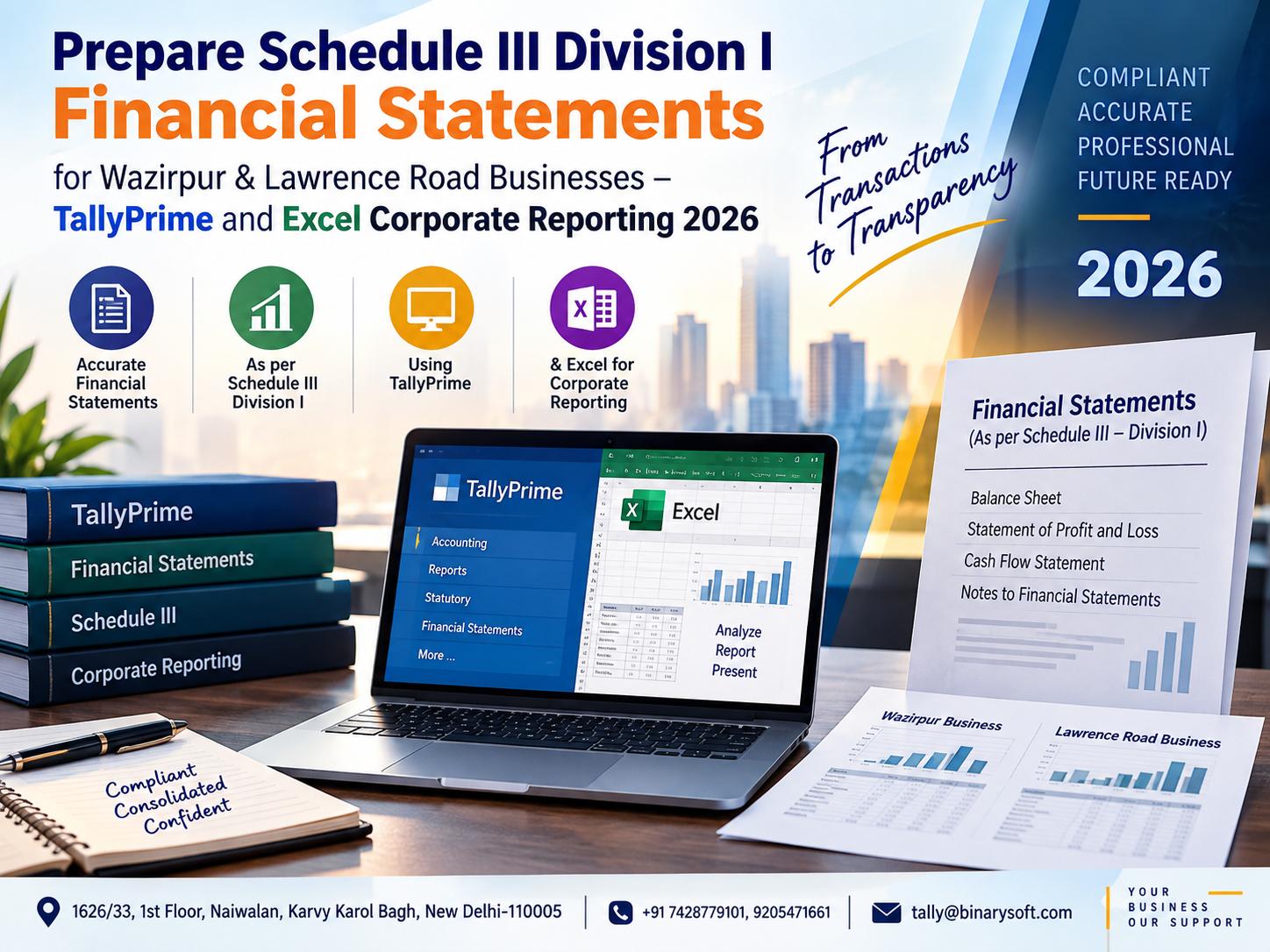
In 2026, businesses operating in Wazirpur Industrial Area and Lawrence Road Industrial Area are dealing with increasingly data-heavy accounting, GST reconciliation, inventory records, statutory reporting and year-end financial statement preparation. For companies required to present financial statements under Schedule III Division I of the Companies Act, 2013, simply maintaining books is not enough. The real pressure begins when accounting data has to be classified, reviewed and converted into a structured Balance Sheet, Statement of Profit and Loss and supporting notes. TallyPrime can help maintain detailed books, while a properly designed Excel reporting framework can transform that accounting data into a structured corporate reporting format. The benefit is significant: fewer manual classifications, better reconciliation, stronger review controls and faster preparation of financial statements. For Wazirpur and Lawrence Road businesses managing manufacturing, trading, distribution or other commercial operations, a TallyPrime-to-Excel reporting workflow can make year-end reporting considerably more organized.
Understanding Schedule III Division I Financial Statements
Schedule III to the Companies Act, 2013 prescribes the manner in which specified companies present their financial statements. Division I is generally relevant to companies whose financial statements are prepared in accordance with the Accounting Standards framework applicable to them, subject to the applicable legal and regulatory requirements.
The objective is not merely to produce a Balance Sheet and Statement of Profit and Loss. Financial information needs to be presented under appropriate headings and sub-headings, supported by relevant notes and disclosures.
For a company maintaining its day-to-day accounts in TallyPrime, the challenge is therefore to create a reliable connection between transactional accounting and statutory financial reporting.
TallyPrime can act as the primary accounting data source, while Excel can provide the structured reporting and review layer required to prepare the final financial statements.
Why Wazirpur and Lawrence Road Businesses Need Structured Corporate Reporting
Wazirpur Industrial Area and Lawrence Road Industrial Area are home to businesses engaged in manufacturing, processing, trading, distribution and allied commercial activities.
Such companies can have thousands of transactions involving raw materials, finished goods, debtors, creditors, machinery, employee costs, GST, banking, loans and operating expenses.
At the end of the financial year, these transactions have to be consolidated into meaningful financial statement classifications.
A raw trial balance, however, is not the same as a Schedule III financial statement.
A ledger called "Machine Loan", for example, may need to be considered under the appropriate borrowing classification. Various customer accounts may ultimately form part of trade receivables. Supplier balances may have to be appropriately classified and disclosed. Expenses recorded under multiple ledgers may need to be mapped to suitable financial statement heads.
This is where a structured TallyPrime and Excel reporting system becomes useful.
From Daily Accounting to Corporate Financial Reporting
During the year, accounting teams normally focus on operational transactions such as:
Sales invoices
Purchase invoices
Receipts and payments
Bank transactions
Journal entries
GST transactions
Inventory movements
Production entries
Payroll-related expenses
Fixed asset purchases
Loans and repayments
Debtor and creditor adjustments
At year-end, the reporting requirement changes.
Management, accountants and auditors need to understand what these transactions collectively mean for the company's financial position and performance.
The process therefore moves from transaction recording to classification, reconciliation, presentation and disclosure.
TallyPrime provides the accounting foundation. Excel can provide the reporting structure required to convert the final trial balance into financial statements.
A Wazirpur Manufacturer's Year-End Story
Consider a fictional manufacturing company operating from Wazirpur Industrial Area.
The company had grown rapidly during the year. Orders were increasing, additional machinery had been purchased and new suppliers had been added. The accounts team was proud that nearly every invoice, receipt and payment had been entered in TallyPrime.
Then year-end reporting started.
The finance manager exported the trial balance and realized that dozens of ledgers needed review. Advances were mixed with normal supplier accounts. Some machinery-related expenses required verification. Customer balances had to be reconciled, inventory figures needed confirmation and several new ledgers had never been mapped to the financial statement format.
The team spent late evenings moving figures between spreadsheets.
One small change in the trial balance forced them to update several worksheets again.
The problem was not missing accounting data. The problem was the absence of a structured reporting bridge between TallyPrime and the final financial statements.
The following year, the company introduced a controlled Excel mapping template. Each relevant Tally ledger was mapped to a financial statement head. Trial balance figures were imported into the reporting workbook, reconciliation checks were added and review became much easier.
For the finance team, the biggest improvement was confidence: they could trace a reported amount back to its accounting source instead of searching through disconnected worksheets.
TallyPrime as the Accounting Foundation
TallyPrime can be used to maintain the company's accounting records throughout the financial year.
A well-maintained accounting system is critical because an Excel financial statement template cannot correct fundamentally inaccurate source accounting automatically.
Businesses should therefore maintain a disciplined ledger structure.
Ledgers should have clear names and appropriate groups. Duplicate accounts should be avoided wherever possible. Customer and supplier ledgers should be regularly reviewed, bank accounts should be reconciled and suspense balances should be investigated.
Inventory and production records should also be maintained consistently when applicable.
The cleaner the source data, the easier the year-end reporting process becomes.
Role of Excel in Schedule III Reporting
Excel is particularly useful as a reporting and review layer.
Instead of manually typing every Balance Sheet and Profit and Loss figure, businesses can create a workbook containing a trial balance import sheet, ledger mapping table, financial statement schedules and validation controls.
A structured workbook could contain sections such as:
Trial Balance
Ledger Mapping
Balance Sheet
Statement of Profit and Loss
Notes to Accounts
Fixed Assets
Trade Receivables
Trade Payables
Borrowings
Inventory
Taxes and Duties
Equity
Other Assets
Other Liabilities
Expense Analysis
Reconciliation and Validation
This approach creates a controlled flow from source accounting data to the final financial statement presentation.
Step 1: Finalize Accounting Data in TallyPrime
Before exporting data, review the accounting books.
Verify whether all sales and purchase transactions have been recorded. Check bank reconciliation, cash balances, outstanding customer and supplier balances, GST-related ledgers, loans, advances and major expense accounts.
Year-end provisions and adjustments should also be reviewed by the responsible finance professionals.
If the source books are incomplete, exporting them to Excel simply transfers incomplete information into another system.
The objective should be to establish a reliable final or review-ready trial balance before preparing the financial statements.
Step 2: Export the Trial Balance to Excel
Once the books reach the appropriate stage, the trial balance can be exported from TallyPrime for further reporting.
The exported data should generally provide enough information to identify individual ledger balances.
Avoid creating a reporting process that relies entirely on manually typed totals.
A ledger-level trial balance provides better traceability because every financial statement amount can be connected to the underlying accounts.
Save source exports separately so that there is an audit trail of the information used during each reporting iteration.
Step 3: Create a Ledger-to-Schedule III Mapping
Mapping is one of the most important elements of the process.
Each relevant Tally ledger should be assigned to an appropriate reporting category.
A mapping sheet might contain:
Ledger Name
Tally Group
Opening Balance
Debit
Credit
Closing Balance
Schedule III Main Head
Sub-head
Note Number
Current/Non-current Classification, where applicable
Remarks
Review Status
The exact structure can be adapted to the company's requirements.
Once mapping has been completed and reviewed, future reporting cycles become easier because recurring ledgers can retain their classifications.
New ledgers should be identified and reviewed rather than being silently excluded from reports.
Step 4: Prepare the Balance Sheet
The Balance Sheet provides a structured view of the company's financial position as at the reporting date.
Depending on applicability and the company's facts, major areas can include equity and liabilities, assets and the associated notes and classifications.
Data from the trial balance should flow through the mapping system rather than being repeatedly re-entered by hand.
This makes it easier to identify the ledgers contributing to each reported figure.
For example, if a financial statement line changes unexpectedly, the finance team can review the mapped ledgers rather than searching through the entire trial balance.
Step 5: Prepare the Statement of Profit and Loss
The Statement of Profit and Loss presents the company's financial performance for the reporting period.
Relevant income and expenditure ledgers need to be grouped appropriately.
Depending on the nature of the business and applicable reporting requirements, the reporting process may involve revenue from operations, other income, material costs, inventory-related adjustments, employee benefit expenses, finance costs, depreciation and amortisation, other expenses and tax-related amounts.
For manufacturing businesses in Wazirpur and Lawrence Road, careful classification of production-related costs can be particularly important.
Raw material consumption, manufacturing expenses, power, wages, freight, repairs and other factory-related costs should be consistently recorded and reviewed.
Step 6: Build Supporting Notes
Financial statements should not be treated as two isolated summary pages.
Supporting notes provide the detail behind reported figures.
A well-designed Excel workbook can connect individual schedules with the Balance Sheet and Statement of Profit and Loss.
For example, a trade receivables schedule can summarize the relevant balances and feed the appropriate financial statement amount.
Similarly, fixed asset schedules, borrowings, trade payables and other balances can be maintained in dedicated sections.
Where applicable, disclosures should be prepared according to the current requirements relevant to the reporting entity.
Step 7: Reconcile TallyPrime and Excel
This is a critical control.
The Excel reporting workbook should reconcile with the source accounting data.
Businesses can build validation formulas to check whether the total trial balance has been completely mapped and whether the reporting workbook remains balanced.
Useful checks can include:
Unmapped ledger count
Duplicate mapping detection
Trial balance debit and credit difference
Mapped versus source balance
Balance Sheet validation
Previous-year comparison checks
Unexpected sign checks
Missing note references
These controls help identify errors before the financial statements reach the final review stage.
Step 8: Review Current and Non-Current Classifications
Classification should not be based solely on ledger names.
The underlying nature of the balance, contractual terms, operating cycle and applicable accounting requirements may need to be considered.
This is especially relevant for borrowings, advances, receivables, liabilities and other balances.
A company may therefore add classification fields to the Excel mapping sheet and require reviewer approval for sensitive balances.
This creates a documented reporting process rather than leaving classifications dependent on memory.
Step 9: Handle Trade Receivables Carefully
For many businesses, trade receivables represent a significant Balance Sheet amount.
Customer ledgers in TallyPrime should be reconciled and reviewed before reporting.
The reporting team may need to consider outstanding balances, ageing information, adjustments and applicable disclosure requirements.
The final financial statement figure should be traceable to the supporting customer data.
This is another reason why ledger-level mapping is preferable to manually entering a single total into the Balance Sheet.
Step 10: Review Trade Payables
Supplier balances also require careful review.
Purchase invoices, debit notes, payments and outstanding balances should be reconciled.
Where different statutory disclosure requirements apply to particular categories of suppliers or outstanding amounts, the company should obtain and maintain the necessary information.
The Excel reporting workbook can provide separate classification and disclosure fields so that relevant supplier balances can be analysed before finalization.
Step 11: Fixed Assets and Depreciation
Manufacturing companies frequently have substantial investments in machinery, equipment, electrical installations, furniture, computers and other assets.
Asset records should be reviewed against the accounting books.
A fixed asset schedule can include opening values, additions, disposals, depreciation and closing amounts, depending on the company's reporting requirements.
The corresponding figures should reconcile with the relevant TallyPrime ledger balances.
When fixed assets are managed through disconnected spreadsheets without reconciliation, year-end differences can become difficult to investigate.
Step 12: Inventory Reporting for Manufacturing Businesses
Inventory can be a major financial statement area for businesses operating in industrial markets.
Depending on the business, inventory may include:
Raw materials
Work-in-progress
Finished goods
Stores and consumables
Trading goods
Packing material
Other inventory categories
Quantitative inventory records and financial values should be reviewed together.
A difference between physical inventory, operational records and accounting values can directly affect financial reporting.
Regular stock review throughout the year can reduce year-end pressure.
Step 13: Borrowings and Finance Costs
Loan accounts should be reconciled against lender records and supporting documentation.
Principal, interest and other finance-related charges should be appropriately accounted for.
Reporting classifications should be based on applicable requirements and the terms of the borrowing.
Excel schedules can help summarize individual facilities while TallyPrime remains the accounting source for recorded transactions.
Step 14: GST and Statutory Ledger Reconciliation
GST accounting can affect several financial statement balances.
Input tax, output tax, payments, adjustments and other statutory ledgers should be reviewed before financial statements are finalized.
Differences between accounting records and statutory filings should be investigated by the responsible professionals.
Leaving reconciliation until the final financial statement stage can create unnecessary pressure.
Regular monthly or quarterly reconciliation is generally easier to manage than a large year-end cleanup.
Why Mapping Is Better Than Manual Copy-Paste
A manual reporting process usually works like this:
Export trial balance.
Open an old financial statement.
Copy figures into multiple worksheets.
Update formulas.
Search for missing ledgers.
Recalculate totals.
Repeat whenever the trial balance changes.
This process can become fragile.
A mapping-based process works differently.
The source trial balance is updated, the mapped reporting structure processes the balances, validation checks identify exceptions and the reporting schedules update accordingly.
Human review remains essential, but repetitive manual work can be reduced.
Importance of Comparative Figures
Corporate financial statements commonly involve comparative information for the preceding reporting period where required.
A structured workbook can therefore maintain current-year and previous-year information side by side.
This helps reviewers identify significant movements.
For example, if inventory rises substantially while revenue remains relatively stable, management may want to investigate the reason. If trade receivables increase sharply, collection patterns may need review.
Comparative analysis therefore supports both statutory presentation and management understanding.
Excel Formula Controls for Better Reporting
A corporate reporting workbook can use formulas and validation rules to reduce manual mistakes.
Examples include SUMIFS for mapped balances, XLOOKUP for classification references, conditional checks for unmapped accounts and validation formulas for statement totals.
The objective is not to make the workbook unnecessarily complicated.
A good reporting workbook should be understandable, traceable and reviewable.
Complex formulas that only one person understands can create another operational risk.
Keep a Clear Audit Trail
Every adjustment should have a clear basis.
If a reporting adjustment is made outside TallyPrime, document:
What was adjusted
Why it was adjusted
Amount
Financial statement impact
Prepared by
Reviewed by
Date
Supporting reference
Where appropriate, final accounting adjustments should be properly recorded in the books rather than existing only inside the reporting spreadsheet.
This helps keep accounting records and financial statements aligned.
Version Control Is Essential
Financial statements frequently go through multiple revisions.
Use controlled filenames such as:
FS_Draft_01
FS_Review_02
FS_Audit_03
FS_Final
Avoid filenames such as "final latest new revised final.xlsx."
Maintain a controlled folder containing the source trial balance, reporting workbook, supporting schedules and final reviewed documents.
Version control becomes particularly valuable when multiple people are involved in preparation and review.
Common Problems Businesses Face
One frequent problem is poor ledger grouping. Similar expenses may be recorded under several inconsistent names.
Another is unmapped new ledgers. A ledger created during the year may not exist in the previous reporting template.
Manual overrides are another risk. When a formula-driven figure is replaced by a typed number, future trial balance changes may no longer flow into the statement.
Other common issues include unreconciled bank accounts, old receivable balances, supplier differences, incorrect opening balances, unresolved suspense accounts and incomplete inventory adjustments.
A disciplined year-end checklist can help identify these matters earlier.
Benefits of a TallyPrime-to-Excel Corporate Reporting Workflow
The combination can provide several operational advantages.
TallyPrime handles the underlying accounting records and transactional detail, while Excel provides flexibility for mapping, financial statement formatting, supporting schedules, analytical review and validation.
The result can be:
Reduced repetitive data entry
Better ledger traceability
Faster financial statement preparation
Easier review of changes
Improved reconciliation
Better year-to-year consistency
Centralized supporting schedules
Clearer review controls
Reduced dependency on individual memory
A more structured audit-support process
The biggest benefit is not simply speed. It is control over how accounting data moves into the financial statements.
A Better Year-Round Approach for 2026
Financial statement preparation should not begin only after the financial year ends.
Businesses can establish a monthly or quarterly review process.
Check new ledgers.
Review unusual balances.
Reconcile banks.
Review debtors and creditors.
Check inventory.
Reconcile statutory accounts.
Update fixed asset records.
Review loans.
Maintain mapping.
Investigate suspense balances.
When these activities are performed throughout the year, final reporting becomes a consolidation and review exercise instead of a large-scale correction project.
Who Can Benefit from This Reporting Model?
A structured TallyPrime and Excel reporting framework can be useful for companies in Wazirpur Industrial Area, Lawrence Road Industrial Area and other commercial areas that maintain books in TallyPrime and need organized corporate financial reporting.
It can be particularly useful for manufacturers, wholesalers, distributors, importers, engineering businesses, food processors, packaging businesses and companies handling large volumes of accounting transactions.
The reporting design should always be customized according to the company's applicable accounting framework, business activities and statutory requirements.
Important Compliance Consideration
Schedule III reporting is a statutory financial reporting matter. The exact presentation, classification, disclosures and accounting treatment applicable to a company can depend on its facts, accounting framework and the requirements in force for the relevant reporting period.
Businesses should therefore have their final financial statements and disclosures reviewed by appropriately qualified professionals.
TallyPrime and Excel can support the process, but software and templates do not replace professional judgment, statutory compliance or audit procedures.
How Binarysoft Technologies Can Help
Binarysoft Technologies, an Authorized Tally Partner, can assist businesses with TallyPrime-based accounting workflows and structured reporting solutions.
For businesses maintaining significant accounting and inventory data, an organized reporting framework can help establish a better connection between accounting operations and year-end financial reporting.
A well-planned TallyPrime and Excel workflow can be designed around the company's ledger structure, reporting requirements and internal review process.
The focus should be on creating a reporting system that is easy to update, easy to reconcile and easy to review.
Conclusion
Preparing Schedule III Division I financial statements becomes more manageable when accounting and reporting are treated as connected processes.
For businesses in Wazirpur Industrial Area and Lawrence Road Industrial Area, TallyPrime can provide the transactional accounting foundation while Excel can provide a flexible framework for ledger mapping, financial statement preparation, supporting schedules, reconciliation and review.
The key is to avoid an uncontrolled copy-and-paste approach.
Start with clean accounting data. Export a detailed trial balance. Create a controlled ledger mapping. Build linked financial statement schedules. Add reconciliation checks. Maintain supporting documentation. Review classifications and disclosures carefully.
When this process is followed consistently throughout the year, companies can reduce last-minute reporting pressure and create a stronger, more traceable financial reporting workflow for 2026 and beyond.
Powered by Binarysoft Technologies
Authorized Tally Partner
Location: 1626/33, 1st Floor, Naiwalan, Karol Bagh, New Delhi – 110005, INDIA
Contact us: +91 7428779101, 9205471661
Email us: tally@binarysoft.com
Business Hours: 10:00 AM – 6:00 PM, Mon–Fri
Frequently Asked Questions
Does an Excel financial statement template replace professional review?
No. Templates and software can improve data processing and reporting efficiency, but they do not replace professional accounting judgment, statutory compliance review or audit requirements.
Can businesses in Wazirpur and Lawrence Road use this reporting model?
Yes. Businesses maintaining their accounting data in TallyPrime can consider a structured TallyPrime-to-Excel reporting workflow regardless of location, subject to their specific statutory and accounting requirements.
CA. Harshit Gaurwaadi is a practicing Chartered Accountant with hands-on experience in accounting systems, GST compliance, and MSME advisory. He regularly works with small and mid-sized businesses to streamline inventory, billing, and statutory processes using modern accounting software. His articles focus on practical, ground-level challenges faced by Indian traders and professionals.