Call CA Tally HelpDesk
+91 9205471661,
7428779101
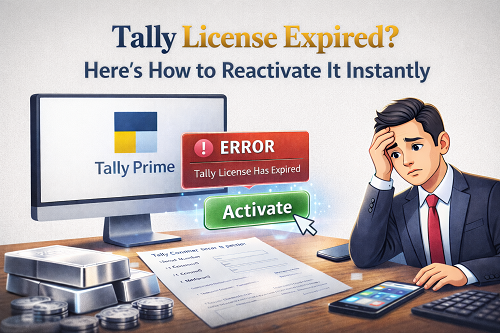
Tally is one of the most trusted accounting platforms used by lakhs of businesses, CA firms, tax consultants and traders across India. But one common issue faced by many users is a sudden message on startup saying “Your Tally License Has Expired” or “Tally License Not Compatible / Subscription Ended”.
This often happens while working on important vouchers, filing GST returns or generating invoices—creating panic. The good news is that reactivating your Tally Prime or Tally ERP license is simple, provided you understand how the system works.
This article explains:
- What “Tally License Expired” actually means
- Why Tally licenses expire
- How to renew and reactivate the license instantly
- Step-by-step reactivation guide
- Common errors and how to fix them
- TSS (Tally Software Services) concept
- Online vs. offline activation
- Things to check before renewal
- How to verify renewed license inside Tally
- FAQs for users
Let’s begin.
What Does “Tally License Expired” Mean?
In Tally, your license is your authentication key. It validates:
- Your Tally ownership
- Your software version
- Access to features
- Tally authentication database
When the license expires, the software may run only in Educational Mode. In this mode, you cannot pass entries for all dates and cannot enable certain features.
Why Does a Tally License Expire?
Your license can expire due to the following reasons:
1️⃣ Subscription expiry
If your TSS (Tally Software Service) subscription ends, Tally displays license expiration notifications.
2️⃣ License migration between systems
When you move Tally to a new machine without surrendering the old setup, the license status becomes inactive.
3️⃣ Internet authentication failure
Tally requires periodic online verification. If it fails, it marks the license as expired.
4️⃣ Incorrect system clock
If your system date is wrong, license validity mismatches.
5️⃣ Using old build version
Sometimes old versions do not sync with current licensing servers.
Types of Tally Licenses
Before renewal, understand which license you are using:
✔ Silver License
Single user, one machine only.
✔ Gold License
Multi-user (network) access.
✔ Rental License
Short-term license monthly or yearly.
✔ Educational Mode
Free, but limited.
Difference Between License & TSS
Many users misunderstand the terms:
|
Item
|
Purpose
|
|
License
|
Legal right to run Tally software
|
|
TSS Subscription
|
Add-on service for cloud sync, updates, remote access, e-invoicing, etc.
|
A license remains lifetime valid, but without TSS, premium features pause.
Common Signs Your Tally License Has Expired
You may notice:
- Educational mode screen
- “Activation required” popups
- Unable to open data
- E-invoice & banking stopped
- Remote access disabled
- Sync errors
How to Reactivate Tally License Instantly
Here are the simplest working solutions:
Step 1 – Try License Reactivation from Tally
Path:
Help → Licensing → Reactivate Existing License
Enter:
- Tally Serial Number
- Admin email
- Password
The system will validate online.
Step 2 – Check Internet Connectivity
Tally requires stable internet. Test by opening google.
If blocked by firewall, allow Tally .exe.
Step 3 – Update Tally to Latest Build
Path:
Help → Check Latest Release → Download & Install
Old builds sometimes show expiry errors even with active validity.
Step 4 – Synchronize License Online
Path:
Help → Settings → Control Centre → Synchronize License
It refreshes server authentication.
Step 5 – Restart Tally Gateway Service
Sometimes the license service hangs.
Restart PC or close processes.
Step 6 – Verify System Date & Time
Wrong date = authentication failure.
Set date/time automatically via Windows settings.
How to Renew TSS Subscription (If expired)
If your TSS is expired:
Path:
Help → Licensing → Renew TSS
Pay online via card/net banking/UPI.
After payment:
- Click Synchronize
- Restart Tally
You will instantly regain premium features.
Local Activation Without Internet (Offline)
Tally also supports offline licensing:
Steps:
1️⃣ Generate Offline Request File
2️⃣ Transfer file using USB
3️⃣ Upload on activation portal
4️⃣ Download Response File
5️⃣ Import into Tally
This is useful for factories without internet.
Moving License from Old PC to New PC
If shifting systems:
Path:
Help → Licensing → Surrender License
On new PC:
Activate Existing License
Enter same serial number & credentials.
Reactivate License After System Format
If you formatted Windows:
- Install latest Tally
- Activate existing license
- Ignore duplicate device warning
The system detects previous hardware ID.
What If Tally License Still Shows ‘Expired’?
Check these corrections:
Reason: Wrong user credentials
Fix: Reset password using Control Centre.
Reason: Wrong serial number typed
Fix: Check invoice or email.
Reason: Multi-user version mismatch
Fix: All systems must run same release.
Reason: License blocked due to misuse
Fix: Contact Tally partner support.
Benefits of Keeping TSS Active
- Live banking import
- GST updates
- Compliance patches
- Cloud access
- Remote Tally
- E-invoice
- E-way bill
- Priority support updates
Why Instant License Activation Is Important
Expired license affects:
- GST returns
- E-invoice generation
- Daily accounting
- MIS reporting
- Client billing
- Payroll entries
It can stop business workflow completely.
Prevent License Expiry in Future
- Renew before expiry
- Use auto-renewal
- Maintain email access
- Link mobile number to account
- Keep software updated
When Should You Contact a Tally Partner?
If expiry involves:
- Data corruption
- License transfer
- ERP migration
- Renewal offers
A certified partner can solve it quickly.
How to Check License Details in Tally
Path:
Help → About → License Information
You’ll see:
- Product version
- License mode
- Serial number
- Validity date
- Subscription period
Cost to Renew TSS Subscription (Approx.)
Prices change, but usually:
- Silver ~ ₹4,500 + GST per year
- Gold ~ ₹13,500 + GST per year
FAQs
1️⃣ My Tally opens in Educational Mode. What to do?
Reactivate your license from Licensing menu.
2️⃣ Can I change registered email ID?
Yes, via Control Centre login.
3️⃣ How long does reactivation take?
Instant for online renewals.
4️⃣ Does expired license delete company data?
No, data remains safe.
5️⃣ Can I use Tally on two PCs?
Silver = No
Gold = Yes
Conclusion
A Tally license expiry looks serious, but it is actually very easy to fix. Whether the problem appears because of subscription lapse, login mismatch, software update requirement, or technical failure—Tally Prime offers multiple ways to reactivate instantly.
Just remember:
- Keep TSS active
- Maintain latest build
- Use correct login credentials
- Sync license regularly
With these steps, your Tally system will stay stable and legally validated all year.
Powered by Binarysoft Technologies
Authorized Tally Partner
Location : 1626/33, 1st Floor, Naiwalan, Karol Bagh, New Delhi – 110005, INDIA
Contact us : +91 7428779101, 9205471661, 8368262875
Email us : tally@binarysoft.com (10:00 AM – 6:00 PM, Mon–Fri)
CA. Pankaj Bhadoria brings practical experience in GST, accounting, and business process consulting. He works closely with MSMEs to resolve compliance challenges and improve operational transparency. His articles aim to simplify complex regulations for everyday business use.