Call CA Tally HelpDesk
+91 9205471661,
7428779101
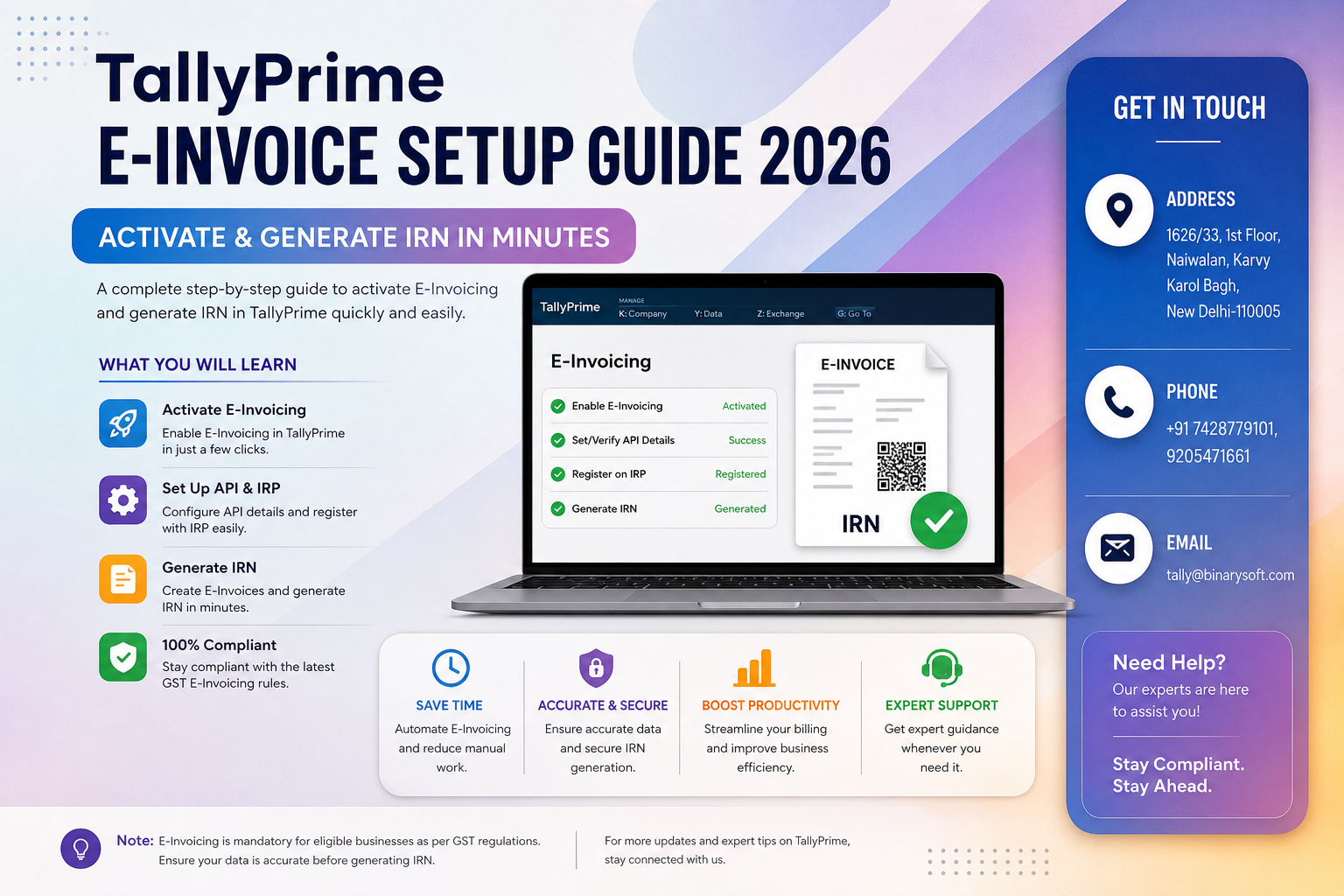
e-invoicing is no longer limited to large enterprises—it has expanded to more businesses as compliance thresholds tighten and GST monitoring becomes more automated. Delays or errors in generating IRN (Invoice Reference Number) can now directly impact billing cycles, e-way bill generation, and even tax filings. Many businesses are facing penalties, rejected invoices, or operational delays simply because their e-invoice setup is incomplete or misconfigured. The biggest shift is real-time validation—every invoice must now be approved instantly through the government portal. Businesses that have properly configured TallyPrime for e-invoicing are generating IRNs within seconds, ensuring compliance and smooth operations. Those still relying on manual processes or outdated setups are struggling to keep up. Setting up e-invoicing correctly in TallyPrime has become essential for speed, accuracy, and compliance in today’s digital GST ecosystem.
A Real Story: One Mistake That Cost a Business
Neha, a distributor in Delhi NCR, faced a major issue during a high-value billing cycle. Her invoices were generated, but IRNs were not created due to incorrect configuration in TallyPrime. As a result, her client rejected the invoices, payments got delayed, and she had to reprocess everything manually.
After consulting Binarysoft Technologies, her e-invoicing setup was corrected, API integration was configured, and automation was enabled. Now, every invoice she generates automatically receives an IRN and QR code within seconds.
That one fix saved her business hours of work and restored client trust.
What is E-Invoicing in TallyPrime?
E-invoicing is a system where invoices are electronically authenticated by the GST portal. Each invoice gets a unique IRN (Invoice Reference Number) and QR code after validation.
TallyPrime allows seamless integration with the GST portal to generate e-invoices directly from the software.
Benefits of Using TallyPrime for E-Invoicing
Faster Invoice Processing
Generate IRN instantly without manual upload.
Error-Free Compliance
Automatic validation reduces mistakes and rejections.
Integrated Workflow
E-invoice, e-way bill, and GST returns are connected.
Real-Time Reporting
Track invoice status and compliance instantly.
Prerequisites for E-Invoice Setup
Before configuring e-invoicing in TallyPrime, ensure:
- Valid GSTIN
- Registration on the e-invoice portal
- Updated TallyPrime version
- Active internet connection
- API integration enabled
Step-by-Step TallyPrime E-Invoice Setup Guide (2026)
Step 1: Enable E-Invoicing Feature
Go to:
Gateway of Tally → F11 (Features) → Statutory & Taxation
Enable GST and set “Enable e-Invoicing” to Yes.
Step 2: Configure Company GST Details
Enter correct GSTIN, address, and contact details in company settings.
Step 3: Activate E-Invoice Portal Access
Register your business on the e-invoice portal and generate API credentials.
Step 4: Configure API Details in TallyPrime
Enter username, password, and API details in TallyPrime under e-invoice settings.
Step 5: Set Up Voucher Types
Enable e-invoicing for sales vouchers and configure required fields.
Step 6: Create and Generate E-Invoice
While creating a sales invoice:
- Enter all mandatory details
- Select “Generate e-Invoice” option
- TallyPrime will send data to the portal and fetch IRN automatically
Step 7: Print Invoice with QR Code
Once IRN is generated, print the invoice with QR code and IRN details.
Common Errors & How to Fix Them
Invalid GSTIN
Ensure GSTIN is correct and active.
Missing Mandatory Fields
Check invoice details like HSN code, PIN code, and tax values.
API Authentication Failure
Verify login credentials and API settings.
Duplicate Invoice Number
Ensure unique invoice numbers for each transaction.
Why Businesses in Delhi Prefer Binarysoft Technologies
Binarysoft Technologies, an Authorized Tally Partner, provides expert support for e-invoice setup, troubleshooting, and automation.
Quick Setup & Activation
Get e-invoicing enabled in minutes without technical hassle.
Error Resolution Support
Fix issues like IRN rejection and API errors quickly.
Training & Guidance
Learn how to manage e-invoicing efficiently.
Ongoing Compliance Support
Stay updated with GST and e-invoice changes.
Key Advantages of Proper E-Invoice Setup
- Instant IRN generation
- Seamless GST compliance
- Faster payment cycles
- Reduced manual work
- Improved business credibility
Contact Details
Powered by Binarysoft Technologies – Authorized Tally Partner
1626/33, 1st Floor, Naiwalan, Karol Bagh,
New Delhi – 110005, INDIA
Contact Us:
+91 9205471661
+91 7428779101
Email:
tally@binarysoft.com
Working Hours:
10:00 AM – 6:00 PM (Mon–Fri)
Conclusion
E-invoicing in 2026 is a critical part of GST compliance and business operations. With increasing automation and real-time validation, businesses must ensure their systems are correctly configured. TallyPrime simplifies this process, but proper setup is essential for smooth functioning. Binarysoft Technologies helps businesses implement and manage e-invoicing efficiently, ensuring accuracy, speed, and compliance. Adopting the right setup today can save time, reduce errors, and support long-term growth.
Frequently Asked Questions
What is IRN in e-invoicing?
IRN (Invoice Reference Number) is a unique number generated by the GST portal for each invoice.
Is e-invoicing mandatory for all businesses?
It is mandatory for businesses above the prescribed turnover threshold.
Can TallyPrime generate e-invoices automatically?
Yes, once configured, TallyPrime can generate IRN automatically.
What happens if IRN is not generated?
The invoice may be considered invalid for GST compliance.
CA. Sagar Singh advises MSMEs on accounting accuracy, GST compliance, and internal controls. With exposure to high-volume transaction environments, he writes practical guidance on inventory management, billing discipline, and compliance-ready accounting systems.