Call CA Tally HelpDesk
+91 9205471661,
7428779101
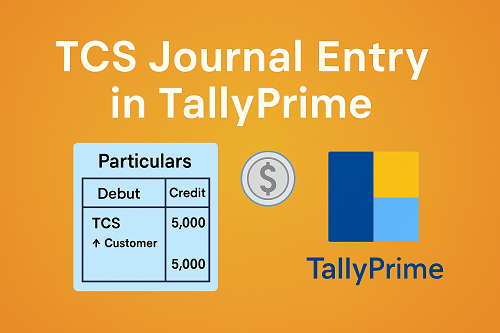
Tax Collected at Source (TCS) is a mandatory requirement for businesses that collect tax from customers before receiving payment. In India, TCS applies on various transactions such as scrap sale, liquor sale, tendu leaves, minerals, and high-value goods like motor vehicles. TallyPrime makes it easy to configure TCS, calculate it automatically, and record the correct journal entries for smooth GST and income-tax reporting.
This guide explains how to enable TCS in TallyPrime, create the required ledgers, record TCS journal entries, and understand how it reflects in reporting. Everything is written in simple, clear language—perfect for both beginners and professionals.
1. What Is TCS? (Simple Explanation)
TCS stands for Tax Collected at Source.
It is a tax collected by the seller from the buyer at the time of sale of specific goods or transactions.
Examples where TCS applies:
- Sale of scrap
- Sale of minerals
- Tendu leaves
- Motor vehicles above ₹10 lakh
- Foreign remittances under LRS (as per rules)
- Certain government contracts
The seller deposits TCS to the government and files a quarterly TCS return (Form 27EQ).
2. How TCS Works in TallyPrime
When a transaction attracts TCS, TallyPrime calculates TCS automatically based on:
- Section (206C)
- % of TCS rate
- Nature of goods
- Threshold limits
- Party PAN availability
Once configured correctly, TallyPrime:
- Adds TCS to the invoice
- Handles rounding
- Creates separate TCS ledger
- Shows TCS receivable from customer
- Prepares reports for returns
3. Step-by-Step: Enable TCS in TallyPrime
Step 1: Open Statutory Features
Gateway of Tally → F11 (Features) → Statutory & Taxation
Step 2: Enable TCS
- Enable Tax Collected at Source: Yes
- Set/Alter TCS Details: Yes
Step 3: Enter Company PAN & TCS Details
- Company PAN
- Applicable sections
- Deductor type (Company / Individual / Others)
Press Enter to save.
4. Create Necessary TCS Ledgers in TallyPrime
To pass TCS journal entries, you must create these ledgers:
A. TCS Ledger
Name: TCS @ 1% (or as required)
Under: Duties & Taxes
Type of Duty/Tax: TCS
TCS Nature of Goods: Scrap / Minerals / Motor Vehicles etc.
TCS Section: Select Correct Section (206C)
B. Party Ledger (Customer)
Enable:
- Maintain PAN details
- Applicable for TCS
- Collect TCS: Yes
If PAN is not available → Higher TCS rate applies.
C. Sales Ledger
Under: Sales Accounts
Enable Inventory: As needed
Select Nature of Goods (TCS)
5. How to Record a TCS Journal Entry in TallyPrime
There are two situations:
- Recording TCS during invoice creation (most common)
- Passing a separate journal entry for TCS adjustment (less common)
Below includes both.
5.1 Sales Invoice with TCS (Recommended Method)
Example:
Scrap Sale Value = ₹1,00,000
TCS Rate = 1%
TCS Value = ₹1,000
Invoice Total = ₹1,01,000
Entry:
Sales Invoice → Accounting Voucher (F8)
Select Customer → Enter items/amount
The entry will appear like:
|
Particulars
|
Debit
|
Credit
|
|
Customer
|
₹1,01,000
|
|
|
Sales – Scrap
|
|
₹1,00,000
|
|
TCS @ 1%
|
|
₹1,000
|
Tally automatically calculates and posts TCS.
5.2 TCS Journal Entry (For Adjustments/Reconciliation)
Sometimes you need to pass a manual journal entry, such as:
- Year-end adjustment
- TCS on amounts not recorded through invoice
- After receiving details from branch/accounting team
Example Scenario:
TCS collected from customers = ₹5,000
Now, you post this in books.
Journal Entry:
Gateway → Accounting Vouchers → F7 (Journal)
Debit: Customer / TCS Receivable A/c → ₹5,000
Credit: TCS Payable (Duties & Taxes) → ₹5,000
Format:
|
Particulars
|
Debit
|
Credit
|
|
TCS Receivable A/c
|
₹5,000
|
|
|
To TCS Payable A/c
|
|
₹5,000
|
This shows TCS collected from customers and payable to the government.
6. Journal Entry for TCS Payment to Government
Example:
TCS Payable = ₹5,000
Paid using bank.
Entry:
Gateway → Accounting Voucher → F5 (Payment)
Debit: TCS Payable A/c → ₹5,000
Credit: Bank A/c → ₹5,000
Format:
|
Particulars
|
Debit
|
Credit
|
|
TCS Payable A/c
|
₹5,000
|
|
|
To Bank A/c
|
|
₹5,000
|
Tally will reflect this in:
- TCS Payment Report
- TCS Return Summary
7. Common TCS Mistakes & How to Avoid Them
❌ Wrong section selection
Always select correct TCS section.
❌ Missing PAN of buyer
This causes higher TCS rate.
❌ Not enabling TCS in party master
Then TCS will not calculate.
❌ Wrong ledger grouping
TCS Ledger must be under Duties & Taxes.
❌ Forgetting to deposit TCS
Must be deposited by the 7th of next month.
❌ Not reconciling TCS quarterly
Required before filing Form 27EQ.
8. Reports Generated by TallyPrime for TCS
TallyPrime provides:
- TCS Ledger Summary
- TCS Computation
- Party-wise TCS
- TCS Return Form (27EQ Format)
- TCS Pending Receivable
- Monthly & quarterly TCS analysis
These reports ensure accuracy and compliance.
Conclusion
TCS journal entries in TallyPrime are simple once the statutory features, ledgers, and nature of goods are configured correctly. From recording TCS in sales invoices to posting adjustment entries and paying TCS to the government, TallyPrime handles the entire cycle smoothly.
The upcoming versions like TallyPrime 7.0 continue to enhance automation, accuracy, and ease of use for TCS accounting, making compliance faster and more reliable for businesses of all sizes.
With a proper setup, Tally becomes an extremely powerful tool for managing TCS efficiently throughout the financial year.
Powered by Binarysoft Technologies
Authorized Tally Partner
Location : 1626/33, 1st Floor, Naiwalan, Karol Bagh, New Delhi – 110005, INDIA
Contact us : +91 7428779101, 9205471661
Email us : tally@binarysoft.com (10:00 AM – 6:00 PM, Mon–Fri)
CA. Pankaj Bhadoria brings practical experience in GST, accounting, and business process consulting. He works closely with MSMEs to resolve compliance challenges and improve operational transparency. His articles aim to simplify complex regulations for everyday business use.