Call CA Tally HelpDesk
+91 9205471661,
7428779101
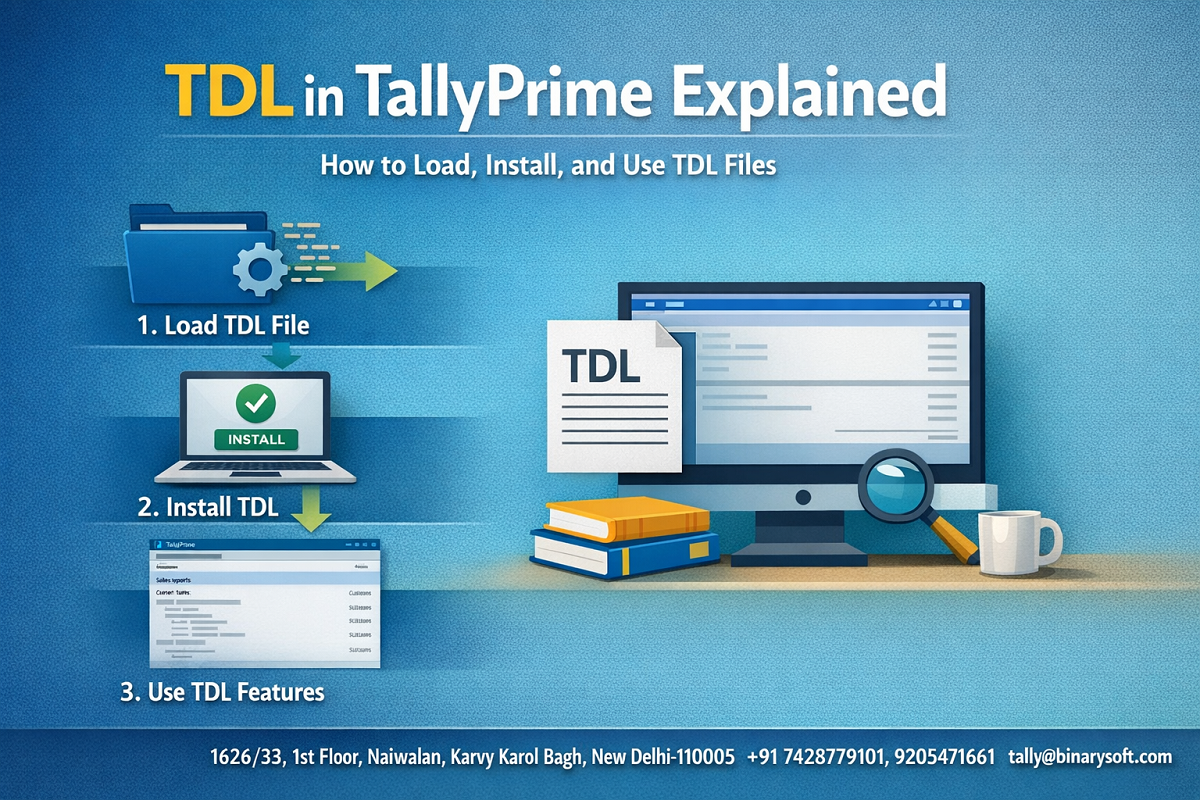
In 2026, TallyPrime users are experiencing a sharp rise in customization needs. Over recent months, businesses have been under pressure to adapt quickly to compliance updates, automation demands, and industry-specific reporting requirements. Standard accounting features alone are no longer enough for many organizations. This is why TDL (Tally Definition Language) has become increasingly important. Companies that understand how to load and use TDL files are saving time, automating repetitive processes, and gaining deeper insights without changing their core software. Meanwhile, users who are unaware of TDL capabilities often struggle with manual workarounds and limited reporting. As digital transformation accelerates across industries, knowing how to install and manage TDL in TallyPrime is no longer just a technical skill — it is a strategic advantage that helps businesses stay agile, compliant, and efficient.
Introduction
TallyPrime is widely recognized for its reliability and simplicity, but its true strength lies in its flexibility. Through TDL, businesses can customize the software to match their exact requirements, whether it is creating specialized reports, automating workflows, or integrating external systems.
For beginners, TDL may sound technical, but the process of loading and using TDL files is straightforward when explained step by step. This comprehensive guide covers everything — from understanding TDL basics to advanced usage — helping you unlock the full potential of TallyPrime.
A Story of Practical Impact
At the start of 2026, a mid-sized distribution company faced challenges in generating custom sales analytics for management meetings. Their team relied on manual Excel exports, which consumed hours and often led to inconsistencies.
After implementing a custom TDL that generated automated dashboards directly inside TallyPrime, the workflow changed dramatically. Reports were available instantly, meetings became more data-driven, and the finance team gained confidence in their numbers. The biggest benefit was not just speed but clarity — the management could now make faster decisions based on real-time insights.
This example shows how TDL bridges the gap between standard software functionality and real business needs.
What is TDL in TallyPrime
TDL stands for Tally Definition Language, the proprietary programming language used to customize TallyPrime.
It allows developers and solution providers to:
Create custom reports
Modify invoice formats
Add new fields and menus
Automate processes
Integrate with third-party systems
In simple terms, TDL turns TallyPrime into a tailored solution rather than a generic accounting tool.
Types of TDL Files
Understanding file formats helps in proper installation.
TCP Files
Compiled files ready to load in TallyPrime.
TDL Source Files
Editable files used by developers.
Add-On Modules
Packages containing multiple TDLs for specific business functions.
Why Businesses Use TDL
Standard features may not always meet unique business needs. TDL helps by enabling:
Industry-specific customization
Automated workflows
Advanced reporting
Integration with other software
Enhanced user interface
Step-by-Step Guide to Load TDL in TallyPrime
Method 1: Load TDL at Startup
Open TallyPrime
Press F1 (Help)
Go to Settings → TDL & Add-On
Enable Load TDLs on Startup
Select file path in List of TDLs to Preload
Save and restart
This ensures the TDL loads automatically every time.
Method 2: Load TDL Temporarily
Open TallyPrime
Press Ctrl + Alt + T
Enter the file path
Accept and load
This method is useful for testing purposes.
Method 3: Load TDL for a Specific Company
Open company in TallyPrime
Go to F1 → TDL & Add-On
Select Manage Local TDLs
Add and enable file
This restricts the TDL to a particular company.
How to Verify TDL is Working
Look for new menu options
Check modified invoice formats
Open custom reports
Use Ctrl + Alt + T to view loaded TDL list
Common Issues and Troubleshooting
TDL not loading
Check file path and compatibility
Feature not visible
Restart TallyPrime
Permission errors
Verify user access rights
Version conflict
Use updated TDL file
Best Practices for Using TDL
Always backup data before installing
Use TDL from trusted sources
Maintain a record of installed add-ons
Test new TDL in a trial environment
Update TDL when upgrading TallyPrime
Advanced Usage Tips
Use multiple TDLs with priority settings
Combine TDL with integration tools
Document customizations for future reference
Optimize TDL performance for large data
Benefits of TDL in Modern Business
Improves operational efficiency
Reduces manual tasks
Provides deeper business insights
Supports scalability
Enhances compliance readiness
Conclusion
TDL is one of the most powerful features of TallyPrime, enabling businesses to go beyond standard accounting functionality. In today’s environment, where customization and automation are essential, understanding how to load and use TDL files can significantly improve productivity and reporting accuracy.
Whether you are a beginner exploring your first customization or an advanced user managing multiple add-ons, mastering TDL ensures that TallyPrime works exactly the way your business needs. With proper implementation and testing, TDL can transform your accounting software into a fully customized business management system.
Company Details
Powered by Binarysoft Technologies
Authorized Tally Partner
Location:
1626/33, 1st Floor, Naiwalan, Karol Bagh, New Delhi – 110005, INDIA
Contact Us:
+91 7428779101
+91 9205471661
+91 8368262875
Email:
tally@binarysoft.com
Business Hours:
10:00 AM – 6:00 PM (Mon–Fri)
Frequently Asked Questions
What is TDL used for in TallyPrime
TDL is used to customize reports, invoices, and workflows.
Is technical knowledge required to use TDL
Basic installation is simple, but development requires expertise.
Can multiple TDL files run together
Yes, provided they are compatible.
Does TDL affect performance
Well-optimized TDL works smoothly, but poorly designed ones may slow the system.
CA. Darshit Malhotraa has hands-on experience in GST compliance, accounting reviews, and MSME consulting. He regularly works with businesses transitioning from manual systems to digital accounting platforms. His content emphasizes real-world problem solving and operational efficiency.