Call CA Tally HelpDesk
+91 9205471661,
7428779101
Introduction
Many Tally and TallyPrime users face a common and frustrating issue where the software suddenly stops opening, crashes on launch, or does not respond at all. One of the most overlooked reasons behind this problem is antivirus or security software interference.
So the question arises: Can antivirus stop Tally from opening?
The answer is yes. Antivirus software can block, quarantine, or restrict Tally files, which may prevent Tally or TallyPrime from opening properly. This article explains why this happens, how to identify antivirus-related issues, and step-by-step solutions to fix them safely.
How Antivirus Can Affect Tally or TallyPrime
Modern antivirus programs continuously monitor applications and background processes to protect systems from threats. Sometimes, genuine applications like TallyPrime are incorrectly identified as suspicious, especially when:
- Tally accesses local data folders
- Tally uses network ports
- License validation runs in background
- Data synchronization happens
- Updates or repairs are performed
This false detection can cause Tally to stop opening.
Common Symptoms of Antivirus Blocking Tally
If antivirus is interfering with Tally, you may notice:
- TallyPrime does not open after double-click
- Tally opens and closes immediately
- No error message appears
- Tally freezes on startup screen
- Antivirus shows blocked or quarantined files
- Tally works only after disabling antivirus
These symptoms strongly indicate antivirus-related restrictions.
Why Antivirus Flags Tally Files
Antivirus software may block Tally due to:
- Heuristic scanning (behavior-based detection)
- High file access activity
- Network communication for license or services
- Frequent read/write operations in data folders
- Outdated antivirus definitions
This does not mean Tally is unsafe. It is usually a false positive.
How to Confirm Antivirus Is the Problem
You can confirm antivirus interference by following these steps:
- Temporarily disable antivirus protection
- Try opening Tally or TallyPrime
- If Tally opens successfully, antivirus is the cause
- Re-enable antivirus immediately after testing
Do not keep antivirus permanently disabled.
Step-by-Step: How to Fix Antivirus Blocking Tally
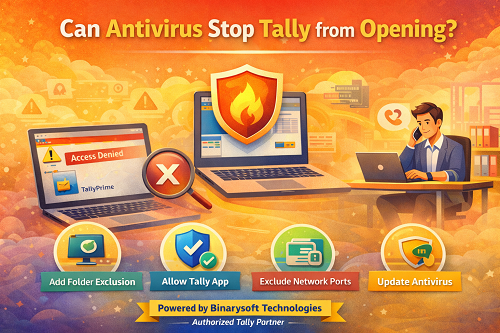
1. Add Tally Folder to Antivirus Exclusion List
This is the safest and recommended solution.
Common folders to exclude:
- Tally installation folder
- Tally data folder
- License folder (if applicable)
Once excluded, antivirus will stop scanning these folders.
2. Allow Tally Executable File
Ensure the main Tally application file is allowed:
- Check antivirus quarantine or blocked items
- Restore Tally files if blocked
- Mark them as trusted
This prevents future blocking.
3. Exclude Tally Network Ports (If Applicable)
In multi-user or license server setups, antivirus may block communication ports.
Allow:
- Local network communication
- Tally-related services
- License service processes
This is especially important in office environments.
4. Run Tally as Administrator
Antivirus restrictions sometimes conflict with system permissions.
Steps:
- Right-click Tally shortcut
- Select Run as Administrator
- Check if issue resolves
You can set this permanently if required.
5. Update Antivirus Software
Outdated antivirus definitions increase false positives.
- Update antivirus to the latest version
- Update virus definitions
- Restart system
Updated antivirus software handles genuine applications better.
6. Repair or Reinstall Tally After Exclusion
If antivirus already damaged files:
- Add exclusions first
- Repair Tally installation
- If needed, reinstall TallyPrime
- Restore data backup
This ensures clean and safe operation.
Should You Disable Antivirus Permanently?
No. Antivirus should never be permanently disabled. Instead:
- Use exclusions
- Allow trusted applications
- Maintain system security
Tally works smoothly with antivirus when properly configured.
Which Antivirus Software Commonly Blocks Tally?
This issue can occur with:
- Free antivirus versions
- Corporate security software
- Aggressive firewall settings
- Endpoint protection systems
The solution remains the same—proper exclusions and permissions.
Preventive Tips to Avoid Antivirus Issues with Tally
- Always install Tally from official source
- Add exclusions immediately after installation
- Keep antivirus updated
- Avoid cracked or modified software
- Use genuine Tally license
- Perform regular backups
These steps prevent future disruptions.
When to Contact a Tally Expert
You should seek professional help if:
- Tally still does not open after exclusions
- Antivirus blocks files repeatedly
- Multi-user setup fails
- License service errors appear
- Business operations are affected
Expert assistance saves time and avoids data risk.
Conclusion
Antivirus software can definitely stop Tally or TallyPrime from opening if it mistakenly identifies program files as a threat. This issue is common and completely solvable. By adding proper exclusions, allowing trusted files, and maintaining updated security software, Tally can run smoothly without compromising system safety.
Correct configuration ensures both data security and uninterrupted accounting work.
Powered by Binarysoft Technologies – Authorized Tally Partner
Binarysoft Technologies
Authorized Tally Partner
Address:
1626/33, 1st Floor, Naiwalan, Karol Bagh,
New Delhi – 110005, INDIA
Contact Numbers:
+91 7428779101
+91 9205471661
+91 8368262875
Email:
tally@binarysoft.com
Business Hours:
10:00 AM – 6:00 PM (Monday to Friday)
Frequently Asked Questions
Can antivirus completely stop Tally from opening?
Yes, antivirus can block or quarantine Tally files, preventing it from opening.
Is Tally safe to use with antivirus enabled?
Yes, Tally is safe. Antivirus interference is usually due to false detection.
Should I uninstall antivirus to run Tally?
No. Always use exclusions instead of uninstalling antivirus.
Will reinstalling Tally fix antivirus issues?
Only if exclusions are added first; otherwise, antivirus may block it again.
CA. Mayankh Singhaal is a Chartered Accountant experienced in accounting systems, statutory audits, and compliance advisory. He has worked with businesses across different sectors to improve reporting accuracy and inventory tracking. His writing focuses on structured growth and compliance-ready operations.









