Call CA Tally HelpDesk
+91 9205471661,
7428779101
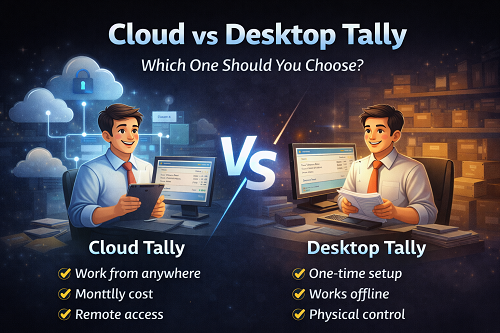
Choosing between Cloud Tally and Desktop Tally is one of the most important decisions a modern business owner, CA firm, or accountant can make today. It’s not just about technology—it’s about control, flexibility, security, cost, and peace of mind.
Many people feel stuck at this stage:
- Should I move Tally to the cloud?
- Is desktop Tally still reliable?
- Will cloud Tally be safe?
- Is cloud expensive?
- What if something goes wrong?
If these thoughts sound familiar, you’re not alone.
The good news?
There is no wrong choice—only the right choice for your business style.
This article breaks down Cloud vs Desktop Tally in a calm, clear, and confidence-building way—so by the end, you won’t feel confused. You’ll feel decisive.
Why This Decision Feels So Confusing
The confusion doesn’t come from lack of information—it comes from too much mixed information.
Some people say:
- “Cloud is the future”
- “Desktop is safer”
- “Cloud is risky”
- “Desktop is outdated”
Your brain tries to process all this and responds with hesitation.
But once you understand how each option actually fits into daily business life, something shifts:
Confusion drops.
Confidence rises.
Decision feels easy.
What Is Desktop Tally? (In Simple Terms)
Desktop Tally means:
- Tally is installed on a local computer or office server
- Data is stored physically on your system
- Access is usually from one location
- You control everything directly
This is the traditional and time-tested way businesses have used Tally for years.
What Is Cloud Tally? (In Simple Terms)
Cloud Tally means:
- Tally runs on a remote server (cloud)
- You access it via internet from anywhere
- Data is stored securely on the cloud server
- Multiple users can access simultaneously from different locations
Cloud doesn’t change Tally—it changes where and how you access it.
Desktop Tally – Why Many Businesses Still Love It
Let’s start with the comfort zone.
1. Full Physical Control
With desktop Tally:
- Data stays on your system
- You know exactly where files are
- You control backups manually
For many business owners, this creates mental security.
That feeling of “It’s right here with me” feels reassuring.
2. No Internet Dependency
Desktop Tally works:
- Even without internet
- During connectivity issues
- In areas with unstable networks
For businesses in certain locations, this reliability is critical.
3. Lower Ongoing Cost
Desktop setup usually involves:
- One-time license
- Minimal recurring cost
- No monthly cloud rental
This predictability appeals to cost-conscious businesses.
4. Familiar Workflow
If your team is already comfortable with desktop Tally:
- No major change
- No learning curve
- No process disruption
Comfort reduces resistance—and resistance costs productivity.
Cloud Tally – Why Businesses Are Moving Fast
Now let’s talk about freedom.
1. Work from Anywhere
Cloud Tally allows:
- Access from home
- Access from branch offices
- Access during travel
- Access by CA or accountant remotely
This flexibility feels powerful.
That moment when you log in and see your data from anywhere?
That’s dopamine.
2. Multiple Users, One System
Cloud Tally supports:
- Multiple team members
- Multiple locations
- CA firms handling clients remotely
- Real-time collaboration
No file transfers.
No version confusion.
Just smooth access.
3. Better Disaster Protection
Cloud environments usually offer:
- Automated backups
- Hardware failure protection
- Data redundancy
This reduces fear of:
- System crashes
- Hard disk failures
- Accidental data loss
Peace of mind is a big deal.
4. Ideal for Growing & Remote Businesses
Cloud Tally fits perfectly for:
- CA firms
- Multi-branch businesses
- Startups
- Remote teams
- Owners who travel often
Growth feels lighter when access is flexible.
Security – The Biggest Question Everyone Asks
Let’s address it honestly.
Desktop Security
- Depends on your system
- Depends on backup discipline
- Depends on antivirus and access control
Safe—but responsibility is fully yours.
Cloud Security
- Depends on cloud provider quality
- Data is encrypted
- Servers are monitored
- Access is controlled
When done properly, cloud security is very strong.
The real risk isn’t cloud or desktop—
�� it’s poor management of either.
Cost Comparison – What Really Matters
Desktop Tally:
✔ One-time setup
✔ Lower monthly expense
✔ Hardware maintenance cost
Cloud Tally:
✔ Monthly or yearly cloud cost
✔ Saves hardware investment
✔ Saves travel and coordination time
Here’s the dopamine truth:
Cloud may cost more in money—but saves time, stress, and coordination.
Desktop saves money—but costs flexibility.
Which one matters more to you?
Performance & Speed
- Desktop Tally depends on your local system
- Cloud Tally depends on internet + server quality
With good setup, both perform excellently.
The difference is not speed—it’s accessibility.
Which One Is Better for You?
Desktop Tally Is Better If:
- You work from one office
- Internet is unreliable
- You want minimal recurring cost
- You prefer physical control
- Your team is small
Cloud Tally Is Better If:
- You need remote access
- You manage multiple locations
- You work with CA or consultants remotely
- Your team is distributed
- You value flexibility over location
Can You Switch Later?
Yes—and this is important.
You can:
- Start with Desktop
- Move to Cloud later
- Or move from Cloud back to Desktop if needed
This flexibility removes decision fear completely.
Final Thoughts
Cloud vs Desktop Tally is not a battle—it’s a choice of working philosophy.
✔ Desktop offers control and stability
✔ Cloud offers flexibility and freedom
Both are powerful.
Both are reliable.
Both work brilliantly—when chosen correctly.
The best choice is the one that:
- Reduces your stress
- Fits your workflow
- Supports your growth
- Gives you confidence
And when that choice clicks—you’ll feel it.
Powered by Binarysoft Technologies
Authorized Tally Partner
Location : 1626/33, 1st Floor, Naiwalan, Karol Bagh, New Delhi – 110005, INDIA
Contact us : +91 7428779101, 9205471661, 8368262875
Email us : tally@binarysoft.com (10:00 AM – 6:00 PM, Mon–Fri)
Frequently Asked Questions
Is Cloud Tally safe for business data?
Yes, when hosted with a reliable provider using proper security and access controls.
Can I use Tally without internet in cloud mode?
No. Cloud Tally requires internet access, while Desktop Tally can work offline.
Is Cloud Tally more expensive than Desktop Tally?
Cloud Tally usually has ongoing costs, but it saves time, travel, and coordination expenses.
Can CA firms benefit more from Cloud Tally?
Yes. CA firms managing multiple clients remotely often prefer Cloud Tally.
CA. Darshit Malhotraa has hands-on experience in GST compliance, accounting reviews, and MSME consulting. He regularly works with businesses transitioning from manual systems to digital accounting platforms. His content emphasizes real-world problem solving and operational efficiency.









