Call CA Tally HelpDesk
+91 9205471661,
7428779101
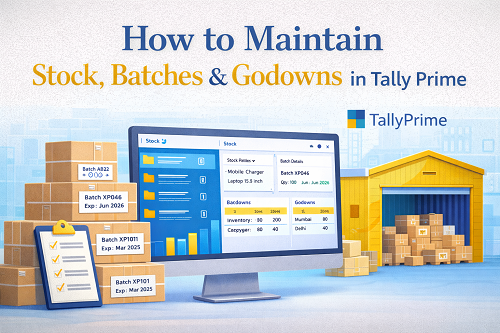
Inventory control is one of the most critical pillars of business accounting. Whether you are running a manufacturing unit, retail store, wholesale distribution centre, medical pharmacy, electronics shop, or FMCG business—accurate stock maintenance ensures financial accuracy and operational efficiency.
Tally Prime is widely used across India for stock management because it supports structured features such as:
- Stock Items
- Stock Groups
- Stock Categories
- Batches
- Godowns / Warehouses
- Multi-location inventory
- Bill of Materials
- Stock Valuation
- Manufacturing Journals
- Stock Ageing Reports
- Batch expiry tracking
This article explains everything about how to maintain stock, batches, and godowns in Tally Prime step-by-step, including real business practices, mistakes to avoid, tips for improvement, and examples.
Why Stock Maintenance Is Important in Tally Prime?
Maintaining stock inside Tally Prime ensures:
- Correct stock availability
- Error-free financial reporting
- GST-ready invoicing
- Accurate profit margins
- Right stock valuation
- Improved purchase planning
- Lower wastage
- Seamless audits
- Faster billing
Tally Prime is not simply an accounting tool—it is a complete stock and inventory management system.
Before You Start – Key Inventory Concepts
Tally organizes inventory under the following layers:
① Stock Groups
Group items like:
- Clothes
- Electronics
- Raw Material
- Finished Goods
Useful for reporting and categorization.
② Stock Items
Every product entry in Tally is a stock item.
Example:
- Samsung Mobile
- Laptop Charger
- Office Chair
Stock item defines:
- GST rate
- Units
- Alternate units
- Valuation
③ Units of Measurement
Units define stock quantity.
Example:
- Numbers
- Kgs
- Litres
- Bags
- Pieces
④ Stock Categories (Optional Layer)
Allows cross-classification, useful for:
You can track one item under multiple categories.
⑤ Godowns / Warehouses
Locations where your stock physically exists.
Example:
- Main Store
- Branch Warehouse
- Cold Store
- Floor-wise Storage
⑥ Batches
Batch-wise inventory is used where products require:
- Expiry
- Manufacturing series
- Lot numbering
- Pharmaceutical handling
Enable Inventory Features in Tally Prime
First, activate inventory functions:
Path:
F11 → Features → Inventory → Enable Inventory Management = Yes
Additional settings:
- Maintain multiple godowns
- Maintain batch-wise details
- Inventory with accounting
Turn these on based on requirement.
How to Create Stock Groups in Tally Prime
Path:
Gateway → Creation → Stock Group → Create
Example:
|
Field
|
Value
|
|
Name
|
Electronics
|
|
Under
|
Primary
|
|
Should quantities be added?
|
Yes
|
Groups make reporting structured.
How to Create Stock Items in Tally Prime
Path:
Gateway → Create → Stock Item
Define necessary fields:
- Name
- Group
- Unit
- Opening quantity
- Opening rate
- GST
- HSN Code
- Batch needed status
How to Create Godowns in Tally Prime (Multi-location Stock)
Godowns help maintain location-wise inventory.
Path:
Gateway → Create → Godown
Example structure:
- Kerala Warehouse
- Mumbai Store
- Online Shop Stock
- Damaged Stock Area
For multi-location companies, this feature is essential.
How to Transfer Stock Between Godowns
Path:
Voucher → Stock Journal → F2 → Godown Transfer
Enter:
- Source Godown
- Destination Godown
- Stock Item
- Quantity
The stock will shift without affecting accounting ledgers.
Why Godown Structure Matters?
Benefits include:
- branch-wise reporting
- stock holding distribution
- shortage detection
- profit centre visibility
- internal control
- audit compliance
How to Enable Batch Management in Tally Prime
Turn on batching through inventory settings:
Path:
F11 → Inventory → Maintain batch-wise details = Yes
Choose:
- Manufacturing date
- Expiry date
- Costing method
Where to Use Batch Inventory?
Batch inventory is essential for:
- Medicines
- Packaged food
- Cosmetics
- Chemicals
- Construction items
- Electronics
- Export materials
Each batch holds separate quantity and rate.
Batch Allocation Example
Suppose you purchase:
10 cartons of milk, Batch No. MKA55, Expiry: Feb 2026.
When selling, system asks which batch the sale belongs to.
Batch-wise Reports
Tally gives reports like:
- Batch ageing
- Batch-wise stock summary
- Batch expiry list
- Batch movement
- Batch cost analysis
These are extremely useful for FMCG and pharma retailers.
How to Maintain Stock Valuation
Inventory valuation influences Balance Sheet totals.
Methods in Tally include:
- FIFO
- LIFO
- Average Cost
- Standard Price
- Monthly average
Choose correct method based on industry practice.
How to Maintain Stock with Accounting Integration
When you enable stock with accounts:
- purchase voucher increases stock
- sales voucher reduces stock
- journal entries carry stock impact
This ensures both inventory and accounts stay aligned.
How Stock Appears in Financial Statements
Stock value flows into:
- Trading account
- Balance sheet
- Closing stock reports
If stock is wrong → Profit becomes wrong.
Stock Ageing Analysis
Tally’s ageing report shows:
- <30 days
- 30–60 days
- 60–90 days
- 180 days
Useful to:
- remove dead stock
- identify sales slow-down
- improve buying plan
Stock Journal – Manufacturing Tracking
Used to convert raw material to finished goods.
Example:
Raw items: Cloth, Buttons
Output: Shirt
Material Consumption Journal posts stock adjustments.
Stock Items With Alternate Units
Some businesses need dual units:
Example:
- 1 Box = 12 Pieces
- 1 Carton = 24 Bottles
Tally supports conversion easily.
Tracking Goods Return
Use debit/credit notes for:
- Purchase return
- Sales return
- Supplier replacement
- Damage reporting
Stock Damage Tracking
Through Stock Journal:
- shift damaged stock to damaged store
- prevent selling loss-making stock
Godown Profitability Reports
You can view:
- stock at Mumbai branch
- stock at Delhi branch
- consumption at each warehouse
Helps for strategic planning.
Stock Movement Report
Shows inward vs outward flow.
Critical for fast-selling businesses.
Best Practices for Stock Maintenance in Tally Prime
✔ Maintain correct opening stock
✔ Update purchase item rates
✔ Track wastage using journals
✔ Monitor low-stock alerts
✔ Use stock categories
✔ Periodically verify batch expiry
✔ Take invoice backup
✔ Use barcode printing if needed
Common Mistakes to Avoid
❌ Not using proper stock group
❌ Wrong units leads to overrated stock
❌ Missing batch expiry checks
❌ Wrong valuation method
❌ Forgetting godown location
❌ No backup before stock correction
Avoid these to maintain data integrity.
Who Should Use Batch + Godown Structure?
- Hospitals
- Chemical suppliers
- Trading companies
- Shoe dealers
- FMCG retail
- Automobile parts stores
- Grocery wholesalers
- Textile exporters
Conclusion
Maintaining stock, batches, and godowns in Tally Prime gives businesses a strong pillar of control over inventory, item identity, and warehouse structure.
With Tally’s inventory engine, you can manage:
- multi-location stock movement,
- batch-level expiry tracking,
- product grouping,
- valuation transparency,
- and ERP-level reporting,
without needing any separate software.
Whether you run a retail, wholesale, distribution, or manufacturing business, Tally Prime inventory management will improve:
- accuracy,
- profitability,
- GST compliance,
- purchasing discipline,
- and customer fulfilment efficiency.
Powered by Binarysoft Technologies
Authorized Tally Partner
Location : 1626/33, 1st Floor, Naiwalan, Karol Bagh, New Delhi – 110005, INDIA
Contact us : +91 7428779101, 9205471661, 8368262875
Email us : tally@binarysoft.com (10:00 AM – 6:00 PM, Mon–Fri)
Frequently Asked Questions
Can Tally import stock through Excel?
Yes, using import templates.
Can we record negative stock?
Allowed by settings but not recommended.
Can Tally track per-store stock?
Yes using multiple godowns.
Does Tally give stock expiry notifications?
Yes through batch reporting.
CA. Harshit Gaurwaadi is a practicing Chartered Accountant with hands-on experience in accounting systems, GST compliance, and MSME advisory. He regularly works with small and mid-sized businesses to streamline inventory, billing, and statutory processes using modern accounting software. His articles focus on practical, ground-level challenges faced by Indian traders and professionals.









