Call CA Tally HelpDesk
+91 9205471661,
7428779101
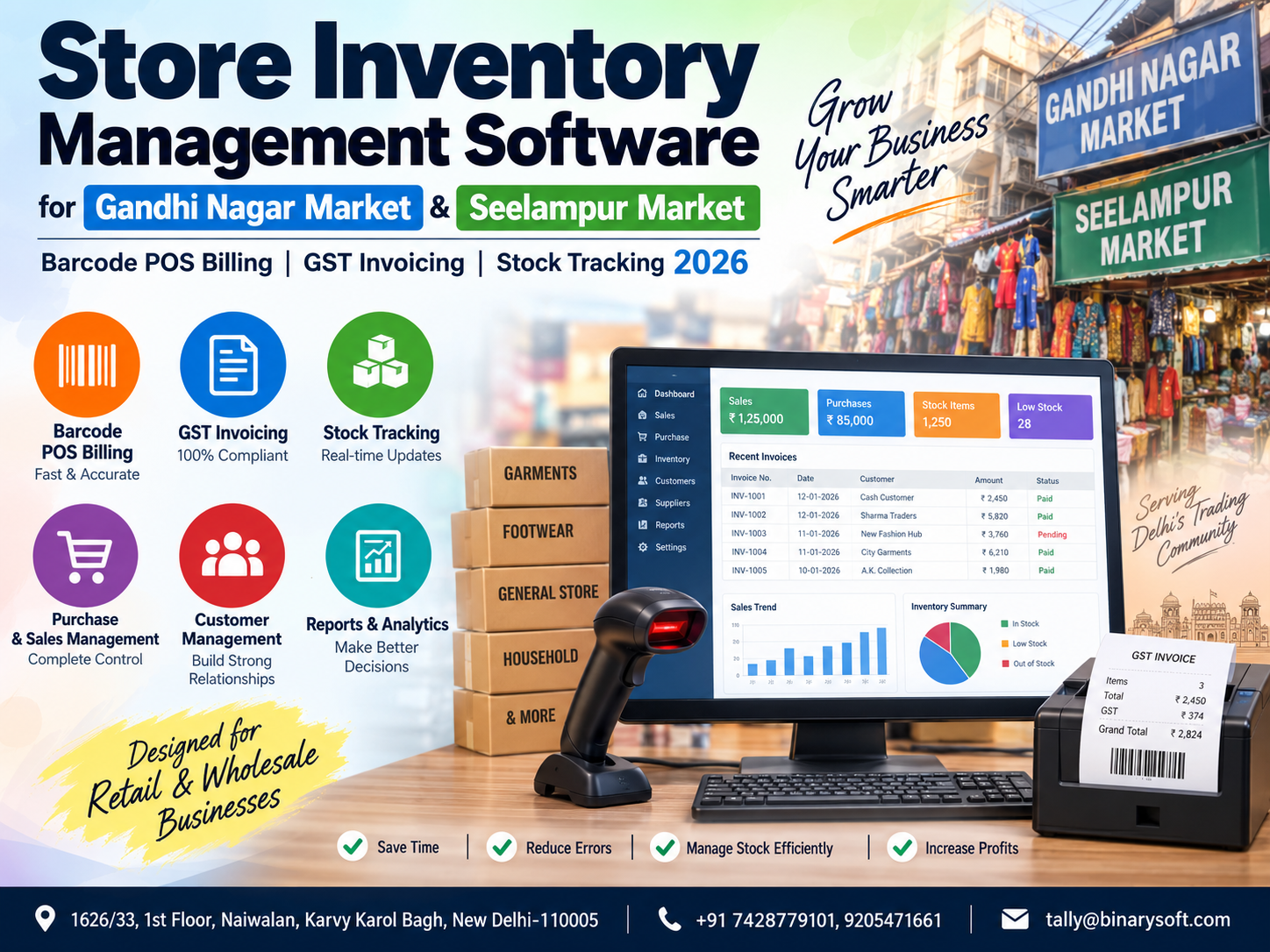
Store Management Is Changing Fast in 2026
In 2026, retailers and wholesalers operating in busy commercial areas such as Gandhi Nagar Market and Seelampur Market are facing a bigger inventory challenge than simply knowing what is available on the shelves. Faster customer expectations, large product varieties, frequent purchase and sales transactions, GST documentation, barcode-based billing and the need for accurate stock visibility are putting pressure on businesses that still depend heavily on notebooks, spreadsheets or disconnected billing systems. A small stock-entry mistake can result in an unavailable item being promised to a customer, while slow billing during peak hours can mean longer queues and lost sales. Modern store inventory management software brings billing, barcode scanning, GST invoicing, purchases, inventory and business reporting into one connected workflow. For growing businesses, the benefit is practical: faster checkout, better stock control, fewer manual errors and clearer information for making everyday purchasing and sales decisions.
Why Gandhi Nagar Market & Seelampur Market Businesses Need Better Inventory Management
Delhi's trading markets operate at a pace where inventory can move rapidly throughout the working day. Businesses may receive stock in the morning, sell a significant quantity by afternoon and place another purchase order before closing.
Gandhi Nagar Market is strongly associated with garment and textile trading, while businesses in and around Seelampur serve a wide range of retail and wholesale requirements.
Whether a business deals in garments, accessories, electronics, footwear, general merchandise, spare parts, household products or other goods, one challenge remains common: inventory must be recorded accurately.
A business owner needs answers to questions such as:
What is currently available?
Which products are selling quickly?
Which items are running low?
Which products have remained unsold for months?
How much was purchased?
How much has been sold?
What is the value of available inventory?
Which customer payments are pending?
Which suppliers need to be paid?
Are invoices being generated with the correct GST information?
A proper store inventory management system can bring these answers together rather than forcing the owner to check multiple registers or files.
The Problem with Manual Stock Management
Manual inventory management may work when a shop has a very small number of products and transactions. As the business expands, however, maintaining accurate records becomes increasingly difficult.
Consider a garment wholesaler maintaining hundreds or thousands of combinations involving:
Product
Brand
Design
Colour
Size
Batch
Purchase rate
Selling rate
GST rate
Quantity
Supplier
Every purchase changes inventory.
Every sale reduces inventory.
Every sales return increases inventory.
Every purchase return reduces inventory.
Damaged or missing stock can create further differences.
If these movements are not recorded properly, the stock shown in records can differ significantly from the physical stock available in the shop or warehouse.
Inventory software helps create a systematic record of these movements.
A Market Story: When a Busy Sales Day Exposed the Real Inventory Problem
A fictional example illustrates the problem.
Imagine Rajesh, who operates a growing garment business serving retailers from different parts of Delhi. For years, his team managed billing and stock through a combination of handwritten notes and spreadsheets.
During an especially busy sales period, one of his regular customers called asking for a large quantity of a particular garment.
The spreadsheet showed sufficient stock.
Rajesh confirmed the order immediately.
His staff went to prepare the goods.
But the required quantity wasn't there.
Some units had already been sold earlier in the week, and the spreadsheet had not been updated. Other pieces had been returned to the supplier but were still included in the stock figure.
The customer needed the material urgently and couldn't wait.
For Rajesh, losing that order was frustrating, but what worried him more was the uncertainty.
If this product's stock was incorrect, how many other stock figures could also be wrong?
That evening, instead of focusing on new orders, his team spent hours checking shelves, cartons and old invoices.
The experience changed how he viewed inventory management.
Accurate stock wasn't simply an accounting requirement. It directly affected customer confidence, purchasing decisions and the ability to promise delivery.
After moving toward a structured inventory and barcode billing process, his team could check available quantities before confirming orders and record stock movements as transactions occurred.
The biggest improvement wasn't just speed.
It was confidence in the information being used to make decisions.
What Is Store Inventory Management Software?
Store inventory management software is a business system designed to record and monitor the movement of products from purchase to final sale.
Depending on the software and configuration, it can manage:
Sales
Purchases
Sales returns
Purchase returns
Stock quantities
Stock valuation
Godowns and locations
Barcode information
GST invoices
Customer balances
Supplier balances
Cash and bank transactions
Outstanding payments
Product profitability
Business reports
For retailers and wholesalers, the goal is to establish one connected source of business information.
Barcode POS Billing for Faster Counter Operations
Billing speed becomes extremely important when several customers are waiting at the counter.
Typing product names, rates and quantities manually takes time and increases the possibility of mistakes.
Barcode POS billing can simplify this process.
When properly configured, the cashier scans the barcode and the system can identify the corresponding product.
The billing process becomes:
Scan product
Confirm quantity
Apply the configured rate
Calculate applicable taxes
Generate invoice
Update inventory
This can substantially reduce repetitive manual entry.
Why Barcode Billing Matters in High-Volume Stores
Suppose a store generates hundreds of invoices in a day.
Even if manually entering each product takes only a few extra seconds, those seconds accumulate across hundreds or thousands of products.
Barcode scanning can improve operational efficiency while helping reduce errors such as:
Selecting the wrong product
Entering an incorrect product code
Using the wrong selling rate
Incorrectly typing quantities
Missing items during billing
For businesses handling large product ranges, barcode-based identification also makes product management easier for staff.
GST Invoicing Integrated with Inventory
GST invoicing should not operate separately from inventory.
Ideally, when a taxable sale is recorded, the same transaction should update both financial records and inventory.
Depending on the business, a GST invoice may include information such as:
Supplier details
Customer details
GSTIN where applicable
Invoice number
Invoice date
Product description
HSN/SAC information where applicable
Quantity
Taxable value
Applicable GST rate
CGST
SGST
IGST
Invoice value
Using integrated billing and accounting software reduces the need to enter the same transaction multiple times.
Businesses should ensure their GST configuration and invoicing practices remain aligned with the latest applicable GST requirements and professional advice.
Real-Time Stock Tracking
One of the most valuable benefits of inventory software is improved stock visibility.
When purchases, sales and returns are entered promptly, the system can provide a more current picture of inventory.
For example:
Opening Stock: 500 units
Purchase: +200 units
Sales: −350 units
Sales Return: +10 units
Purchase Return: −20 units
Expected Closing Stock: 340 units
Instead of manually calculating this quantity, the system can update the stock balance as transactions are recorded.
Low-Stock Identification
Running out of a fast-moving product can result in missed sales.
Businesses can use inventory information to identify items approaching their minimum desired quantity.
For example:
Product A
Available: 10 units
Typical requirement: 100 units
This indicates that replenishment may be required.
Better visibility allows the purchasing team to act before stock is completely exhausted.
Overstocking Can Be Just as Expensive
Many businesses focus only on stock shortages.
But excess stock is also a major business concern.
If ₹5 lakh, ₹10 lakh or more remains blocked in products that are not selling, that capital cannot easily be used for:
Buying faster-moving goods
Paying suppliers
Meeting operating expenses
Investing in expansion
Marketing
Managing seasonal demand
Inventory reports can help identify slow-moving and non-moving products so owners can take appropriate commercial decisions.
Fast-Moving and Slow-Moving Inventory
Not every product deserves the same purchasing strategy.
A fast-moving product may need frequent replenishment.
A slow-moving product may require lower future purchasing quantities.
A non-moving product may need special attention.
Store inventory software can help management compare product movement and make purchasing decisions based on transaction history rather than assumptions alone.
Stock Management by Size, Colour and Variant
This is particularly useful for garment, footwear and fashion-related businesses.
A single design might be available in:
Small
Medium
Large
XL
XXL
and multiple colours.
Treating all variants as a single product can make stock information difficult to interpret.
A structured inventory setup can distinguish variants so that employees know the exact quantity available.
For example:
Blue Shirt – M: 18
Blue Shirt – L: 25
Blue Shirt – XL: 7
Black Shirt – M: 12
Black Shirt – L: 4
This is much more useful than simply seeing:
Shirts: 66
Multi-Godown and Warehouse Inventory
Many Gandhi Nagar and Seelampur businesses maintain stock at more than one location.
For example:
Main Shop
Warehouse
Second Shop
Dispatch Location
Temporary Storage
A multi-location inventory system can provide location-wise stock information.
If the main shop has only five units but the warehouse has another 100 units, employees can see that information before rejecting a customer order.
Purchase Management
Inventory control begins before the product reaches the sales counter.
Purchase management can record:
Supplier
Purchase invoice
Invoice date
Product
Quantity
Purchase rate
Discount
Tax
Additional charges
Total purchase value
Payment status
Recording purchases correctly helps establish accurate stock quantities and purchase costs.
Supplier Outstanding Management
A business may purchase goods from many suppliers on credit.
Without organised accounting records, it can become difficult to know:
How much is payable?
To whom?
Against which invoice?
Since when?
Which payment is overdue?
An integrated accounting and inventory system can make supplier outstanding reports easier to review.
Customer Outstanding Tracking
Wholesale businesses frequently provide credit to regular customers.
If sales and receivables are properly connected, the business can review customer-wise outstanding balances.
This helps owners and accounts teams identify:
Total receivables
Customer balances
Pending invoices
Ageing of outstanding amounts
Collections received
Credit exposure
Better receivable visibility can contribute to healthier cash-flow management.
Sales Return Management
Returns are common in many retail and wholesale businesses.
A customer may return goods because of:
Wrong size
Wrong colour
Defect
Incorrect quantity
Order cancellation
Product replacement
A sales return should not simply be recorded financially. Where appropriate, the inventory quantity should also be adjusted.
An integrated system helps maintain this connection.
Purchase Returns
Businesses also return products to suppliers.
For example, 100 pieces may be purchased, but 10 damaged pieces are returned.
The actual inventory should reflect the returned quantity.
Without correct purchase-return entries, the software could show stock that no longer physically exists.
Stock Valuation
Knowing the quantity of stock is only part of inventory management.
Owners also need to understand its financial value.
Depending on the accounting and inventory method used, stock valuation reports can help answer questions such as:
How much money is currently invested in inventory?
Which category holds the highest inventory value?
How has inventory value changed?
Accurate valuation is particularly important for businesses carrying significant stock.
Batch and Lot Management
Some businesses need batch-wise inventory tracking.
Batch management can be useful where products are received or managed in identifiable lots.
Depending on the product category, businesses may need to capture:
Batch number
Purchase date
Manufacturing information
Expiry information
Quantity
Cost
Selling rate
This improves traceability.
Pricing and Discount Management
Different customers may receive different commercial terms.
For example:
Retail customer: Standard price
Regular customer: Special discount
Dealer: Dealer price
Distributor: Bulk rate
Software can help structure price levels and discounts according to the business's requirements and supported functionality.
This reduces dependence on employees remembering every customer's rate.
Inventory Reports Business Owners Should Review
Software becomes useful when its reports are actively used for decision-making.
Important reports can include:
Stock Summary
Stock Movement
Item-wise Sales
Purchase Analysis
Sales Analysis
Godown Summary
Customer Outstanding
Supplier Outstanding
Fast-Moving Items
Slow-Moving Items
Non-Moving Stock
Gross Profit Analysis
Daily Sales
Cash and Bank Summary
Business owners do not necessarily need to study every report every day.
A focused dashboard or reporting routine can highlight the most important indicators.
How Inventory Software Helps Reduce Human Error
No software can completely eliminate mistakes because transactions still depend on correct inputs and processes.
However, a structured system can reduce repetitive manual work.
For example, if an employee manually calculates:
Quantity × Rate + GST − Discount
there is room for arithmetic error.
When rules are properly configured, software can perform these calculations automatically and consistently.
Why Accounting and Inventory Should Work Together
Inventory and accounting are closely connected.
When goods are purchased, inventory increases and a financial transaction is created.
When goods are sold, inventory decreases and revenue is recorded.
When payment is collected, customer outstanding may reduce.
When a supplier is paid, supplier outstanding may reduce.
Keeping these functions disconnected can create duplicate work.
An integrated platform provides management with a more complete view of business activity.
TallyPrime for Retail and Wholesale Inventory Management
Businesses using TallyPrime can configure accounting and inventory features according to their operational requirements.
Depending on the edition, configuration and supporting solutions being used, businesses can manage areas such as:
Accounting
Inventory
GST-related transactions
Sales
Purchases
Receivables
Payables
Godowns
Stock items
Stock groups
Units of measurement
Price information
Business reports
For barcode POS requirements or specialised retail workflows, the exact configuration and additional solution requirements should be assessed according to the business process.
Binarysoft Technologies, an Authorized Tally Partner, can help businesses evaluate their requirements and implement an appropriate Tally-based solution.
Store Inventory Management for Garment Businesses in Gandhi Nagar Market
Garment trading creates unique inventory challenges because one product can have numerous combinations.
A garment business may need to manage:
Design
Size
Colour
Brand
Season
Category
Purchase price
Wholesale price
Retail price
Supplier
Quantity
Managing these combinations manually becomes increasingly complicated as the product range expands.
A well-structured inventory system can make item identification and stock analysis much easier.
Inventory Software for Businesses in Seelampur Market
Businesses operating in Seelampur may handle high transaction volumes and diverse product categories.
For such businesses, an inventory solution can provide a central system for:
Purchases
Sales
Stock
GST billing
Returns
Customer accounts
Supplier accounts
Cash and bank entries
Business reporting
Instead of maintaining several independent records, information can be managed through a structured workflow.
Physical Stock Verification Still Matters
Software stock should periodically be compared with physical stock.
For example:
Software Quantity: 250
Physical Quantity: 246
Difference: 4 units
The difference should be investigated.
Possible reasons could include:
Unrecorded sales
Damaged products
Incorrect purchase entries
Unrecorded returns
Counting mistakes
Internal movement
Other operational discrepancies
Periodic physical verification improves the reliability of inventory information.
Daily Inventory Control Checklist
At the end of the working day, businesses can review key operational areas such as sales entries, purchase entries, returns, cash collections, pending receivables and unusual inventory movements.
For high-volume businesses, a short daily review can prevent small errors from becoming large reconciliation problems at the end of the month.
Monthly Inventory Review
A deeper monthly review can examine:
Opening inventory
Purchases
Sales
Closing inventory
Stock valuation
Fast-moving products
Slow-moving products
Non-moving products
Customer outstanding
Supplier outstanding
Gross profit
Returns
Stock differences
This gives management a clearer picture of both operational performance and working-capital utilisation.
Data Backup and Business Continuity
Inventory and accounting data can represent years of business history.
Businesses should therefore establish an appropriate backup process based on their software and IT environment.
Backups should be performed regularly and should not depend entirely on a single computer or storage location.
Access to backups should also be controlled.
User-Level Access Control
Not every employee needs access to every part of the system.
For example:
Cashier – Billing access
Store employee – Inventory-related access
Accountant – Accounting and GST work
Manager – Reports
Owner – Broader management visibility
Appropriate access controls can help reduce accidental changes and improve internal accountability.
Questions to Ask Before Choosing Store Inventory Software
Before implementing a solution, a business should clearly define its requirements.
Consider questions such as:
How many products do we manage?
Do we require barcode billing?
How many billing counters are there?
Do we maintain multiple warehouses?
Do we sell retail, wholesale or both?
Do we sell on credit?
Do we need size and colour tracking?
Do we need GST invoicing?
How many users need system access?
Do we require customised reports?
Do we need data access from multiple locations?
Do we already use TallyPrime?
Do we require integration with other systems?
The answers help determine the appropriate software setup.
Implementation Is More Than Installing Software
A successful inventory project involves much more than installing an application.
Businesses should plan:
Stock item creation
Stock grouping
Units
GST configuration
Opening stock
Customer masters
Supplier masters
Barcode setup
Price setup
User access
Godown configuration
Opening balances
Employee training
Backup procedures
Testing
Poor initial setup can create long-term reporting problems.
Staff Training Is Critical
Even excellent software will produce unreliable information if employees do not use it consistently.
Employees should understand:
How to create bills
How to scan products
How to record purchases
How to process returns
How to check stock
How to correct authorised errors
How to close daily transactions
How to escalate discrepancies
A standard operating process helps maintain consistent data quality.
How Store Owners Can Benefit in 2026
Modern inventory management is ultimately about better control.
For a store owner, this can mean:
Faster billing
Better inventory visibility
Reduced manual calculations
Improved purchase planning
Better customer service
More structured GST invoicing
Improved receivable tracking
Better supplier management
Faster reporting
Reduced dependence on notebooks and spreadsheets
More informed decision-making
The real benefit comes when accurate transaction data is turned into useful business information.
Moving from Reactive to Proactive Inventory Management
Traditional inventory management is often reactive.
The business discovers that a product is unavailable only after a customer requests it.
Modern inventory management aims to be proactive.
Management reviews product movement, current quantities and historical sales to anticipate requirements.
Instead of asking:
"What has finished?"
the business can start asking:
"What is likely to finish soon?"
That change can improve purchasing decisions and customer service.
Why 2026 Is a Good Time to Review Your Existing System
A business does not necessarily need new software simply because another year has started.
However, 2026 is a useful time for growing businesses to evaluate whether their current processes can support their present transaction volume.
Warning signs include:
Frequent stock differences
Slow billing
Duplicate data entry
Difficulty locating invoices
No clear customer outstanding report
No supplier outstanding visibility
Uncertainty about warehouse stock
Frequent manual GST calculations
Dependence on one employee for reports
Difficulty identifying profitable products
If these issues occur regularly, the underlying process may need improvement.
Store Inventory Software Consultation in Delhi
Businesses in Gandhi Nagar Market, Seelampur Market and other commercial areas of Delhi can consult Binarysoft Technologies for TallyPrime and business software requirements.
The appropriate solution should be selected after understanding the actual workflow rather than implementing unnecessary features.
Requirements may include accounting, GST billing, inventory management, barcode workflows, reporting, user access, data migration, implementation, training or custom business processes.
Powered by Binarysoft Technologies
Authorized Tally Partner
Location: 1626/33, 1st Floor, Naiwalan, Karol Bagh, New Delhi – 110005, INDIA
Contact us: +91 7428779101, 9205471661
Email us: tally@binarysoft.com
Business Hours: 10:00 AM – 6:00 PM, Mon–Fri
Conclusion
For businesses operating in Gandhi Nagar Market and Seelampur Market, inventory accuracy has a direct impact on sales, customer commitments, purchasing decisions and working capital. As transaction volumes and product varieties increase, relying entirely on manual registers or disconnected spreadsheets can make it difficult to maintain a reliable picture of stock.
Store inventory management software can connect barcode POS billing, GST invoicing, purchases, sales, returns, customer accounts, supplier balances and stock tracking within a more structured business process.
The objective is not merely to computerise billing. The greater value comes from knowing what is selling, what is available, what needs to be purchased, where money is blocked and which areas of the business require attention.
For growing retailers and wholesalers in 2026, accurate inventory information can support faster operations, stronger customer service and more informed management decisions.
Frequently Asked Questions
What is store inventory management software?
Store inventory management software records purchases, sales, returns and other stock movements so businesses can monitor product quantities and related business information more efficiently.
Is inventory software suitable for Gandhi Nagar garment businesses?
Yes. Garment businesses can particularly benefit from structured inventory because they often manage numerous designs, sizes, colours, brands and price combinations.
CA. Rishubh Talrejaa specializes in GST, business accounting, and compliance advisory for growing enterprises. With experience in handling real-time transactional data and audits, he writes practical insights on inventory control, taxation, and digital transformation for Indian businesses operating in competitive markets.