Call CA Tally HelpDesk
+91 9205471661,
7428779101
Introduction to Edit Log in Tally
The Edit Log feature in Tally Prime is a powerful security and audit tool that helps businesses maintain transparency, accountability, and data integrity. It records every change made to accounting vouchers and masters, ensuring that no alteration goes unnoticed.
The Tally Help Desk provides guidance and support to understand, enable, and manage Edit Logs effectively for compliance and internal control.
What is Edit Log in Tally?
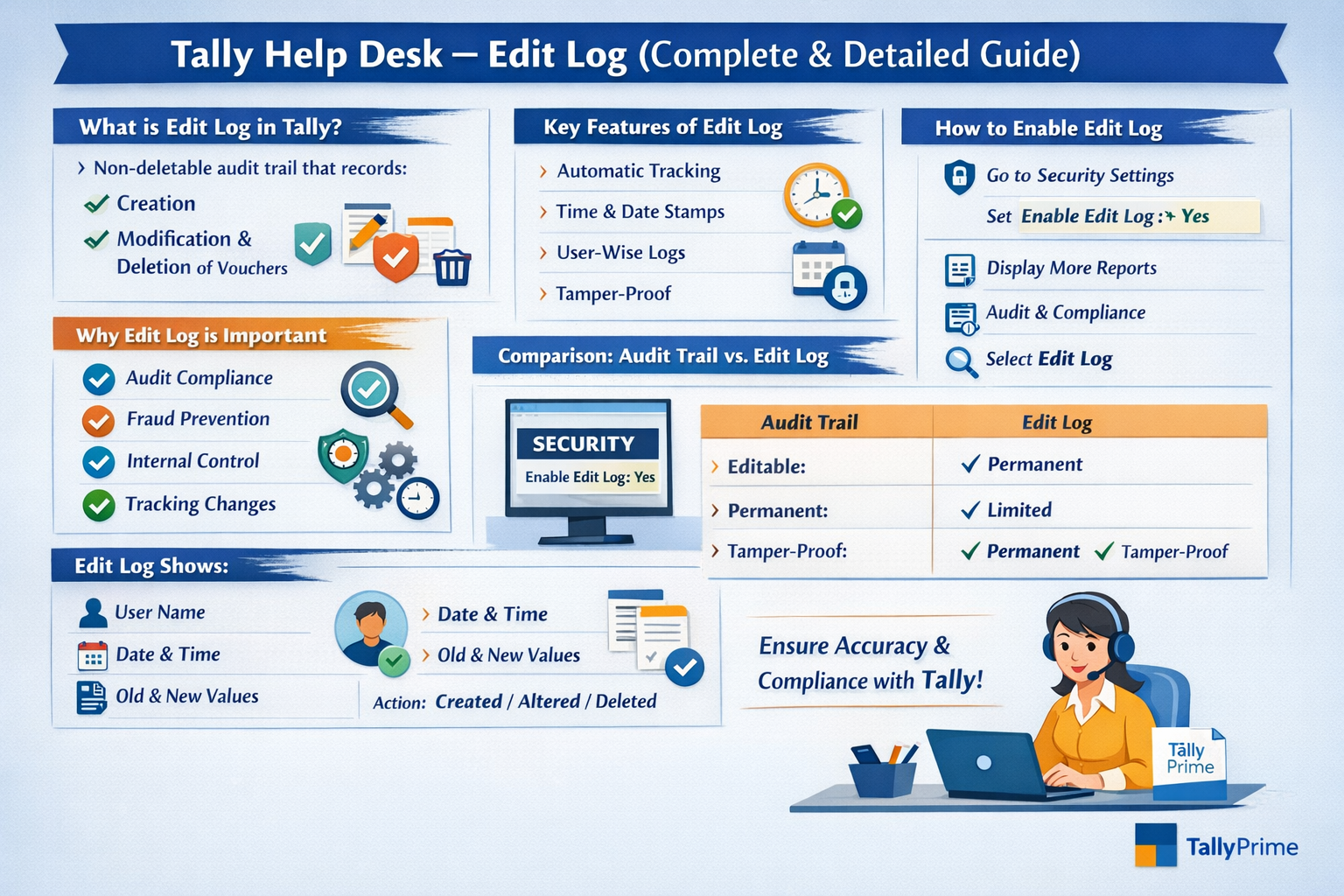
Edit Log is a non-deletable audit trail that automatically records:
-
Creation of vouchers
-
Modification of vouchers
-
Deletion of vouchers
Once enabled, Edit Log entries cannot be altered or removed, even by the administrator.
Why Edit Log is Important
Edit Log is crucial for:
It helps auditors and business owners verify who changed what and when.
Key Features of Edit Log
-
Automatic recording of changes
-
Time and date stamping
-
User-wise tracking
-
Permanent and tamper-proof logs
-
Voucher-level tracking
-
Audit-ready reports
How to Enable Edit Log in Tally Prime
Follow these steps:
-
Open Tally Prime
-
Select the required Company
-
Press Alt + K (Company)
-
Go to Security
-
Select Enable Edit Log
-
Set it to Yes
-
Save the settings
⚠️ Once enabled, Edit Log cannot be disabled for that company.
Viewing Edit Log Report
To view Edit Log details:
-
Open Tally Prime
-
Go to Display More Reports
-
Select Audit & Compliance
-
Click on Edit Log
-
Choose the voucher type or period
Information Available in Edit Log
The Edit Log report shows:
Edit Log for Vouchers
Each voucher change records:
This ensures complete transparency.
Edit Log for Masters
Edit Logs also track changes in:
-
Ledger masters
-
Stock items
-
Cost centers
-
Units of measure
User Access & Security
-
Edit Log visibility depends on user roles
-
Only authorized users can view reports
-
Admin can restrict access to prevent misuse
Difference Between Audit Trail and Edit Log
| Feature |
Audit Trail |
Edit Log |
| Editable |
Yes (limited) |
❌ No |
| Permanent |
❌ |
✅ |
| Compliance |
Partial |
Full |
| Tamper-proof |
❌ |
✅ |
Common Issues & Solutions
1. Edit Log Not Visible
Solution:
Check if:
2. Unable to Disable Edit Log
Reason:
Edit Log is permanent once enabled
3. Performance Issues
Solution:
-
Use proper hardware
-
Archive old data
-
Optimize company data
GST & Legal Compliance
Edit Log helps meet:
-
GST audit requirements
-
Income Tax audits
-
Company law compliance
-
Internal audits
Best Practices for Using Edit Log
How Tally Help Desk Supports Edit Log
The Tally Help Desk assists users with:
Conclusion
The Edit Log feature in Tally Prime is essential for modern accounting systems. It ensures accuracy, accountability, and compliance by keeping a permanent record of all changes. With the support of the Tally Help Desk, users can confidently manage Edit Logs and maintain transparent accounting practices.
Powered by Binarysoft Technologies
Authorized Tally Partner
Location : 1626/33, 1st Floor, Naiwalan, Karol Bagh, New Delhi – 110005, INDIA
Contact us : +91 7428779101, 9205471661, 8368262875
Email us : tally@binarysoft.com (10:00 AM – 6:00 PM, Mon–Fri)
Frequently Asked Questions
Why is Edit Log important in Tally?
Edit Log is important because it: Ensures data transparency Prevents unauthorized changes Helps in statutory and GST audits Improves internal control Tracks user-wise activities
What is Edit Log in Tally Prime?
Edit Log is a security feature in Tally Prime that records every creation, alteration, and deletion of vouchers and masters. It creates a permanent audit trail that cannot be modified or deleted.
CA. Rishubh Talrejaa specializes in GST, business accounting, and compliance advisory for growing enterprises. With experience in handling real-time transactional data and audits, he writes practical insights on inventory control, taxation, and digital transformation for Indian businesses operating in competitive markets.









