Call CA Tally HelpDesk
+91 9205471661,
7428779101
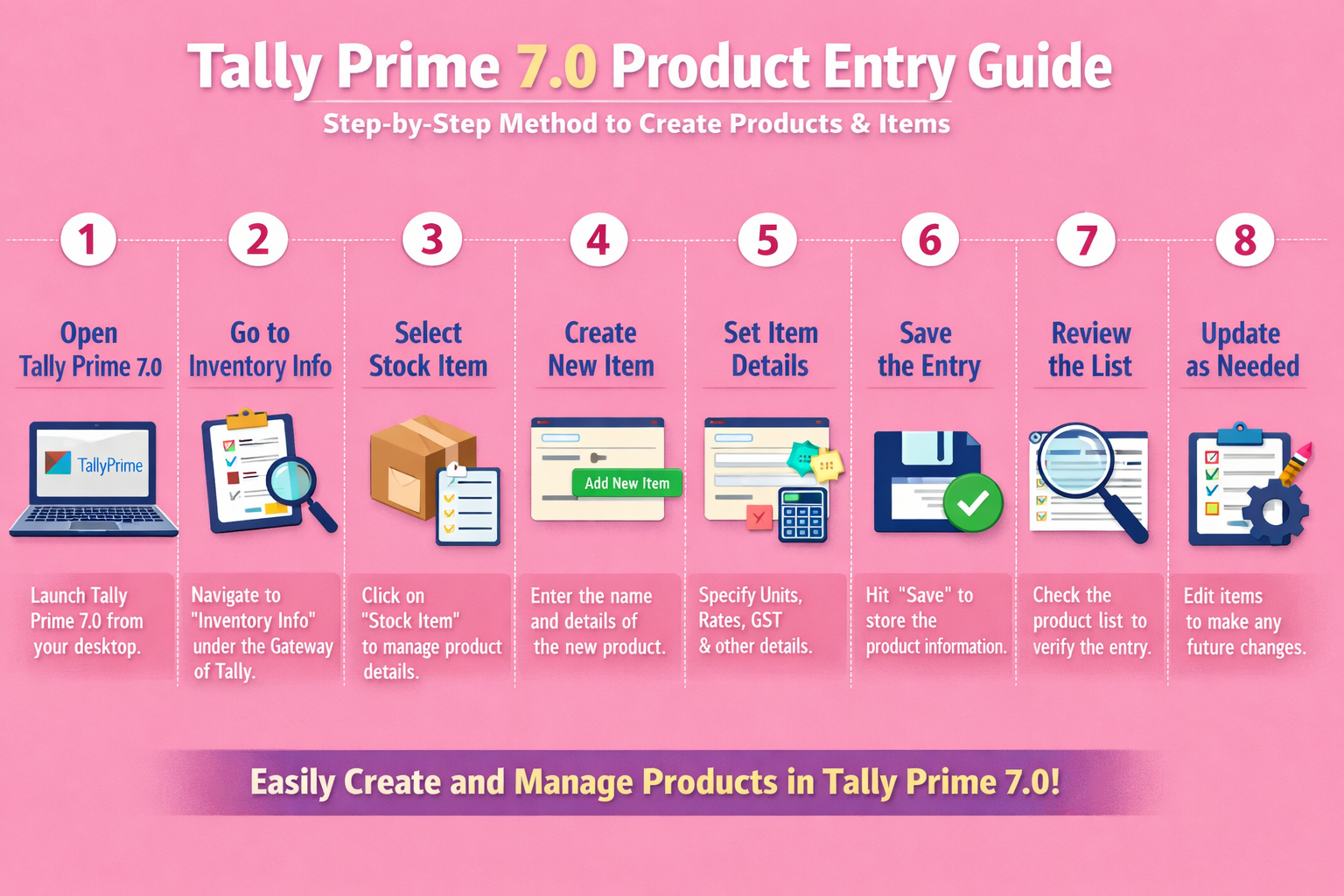
Product (Stock Item) creation is one of the most important steps in Tally Prime 7.0. Correct product entries ensure accurate billing, proper stock tracking, correct GST calculation, and reliable reports. Whether you are a trader, wholesaler, retailer, or accountant, understanding how to create products properly in Tally Prime is essential.
This guide explains what product entries are, why they matter, and how to create products and items step by step in Tally Prime 7.0, along with best practices and common mistakes to avoid.
What Is Product Entry in Tally Prime 7.0?
Product entry in Tally Prime refers to the creation of Stock Items under the inventory module. Each stock item represents a product that you buy, sell, or store in your business.
A properly created product entry allows you to:
-
Track stock quantity and value
-
Generate accurate sales and purchase invoices
-
Apply correct GST and HSN codes
-
View item-wise profitability
Why Product Entry Is Important in Tally Prime
Incorrect or incomplete product entries can lead to:
Correct product setup ensures:
Pre-Requisites Before Creating Products in Tally Prime 7.0
Before starting product entry, ensure the following:
1. Enable Inventory Features
-
Open Tally Prime
-
Press F11 (Features)
-
Enable Maintain Inventory
-
Enable Allow Invoicing
-
Save the settings
2. Create Stock Groups (Recommended)
Stock Groups help organize products logically.
Examples:
-
Electronics
-
Garments
-
Hardware
-
FMCG Items
Steps:
-
Go to Gateway of Tally
-
Select Create → Stock Group
-
Enter group name
-
Save
3. Create Units of Measure
Units define how products are measured.
Examples:
Steps:
-
Go to Create → Units
-
Select Simple Unit
-
Enter unit symbol and formal name
-
Save
Step-by-Step Process to Create Product (Stock Item) in Tally Prime 7.0
Step 1: Open Stock Item Creation Screen
-
Go to Gateway of Tally
-
Select Create → Stock Item
Step 2: Enter Basic Product Details
Fill in the following fields carefully:
Name
Example:
LED Bulb 9W Philips
Alias (Optional)
Used for alternative names or codes.
Under (Stock Group)
Step 3: Define Units and Quantities
Units
Opening Balance
Step 4: Enable GST Details (Very Important)
Set/Alter GST Details: Yes
Fill the following:
Correct GST setup ensures:
-
Accurate tax calculation
-
Correct GST reports
Step 5: Set Pricing Details (Optional but Recommended)
You can define:
This helps in:
-
Faster billing
-
Profit margin analysis
Step 6: Save the Product
Press Ctrl + A to save the stock item.
Your product is now created successfully
Frequently Asked Questions
What is a product entry in Tally Prime 7.0?
Product entry in Tally Prime 7.0 refers to creating Stock Items in the inventory module. Each stock item represents a product you buy, sell, or store, and is used for billing, stock tracking, and GST calculation.
Is it mandatory to enable inventory before creating products in Tally Prime?
Yes. You must enable Maintain Inventory and Allow Invoicing in F11 (Features) before you can create product (stock item) entries.
Can I create products without GST details?
You can, but it is not recommended for GST-registered businesses. Missing GST details may cause incorrect tax calculation and errors in GST returns.
Can I edit product details after creation?
Yes. Go to Alter → Stock Item, select the product, make changes, and save. However, changing units or GST details after transactions should be done carefully.
CA. Mayankh Singhaal is a Chartered Accountant experienced in accounting systems, statutory audits, and compliance advisory. He has worked with businesses across different sectors to improve reporting accuracy and inventory tracking. His writing focuses on structured growth and compliance-ready operations.









