Call CA Tally HelpDesk
+91 9205471661,
7428779101
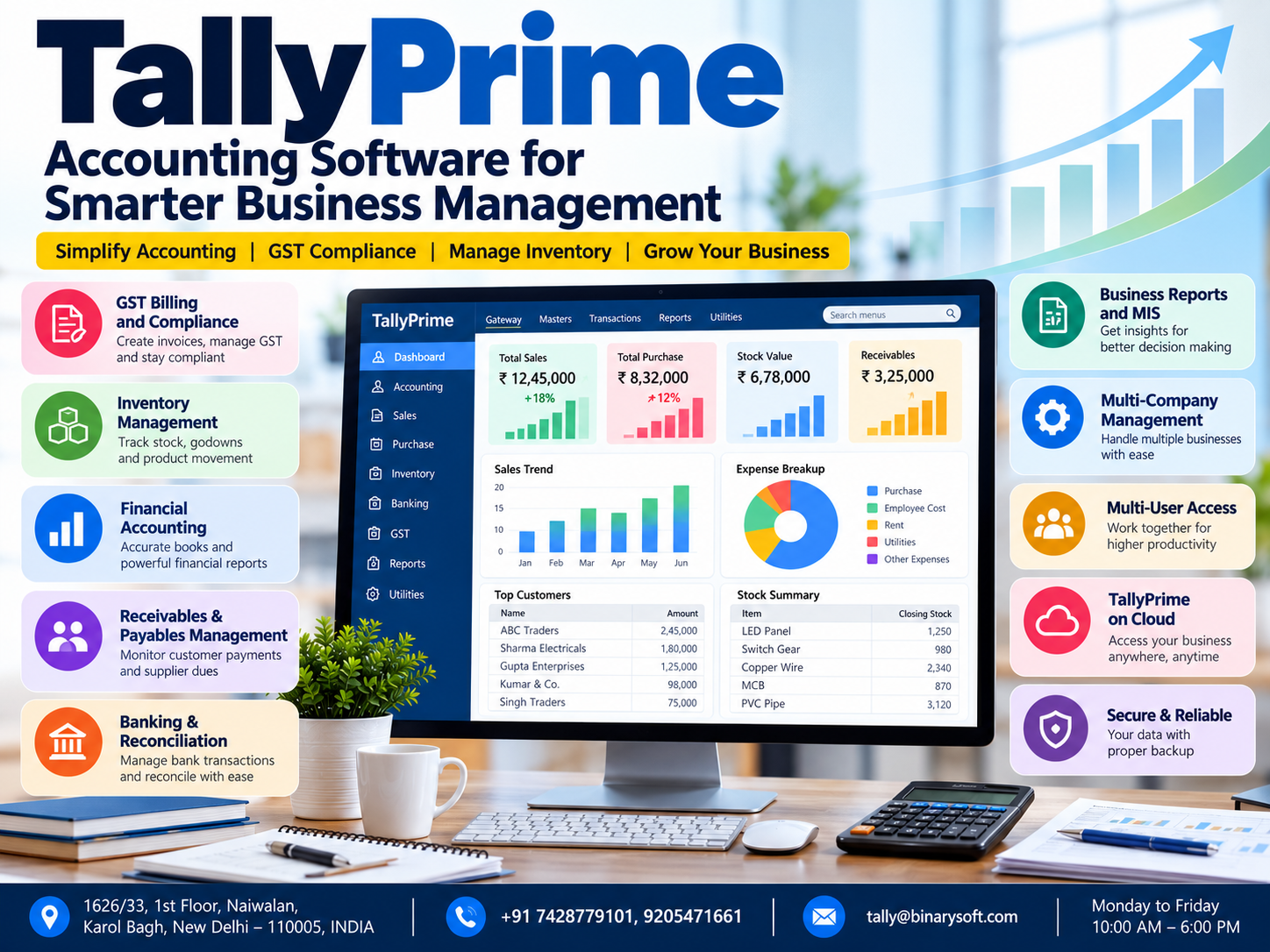
Introduction: Why Modern Businesses Need Smarter Accounting Software
Running a successful business in 2026 requires more than increasing sales and attracting customers. Business owners must maintain accurate financial records, manage inventory, monitor outstanding payments, comply with GST regulations and make timely financial decisions.
For many small and medium-sized businesses in India, these responsibilities create daily challenges.
A missing invoice can delay customer payments. Incorrect inventory records can result in lost sales. Delayed bank reconciliation can affect financial accuracy. Incomplete accounting information can make important business decisions difficult.
TallyPrime helps businesses overcome these challenges by bringing accounting, GST management, inventory, banking and financial reporting into one integrated business management system.
Whether you manage a retail store, wholesale distribution company, manufacturing unit, consultancy or growing enterprise, TallyPrime provides tools to organize financial information and improve operational efficiency.
With features designed to simplify everyday accounting tasks, TallyPrime allows business owners to focus more on customers, profitability and long-term growth.
This guide explores the important features of TallyPrime, its practical applications, industry-specific benefits, cloud capabilities and how businesses can use it to build more reliable financial operations.
A Business Owner's Emotional Journey: When Success Started Feeling Like Stress
At 11:45 PM, Amit was still sitting in his office in Karol Bagh, Delhi.
His family had finished dinner hours earlier.
His wife had called twice, asking when he would return home.
But Amit could not leave.
He owned a growing electrical goods distribution business. Sales were increasing, customers were placing larger orders and new suppliers were approaching him regularly.
From the outside, his business looked successful.
Inside the office, however, the situation was different.
His accountant maintained customer balances in spreadsheets. Inventory records were updated manually. Purchase invoices were stored in separate folders, and bank transactions were reconciled only occasionally.
That evening, Amit discovered that an important customer had already paid an invoice, but the payment had not been properly recorded.
Another customer was waiting for goods that the stock register showed as available, even though the warehouse had run out.
Amit realized that his business was growing faster than his accounting system could support.
The next morning, he decided to introduce TallyPrime.
His accountant began recording transactions through standardized accounting vouchers. Inventory records were organized into stock groups, and customer balances were maintained through bill-wise accounting.
Over time, the business developed more consistent financial procedures.
Amit could review sales, purchases, stock balances and outstanding payments without searching through multiple files.
One evening, he closed his office on time.
When his daughter asked, "Papa, are you coming home early today?" he smiled.
His business had not become smaller.
His systems had become better.
This fictional story illustrates how organized accounting can reduce operational pressure and help business owners regain control over their time.
What Is TallyPrime?
TallyPrime is accounting and business management software designed to help organizations manage financial transactions, taxation, inventory, banking and business reporting.
It combines essential accounting functions within a structured system, allowing businesses to maintain consistent financial information.
TallyPrime can be used for:
-
Financial accounting and bookkeeping
-
GST invoicing and tax management
-
Sales and purchase transactions
-
Inventory and stock management
-
Banking and bank reconciliation
-
Customer receivables and supplier payables
-
Cost centre accounting
-
Financial statements and business reporting
-
Payroll accounting, where applicable
-
Multi-company accounting
-
User access management and data security
Instead of maintaining separate records for different business activities, organizations can connect their accounting processes through one application.
This makes TallyPrime useful for businesses seeking better accuracy, transparency and operational control.
Why TallyPrime Is Important for Indian Businesses in 2026
Indian businesses operate in an increasingly digital environment.
Customers expect accurate invoices, suppliers require timely payments, and business owners need financial information to make decisions.
GST compliance also requires businesses to maintain appropriate transaction records and tax details.
Traditional accounting methods may become difficult to manage as transaction volumes increase.
TallyPrime addresses these requirements by supporting structured transaction recording and automated accounting calculations.
Improved Accounting Accuracy
When transactions are recorded using appropriate vouchers and ledgers, the software updates the relevant accounting records.
This reduces the need to repeat calculations manually.
Faster Business Operations
Employees can generate invoices, record payments and review accounting reports through established workflows.
Better Financial Visibility
Business owners can monitor profitability, outstanding balances and financial performance.
Organized GST Records
Businesses can maintain GST-related transaction information and review relevant tax reports.
Support for Business Expansion
As organizations grow, they can introduce additional accounting users, inventory locations and reporting requirements.
1. Powerful Financial Accounting Features
Financial accounting is one of the most important functions of TallyPrime.
Businesses can maintain accounting records using standard voucher types.
These include:
Sales Voucher: Records sales transactions and customer invoices.
Purchase Voucher: Records purchases from suppliers.
Receipt Voucher: Records money received from customers or other sources.
Payment Voucher: Records payments made by the business.
Contra Voucher: Records transfers involving cash and bank accounts.
Journal Voucher: Records accounting adjustments.
Debit Note: Records relevant debit adjustments, including purchase returns where applicable.
Credit Note: Records relevant credit adjustments, including sales returns where applicable.
Each correctly recorded transaction contributes to the business's accounting reports.
Practical Example
Suppose a wholesaler sells goods worth ₹50,000 plus applicable GST.
The accountant records the transaction through a sales voucher.
TallyPrime updates the relevant sales, customer and tax accounts according to the configured transaction details.
The business owner can subsequently review the transaction in sales reports and customer ledger information.
This reduces the need to maintain separate accounting records for the same transaction.
2. GST Billing and Tax Management
GST compliance is an essential responsibility for registered businesses in India.
TallyPrime supports GST-related invoicing, accounting and reporting.
Businesses can configure relevant tax information and maintain GST details for transactions.
Important GST Features
GST Invoicing
Businesses can create invoices containing appropriate tax information.
Depending on the transaction, invoices may include GSTIN, HSN or SAC, taxable value, applicable tax rates and CGST, SGST or IGST.
GST Tax Calculation
TallyPrime calculates applicable taxes based on configured transaction details.
GST Reports
Businesses can review GST-related transaction summaries and identify potential discrepancies.
GST Return Preparation
TallyPrime supports relevant GST return preparation and connected compliance activities, depending on the installed version and available services.
E-Invoicing and E-Way Bill Support
Eligible businesses can use supported e-invoicing and e-way bill functionality, subject to applicable requirements and configuration.
Benefits for Businesses
Proper GST configuration helps businesses maintain consistent tax records, reduce calculation errors and prepare information required for compliance.
However, businesses should regularly verify tax classifications, reconcile records and ensure that returns are filed according to applicable regulations.
3. Advanced Inventory Management
Inventory is a major investment for retail, wholesale and manufacturing businesses.
Poor inventory management can lead to stock shortages, excess purchases and unnecessary financial losses.
TallyPrime provides inventory management features that help businesses monitor stock quantities and movements.
Stock Groups
Businesses can organize products into categories.
For example, an electrical distributor may create groups for switches, cables, lighting products and electrical accessories.
Stock Items
Individual products can be maintained with their names, units and relevant inventory details.
Units of Measurement
Businesses can maintain inventory using units such as pieces, kilograms, metres, litres and boxes.
Godown Management
Organizations can maintain stock information for different warehouses or storage locations.
Stock Summary
The Stock Summary report helps businesses review quantities and values recorded in the system.
Inventory Vouchers
Businesses can record stock movements using appropriate inventory vouchers.
Practical Business Example
A hardware distributor maintains 500 different products.
Without organized inventory records, employees may struggle to identify available quantities.
After implementing TallyPrime, the distributor organizes stock items into categories and records purchase and sales movements.
Management can then review stock balances and identify products requiring replenishment.
Accurate results depend on timely transaction entry and periodic physical stock verification.
4. Sales and Purchase Management
Sales and purchases directly influence business profitability.
TallyPrime allows businesses to record these transactions systematically.
Sales Management
Businesses can maintain customer invoices, sales returns, customer ledgers and outstanding balances.
Purchase Management
Businesses can record supplier invoices, purchase returns and supplier account balances.
Benefits
Organized sales and purchase records help businesses understand transaction volumes, review customer activity and monitor supplier obligations.
They also provide useful information for financial reporting and GST reconciliation.
5. Banking and Bank Reconciliation
Banking is an important part of business accounting.
Businesses receive customer payments, transfer money to suppliers, pay expenses and maintain multiple bank accounts.
If banking records are not reconciled regularly, financial statements may contain errors.
TallyPrime supports bank accounting and reconciliation.
Key Banking Capabilities
Businesses can record bank receipts and payments, maintain bank ledgers and reconcile transactions against bank statements.
Depending on the installed version and supported banking services, additional connected banking features may be available.
Why Bank Reconciliation Matters
Suppose a company records a customer payment of ₹75,000.
If the corresponding bank transaction is missing or incorrectly entered, the accounting balance may not match the bank statement.
Reconciliation helps identify these differences.
Regular reconciliation supports more reliable cash and bank reporting.
6. Receivables and Payables Management
Sales growth does not always guarantee healthy cash flow.
A business may generate substantial revenue but still struggle financially if customers delay payments.
TallyPrime helps organizations monitor receivables and payables.
Receivables
Receivables represent amounts customers owe to the business.
Businesses can maintain bill-wise details and review outstanding invoices.
Payables
Payables represent amounts owed to suppliers and other parties.
Businesses can review pending obligations and plan payments accordingly.
Ageing Analysis
Outstanding reports can help identify invoices that have remained unpaid for different periods.
For example, management may review invoices outstanding for 30, 60 or 90 days.
Business Benefits
These reports help accounting teams prioritize follow-ups, monitor customer credit and plan supplier payments.
Effective credit management can improve working capital and reduce payment-related uncertainty.
7. Financial Reports for Better Decision-Making
Financial reports transform accounting records into useful business information.
TallyPrime provides several important reports.
Profit and Loss Account
Shows income and expenses for a selected period.
Business owners can use this report to evaluate profitability.
Balance Sheet
Presents assets, liabilities and capital.
It helps management understand the financial position of the organization.
Trial Balance
Provides a summary of ledger balances.
Accountants can use it while reviewing financial records.
Cash Flow Statement
Helps businesses understand cash inflows and outflows.
Stock Summary
Provides information about inventory quantities and values.
Outstanding Reports
Show amounts receivable from customers and payable to suppliers.
Sales and Purchase Registers
Provide transaction-level information about business activity.
Why These Reports Matter
A business owner who regularly reviews financial reports can identify trends, investigate unusual expenses and make more informed decisions.
For example, increasing sales accompanied by declining profitability may indicate rising costs or reduced margins.
Timely financial reporting helps management identify such issues earlier.
8. Cost Centre Accounting and Expense Monitoring
Businesses often need to understand expenses across departments, projects or activities.
TallyPrime supports cost centre accounting.
A company may create cost centres for:
-
Sales department
-
Administration
-
Marketing
-
Production
-
Individual projects
-
Branch operations
Expenses can be allocated to relevant cost centres where appropriate.
Practical Example
A construction company manages three projects simultaneously.
By maintaining suitable cost centre records, the company can review expenses allocated to each project.
This helps management investigate cost variations and monitor financial performance.
Cost centre reporting is particularly useful when businesses require more detailed expense analysis.
Case Study 1: Delhi Wholesale Distributor Improves Accounting Efficiency
Illustrative case study based on common wholesale business requirements.
Business Background
A wholesale electrical equipment distributor in Delhi supplied products to retailers and contractors.
The company maintained customer balances in spreadsheets and inventory information in separate registers.
Major Challenges
The business frequently experienced differences between recorded and actual stock.
Customer payment follow-ups were delayed because accounting information was scattered across multiple files.
Management also struggled to review sales performance quickly.
TallyPrime Implementation
The company implemented TallyPrime Gold for its accounting operations.
Customer and supplier ledgers were organized.
Stock groups and stock items were configured.
Sales and purchase transactions were recorded through standardized vouchers.
Bill-wise accounting was introduced to monitor outstanding invoices.
Business Improvements
Employees gained a more organized accounting environment.
Management could review customer balances and inventory information more easily.
The company also established regular bank reconciliation and financial reporting procedures.
Key Learning
Centralized accounting records can improve operational visibility and help growing distributors manage transactions more consistently.
Case Study 2: Manufacturing Company Gains Better Inventory and Cost Visibility
Illustrative case study.
Business Background
A furniture manufacturing company purchased timber, hardware, adhesives and other materials to manufacture finished products.
Its accounting records were maintained separately from inventory information.
Major Challenges
The business struggled to monitor raw material consumption.
Management found it difficult to review production-related expenses and understand changes in inventory value.
TallyPrime Implementation
The company configured raw material and finished goods stock items.
Appropriate inventory vouchers were introduced to record material movements.
Cost centres were used for selected business activities.
Accounting employees were trained to review inventory and financial reports regularly.
Business Improvements
The company developed more consistent inventory records.
Management gained better visibility into material purchases and stock movements.
Financial reports helped the owner review costs and identify areas requiring investigation.
Key Learning
Integrating inventory and accounting records can help manufacturers improve financial control and support more informed production decisions.
9. TallyPrime on Cloud: Flexible Accounting for Modern Businesses
Business owners increasingly need access to accounting information while travelling or working away from the office.
TallyPrime can be deployed through suitable cloud-hosting arrangements.
This enables authorized users to access the hosted accounting environment remotely.
Benefits of TallyPrime on Cloud
Remote Working
Employees can access the hosted accounting system from supported locations and devices.
Centralized Data Environment
Authorized users can work with shared business information according to their permissions.
Improved Collaboration
Accounting teams operating from different locations can coordinate their work through a properly configured environment.
Backup and Recovery
Suitable hosting arrangements can include backup and recovery services.
Flexible Infrastructure
Businesses may be able to adjust hosting resources according to operational requirements.
Important Considerations
Cloud hosting is generally a separate service from the standard TallyPrime software license.
Businesses should evaluate hosting costs, security controls, backup policies, internet connectivity and technical support before choosing a provider.
Remote access performance and availability depend on the hosting infrastructure and network conditions.
10. Data Security and User Access Management
Financial information is among the most sensitive assets of a business.
Accounting records may contain customer balances, supplier payments, bank details and financial statements.
TallyPrime provides user access controls that can help organizations manage permissions.
Businesses should configure access according to employee responsibilities.
For example, a billing employee may require different permissions from a senior accountant.
Recommended Security Practices
Use strong passwords, restrict unnecessary access and maintain regular backups.
Businesses should also review user permissions periodically.
Where supported, appropriate audit and transaction review practices can help management monitor accounting activity.
Software security must be supported by responsible employee practices and reliable infrastructure.
11. TallyPrime Silver vs Gold
TallyPrime is commonly available in Silver and Gold license editions.
TallyPrime Silver
Silver is suitable for businesses requiring single-user operation.
It is commonly used by small retailers, consultants, accountants and proprietorship firms.
TallyPrime Gold
Gold is designed for organizations requiring simultaneous multi-user access.
It is suitable for businesses with separate accounting, billing and purchasing employees.
Which License Should You Choose?
A business with one accounting user may find Silver sufficient.
A growing organization with multiple employees requiring simultaneous access may benefit from Gold.
The correct selection depends on business requirements, licensing conditions and technical infrastructure.
12. How to Start Using TallyPrime
Implementing TallyPrime involves several important steps.
Step 1: Understand Business Requirements
Identify the number of users, transaction volumes, inventory requirements and reporting needs.
Step 2: Select the Appropriate License
Choose Silver or Gold according to user requirements.
Step 3: Install and Activate TallyPrime
Complete installation and activation using the applicable licensing process.
Step 4: Create Your Company
Enter the relevant company details, financial year and accounting information.
Step 5: Configure Accounting Masters
Create ledgers, groups and other required accounting masters.
Step 6: Configure GST
Enter applicable registration information and tax details.
Step 7: Configure Inventory
Create stock groups, stock items, units and godowns where required.
Step 8: Enter Opening Balances
Record verified opening balances for relevant accounts and inventory.
Step 9: Begin Recording Transactions
Use appropriate vouchers to maintain daily business records.
Step 10: Review Reports and Maintain Backups
Regularly review financial statements, outstanding balances and inventory reports.
Maintain appropriate backup procedures to protect accounting data.
13. TallyPrime Benefits Across Different Industries
Retail Businesses
Retailers can manage billing, purchases, stock balances and daily financial transactions.
Wholesale and Distribution
Wholesalers can maintain customer accounts, supplier balances and inventory records.
Manufacturing
Manufacturers can track materials, finished goods and relevant production-related inventory movements.
Professional Services
Consultants and service providers can maintain invoices, expenses and financial statements.
Construction
Construction businesses can use cost centres and accounting reports to review project-related financial activity.
E-Commerce
Online sellers can maintain sales, purchase, return and inventory records.
Additional integrations may be required for automated marketplace synchronization.
Healthcare Businesses
Healthcare organizations can maintain accounting records, expenses, supplier payments and relevant inventory information.
Industry-specific requirements may require additional configuration or software integration.
14. Common Accounting Mistakes TallyPrime Can Help Reduce
Businesses frequently experience accounting difficulties because of inconsistent procedures.
Common problems include duplicate entries, missing invoices, incorrect ledger classifications and delayed reconciliation.
TallyPrime provides structured workflows that can help reduce these problems.
However, the software cannot automatically correct every human error.
Employees must enter accurate information and follow appropriate accounting procedures.
Regular review remains essential.
15. Why Training and Professional Implementation Matter
The effectiveness of accounting software depends on how it is implemented and used.
Incorrect opening balances, incomplete inventory information or improper GST configuration can affect reports.
Professional implementation assistance can help businesses establish appropriate accounting structures.
Training helps employees understand voucher entry, inventory procedures, banking and financial reporting.
A properly trained accounting team can use TallyPrime more efficiently and reduce avoidable mistakes.
16. How TallyPrime Supports Long-Term Business Growth
As businesses expand, accounting complexity often increases.
More customers create additional receivables.
Higher sales volumes increase inventory movements.
Additional employees require organized accounting procedures.
Business owners also need reliable financial reports to evaluate profitability and plan investments.
TallyPrime supports these requirements by maintaining structured accounting information.
With appropriate implementation, organizations can develop more consistent financial processes.
This can help management spend less time collecting information and more time evaluating business opportunities.
17. Why Choose Binarysoft Technologies for TallyPrime?
Binarysoft Technologies is an Authorized Tally Partner providing guidance on TallyPrime licensing and related business requirements.
Businesses planning to adopt TallyPrime can seek assistance in evaluating suitable license options and implementation needs.
Organizations considering cloud-based accounting can also discuss their hosting and remote-access requirements.
Choosing the right accounting environment involves more than selecting software.
It requires understanding business processes, user requirements, data security and future expansion plans.
With appropriate guidance and training, businesses can build a more organized accounting system.
Conclusion: Build a Smarter Business with TallyPrime
Modern businesses need reliable financial information to remain competitive.
Manual accounting systems and disconnected spreadsheets can create unnecessary delays, errors and operational pressure.
TallyPrime brings important business management functions together through integrated accounting, GST management, inventory tracking, banking and financial reporting.
Its features help businesses maintain organized records, review outstanding payments, monitor inventory and understand financial performance.
TallyPrime Silver can support single-user operations, while Gold provides simultaneous multi-user capabilities.
Cloud hosting can offer additional flexibility for businesses requiring remote access.
However, successful implementation depends on accurate configuration, proper training, consistent transaction entry and regular financial review.
For businesses planning long-term growth, adopting an organized accounting system is an investment in operational efficiency and better financial decision-making.
With TallyPrime, businesses can move beyond routine bookkeeping and focus on building stronger, more profitable operations.
Contact Binarysoft Technologies
Powered by Binarysoft Technologies
Authorized Tally Partner
Location: 1626/33, 1st Floor, Naiwalan, Karol Bagh, New Delhi – 110005, INDIA
Contact Us: +91 7428779101, 9205471661
Email: tally@binarysoft.com
Business Hours: Monday to Friday, 10:00 AM – 6:00 PM
Frequently Asked Questions
Where can I get TallyPrime assistance in Delhi?
Businesses can contact Binarysoft Technologies, an Authorized Tally Partner located in Karol Bagh, New Delhi, for information about licensing and related services.
Is TallyPrime secure?
TallyPrime provides access-control features, but overall security also depends on proper configuration, passwords, backups and infrastructure.
Does TallyPrime support payroll?
Yes. TallyPrime provides payroll-related functionality that can be configured according to applicable business requirements.
Does TallyPrime support multiple companies?
Yes. Users can maintain accounting data for multiple companies, subject to applicable licensing and operational arrangements.
CA. Yuvan Rajagopal specializes in accounting advisory, statutory compliance, and financial consulting. He writes extensively on business automation, inventory management, and accounting best practices.








