Call CA Tally HelpDesk
+91 9205471661,
7428779101
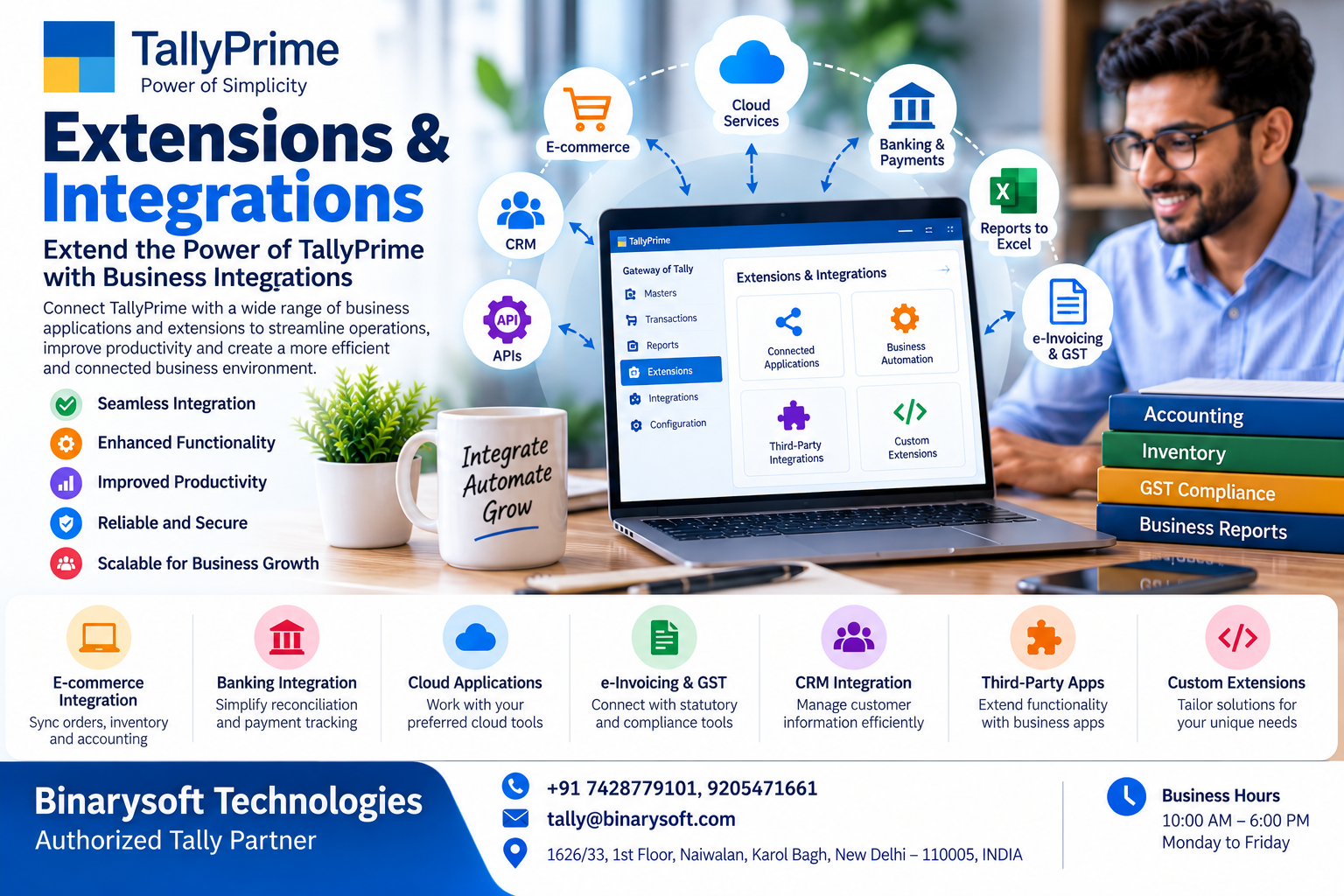
Introduction: Why TallyPrime Extensions and Integrations Matter in 2026
In 2026, businesses are using more digital applications than ever before. Sales teams work with CRM software, online sellers manage orders through e-commerce platforms, accountants maintain financial records, and warehouse teams track inventory through specialized applications.
But what happens when these systems cannot communicate with one another?
Employees spend hours copying information between applications. Sales orders must be entered repeatedly, inventory records become inconsistent, and financial reports are delayed.
For a growing business, disconnected software can become a serious operational challenge.
TallyPrime extensions and integrations help address these problems by allowing businesses to extend accounting functionality and connect compatible applications through supported technologies.
From e-commerce order synchronization and customized reporting to banking workflows and business automation, integrations can help organizations reduce repetitive activities and improve information accuracy.
This guide explains how TallyPrime extensions work, the business benefits they offer, practical implementation methods and how organizations can use connected accounting systems to support sustainable growth.
1. What Are TallyPrime Extensions and Integrations?
TallyPrime is accounting and business management software that helps organizations manage financial transactions, GST-related accounting, inventory, banking and reporting.
However, every business has different operational requirements.
A retail business may require barcode-based billing.
An e-commerce seller may need order information transferred into accounting records.
A manufacturer may require customized production reports.
A service company may want customer information coordinated between its CRM and accounting applications.
TallyPrime extensions and integrations help businesses address such requirements.
What Are Extensions?
Extensions enhance or customize existing TallyPrime functionality.
They may introduce specialized reports, additional data-entry controls, customized invoice formats or industry-specific features.
Extensions can be developed using supported customization technologies, including Tally Definition Language (TDL).
What Are Integrations?
Integrations connect TallyPrime with other applications or systems.
They enable information to move between compatible software environments through supported interfaces, data exchange mechanisms or integration services.
Key Benefits
-
Reduced repetitive data entry.
-
Improved accounting efficiency.
-
Better coordination between departments.
-
More consistent business information.
-
Customized reports and workflows.
-
Improved inventory visibility.
-
Faster access to operational information.
-
Reduced manual reconciliation.
-
Greater flexibility for business growth.
Not every integration is available as a built-in feature. Some require third-party software, custom development, additional licensing or separate service subscriptions.
2. Why Businesses Need Integrated Accounting Systems in 2026
Modern businesses rarely depend on one software application.
Different departments often use specialized tools.
Sales teams manage customers and orders.
Warehouse teams track products.
Accountants record financial transactions.
Management reviews financial and operational reports.
When these systems remain disconnected, employees must manually transfer information.
The Problem of Duplicate Data Entry
Suppose a business receives 150 online orders in one day.
If employees manually enter every order into the accounting system, they spend considerable time repeating work already completed elsewhere.
Manual entry also creates opportunities for mistakes.
Inventory Mismatches
When sales and inventory systems are not synchronized, available stock quantities may differ between applications.
Delayed Financial Reporting
Management may need to wait until employees complete manual reconciliation.
Higher Operational Costs
Repetitive administrative activities consume employee time that could otherwise support customers and business growth.
Integration as a Solution
A properly designed integration can transfer validated information between applications according to defined business rules.
This helps organizations build more consistent workflows.
However, automation must include error handling, transaction verification and appropriate security controls.
3. An Emotional Story: The Business Owner Who Was Losing Customers Despite Increasing Sales
Rohit owned a growing home furnishing business in Delhi.
His father had started the company with a small showroom and a few local customers.
Over the years, Rohit expanded the business into wholesale distribution and online selling.
Orders arrived through different channels.
Some customers purchased directly from the showroom.
Others placed orders through online marketplaces.
Corporate buyers contacted the sales team.
Initially, Rohit was delighted.
Sales were increasing, and the business appeared to be moving toward a promising future.
But behind the growth, problems were developing.
The online sales team maintained order records in spreadsheets.
The warehouse maintained separate stock information.
The accounts department entered transactions into TallyPrime.
Every evening, employees spent hours comparing records.
One Friday afternoon, a major customer ordered fifty premium office chairs.
The sales team confirmed the order.
Unfortunately, the warehouse had already allocated most of the available chairs to other customers.
The inventory spreadsheet had not been updated.
The customer became angry.
The order was cancelled.
Rohit felt devastated.
He had spent years building the reputation of his family business, yet a simple information mismatch had damaged an important relationship.
That evening, he called his accountant and operations manager.
Together, they reviewed the company's software processes.
They realized that the problem was not a lack of hardworking employees.
The problem was that their systems operated independently.
Rohit decided to evaluate integration between his order management, inventory and accounting workflows.
With technical assistance, the company developed a structured process for exchanging validated transaction information.
The team introduced product-code mapping, duplicate-order checks and regular reconciliation.
Gradually, employees spent less time copying information.
Management gained better visibility into sales and stock records.
Most importantly, Rohit could focus more attention on customers rather than resolving avoidable operational confusion.
The lesson: Business growth becomes difficult to manage when information remains scattered across disconnected systems.
This story is illustrative and does not describe a verified customer implementation.
4. Major Types of TallyPrime Extensions
TallyPrime can be customized for specific business requirements through suitable extensions.
4.1 Customized Invoice Formats
Businesses may require invoices containing additional information or industry-specific layouts.
A customized invoice extension may support appropriate fields, formatting and presentation requirements.
4.2 Specialized Business Reports
Management may need reports that are not available in the desired format within the standard application.
Extensions can help create customized reporting views using available accounting data.
4.3 Additional Data Validation
Businesses may introduce controls to reduce incomplete or inconsistent transaction entries.
For example, a customization might require additional information before certain vouchers can be saved.
4.4 Industry-Specific Functionality
Different industries may require specialized workflows.
Examples include trading, manufacturing, distribution and professional services.
4.5 Workflow Improvements
Extensions may simplify repetitive activities or provide additional navigation options.
4.6 Customized Inventory Processes
Businesses may require specialized stock reports, product classifications or operational controls.
All customizations should be tested for compatibility, accounting accuracy and performance.
5. TallyPrime E-Commerce Integration
E-commerce businesses often process transactions through multiple online platforms.
Managing those transactions manually can become difficult as order volumes increase.
A suitable integration can connect an e-commerce order management environment with TallyPrime.
How the Integration May Work
An online customer places an order.
The e-commerce platform records the order information.
An integration service retrieves the relevant transaction details.
The information is validated and transformed into a format supported by the accounting workflow.
Approved records are then transferred into TallyPrime.
Potential Benefits
Reduced Manual Entry
Employees do not need to re-enter every transaction individually.
Improved Order Processing
Transaction information can move between systems more efficiently.
Better Inventory Coordination
Compatible inventory workflows may help maintain more consistent stock information.
Simplified Reconciliation
Structured transaction records can make reconciliation easier.
Improved Reporting
Management can review accounting information after successful transaction posting.
Important Considerations
Businesses must account for cancellations, returns, discounts, shipping charges, marketplace fees, tax treatment and settlement differences.
An integration that imports sales values without handling these details may create inaccurate accounting records.
6. TallyPrime Integration with Excel
Excel remains widely used for business reporting and data preparation.
Many organizations maintain customer information, stock lists, pricing details and transaction summaries in spreadsheets.
TallyPrime supports relevant import and export workflows, with capabilities depending on the installed release and data format.
Common Applications
-
Preparing accounting data for import.
-
Exporting reports for further analysis.
-
Reviewing customer and supplier information.
-
Analyzing inventory records.
-
Comparing accounting data with external reports.
-
Preparing management summaries.
Practical Example
A distributor receives transaction information from a sales management system in spreadsheet format.
The accounting team reviews the information and prepares it according to the required import structure.
After validation, supported records can be imported into TallyPrime.
The team then checks totals and investigates exceptions.
Benefits
Excel-based workflows can reduce repetitive entry when the information is properly structured.
However, businesses should never import unverified spreadsheets directly into live accounting records.
Duplicate checks, data validation and reconciliation remain essential.
7. TallyPrime CRM Integration
Customer Relationship Management software helps businesses organize sales opportunities, customer interactions and sales-team activities.
TallyPrime manages accounting transactions and financial records.
Integrating these systems can improve coordination between sales and accounting teams.
Example Workflow
A sales executive creates a customer record in the CRM.
The customer places an order.
The approved order information is transferred through a suitable integration.
The accounting team records the corresponding transaction in TallyPrime.
Relevant invoice or payment information may then be made available to the CRM according to the integration design.
Business Benefits
-
Reduced duplicate customer entry.
-
Better coordination between sales and accounts.
-
Improved visibility into customer transactions.
-
More consistent customer master information.
-
Reduced administrative work.
Important Technical Requirement
Customer identifiers must be mapped carefully.
Without reliable mapping, the integration may create duplicate customer ledgers or associate transactions with incorrect accounts.
Businesses should also establish clear rules about which system controls customer master information.
8. Banking and Payment Integration
Banking activities are essential to financial management.
Businesses regularly process customer receipts, supplier payments, bank charges and other transactions.
TallyPrime provides banking-related accounting and reconciliation capabilities.
Additional integration requirements may arise when businesses use payment gateways or specialized financial applications.
Potential Integration Applications
-
Importing bank transaction information.
-
Supporting reconciliation workflows.
-
Recording payment gateway settlements.
-
Identifying transaction references.
-
Comparing payment information with accounting records.
Example
An online retailer receives payments through a payment gateway.
The gateway deducts applicable charges before transferring the settlement amount.
A suitable integration must distinguish between gross sales, fees, refunds, taxes and net settlements.
Simply recording the settlement amount as sales revenue may produce incorrect accounting.
Why Reconciliation Matters
Banking integrations should support accurate accounting rather than merely transferring data.
Every imported transaction should be traceable to its source.
9. TallyPrime API and Data Integration Technologies
Businesses with specialized requirements may need custom integration development.
TallyPrime provides supported data exchange and customization mechanisms that developers can use for appropriate workflows.
Depending on the release and requirements, these may include XML-based data exchange, HTTP communication and TDL-based customization.
How a Custom Integration Works
A typical integration includes several components.
Source Application: The external software containing business information.
Integration Layer: The application or service responsible for validating and transforming data.
TallyPrime Environment: The accounting application receiving or providing supported information.
Validation Rules: Controls that verify data completeness and correctness.
Error Handling: Procedures for identifying and resolving unsuccessful transactions.
Reconciliation: Checks that confirm consistency between systems.
Example Integration Process
-
Retrieve approved order information.
-
Validate customer and product identifiers.
-
Check whether the order has already been processed.
-
Transform the data into the required structure.
-
Submit the transaction through the supported interface.
-
Capture the processing result.
-
Record any errors.
-
Reconcile the transferred information.
Security Considerations
Integration services should use appropriate authentication, network restrictions, access controls and secure handling of credentials.
TallyPrime should not be exposed directly to untrusted networks without a properly designed security architecture.
10. Case Study One: An Online Retailer Automates Accounting Data Entry
Business Type: Online home accessories retailer
Location: Delhi
Primary Challenge: Repetitive sales entry and inventory inconsistencies
The Problem
A retailer sold home accessories through multiple online channels.
The business received numerous orders each day.
Employees downloaded transaction reports and manually entered accounting information.
As order volumes increased, the accounting team struggled to complete its work on time.
Occasional duplicate entries and inconsistent product codes created additional reconciliation tasks.
The Solution
The company implemented a controlled integration workflow.
The project included:
-
Standardizing product codes.
-
Mapping customer and sales information.
-
Defining accounting treatment for transactions.
-
Validating order identifiers.
-
Preventing duplicate imports.
-
Recording exceptions.
-
Reconciling imported data.
-
Training employees.
The Outcome
The company reduced its dependence on repetitive manual entry.
The accounting team could spend more time reviewing exceptions and financial reports.
Management also gained a more structured process for coordinating online sales information with accounting records.
Key Learning: E-commerce integration is most effective when supported by accurate master data, duplicate controls and regular reconciliation.
This case study is illustrative and does not represent a verified customer implementation.
11. Case Study Two: A Manufacturing Company Improves Production Reporting
Business Type: Furniture manufacturer
Location: Jaipur
Primary Challenge: Disconnected production and accounting information
The Problem
A furniture manufacturer maintained production schedules in a separate operational application.
Accounting and inventory transactions were recorded in TallyPrime.
Employees frequently compared production records with material consumption and stock information.
Management wanted better visibility into production-related costs.
The Solution
The company evaluated a customized integration and reporting arrangement.
The implementation included:
-
Standardizing raw material codes.
-
Defining finished product classifications.
-
Mapping relevant inventory transactions.
-
Establishing production data validation.
-
Creating customized management reports.
-
Testing the integration with sample transactions.
-
Reviewing accounting results.
The Outcome
The company established a more consistent process for comparing production information with accounting records.
Management could investigate material usage and cost variations more effectively.
Employees also spent less time preparing repetitive reports.
Key Learning: Manufacturing integrations should prioritize accurate material mapping, transaction controls and reliable cost reporting.
This case study is illustrative. Actual results depend on the production system, integration design and accounting configuration.
12. TallyPrime Extensions for Inventory Management
Inventory management is particularly important for wholesalers, retailers and manufacturers.
Businesses may require specialized inventory reports or additional controls beyond their standard workflow.
Barcode-Related Workflows
Suitable extensions or external integrations may support barcode-based processes.
These can help employees identify products more efficiently.
Product Classification
Businesses can organize stock items into categories that support reporting and operational requirements.
Customized Stock Reports
Management may require reports based on product categories, locations or specific business rules.
Inventory Data Exchange
Integrations can transfer supported inventory information between warehouse systems and accounting applications.
Reorder Analysis
Custom reporting may help businesses identify products approaching defined reorder levels.
Stock Reconciliation
Organizations should compare physical stock, warehouse records and accounting information regularly.
Extensions can support these processes, but they cannot eliminate the need for accurate physical inventory controls.
13. TallyPrime Integration for Multi-Branch Businesses
Businesses operating across multiple locations often face difficulties maintaining consistent information.
Different branches may use separate applications or accounting processes.
A suitable integration or synchronization arrangement can help coordinate information.
Common Requirements
Standardized Masters
Customer, supplier and stock identifiers should follow consistent rules.
Controlled Data Exchange
Transactions should be transferred through approved procedures.
Branch Identification
Records should clearly identify the relevant location.
Duplicate Prevention
The same transaction should not be posted repeatedly.
Error Monitoring
Failed transfers should be recorded and investigated.
Regular Reconciliation
Branch and central accounting information should be compared periodically.
Multi-branch integration requires careful planning because inconsistent records can affect financial reporting across the organization.
14. TallyPrime Extensions vs Integrations: Understanding the Difference
Extensions and integrations are related but serve different purposes.
Extensions
Extensions primarily enhance or customize functionality within TallyPrime.
Examples include customized reports, additional voucher fields and specialized workflows.
Integrations
Integrations primarily exchange information between TallyPrime and external applications.
Examples include e-commerce order imports, CRM synchronization and payment gateway reconciliation.
When to Choose an Extension
An extension may be appropriate when the required information already exists in TallyPrime but the business needs a different interface, report or workflow.
When to Choose an Integration
An integration may be appropriate when business information must move between TallyPrime and another system.
When Both Are Required
Some projects require both customization and integration.
For example, a company may need to import transactions from an external application and display additional information through a customized TallyPrime report.
The correct approach depends on the business requirement and technical feasibility.
15. How to Plan a Successful TallyPrime Integration
Integration projects should begin with a clear understanding of business processes.
Step 1: Identify the Business Problem
Determine which manual activity or information gap needs improvement.
Step 2: Document Existing Workflows
Understand how information currently moves between employees and applications.
Step 3: Define Data Requirements
Identify the information that must be exchanged.
Step 4: Establish Data Mapping
Match customers, products, ledgers, tax classifications and transaction types.
Step 5: Select the Integration Method
Choose a supported technical approach based on the software environment.
Step 6: Implement Validation Rules
Prevent incomplete, incorrect or duplicate records.
Step 7: Test with Sample Data
Use a separate testing environment wherever practical.
Step 8: Verify Accounting Results
Compare imported transactions with source records.
Step 9: Train Employees
Explain new workflows and exception-handling procedures.
Step 10: Monitor After Deployment
Review integration logs and reconciliation reports regularly.
A carefully planned implementation reduces the risk of inaccurate accounting information.
16. Common Challenges in TallyPrime Integration Projects
Integrations can improve efficiency, but poorly designed systems may introduce new problems.
Duplicate Transactions
Repeated imports may create duplicate vouchers.
Solution: Use unique transaction identifiers and duplicate checks.
Incorrect Ledger Mapping
Transactions may be posted to inappropriate accounts.
Solution: Establish and verify mapping rules before deployment.
GST Classification Errors
Incorrect tax treatment can affect accounting records.
Solution: Validate applicable tax classifications and transaction types.
Inconsistent Product Codes
Different applications may identify the same product differently.
Solution: Maintain standardized product identifiers.
Network Failures
Connectivity interruptions may prevent successful data exchange.
Solution: Implement retry mechanisms and transaction-status tracking.
Software Compatibility
Updates may affect custom integrations.
Solution: Test integrations against supported releases before upgrading.
Weak Security Controls
Poorly secured integration services may expose business information.
Solution: Apply appropriate authentication, authorization and network security.
17. TallyPrime Extensions and Integrations on Cloud
Cloud hosting allows eligible businesses to operate TallyPrime through compatible remotely hosted infrastructure.
Organizations may also want to connect the hosted accounting environment with external applications.
Such integrations are possible when supported by the hosting architecture and software configuration.
Potential Benefits
-
Centralized accounting operations.
-
Access for authorized remote users.
-
Improved coordination between locations.
-
Integration with compatible external systems.
-
Centralized infrastructure management.
-
Suitable backup and recovery arrangements.
Important Technical Considerations
Cloud integrations require careful evaluation of connectivity, security, application permissions and data exchange mechanisms.
Businesses should also consider system availability and the handling of interrupted transactions.
A cloud environment does not automatically make every extension or integration compatible.
Compatibility testing remains essential.
18. Data Security and Compliance in Accounting Integrations
Accounting information is sensitive business data.
Integrations may process customer records, supplier details, invoices and financial transactions.
Businesses should establish appropriate safeguards.
Access Control
Only authorized systems and users should access accounting information.
Secure Communication
Data should be transferred through appropriately protected communication channels.
Credential Management
Passwords and integration credentials should be stored securely.
Audit Logging
Important integration activities should be recorded for troubleshooting and accountability.
Backup Management
Company data should be backed up before major integration changes.
Data Minimization
External applications should receive only the information required for their legitimate purpose.
Reconciliation Controls
Automated transactions should be reviewed for accuracy.
Organizations should also evaluate applicable privacy, taxation and recordkeeping requirements.
19. How Extensions and Integrations Help Different Industries
Retail Businesses
Retailers may benefit from barcode workflows, point-of-sale integration and customized inventory reports.
Wholesale Distributors
Distributors may require order processing, customer-specific pricing and inventory coordination.
Manufacturing Companies
Manufacturers may need production-related reporting, material tracking and specialized cost analysis.
E-Commerce Sellers
Online sellers may benefit from order imports, settlement reconciliation and inventory data exchange.
Service Providers
Service businesses may require CRM integration, project-related reporting and customized invoicing.
Professional Firms
Professional organizations may need specialized billing formats and management reports.
Multi-Location Enterprises
Businesses with several branches may require structured data synchronization and centralized reporting.
The appropriate solution depends on operational requirements rather than industry classification alone.
20. How to Measure the Success of a TallyPrime Integration
Businesses should evaluate whether an integration delivers meaningful improvements.
Useful performance indicators include:
Manual Processing Time
Measure the time employees spend entering or transferring information.
Transaction Accuracy
Monitor duplicate records, incorrect mappings and posting errors.
Reconciliation Effort
Track the time required to compare accounting information with external systems.
Processing Delays
Measure how long approved transactions take to appear in accounting records.
Exception Volume
Review the number of failed or rejected transactions.
Employee Productivity
Evaluate whether employees can spend more time on analysis and customer service.
System Reliability
Monitor connectivity problems, processing failures and recovery performance.
These indicators help management determine whether an integration is meeting its objectives.
21. Why Professional TallyPrime Integration Support Matters
Custom integrations involve both technical development and accounting knowledge.
A technically successful data transfer does not necessarily produce correct financial records.
For example, an integration may successfully import an invoice while applying an incorrect tax classification.
Similarly, an inventory integration may transfer quantities without handling returns or cancellations properly.
Professional implementation support can help organizations evaluate these risks.
Areas Where Assistance May Be Valuable
-
Business requirement analysis.
-
TallyPrime customization.
-
TDL development.
-
External application integration.
-
Accounting data mapping.
-
GST-related configuration.
-
Inventory workflow design.
-
Import and export automation.
-
Error handling and reconciliation.
-
Integration testing.
-
Employee training.
-
Ongoing technical maintenance.
Businesses should select solutions that are compatible with their accounting environment and supported by appropriate maintenance arrangements.
22. The Future of Connected Accounting in 2026 and Beyond
Businesses are increasingly seeking accounting environments that communicate with their operational applications.
The objective is to reduce information gaps and improve decision-making.
E-commerce platforms, customer management applications, banking systems and inventory tools all generate information that may be relevant to accounting.
Connecting these systems through reliable integrations can help organizations operate more efficiently.
However, businesses should avoid implementing automation without clear requirements.
Every integration should have a defined purpose, reliable data mapping, appropriate security and measurable business value.
Organizations should also distinguish between existing supported capabilities and potential future developments.
Advanced automation and artificial intelligence may create additional opportunities, but specific functionality should be evaluated only when it is available and suitable for the business.
The future of connected accounting depends on accurate information, dependable integration and responsible technology management.
Conclusion: Extend the Power of TallyPrime with Smarter Business Integrations
TallyPrime extensions and integrations provide opportunities for businesses to improve accounting workflows, connect compatible applications and reduce repetitive manual activities.
From e-commerce order processing and CRM coordination to customized inventory reports and specialized business applications, suitable integrations can support greater operational efficiency.
However, successful implementation requires careful planning.
Businesses must understand their requirements, maintain accurate master data, establish validation controls and verify accounting results.
Security, compatibility and ongoing maintenance are equally important.
For organizations planning digital transformation, TallyPrime can form an important part of a connected accounting environment when integrated through supported technologies.
The goal of integration is not simply to connect software applications. It is to create reliable business processes that help employees work efficiently and management make better decisions.
Get TallyPrime Extensions, Customization and Integration Support
Powered by Binarysoft Technologies
Authorized Tally Partner
Location: 1626/33, 1st Floor, Naiwalan, Karol Bagh, New Delhi – 110005, INDIA
Contact Us: +91 7428779101, 9205471661
Email Us: tally@binarysoft.com
Business Hours: 10:00 AM – 6:00 PM, Monday to Friday
Frequently Asked Questions
What are TallyPrime extensions?
TallyPrime extensions are customizations that enhance or modify supported functionality to meet specific business requirements.
Can TallyPrime integrate with e-commerce platforms?
Yes, suitable custom or third-party integrations can support e-commerce accounting workflows, depending on compatibility and implementation requirements.
Can I import Excel data into TallyPrime?
TallyPrime supports relevant data import workflows. Available formats and capabilities depend on the installed release and the type of information being imported.
Does TallyPrime support API integration?
TallyPrime provides supported data exchange and integration mechanisms, including XML-based interfaces and customization technologies. The exact capabilities depend on the release and implementation.
CA. Reyansh Kulkarni has expertise in GST advisory, accounting compliance, and financial planning. He frequently contributes articles on digital accounting, inventory management, and modern financial practices for businesses.








