Call CA Tally HelpDesk
+91 9205471661,
7428779101
Introduction: When Attendance Becomes More Than a Daily Register
Every working day begins with a familiar activity: employees arrive at the office and record their attendance.
For decades, organizations have relied on paper registers, punch cards, biometric devices and manual spreadsheets to track working hours.
Although these methods serve a basic purpose, they can create administrative challenges.
Employees may forget to mark attendance. HR teams may spend hours correcting records. Payroll calculations may become complicated when attendance information is incomplete.
For growing businesses, these problems become more significant as employee numbers increase.
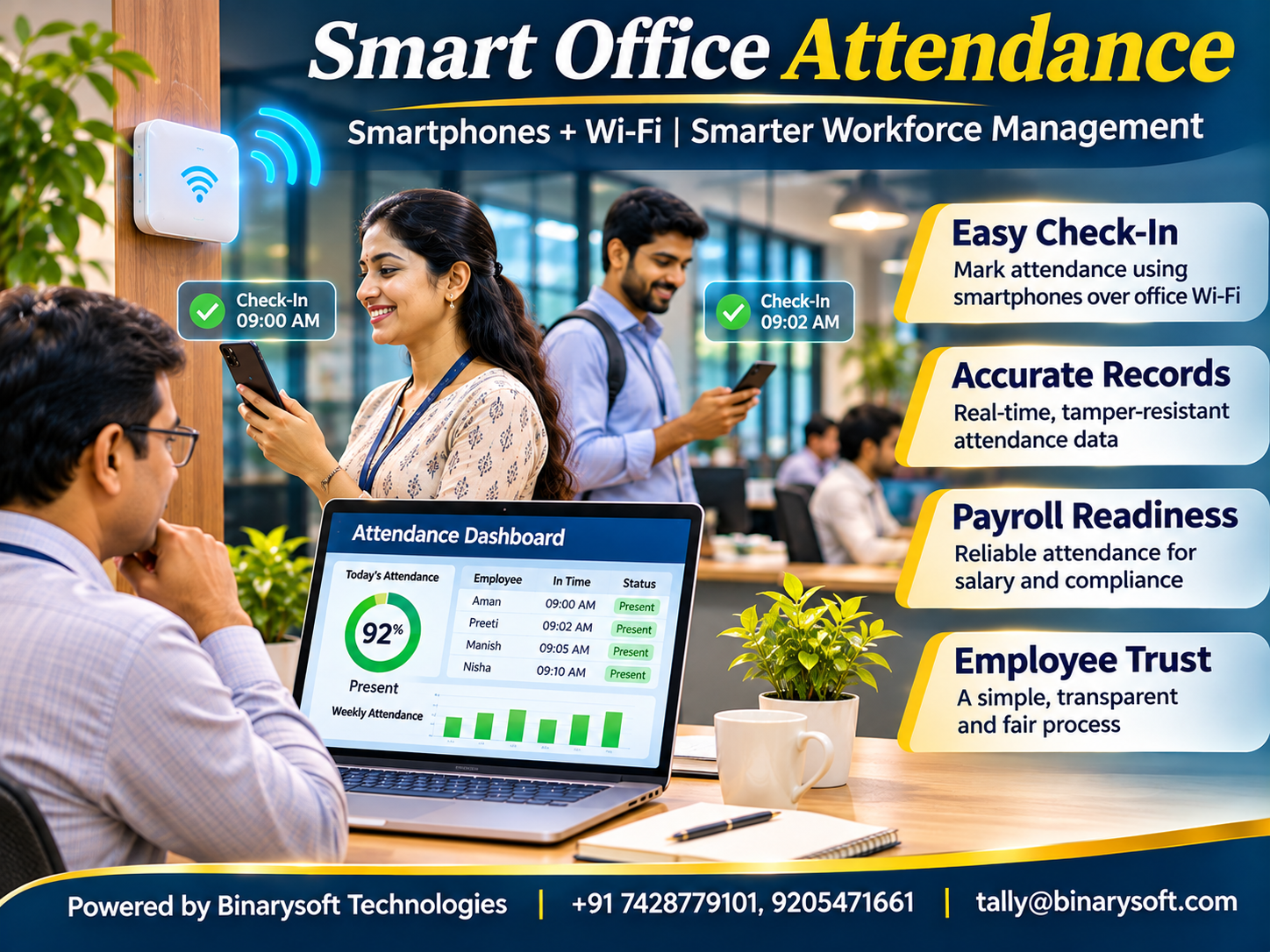
Smartphone and Wi-Fi-based attendance systems offer a modern approach to workforce management by using mobile applications and authorized office network information to support employee check-ins.
Instead of depending entirely on dedicated attendance hardware, organizations can use devices employees already carry.
However, reliable implementation requires more than detecting a phone near an office network. Businesses must consider identity verification, privacy, network security and attendance policies.
When properly implemented, digital attendance systems can reduce repetitive work and support more consistent payroll preparation.
Accounting software such as Tally Prime can complement these workflows by helping businesses manage payroll-related records, salary expenses and financial reporting.
1. What Is a Smartphone and Wi-Fi-Based Attendance System?
A smartphone and Wi-Fi-based attendance system uses a mobile application and information about an authorized wireless network to support employee attendance recording.
A typical implementation involves three components.
Employee Smartphone
The employee uses an approved mobile application to check in or check out.
Office Wi-Fi Network
The application verifies information associated with the organization's approved wireless network.
Attendance Management Platform
A central system records attendance events and makes them available to authorized administrators.
Depending on the implementation, the system may also use device registration, user authentication, timestamps and additional verification methods.
The objective is to simplify attendance recording while maintaining reliable records.
Importantly, connecting to office Wi-Fi does not automatically prove that a particular employee is physically present.
Organizations should use appropriate safeguards before treating a network connection as verified attendance.
2. Why Traditional Attendance Systems Create Challenges
Traditional attendance methods remain useful in many environments, but they can introduce operational difficulties.
Manual Entry Errors
Paper registers and spreadsheets may contain missing or incorrect entries.
Administrative Workload
HR employees often spend considerable time compiling monthly attendance information.
Dedicated Hardware Requirements
Biometric and card-based systems may require installation, maintenance and replacement.
Missed Check-Ins
Employees sometimes forget to record arrival or departure times.
Payroll Discrepancies
Incorrect attendance information can lead to salary disputes and adjustment requests.
Limited Reporting Flexibility
Basic systems may not provide the summaries managers require.
These challenges encourage businesses to explore digital attendance solutions that align with existing office infrastructure.
3. How Wi-Fi-Based Attendance Works
A smartphone-based attendance system generally follows a defined process.
Step 1: Employee Registration
An administrator creates an employee profile and assigns appropriate access.
Step 2: Application Setup
The employee installs an approved application and completes the required authentication.
Step 3: Office Network Configuration
The organization registers relevant Wi-Fi network identifiers or other approved verification information.
Step 4: Check-In Request
The employee opens the application or initiates an attendance event.
Step 5: Verification
The system evaluates identity, network information and applicable attendance rules.
Step 6: Attendance Recording
A successful event is stored with relevant details, such as the employee identifier and timestamp.
Step 7: Administrative Review
Authorized HR personnel review attendance records and resolve exceptions.
Some systems offer automatic check-in features, but these require additional consideration of mobile operating system restrictions, background permissions and false detection risks.
4. Why Wi-Fi Can Be Useful for Attendance Verification
Wi-Fi networks provide a practical source of contextual information.
Most offices already operate wireless networks for employee connectivity.
A mobile application may use permitted network information to determine whether a device appears connected to an approved office environment.
This can reduce dependence on dedicated attendance terminals.
However, Wi-Fi verification has limitations.
Network identifiers can sometimes be imitated.
Signal strength does not establish an exact physical location.
A registered phone may be present without its owner.
Mobile operating systems may restrict access to network details.
Therefore, Wi-Fi should generally be treated as one verification factor rather than unquestionable proof of attendance.
A dependable solution combines network information with suitable authentication, audit records and exception-handling procedures.
5. Key Features of a Smart Attendance System
A well-designed attendance platform should provide more than simple check-in functionality.
Employee Authentication
Users should access the system through approved credentials or other suitable identity controls.
Check-In and Check-Out Records
The platform should maintain clear timestamps for attendance events.
Attendance History
Employees should be able to review their recorded attendance.
Administrative Dashboard
HR teams need access to attendance summaries and exceptions.
Shift Management
Businesses operating multiple shifts may require configurable working schedules.
Leave and Holiday Information
Attendance calculations should consider approved leave and organizational holidays.
Correction Requests
Employees should have a documented process for reporting missed or incorrect entries.
Audit Logs
Changes to attendance records should be traceable.
Reporting and Export
Authorized administrators should be able to prepare information for payroll processing.
These features help create a transparent and manageable attendance workflow.
6. How Smart Attendance Improves Employee Experience
Attendance management affects employees directly.
When records are incorrect, employees may worry about salary deductions or unexplained absences.
Digital systems can improve transparency by allowing employees to review attendance information.
They can also reduce queues around shared attendance terminals.
For organizations with several departments, mobile attendance can simplify access to records.
However, employers must consider employees who do not own suitable smartphones.
A fair system should provide alternative attendance methods where necessary.
Businesses should also avoid requiring unnecessary access to personal photographs, contacts or unrelated mobile information.
The goal is to improve attendance administration without creating disproportionate monitoring.
7. How Tally Prime Supports Attendance-Related Payroll Management
Tally Prime is primarily an accounting and business management application.
Depending on the edition, release and enabled features, businesses can use its payroll capabilities to maintain employee information, attendance or production records, salary structures and payroll vouchers.
Employee Information
Relevant payroll features support the maintenance of employee masters.
Attendance Records
Configured payroll workflows can use attendance or production-related information.
Salary Calculations
Payroll processing can use defined pay heads and applicable calculation rules.
Payroll Vouchers
Organizations can record payroll-related transactions.
Salary Expenses
Accounting reports help management review employee-related expenditure.
Financial Reporting
Payroll transactions contribute to relevant financial statements.
Tally Prime does not automatically identify smartphones connected to office Wi-Fi.
Connecting an external attendance platform to Tally Prime requires a supported import process, compatible integration or controlled manual workflow.
Attendance information should be verified before it is used for salary calculations.
8. An Emotional Story: The Attendance Error That Changed a Small Business
For twelve years, Sunita had managed a small garment manufacturing unit in Delhi.
Her company employed twenty-five workers.
Most employees depended on their monthly salaries to support their families.
Sunita believed that treating employees fairly was essential to building a successful business.
However, attendance was maintained using a paper register.
One month, an employee named Ramesh discovered that two working days were missing from his attendance record.
He approached Sunita with concern.
His daughter's school fees were due, and even a small salary deduction would create difficulties.
Ramesh explained that he had worked both days but forgotten to sign the register during a busy production shift.
Sunita reviewed the available records.
Other employees confirmed his presence, and the attendance discrepancy was corrected.
But the incident troubled her.
She realized that a simple administrative mistake could affect an employee's household.
The business began reviewing digital attendance options.
After evaluating its needs, it introduced an attendance application with clear employee authentication, network-based checks and a manual correction process.
Employees received training and could review their recorded attendance.
The HR team also introduced monthly verification before payroll processing.
Several months later, Ramesh thanked Sunita.
He said that being able to see his attendance record gave him confidence that his work would be recognized accurately.
For Sunita, the most meaningful improvement was not reduced paperwork.
It was knowing that better systems could help protect the dignity and financial security of the people who worked for her.
This is a fictional illustrative story reflecting common attendance and payroll challenges.
9. Case Study One: Manufacturing MSME Improves Attendance Administration
Business Background
A hypothetical manufacturing company employs sixty workers across two shifts.
The HR department maintains attendance information using spreadsheets.
The Challenge
Monthly attendance consolidation requires substantial manual effort.
Missing entries create additional verification work.
Proposed Solution
The company introduces a smartphone attendance application supported by office Wi-Fi verification and employee authentication.
Employees without suitable phones receive an alternative check-in option.
How Tally Prime Helps
After HR verification, approved attendance information is prepared for the company's payroll workflow.
Relevant employee and payroll records are maintained in Tally Prime.
Illustrative Time Savings
Suppose HR previously spent twelve hours each month consolidating attendance.
After implementation, the process requires five hours.
Time Saved:
12 − 5 = 7 hours monthly.
Annual Time Saving:
7 × 12 = 84 hours.
These figures are illustrative, not measured product results.
Business Lesson
Digital attendance can reduce repetitive administration when employees receive training and exception handling remains available.
This case study is hypothetical.
10. Case Study Two: Service Company Improves Payroll Accuracy
Business Background
A hypothetical professional services company employs forty-five people.
Employees follow different working schedules.
The Challenge
Missed check-ins and inconsistent attendance records create disputes during payroll preparation.
Proposed Solution
The company introduces an attendance system with employee self-service, shift configuration and an approval workflow for corrections.
How Tally Prime Helps
Verified attendance information supports the organization's configured payroll process.
Salary-related transactions are recorded and reviewed through the accounting system.
Illustrative Outcome
Suppose the company previously handled thirty attendance correction requests monthly.
After improved procedures, requests decline to twelve.
Reduction:
30 − 12 = 18 requests.
Percentage Reduction:
18 ÷ 30 × 100 = 60%.
The reduction is hypothetical and depends on implementation quality.
Business Lesson
Attendance technology works best when supported by clear policies, employee communication and reliable payroll procedures.
This case study is illustrative.
11. Integrating Attendance Information with Payroll
Attendance and payroll are related but distinct business processes.
Attendance systems record approved working time or presence information.
Payroll systems calculate compensation according to salary structures, leave policies and applicable rules.
An integration workflow may involve several stages.
First, HR reviews attendance exceptions.
Second, the system prepares an approved attendance summary.
Third, the information is transferred through a supported import or integration method.
Fourth, payroll calculations are reviewed.
Finally, authorized personnel approve the payroll results.
Businesses should avoid transferring unverified attendance events directly into salary calculations.
Integration design must also address employee identifiers, duplicate records, reporting periods and correction procedures.
12. Data Privacy and Employee Consent
Smartphone attendance systems may process personal information.
Depending on the design, this could include employee identifiers, device information, network details and attendance timestamps.
Organizations should collect only information necessary for legitimate attendance purposes.
Employees should receive clear explanations of what information is collected and how it is used.
Access should be restricted to authorized personnel.
Retention periods should be defined.
Data should be protected during transmission and storage.
Employers must also consider applicable employment and privacy requirements.
A Wi-Fi attendance system should not become an unnecessary employee surveillance platform.
13. Cybersecurity Risks in Wi-Fi Attendance Systems
Attendance applications can introduce security risks if poorly designed.
Account Compromise
Weak authentication may allow unauthorized access.
Device Sharing
Employees may attempt to record attendance using another person's registered device.
Network Spoofing
Attackers may imitate approved network identifiers.
Unauthorized Record Changes
Insufficient access controls can permit improper attendance modifications.
Insecure APIs
Weak integration security may expose employee information.
Data Leakage
Poorly protected databases can reveal personal records.
Businesses should evaluate security controls, conduct appropriate testing and maintain audit trails.
Important attendance decisions should not depend solely on a network name or mobile device identifier.
14. Challenges of Implementing Smartphone Attendance
Smart attendance systems are not suitable for every workplace without modification.
Some employees may lack compatible devices.
Wireless coverage may be inconsistent.
Mobile operating systems may limit background detection.
Shift schedules may require complex rules.
Employees may have legitimate privacy concerns.
Network outages can interrupt verification.
Businesses should therefore introduce fallback attendance procedures.
Pilot testing is particularly valuable before company-wide deployment.
Management should evaluate accuracy, employee experience and operational reliability.
15. How to Implement Smart Attendance Successfully
A structured implementation process can reduce disruption.
Identify Business Requirements
Document shifts, working hours, leave rules and payroll needs.
Review Infrastructure
Evaluate Wi-Fi coverage, network security and device compatibility.
Select Suitable Software
Compare security, usability, reporting and integration capabilities.
Define Attendance Policies
Clarify check-in rules, correction procedures and approval responsibilities.
Conduct a Pilot
Test the system with a limited group of employees.
Train Employees
Explain the process and provide support for common issues.
Verify Payroll Compatibility
Confirm how approved attendance information will be transferred into payroll workflows.
Monitor Results
Review missed entries, correction requests and employee feedback.
Organizations should expand deployment only after resolving significant operational problems.
16. The Future of Smart Workplace Attendance
Workplace attendance technology is evolving toward more flexible and integrated systems.
Future developments may include improved mobile authentication, automated exception detection and more accessible employee self-service.
Organizations may also combine attendance information with workforce planning and operational reporting.
However, increased automation should not eliminate human oversight.
Employees need fair correction procedures.
HR teams need reliable audit records.
Management needs accurate information without excessive monitoring.
For MSMEs, the most useful technology will be affordable, dependable and easy to operate.
A successful attendance system should simplify administration while respecting employees and supporting accurate payroll processing.
Conclusion
Smartphone and Wi-Fi-based attendance systems offer businesses an alternative to traditional attendance registers and dedicated check-in devices.
When properly designed, they can reduce repetitive administration, improve attendance visibility and support more consistent payroll preparation.
However, Wi-Fi connectivity alone does not establish employee presence.
Reliable systems require authentication, security controls, clear policies and appropriate exception handling.
Tally Prime can complement these workflows through its applicable payroll and accounting capabilities.
Verified attendance information can support salary processing, expense recording and financial reporting when transferred through suitable procedures.
The future of attendance management is not simply about recording when employees arrive. It is about creating reliable, transparent and respectful systems that support both business efficiency and employee trust.
Powered by Binarysoft Technologies
Authorized Tally Partner
Binarysoft Technologies helps businesses implement and use Tally Prime for accounting, inventory management, payroll-related workflows and financial reporting.
Organizations seeking to improve salary accounting, employee-related expense management and business reporting can benefit from appropriate Tally Prime configuration and structured operational processes.
Location:
1626/33, 1st Floor, Naiwalan, Karol Bagh, New Delhi – 110005, INDIA
Contact Us:
+91 7428779101, 9205471661
Email:
tally@binarysoft.com
Business Hours:
10:00 AM – 6:00 PM, Monday to Friday
Frequently Asked Questions
Are Wi-Fi attendance systems secure?
Security depends on authentication, application design, network protection, access controls and data-handling practices.
Is smartphone attendance suitable for small businesses?
It can be suitable when the solution matches employee needs, available infrastructure and organizational policies.
How can Binarysoft Technologies help with payroll accounting?
Binarysoft Technologies can assist businesses with Tally Prime implementation, payroll-related configuration and accounting workflows that support accurate financial records.
Can attendance information be used in Tally Prime payroll?
Yes. Verified attendance information can support appropriately configured payroll workflows through supported entry, import or integration processes.
CA. Mayankh Singhaal is a Chartered Accountant experienced in accounting systems, statutory audits, and compliance advisory. He has worked with businesses across different sectors to improve reporting accuracy and inventory tracking. His writing focuses on structured growth and compliance-ready operations.