Call CA Tally HelpDesk
+91 9205471661,
7428779101
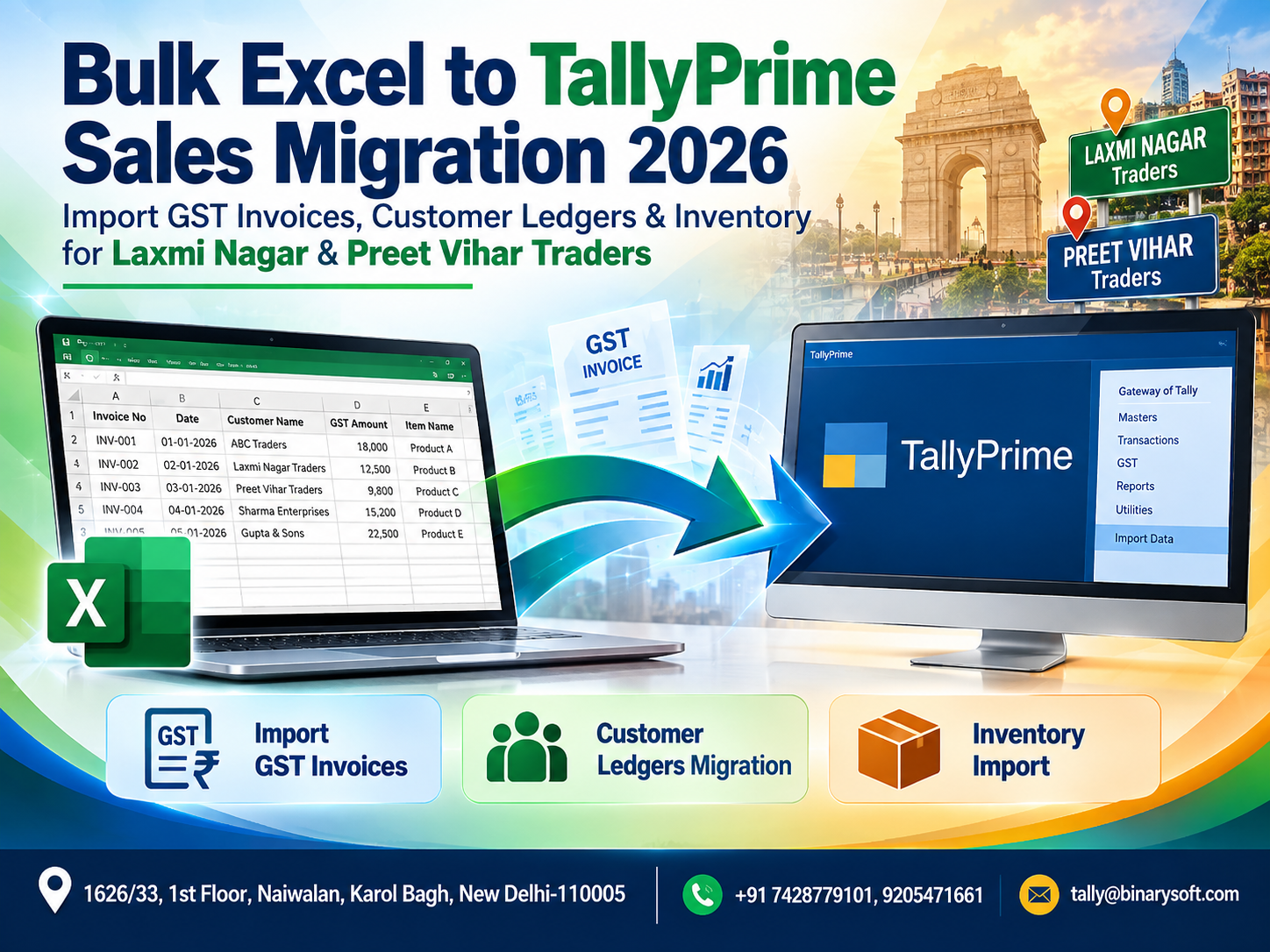
In 2026, traders are handling more digital sales data than ever, but many businesses in Laxmi Nagar and Preet Vihar still receive or maintain hundreds of invoice records in Excel before entering them into TallyPrime. The pressure increases when GST invoices, customer ledgers, stock items, tax rates and outstanding balances must all be updated before reconciliation or compliance deadlines. Manually retyping every row is not just slow; one wrong GSTIN, invoice number, quantity, tax rate or ledger can create hours of correction work. Bulk Excel to TallyPrime sales migration offers a more practical approach. Properly structured Excel data can be prepared, validated and imported into TallyPrime instead of repeatedly entering transactions by hand. For wholesalers, distributors, retailers and growing trading businesses, the benefit is straightforward: faster migration, reduced repetitive work, better data consistency and more time for checking exceptions rather than typing invoices one by one.
What Is Bulk Excel to TallyPrime Sales Migration?
Bulk Excel to TallyPrime sales migration is the process of taking business transaction data maintained in Microsoft Excel and transferring it into TallyPrime in a structured manner.
Businesses often have sales data in Excel containing information such as:
Invoice number
Invoice date
Customer name
GSTIN
Billing address
State
Item name
Quantity
Unit
Rate
Taxable value
GST rate
CGST
SGST
IGST
Discount
Freight or other charges
Invoice value
Reference details
Inventory information
Instead of manually opening TallyPrime and entering every sales voucher individually, businesses can prepare their Excel data in the required structure and use an appropriate import or integration process.
For traders dealing with hundreds or thousands of records, this can significantly reduce repetitive data-entry effort.
Why Laxmi Nagar & Preet Vihar Traders Need Faster Data Migration
Laxmi Nagar and Preet Vihar are active commercial areas in East Delhi, with businesses operating across trading, distribution, retail, services and related sectors.
As transaction volumes increase, Excel often becomes the starting point for business data.
A trader may receive sales data from an e-commerce system.
A distributor may receive dispatch details from a warehouse.
A wholesaler may prepare invoices in another billing application.
A business may maintain historical records in Excel before implementing TallyPrime.
Eventually, all this information may need to reach the accounting system.
The challenge is volume.
Entering 20 invoices manually is manageable.
Entering 2,000 invoices is an entirely different task.
That is where a structured Excel to TallyPrime bulk import workflow can become valuable.
A Trader's Story: 1,800 Sales Rows and a Monday Morning Deadline
Consider a fictional electronics distributor in Laxmi Nagar.
We'll call the owner Amit.
His business had grown steadily, but one process had never changed.
Sales information came from different sources and was consolidated into Excel.
At the end of the accounting cycle, his team manually entered transactions into Tally.
Then came a particularly busy month.
The Excel workbook contained almost 1,800 sales records.
His accountant looked at the spreadsheet on Saturday afternoon and realized that finishing the entries manually would consume much of the weekend.
But the real pressure wasn't the number of rows.
It was the possibility of mistakes.
One customer had several invoices.
Some transactions involved Delhi customers with CGST and SGST.
Others were interstate sales involving IGST.
Different products carried different tax treatment.
A few customer names appeared in slightly different forms across sheets.
By Sunday evening, fatigue had started to show.
An invoice number was entered incorrectly.
A quantity was mistyped.
A customer ledger was selected incorrectly.
The team corrected the mistakes, but Amit realized something important:
The problem wasn't that his employees were working slowly. The problem was that they were spending valuable time repeatedly typing information that already existed digitally.
He began looking at a structured Excel-to-TallyPrime migration process.
Once the data was cleaned, mapped and validated, bulk migration changed the team's role.
Instead of spending hours retyping rows, they could spend more time reviewing the information that actually required attention.
That difference is what makes accounting automation meaningful.
What Data Can Be Prepared for Excel to TallyPrime Migration?
The exact data that can be migrated depends on the structure of the source file, the target TallyPrime configuration, the import method being used and the quality of the available data.
A typical migration project may involve several categories.
Sales Invoice Data
Sales information may include:
Invoice date
Invoice number
Voucher type
Party name
Customer GSTIN
Place of supply
Item details
Quantity
Rate
Taxable value
Discount
GST rate
CGST amount
SGST amount
IGST amount
Additional charges
Round-off
Invoice total
Reference number
Narration
A proper mapping structure is necessary so each Excel column is interpreted correctly.
Customer Ledger Migration
Customer information is one of the most important elements of sales migration.
Suppose your Excel file contains 500 customer names.
Before importing invoices, the required customer ledgers need to exist or be created through the relevant migration process.
Customer master information can include:
Customer name
Mailing name
Address
State
Country
PIN code
GST registration type
GSTIN
Opening balance
Credit period
Contact details where required
The most important challenge is consistency.
For example:
Sharma Traders
and
Sharma Traders Delhi
could accidentally become two separate customer records even if both refer to the same party.
That is why master-data cleaning should happen before bulk transaction migration.
GST Invoice Import into TallyPrime
GST makes data accuracy particularly important.
A sales invoice is not simply a customer name and amount.
Depending on the transaction, businesses may need to correctly maintain information related to:
GSTIN
Place of supply
Registration type
Taxable value
HSN/SAC information
GST rate
CGST
SGST
IGST
Cess, where applicable
Invoice number
Invoice date
For an intrastate transaction, the applicable tax structure may involve CGST and SGST.
For an interstate transaction, IGST may apply according to the relevant GST rules and transaction circumstances.
The migration process therefore needs to respect the accounting and tax configuration used in TallyPrime.
Inventory Migration from Excel to TallyPrime
Sales migration becomes more complex when inventory is involved.
A trader may have thousands of stock items.
These could include:
Electrical products
Computer accessories
Garments
Hardware
FMCG goods
Mobile accessories
Office supplies
Industrial components
Consumer electronics
Auto parts
Packaging material
Before sales invoices involving inventory can be imported correctly, the relevant stock masters and units generally need to be properly structured.
Inventory-related information can include:
Stock item name
Stock group
Stock category where applicable
Unit of measurement
Opening quantity
Opening rate
Opening value
HSN/SAC information where relevant
GST-related configuration
Godown or location information where applicable
Why Excel Data Must Be Cleaned Before Migration
Bulk import does not mean blindly moving every spreadsheet row into the accounting system.
In fact, data preparation is often the most important part of migration.
Imagine importing 10,000 records quickly only to discover afterward that customer names were duplicated or GSTIN values were incorrect.
Automation would simply make the error happen faster.
Before migration, Excel data should therefore be reviewed for issues such as:
Blank invoice numbers
Duplicate invoices
Invalid dates
Incorrect customer names
Duplicate customers
Missing GSTIN information
Unexpected GST rates
Blank stock-item names
Invalid quantities
Incorrect units
Missing values
Unexpected negative amounts
Formula errors
Inconsistent date formats
Leading or trailing spaces
Incorrect invoice totals
A good migration process focuses on accuracy before speed.
Common Excel Problems That Affect TallyPrime Import
Excel files maintained over months or years can become inconsistent.
A customer may appear as:
ABC Traders
ABC TRADERS
ABC Traders Delhi
ABC Traders Pvt Ltd
ABC Trader
To a human, some of these may obviously refer to the same business.
To a data-migration process, they may appear to be different records.
The same problem occurs with stock items.
For example:
LED Bulb 9W
LED BULB 9 W
9W LED Bulb
Led Bulb-9W
If these descriptions represent the same product, they should be standardized before import.
Step 1: Review Your Existing Excel File
The first stage of a successful migration is understanding what the Excel file actually contains.
Check:
How many worksheets are present?
How many transactions are there?
Are sales and returns mixed together?
Are customer masters available separately?
Are stock items available separately?
Does each invoice have a unique reference?
Are GST details available?
Are invoice totals formula-driven?
Are there merged cells?
Are headings consistent?
Are blank rows present?
Are multiple months mixed in one sheet?
Do not begin bulk migration until the structure is understood.
Step 2: Standardize Column Headings
Consistent headings make mapping easier.
For example, a structured sales sheet might contain columns such as:
Invoice Date
Invoice Number
Customer Name
Customer GSTIN
State
Item Name
Quantity
Unit
Rate
Taxable Value
GST Rate
CGST
SGST
IGST
Other Charges
Round Off
Invoice Total
Narration
The actual required columns depend on your workflow.
The goal is to remove ambiguity.
A heading such as "Value" may be unclear.
Does it mean taxable value?
Gross value?
Invoice value?
Item value?
A precise heading prevents confusion during mapping.
Step 3: Clean Customer Master Data
Before transactions are imported, review customer records.
Check for:
Duplicate names
Spelling differences
Incorrect GSTINs
Missing states
Wrong registration types
Unexpected spaces
Old customer names
Incorrect opening balances
Where possible, establish one standardized customer name for each party.
This reduces the possibility of duplicate ledgers appearing after migration.
Step 4: Clean Stock Masters
The same process applies to inventory.
Review:
Item names
Stock groups
Units
HSN information
GST-related setup
Opening quantities
Opening values
Godown details
Duplicate products
A product should not unintentionally be created multiple times merely because its spelling differs between Excel rows.
Step 5: Validate GST Data
GST information deserves a separate validation stage.
Check whether:
GSTIN values follow the expected format
States are correctly identified
Place-of-supply information is available where needed
Applicable tax rates are consistent
CGST/SGST or IGST treatment matches the transaction data
Taxable values reconcile with the source invoices
Tax amounts are consistent with the source records
Invoice numbers and dates are correct
Any discrepancy should be investigated before migration.
Step 6: Create a Backup of Existing Tally Data
Never begin a major migration without protecting the existing accounting data.
Before importing bulk transactions:
Take a complete backup.
Verify that the backup is accessible.
Keep it in a safe location.
Record the date and time of the backup.
Avoid unnecessary accounting activity during the final migration window where practical.
A backup provides a recovery point if something unexpected happens.
Step 7: Perform a Small Test Import
Do not begin by importing thousands of transactions.
Start small.
For example, select 10–20 representative invoices covering different situations:
Local GST sale
Interstate sale
Different GST rates
Multiple items
Discount
Round-off
Different customers
Different stock items
Credit sale
Cash sale, where applicable
Import the sample and inspect the results carefully.
Step 8: Verify the Test Data in TallyPrime
After the test migration, verify more than whether vouchers simply "appeared."
Check:
Voucher date
Voucher number
Customer ledger
Item quantities
Rates
Taxable value
GST calculation
CGST
SGST
IGST
Invoice total
Stock impact
Ledger impact
Outstanding references where applicable
Narration
A technically successful import can still be commercially incorrect if values are mapped to the wrong fields.
Step 9: Reconcile Excel Totals with TallyPrime
Reconciliation is one of the most important stages.
Suppose the Excel file contains 1,500 sales invoices with a combined invoice value of ₹85 lakh.
After migration, the relevant Tally reports should be checked against the source information.
Depending on the migration, reconciliation can include:
Total number of invoices
Total taxable sales
Total invoice value
CGST total
SGST total
IGST total
Customer-wise totals
Item-wise quantities
Month-wise totals
Voucher counts
Do not assume that an import is correct simply because no error message appeared.
Step 10: Import the Remaining Data
Once sample testing and reconciliation are successful, the remaining records can be migrated according to the agreed process.
Large migrations may be divided into batches.
For example:
April data
May data
June data
July data
Or batches can be separated according to business unit, voucher type or transaction volume.
Batch-based migration can make validation and troubleshooting easier.
Excel to TallyPrime for Laxmi Nagar Traders
Laxmi Nagar businesses may maintain significant transaction volumes in Excel due to wholesale, distribution, retail and service operations.
For businesses moving from manual accounting or another billing process to TallyPrime, historical information may already exist in spreadsheets.
Rather than re-entering every transaction manually, businesses can evaluate whether their structured Excel records can be prepared for bulk migration.
The biggest advantage is not simply saving keystrokes.
It is creating a repeatable workflow.
Excel to TallyPrime for Preet Vihar Businesses
Businesses in Preet Vihar may face similar challenges, particularly where accounting information comes from multiple departments, branches or software systems.
A structured migration can help consolidate records into TallyPrime while maintaining relevant customer, inventory and transaction information.
The complexity depends on the source data.
A clean Excel sheet with standardized masters is much easier to migrate than a workbook containing inconsistent names, merged cells, manual formulas and incomplete GST information.
Bulk Sales Migration for Wholesalers
Wholesalers often generate high transaction volumes.
Even a modest wholesale business might process hundreds of sales transactions every week.
Manual re-entry can consume substantial accounting time.
Bulk migration can be particularly useful when sales information already exists electronically.
Instead of asking:
"How quickly can our accountant type 2,000 vouchers?"
The better question becomes:
"How can we validate and migrate these 2,000 digital records accurately?"
That is a fundamentally different approach.
Excel to TallyPrime for Distributors
Distribution businesses often deal with:
Large customer bases
High invoice volumes
Multiple stock items
Discounts
Different GST rates
Outstanding receivables
Sales returns
Multiple locations
Their Excel files can therefore become large and complicated.
A structured import process should preserve the relationship between transaction values, customers, stock items and applicable accounting treatment.
Can Thousands of Sales Invoices Be Imported?
Bulk migration is designed for larger data volumes, but capacity alone should never be the main consideration.
Whether 500, 5,000 or significantly more records are involved, the key questions are:
Is the source data structured?
Are masters standardized?
Are mandatory fields available?
Is the mapping correct?
Has a sample been tested?
Have totals been reconciled?
Large-scale import should be approached as a controlled data project, not as a one-click shortcut.
What About Sales Returns?
Sales returns should be identified separately from normal sales transactions.
They may require different voucher treatment depending on the accounting workflow and source data.
Mixing sales and returns without proper identification can distort revenue, GST and inventory information.
Before migration, businesses should identify:
Normal sales
Credit notes
Sales returns
Cancelled invoices
Revised invoices
This allows each category to be handled appropriately.
What About Customer Outstanding Balances?
Customer outstanding information needs careful planning.
If only opening balances are being migrated, the approach may differ from a migration involving invoice-level outstanding references.
Businesses should decide whether they need:
Ledger opening balance only
Bill-wise outstanding references
Historical invoice details
Complete transaction history
This decision should be made before preparing the migration template.
Inventory Quantity Must Be Reconciled
If sales vouchers affect stock, imported transactions can affect inventory balances.
After migration, review important stock reports.
Compare quantities with expected values.
Investigate unusual negative stock.
Check high-value items separately.
Confirm units.
Review warehouse/godown allocations where applicable.
Inventory reconciliation is especially important for traders where stock accuracy directly affects purchasing and sales decisions.
Historical Data Migration vs Current Data Import
Not every business needs to migrate its entire history.
Some businesses choose to import historical transactions.
Others migrate only opening balances and begin entering current transactions in TallyPrime from a selected date.
The right approach depends on:
Reporting requirements
Audit requirements
Volume of historical data
Data quality
GST requirements
Management needs
Time available
Migration complexity
Discuss these requirements before preparing thousands of historical records.
Advantages of Bulk Excel to TallyPrime Migration
A properly designed migration can offer several practical advantages.
Reduced repetitive data entry: Existing digital information does not need to be typed again unnecessarily.
Faster processing: Large datasets can be handled more efficiently than manual voucher-by-voucher entry.
Better consistency: Structured mapping can reduce variations caused by repeated manual selection.
Improved scalability: The process becomes more valuable as transaction volumes increase.
More time for verification: Accounting teams can focus on exceptions and reconciliation instead of repetitive typing.
Faster system transition: Businesses moving to TallyPrime can potentially bring structured historical information across more efficiently.
Risks of Poorly Planned Excel Imports
Automation is powerful, but poor source data can create large-scale errors.
Possible issues include:
Duplicate vouchers
Duplicate ledgers
Duplicate stock items
Wrong GST ledgers
Incorrect tax treatment
Incorrect voucher dates
Wrong customer mapping
Wrong item mapping
Stock mismatches
Incorrect outstanding balances
Incorrect totals
This is why validation and test imports are essential.
Never treat bulk import as "upload first, check later."
The safer principle is:
Clean → Map → Test → Verify → Reconcile → Import
Why Manual Entry Becomes Expensive
The cost of manual data entry is not limited to employee time.
There is also the cost of:
Corrections
Reconciliation
Delayed reports
Duplicate entries
Missed entries
Fatigue-related errors
Delayed month-end closing
Management waiting for updated information
A migration workflow can reduce repetitive work, but businesses should measure success by both speed and accuracy.
Preparing Your Excel File for Faster Processing
If you are planning an Excel-to-TallyPrime migration, keep the spreadsheet simple.
Prefer:
One heading row
One consistent date format
Clearly named columns
No unnecessary blank rows
No merged cells
Consistent customer names
Consistent stock-item names
Numeric values stored as numbers
Separate columns for separate information
Clearly identified voucher types
Avoid formatting a spreadsheet for visual appearance at the expense of data structure.
For migration, clean structure is more important than decorative formatting.
Excel Formulas and Migration
Excel formulas can calculate totals, taxes and other values.
However, migration workflows often need the resulting values rather than complex workbook logic.
Before migration, confirm that formulas produce the expected results and that there are no errors such as:
#VALUE!
#REF!
#N/A
#DIV/0!
A visually correct spreadsheet may still contain underlying formula problems.
Data Privacy During Migration
Accounting files can contain sensitive business information.
Businesses should therefore consider data privacy during migration.
Files may contain:
Customer GSTINs
Addresses
Sales values
Pricing
Product information
Supplier details
Outstanding amounts
Commercial margins
Financial records
Share migration data only with authorized personnel and use appropriate data-handling procedures.
Should You Keep the Original Excel File?
Yes.
Keep an unchanged copy of the original source data.
A good approach is to maintain separate versions:
Original Source File
Cleaned Migration File
Final Import File
Reconciliation File
This provides an audit trail of how the source information was transformed.
Never overwrite your only original copy during data cleaning.
When Bulk Migration Makes the Most Sense
Bulk Excel-to-TallyPrime migration is particularly useful when:
A business is moving to TallyPrime
Historical sales data exists in Excel
Another system exports information to Excel
Transaction volumes are high
Manual entry is consuming excessive time
A standardized recurring import process is required
Customer and stock information already exists digitally
Multiple branches submit data through spreadsheets
It may be less useful where there are only a handful of transactions or where source information is severely incomplete.
How Binarysoft Technologies Can Help
Binarysoft Technologies can assist businesses evaluating TallyPrime-related data migration and accounting workflows.
The process can begin with a review of the available Excel structure and the required result in TallyPrime.
Requirements may involve:
Sales voucher migration
GST invoice data
Customer ledgers
Inventory masters
Stock information
Opening balances
Voucher mapping
Data validation
Test migration
Reconciliation support
TallyPrime configuration
Migration requirements vary considerably from one business to another.
A sample Excel file can therefore be useful for understanding the structure before a complete migration is planned.
Best Practice Checklist Before Bulk Migration
Before proceeding with a large Excel-to-TallyPrime sales migration, confirm the following:
Source Excel data is backed up.
Invoice numbers have been checked.
Dates are standardized.
Customer names are standardized.
GSTIN information has been reviewed.
Stock items are standardized.
Units are consistent.
GST rates are reviewed.
Duplicate transactions are identified.
Sales returns are separated appropriately.
Tally data is backed up.
A sample import has been completed.
Sample vouchers are verified.
GST values are reconciled.
Invoice totals are reconciled.
Inventory impact is checked.
Only after these checks should the larger migration proceed.
Excel to TallyPrime Migration in 2026: Think Beyond Data Entry
The biggest change businesses can make is not simply finding a faster way to enter vouchers.
It is changing the accounting workflow from re-entry to data movement and validation.
If sales information already exists digitally, repeatedly typing the same information into another system creates additional work.
A structured migration process aims to reuse existing digital information while applying validation before it reaches the accounting system.
For growing traders, this becomes increasingly important.
Today there may be 500 invoices.
Next month there may be 1,000.
During a festival or peak sales period, there may be several thousand.
A workflow that depends entirely on manual entry becomes increasingly difficult to scale.
Conclusion
For traders in Laxmi Nagar and Preet Vihar, bulk Excel-to-TallyPrime sales migration can provide a practical way to handle large volumes of GST invoices, customer ledgers and inventory information without manually retyping every transaction.
The real benefit, however, is not simply faster importing.
A successful migration depends on clean source data, correct mapping, standardized customer and inventory masters, GST validation, test imports, backups and reconciliation.
Businesses should never import thousands of transactions merely because a bulk-import process makes it technically possible.
Start with the source data.
Clean it.
Standardize it.
Map it carefully.
Test a representative sample.
Verify the result in TallyPrime.
Reconcile financial and inventory totals.
Then proceed with the larger migration.
When handled systematically, Excel-to-TallyPrime migration can transform accounting work from repetitive data entry into a more controlled process focused on accuracy, reconciliation and business information.
Powered by Binarysoft Technologies
Authorized Tally Partner
Location: 1626/33, 1st Floor, Naiwalan, Karol Bagh, New Delhi – 110005, INDIA
Contact us: +91 7428779101, 9205471661
Email us: tally@binarysoft.com
Business Hours: 10:00 AM – 6:00 PM, Mon–Fri
Frequently Asked Questions
What is Excel to TallyPrime bulk sales migration?
It is a process for transferring appropriately structured sales information from Excel into TallyPrime using a suitable import or integration workflow instead of manually entering every voucher.
Can GST sales invoices be imported from Excel into TallyPrime?
Structured GST sales information can be prepared for migration where the chosen workflow and TallyPrime configuration support the required data. Fields should be mapped and validated carefully before bulk processing.
CA. Vivaan Deshmukh focuses on financial reporting, audit procedures, and taxation. He shares practical insights on accounting software, business process optimization, and compliance management for SMEs and growing enterprises.