Call CA Tally HelpDesk
+91 9205471661,
7428779101
What Changed in 2026? Businesses Need More Than Just Billing Software
In 2026, running a growing business with disconnected stock records, spreadsheets and basic accounting tools is becoming increasingly difficult. Customers expect faster billing, owners want real-time stock visibility, and finance teams need accurate information for GST compliance, receivables, expenses and cash-flow planning. The pressure becomes greater when inventory figures and financial records do not match. A product may appear available in a spreadsheet while the actual warehouse is empty, or sales may increase while profits and cash balances remain unclear. This is why businesses are paying closer attention to the difference between inventory management software and financial management software. Choosing the right solution can help reduce manual work, improve stock accuracy, strengthen financial control and give management a clearer picture of business performance. For many businesses, the real question is no longer whether to automate, but which areas should be automated first.
Understanding Inventory Management and Financial Management
Inventory and finance are closely connected, but they solve different business problems.
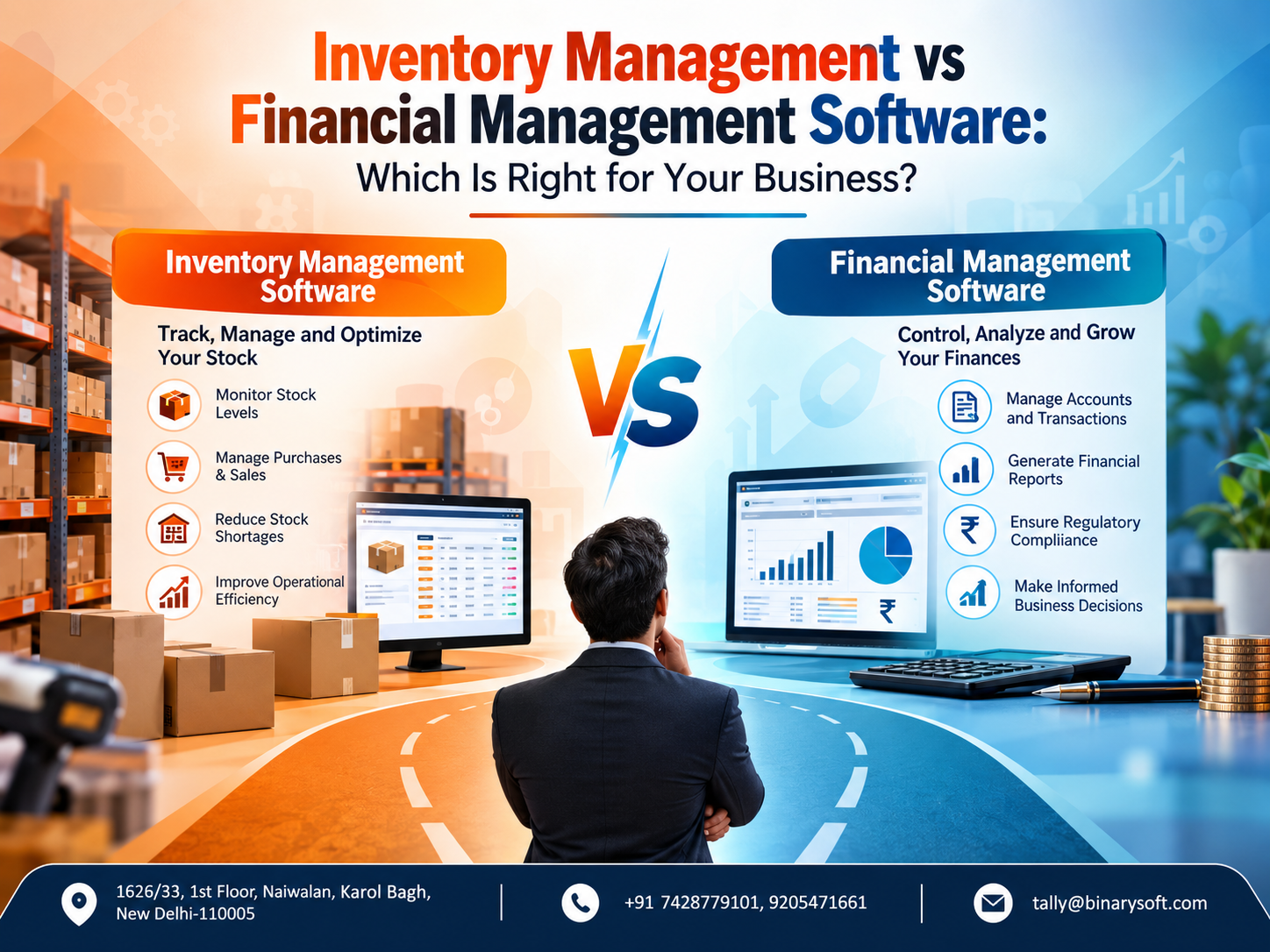
Inventory management software primarily helps businesses control physical goods. It tracks what has been purchased, what has been sold, how much stock remains, where inventory is located and when products may need to be reordered.
Financial management software, on the other hand, focuses primarily on the monetary side of business operations. It records sales and purchases from an accounting perspective, tracks receivables and payables, manages ledgers, monitors expenses and helps businesses understand profitability and financial position.
For a growing company, both functions can become equally important.
If inventory is poorly managed, capital can remain blocked in slow-moving products. If financial management is weak, a company may generate strong sales but still struggle with cash flow, outstanding payments or inaccurate financial reporting.
Understanding this difference is therefore the first step toward selecting the right business software.
What Is Inventory Management Software?
Inventory management software is designed to give businesses greater visibility and control over stock.
Instead of relying on handwritten registers or separate Excel sheets, businesses can record inventory transactions digitally and monitor stock movements as they happen.
A typical inventory system can help manage:
-
Stock quantities
-
Product categories
-
Stock groups and items
-
Purchase and sales movement
-
Multiple warehouses or godowns
-
Batch-wise inventory
-
Expiry dates where applicable
-
Reorder levels
-
Stock transfers
-
Units of measurement
-
Product valuation
-
Slow-moving and fast-moving inventory
-
Damaged or returned goods
For wholesalers, distributors, retailers, manufacturers and other product-based businesses, these capabilities can be extremely valuable.
Imagine managing 5,000 different items manually. Even a small percentage of incorrect entries can create significant differences between physical inventory and system records.
Inventory software aims to reduce this uncertainty.
What Is Financial Management Software?
Financial management software concentrates on recording, organising and analysing the financial activities of a business.
It provides management with a structured view of where money is coming from, where it is being spent, what customers owe and what the business needs to pay.
Depending on the software and configuration, financial management can cover areas such as:
Financial management software is therefore much more than an electronic calculator.
When implemented correctly, it can become an important source of information for owners, accountants and management teams making day-to-day decisions.
Inventory Management vs Financial Management Software: The Key Difference
The simplest way to understand the distinction is this:
Inventory management tells you what you have. Financial management tells you what it is doing to your money and business performance.
Suppose a business purchases 500 units of a product.
An inventory system helps track how many units arrived, where they are stored, how many have been sold and how many remain.
A financial management system records the value of the purchase, supplier payable, sales revenue, customer receivable, applicable taxes, expenses and ultimately the effect on profit and financial statements.
Both views are important, but they answer different questions.
A Business Owner's Story: Sales Were Growing, but Something Felt Wrong
Consider the example of a Delhi-based wholesale business owner named Rajiv.
For years, Rajiv managed stock using Excel while his accountant maintained financial records separately. When the business was small, the arrangement seemed manageable.
Then sales started increasing.
More products were added. Two storage locations were opened. Orders started coming through multiple channels, and additional employees became responsible for billing and dispatch.
On paper, the business looked successful.
But Rajiv started receiving uncomfortable calls.
Customers were ordering products that his team believed were available, only to discover that the actual stock was insufficient. Some products were purchased repeatedly even though significant quantities were already sitting in another storage location.
At the same time, Rajiv noticed something even more worrying.
Sales were rising, but cash always seemed tight.
He could see turnover figures, but he couldn't immediately answer three basic questions:
How much money was blocked in inventory?
Which customers had not paid?
Which products were actually contributing to profit?
One evening, after an important customer order had to be delayed because the system showed incorrect stock, Rajiv realised the problem wasn't simply an employee making a mistake.
His business had outgrown its process.
The solution was not to choose between inventory and finance blindly. He needed a system in which stock movement and financial transactions could be viewed together.
Once the processes were integrated, he could see stock, outstanding receivables, purchases and financial reports from a more connected perspective.
The biggest benefit wasn't simply saving time.
It was regaining confidence in the numbers he used to make decisions.
When Should You Choose Inventory Management Software?
Inventory management should receive priority when physical stock is central to your business.
This is particularly relevant for retailers, wholesalers, distributors, manufacturers, pharmacies, spare-parts businesses and businesses handling large product catalogues.
You may need stronger inventory management if you frequently experience:
Stock-outs: Customers request products that unexpectedly turn out to be unavailable.
Overstocking: Too much money is invested in products that are selling slowly.
Stock mismatches: The software quantity does not match physical inventory.
Multiple-location problems: You cannot easily identify stock available at different warehouses or branches.
Reordering difficulties: Purchases are based on guesswork rather than actual stock movement.
Batch tracking requirements: Your business needs to track goods according to batches, expiry information or other product attributes.
In these situations, better inventory visibility can directly improve purchasing and sales decisions.
When Is Financial Management Software More Important?
Financial management software should be prioritised when the primary challenges involve accounting, cash flow, collections, expenses and reporting.
For example, a consulting or professional-services company may carry very little physical inventory. Its bigger concerns could be invoices, customer collections, expenses, taxes and profitability.
Businesses should consider strengthening financial management when they struggle with:
-
Delayed customer payments
-
Unclear cash position
-
Manual accounting processes
-
Difficulty tracking expenses
-
Supplier outstanding amounts
-
Bank reconciliation
-
Profitability analysis
-
GST-related accounting records
-
Management reporting
-
Multiple cost centres or business units
Good financial management helps owners understand whether business activity is actually translating into sustainable financial performance.
Can One Business Need Both?
Absolutely.
In fact, many trading, distribution, retail and manufacturing businesses need inventory and financial management to work together.
Consider what happens during a normal sale.
A customer purchases goods.
Inventory needs to decrease.
Sales need to be recorded.
The customer's outstanding amount may need to increase if it is a credit transaction.
Taxes may need to be calculated.
The transaction must eventually contribute to accounting reports.
When inventory and accounting are maintained separately, employees may have to enter the same information multiple times.
That creates opportunities for duplication, delays and human error.
An integrated system can make the transaction part of a connected workflow.
Why Integration Matters More as a Business Grows
Disconnected systems often appear inexpensive at the beginning.
One employee maintains inventory in Excel. Another manages invoices. The accountant enters financial information separately.
The hidden cost appears later.
Teams spend hours comparing data between systems. Managers wait for reports. Duplicate entries increase, and nobody is completely certain which figure represents the latest position.
Integration can reduce this fragmentation.
For example, when a sales voucher is correctly recorded in an integrated accounting and inventory environment, it can affect both financial and inventory information.
That gives management a more consistent operational view.
How TallyPrime Can Help Businesses Manage Inventory and Accounts
For businesses that need accounting and inventory capabilities within the same business environment, TallyPrime can be considered as one option.
Depending on business requirements and configuration, TallyPrime can support areas such as accounting, inventory management, GST-related workflows, receivables, payables and business reporting.
Businesses can use inventory features to organise stock items, stock groups, units, godowns and other inventory information while maintaining accounting records within the same system.
This can be particularly useful for businesses that do not want inventory and accounting information maintained in completely separate applications.
The exact setup should, however, reflect the company's operational requirements rather than simply enabling every available feature.
Inventory Valuation Is Also a Financial Decision
Inventory is not merely a quantity of goods sitting in a warehouse.
It represents money invested by the business.
Suppose a company has ₹30 lakh worth of inventory, but ₹8 lakh is tied up in products that have barely moved for months.
From an operational perspective, the warehouse is full.
From a financial perspective, a significant amount of working capital may be blocked.
This is where inventory and financial management intersect.
Management needs to understand not only:
How much stock do we have?
but also:
How much money is invested in that stock?
and:
How quickly is that investment turning back into cash?
These questions become increasingly important as a company grows.
Cloud Access and Remote Working
Another important consideration for businesses in 2026 is accessibility.
Owners and teams may need to work from offices, warehouses, branches or remote locations.
Depending on the solution selected, cloud or remote-access arrangements can provide authorised users with greater flexibility to access business information.
However, businesses should evaluate security, backups, access permissions, internet reliability and data-management policies before implementing any remote-access solution.
Convenience should never come at the expense of appropriate data protection.
How to Choose the Right Software for Your Business
Do not begin the selection process with the software name.
Begin with your problems.
Ask:
Do we regularly lose track of stock?
If yes, inventory management needs attention.
Do we know exactly how much customers owe us?
If no, receivables and financial management require improvement.
Do our stock and accounting teams maintain separate versions of the same transaction?
If yes, integration may provide significant value.
Do we operate multiple warehouses or locations?
If yes, location-wise inventory visibility may be important.
Do we need detailed financial statements and profitability reports?
If yes, accounting and financial management capabilities become essential.
Do we sell physical products and also require strong accounting?
If yes, an integrated accounting and inventory solution may be more appropriate than treating the two functions separately.
Avoid Choosing Software Only on Price
The cheapest software is not always the lowest-cost solution.
Suppose a business saves ₹10,000 when buying software but employees subsequently spend hundreds of hours manually reconciling stock and accounting records.
The apparent saving can disappear quickly.
Software should instead be evaluated on factors such as:
The right solution is one that fits the actual workflow of the business.
Common Mistakes Businesses Should Avoid
One mistake is buying complex software simply because it has hundreds of features.
More features do not automatically mean better results.
Another mistake is automating an inefficient process without first reviewing it.
If stock codes are inconsistent, opening balances are incorrect or employees follow different billing procedures, software alone will not eliminate those problems.
Businesses should clean and organise their data before implementation.
Staff training is equally important.
Employees need to understand how transactions should be recorded and why accurate entries matter.
A powerful system with poor data entry can still produce unreliable reports.
Inventory Management or Financial Management: Which Should Come First?
There is no universal answer.
A service-based company with almost no stock may primarily require financial management.
A warehouse-heavy wholesale operation may urgently need inventory control.
A retailer, distributor or manufacturer may require both from the beginning.
Instead of asking which type of software is universally better, ask which business problem creates the greatest operational or financial risk today.
Then determine whether solving that problem independently makes sense or whether an integrated approach will provide greater long-term value.
The Real Benefit Is Better Business Visibility
Business software should not simply replace registers and spreadsheets.
Its larger purpose is to improve visibility.
A business owner should be able to understand what is happening without waiting days for several employees to prepare different reports.
Better inventory information can improve purchasing and fulfilment.
Better financial information can improve collections, expense control and planning.
When both areas are connected appropriately, management gains a much clearer picture of the organisation.
That can support faster and more informed decision-making.
Conclusion
The choice between inventory management software and financial management software depends on what your business needs to control.
Inventory management software focuses on stock quantities, product movement, warehouses, reordering and inventory visibility. Financial management software focuses on accounting, receivables, payables, expenses, cash flow, profitability and financial reporting.
For businesses dealing heavily in physical products, inventory management can be critical. For service businesses, financial management may be the stronger priority. For retailers, wholesalers, distributors and manufacturers, an integrated solution that connects inventory with accounting can often provide a more complete operational picture.
Before selecting software, identify your biggest business challenges, review existing processes and determine which information management needs to see regularly.
The best software is not necessarily the one with the longest feature list. It is the one that helps your business maintain accurate information, reduce repetitive work and make better decisions as it grows.
Powered by Binarysoft Technologies
Authorized Tally Partner
Location: 1626/33, 1st Floor, Naiwalan, Karol Bagh, New Delhi – 110005, INDIA
Contact us: +91 7428779101, 9205471661
Email us: tally@binarysoft.com
Business Hours: 10:00 AM – 6:00 PM, Mon–Fri
Frequently Asked Questions
What is the main difference between inventory management and financial management software?
Inventory management software primarily tracks products, quantities, stock movement, warehouses and inventory availability. Financial management software focuses on accounting, income, expenses, receivables, payables, cash flow and financial reporting.
Does a small business need inventory management software?
It depends on the business. A small retailer, wholesaler or distributor managing many products can benefit from inventory software even at an early stage. A service business with little or no physical stock may not require extensive inventory functionality.
CA. Darshit Malhotraa has hands-on experience in GST compliance, accounting reviews, and MSME consulting. He regularly works with businesses transitioning from manual systems to digital accounting platforms. His content emphasizes real-world problem solving and operational efficiency.