Call CA Tally HelpDesk
+91 9205471661,
7428779101
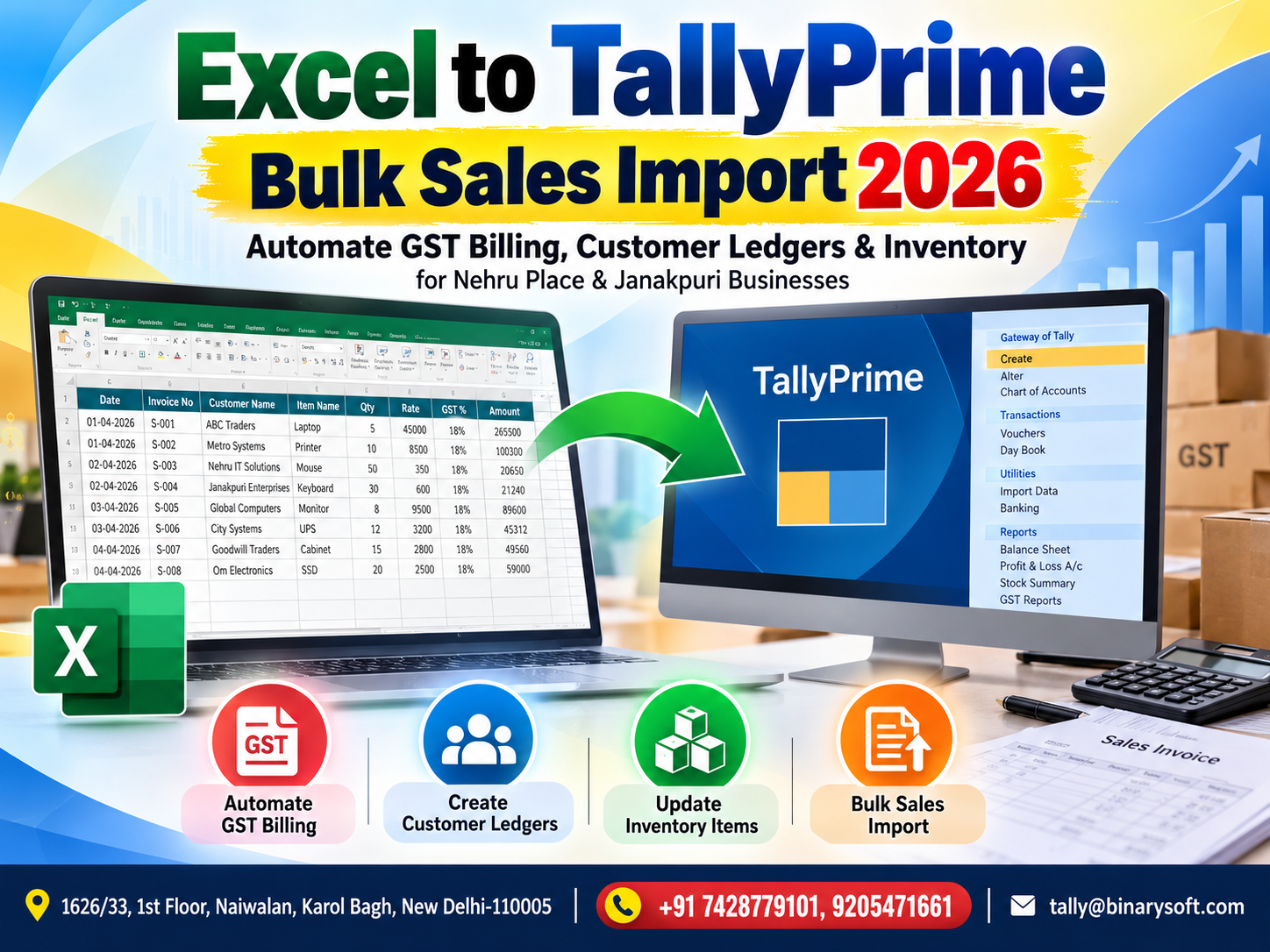
What Changed in 2026? Businesses Can No Longer Afford Hours of Manual Sales Entry
In 2026, businesses handling hundreds or thousands of monthly sales transactions are under growing pressure to keep GST records, customer ledgers and inventory data accurate without spending hours entering every invoice manually. For traders, distributors, retailers and service businesses in Nehru Place and Janakpuri, Excel remains one of the most convenient ways to collect sales data, but repeatedly typing that information into TallyPrime can create delays, duplicate work and avoidable errors. The smarter approach is to structure sales information correctly in Excel and use a controlled import process to bring bulk transactions into TallyPrime. When properly configured, Excel-to-TallyPrime import can significantly reduce repetitive data entry while maintaining invoice details, GST information, customer accounts and inventory records. The benefit is not simply faster entry—it is giving accounts teams more time to verify transactions, reconcile GST data and focus on financial control instead of repetitive typing.
Why Excel to TallyPrime Import Matters in 2026
Excel continues to be deeply integrated into day-to-day business operations.
Sales teams use spreadsheets.
Online platforms provide downloadable reports.
Billing systems export Excel or CSV files.
Branches send transaction sheets to head offices.
Distributors maintain order information in spreadsheets.
Businesses receive data from marketplaces, CRMs, ERP applications and other software.
The challenge begins when all this information ultimately needs to reach TallyPrime.
If an accountant receives an Excel sheet containing 2,000 sales invoices and manually enters each transaction into TallyPrime, the business is essentially performing the same work twice.
The first system creates the transaction.
Excel stores or consolidates it.
Then somebody enters it again into TallyPrime.
Bulk import can help eliminate much of this repetitive process.
What Is Excel to TallyPrime Bulk Sales Import?
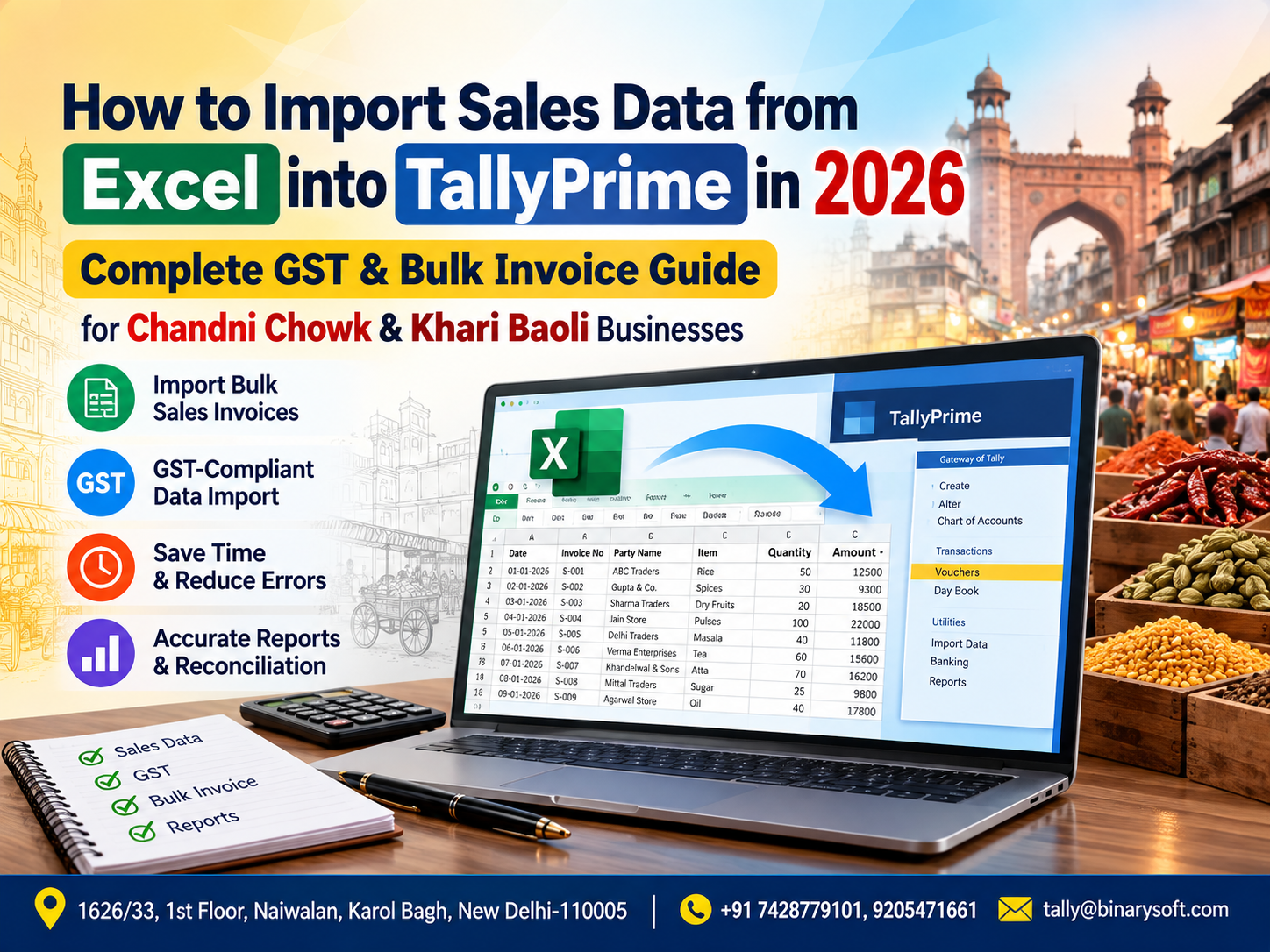
Excel to TallyPrime bulk sales import is a process through which structured sales data maintained in Microsoft Excel can be transformed into a format suitable for importing into TallyPrime.
Instead of manually creating individual sales vouchers, businesses can prepare or map transaction data and process multiple records together.
Depending on the business requirement and import solution, the Excel data may contain fields such as:
Invoice number
Invoice date
Customer name
Customer GSTIN
State
Place of supply
Item name
Quantity
Rate
Unit
Taxable value
Discount
CGST
SGST
IGST
Cess, where applicable
Round-off
Invoice value
Sales ledger
Godown or location
Narration
Reference number
The exact fields required will depend on the company's accounting configuration and transaction structure.
A Nehru Place Story: 1,800 Invoices and One Exhausted Accountant
Imagine a computer accessories distributor operating from Nehru Place.
The company supplies computer components, networking equipment, storage devices and accessories to dealers and corporate customers across Delhi and other states.
Its sales application already generates invoices throughout the day.
At month-end, the accounts department receives a large Excel file containing approximately 1,800 sales transactions.
But there is a problem.
Those transactions also need to be recorded in TallyPrime.
For months, an accountant named Amit had been entering them manually.
Invoice after invoice.
Customer after customer.
Amount after amount.
GST rate after GST rate.
The work was repetitive, but the consequences of a mistake were serious.
One evening, while reconciling the month's accounts, Amit noticed that the sales total in TallyPrime did not match the source Excel data.
He checked the entries again.
After hours of searching, he discovered several invoices had been entered with incorrect values and a few had been missed entirely.
It was already late at night.
The GST-related review was still pending.
Amit called his manager and said, "I can finish this tonight, but I cannot guarantee there won't be another typing mistake."
That sentence changed the conversation.
The company realized the problem was not Amit's effort.
The problem was the process.
If the sales information was already available digitally in Excel, why was a skilled accountant spending hours typing the same information again?
After moving toward a structured Excel-to-TallyPrime import workflow, the team could focus more on validation and reconciliation rather than repetitive voucher creation.
For Amit, the biggest benefit was not merely saving time.
It was finishing the month without the constant anxiety that one unnoticed typing error might affect the final accounts.
Why Nehru Place Businesses Can Benefit from Bulk Import
Nehru Place is known for its concentration of technology, electronics, computer hardware, software and related businesses.
Many businesses operating in such a fast-moving commercial environment handle significant transaction volumes.
A dealer may process invoices for:
Laptops
Desktop components
Storage products
Networking devices
Printers
Accessories
Software products
IT services
Electronic equipment
Corporate supplies
When transaction volume increases, manual accounting entry becomes increasingly inefficient.
Excel-to-TallyPrime import can help businesses move sales data from operational records into accounting records more systematically.
Why Janakpuri Businesses Should Consider Sales Automation
Janakpuri has a diverse commercial ecosystem including retailers, distributors, service providers, wholesalers and professional businesses.
Many growing businesses start with relatively simple accounting processes.
When there are 10 or 20 invoices per day, manual entry may appear manageable.
But imagine that volume increasing to 100 invoices per day.
That can mean around 2,500 to 3,000 invoices in a busy month.
The same manual process that once worked comfortably can become a major accounting bottleneck.
Bulk import provides a way to scale accounting operations without requiring employees to spend proportionally more time entering transactions.
How Excel to TallyPrime Sales Import Works
The exact workflow varies according to the solution being used, but a typical process can involve several stages.
Step 1: Collect Sales Data
Sales data is exported or prepared in Excel.
The source may be:
Billing software
ERP system
POS application
CRM
E-commerce platform
Branch sales system
Custom application
Manually maintained Excel workbook
Another business application
Step 2: Standardize the Excel Format
The data needs to follow a consistent structure.
For example, invoice dates should use an accepted date format.
Customer names should correspond correctly with the accounting structure.
GSTIN information should be reviewed.
Item names and units should be standardized.
Tax values should be validated.
Consistency is extremely important for successful bulk processing.
Step 3: Map Excel Fields
The Excel columns need to correspond with the appropriate Tally fields or the format expected by the import utility.
For example:
Customer Name → Party Ledger
Invoice Number → Voucher Number
Invoice Date → Voucher Date
Item → Stock Item
Quantity → Actual Quantity
Rate → Rate
Taxable Amount → Sales Value
GST Details → Relevant GST fields or ledgers
The exact mapping depends on the import method and Tally configuration.
Step 4: Validate the Data
This is one of the most important stages.
Automation should never mean blindly importing every row.
The system or operator should identify problems such as:
Missing customer names
Invalid dates
Missing invoice numbers
Duplicate invoices
Incorrect GSTIN
Missing item masters
Incorrect tax rates
Invalid units
Blank quantities
Unexpected values
Step 5: Import into TallyPrime
After validation and required corrections, transactions can be imported into TallyPrime using the configured method.
Step 6: Verify the Imported Records
After import, the business should review the results.
The accounts team should compare totals and check whether invoices, taxes, ledgers and inventory information have been recorded as intended.
Bulk Sales Import Can Save Significant Data-Entry Time
Consider a business with 3,000 invoices per month.
If manually creating and checking each voucher takes even two minutes, that represents approximately 6,000 minutes of processing—or around 100 hours.
Actual processing times vary significantly depending on invoice complexity and staff experience, but the example demonstrates the scale of repetitive work involved.
With a structured import process, much of that effort can shift from typing to validation.
That distinction is important.
The objective is not to eliminate accounting review.
The objective is to eliminate unnecessary repetitive entry so accountants can spend more time checking the quality of the data.
Automating GST Billing Data
GST-related information makes sales entry more complex.
Depending on the transaction, businesses may need to correctly record:
GSTIN
Taxable value
CGST
SGST
IGST
Applicable GST rate
Place of supply
Invoice value
HSN/SAC-related information
Other transaction-specific details
A typing error in any of these fields can affect downstream reporting and reconciliation.
A properly designed import process can map structured GST-related sales information from Excel into the appropriate TallyPrime transaction structure.
However, automation does not replace compliance review.
The business remains responsible for ensuring that its source data, tax treatment and accounting configuration are correct.
CGST and SGST Transactions
For applicable intra-state transactions, businesses generally need the relevant CGST and SGST treatment.
If the source Excel file clearly identifies the transaction details, the import logic can be designed to handle the appropriate accounting structure.
The configuration must be tested carefully before large-scale use.
IGST Transactions
Applicable inter-state supplies may involve IGST.
For businesses in Nehru Place or Janakpuri supplying customers outside Delhi, correctly identifying the transaction's tax treatment can therefore be particularly important.
The source data should contain sufficient information to determine the required accounting treatment.
Customer Ledger Automation
Customer ledger creation and mapping is another major challenge during bulk sales processing.
Suppose an Excel file contains these customer names:
ABC Enterprises
XYZ Technologies
Sharma Traders
National Electronics
Modern Systems
If these ledgers already exist in TallyPrime, the import process should map the transactions correctly.
Problems can occur when naming conventions differ.
For example:
ABC Enterprises
ABC Enterprise
A.B.C. Enterprises
ABC Enterprises Pvt Ltd
To a human reader, these may appear to refer to the same customer.
To an automated system, they may represent different values.
Therefore, ledger mapping and master-data standardization are essential.
Should New Customer Ledgers Be Created Automatically?
Some import solutions can be designed to create missing masters, while others may require masters to exist before transactions are imported.
Automatic creation can save time, but uncontrolled master creation can also create duplicate or poorly structured ledgers.
A safer business process is usually to validate new customer information before creating permanent accounting masters.
Important details may include:
Customer name
GSTIN
State
Address
Registration type
Opening information, where relevant
Credit terms
Ledger group
Businesses should define a clear master-creation policy before automating imports.
Inventory Automation Through Excel Import
For businesses selling physical products, sales transactions affect more than customer accounts.
They can also affect inventory.
An Excel sales file may include:
Stock item
Quantity
Unit
Rate
Godown
Batch details where applicable
Discount
Tax information
Properly mapped sales vouchers can help maintain corresponding inventory records in TallyPrime according to the company's configuration.
This can be particularly useful for high-volume distributors and retailers.
Better Stock Visibility
When sales are entered late, stock information may also become outdated.
Imagine that the operational billing system shows 50 units sold today, but those invoices will not be entered into Tally until tomorrow.
Management reviewing Tally today may therefore be looking at information that does not yet reflect those transactions.
Reducing the delay between source transactions and accounting updates can improve the usefulness of inventory information for internal decision-making.
Bulk Import for B2B Sales
B2B invoices often require greater attention to customer and GST details.
A structured Excel template can include relevant fields such as:
Invoice number
Invoice date
Party name
GSTIN
Place of supply
Taxable value
Tax rate
Tax amount
Invoice total
Product details
A controlled import workflow can help businesses process these records more efficiently.
Bulk Import for B2C Sales
Businesses with large numbers of consumer transactions may also benefit from bulk processing.
Depending on the business model and accounting requirements, B2C data may be imported at an appropriate transaction or summarized level.
The correct approach should be decided based on accounting, reporting and compliance requirements rather than merely choosing the smallest possible file.
Sales Returns and Credit Notes
Sales import automation should not be designed only for positive invoices.
Real businesses also process returns.
A customer may return:
Damaged products
Incorrect items
Excess quantities
Defective goods
Cancelled orders
Other eligible returns
The accounting workflow should therefore consider how sales returns and credit notes will be recorded and linked with the company's overall reporting requirements.
Discount Handling
Discounts can make bulk import more complicated.
A business may offer:
Item-level discounts
Invoice-level discounts
Trade discounts
Quantity discounts
Promotional discounts
The Excel structure should clearly capture the relevant information so that the imported voucher reflects the intended transaction.
Multiple GST Rates in One Invoice
Many businesses sell products with different tax treatments.
An invoice could contain multiple items with different applicable GST rates.
This means a simple spreadsheet containing only invoice number and total amount may not provide enough information for detailed voucher creation.
The import structure should preserve line-level information where required.
Handling Thousands of Transactions
Bulk importing 50 transactions and importing 50,000 transactions are very different operational tasks.
As volumes increase, businesses should pay closer attention to:
Data cleanliness
Validation rules
Duplicate detection
Master mapping
System performance
Import batching
Error logs
Reconciliation
Backup procedures
Testing
Large imports should generally be tested with a smaller representative dataset before the entire file is processed.
Duplicate Invoice Protection
Duplicate vouchers can create serious accounting problems.
Suppose a user imports an Excel file today and accidentally imports the same file again tomorrow.
Without suitable controls, duplicate transactions could potentially be created depending on the import method and configuration.
A well-designed process should therefore consider duplicate-detection rules using appropriate identifiers such as invoice numbers, dates, references or other unique transaction information.
Error Reporting Is Essential
An import process should not simply say "Import Failed."
The user needs useful information.
For example:
Row 125 – Customer ledger not found
Row 288 – Invalid invoice date
Row 502 – Stock item missing
Row 711 – GSTIN format requires review
Row 915 – Duplicate invoice number detected
Clear error reporting allows the accounts team to correct specific problems rather than manually reviewing an entire workbook.
Why Excel Formatting Matters
Excel looks simple, but inconsistent formatting is one of the biggest causes of import problems.
Consider dates.
One row may contain:
01-09-2026
Another:
01/09/2026
Another may accidentally be stored as text.
Similar issues can occur with numbers, GSTINs, item names and invoice references.
A standardized template dramatically improves reliability.
Businesses using regular imports should define a fixed Excel structure and train employees not to modify columns unnecessarily.
Data Validation Before Import
A professional bulk-import workflow should ideally include validation before accounting records are created.
Checks may include:
Mandatory fields
Invoice numbers
Dates
Party names
GSTIN format
State information
Item names
Quantities
Rates
Taxable values
Tax amounts
Invoice totals
Duplicate records
Ledger availability
Stock-item availability
The goal is simple: detect problems before they enter the accounting system.
Backup Before Large Imports
Before performing a significant bulk import, maintaining a suitable backup is a sensible operational practice.
Even a well-tested import process can encounter unexpected source-data or configuration issues.
A backup provides a recovery point if a large batch needs to be reviewed or reversed.
Businesses should establish a repeatable backup and verification process for important imports.
Test Before Going Live
Never assume that because an Excel file looks correct, thousands of vouchers should immediately be imported into production.
Start with a controlled test.
For example, import 10 or 20 representative transactions covering different scenarios:
Local B2B sale
Inter-state sale
Different GST rates
Multiple inventory items
Discount
Credit sale
Cash sale
Sales return
Then verify the resulting vouchers and reports.
Once the business confirms that mapping and calculations behave as intended, larger batches can be processed.
Excel to TallyPrime Import for Nehru Place Traders
Technology and electronics businesses often deal with high transaction volumes and extensive product lists.
An importer or distributor may receive sales data from another application and need those transactions reflected in TallyPrime.
Instead of assigning staff to re-enter the same invoices, a structured bulk-import solution can create a more efficient bridge between operational data and accounting.
This is particularly valuable when transaction volume increases during busy sales periods.
Excel to TallyPrime Import for Janakpuri Businesses
Businesses in Janakpuri may have different requirements.
A retailer may need inventory-oriented imports.
A distributor may require customer-wise credit sales.
A service provider may need ledger-based invoice entries.
A wholesaler may process hundreds of item-based transactions.
There is therefore no universal Excel template suitable for every organization.
The import format should match the accounting workflow.
Benefits for Business Owners
Bulk sales import is not only an accounts-department improvement.
Owners can benefit from faster availability of updated accounting information.
When sales data reaches TallyPrime sooner, management can potentially review more current:
Sales figures
Outstanding receivables
Inventory movement
Customer balances
Tax-related records
Business performance
This helps reduce the reporting delay created by pending manual data entry.
Benefits for Accountants
Accountants often worry that automation will replace accounting work.
In practice, bulk import changes the nature of the work.
Instead of spending hours typing data that already exists elsewhere, accounting professionals can focus more on:
Verification
Reconciliation
Exception handling
Ledger scrutiny
Tax review
Outstanding analysis
Reporting
Financial controls
The accountant moves from being primarily a data-entry operator toward becoming a reviewer of financial information.
Excel to TallyPrime Import and Data Accuracy
Automation can reduce manual typing errors, but it does not automatically make incorrect source data correct.
If Excel contains the wrong customer, amount or tax treatment, an automated process may transfer that error very efficiently.
This is why source-data validation is essential.
The best automation combines speed with controls.
Can Excel Import Replace Manual Accounting Completely?
No.
There will always be transactions that require judgment, review or manual handling.
Bulk import is most valuable for structured and repetitive transaction data.
The objective should not be "zero human involvement."
The objective should be:
Automate repetitive work.
Validate systematically.
Review exceptions.
Reconcile totals.
Use accounting expertise where it matters most.
Choosing an Excel to TallyPrime Import Solution
Businesses should consider several factors before implementation.
The solution should match the actual voucher structure and data source.
Important questions include:
What type of vouchers need importing?
How many transactions are processed monthly?
Are inventory items involved?
Are GST details required?
Are multiple tax rates used?
Do customer ledgers already exist?
Should missing masters be created?
Are sales returns included?
Are multiple branches involved?
How should duplicates be detected?
What validation is required?
What error report is needed?
A customized workflow can often be more useful than forcing complex business data into a generic template.
From Manual Entry to Accounting Automation
The biggest change in accounting automation is not that Excel or TallyPrime suddenly became new technologies.
Both have been used by businesses for years.
The change is in how companies connect their systems.
Businesses increasingly recognize that if information already exists digitally, employees should not have to manually recreate it in another application whenever a reliable integration or import process can handle repetitive work.
For Nehru Place and Janakpuri businesses processing large sales volumes, this shift can become particularly valuable.
Every hour saved on repetitive entry can be redirected toward checking receivables, reconciling accounts, reviewing GST-related records and supporting business decisions.
Conclusion
Excel to TallyPrime bulk sales import can be a powerful accounting automation approach for businesses handling large numbers of invoices.
For traders, distributors, retailers and other businesses in Nehru Place and Janakpuri, manually entering hundreds or thousands of transactions can consume valuable accounting time and increase the risk of missed invoices, duplicate records and typing mistakes.
A properly designed import workflow can help transfer structured sales data from Excel into TallyPrime while supporting customer ledger mapping, inventory details and GST-related accounting information according to the business's configuration.
Successful automation, however, depends on disciplined implementation.
Excel data must be standardized.
Masters must be mapped correctly.
GST-related information must be reviewed.
Duplicates should be controlled.
Errors should be clearly identified.
Backups should be maintained.
Test imports should be performed before large production batches.
The real goal is not simply to import faster. It is to build a more reliable accounting process where repetitive data entry is automated and accountants have more time for validation, reconciliation and financial control.
Excel to TallyPrime Solutions from Binarysoft Technologies
Binarysoft Technologies provides Tally-related solutions for businesses looking to streamline accounting processes, including requirements involving structured Excel data and TallyPrime.
An Excel-to-TallyPrime workflow can be planned according to your existing Excel format, voucher structure, GST requirements, customer ledgers, inventory setup and transaction volume.
Powered by Binarysoft Technologies
Authorized Tally Partner
Location: 1626/33, 1st Floor, Naiwalan, Karol Bagh, New Delhi – 110005, INDIA
Contact us: +91 7428779101, 9205471661
Email us: tally@binarysoft.com
Working Hours: 10:00 AM – 6:00 PM, Mon–Fri
Frequently Asked Questions
Can sales invoices be imported from Excel into TallyPrime?
Structured sales data can be imported into TallyPrime using supported import mechanisms or appropriately designed import solutions. The exact process depends on the Excel format, Tally configuration and voucher requirements.
Can I import hundreds or thousands of sales invoices together?
Bulk processing can be designed for large transaction volumes. Large imports should be validated, tested and backed up before being performed on production data.
CA. Darshit Malhotraa has hands-on experience in GST compliance, accounting reviews, and MSME consulting. He regularly works with businesses transitioning from manual systems to digital accounting platforms. His content emphasizes real-world problem solving and operational efficiency.