Call CA Tally HelpDesk
+91 9205471661,
7428779101
What Changed in 2026? Manufacturing Accounting Can No Longer Stay Tied to One Office Computer
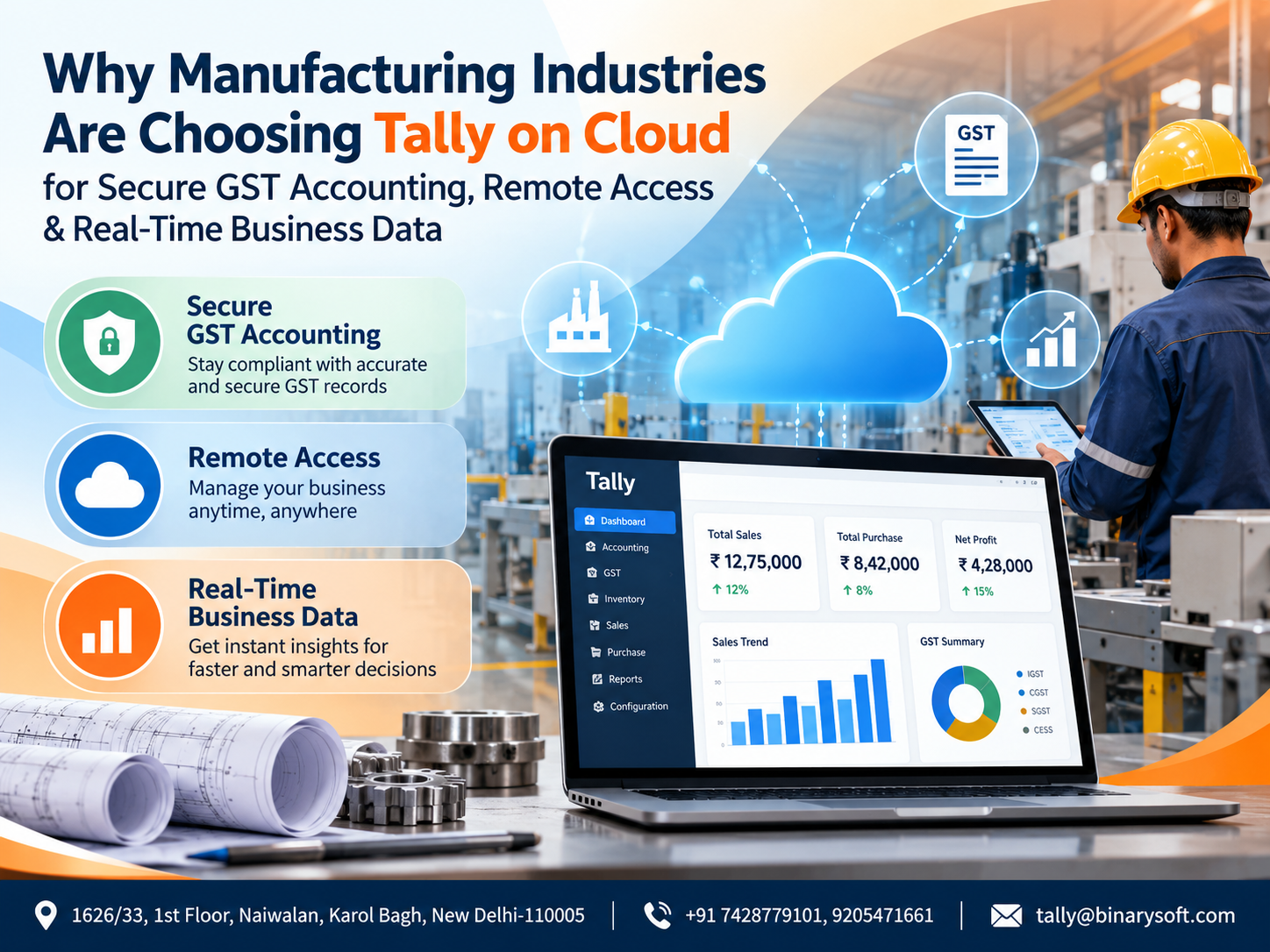
In 2026, manufacturing businesses are under increasing pressure to make faster financial decisions while managing GST compliance, inventory, production costs, vendors, receivables and multiple users across different locations. Traditional accounting systems tied to a single office computer can become a bottleneck when directors, accountants and finance teams need access to current business data outside the factory or head office. This is why many manufacturers are exploring Tally on Cloud as a more flexible way to use TallyPrime remotely. Instead of waiting for reports to be emailed, copied or manually consolidated, authorized users can work with centrally hosted Tally data from supported locations and devices. The practical benefit is straightforward: easier remote access, improved collaboration, centralized data management and greater continuity when teams are working from factories, warehouses, branch offices, home or while travelling.
Manufacturing Is Changing, and Accounting Has to Keep Up
Manufacturing businesses have always depended heavily on accurate accounting and inventory information. But modern manufacturing operations involve far more than recording purchase and sales vouchers.
A manufacturer may have a factory in one city, a warehouse somewhere else, a corporate office in another location and sales representatives travelling across different markets. Purchase teams may be negotiating with suppliers while the accounts department processes invoices. Management may simultaneously need information about cash flow, receivables, payables and inventory.
When accounting data is available only on a particular desktop or local office network, getting timely information becomes difficult.
A manager may call the accountant and ask:
What is today's bank position?
How much payment is due to suppliers?
Which customers have crossed their credit period?
What is the current stock position?
What was this month's purchase value?
What GST liability is appearing in the books?
Which expenses are increasing?
What are the outstanding receivables?
If every question requires someone sitting in front of the office computer, decision-making becomes dependent on the availability of that person and that system.
Tally on Cloud changes this working model by making the accounting environment remotely accessible to authorized users through a cloud-hosted setup.
What Is Tally on Cloud?
Tally on Cloud generally refers to running TallyPrime and its associated business data on a remotely hosted cloud or virtual server environment instead of depending solely on a local desktop installation.
Authorized users can connect to the hosted environment through an internet connection, subject to the configuration, licensing, hosting plan and security controls implemented by the service provider.
For manufacturers, this can create a centralized working environment for accounts and business information.
Instead of maintaining separate copies of data across different computers, businesses can work toward a common accounting environment where permitted users access the required information remotely.
This is particularly valuable when the business has multiple stakeholders who need access to accounting information.
A Manufacturing Story: When One Urgent Decision Could Not Wait Until Monday
Consider a fictional manufacturing company supplying electrical components to distributors across North India.
Its factory operated six days a week, while the main accounts computer was located at the corporate office.
One Saturday evening, the owner received an urgent call from a major customer.
The customer was prepared to place a large order but wanted confirmation of the outstanding balance, previous payment adjustment and available stock before finalizing it.
The accountant had already left the office.
The owner had a sales summary on his phone, but it was from the previous week. He did not want to approve another large credit order without seeing the latest outstanding position.
The customer said, "Please confirm tonight. Otherwise, we will release the requirement to another supplier."
For the owner, it was frustrating.
The business had the information. The information was simply sitting inside a computer that he could not conveniently access at that moment.
After implementing a properly configured cloud-based Tally environment, the company's working process changed. Authorized decision-makers could access current accounting information remotely rather than depending entirely on somebody being physically present at the office.
The biggest change was not just technology.
It was confidence.
Management could make important decisions using current business records instead of relying on old spreadsheets, screenshots or phone calls.
That is one of the reasons remote accounting access has become increasingly relevant for growing manufacturers.
Why Manufacturing Industries Are Moving Towards Tally on Cloud
1. Accounting Access Beyond the Factory Office
Manufacturing operations rarely happen from one desk.
Owners may travel for supplier negotiations. Directors may work from corporate offices. Accountants may be based at another location. Warehouses and branches may operate independently.
A cloud-hosted Tally environment can allow authorized users to connect to the accounting system without being physically present at the computer where the business data would traditionally be maintained.
This can be particularly useful for:
Factory owners
Finance heads
Accounts teams
Senior management
Branch accountants
Authorized consultants
Remote employees
Businesses should still define user permissions carefully so that every person receives only the access required for their role.
2. Centralized Accounting Data
One common problem in multi-location businesses is fragmented information.
The factory may maintain one spreadsheet.
The warehouse may maintain another.
The accountant may have another version.
The sales department may maintain separate customer outstanding information.
This creates a dangerous question:
Which file contains the latest numbers?
Centralizing accounting operations can reduce unnecessary duplication and help teams work with a more consistent source of business information.
For manufacturing companies handling hundreds or thousands of transactions, centralized data management can significantly improve operational coordination.
3. Better GST Accounting Management
GST compliance is an important part of everyday accounting for registered manufacturing businesses.
Manufacturers regularly deal with transactions involving purchases, sales, input tax credit, output tax, debit notes, credit notes and other GST-related records.
A properly maintained TallyPrime environment can support GST-related accounting and reporting workflows.
Cloud access adds another advantage: authorized accounts teams can access the system remotely when required.
This can be helpful during busy compliance periods when accountants and management need to review records, resolve differences or check reports without necessarily being in the same physical office.
However, businesses should remember that cloud hosting itself does not guarantee GST compliance. Accuracy still depends on correct accounting entries, configuration, reconciliation and timely review.
4. Real-Time Visibility for Management
A manufacturing company cannot be managed effectively using outdated financial information.
Management needs visibility into current numbers.
Depending on how accounting processes are maintained, Tally can provide information relating to:
Sales
Purchases
Outstanding receivables
Outstanding payables
Cash position
Bank balances
Inventory
Expenses
Profitability
Ledger balances
Tax-related information
When authorized management users can remotely access the current accounting environment, they do not always have to request screenshots or wait for someone to prepare a separate Excel report.
That can shorten the gap between a business question and the information needed to answer it.
5. Multi-User Connectivity for Growing Teams
As a manufacturing company grows, accounting responsibilities often become distributed among several employees.
One employee may handle purchase entries.
Another may work on sales.
Another may manage banking.
A senior accountant may review ledgers.
Management may need reports.
A cloud environment can support a more collaborative working model where multiple authorized users can access the hosted accounting environment, depending on the selected Tally licensing and cloud configuration.
This can help businesses move away from repeatedly transferring data files between employees.
6. Improved Support for Multiple Locations
Consider a manufacturer operating:
A head office in Delhi
A production unit in Haryana
A warehouse in Uttar Pradesh
A sales office in Rajasthan
A traditional local accounting setup may make access and coordination more complicated.
Cloud-based access can help geographically distributed teams connect to a centralized accounting environment.
For businesses expanding into new branches, warehouses or offices, this can provide greater operational flexibility without requiring accounting information to remain confined to one physical location.
7. Inventory Visibility for Manufacturing Businesses
Inventory is one of the most important assets in a manufacturing organization.
Too little stock can interrupt production.
Too much stock can block working capital.
Manufacturers may need to track raw materials, finished goods, semi-finished items, components, consumables and other inventory categories.
Accurate accounting and inventory records can help management understand stock movement and availability.
With remote access to the accounting environment, authorized users can review relevant inventory information even when they are away from the primary office.
This can support purchasing and production-related decisions.
8. Better Control Over Receivables
Sales do not automatically mean cash flow.
A manufacturing company may record strong monthly sales and still face liquidity pressure if customers delay payments.
Management therefore needs regular visibility into receivables.
Questions such as these become critical:
Which customers owe money?
How much is overdue?
What is the age of the outstanding balance?
Which payments were recently received?
Can another credit order be approved?
Remote access to updated accounting information can help authorized decision-makers review customer balances before making commercial decisions.
9. Monitor Supplier Payables
Supplier relationships are equally important in manufacturing.
Raw material suppliers often work on agreed credit terms. Missing payment commitments can affect future supplies and sometimes production schedules.
Access to updated payable information can help the finance team plan payments more effectively.
Management can review obligations, available funds and upcoming requirements before deciding which payments need priority.
10. Secure Access Requires the Right Cloud Setup
Security is one of the biggest concerns when moving accounting workloads to the cloud.
Financial records may contain sensitive information relating to customers, suppliers, pricing, bank transactions, expenses, taxation and business performance.
Therefore, businesses should not select a cloud solution based only on price.
A professionally managed environment should be evaluated for appropriate safeguards such as:
Controlled user access
Strong authentication practices
Regular backups
Server monitoring
Updated infrastructure
Access restrictions
Recovery arrangements
Data protection measures
Secure connectivity
The exact security controls depend on the hosting provider and configuration selected.
Businesses should ask detailed questions about where their data is hosted, how backups are maintained and what happens if the primary environment becomes unavailable.
11. Backup and Business Continuity
Imagine a company's accounts computer suddenly develops a hardware failure immediately before an important reporting or compliance deadline.
If all accounting data exists only on that machine and backups have not been maintained properly, the situation can become extremely stressful.
Cloud hosting can provide additional business continuity options when combined with a properly designed backup strategy.
However, cloud does not mean backups should be ignored.
Businesses should clearly understand:
How frequently backups are taken
How long backups are retained
Where backups are stored
Who can restore data
How quickly restoration can be completed
Whether independent backups are also required
A strong backup policy should be treated as an essential business control.
12. Work-from-Home and Hybrid Accounting
Remote and hybrid working have become common across many business functions.
There may be situations where an accountant cannot reach the office but important accounting work still needs to continue.
A cloud-hosted Tally environment can support remote accounting work where the organization's policies and security arrangements permit it.
This can improve continuity during travel, temporary office closures or other operational disruptions.
13. Reduce Dependence on Sending Tally Data Files
Sending accounting data through email, portable drives or messaging platforms can create version-control and security concerns.
Questions quickly arise:
Which backup is latest?
Who made the last changes?
Was yesterday's data restored?
Is the file being sent securely?
Did someone accidentally start working on an older copy?
A centralized cloud environment can reduce the need to repeatedly move copies of the same working data between different computers.
14. Useful for Chartered Accountants and Accounting Consultants
Manufacturing companies often work with external Chartered Accountants, tax consultants or accounting professionals.
Traditionally, a business may send backups or exports whenever professional review is required.
Where appropriate permissions and security policies allow, remote access can make collaboration more convenient.
Businesses should provide access only when required and apply suitable permission controls rather than giving unrestricted access to financial information.
15. Faster Financial Decision-Making
Manufacturing involves constant decisions.
Should another raw material order be placed?
Can a customer receive additional credit?
Can a supplier payment be released today?
What is the bank position?
Which receivables should be followed up?
Which product category is affecting inventory investment?
When management can access current accounting information more easily, decisions can be based on updated records rather than assumptions.
This is where Tally on Cloud can move beyond being merely an IT arrangement.
It can become part of a company's information-access strategy.
Tally on Cloud for Small Manufacturers
Cloud accounting is not relevant only to large manufacturers.
A small manufacturer may have only one factory, one office and a handful of employees but still benefit from remote access.
For example, the owner may spend most of the day outside the office meeting customers and suppliers.
Being able to access business accounts remotely can reduce dependence on calling the accountant for every financial query.
The right solution should be selected according to actual business requirements rather than purchasing unnecessary server resources or user capacity.
Tally on Cloud for Medium and Growing Manufacturers
Growing manufacturers often experience a different challenge.
Their accounting processes were originally designed for a smaller organization.
Then the business adds:
More employees
More customers
More suppliers
Additional locations
Higher transaction volumes
New warehouses
Additional accounting users
Greater reporting requirements
At this stage, a centralized cloud environment can make scaling access easier.
The hosting configuration can be reviewed as user numbers and workloads increase.
Tally on Cloud vs Traditional Local Tally Setup
A traditional local setup can still be suitable for businesses where accounting is performed from one location and remote access is unnecessary.
Tally on Cloud becomes particularly relevant when accessibility and centralized working are priorities.
A local environment generally depends more heavily on the physical office system or network.
A cloud environment is designed around remote connectivity.
The correct choice depends on factors such as:
Number of users
Locations
Remote access requirements
Security expectations
Internet availability
Backup requirements
Server performance
Business continuity needs
Budget
Tally licensing
Businesses should assess these factors before migrating.
Important Things to Check Before Moving Tally to Cloud
Manufacturers should evaluate the cloud provider carefully.
Do not make the decision purely on the lowest monthly price.
Ask about infrastructure, security, support and recovery arrangements.
Important considerations include server specifications, expected performance, number of concurrent users, backup frequency, data retention, access controls, operating system environment, technical support availability and disaster recovery arrangements.
Businesses should also confirm their TallyPrime licensing requirements and compatibility with their intended setup.
How Tally on Cloud Supports Business Scalability
A manufacturing business that has five accounting users today may have ten or twenty in the future.
It may open another factory.
It may establish a new warehouse.
It may add a regional office.
Its transaction volume may increase substantially.
Cloud infrastructure can provide flexibility to adapt resources as requirements evolve, depending on the hosting architecture and service plan.
This scalability can be valuable because businesses do not necessarily have to redesign their entire accounting-access model whenever they expand geographically.
Why Internet Quality Matters
Tally on Cloud depends on connectivity.
A business should therefore evaluate the quality and reliability of its internet connection before implementation.
Factories located in industrial areas sometimes experience unstable connectivity.
In such cases, businesses may consider a primary internet connection with a backup connection where uninterrupted remote accounting access is operationally important.
The cloud server may be performing correctly, but poor local internet connectivity can still affect the user experience.
Data Security Is a Shared Responsibility
Moving Tally to the cloud does not remove the organization's own security responsibilities.
Employees should use strong passwords.
User accounts should not be unnecessarily shared.
Former employees' access should be disabled promptly.
Administrative privileges should be restricted.
Backups should be reviewed.
Devices used for remote access should be appropriately protected.
The hosting environment, user behaviour and internal company controls all contribute to overall security.
Who Should Consider Tally on Cloud?
Tally on Cloud can be worth evaluating for manufacturing businesses that:
Operate from multiple locations
Need remote access to Tally
Have multiple accounting users
Want centralized accounting data
Need management access while travelling
Employ remote or hybrid accounting staff
Want better continuity of accounting operations
Need controlled access for authorized professionals
Plan to expand to additional locations
Want to reduce dependence on a single office computer
The final configuration should always match the organization's actual operational requirements.
The Bigger Shift: Accounting Is Becoming Location-Independent
For years, accounting software was associated with a particular computer.
To check accounts, someone had to sit in front of that machine.
To review a report, management asked the accountant to print it, export it or email it.
To work remotely, somebody might transfer a backup.
That approach becomes increasingly inconvenient as businesses become more distributed.
The real change created by cloud hosting is therefore not simply where the software runs.
It is where the business can work from.
A factory may remain in one location, but its financial management no longer has to remain physically tied to that factory.
Conclusion
Manufacturing businesses in 2026 need more than basic bookkeeping. They need timely access to financial information, reliable GST-related accounting processes, inventory visibility, receivable and payable tracking, collaboration between authorized users and continuity when employees are working from different locations.
Tally on Cloud can provide a practical way to make a TallyPrime environment remotely accessible while centralizing business data and supporting multi-user operations.
For manufacturers, the biggest advantage is flexibility. Owners can review accounts away from the office, finance teams can collaborate across locations, and authorized users can access current information without repeatedly exchanging accounting data files.
At the same time, moving to the cloud should be planned carefully. Server performance, user requirements, Tally licensing, internet connectivity, access controls, backup arrangements and security should all be evaluated before implementation.
A properly configured solution can help turn Tally from an office-bound accounting system into a more accessible financial management environment for a modern manufacturing business.
Tally on Cloud Solutions from Binarysoft Technologies
Businesses looking to implement Tally on Cloud can assess their requirements based on the number of users, locations, remote-working needs, accounting workload, security expectations and future expansion plans.
Binarysoft Technologies can assist businesses with Tally-related solutions and cloud-access requirements based on their operational needs.
Powered by Binarysoft Technologies
Authorized Tally Partner
Location: 1626/33, 1st Floor, Naiwalan, Karol Bagh, New Delhi – 110005, INDIA
Contact us: +91 7428779101, 9205471661
Email us: tally@binarysoft.com
Working Hours: 10:00 AM – 6:00 PM, Mon–Fri
Frequently Asked Questions
What is Tally on Cloud?
Tally on Cloud generally refers to hosting TallyPrime and business data in a remotely accessible server environment so authorized users can connect to the accounting system through the internet.
Is Tally on Cloud useful for manufacturing companies?
It can be particularly useful for manufacturers that need remote access, centralized accounting, multi-location working, management visibility or access for multiple authorized users.
CA. Ankit Vardiya works closely with traders, wholesalers, and service businesses on accounting automation, GST reporting, and audit readiness. His professional exposure to day-to-day business operations allows him to translate complex accounting concepts into practical guidance for Indian business owners.