Call CA Tally HelpDesk
+91 9205471661,
7428779101
What Changed in 2026? Invoice Delivery Is Becoming Part of the Collection Process
In 2026, businesses are no longer treating invoice creation and invoice delivery as two separate jobs. As transaction volumes grow and customers expect documents immediately, manually downloading invoices, attaching PDFs to emails, sending WhatsApp messages, and maintaining separate dispatch records can create unnecessary pressure on accounts teams. A missed attachment or an invoice sent to the wrong contact can delay acknowledgement and, ultimately, payment.
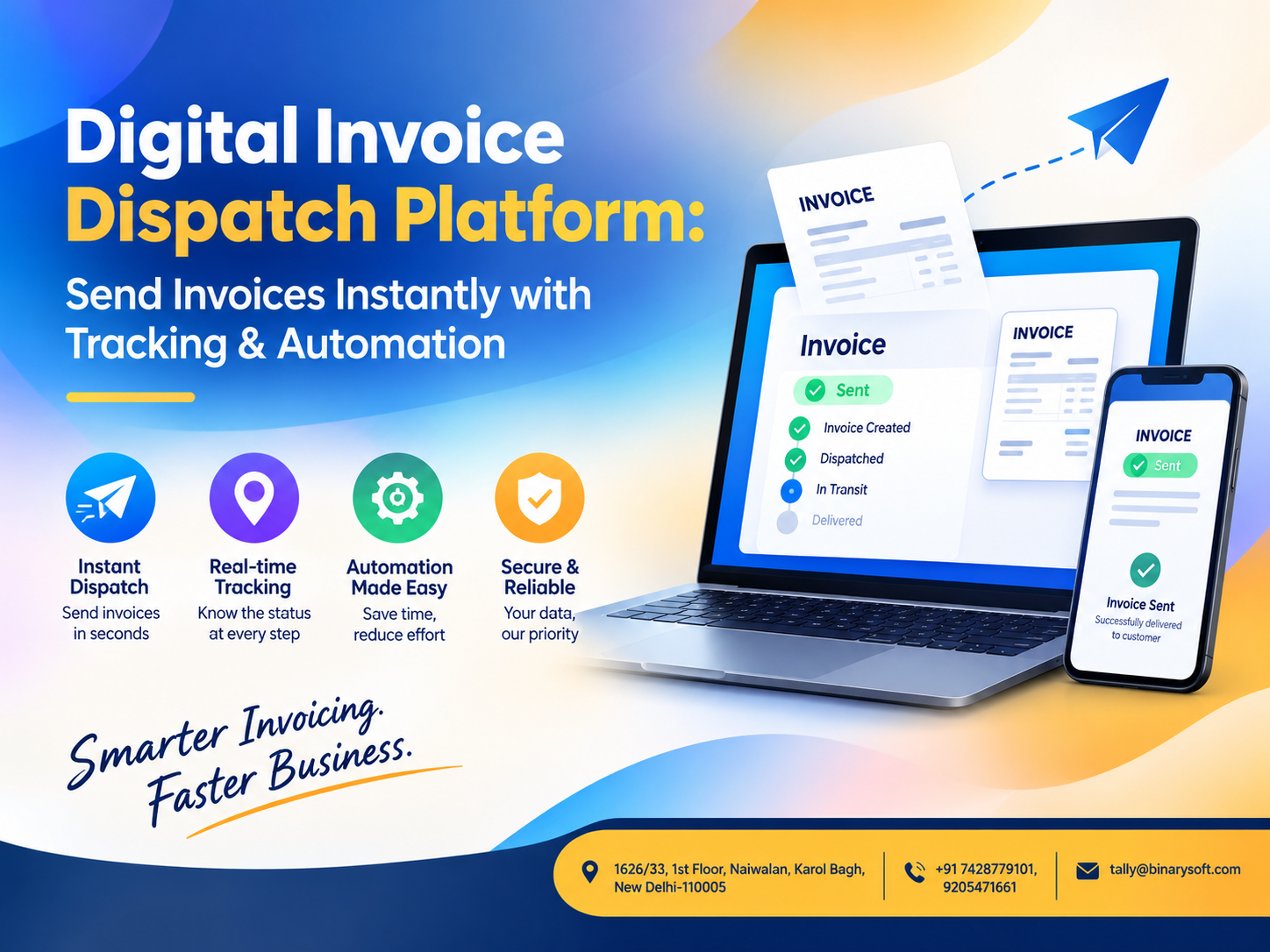
A Digital Invoice Dispatch Platform changes this workflow by turning invoice delivery into a structured, trackable process. Instead of repeatedly handling invoices one by one, businesses can automate dispatch through configured digital channels, maintain delivery records, track communication status, and reduce repetitive follow-ups. For companies already generating hundreds or thousands of invoices from accounting or ERP systems, this can mean faster customer communication, better control over invoice history, fewer manual mistakes, and a clearer path from invoice generation to collection.
What Is a Digital Invoice Dispatch Platform?
A Digital Invoice Dispatch Platform is a business solution designed to automate the distribution of invoices and related documents to customers.
Think about what normally happens after an invoice is created.
The accounts executive generates the invoice, exports or prints it as a PDF, searches for the customer's email address, writes an email, attaches the document, sends it, and sometimes maintains a separate Excel sheet showing when the invoice was dispatched.
If the customer later says, "We have not received the invoice," the employee has to search through sent emails or other communication records.
Now multiply this process by 100, 500, 1,000, or even several thousand invoices every month.
A digital invoice dispatch system can significantly reduce this repetitive work.
Depending on the implementation and integration, invoices generated in an accounting, billing, or ERP environment can be automatically identified, prepared for digital delivery, dispatched to the appropriate customer contact, and recorded for future tracking.
The objective is simple:
Create invoice. Dispatch invoice. Track status. Maintain records. Follow up efficiently.
A Story Many Accounts Teams Will Recognise
It was the final week of the month, and the accounts team of a growing distribution company was working late.
Sales had been strong.
More than 700 invoices had been generated during the month, but there was a problem.
Several customers were calling the finance department saying they had not received their invoices. Some invoices had been emailed, others had been shared manually through messaging applications, and a few had apparently never been dispatched.
The accountant knew the invoices existed.
The customers knew the goods had arrived.
But nobody could immediately confirm exactly when every invoice had been sent.
The team began searching through email inboxes, sent folders, downloaded PDFs, WhatsApp conversations, and spreadsheets.
One customer had received the invoice at an outdated email address. Another had received it without the correct attachment. A third invoice was sitting on an employee's computer waiting to be sent.
The real cost was not just the extra work.
Payment collection had also started getting delayed.
The owner finally asked a simple question:
"Why can't the invoice be sent automatically as soon as it is ready?"
That question changed the company's approach.
After introducing a structured digital invoice dispatch workflow, the accounts department no longer had to depend entirely on employees remembering to send every document manually.
Invoice communication became part of the process rather than an afterthought.
And at month-end, the team could focus more on reconciliation and collections instead of searching for missing PDFs.
Why Traditional Invoice Dispatch Becomes Difficult as a Business Grows
Manual invoice dispatch may work when a business generates ten or twenty invoices a day.
The challenge begins when transaction volume increases.
A business processing hundreds of invoices may have multiple employees, branches, customer groups, sales executives, billing counters, and accounting locations.
Invoice dispatch then becomes a workflow problem.
For example, an organisation may generate:
Sending all these documents manually can consume significant administrative time.
A Digital Invoice Dispatch Platform can create a controlled system around these communications.
How Digital Invoice Dispatch Automation Works
The exact workflow depends on the accounting system and custom integration, but a typical digital invoice dispatch process may operate as follows.
Step 1: Invoice Is Generated
The sales or accounts team creates the invoice in its existing accounting, billing, ERP, or business management system.
The normal billing workflow does not necessarily need to change.
Step 2: Customer Contact Information Is Identified
The system retrieves the configured customer details associated with the invoice.
These could include an email address, mobile number, billing contact, account contact, or another authorised communication destination.
Accurate master data is important because automation is only as reliable as the information configured in the system.
Step 3: Invoice Document Is Prepared
The invoice can be converted or generated in an appropriate digital format, commonly PDF.
Businesses may also configure additional documents depending on their operational requirements.
Step 4: Invoice Is Dispatched
The document is sent through the configured digital communication channel.
Depending on the solution and integrations being used, this may include email or other supported messaging channels.
Step 5: Dispatch Activity Is Recorded
Instead of relying entirely on someone's sent-mail folder, the platform can maintain a structured record of invoice dispatch activity.
This can include information such as invoice number, customer, dispatch date and time, destination, communication channel, and processing status.
Step 6: Failed or Pending Communications Can Be Identified
If a configured dispatch does not complete successfully, the team can identify the exception rather than assuming every invoice has reached the customer.
This is an important advantage of a managed dispatch workflow.
Step 7: Follow-Up Becomes Easier
When a customer contacts the accounts team, employees can refer to the dispatch history rather than starting a manual search across multiple systems.
Send Invoices Instantly After Generation
Speed is one of the biggest advantages of invoice dispatch automation.
Consider a company that creates 300 invoices during a busy working day.
If an employee takes only two minutes to download, attach, verify, and email each invoice, the theoretical workload becomes:
300 invoices × 2 minutes = 600 minutes.
That is 10 working hours of repetitive activity.
Even when employees use shortcuts and batch processes, manual intervention still consumes time.
Automation changes the economics of this workflow.
Instead of asking:
"Has someone sent this invoice?"
the business can design a process where dispatch happens according to predefined rules.
This can be particularly useful for wholesalers, distributors, manufacturers, service businesses, retailers, e-commerce operations, and companies with high transaction volumes.
Invoice Tracking: Know What Happened After Billing
Creating an invoice is only one part of the transaction cycle.
Businesses also need visibility into what happened afterward.
A properly implemented Digital Invoice Dispatch Platform can maintain a dispatch trail showing which documents were processed and when.
Depending on the communication technology and integration being used, additional delivery or communication statuses may also be available.
This gives management better operational visibility.
Instead of maintaining separate spreadsheets such as:
Invoice No. 4589 – Sent
Invoice No. 4590 – Sent
Invoice No. 4591 – Pending
Invoice No. 4592 – Resend Required
the information can be managed within a structured digital workflow.
Reduce the Risk of Missing Invoice Dispatches
One of the biggest weaknesses of manual processes is dependency on memory.
An employee may create an invoice but forget to email it.
Someone may assume another employee has already sent it.
An invoice may be downloaded but left in a folder.
A customer email address may be copied incorrectly.
A PDF may be attached to the wrong email.
Automation does not eliminate every possible error, but it can significantly reduce repetitive manual steps that create opportunities for mistakes.
Rules can also be introduced to identify exceptions requiring human attention.
That creates a better model:
Automate routine transactions and let employees focus on exceptions.
Centralised Invoice Dispatch History
Imagine receiving this call:
"Please resend Invoice 2458 from last month."
In a manual environment, the employee might have to:
Open the accounting software.
Search Invoice 2458.
Export the invoice.
Find the customer's email.
Write another message.
Attach the document.
Send it again.
With a centralised invoice dispatch solution, the team may be able to locate the invoice and its dispatch record more quickly and initiate an appropriate resend workflow.
This becomes particularly valuable when several employees handle the same customer account.
The history belongs to the business process rather than remaining scattered across individual inboxes.
Digital Invoice Dispatch and TallyPrime
Many Indian SMEs use TallyPrime for accounting, GST, inventory, invoicing, receivables, and other business processes.
For businesses generating significant invoice volumes in TallyPrime, a customised invoice dispatch solution can potentially bridge the gap between accounting and customer communication.
The objective is not necessarily to replace the accounting system.
Instead, the dispatch platform can complement the existing accounting workflow.
A typical customised workflow may look like:
TallyPrime Invoice
↓
Invoice Data / Document Processing
↓
Digital Dispatch Platform
↓
Customer Communication
↓
Dispatch Status / History
↓
Accounts Follow-Up
The exact architecture depends on the customer's TallyPrime setup, data structure, business rules, communication requirements, security controls, and third-party services being integrated.
Automate Customer Communication Without Replacing Your Accounting Workflow
Businesses are often hesitant about automation because they assume they will have to replace their existing accounting software.
That is not always necessary.
A properly designed invoice dispatch system can work as an additional layer around an existing business process.
Employees can continue creating transactions through their normal accounting workflow while repetitive communication tasks are handled through automation.
This makes adoption easier because the organisation does not need to completely redesign the way employees work.
Benefits for Accounts Receivable Teams
Invoice dispatch is closely connected with receivables management.
A customer generally needs the correct invoice before its internal payment process can move forward.
If an invoice is delayed, incorrectly addressed, or overlooked, the payment cycle may also be affected.
Automated invoice dispatch can support receivables teams through faster document delivery, better dispatch visibility, simpler resend processes, centralised records, and more structured customer communication.
The finance team can therefore spend more time investigating genuine outstanding balances rather than repeatedly sending documents.
Bulk Invoice Dispatch
High-volume businesses may need to send hundreds or thousands of invoices.
Sending every invoice individually is rarely an efficient long-term approach.
Bulk dispatch capabilities can help process multiple documents according to configured customer and transaction rules.
For example, a distributor could process hundreds of invoices while ensuring that each customer receives the document associated with their transaction.
Bulk automation is particularly useful during:
Month-end billing
Recurring billing cycles
High-volume sales periods
Branch billing consolidation
Statement distribution
Large B2B dispatch operations
Scheduled Invoice and Statement Dispatch
Not every document needs to be sent immediately.
Some communications are better scheduled.
For example, a business may want invoices dispatched immediately but customer account statements generated at the end of every month.
Another company may want outstanding reminders processed according to predefined intervals.
A configurable dispatch platform can support different workflow rules for different document types.
This turns digital communication into a predictable business process.
Automated Payment Reminders
Invoice dispatch automation can also be connected with receivables follow-up.
Consider an invoice with payment terms of 30 days.
Instead of an accounts employee manually reviewing every outstanding invoice, a system can be configured around appropriate reminder rules.
The workflow could include:
Invoice generated
Invoice dispatched
Payment due date monitored
Reminder triggered according to configured rules
Accounts team reviews exceptions
Reminder frequency and wording should always match the company's customer relationship and collection policies.
Automation should support employees, not create excessive or inappropriate customer communication.
Better Customer Experience
Customers also benefit from efficient invoice communication.
They want invoices that are:
Received promptly
Easy to access
Correctly addressed
Clearly identifiable
Available again when required
A professional dispatch process makes it easier for customers' accounts payable teams to process documents.
For B2B businesses, this can become particularly important because the person placing an order may not be the same person responsible for accounts payable.
Correct routing matters.
Reduce Repetitive Work for Accounting Teams
Consider the daily responsibilities of an accounts employee:
Creating invoices
Entering receipts
Reconciling bank transactions
Checking GST data
Managing ledgers
Reviewing outstanding balances
Responding to customers
Preparing reports
Should that employee also spend hours downloading PDFs and attaching them manually to emails?
In many cases, that task can be automated.
The purpose of automation is not simply to "send emails faster."
Its larger purpose is to reduce low-value repetitive work so employees can focus on activities requiring judgement and financial understanding.
Multi-Branch Businesses Can Benefit Even More
Invoice dispatch becomes more complicated when a company has multiple branches.
One branch may follow one process while another branch follows something completely different.
Centralised automation can introduce greater consistency.
For example:
Delhi Branch generates invoices.
Mumbai Branch generates invoices.
Jaipur Branch generates invoices.
Each branch's documents can follow predefined dispatch rules while management receives centralised visibility.
This can reduce dependence on individual employees and local processes.
Useful for Manufacturers and Distributors
Manufacturers and distributors often generate high transaction volumes involving multiple dealers, retailers, institutional buyers, and corporate customers.
A digital dispatch platform can be particularly useful when invoice volume increases beyond what a small accounts team can comfortably handle manually.
Potential applications include:
Sales invoice dispatch
Dealer invoice communication
Debit and credit note sharing
Account statement distribution
Outstanding reminders
Supporting document dispatch
Useful for Service Companies
Service businesses can also use invoice dispatch automation.
Professional firms, agencies, IT companies, consultants, maintenance providers, subscription businesses, and other service organisations often create recurring invoices.
Automation can reduce the administrative burden of sending these documents every billing cycle.
Security and Access Control Matter
Invoice automation must not be treated as simply an email-sending feature.
Invoices can contain commercially sensitive information.
Businesses should therefore consider appropriate controls such as authorised user access, secure infrastructure, protected credentials, customer data validation, activity logging, access restrictions, and backup practices.
Where third-party communication providers are involved, their security, privacy, availability, and data-processing practices should also be evaluated.
Customer Master Data Must Be Clean
Automation cannot compensate for poor customer information.
Before implementing automatic invoice dispatch, businesses should review customer masters.
Check:
Customer name
Billing email
Accounts email
Mobile number
GSTIN, where applicable
Billing address
Contact person
Communication preference
Incorrect master data can cause invoices to be routed incorrectly.
Data cleanup should therefore be part of the implementation process.
What Should an Invoice Dispatch Dashboard Show?
A useful dashboard should help users understand the state of invoice communication quickly.
Depending on the implementation, businesses may want information such as:
Total invoices processed
Invoices pending dispatch
Successfully processed dispatches
Failed dispatch attempts
Documents requiring retry
Customer-wise dispatch history
Date-wise activity
User or branch-wise activity
The goal should be operational clarity rather than simply displaying more data.
Search and Resend Facility
Customers often request duplicate invoices.
A search facility can make this much easier.
Employees could search using information such as:
Invoice number
Customer name
Date range
Voucher number
Reference number
Branch
After locating the appropriate transaction, an authorised user can resend the relevant document according to the configured workflow.
This can save substantial time for customer service and accounts teams.
Why Invoice Automation Can Improve Collection Efficiency
A late invoice can contribute to a late payment.
Suppose payment terms are 30 days, but the customer receives the invoice five days after billing.
Operationally, the customer's payment processing may effectively begin later.
Now imagine invoices are dispatched promptly after generation.
The customer's accounts team can begin its verification process earlier.
Invoice automation does not guarantee faster payment because collections depend on many factors, including agreed credit terms, disputes, customer processes, and cash flow.
However, eliminating avoidable invoice-delivery delays removes one common obstacle from the collection cycle.
From Invoice Generation to a Complete Digital Workflow
The long-term opportunity is bigger than simply emailing invoices.
Businesses can create a connected workflow:
Invoice Creation
→ Automatic Document Generation
→ Digital Dispatch
→ Dispatch Tracking
→ Payment Reminder
→ Customer Response
→ Payment Receipt
→ Reconciliation
→ Reporting
When properly implemented, this reduces the number of disconnected manual processes surrounding the accounting system.
Digital Invoice Dispatch for Growing SMEs
Small businesses often begin with informal processes.
One person handles billing.
Another sends invoices.
Someone else follows up for payment.
An Excel file records outstanding balances.
This may work initially.
But growth changes everything.
More customers create more invoices.
More invoices create more communication.
More communication creates more opportunities for delays and errors.
That is when workflow automation becomes valuable.
Businesses do not have to wait until they become large enterprises to introduce structured invoice communication.
Questions to Ask Before Choosing a Digital Invoice Dispatch Solution
Before implementation, a business should clearly define its requirements.
How many invoices are generated each day?
Which accounting system is currently being used?
Which communication channels are required?
Should invoices be sent immediately or in batches?
Are multiple branches involved?
Do different customers require different contacts?
Is a resend facility required?
Are automated payment reminders needed?
What dispatch reports are required?
How long should activity records be retained?
Who should have access to invoice history?
The answers help determine the right implementation architecture.
Customisation Can Be Important
Every organisation has a slightly different invoice workflow.
One company may need customer-wise email routing.
Another may require branch-wise controls.
A third may want invoices and account statements handled separately.
Another may require additional document attachments.
For this reason, customisation and integration capabilities can be important when implementing a digital invoice dispatch solution.
The technology should adapt to legitimate business processes rather than forcing every organisation into an identical workflow.
Why Work With an Experienced Tally Partner?
When invoice dispatch is integrated with TallyPrime, understanding accounting workflows is as important as understanding software development.
An implementation partner should understand areas such as:
Voucher structures
Ledger masters
Customer information
GST invoicing
Invoice numbering
Company data
Branch requirements
User permissions
Document formats
Receivables processes
Binarysoft Technologies, an Authorized Tally Partner, can help businesses evaluate requirements for TallyPrime-related automation, customisation, invoice workflows, reporting, and digital business processes.
The implementation should always begin with an assessment of the existing workflow and the specific business requirements.
The Future of Invoice Management Is Less Manual
Businesses have spent years digitising invoice creation.
The next logical stage is improving what happens after the invoice is generated.
The objective is to move away from:
Create → Download → Search Email → Attach → Send → Update Excel → Follow Up
towards:
Create → Automate → Dispatch → Track → Follow Up
That difference may appear small when looking at one invoice.
Across thousands of transactions, it can represent a significant operational improvement.
Conclusion
A Digital Invoice Dispatch Platform can transform invoice delivery from a repetitive manual activity into a structured, trackable business workflow.
By connecting invoice generation with automated digital dispatch, centralised records, exception management, search, resend capabilities, scheduled communication, and receivables follow-up, businesses can reduce administrative effort while improving visibility.
For growing SMEs, distributors, manufacturers, retailers, service companies, and multi-branch organisations, the value becomes greater as invoice volumes increase.
The goal is not merely to send invoices faster.
The goal is to build a reliable process in which the right business document reaches the right customer through the appropriate configured channel, while the organisation maintains visibility over what happened.
When integrated carefully with existing accounting systems such as TallyPrime, digital invoice dispatch can become an important step toward a more automated finance operation.
Powered by Binarysoft Technologies
Authorized Tally Partner
Location: 1626/33, 1st Floor, Naiwalan, Karol Bagh, New Delhi – 110005, INDIA
Contact us: +91 7428779101, 9205471661
Email us: tally@binarysoft.com
Business Hours: 10:00 AM – 6:00 PM, Mon–Fri
Frequently Asked Questions
What is a Digital Invoice Dispatch Platform?
A Digital Invoice Dispatch Platform is a solution designed to automate and manage the electronic distribution of invoices and related business documents. It can reduce manual emailing, maintain dispatch records, and provide better visibility into invoice communication.
Can invoices be dispatched automatically after they are generated?
Yes, depending on the accounting system, integration, and configured workflow, invoice dispatch can be triggered automatically or processed according to predefined rules.
CA. Pankaj Bhadoria brings practical experience in GST, accounting, and business process consulting. He works closely with MSMEs to resolve compliance challenges and improve operational transparency. His articles aim to simplify complex regulations for everyday business use.