Call CA Tally HelpDesk
+91 9205471661,
7428779101
What Changed in 2026? Accounting Software Is Now Expected to Manage Much More Than Accounts
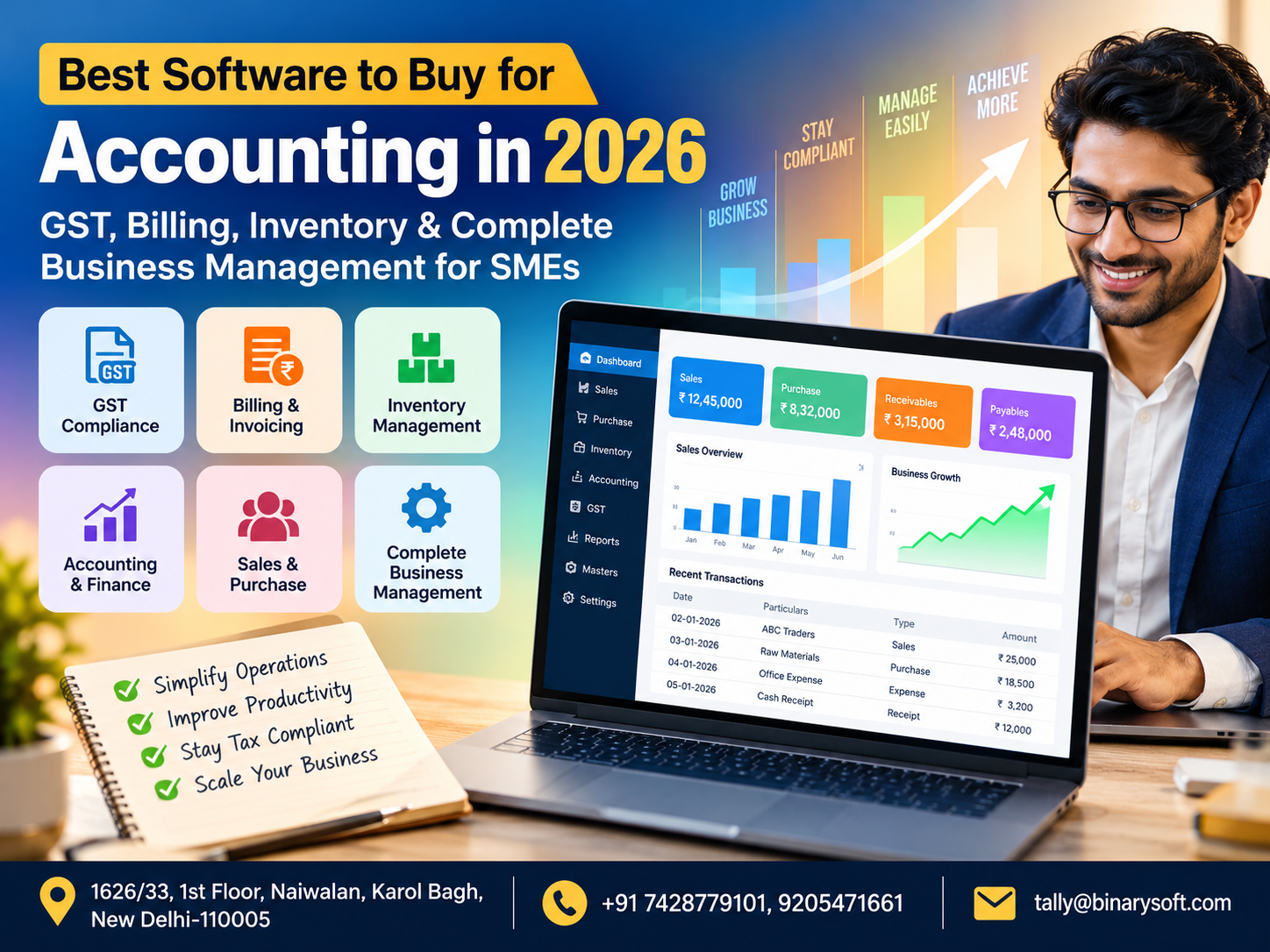
In 2026, SMEs are no longer choosing accounting software only to record sales, purchases and expenses. In recent months, the pressure to manage GST compliance, faster billing, inventory accuracy, receivables, bank transactions and management reporting from a connected system has increased significantly. A growing business may process hundreds of invoices, multiple payment modes, thousands of stock items and transactions across branches or warehouses. When billing, inventory and accounting are maintained separately, small errors can quickly become stock mismatches, delayed collections and difficult reconciliations. The real benefit of modern accounting software is therefore not simply digitising bookkeeping. It is creating one reliable business system where every transaction contributes to better financial control. For SMEs planning to grow in 2026, the right software can reduce repetitive work, improve visibility and give owners faster access to the numbers they need before making important business decisions.
What Is the Best Accounting Software to Buy in 2026?
This is one of the most common questions asked by business owners:
“Which accounting software should I buy?”
There is no single answer that fits every business.
A small professional firm has different requirements from a wholesaler carrying 10,000 inventory items.
A manufacturer needs production and material tracking.
A retailer needs fast billing and stock management.
A distributor may require outstanding management, multiple godowns and salesperson-wise reporting.
A growing SME may need all of these capabilities together.
Therefore, instead of asking only which accounting software is “best,” businesses should ask:
Which accounting software best matches our present workflow and future growth?
For many Indian SMEs, TallyPrime remains an important option to evaluate because accounting, billing, inventory, GST-related processes and business reports can be managed within the same business environment.
However, choosing software should always begin with understanding your business requirements.
Accounting Software Has Become Business Management Software
Years ago, accounting software was primarily used by accountants.
Sales invoices were generated elsewhere.
Stock was maintained manually.
Customer outstanding amounts were tracked in registers or spreadsheets.
Bank reconciliation was performed separately.
The accountant entered everything into accounting software later.
That approach becomes difficult as transaction volumes increase.
Modern SMEs increasingly expect accounting software to connect different operational areas.
A business owner may want to manage:
Sales
Purchases
Billing
Inventory
GST-related records
Receivables
Payables
Banking
Cash flow
Orders
Warehouses
Cost centres
Profitability
Management reports
The more these functions communicate with each other, the less time employees need to spend repeatedly entering and reconciling the same information.
A Business Owner's Story: “Sales Were Increasing, But I Couldn't Understand Where the Money Was Going”
Consider the fictional story of Rajesh, who runs an electrical goods distribution business.
His business started with a small office, a few suppliers and a limited customer base.
For the first few years, management was simple.
Rajesh personally knew almost every payment that was due.
He knew which products were lying in the warehouse.
He knew which customers normally paid late.
Then the business grew.
Salespeople were added.
The number of products increased.
A second warehouse was rented.
Hundreds of invoices were generated every month.
That growth should have been a reason to celebrate.
Instead, Rajesh started staying at the office later every evening.
One spreadsheet contained customer outstanding amounts.
Another employee maintained stock.
Invoices were generated using a separate application.
The accountant maintained the financial books.
Whenever Rajesh asked a seemingly simple question — “How much money do customers actually owe us today?” — he received different numbers from different people.
One Friday evening, he discovered that a large customer payment he had been expecting was still outstanding.
He had already committed that money to a supplier.
Suddenly, a profitable business had a cash-flow problem.
Rajesh wasn't short of sales.
He was short of visibility.
The business eventually moved towards a more structured accounting, billing and inventory system.
Invoices, customer ledgers, inventory movements and accounting information became part of a more connected workflow.
Rajesh's biggest benefit wasn't that his accountant could enter vouchers faster.
It was that he could finally understand what was happening inside his own business.
For many SMEs, that is the point at which accounting software stops being an accountant's tool and becomes a management tool.
What Should Good Accounting Software Do in 2026?
The best software for your business should solve real operational problems.
Fancy dashboards are useful only when the underlying information is accurate.
Here are the major capabilities SMEs should evaluate before purchasing accounting software.
1. Complete Accounting Management
Accounting remains the foundation.
The software should make it practical to maintain day-to-day financial transactions such as:
Sales
Purchases
Receipts
Payments
Contra transactions
Journal entries
Debit notes
Credit notes
Cash transactions
Bank transactions
Customer ledgers
Supplier ledgers
Expenses
Income
A structured accounting system should ultimately help businesses understand their financial position more clearly.
2. GST Billing and Transaction Management
For Indian SMEs, GST-related functionality is an important consideration when selecting accounting software.
Businesses need invoices and transaction records to be maintained with the relevant tax information.
Depending on the business and applicable requirements, this may involve GSTIN information, tax rates, HSN/SAC information, place of supply and other transaction details.
The objective should be to capture information correctly when the original transaction is entered rather than spending excessive time correcting data later.
Businesses should also ensure that their tax configuration and compliance procedures are reviewed according to current statutory requirements.
3. Professional Invoice Generation
An invoice is not merely an accounting entry.
It is also a customer-facing business document.
Modern accounting software should enable businesses to generate clear invoices containing relevant customer, product, quantity, rate, tax and payment information.
Businesses may also need different invoice configurations for different transaction types.
A good billing workflow should be fast enough for employees while maintaining the information required by accounts and management.
4. Inventory Management
Businesses dealing in physical goods should not purchase accounting software without carefully evaluating its inventory capabilities.
Inventory directly affects working capital.
If the system says 100 units are available while only 65 physically exist, purchasing and sales decisions can immediately go wrong.
Businesses should consider requirements such as:
Stock item management
Units of measurement
Stock groups
Location-wise stock
Godown management
Batch-related requirements
Reorder planning
Stock transfers
Opening and closing quantities
Purchase and sales movement
Stock valuation
Accurate inventory records can help management understand what it owns, where the stock is located and how quickly products are moving.
5. Multiple Godown and Location Management
Growing SMEs often operate from more than one physical location.
For example:
Main Office
Retail Store
Warehouse A
Warehouse B
Branch Office
Factory
Businesses need to know not only total stock but also where that stock is located.
If there are 500 units across the company, management may need to know that 100 are in Store A, 250 are in the main warehouse and 150 are in another branch.
Location-wise inventory visibility can make stock transfers and purchasing decisions significantly easier.
6. Accounts Receivable Management
Sales are important.
Collections are equally important.
A business can report strong revenue and still experience cash-flow pressure when customers do not pay on time.
Accounting software should therefore help businesses track customer outstanding amounts.
Management should be able to answer:
Who owes us money?
How much is outstanding?
Which invoices remain unpaid?
How old are those outstanding amounts?
Which customers require follow-up?
This information can help businesses create a more disciplined collection process.
7. Accounts Payable Management
Businesses also need visibility over supplier obligations.
Poor payable management can damage supplier relationships and create unnecessary cash-flow stress.
Accounting software can help businesses maintain supplier balances and transaction histories so management can plan payments more systematically.
8. Bank Reconciliation
A company's accounting records and bank transactions need to be reconciled regularly.
As transaction volumes increase, manual reconciliation becomes time-consuming.
A structured bank reconciliation workflow can help businesses identify missing, unmatched or incorrectly recorded transactions.
This is particularly useful for SMEs processing payments and collections through multiple channels.
9. Cash-Flow Visibility
Profit and cash are not the same thing.
A business can be profitable on paper while experiencing a cash shortage.
Why?
Because money may be blocked in:
Customer receivables
Inventory
Advance payments
Long credit periods
Other working-capital requirements
Accounting software should help management understand cash and bank balances alongside receivables and payables.
This provides a more realistic picture of short-term financial pressure.
10. Cost Centre Management
Some businesses need to understand profitability beyond the company level.
For example, management might want to analyse:
Branch A
Branch B
Sales Department
Service Department
Project X
Project Y
Cost-centre-based reporting can help management evaluate different parts of the organization separately.
This becomes increasingly important as an SME grows.
11. Sales and Purchase Analysis
Accounting software should not simply store transactions.
It should help businesses analyse them.
Useful questions include:
What were monthly sales?
Which products generated the highest revenue?
Which customer purchased the most?
How much did we purchase from a particular supplier?
Are purchases increasing faster than sales?
Which products contribute most to turnover?
Transaction-level data becomes much more valuable when it can be converted into useful business information.
12. Profit & Loss Reporting
A Profit & Loss statement helps businesses understand income and expenses over a particular period.
But SME owners should not treat it as a report that only their accountant needs.
Regular review can help management identify:
Increasing expenses
Changing gross margins
Unexpected costs
Revenue patterns
Profitability trends
A business owner who understands these figures can make more informed operational decisions.
13. Balance Sheet
A balance sheet provides a broader view of the financial position of a business at a given point in time.
It brings together assets, liabilities and capital/equity-related information.
For management, this can provide perspective beyond daily sales numbers.
A business may have strong turnover but also substantial receivables, inventory or liabilities.
Understanding the complete financial position matters.
14. Stock Ageing and Slow-Moving Inventory
One of the biggest hidden costs for product-based SMEs is inventory that doesn't move.
Imagine ₹10 lakh worth of goods sitting in a warehouse for months.
Technically, it is an asset.
Operationally, it may represent blocked working capital.
Inventory reports can help businesses investigate slow-moving items and make decisions regarding future purchases, transfers, pricing or other appropriate actions.
15. Multi-User Business Operations
As companies grow, accounting software is rarely used by only one person.
Different employees may be responsible for:
Billing
Purchases
Accounts
Inventory
Management
Administration
The business should therefore consider how multiple users will work within the system and what access each person requires.
Internal controls become increasingly important as the number of users increases.
Why TallyPrime Is Worth Evaluating for SMEs
TallyPrime is a widely used business management and accounting solution in India.
For SMEs evaluating software in 2026, TallyPrime can be considered for requirements involving accounting, invoicing, inventory management, GST-related workflows and business reporting.
Its suitability, however, depends on the business's workflow and how the software is configured.
Simply installing software does not automatically solve operational problems.
The chart of accounts, stock structure, voucher processes, GST configuration, user workflows and reporting requirements should be planned carefully.
TallyPrime for Traders
Trading businesses typically need strong control over:
Purchases
Sales
Inventory
Customer balances
Supplier balances
Margins
GST-related records
Banking
A connected accounting and inventory environment can help traders understand both product movement and financial impact.
TallyPrime for Retailers
Retail businesses usually prioritize fast billing and inventory accuracy.
Depending on the setup, retailers may need:
Item-wise inventory
Location-wise inventory
Sales billing
Purchase management
Stock transfers
GST-related transaction records
Accounting
Management reports
Businesses with several locations should pay particular attention to how inventory and transaction information will be consolidated.
TallyPrime for Wholesalers and Distributors
Wholesale and distribution businesses often process high transaction volumes and maintain extensive customer and product lists.
They may also provide credit to customers.
For these businesses, outstanding management and inventory visibility are particularly important.
A structured system helps connect invoices with customer balances and stock movement.
Accounting Software for Manufacturing SMEs
Manufacturing businesses have requirements beyond normal sales and purchases.
They may need to understand raw materials, finished goods, production-related movements and costs.
The exact software configuration required depends heavily on the manufacturing process.
Before implementation, the business should map its production workflow rather than attempting to force a generic retail process onto manufacturing operations.
Accounting Software for Service Businesses
Service businesses may carry little or no inventory.
Their priorities may instead include:
Service invoices
Customer accounts
Expense management
Receivables
Bank transactions
GST-related records
Project or cost-centre reporting
Profitability
This illustrates why software selection should always be based on business type.
Desktop vs Cloud Accounting Software
One of the major decisions businesses face in 2026 is whether they require desktop-oriented, cloud-oriented or hybrid access.
Cloud systems can offer convenience for remote access and distributed teams.
Desktop-based systems may remain appropriate for businesses with particular operational, infrastructure or workflow requirements.
Instead of assuming that one model is automatically better, businesses should evaluate:
Internet reliability
Remote-access requirements
Number of users
Data-control policies
Performance expectations
Backup procedures
Security
Integration requirements
Support availability
The right deployment model depends on how the organization actually operates.
Security and Backup Should Not Be Ignored
Accounting information is among a company's most important business data.
Losing years of transactions because of hardware failure, malware, accidental deletion or poor backup practices can create serious disruption.
Businesses should establish a clear backup process.
Important considerations include:
Regular backups
Multiple backup copies
Secure storage
Restricted access
Recovery testing
User permissions
Software updates
Cybersecurity practices
Buying accounting software without creating a backup strategy leaves an important risk unresolved.
Avoid Choosing Accounting Software Only by Price
Price matters, especially for SMEs.
But the cheapest software is not necessarily the lowest-cost solution.
Consider a hypothetical situation.
Software A costs less but requires employees to repeatedly export data, maintain separate spreadsheets and perform manual reconciliation.
Software B costs more but eliminates hours of repetitive work every month.
The real cost should include employee time, errors, training, implementation, support and future migration — not simply the purchase price.
Avoid Buying Features You Don't Need
The opposite mistake is purchasing an unnecessarily complicated system.
More features do not automatically mean a better fit.
A small business may never use hundreds of advanced functions.
Complexity can also make employee adoption harder.
Businesses should focus first on their core requirements and then consider features that support realistic future growth.
Questions to Ask Before Buying Accounting Software
Before finalizing software, ask:
Can it handle our current transaction volume?
Can it support our GST-related workflow?
Does it provide proper billing?
Can it manage our inventory?
Can we maintain multiple stock locations?
Can it track receivables and payables?
Can management access useful reports?
Can it grow with the business?
What backup strategy will we use?
Who will implement it?
Who will train our employees?
Who will provide support when something goes wrong?
These questions often reveal more than a simple comparison of feature lists.
Implementation Is as Important as Software Selection
Two businesses can buy exactly the same software and have completely different experiences.
Why?
Implementation.
One business carefully plans ledgers, stock groups, tax configuration, workflows, permissions and reporting.
The other starts entering transactions immediately without a structured setup.
Months later, the second company may have duplicate ledgers, inconsistent item names and reports that are difficult to interpret.
A strong implementation begins by understanding the business before configuring the software.
Data Migration from Existing Systems
Businesses replacing existing accounting software should also plan data migration carefully.
Important information may include:
Ledger masters
Customer details
Supplier details
Stock items
Opening balances
Outstanding receivables
Outstanding payables
Inventory balances
Historical transactions where required
Migration should be validated before the old system is abandoned.
Management and accountants should confirm that opening figures and critical reports are correct.
Employee Training Matters
Even excellent accounting software will fail if employees do not know how to use it correctly.
Training should focus on actual workflows rather than simply showing menu options.
For example:
How should a sale be entered?
How should a sales return be handled?
How is a payment recorded?
How should stock transfers be processed?
How are incorrect transactions corrected?
Which reports should management review?
Clear processes improve data consistency.
Reports Every SME Owner Should Review
Business owners do not need to become accountants to benefit from accounting software.
However, they should understand the key information generated by the system.
Regular management review may include:
Sales
Purchases
Receivables
Payables
Cash position
Bank position
Inventory
Profit & Loss
Balance Sheet
Stock movement
Expenses
Profitability
The appropriate frequency depends on the business.
Some information may require daily review, while other reports may be reviewed weekly or monthly.
Why Connected Data Matters
Suppose an SME uses:
Software A for billing
Excel for stock
Software B for accounting
A notebook for customer follow-ups
Online banking for payment records
Each tool may work independently.
The problem appears when management wants one reliable answer.
Connected business software reduces fragmentation.
When properly implemented, a transaction can contribute to billing, accounting, inventory and reporting without requiring the same information to be repeatedly entered in unrelated systems.
Accounting Automation Does Not Mean Losing Control
Some business owners worry that automation makes accounting harder to understand.
Properly implemented automation should do the opposite.
It should reduce repetitive work while giving management clearer information.
The objective is not to remove human review.
The objective is to allow employees to spend less time on repetitive data handling and more time reviewing exceptions, reconciliations and business performance.
Best Accounting Software for a Growing SME
A growing business should think beyond today's transaction volume.
Ask what happens if:
Sales double.
A second branch opens.
Inventory increases fivefold.
More employees require access.
A warehouse is added.
Online sales begin.
Management wants more detailed reports.
Changing accounting systems can be disruptive.
Choosing a system with sufficient room for growth can reduce the need for unnecessary migration later.
Why Local Implementation and Support Can Matter
Accounting software directly affects everyday operations.
If billing stops, business can be disrupted.
If inventory records are incorrect, purchasing decisions can suffer.
If GST-related configuration is wrong, the accounting team may spend substantial time correcting transactions.
Having access to knowledgeable implementation and support resources can therefore be valuable.
Support should not only solve technical issues. It should help businesses use the software correctly according to their workflow.
Binarysoft Technologies – Authorized Tally Partner
Binarysoft Technologies provides Tally-related solutions for businesses looking to improve accounting, billing, inventory and business management processes.
As an Authorized Tally Partner, Binarysoft Technologies can assist businesses with TallyPrime licensing, implementation, configuration, data-related requirements, inventory setup, employee training and support.
The objective is to help businesses build a structured accounting environment rather than simply install software.
Accounting Software Should Give Owners Clarity
At the end of the day, business owners need answers.
How much did we sell?
How much did we earn?
How much do customers owe us?
How much do we owe suppliers?
What is our inventory worth?
Which products are selling?
Where is our cash?
What are our major expenses?
Is the business improving?
Accounting software becomes valuable when these answers become easier to obtain and more reliable.
The Future of SME Accounting in 2026 and Beyond
The direction of accounting technology is increasingly towards connected, automated and data-driven business management.
SMEs are gradually moving away from isolated bookkeeping processes toward systems where billing, inventory, accounting, banking and compliance-related workflows are more closely connected.
Automation can reduce repetitive work.
Better reporting can improve visibility.
Connected data can reduce duplication.
But technology alone does not create good financial management.
Accurate data, disciplined processes, regular reconciliation, employee training and management review remain essential.
The most successful accounting system is therefore not necessarily the one with the largest number of features.
It is the system that employees can use consistently and management can trust.
Conclusion
Choosing the best accounting software to buy in 2026 should not begin with a feature comparison or price list.
It should begin with your business.
Understand how you generate invoices, purchase goods, maintain inventory, collect customer payments, pay suppliers, manage GST-related transactions and review business performance.
Then identify the problems that consume the most time or create the greatest uncertainty.
For many Indian SMEs, TallyPrime is worth evaluating because it can bring accounting, billing, inventory, GST-related workflows and business reporting into a connected environment. The exact benefits will depend on the business requirements, configuration and implementation.
More importantly, don't think of accounting software merely as a tool for entering vouchers.
A properly implemented system can become the financial and operational information centre of your company.
As your SME grows, the ability to see accurate sales, stock, receivables, payables, cash and profitability information becomes increasingly valuable.
The right accounting software should help you spend less time searching for numbers — and more time understanding what those numbers mean for your business.
Powered by Binarysoft Technologies
Authorized Tally Partner
Location: 1626/33, 1st Floor, Naiwalan, Karol Bagh, New Delhi – 110005, INDIA
Contact us: +91 7428779101, 9205471661
Email us: tally@binarysoft.com
Business Hours: 10:00 AM – 6:00 PM, Mon–Fri
Frequently Asked Questions
What is the best accounting software for SMEs in 2026?
The appropriate software depends on the SME's size, industry, transaction volume, inventory requirements, GST-related needs, number of users and reporting expectations. TallyPrime is one option Indian SMEs can evaluate for integrated accounting, billing, inventory and business management requirements.
Is TallyPrime suitable for small businesses?
TallyPrime can be used by businesses of different sizes. The required configuration depends on the type and complexity of the business.
CA. Rohin Mehtaal is a Chartered Accountant with experience in accounting systems, audit support, and GST compliance. He has assisted businesses in adopting structured financial processes and improving inventory accuracy. His writing emphasizes clarity, control, and data-driven decision making.