Call CA Tally HelpDesk
+91 9205471661,
7428779101
What Changed in 2026? Indian Businesses Need More Than Basic Billing Software
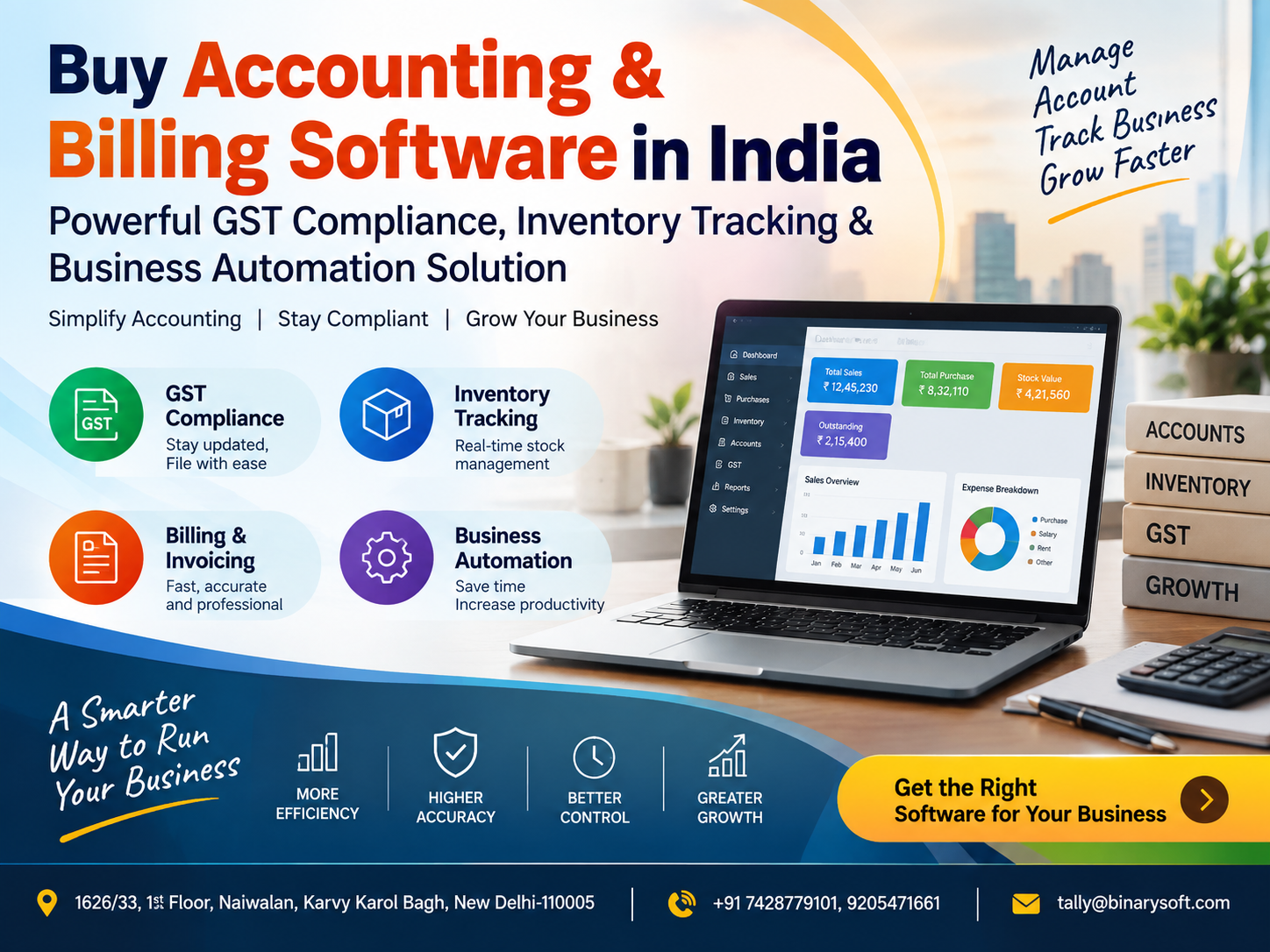
In 2026, businesses across India are moving beyond simple invoice-making software because billing, GST compliance, inventory, accounting and management reporting are becoming increasingly connected. In recent months, retailers, wholesalers, distributors, service providers and growing SMEs have faced greater pressure to maintain accurate transaction records, respond faster to customers, control stock, monitor outstanding payments and avoid errors caused by disconnected spreadsheets or manual registers. A modern accounting and billing solution can bring these activities into one structured system, helping businesses generate invoices faster, track purchases and sales, monitor inventory movement, maintain customer and supplier balances and access useful financial reports. The real benefit is not simply automation at the billing counter. It is better business visibility. When owners can see sales, stock, expenses, receivables and financial information clearly, they can make faster decisions, reduce operational confusion and run their businesses with greater control.
Buy Accounting & Billing Software in India for Smarter Business Management
Buying accounting and billing software is no longer only a technology decision.
For many Indian businesses, it is an operational decision that can influence billing speed, inventory accuracy, financial discipline, GST-related record keeping and management visibility.
Whether you run a retail store, wholesale business, distribution company, trading firm, service enterprise or growing SME, the right accounting solution can help connect day-to-day transactions with financial reporting.
Instead of maintaining separate registers for sales, purchases, expenses, inventory, receivables and payments, businesses can manage these records in a more organized manner.
The objective is simple:
Reduce repetitive work.
Improve accuracy.
Save time.
Maintain better records.
Gain better control over money and stock.
Support business growth.
What Is Accounting & Billing Software?
Accounting and billing software is a business management solution designed to record financial transactions and support invoicing, purchases, payments, receipts, inventory and accounting-related activities.
Depending on the software and configuration, it may help businesses manage:
Sales invoices
Purchase transactions
GST-related billing
Customer ledgers
Supplier ledgers
Inventory
Stock transfers
Receivables
Payables
Cash transactions
Bank transactions
Expenses
Credit notes
Debit notes
Sales returns
Purchase returns
Financial reports
Tax-related reports
Business analysis
Instead of handling each function separately, an integrated system helps connect transactions.
For example, when a sales invoice is created, the system may also update the customer account, sales ledger, tax information and inventory position according to the configured workflow.
Why Businesses in India Are Buying Integrated Billing Solutions
Indian businesses operate in a competitive environment where speed and accuracy matter.
Customers expect invoices quickly.
Management expects updated sales information.
Accountants require structured financial records.
Inventory teams need accurate stock information.
Business owners want to know how much money is coming in and going out.
When these functions are handled in separate systems, reconciliation becomes difficult.
A disconnected process may look like this:
Billing in one application.
Inventory in Excel.
Accounts in another system.
Payments in a notebook.
Outstanding balances on WhatsApp or paper.
Reports prepared manually.
This creates duplication.
The same transaction may be entered two or three times.
That increases the possibility of errors.
Integrated accounting and billing software helps reduce this duplication by keeping business records connected.
A Small Business Story: The Evening When the Numbers Did Not Match
Consider the story of a growing wholesale business owner.
For years, his business had been managed using handwritten records, spreadsheets and a basic billing program.
He trusted his staff and knew his customers personally.
Business was growing, so he assumed everything was moving in the right direction.
Then came a difficult month.
Sales looked strong.
Customers were buying regularly.
The shop was busy.
Yet the bank balance was much lower than expected.
One evening, after the shutters were down, he sat with his accountant and began checking records.
Some customers had unpaid balances that had not been followed up.
Several supplier payments were approaching their due dates.
Inventory worth a substantial amount had been sitting unsold for months.
A few expenses had not been entered properly.
One customer's payment had been adjusted against the wrong invoice.
Nothing looked disastrous individually.
Together, however, the small gaps had created a major problem.
The owner realized that his business was not suffering from a lack of sales.
It was suffering from a lack of visibility.
He moved towards an integrated accounting and billing system.
Over time, customer outstanding balances became easier to monitor.
Purchases and expenses were recorded more systematically.
Inventory reports helped identify slow-moving stock.
Daily sales and financial information became easier to review.
The emotional change was significant.
Earlier, every month-end created anxiety because he did not know what the numbers would reveal.
Later, he could see problems sooner.
That is the value of business software when it is implemented properly.
It does not only create invoices.
It helps owners understand what is actually happening inside their business.
GST Billing Software for Indian Businesses
GST-related invoicing is an important part of business operations for many registered businesses in India.
Accounting and billing software can help maintain tax-related transaction details in an organized manner.
Depending on the software and business requirements, it may support:
GST invoices
Tax rate configuration
GSTIN details
HSN/SAC information where applicable
Taxable value calculations
CGST
SGST
IGST
Credit notes
Debit notes
Purchase records
Sales records
Tax reports
The accuracy of GST-related reports depends heavily on proper data entry and configuration.
Businesses should ensure that tax rates, registration details, item classifications and transaction information are maintained correctly.
Software can simplify the process, but compliance responsibility remains with the business.
Fast and Professional Billing
Customers should not have to wait unnecessarily at the billing counter.
Professional billing software can help staff create invoices quickly by retrieving customer, product, tax and pricing information from stored records.
Depending on the solution, businesses may configure:
Item rates
Discounts
Customer-specific pricing
Tax information
Units
Payment terms
Credit limits
Invoice formats
Multiple payment modes
This can reduce repeated manual entry.
Inventory Tracking: Know What You Actually Have
Inventory represents money invested in products.
When stock records are inaccurate, businesses can face serious problems.
They may order products they already have.
They may promise customers stock that is unavailable.
They may miss fast-moving items.
They may keep too much slow-moving inventory.
They may not detect stock differences quickly.
Integrated inventory tracking helps maintain a more current view of stock based on recorded purchases, sales, returns and adjustments.
Real-Time Stock Visibility
Suppose a distributor buys 500 units of a product.
During the month:
300 units are sold.
20 are returned by customers.
10 are returned to the supplier.
5 are damaged.
Without a structured inventory process, calculating the correct available quantity can become complicated.
An inventory management system helps maintain movement records so management can understand the stock position more clearly.
Low-Stock Monitoring
Running out of important products can lead directly to lost sales.
Retailers and wholesalers can define reorder levels for important items where supported by the software.
If stock falls below a certain quantity, management can review the situation and plan procurement.
Low-stock reports are particularly useful for fast-moving products.
Avoid Over-Stocking
Many businesses focus only on avoiding shortages.
Over-stocking can be equally damaging.
Money invested in unsold products is not available for other business needs.
Excess stock can also increase:
Storage costs
Damage risk
Obsolescence risk
Working capital pressure
Markdown requirements
Slow-moving stock reports can help business owners identify products that are consuming capital without generating sufficient sales.
Product-Wise Profitability
Revenue does not always equal profitability.
Some products may sell in high quantities but deliver lower margins.
Others may sell less frequently but contribute stronger margins.
Good business software can help management analyse recorded sales and cost information to better understand product performance.
This can improve pricing and purchasing decisions.
Customer Outstanding Management
One of the most common challenges in Indian businesses is delayed collection.
A business may show strong sales but still face cash-flow problems if customers do not pay on time.
Accounting software can help maintain customer balances and invoice-level outstanding information.
Owners can review:
Total receivables
Customer-wise outstanding
Invoice-wise outstanding
Overdue balances
Payment history
Credit transactions
This makes follow-up more systematic.
Supplier Payable Management
Businesses also need to know what they owe.
Supplier management reports can help track:
Outstanding purchases
Payment obligations
Supplier balances
Purchase history
Pending invoices
Planned payments
This supports better cash-flow planning.
Cash Flow Visibility
A profitable business can still face cash problems.
Profit and cash are not the same.
A business may make profitable sales on credit but receive the money weeks later.
At the same time, salaries, rent and supplier payments may need to be paid immediately.
Accounting software can help business owners review their recorded financial information and understand inflows and outflows more clearly.
Expense Tracking
Small expenses can become large over time.
Businesses regularly spend money on:
Rent
Electricity
Transport
Staff expenses
Office supplies
Courier charges
Maintenance
Marketing
Internet
Professional fees
Travel
Bank charges
Other operating costs
If expenses are not recorded consistently, profitability analysis becomes unreliable.
Accounting software helps organize these records under appropriate expense categories.
Bank Transaction Management
Bank transactions form a major part of modern business accounting.
Software can help record:
Customer receipts
Supplier payments
Bank charges
Transfers
Cheque transactions
Other banking entries
Depending on the solution and available capabilities, businesses may also use banking-related tools and reconciliation functions.
Bank Reconciliation
The balance in accounting records should be compared with the actual bank statement.
Differences may occur because of:
Uncleared cheques
Bank charges
Interest entries
Direct deposits
Missed entries
Duplicate entries
Timing differences
Bank reconciliation helps identify such discrepancies.
Regular reconciliation improves financial accuracy.
Sales Management
Sales reports help business owners understand performance.
Instead of only knowing the total monthly sales figure, businesses can analyse:
Product-wise sales
Customer-wise sales
Category-wise sales
Location-wise sales
Salesperson-wise sales
Daily sales
Monthly sales
Yearly trends
The available analysis depends on the software and configuration.
Purchase Management
Purchases directly affect inventory and profitability.
Businesses should maintain accurate records of:
Supplier invoices
Purchase rates
Tax information
Quantities
Freight
Discounts
Returns
Outstanding payments
Supplier terms
Purchase analysis helps identify supplier dependency and cost trends.
Business Automation: Reduce Repetitive Work
Business automation does not mean eliminating human judgment.
It means reducing unnecessary repetitive work.
For example, instead of manually calculating totals each time, the software calculates them based on entered information.
Instead of maintaining a separate stock register, inventory updates through transactions.
Instead of manually calculating customer balances, the system updates ledgers based on entries.
This allows employees to spend more time on useful operational tasks.
Accounting Automation for Growing SMEs
As transaction volumes increase, manual accounting becomes harder.
A business creating 10 invoices per day may manage with basic processes.
A business processing hundreds of invoices, purchases and payments may need more structured automation.
Automation helps ensure that increasing transaction volume does not require proportionally increasing administrative effort.
Barcode Billing for Retail Businesses
Retailers dealing with many products can benefit from barcode-based billing.
The cashier scans an item.
The software identifies the product and retrieves configured information.
This can improve checkout speed and reduce product-selection errors.
Barcode billing is particularly useful for:
Garments
Electronics
Mobile accessories
Footwear
Supermarkets
Pharmacies
Stationery
Hardware
Auto parts
General retail
The exact requirements differ by industry.
POS Billing
Point-of-sale billing is designed for businesses processing transactions at a retail counter.
A POS system may support:
Fast item selection
Barcode scanning
Quantity changes
Discounts
Multiple payment methods
Invoice printing
Customer details
Returns
Inventory updates
For retail stores with high customer volumes, billing speed becomes an important part of customer experience.
Wholesale Billing
Wholesalers typically have different requirements from retailers.
They may need:
Bulk quantities
Customer-specific pricing
Credit sales
Outstanding tracking
Multiple units
Order processing
Dispatch information
Transport details
Multiple godowns
Wholesale reports
Therefore, a business should choose software according to its actual transaction structure.
Distribution Business Management
Distributors manage relationships between suppliers, products and dealers or retailers.
Software can help manage:
Purchase records
Sales
Inventory
Dealer outstanding
Supplier balances
Stock movement
Credit control
Product performance
Distribution businesses often benefit significantly from connected billing and accounting because transaction volumes can be high.
Service Business Accounting
Businesses providing services may not need complex physical inventory, but they still need structured billing and accounting.
Service businesses may use software for:
Professional invoices
Customer accounts
Expenses
GST-related records
Receipts
Outstanding payments
Financial reports
Service-wise analysis
The best software should match the nature of the business.
Multi-User Business Operations
As a company grows, multiple employees may need system access.
For example:
Billing staff create invoices.
Purchase staff enter supplier transactions.
Accountants manage accounting records.
Management reviews reports.
Administrators control access.
User permissions help reduce unnecessary access to sensitive information.
Multi-Branch Business Management
Businesses with multiple branches need to understand each location separately.
Management may want to know:
Branch-wise sales
Branch-wise expenses
Location-wise stock
Branch profitability
Customer balances
Stock transfers
An appropriate multi-location setup can improve centralized visibility.
Godown and Warehouse Management
Inventory-heavy businesses often operate one or more warehouses.
Software can help maintain location-wise stock where supported.
This allows management to understand where products are stored.
For example:
Main warehouse: 1,000 units
Branch warehouse: 350 units
Retail outlet: 75 units
This becomes important when planning transfers and fulfilling orders.
Sales Return and Purchase Return
Returns should be recorded properly.
Otherwise, inventory and financial records become inaccurate.
A customer return can affect:
Sales
Inventory
Customer balance
GST-related records
Similarly, a purchase return can affect:
Supplier balance
Inventory
Purchases
Tax-related records
Integrated accounting software helps maintain these connections.
Credit Notes and Debit Notes
Credit notes and debit notes are common in business transactions involving corrections, returns or adjustments.
A proper accounting system helps record them systematically.
Businesses should ensure their documentation and tax treatment are appropriate for the transaction.
Financial Statements
One of the key benefits of accounting software is the ability to generate structured financial information from recorded transactions.
Depending on the system and quality of records, businesses may access reports such as:
Profit and Loss Account
Balance Sheet
Trial Balance
Cash Flow-related information
Ledger reports
Receivable reports
Payable reports
Stock summaries
These reports help management understand the financial position of the business.
Profit and Loss Analysis
A business owner needs to know whether the company is actually earning money.
Sales alone cannot answer this question.
Profit depends on revenue and expenses.
Profit and Loss reporting helps compare income with costs and expenses.
This helps management identify:
High expenses
Low-margin operations
Period-wise profitability
Changes in operating performance
Balance Sheet Visibility
The Balance Sheet provides a broader view of business assets, liabilities and capital at a particular point in time.
A properly maintained accounting system can help businesses prepare and review structured financial information more efficiently.
Management Information Reports
Business owners often need information that goes beyond statutory accounting.
Management reports can help answer practical questions.
What are today's sales?
Who owes us money?
What do we owe suppliers?
What is our bank position?
Which products are slow moving?
What is the value of closing stock?
Which customers buy the most?
Which category performs best?
Information like this improves decision-making.
Data Accuracy Matters More Than Software Features
Even the best accounting software cannot correct every mistake automatically.
If a product is created with the wrong GST rate, invoices may be incorrect.
If opening stock is wrong, inventory reports will be wrong.
If customer payments are not entered, outstanding reports will be inaccurate.
Therefore, businesses need disciplined data management.
Good software plus good processes produces better results.
Importance of Product Masters
A clean product master should maintain consistent information such as:
Item name
Item code
Category
Unit
Tax configuration
Opening stock
Purchase price
Selling price
Barcode
HSN/SAC where applicable
Duplicate or poorly structured product masters can create reporting problems.
Customer and Supplier Masters
Similarly, customer and supplier records should be maintained carefully.
Important fields may include:
Name
Address
Contact details
GSTIN where applicable
Credit terms
Opening balance
Payment information
Proper master management improves reporting and transaction accuracy.
Why Businesses Should Avoid Too Many Excel Sheets
Spreadsheets are useful.
But when Excel becomes the core system for every business function, problems can emerge.
Different employees may maintain different versions.
Files may be overwritten.
Formulas may be accidentally changed.
Information may not update automatically.
The same customer or product may appear under multiple names.
Integrated software provides more structure.
Excel can still be useful for analysis, but it should not always be the only source of critical operational information.
Cloud Accounting and Remote Access
Some businesses want their owners or accountants to access financial information remotely.
Depending on the chosen setup, cloud-hosted or remote-access arrangements may support flexible working.
Businesses should evaluate:
Security
Internet dependency
User permissions
Backup
Licensing
Performance
Data access
Support
Remote access should be implemented according to business needs rather than simply because it appears modern.
Data Security
Accounting data contains sensitive business information.
This can include:
Sales
Customer balances
Bank information
Supplier details
Profit information
Pricing
Inventory value
Businesses should therefore maintain appropriate security practices.
These may include:
Strong passwords
User access controls
Regular backups
System updates
Secure remote access
Restricted administrator permissions
Employee access policies
Security should be treated as part of implementation, not an afterthought.
Backup Strategy
Imagine losing five years of accounting records because of one hard drive failure.
That risk is avoidable.
Businesses should maintain regular backups based on their system architecture.
Backups should be stored securely and tested periodically.
A backup that cannot be restored is not useful.
How to Choose the Best Accounting & Billing Software in India
Do not begin by asking only:
"What is the cheapest software?"
Start by asking:
"What does my business actually need?"
Prepare a requirement list.
Consider:
Business type
Annual transaction volume
Number of users
Number of branches
Inventory requirements
GST requirements
Barcode requirements
Accounting needs
Customer credit
Supplier credit
Banking workflow
Reporting needs
Remote access
Data migration
Training
Support
Scalability
This makes software selection much easier.
Small Business Accounting Software
Small businesses often need a simple but dependable solution.
They may want:
Billing
GST-related records
Basic accounting
Customer outstanding
Purchase records
Expenses
Stock tracking
Business reports
Ease of use is especially important for small teams.
A system that is too complicated may create unnecessary operational burden.
Accounting Software for Growing SMEs
Growing SMEs need more scalability.
Their requirements may include:
Multiple users
More inventory
More customers
Branch management
Advanced reports
User controls
Automation
Integrations
Higher transaction volume
A solution should be able to support the business as operations become more complex.
Why TallyPrime Is Considered by Indian Businesses
TallyPrime is widely used by businesses in India for accounting, inventory and GST-related processes.
Businesses may use TallyPrime for activities such as:
Accounting
Sales
Purchases
Inventory
Receivables
Payables
Banking-related records
Financial reports
GST-related business processes
The exact functionality and implementation should be evaluated according to the business's requirements.
TallyPrime for Retailers
Retail businesses may use TallyPrime as part of an accounting and inventory workflow.
Depending on requirements, the broader solution may involve barcode billing, POS processes, inventory configuration or related integrations.
A proper requirement assessment is important before implementation.
TallyPrime for Wholesalers
Wholesalers typically need strong accounting, inventory and outstanding management.
A Tally-based implementation can be structured around:
Customer accounts
Supplier accounts
Purchases
Sales
Stock
Godowns
Financial reports
Outstanding balances
Tax-related records
The final setup should match the wholesaler's workflow.
TallyPrime for Service Businesses
Service companies often prioritize:
Invoicing
Accounting
Receivables
Expenses
Banking
GST-related records
Financial reporting
They may not need advanced inventory features, so the implementation should remain focused on actual requirements.
The Cost of Choosing the Wrong Software
Buying software only because it is cheap can become expensive later.
A business may face:
Data migration costs
Employee retraining
Downtime
Reporting problems
Inventory mismatches
Integration issues
Poor support
Repeated software replacement
The right solution should be evaluated based on long-term business value.
Support Is as Important as Software
Software cannot deliver value if users do not know how to configure or use it.
Good support can help with:
Installation
Configuration
Data setup
User training
Migration
Troubleshooting
Business process understanding
Updates
Ongoing assistance
Before buying software, businesses should understand what support is available.
Implementation Planning
A successful implementation usually follows a structured approach.
First, understand the existing process.
Then identify problems.
Define requirements.
Clean existing data.
Configure masters.
Set up users.
Migrate required information.
Train staff.
Test transactions.
Review reports.
Go live.
Monitor the system.
Skipping these steps can create confusion later.
Data Migration from Old Software
Businesses switching from an older system should plan migration carefully.
Not every historical record needs to be transferred in the same way.
Businesses should determine:
Opening balances
Outstanding invoices
Inventory opening
Customer masters
Supplier masters
Item masters
Required historical data
Statutory records
Migration should be tested before final adoption.
Staff Training
Technology works best when employees understand it.
Training should be role-specific.
Billing staff need billing training.
Inventory staff need stock process training.
Accountants need accounting configuration knowledge.
Management needs reporting training.
Administrators need backup and user-control knowledge.
This increases adoption.
Business Automation and Future Growth
The best time to organize processes is before complexity becomes unmanageable.
As businesses grow, they add:
More customers
More products
More employees
More locations
More transactions
More compliance requirements
A structured software environment makes growth easier to manage.
Industries That Can Benefit from Accounting & Billing Software
Accounting and billing software can be useful across many sectors, including:
Retail
Wholesale
Distribution
Manufacturing
Trading
Professional services
Electronics
Computer hardware
Mobile accessories
Garments
Footwear
FMCG
Auto parts
Electrical goods
Hardware
Stationery
Pharmaceutical distribution
Service firms
Consulting businesses
Small manufacturers
Each industry may need different configurations.
Retail Shop Management
Retailers typically need fast billing and inventory visibility.
The solution may include:
POS
Barcode billing
Stock reports
Purchase management
Sales returns
Customer records
Payment tracking
Wholesale Business Management
Wholesalers often need:
Credit sales
Customer outstanding
Bulk inventory
Supplier accounts
Multiple price levels
Reports
Godown tracking
Manufacturing Business Management
Manufacturing businesses may require:
Raw material tracking
Finished goods
Production records
Bill of Materials
Job work
Inventory
Purchases
Sales
Accounting
Manufacturing requirements should be assessed separately from simple retail billing.
E-Invoicing and Other Compliance Requirements
Some businesses may have additional tax and compliance-related requirements depending on their turnover, transaction type and applicable regulations.
These requirements can change over time.
Businesses should confirm current legal applicability with their tax professional and ensure their software setup supports relevant processes.
Why Better Reports Improve Better Decisions
A business owner cannot manage what they cannot see.
If the owner knows only sales, they see part of the picture.
If they can also see:
Stock
Expenses
Receivables
Payables
Cash
Bank
Profitability
Product movement
Customer performance
Then business decisions become much stronger.
That is why reporting should be treated as a major feature when selecting accounting software.
Buy Software Based on Business Requirements, Not Features Alone
A long feature list can look impressive.
But a feature has no value if your business does not need it.
At the same time, one missing critical feature can make software unsuitable.
Focus on workflows.
Ask:
How will sales be entered?
How will purchases be recorded?
How will stock update?
How will customer payments be adjusted?
How will management see reports?
How will backups happen?
How will users be controlled?
How will support be provided?
These questions reveal whether the software is practical.
Why Businesses Should Modernize in 2026
Businesses are generating more digital transactions than ever before.
Customers expect speed.
Management expects visibility.
Competition is increasing.
Margins can be tight.
Operational mistakes can be expensive.
Modern accounting and billing software helps businesses replace fragmented processes with structured data.
That can lead to:
Faster billing
Better inventory visibility
Improved outstanding management
Better financial reporting
More organized GST records
Fewer repetitive tasks
More confident decision-making
Accounting Software Is a Business Control System
Many owners think accounting software is only for accountants.
That is no longer the case.
A properly implemented system can help sales teams, purchasing teams, inventory staff, management and business owners.
The accountant may record and review transactions.
The owner uses the information to make decisions.
That difference is important.
Accounting software is not only about yesterday's records.
It helps manage tomorrow's business.
Questions to Ask Before Buying Accounting Software
Before making a purchase, ask the software provider:
Does it support my business type?
Can it handle my transaction volume?
Can multiple users work simultaneously?
How is inventory managed?
Can it manage multiple branches?
What GST-related capabilities are available?
Can I manage customer outstanding balances?
Can I track suppliers?
What reports are available?
How does backup work?
What support is included?
Can existing data be migrated?
Can the system grow with my business?
Does it support barcode or POS requirements?
These questions can prevent expensive mistakes.
Why Work With an Authorized Tally Partner
Businesses considering Tally solutions may benefit from working with an Authorized Tally Partner.
A partner can help understand:
License requirements
Business workflow
Installation
Configuration
Inventory setup
GST-related setup
User requirements
Training
Implementation
Support
The objective should be to build a system around the business rather than simply install software and leave users to figure it out.
Binarysoft Technologies – Accounting & Billing Software Solutions
Binarysoft Technologies provides Tally-related software solutions and implementation support for businesses looking to improve accounting, billing, inventory and business management.
As an Authorized Tally Partner, Binarysoft Technologies can assist businesses in understanding their requirements and identifying a suitable Tally-based solution.
Support may include areas such as:
TallyPrime licensing
Accounting setup
GST-related configuration
Inventory management
Billing workflow
Multi-user requirements
Implementation assistance
Training
Migration planning
Support
Business-specific configuration
The exact solution should always be selected after understanding the company's workflow and operational requirements.
Buy Accounting & Billing Software with Long-Term Business Value
The goal of buying accounting software should not be to simply replace a manual bill book.
The objective should be to create a better business information system.
A strong system helps connect:
Sales
Purchases
Inventory
Customers
Suppliers
Expenses
Banking
GST records
Accounting
Reports
When these areas work together, management receives a clearer picture of the business.
This clarity becomes increasingly valuable as the company grows.
From Daily Transactions to Better Business Decisions
Every sale tells you something.
Every purchase tells you something.
Every customer payment tells you something.
Every stock movement tells you something.
Every expense tells you something.
The challenge is turning thousands of individual transactions into information that management can understand.
That is where modern accounting and billing software creates real value.
A good system converts daily operational activity into organized financial information.
That information helps owners answer the questions that matter most.
Are we making money?
Which products are performing?
Who owes us money?
What do we owe suppliers?
How much stock do we hold?
Where is our cash going?
Which expenses are increasing?
What should we change next month?
These are not accounting questions alone.
They are business questions.
Powered by Binarysoft Technologies
Authorized Tally Partner
Location: 1626/33, 1st Floor, Naiwalan, Karol Bagh, New Delhi – 110005, INDIA
Contact us: +91 7428779101, 9205471661
Email us: tally@binarysoft.com
Business Hours: 10:00 AM – 6:00 PM, Mon–Fri
Conclusion
Buying accounting and billing software in India in 2026 should be viewed as an investment in business control rather than simply a billing expense.
The right solution can help connect GST-related invoicing, accounting, inventory tracking, customer outstanding balances, supplier payments, purchases, sales, expenses, banking and management reports into a structured workflow.
For small businesses, this can reduce dependence on manual registers and scattered spreadsheets.
For growing SMEs, it can create the financial and operational visibility required to manage increasing complexity.
For retailers, wholesalers, distributors, manufacturers and service businesses, the most important step is choosing software according to actual requirements.
Do not select a solution only because it has many features or a low price.
Choose a system that employees can use, management can understand and the business can continue using as it grows.
Binarysoft Technologies, an Authorized Tally Partner, can assist businesses looking for TallyPrime, accounting, billing, inventory and GST-related business solutions in India.
Frequently Asked Questions
Which is the best accounting and billing software in India?
The best accounting and billing software depends on business size, industry, transaction volume, GST requirements, inventory needs, number of users, reporting requirements and future growth plans. Businesses should select software according to their actual workflow.
What is accounting and billing software?
Accounting and billing software helps businesses create invoices, record purchases and sales, maintain ledgers, track payments, manage expenses, monitor inventory and generate financial reports.
CA. Harshit Gaurwaadi is a practicing Chartered Accountant with hands-on experience in accounting systems, GST compliance, and MSME advisory. He regularly works with small and mid-sized businesses to streamline inventory, billing, and statutory processes using modern accounting software. His articles focus on practical, ground-level challenges faced by Indian traders and professionals.