Call CA Tally HelpDesk
+91 9205471661,
7428779101
What Has Changed for Traders in Recent Months?
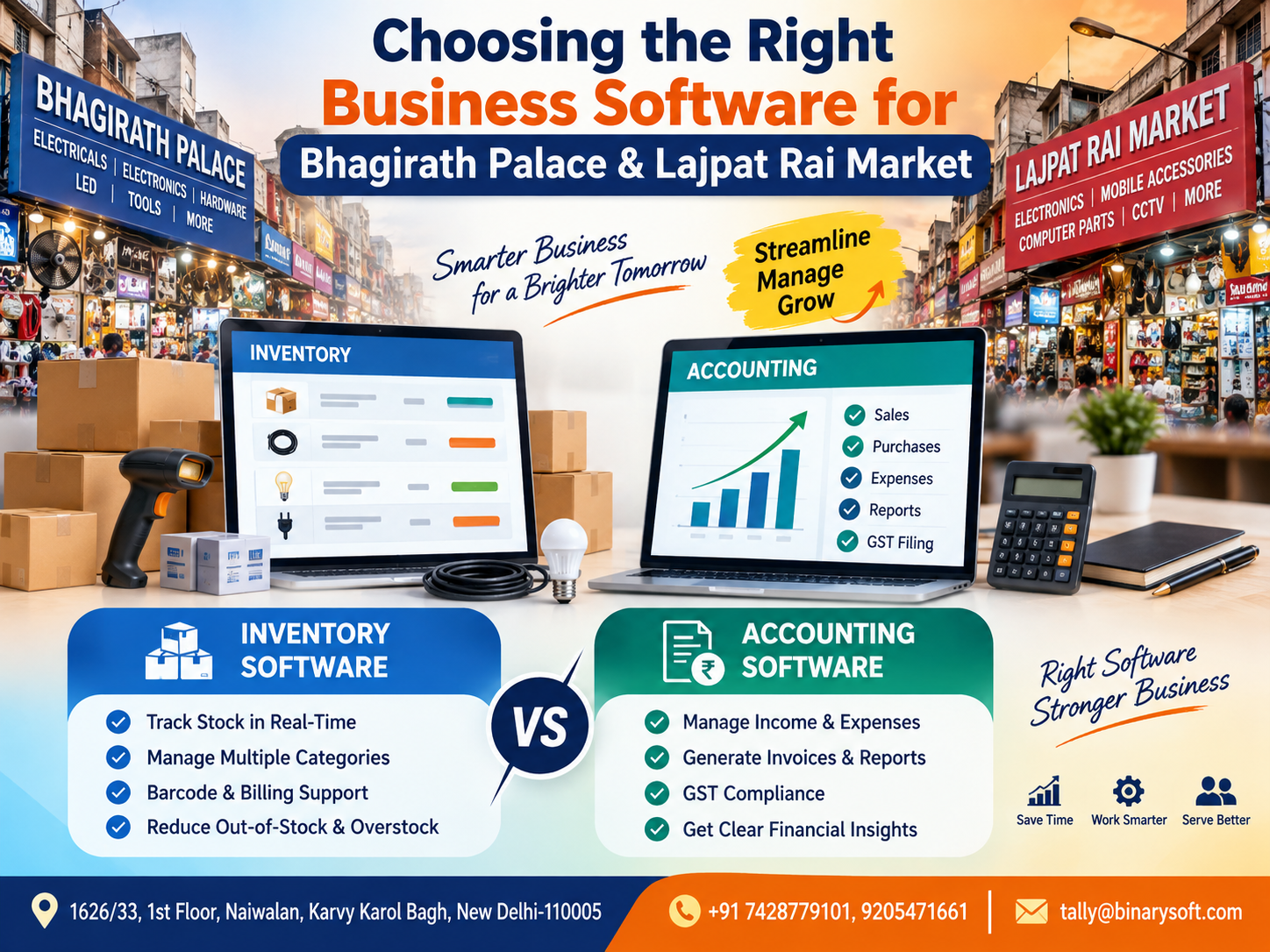
In 2026, running a trading business in busy commercial hubs such as Bhagirath Palace and Lajpat Rai Market increasingly means managing far more than purchase and sales entries. Businesses may need to track hundreds or thousands of stock items, changing purchase costs, customer balances, supplier payments, GST-related records, returns and day-to-day cash flow. When inventory is maintained separately from accounting, even a small mismatch can create confusion between what the books show and what is actually available in the shop or warehouse. That pressure is pushing business owners to reconsider whether they need inventory software, accounting software or an integrated system that handles both. The right choice can reduce repetitive data entry, improve stock visibility, simplify financial reporting and give owners a clearer picture of business performance. For growing traders, software is no longer only about recording transactions—it can become an important part of everyday business control.
Understanding the Software Decision for Delhi Traders
Bhagirath Palace and Lajpat Rai Market are well-known commercial areas in Delhi where businesses may deal with electrical goods, electronics, components, accessories and many other products.
In such trading environments, speed matters.
A customer may ask whether a particular model is available. At the same time, another employee may be preparing an invoice while the purchase team is receiving new material from a supplier.
The business owner needs answers to several questions:
How much stock is available?
What was the purchase cost?
What is the selling price?
Which customers have outstanding payments?
How much money is payable to suppliers?
Which products are moving quickly?
What is the current financial position?
This is where the difference between inventory software and accounting software becomes important.
Both solutions serve valuable purposes, but they focus on different areas of business management.
What Is Inventory Management Software?
Inventory management software primarily focuses on the movement and availability of goods.
It helps businesses maintain records of products from the time they are purchased until they are sold, transferred, returned or adjusted.
For a trader dealing with hundreds of electrical or electronic items, manually checking stock every time a customer asks for a product can be difficult.
Inventory software can help maintain structured information about each item.
Depending on the software and configuration, businesses may be able to manage:
Stock items
Stock groups
Units of measurement
Opening stock
Purchases
Sales
Purchase returns
Sales returns
Warehouse or godown stock
Reorder levels
Batch information
Item rates
Stock valuation
Stock movement
Slow-moving inventory
Fast-moving inventory
Negative stock situations
This gives the business owner better visibility into physical inventory.
What Is Accounting Software?
Accounting software focuses primarily on the financial side of the business.
It records transactions and organizes them into accounts so that the owner or accountant can understand the financial position of the company.
Accounting software can typically help businesses manage:
Sales
Purchases
Receipts
Payments
Contra transactions
Journal entries
Customer ledgers
Supplier ledgers
Cash accounts
Bank accounts
Expenses
Outstanding receivables
Outstanding payables
Profit and Loss Account
Balance Sheet
Cash flow information
GST-related accounting
Tax-related records
Financial reports
While inventory software answers the question, “What stock do I have?”, accounting software generally answers, “What is happening financially in my business?”
Inventory Software vs Accounting Software: The Main Difference
The simplest way to understand the difference is to look at their primary objectives.
Inventory management software concentrates on products and quantities.
Accounting software concentrates on money and financial transactions.
For example, imagine that a Bhagirath Palace trader purchases 100 electrical components.
An inventory system may record:
Product name
Quantity received
Purchase rate
Current quantity
Warehouse location
Quantity sold
Remaining stock
An accounting system, meanwhile, may record:
Supplier invoice
Purchase amount
GST details
Amount payable
Payment made
Supplier outstanding balance
Impact on accounts
When these systems are separate, information may have to be entered more than once.
When inventory and accounting are integrated, a single business transaction can potentially update both stock and financial records.
A Story from a Busy Delhi Trading Counter
Consider a fictional business owner named Rajiv, who manages an electrical trading business serving retailers and contractors around Bhagirath Palace.
For years, his team followed a familiar routine.
Sales invoices were created on one system. Stock quantities were maintained separately. Supplier balances were checked through accounting records, while employees sometimes relied on spreadsheets or physical verification to confirm product availability.
The system appeared manageable until the business started receiving more orders.
One afternoon, an important customer urgently needed a large quantity of a particular electrical component.
Rajiv checked the stock record.
It showed sufficient quantity.
He confidently promised immediate delivery.
When his staff went to prepare the goods, they discovered that the actual quantity was much lower.
Some earlier sales had not been reflected correctly in the separate stock record.
The customer had already arranged transportation.
Rajiv had to explain the shortage.
The customer was frustrated, and Rajiv felt something worse than the loss of one order: he felt that his business records had let him down at the exact moment he needed them.
That evening, instead of focusing on new sales, Rajiv and his employees spent hours checking invoices against physical stock.
The problem was not that the team was careless.
The problem was that too many business processes depended on disconnected records.
After moving toward an integrated approach where sales, purchases, inventory and accounts were maintained together, everyday decisions became easier.
Rajiv could look at business information before making commitments instead of depending on assumptions.
For a busy trader, that confidence can be as valuable as the software itself.
Why Inventory Management Matters in Bhagirath Palace
Trading businesses can have large product catalogues.
Electrical and electronic products may also contain multiple brands, models, specifications, sizes and price ranges.
Suppose a business sells switches, cables, lighting products, connectors, electrical accessories and related items.
Knowing that “electrical stock” worth ₹10 lakh is available is not enough.
The owner needs item-level information.
Which cable size is available?
How many units of a particular switch remain?
Which brand is selling faster?
Which items have not moved for months?
Which products need to be reordered?
Which items are generating regular sales?
Effective inventory management helps answer these operational questions.
Why Accounting Software Matters for Lajpat Rai Market Traders
Financial control is equally important.
A business may generate strong sales but still experience cash-flow pressure if customers do not pay on time or supplier liabilities are not tracked properly.
Accounting software helps owners understand the relationship between sales, expenses, receivables, payables and profitability.
For example, a trader might generate ₹20 lakh in monthly sales.
That number alone does not reveal the complete financial picture.
The owner also needs to know:
How much money has actually been received?
How much remains outstanding?
How much is payable to suppliers?
What are the operating expenses?
What is the gross profit?
What is the net profit?
How much cash is available?
Without structured accounting, high sales can create a false sense of financial security.
Inventory vs Accounting Software: Feature Comparison
| Business Requirement | Inventory Software | Accounting Software |
|---|
| Stock quantity tracking |
Strong focus |
Available in integrated solutions |
| Item-wise movement |
Yes |
Depends on software |
| Purchase recording |
Inventory focused |
Financial and tax focused |
| Sales recording |
Quantity focused |
Accounting focused |
| Customer ledgers |
Limited in some systems |
Yes |
| Supplier ledgers |
Limited in some systems |
Yes |
| Receivables |
May be limited |
Yes |
| Payables |
May be limited |
Yes |
| Profit & Loss |
Usually limited |
Yes |
| Balance Sheet |
Usually limited |
Yes |
| Stock valuation |
Yes |
Available with inventory integration |
| GST records |
Depends on software |
Common in business accounting software |
| Cash and bank management |
Limited |
Yes |
| Reorder management |
Yes |
Depends on inventory capabilities |
| Business reports |
Stock oriented |
Financial oriented |
The actual features will depend on the software product, edition and configuration being used.
When Should You Choose Inventory Software?
Dedicated inventory software may make sense when physical stock control is the dominant requirement.
For example, a business may have:
A very large product catalogue
Multiple storage locations
Frequent stock transfers
High transaction volumes
Complex warehouse operations
Specialized barcode requirements
Detailed reorder planning
Batch or serial-number requirements
Advanced supply-chain workflows
In such situations, inventory management may need deeper functionality than basic accounting software provides.
However, the business still needs proper financial accounting.
That means data may eventually need to move between the inventory system and the accounting system.
When Should You Choose Accounting Software?
Accounting software can be appropriate when the primary need is financial record keeping.
This may include businesses where inventory is limited or relatively simple.
Service companies, consultants and businesses with minimal physical stock may not need advanced inventory management.
Their priorities may include:
Invoicing
Expense recording
Receivables
Payables
Bank transactions
GST records
Profitability
Financial statements
For these businesses, accounting software can be the central business system.
What If Your Business Needs Both?
This is a common situation for wholesalers, distributors and retailers.
A trading business generally cannot view stock and accounts as completely separate activities.
Every purchase affects inventory and accounts.
Every sale affects inventory, revenue and customer balances.
Every purchase return affects supplier accounts and stock.
Every sales return affects customer accounts and inventory.
That is why an integrated inventory and accounting system can be useful.
Instead of maintaining disconnected records, transactions can flow through a common system.
How Integrated Software Changes a Sales Transaction
Consider a trader selling 50 units of an electrical product.
With disconnected systems, the business may have to:
Create the sales invoice.
Update the inventory system.
Record the transaction in accounting software.
Update the customer balance.
Calculate applicable taxes.
Check the payment status.
This creates repetitive work.
With an integrated system, entering the sales transaction can update several related records depending on the configuration.
The system may simultaneously affect:
Sales value
Stock quantity
Customer ledger
Tax records
Outstanding receivable
Profit-related reports
Inventory valuation
This reduces the need to enter the same transaction multiple times.
Role of TallyPrime in Inventory and Accounting
TallyPrime is widely used by businesses for accounting and business management requirements.
For trading businesses, it can combine accounting and inventory functions within the same environment.
Businesses can configure TallyPrime according to their operational requirements and use features related to areas such as:
Accounting
Inventory management
GST
Sales and purchases
Receivables and payables
Banking
Stock groups and items
Godowns or locations
Order processing
Cost centres, where applicable
Financial reporting
Business reports
The suitability of individual features depends on the specific workflow, business size and TallyPrime version or configuration.
Stock Groups Can Make Inventory Easier to Understand
Businesses with hundreds of products should avoid maintaining an unstructured item list.
Products can be organized into logical categories.
For example:
Electrical Cables
Switches
Lighting Products
LED Products
Connectors
Meters
Tools
Accessories
Industrial Electrical Items
Brand-wise categories can also be created where appropriate.
Structured stock grouping makes reports easier to understand and helps employees locate products more efficiently.
Managing Multiple Godowns or Locations
Some Delhi traders maintain goods in more than one place.
They may have:
Shop stock
Main warehouse
Secondary warehouse
Dispatch area
Temporary storage
Keeping location-wise stock information can help businesses understand where goods are physically available.
Instead of knowing that 500 units exist somewhere in the organization, the owner can determine how the quantity is distributed across locations.
This becomes especially useful when customers require immediate dispatch.
Inventory Valuation and Its Importance
Stock is not merely a physical quantity.
It represents money invested in goods.
If a business has ₹30 lakh tied up in inventory, the owner should understand how that investment is distributed.
Inventory reports can help identify:
High-value stock
Fast-moving items
Slow-moving items
Non-moving products
Excess quantities
Low-stock items
This information can support purchasing decisions.
A business that repeatedly purchases slow-moving items may lock working capital into products that take months to sell.
Reorder Planning Can Prevent Lost Sales
One of the most frustrating situations for a trader is receiving a confirmed order and discovering that the required item is unavailable.
Reorder planning can help reduce this risk.
Businesses can determine suitable minimum quantities based on factors such as:
Historical sales
Supplier lead time
Seasonal demand
Customer requirements
Storage capacity
Working capital
Instead of waiting until inventory reaches zero, purchasing decisions can be made earlier.
Customer Outstanding Management
Accounting software is particularly useful for credit-based businesses.
Suppose a trader has 300 customers.
Some pay immediately.
Others pay after 15, 30 or 45 days.
Without systematic outstanding management, overdue payments can easily go unnoticed.
Accounting reports can help identify:
Customer-wise outstanding amounts
Pending invoices
Overdue balances
Total receivables
Payment history
This helps businesses follow up more systematically.
Supplier Payables and Purchase Planning
The same principle applies to suppliers.
Business owners need to know:
Which supplier needs to be paid?
How much is due?
When is payment expected?
Which purchases remain unpaid?
How much total liability exists?
Accurate payable information supports better cash-flow planning.
It can also help maintain smoother supplier relationships.
GST and Business Records
For GST-registered businesses, transaction accuracy is important.
Sales and purchase records need to contain appropriate information based on the nature of the transaction and applicable requirements.
A properly configured accounting system can help organize GST-related transaction data alongside business accounts.
Businesses should ensure that tax rates, GSTIN details, item classification and other required information are configured accurately.
Software can support the process, but the accuracy of the underlying data remains essential.
The Problem with Managing Everything in Excel
Excel remains extremely useful for analysis, calculations and specialized reporting.
However, using multiple spreadsheets as the primary system for daily inventory and accounting can create challenges as transaction volumes increase.
Typical problems include:
Duplicate entries
Accidental deletion
Formula errors
Multiple versions of the same file
Difficulty tracking changes
Delayed stock updates
Incorrect opening or closing balances
Limited transaction controls
Difficulty linking stock with accounting
For small datasets, spreadsheets may work well.
As operations grow, a structured business system can reduce dependence on manually synchronized files.
Inventory Accuracy Directly Affects Customer Experience
Inventory management is not only an internal accounting issue.
It can directly influence customer satisfaction.
Imagine a customer calling a Lajpat Rai Market supplier and asking:
“Do you have 200 pieces available?”
If the employee cannot provide a reliable answer, the customer may contact another supplier.
Accurate inventory information allows businesses to respond more confidently.
Fast information can become a competitive advantage in markets where customers compare several suppliers before placing an order.
Accounting Accuracy Supports Better Decisions
Consider two businesses.
Business A generates ₹50 lakh in sales.
Business B generates ₹40 lakh.
At first glance, Business A appears stronger.
But suppose Business A has high expenses, large overdue receivables and low margins.
Business B may actually be financially healthier.
This is why sales figures alone cannot tell the full story.
Accounting reports help owners examine profitability, liabilities, assets, expenses and cash flow.
Questions to Ask Before Selecting Business Software
Before purchasing or implementing software, define your actual requirements.
Ask:
How many invoices do we create daily?
How many stock items do we manage?
Do we have multiple godowns?
Do we sell on credit?
Do we need GST-related records?
How many people will use the software?
Do we need item-wise profitability?
Do we require order processing?
Do we need remote access?
Do we currently enter the same data multiple times?
Which reports are essential for management?
These questions help prevent businesses from choosing software simply because it has a long feature list.
Avoid Choosing Software Only on Price
Price matters, but it should not be the only factor.
A low-cost solution can become expensive if employees spend hours correcting records or entering transactions into several systems.
Similarly, purchasing a highly complex solution with features the business never uses may create unnecessary cost and training requirements.
The objective should be to find a practical balance between:
Business requirements
Ease of use
Features
Scalability
Support
Implementation
Training
Cost
Reporting
Compliance requirements
Training Is as Important as Software
Even capable software will not automatically improve a business if users do not understand how to operate it correctly.
Employees should understand:
How to create masters
How to enter purchases
How to create sales invoices
How to record payments
How to record receipts
How to handle returns
How to check stock
How to view outstanding reports
How to correct mistakes appropriately
How to maintain backups
Good implementation combines software, configuration and user training.
Inventory and Accounting Software for Growing Businesses
A business that currently handles 20 transactions per day may eventually process 100 or more.
Its software should support growth without forcing the company to redesign every process immediately.
Growing businesses should consider:
Transaction volume
Number of users
Number of products
Warehouses
Reporting needs
Data security
Backup procedures
Remote working requirements
Integration requirements
Future expansion
Choosing with future requirements in mind can reduce the disruption of changing systems later.
How Better Software Can Improve Daily Operations
The biggest advantage of an organized business system is not simply automation.
It is visibility.
A business owner should ideally be able to understand important operational and financial information without spending hours combining reports manually.
Questions such as these should be easier to answer:
What did we sell today?
Which products are running low?
Who owes us money?
Whom do we need to pay?
What are our major expenses?
What stock is available?
How is the business performing?
When information is organized, decision-making can become faster.
Inventory Software, Accounting Software or Integrated Software?
There is no universal answer for every business.
A company with complex warehouse operations may require specialized inventory capabilities.
A professional service business may primarily need accounting.
A wholesaler or retailer may benefit from an integrated solution because inventory and financial transactions are closely connected.
For businesses operating in Bhagirath Palace and Lajpat Rai Market, the decision should be based on actual transaction patterns rather than simply selecting the software with the most features.
The objective is to reduce unnecessary manual work while improving control over stock, money and business information.
Why Businesses Should Review Their Existing System
Business processes change.
A system that worked when a company had 100 products and five invoices per day may become difficult when it has 2,000 products and dozens of daily transactions.
Warning signs that your existing process may need improvement include:
Frequent stock mismatches
Repeated manual data entry
Difficulty checking customer outstanding balances
Delayed financial reports
Too many Excel files
Unclear supplier balances
Negative stock appearing frequently
Employees depending on one person for information
Difficulty determining profitability
Frequent invoice corrections
These problems may indicate that the business has outgrown its current workflow.
Conclusion
Choosing between inventory software and accounting software should begin with understanding what your business actually needs to control.
Inventory software primarily helps businesses manage products, quantities, stock movement, availability and valuation. Accounting software focuses on financial transactions, ledgers, receivables, payables, expenses, profitability and financial statements.
For many traders in Bhagirath Palace and Lajpat Rai Market, however, these two areas are closely connected.
A sale changes both stock and accounts. A purchase affects inventory as well as supplier liabilities. Returns, payments, taxes and outstanding balances also connect operational activity with financial records.
An integrated business management approach can therefore help reduce duplicate work and provide better visibility across everyday operations.
The goal is not simply to digitize old processes. It is to build a system where business owners can access reliable information when they need it and make decisions with greater confidence.
Powered by Binarysoft Technologies
Authorized Tally Partner
Location: 1626/33, 1st Floor, Naiwalan, Karol Bagh, New Delhi – 110005, INDIA
Contact us: +91 7428779101, 9205471661
Email us: tally@binarysoft.com
Working Hours: 10:00 AM – 6:00 PM, Mon–Fri
Frequently Asked Questions
What is the main difference between inventory software and accounting software?
Inventory software primarily manages stock quantities, product movement, warehouses and inventory-related information. Accounting software primarily manages financial transactions, ledgers, payments, receipts, expenses and financial reports.
Does a trading business need both inventory and accounting software?
Many trading businesses need functionality from both because purchases and sales affect both inventory and financial accounts. An integrated solution can reduce the need to maintain separate records.
CA. Rohin Mehtaal is a Chartered Accountant with experience in accounting systems, audit support, and GST compliance. He has assisted businesses in adopting structured financial processes and improving inventory accuracy. His writing emphasizes clarity, control, and data-driven decision making.