Call CA Tally HelpDesk
+91 9205471661,
7428779101
What Changed in 2026: Financial Reporting Needs More Than Accurate Bookkeeping
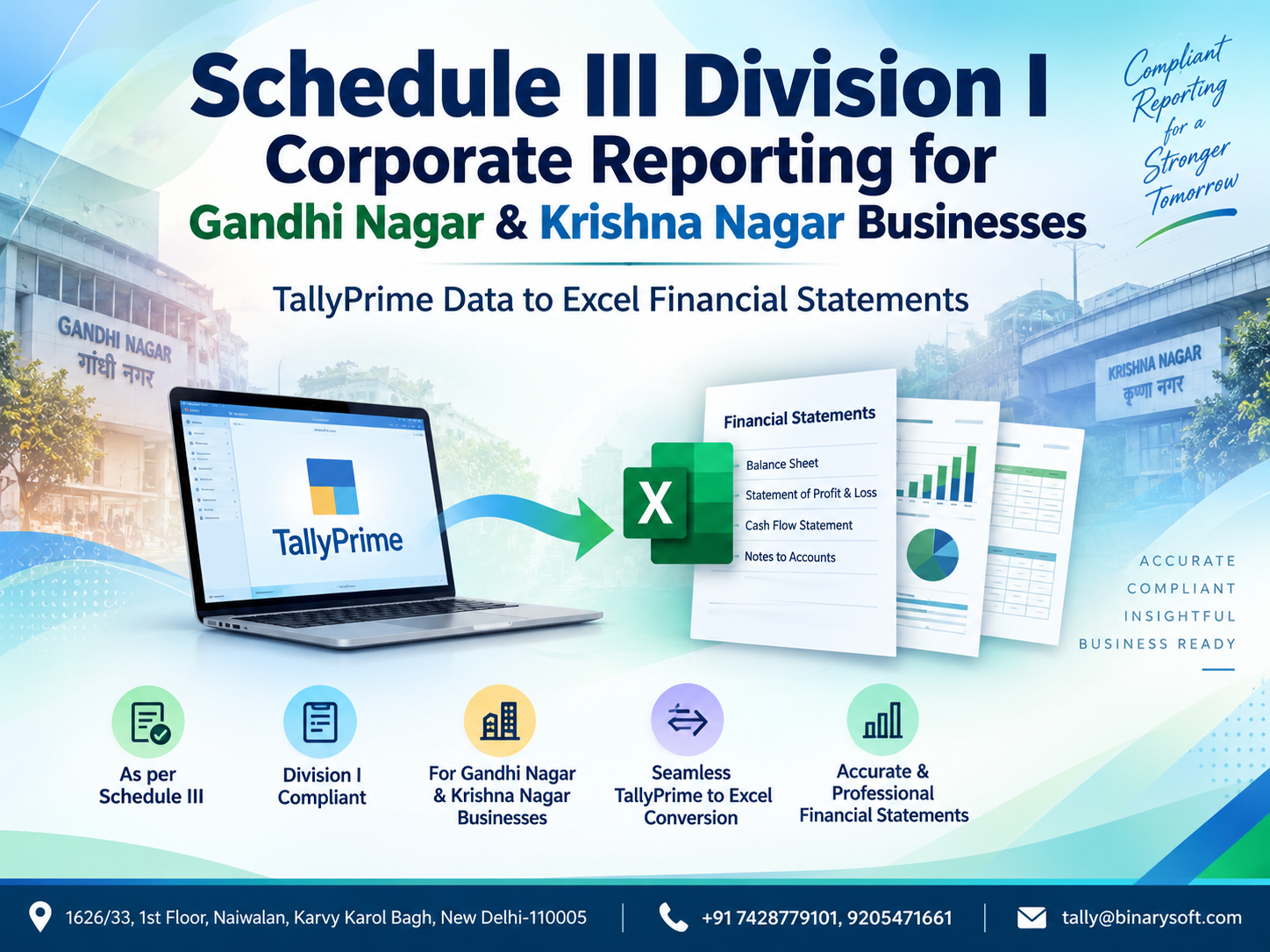
In 2026, businesses operating from Gandhi Nagar and Krishna Nagar are increasingly expected to maintain accounting records that can be converted quickly into structured, review-ready corporate financial statements. Maintaining accurate vouchers in TallyPrime is only the starting point. For companies covered by Schedule III Division I of the Companies Act framework, the bigger challenge is transforming ledger balances, inventory figures, receivables, borrowings, expenses and statutory information into properly classified Balance Sheet, Statement of Profit and Loss and supporting notes. When this process depends heavily on manual Excel entry, year-end reporting can become stressful, especially when classifications change or auditors request revised figures. A structured TallyPrime-to-Excel reporting workflow can reduce repetitive work, improve reconciliation and create a clearer trail between books of account and final financial statements. For growing businesses, that means faster preparation, easier review and more confidence when financial reporting deadlines approach.
Understanding Schedule III Division I Corporate Reporting
Schedule III provides the presentation framework for financial statements of companies governed by the Companies Act, 2013. Division I broadly relates to companies whose financial statements comply with Accounting Standards rather than Ind AS.
For a business, maintaining correct accounting records and preparing financial statements are connected but distinct activities. Day-to-day transactions may be recorded correctly in TallyPrime, but the year-end financial statements still require proper grouping, classification, disclosures and presentation.
This is where a structured TallyPrime-to-Excel financial statement process becomes valuable.
Businesses can maintain their detailed accounting data in TallyPrime and use a carefully designed Excel financial statement template to map the relevant balances into Schedule III Division I reporting heads.
The objective is not simply to copy numbers from one application to another. The objective is to establish a controlled reporting process in which every major financial statement figure can be traced back to the underlying accounting records.
Why Gandhi Nagar & Krishna Nagar Businesses Need Structured Financial Reporting
Gandhi Nagar is associated with a large ecosystem of garment traders, wholesalers, manufacturers, distributors and related businesses. Krishna Nagar and surrounding East Delhi commercial areas similarly include retailers, wholesalers, service providers and growing enterprises.
As businesses expand, their accounting requirements become more complicated.
A company may have hundreds or thousands of transactions involving:
Sales invoices
Purchase invoices
GST
Trade receivables
Trade payables
Inventory
Bank transactions
Employee expenses
Loans and borrowings
Fixed assets
Depreciation
Advances
Duties and taxes
Other income
Administrative expenses
Finance costs
Recording these transactions is one part of financial management.
Converting them into a structured corporate financial statement is another.
A well-designed reporting system connects both processes.
From TallyPrime Books to Schedule III Financial Statements
A typical reporting workflow can be understood as:
Business Transactions → TallyPrime Accounting → Trial Balance → Ledger Mapping → Excel Financial Statement Template → Schedule III Classification → Reconciliation → Review → Final Financial Statements
Each stage is important.
If the accounting entries are incorrect, the financial statements will be incorrect.
If the accounting entries are correct but the mapping is wrong, the presentation may still be incorrect.
Therefore, businesses should focus on both accounting accuracy and financial statement classification.
What Is Schedule III Division I?
Schedule III to the Companies Act, 2013 specifies requirements relating to the form and presentation of financial statements for applicable companies.
Division I is relevant to companies following the Accounting Standards framework applicable to them rather than the Ind AS presentation framework covered by Division II.
Depending on the entity and applicable requirements, financial statements can involve:
Balance Sheet
Statement of Profit and Loss
Notes forming part of financial statements
Comparative information
Accounting policies and disclosures
Additional regulatory disclosures
Other information required under applicable corporate reporting requirements
The exact disclosures applicable to a company should be determined with reference to the current legal and accounting requirements and the company's individual circumstances.
Why TallyPrime Is Important in the Reporting Process
TallyPrime can act as the primary accounting data source from which financial information is extracted.
Businesses can maintain ledgers, vouchers, inventory and statutory information throughout the financial year.
Instead of preparing the annual financial statements from disconnected spreadsheets, accounting teams can begin with the balances already maintained in TallyPrime.
This improves continuity between daily accounting and year-end reporting.
A properly maintained company in TallyPrime may contain information relating to:
Sales
Purchases
Direct expenses
Indirect expenses
Other income
Sundry debtors
Sundry creditors
Cash
Bank accounts
Loans
Duties and taxes
Fixed assets
Investments
Inventory
Capital and reserves-related ledgers
Provisions
Advances
Deposits
Other assets and liabilities
These balances become the foundation for financial statement preparation.
Why Use Excel Along with TallyPrime?
Excel remains useful because corporate financial statements require structured presentation, mapping, schedules, calculations and disclosures.
The purpose of Excel should not be to create an entirely separate accounting system.
Instead, Excel can operate as the financial reporting layer.
TallyPrime remains the accounting source, while Excel organizes selected information into the required reporting structure.
A well-designed Excel workbook can contain separate sheets for:
Trial Balance
Ledger Mapping
Balance Sheet
Statement of Profit and Loss
Notes to Accounts
Fixed Asset Schedule
Borrowings
Trade Receivables
Trade Payables
Inventory
Tax-related balances
Related disclosures
Previous-year comparison
Validation checks
This structure makes the workbook easier to review and maintain.
The Emotional Side of Year-End Reporting: A Gandhi Nagar Business Story
Consider a growing garment company in Gandhi Nagar.
For years, its accounting team had maintained sales, purchases, GST, expenses and bank transactions in TallyPrime. Business was expanding, turnover was increasing and the company was dealing with more suppliers and customers than ever before.
The management believed the year-end accounts would be straightforward because all transactions were already recorded.
Then financial statement preparation started.
The accountant exported the trial balance into Excel. Suddenly, questions appeared everywhere.
Where should this security deposit be classified?
Which customer balances required separate reporting?
Were these advances current or non-current?
Why did the inventory figure in the financial statement workbook differ from the books?
Which previous-year figures should be presented?
A workbook was emailed to the auditor. Corrections came back. Another version was prepared. Then another.
Late one evening, the business owner looked at his accountant and asked a simple question:
“If everything is already in Tally, why are we entering the same numbers again?”
That question changed their approach.
Instead of treating year-end reporting as an isolated Excel exercise, the company created a structured mapping between its TallyPrime ledgers and its financial statement template.
The next reporting cycle was different.
The accounting team knew where each ledger belonged. Reconciliation checks were built into the workbook. Adjustments could be identified quickly. Review became more systematic.
The biggest improvement was not merely saving time.
It was removing uncertainty.
For a growing business, knowing exactly where financial figures originate can provide management and accountants with much greater confidence during reporting and audit preparation.
Step 1: Clean and Review TallyPrime Accounting Data
Before exporting information to Excel, review the accounting records.
Do not begin financial statement preparation with an unreconciled trial balance.
Review major areas such as:
Opening balances
Sales and purchase ledgers
Customer balances
Supplier balances
Cash and bank accounts
Loans and borrowings
Fixed assets
Inventory
GST-related ledgers
TDS-related ledgers, where applicable
Advances
Deposits
Employee-related liabilities
Provisions
Other income
Direct and indirect expenses
Suspense or temporary ledgers
Unusual debit or credit balances
Incorrect ledger grouping can create problems later.
For example, a loan ledger incorrectly grouped as a sundry creditor can affect financial statement classification even though the trial balance itself still balances.
Step 2: Generate the Trial Balance from TallyPrime
The trial balance is one of the most important starting points for preparing financial statements.
It provides the closing balances of accounting ledgers and groups.
Before using the trial balance for final reporting, accountants should confirm that necessary year-end entries and adjustments have been considered.
Depending on the business, these may include:
Depreciation
Outstanding expenses
Prepaid expenses
Accrued income
Provision-related entries
Inventory adjustments
Tax adjustments
Interest calculations
Bad debt or expected recovery-related adjustments where applicable
Year-end reclassification entries
Other auditor-approved adjustments
Once the accounting records are reviewed, the trial balance can be exported for further reporting.
Step 3: Export TallyPrime Data to Excel
TallyPrime reports can be exported into formats suitable for further analysis and reporting.
The exported information can then be incorporated into the company's financial statement workbook.
A controlled workflow is preferable to repeatedly copying individual figures manually.
The exported data should ideally contain sufficient information to identify each ledger, such as:
Ledger name
Group
Opening balance where relevant
Debit movement
Credit movement
Closing balance
Additional classification field, if maintained separately
After export, avoid modifying the original source-data sheet unnecessarily.
Instead, use another sheet for mapping and reporting.
Step 4: Create a Ledger Mapping Sheet
Ledger mapping is one of the most important elements of a TallyPrime-to-Schedule III reporting workflow.
Suppose TallyPrime contains these ledgers:
HDFC Bank
ABC Garments Pvt. Ltd.
XYZ Textiles
Office Security Deposit
Plant & Machinery
Term Loan
Electricity Expenses
Freight Inward
Interest on Loan
These ledger names do not necessarily appear as individual line items on the face of the financial statements.
They must be mapped to relevant reporting categories.
A mapping structure may include:
Tally Ledger Name
Tally Group
Schedule III Main Head
Schedule III Sub-Head
Note Number
Current/Non-Current Classification
Debit/Credit Treatment
Current-Year Amount
Previous-Year Amount
Remarks
Once the mapping structure is established, future reporting becomes considerably easier.
Step 5: Prepare the Balance Sheet
The Balance Sheet presents the company's financial position as at the reporting date.
Broad classifications generally include equity and liabilities on one side of the reporting structure and assets on the other.
Depending on the applicable Schedule III requirements and the company's circumstances, relevant categories can include:
Equity and Liabilities
Share capital
Reserves and surplus
Borrowings
Trade payables
Other financial obligations where applicable under the reporting framework
Other current liabilities
Provisions
Tax-related liabilities
Other relevant balances
Assets
Property, plant and equipment
Intangible assets
Investments
Loans and advances or other applicable asset categories
Inventories
Trade receivables
Cash and cash equivalents
Bank balances
Other current assets
Other non-current assets
Correct classification is essential because the same accounting balance may require further analysis before it can be presented appropriately.
Current vs Non-Current Classification
One common challenge during financial statement preparation is determining whether an asset or liability should be classified as current or non-current.
Accounting software may contain the ledger balance, but it may not automatically know all the contractual and reporting circumstances necessary for Schedule III classification.
For example, a business may have:
Long-term deposits
Short-term advances
Term loans
Current maturities
Employee advances
Security deposits
Receivables outstanding for different periods
Each balance should be reviewed according to applicable accounting and Schedule III requirements.
This is why financial reporting cannot rely purely on automated ledger names.
Professional review remains important.
Step 6: Prepare the Statement of Profit and Loss
The Statement of Profit and Loss explains the company's financial performance during the reporting period.
Relevant categories may include:
Revenue from operations
Other income
Cost-related items
Purchases
Changes in inventories
Employee benefit expenses
Finance costs
Depreciation and amortisation
Other expenses
Tax expense
Profit or loss for the period
The exact presentation and supporting disclosures depend on applicable requirements.
TallyPrime expense and income ledgers should therefore be mapped carefully.
For example, expenses should not simply be grouped together because they appear under “Indirect Expenses” in the accounting software.
They may require separate classification or disclosure in the financial statements.
Step 7: Prepare Notes to Financial Statements
The face of the Balance Sheet and Statement of Profit and Loss provides summarized figures.
Detailed information is generally presented through accompanying notes.
For example, instead of showing every customer separately in the Balance Sheet, the financial statements may present an aggregated trade receivables amount with further details in the relevant note.
A structured Excel template can therefore contain note schedules linked to the main financial statements.
This reduces repeated manual calculations.
If a note changes, the related Balance Sheet or Profit and Loss figure should update automatically through formulas.
Trade Receivables Reporting
For wholesalers and traders in Gandhi Nagar and Krishna Nagar, trade receivables can represent a significant portion of working capital.
The accounting system may contain customer-wise balances, while financial reporting can require additional analysis.
Businesses should maintain accurate customer ledgers and regularly reconcile outstanding amounts.
An Excel reporting layer can be used to prepare relevant classifications and ageing analyses from the accounting data, subject to the applicable disclosure requirements.
This helps management understand not only the total amount receivable but also how long customer balances have remained outstanding.
Trade Payables Reporting
Supplier balances require similar attention.
Businesses purchasing garments, fabrics, packaging materials, machinery, accessories or other goods may have hundreds of supplier accounts.
A financial statement preparation process should ensure that trade payable balances agree with the books and are classified appropriately.
Applicable disclosures may also require additional analysis, including information relating to MSME suppliers where relevant.
Therefore, businesses should maintain proper supplier master information rather than attempting to collect all details only at year-end.
Inventory Reporting for Trading and Manufacturing Businesses
Inventory can be particularly important for Gandhi Nagar businesses dealing in garments, fabrics and related goods.
Typical inventory categories may include:
Raw materials
Work-in-progress
Finished goods
Stock-in-trade
Packing material
Consumables
Other inventory
TallyPrime can help maintain inventory quantities and values, but the final financial statement figures should still be reconciled with the applicable inventory valuation and accounting policies.
Businesses should also consider physical stock verification and year-end inventory adjustments where required.
A difference between physical inventory and accounting inventory should be investigated rather than simply adjusted in the final Excel workbook.
Fixed Assets and Depreciation
Companies may own:
Computers
Office equipment
Furniture
Vehicles
Plant and machinery
Electrical installations
Factory equipment
Other fixed assets
The accounting records should be reconciled with the detailed fixed asset register.
An Excel fixed asset schedule can provide:
Opening gross carrying amount
Additions
Disposals
Closing amount
Opening accumulated depreciation
Current-year depreciation
Depreciation on disposals
Closing accumulated depreciation
Closing carrying amount
The resulting totals can then be linked to the appropriate financial statement note.
Borrowings and Loans
Borrowings may include:
Bank loans
Term loans
Working capital facilities
Loans from directors or related parties, where applicable
Other secured or unsecured borrowings
The accounting balance alone may not provide every disclosure required for financial reporting.
Supporting information may be required regarding:
Nature of borrowing
Security
Repayment terms
Current/non-current portion
Interest
Defaults, if any
Other applicable disclosures
Therefore, the financial reporting workbook should combine accounting balances with relevant supporting information.
GST and Statutory Ledger Reconciliation
Businesses should reconcile statutory ledgers before finalizing financial statements.
GST-related balances may include:
Input tax credit
Output GST
GST payable
Reverse charge-related balances
Other adjustments
Differences between accounting records and statutory returns should be investigated.
The same principle applies to other statutory balances such as TDS where applicable.
A financial statement should not become the place where unexplained reconciliation differences are hidden.
Resolve the underlying accounting issue wherever possible.
Building a Smart Excel Financial Statement Template
A strong Excel reporting template should be designed for repeat use.
Instead of creating a new workbook every year, businesses can maintain a standardized structure.
For example:
Sheet 1: Company Information
Sheet 2: Trial Balance Import
Sheet 3: Ledger Mapping
Sheet 4: Balance Sheet
Sheet 5: Statement of Profit and Loss
Sheet 6 onward: Notes and Supporting Schedules
Additional sheets can contain reconciliation and validation checks.
The workbook can use formulas such as SUMIFS, XLOOKUP and structured references where appropriate.
The goal should be to minimize hard-coded financial statement values.
Why Hard-Coded Numbers Should Be Reduced
Consider a Balance Sheet containing a trade receivables figure of ₹48,75,000.
If somebody manually types that amount into the Balance Sheet, there may be no direct link to the supporting schedule.
Later, if an adjustment reduces receivables by ₹1,25,000, someone must remember to change both locations.
This creates risk.
A better approach is:
Trial Balance → Mapping → Receivable Schedule → Balance Sheet
When the source amount changes, linked formulas can update the reporting figures.
This improves consistency.
Add Validation Controls to the Excel Workbook
A financial statement workbook should contain checks that immediately highlight discrepancies.
Important controls can include:
Balance Sheet difference
Trial Balance debit-credit difference
Mapped vs unmapped ledger difference
Profit reconciliation
Current-year mapping difference
Previous-year comparison check
Notes-to-main-statement reconciliation
Fixed asset reconciliation
Inventory reconciliation
These checks help accountants identify problems before the workbook reaches management or auditors.
Identify Unmapped Ledgers Automatically
One of the most useful controls is an unmapped ledger report.
Suppose the accounting team creates a new ledger:
“Warehouse Maintenance Charges”
If the financial statement mapping sheet has never seen this ledger before, it should not silently disappear from reporting.
Instead, the workbook should flag it as:
UNMAPPED
The accountant can then review the ledger and assign the correct reporting category.
This single control can prevent significant reporting errors.
Previous-Year Comparative Figures
Corporate financial statements generally involve comparative information.
Therefore, a good Excel template should maintain separate columns for the current and previous reporting periods.
For example:
Particulars | Note | 31 March 2026 | 31 March 2025
Maintaining consistent mapping between years also improves comparability.
If a ledger's classification changes, the accounting and reporting team should assess the appropriate treatment and presentation rather than merely shifting the current-year figure.
Advantages of TallyPrime-to-Excel Financial Statement Preparation
A properly implemented reporting workflow can provide several operational benefits.
Faster Year-End Closing
Accounting information does not need to be manually recreated from scratch.
Better Accuracy
Linked schedules and formulas can reduce repetitive data-entry errors.
Improved Traceability
Financial statement amounts can be traced back through schedules and mapping to accounting ledgers.
Easier Review
Accountants, management and auditors can understand how figures have been classified.
Reusable Reporting Structure
The same framework can be updated for subsequent financial years.
Better Control Over Adjustments
Changes can flow through linked schedules instead of being manually updated in several places.
Common Mistakes Businesses Should Avoid
A technically balanced Balance Sheet does not necessarily mean the financial statements are correctly prepared.
Businesses should watch for issues such as:
Incorrect ledger grouping
Wrong current/non-current classification
Unmapped ledgers
Manual overwriting of formulas
Mismatch between notes and main statements
Unreconciled bank accounts
Incorrect inventory valuation
Unreconciled GST balances
Missing year-end adjustments
Incorrect previous-year figures
Incomplete fixed asset records
Supplier or customer balances requiring review
Missing supporting disclosures
These problems are easier to solve when identified early.
Monthly Accounting Can Make Annual Reporting Easier
Companies should not wait until the end of the financial year to clean their books.
A monthly or quarterly review can include:
Bank reconciliation
Customer reconciliation
Supplier reconciliation
GST reconciliation
Inventory review
Fixed asset additions
Loan balances
Suspense accounts
Advance balances
Statutory liabilities
Ledger grouping
Unusual balances
When these areas are reviewed throughout the year, year-end financial statement preparation becomes much more manageable.
TallyPrime and Excel: Different Roles, One Reporting Workflow
Businesses sometimes ask whether TallyPrime or Excel should be used for financial statements.
They do not necessarily have to compete.
TallyPrime can be the accounting engine.
Excel can be the structured reporting and presentation layer.
TallyPrime provides detailed transactional records.
Excel can provide customized Schedule III mapping, supporting schedules, comparative reporting, formulas and validation.
When the two are connected through a disciplined process, businesses can obtain the benefits of both.
Financial Reporting for Growing Gandhi Nagar Businesses
A garment trader may begin with a relatively small number of customers and suppliers.
As operations expand, the company may add:
Multiple product categories
Warehouses
Sales teams
More bank accounts
Credit customers
Additional suppliers
Online sales
Institutional customers
Manufacturing or job-work activities
Greater borrowing requirements
With growth comes additional accounting complexity.
The financial reporting system should therefore be scalable.
A structured ledger mapping system is much easier to scale than manually rebuilding the financial statements every year.
Financial Reporting for Krishna Nagar Companies
Businesses operating in Krishna Nagar may include retailers, distributors, service companies, professional businesses and companies serving customers across East Delhi and the NCR.
Regardless of sector, management needs reliable financial information.
Structured financial statements can help stakeholders understand:
Revenue performance
Profitability
Working capital
Receivables
Payables
Borrowings
Inventory
Cash position
Expenses
Asset utilization
Financial reporting should therefore be viewed not only as a compliance exercise but also as an important management-information process.
Create a Clear Audit Trail
Every important figure in the final financial statements should ideally have a clear path back to supporting accounting information.
For example:
Balance Sheet → Trade Receivables Note → Ledger Mapping → TallyPrime Customer Ledgers
Or:
Profit & Loss → Finance Costs → Supporting Schedule → Interest Ledgers in TallyPrime
This traceability can make reviews more efficient and reduce confusion when questions arise.
Do Not Treat Excel as an Uncontrolled Final Adjustment Tool
A common reporting problem occurs when accountants start adjusting figures directly in Excel without updating the underlying books.
This can create two versions of financial reality:
TallyPrime books
Excel financial statements
Whenever appropriate, accounting adjustments should be recorded in the underlying accounting records after necessary review and approval.
The financial statements should then be refreshed accordingly.
Where reporting-only classifications or disclosure adjustments are required, they should be clearly documented.
Management Review Before Finalization
Before financial statements are finalized, management and the responsible accounting professionals should review significant areas.
These may include:
Major receivables
Old outstanding balances
Large payables
Loans
Related-party transactions
Inventory
Contingencies
Statutory liabilities
Fixed asset additions and disposals
Significant expenses
Exceptional transactions
Year-end provisions
This review can identify issues that cannot be detected merely through formulas.
Automation Should Support Professional Judgment
Automation can significantly reduce repetitive work, but it should not replace accounting judgment.
A formula can map a ledger.
It cannot always determine whether a balance should be current or non-current.
A spreadsheet can calculate totals.
It cannot independently determine whether every applicable disclosure has been provided.
TallyPrime can maintain transactions.
It cannot substitute for the professional evaluation required to prepare and approve statutory financial statements.
The strongest workflow combines automation with proper professional review.
A Practical Year-End Workflow for 2026
Businesses can structure their reporting cycle around the following sequence:
Close routine accounting entries.
Complete bank reconciliation.
Review customer and supplier balances.
Reconcile GST and other statutory accounts.
Verify inventory.
Update fixed assets.
Pass approved year-end adjustments.
Review the trial balance.
Export data from TallyPrime.
Import or update the Excel reporting workbook.
Check ledger mapping.
Investigate unmapped accounts.
Prepare supporting schedules.
Review current/non-current classifications.
Update comparative information.
Run validation checks.
Review notes and disclosures.
Reconcile financial statements back to the books.
Complete management and professional review.
Finalize the financial statements.
A documented workflow makes the process repeatable.
Why Businesses Should Prepare Before the Deadline
Waiting until the final reporting deadline creates unnecessary pressure.
Missing information may then require coordination between:
Accountants
Management
Banks
Customers
Suppliers
Tax professionals
Auditors
Company secretarial professionals
Other consultants
Starting earlier gives the business time to resolve discrepancies rather than merely work around them.
For Gandhi Nagar and Krishna Nagar businesses handling large transaction volumes, early reconciliation can be particularly valuable.
Moving from Bookkeeping to Financial Reporting Automation
Digital accounting should not stop at recording vouchers.
A modern finance workflow can move through:
Digital Transaction Recording
Automated Accounting
GST Compliance
Bank Reconciliation
Inventory Management
Trial Balance Preparation
Financial Statement Mapping
Schedule III Reporting
Management Reporting
Audit Support
Data Analysis
This represents a shift from basic bookkeeping toward integrated financial management.
Why Binarysoft Technologies?
Binarysoft Technologies helps businesses use Tally solutions for accounting, GST, inventory, reporting and business-process requirements.
For organizations that maintain accounting information in TallyPrime and subsequently work with Excel-based financial reporting formats, a properly structured workflow can reduce duplication and make accounting information easier to organize and review.
The objective should be to create a process where accounting data remains consistent, traceable and useful throughout the reporting cycle.
Businesses considering customized reporting, data integration, TallyPrime implementation or accounting automation should first evaluate their existing accounting structure, reporting requirements and desired output.
Conclusion
Schedule III Division I financial statement preparation requires much more than transferring a trial balance from TallyPrime into Excel. The real work involves reconciliation, ledger mapping, classification, supporting schedules, comparative information, disclosures, validation and professional review.
For companies operating in Gandhi Nagar and Krishna Nagar, especially businesses dealing with high volumes of sales, purchases, inventory, receivables and supplier transactions, a structured TallyPrime-to-Excel workflow can make corporate reporting significantly more organized.
TallyPrime can serve as the accounting foundation, while a properly designed Excel template can transform accounting balances into structured financial statements and supporting schedules.
The key principle is simple: avoid repeatedly typing the same financial information into disconnected files. Build a controlled reporting flow in which figures can be traced from the final financial statements back to the accounting records.
Businesses should also ensure that their final financial statements and disclosures are reviewed according to the Companies Act, applicable Accounting Standards, Schedule III requirements and other regulations applicable to their specific circumstances.
Frequently Asked Questions
What is Schedule III Division I?
Schedule III Division I provides a financial statement presentation framework for companies to which the relevant Accounting Standards framework applies rather than the Ind AS presentation framework under Division II, subject to the applicable legal requirements.
Can TallyPrime be used for Schedule III financial statement preparation?
TallyPrime can maintain the underlying accounting records and provide reports such as the trial balance, Balance Sheet, Profit & Loss and ledger information. Additional mapping, classification and disclosure work may be required for final Schedule III financial statements.
CA. Mayankh Singhaal is a Chartered Accountant experienced in accounting systems, statutory audits, and compliance advisory. He has worked with businesses across different sectors to improve reporting accuracy and inventory tracking. His writing focuses on structured growth and compliance-ready operations.