Call CA Tally HelpDesk
+91 9205471661,
7428779101
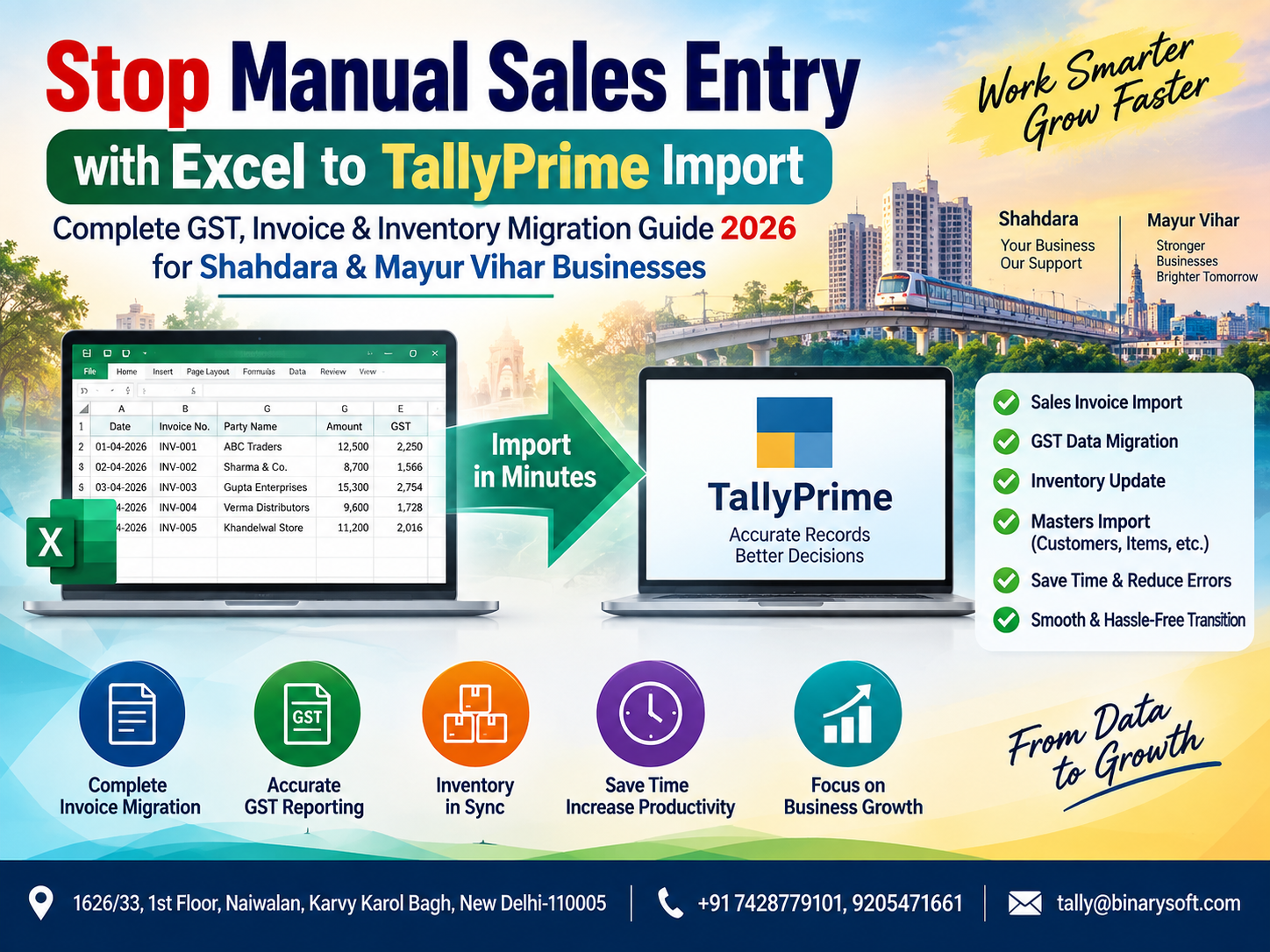
What Changed in 2026? Why Businesses Can No Longer Depend on Repetitive Manual Sales Entry
In 2026, businesses are handling more invoices, GST data, product SKUs, customer records and digital transactions than ever before. For traders, wholesalers, distributors and retailers in Shahdara and Mayur Vihar, manually entering hundreds or thousands of sales transactions from Excel into TallyPrime can consume valuable working hours and increase the possibility of duplicate invoices, incorrect GST rates, ledger mistakes and inventory mismatches. The pressure becomes even greater near GST return deadlines, month-end closing and financial reporting periods. The practical change is moving from repetitive data entry toward structured Excel-to-TallyPrime import workflows. When properly configured, businesses can prepare sales information in Excel and transfer it into TallyPrime with the required customer, invoice, GST, item, quantity, rate and accounting details. The benefit is straightforward: less repetitive work, faster accounting, cleaner records and more time for business owners and accounting teams to focus on review, compliance and growth.
Excel to TallyPrime Import: A Smarter Approach to Business Accounting
For many businesses, Microsoft Excel remains an important part of everyday operations.
Sales teams prepare reports in Excel. Warehouses maintain dispatch details in spreadsheets. E-commerce platforms provide downloadable reports. Billing applications export transaction data. Distributors receive order information in CSV or Excel formats.
The problem begins when all this information has to be entered again into TallyPrime manually.
Imagine receiving an Excel sheet containing 2,000 sales invoices.
If every invoice must be opened, checked and manually entered into TallyPrime, the accounts department may spend hours or even days completing the task.
More importantly, repetitive entry increases the possibility of human error.
A structured Excel to TallyPrime import process can help businesses transform existing spreadsheet data into accounting entries without typing every transaction again.
For businesses operating in busy commercial areas such as Shahdara and Mayur Vihar, this can become an important step toward accounting automation.
The Hidden Cost of Manual Sales Entry
Manual accounting does not only consume time.
It can create operational bottlenecks across the business.
Consider a wholesale distributor processing hundreds of invoices every day.
The sales team generates invoices from one system. The warehouse maintains dispatch information separately. The accounting team then receives Excel files and manually enters transactions into TallyPrime.
The same information may therefore be handled multiple times.
Every additional manual step creates another opportunity for mistakes.
Common problems can include:
- Incorrect invoice numbers
- Duplicate voucher entries
- Wrong customer ledger selection
- Incorrect GSTIN
- Incorrect GST rates
- Quantity mismatches
- Wrong item selection
- Missing discounts
- Incorrect taxable values
- CGST, SGST or IGST classification errors
- Incorrect sales ledger mapping
- Inventory differences
- Delayed accounting reports
- Pending reconciliation
The larger the transaction volume, the more difficult this process becomes to manage.
A Shahdara Business Owner Who Stopped Staying Late for Data Entry
Consider a fictional example of a distributor operating from Shahdara.
We will call him Rajesh.
His business supplied electrical and household products to retailers across Delhi NCR. Business was growing, which should have been good news.
But every increase in sales created another accounting problem.
His sales staff maintained daily invoices in Excel, while the accounting team manually entered the transactions into TallyPrime.
During normal weeks, the workload was manageable.
At month-end, everything changed.
Hundreds of transactions remained pending. His accountant stayed late trying to complete entries. Rajesh repeatedly checked whether sales figures were correct before sending reports to his tax consultant.
One evening, while the market was closing, Rajesh was still sitting in his office comparing two spreadsheets with TallyPrime.
A customer had already paid.
Goods had already been delivered.
The invoice existed.
Yet the accounting entry was still pending.
He realised his team was not creating new information. They were simply typing information that already existed.
The business reviewed its workflow and started preparing sales data in a structured Excel format suitable for import into TallyPrime.
After proper mapping, validation and testing, repetitive entry was reduced substantially.
For Rajesh, the biggest benefit was not simply saving keystrokes.
It was being able to leave the office knowing that his accounting team could spend more time checking business data instead of repeatedly typing it.
This fictional scenario reflects a common operational challenge faced by growing businesses.
What Is Excel to TallyPrime Import?
Excel to TallyPrime import is a workflow where business data stored in Microsoft Excel or another structured spreadsheet format is prepared, mapped and transferred into TallyPrime.
Depending on the business requirement and the available import mechanism, data can include:
Sales invoices
Purchase transactions
Receipt vouchers
Payment vouchers
Journal entries
Customer masters
Supplier masters
Stock items
Opening balances
Inventory transactions
GST information
Order information
Other structured accounting records
Instead of entering every voucher individually, businesses can prepare or transform existing data into a format compatible with the required TallyPrime workflow.
Why Shahdara Businesses Can Benefit from Excel to TallyPrime Import
Shahdara has a diverse business ecosystem comprising retailers, wholesalers, distributors, service providers and small and medium enterprises.
Many businesses receive information from multiple sources.
A salesperson may maintain orders in Excel.
A warehouse employee may update stock in another spreadsheet.
A billing counter may create invoices through separate software.
An accountant may then consolidate everything into TallyPrime.
When transaction volume increases, this fragmented workflow becomes difficult to manage.
Excel to TallyPrime migration can help consolidate structured information and reduce repetitive entry.
This is particularly useful for businesses dealing with:
High daily invoice volumes
Multiple customers
Large product catalogues
Frequent GST transactions
Wholesale billing
Distribution operations
Inventory management
Multiple sales channels
Regular Excel reports
Why Mayur Vihar Businesses Need Faster Accounting Workflows
Mayur Vihar businesses may face similar challenges.
Retail stores, distributors, professional businesses, service companies and growing enterprises increasingly use digital tools to manage different parts of their operations.
The problem is often not the absence of data.
The problem is moving that data between systems efficiently.
For example, suppose a business already has:
Invoice number
Invoice date
Customer name
GSTIN
Item name
HSN/SAC
Quantity
Rate
Taxable amount
GST rate
Total invoice amount
stored correctly in Excel.
Manually typing all these fields again into accounting software creates additional work without creating additional business value.
A properly planned import workflow can reduce that duplication.
What Business Data Can Be Prepared for TallyPrime Import?
The exact data that can be migrated depends on the source, structure, configuration and target accounting setup.
However, businesses commonly need to migrate the following categories.
1. Sales Invoice Data
Sales transactions are one of the biggest areas where automation can save time.
An Excel sales sheet may contain:
Invoice date
Invoice number
Customer name
Customer GSTIN
Place of supply
Product name
HSN/SAC
Quantity
Unit
Rate
Discount
Taxable amount
GST percentage
CGST
SGST
IGST
Round-off
Invoice total
The data should be carefully validated before import.
2. Customer Ledger Information
Customer information may include:
Customer name
Mailing name
Address
State
PIN code
GST registration type
GSTIN
Opening balance
Credit period
Contact details
Consistent ledger naming is particularly important.
If the Excel sheet contains "ABC Traders" while TallyPrime contains "ABC Traders Pvt Ltd," improper mapping could result in an unwanted ledger or failed mapping.
3. Inventory and Stock Items
Businesses maintaining inventory can prepare:
Stock item name
Stock group
Unit of measurement
Opening quantity
Opening rate
Opening value
HSN/SAC
GST rate
Batch details where applicable
Godown/location information where applicable
Correct item mapping is critical for meaningful stock reports.
4. Purchase Data
The same concept can also be applied to structured purchase information.
A purchase spreadsheet may include supplier, invoice, item, quantity, rate, GST and invoice-value details.
Before importing, businesses should verify whether supplier ledgers, GST settings and stock items already exist.
5. Receipt and Payment Information
Businesses handling large numbers of banking transactions may also need structured receipt and payment data.
Typical information can include:
Voucher date
Voucher number
Party ledger
Bank ledger
Amount
Reference number
Narration
Reconciliation should always be performed after migration.
How Excel to TallyPrime Import Works
A reliable import project should not begin by immediately uploading a large spreadsheet.
The process should be planned.
Step 1: Understand the Source Data
First identify where the information originates.
It could come from:
Excel worksheets
CSV exports
Legacy accounting software
Billing software
ERP systems
E-commerce reports
Point-of-sale systems
Custom business applications
Understanding the source makes it easier to determine what transformation is required.
Step 2: Clean the Excel Data
Data quality is one of the most important parts of successful migration.
Before import, check for:
Blank invoice numbers
Duplicate invoices
Incorrect dates
Missing GSTINs
Invalid tax rates
Blank item names
Inconsistent customer names
Incorrect quantities
Unexpected special characters
Incorrect numerical formats
Automation does not automatically correct poor-quality source data.
If incorrect information is imported, accounting reports may also become incorrect.
Step 3: Match Excel Columns with TallyPrime Fields
The next stage is field mapping.
For example:
| Excel Column | TallyPrime Requirement |
|---|
| Invoice Date |
Voucher Date |
| Invoice Number |
Voucher Number |
| Customer Name |
Party Ledger |
| Product |
Stock Item |
| Quantity |
Actual/Billed Quantity |
| Rate |
Item Rate |
| Taxable Value |
Assessable Value |
| GST Rate |
Applicable Tax Rate |
| Invoice Total |
Voucher Total |
Mapping should reflect the actual configuration used by the business.
Step 4: Verify Masters
Before importing vouchers, confirm that required masters are available and correctly configured.
These can include:
Customer ledgers
Supplier ledgers
Sales ledgers
Purchase ledgers
GST tax ledgers
Stock groups
Stock items
Units of measurement
Godowns
A mismatch between source data and masters can cause failed imports or incorrect accounting.
Step 5: Validate GST Information
GST-related information requires special attention.
Check:
GSTIN
State
Place of supply
Registration type
HSN/SAC
Tax rate
Taxable amount
CGST
SGST
IGST
For example, an intra-state transaction and an inter-state transaction may require different tax treatment.
Businesses should verify imported transactions before relying on them for compliance reporting.
Step 6: Perform a Small Test Import
Never begin a new migration process with thousands of live transactions.
Start with a small sample.
For example, import 5–20 representative invoices covering different scenarios.
These might include:
Local GST invoice
Interstate invoice
Multiple-item invoice
Discount invoice
Round-off invoice
Different GST rates
Then compare the imported vouchers with the source data.
Step 7: Verify the Results
After the test import, check:
Voucher totals
Ledger postings
GST calculations
Inventory quantities
Customer balances
Invoice numbering
Tax classification
Stock movement
Only after successful verification should the process be expanded.
Step 8: Import the Complete Dataset
Once the test results are correct, the validated dataset can be processed.
Even after a successful bulk import, reconciliation remains essential.
GST Migration: Why Accuracy Matters
GST is one of the most important considerations in accounting-data migration.
An invoice is not simply a total amount.
It contains tax attributes that influence GST reporting.
For example:
Customer location can influence place of supply.
Product classification can influence HSN/SAC.
Transaction type can influence whether CGST/SGST or IGST applies.
GST registration status can influence invoice treatment.
Therefore, Excel-to-TallyPrime import should be treated as a structured accounting process rather than a basic copy-and-paste exercise.
Excel Format Example for Sales Import
A structured spreadsheet could conceptually contain columns such as:
| Date | Invoice No. | Customer | GSTIN | State | Item | HSN | Qty | Rate | GST % | Taxable Value | Total |
|---|
| 01-09-2026 |
INV-001 |
ABC Traders |
GSTIN |
Delhi |
Product A |
HSN |
10 |
500 |
18 |
5,000 |
5,900 |
| 01-09-2026 |
INV-002 |
XYZ Enterprises |
GSTIN |
Haryana |
Product B |
HSN |
5 |
1,000 |
18 |
5,000 |
5,900 |
This is only an illustrative structure.
The final template should be designed according to the actual TallyPrime configuration, voucher structure and business requirements.
Manual Entry vs Excel to TallyPrime Import
| Business Activity | Manual Entry | Structured Import |
|---|
| Large sales data |
Repeated typing |
Bulk processing possible |
| Invoice numbers |
Enter manually |
Taken from structured source |
| Customer information |
Repeated selection/entry |
Can be mapped |
| Product details |
Entered repeatedly |
Can be mapped |
| GST information |
Manually checked/entered |
Can be prepared systematically |
| Inventory quantity |
Repeated entry |
Imported from source data |
| Large-volume processing |
Time intensive |
Potentially much faster |
| Human typing errors |
Higher exposure |
Reduced repetitive typing |
| Scalability |
Difficult with increasing volume |
Better suited to structured high-volume workflows |
Benefits of Excel to TallyPrime Import
Save Accounting Time
When hundreds of invoices already exist in Excel, manually entering them again can consume significant staff time.
Import reduces repetitive work.
Reduce Repetitive Data Entry
Employees can focus on reviewing transactions rather than typing information already available elsewhere.
Improve Data Consistency
Structured templates help standardise dates, customer names, stock items and other fields.
Faster Month-End Processing
Pending accounting entries can delay financial reports.
A streamlined import process can help accounting teams update records faster.
Better Inventory Visibility
When item-wise sales data is imported correctly, stock movements can be reflected systematically in accounting and inventory records.
Easier Business Growth
A workflow suitable for 50 invoices may become inefficient at 500 or 5,000 invoices.
Import-based processes can make scaling easier.
Who Should Consider Excel to TallyPrime Import?
This workflow can be particularly useful for:
Wholesalers
Distributors
Retailers
Manufacturers
FMCG businesses
Electronics traders
Garment businesses
Auto-parts businesses
E-commerce sellers
Importers and exporters
Service companies
Multi-product businesses
Businesses migrating from legacy software
The important factor is not industry alone.
Transaction volume and data availability matter.
If your business already generates structured transaction information outside TallyPrime, reducing duplicate entry may provide significant operational benefits.
Excel to TallyPrime for Wholesale Businesses
Wholesale businesses often process large numbers of invoices involving multiple stock items.
Suppose a Shahdara wholesaler creates 300 invoices daily.
If those invoices already exist digitally but need to be entered again manually, the accounts department performs duplicate work every day.
A structured workflow can allow invoice information to move into accounting records with less repetitive intervention.
This becomes increasingly valuable as the business grows.
Excel to TallyPrime for Retail Businesses
Retail businesses may have sales information generated from:
POS software
Barcode billing systems
E-commerce platforms
Custom billing applications
Excel sheets
Instead of maintaining disconnected sales and accounting records, businesses can evaluate whether the data can be standardised and transferred into TallyPrime.
This can support better sales reporting and stock reconciliation.
Excel to TallyPrime for Manufacturing Businesses
Manufacturers may require more complex data handling.
Their information can include:
Raw materials
Finished goods
Semi-finished goods
BOM information
Production quantities
Consumption
Sales invoices
Purchases
Godown transfers
Because manufacturing accounting can be complex, migration should be carefully designed and tested before bulk processing.
What Happens When Excel Data Is Poorly Structured?
One of the biggest mistakes is assuming any Excel file can simply be imported.
Consider this data:
ABC
ABC Traders
ABC TRADERS
ABC Traders Delhi
A human accountant may understand that all four references relate to the same customer.
Software may not.
The same issue can occur with products.
For example:
LED BULB 9W
LED Bulb-9 Watt
9W LED Bulb
LED 9W
If these descriptions refer to one product, they should be standardised or mapped appropriately.
Data cleaning is therefore a major part of migration.
Common Excel-to-TallyPrime Import Mistakes
Businesses should watch for problems such as:
Duplicate voucher numbers
Incorrect date formats
Missing ledger masters
Wrong stock-item mapping
Incorrect GST rates
Invalid GSTIN information
Mismatch in state names
Blank mandatory fields
Incorrect debit/credit treatment
Wrong voucher type
Improper tax-ledger configuration
Unvalidated opening balances
Testing and reconciliation are essential safeguards.
Can Thousands of Sales Entries Be Imported?
Bulk data processing is one of the primary reasons businesses explore import workflows.
However, transaction volume alone should not determine the approach.
Before processing a large dataset, verify:
Data quality
Available masters
Voucher configuration
GST settings
Stock mapping
Date formats
Duplicate controls
Required import structure
A smaller validated batch should normally be tested first.
Can Existing Excel Reports Be Used?
Potentially, yes.
However, an existing report may require restructuring.
A salesperson's Excel report may be designed for readability rather than software import.
For example, it might contain merged cells, subtotal rows, blank columns or decorative headings.
These elements may need to be cleaned before the information can be transformed into a structured import format.
Migration from Old Accounting Software to TallyPrime
Businesses moving from another accounting or billing system may have years of historical information.
Not every historical record necessarily needs to be migrated in the same way.
The business should first decide what is required.
Possible requirements include:
Opening balances only
Current financial-year transactions
Outstanding receivables
Outstanding payables
Inventory opening balances
Complete voucher history
Customer and supplier masters
Stock masters
Planning this scope before migration can reduce unnecessary complexity.
Backup Before Import Is Essential
Before performing any major accounting-data migration, maintain an appropriate backup of the company data.
This provides a recovery point if imported transactions do not produce the expected results.
A sensible workflow is:
Backup
Prepare
Validate
Test
Import
Verify
Reconcile
This simple discipline can prevent a small import mistake from becoming a large accounting problem.
Reconciliation After Import
Import completion does not mean migration completion.
After processing, compare source and destination totals.
Check:
Total number of invoices
Total taxable sales
Total GST
CGST total
SGST total
IGST total
Total invoice value
Customer balances
Stock quantities
The totals should be reconciled with the original source.
Excel Import and Inventory Management
Inventory is another major reason businesses want automation.
When sales information includes stock-item details, successful mapping can help maintain more accurate inventory records.
Business owners can then use their accounting system to analyse:
Current stock
Item-wise sales
Fast-moving products
Slow-moving products
Stock value
Godown-wise inventory where configured
Purchase and sales movement
Reliable inventory information can improve purchasing and working-capital decisions.
How This Helps Businesses During GST Deadlines
GST filing periods can put significant pressure on accounting teams.
When transactions remain outside the accounting system until the end of the month, employees may have to enter large volumes of information just before reporting deadlines.
A more regular import workflow can reduce this backlog.
Instead of waiting for hundreds or thousands of pending entries, businesses can update records periodically and spend more time reviewing exceptions.
Why Automation Does Not Mean "No Human Checking"
Automation should reduce repetitive work, not remove financial controls.
Accounting teams still need to verify:
Transaction accuracy
GST treatment
Ledger mapping
Unusual transactions
Reconciliation differences
Compliance requirements
The goal is to shift employees from typing to checking.
That distinction matters.
Excel to TallyPrime Import for Shahdara and Mayur Vihar Businesses in 2026
Businesses across Shahdara and Mayur Vihar are increasingly dealing with larger transaction volumes and multiple digital data sources.
As operations become more complex, manual re-entry becomes harder to justify.
A properly planned Excel-to-TallyPrime workflow can help connect existing business information with accounting operations.
The result can be:
Faster data processing
Less repetitive entry
Better consistency
Improved GST-data management
More timely inventory information
Faster reporting
Easier reconciliation
Better use of accounting staff
The key is correct implementation.
Why Professional Configuration Matters
Every company uses accounting differently.
One business may maintain a single sales ledger.
Another may maintain separate ledgers by GST rate, product category, branch or transaction type.
One business may use inventory.
Another may use accounting vouchers only.
One may require batch information.
Another may require cost centres.
Therefore, an import template should be designed according to the actual business configuration rather than assuming that one universal Excel format will work everywhere.
A Practical Migration Checklist for 2026
Before starting an Excel-to-TallyPrime migration, confirm the following:
Source data is complete and backed up.
Excel headings are standardised.
Dates are consistently formatted.
Customer names are cleaned.
Stock-item names are standardised.
GSTIN information is reviewed.
GST rates are checked.
Voucher types are identified.
Required ledgers exist.
Required stock items exist.
Duplicate invoice numbers are identified.
A sample import has been tested.
Imported vouchers have been reviewed.
GST totals have been reconciled.
Inventory quantities have been checked.
Final totals match the source.
From Data Entry to Data Review
This is perhaps the most important shift.
Traditional accounting workflows ask:
"Who will enter all these invoices?"
A more efficient workflow asks:
"How can the existing data be transferred accurately, and who will verify it?"
That change can have a major impact on productivity.
The accountant becomes less of a data-entry operator and more of a financial reviewer.
The business owner receives information sooner.
GST preparation becomes more organised.
Inventory records can stay more current.
And the business can handle increasing transaction volumes without increasing repetitive manual work at the same rate.
Why 2026 Is the Right Time to Review Your Accounting Workflow
Businesses today generate digital information at almost every stage.
Orders arrive digitally.
Invoices are generated digitally.
Banking is digital.
GST compliance is digital.
E-commerce transactions are digital.
Inventory systems are increasingly digital.
Yet many companies still connect these processes by asking an employee to manually retype information from one screen into another.
That is where the opportunity lies.
Excel to TallyPrime import can become a practical bridge between existing business data and accounting records.
For businesses in Shahdara and Mayur Vihar, the objective is not simply to "import Excel."
The larger objective is to create an accounting workflow that is faster, cleaner and easier to control.
Powered by Binarysoft Technologies
Binarysoft Technologies provides Tally-related solutions and support for businesses looking to improve their accounting, GST, billing, inventory and data-management workflows.
Businesses dealing with large Excel datasets, repetitive sales-entry requirements or migration projects can evaluate a structured Excel-to-TallyPrime implementation based on their specific data and accounting configuration.
Authorized Tally Partner
Binarysoft Technologies
Location: 1626/33, 1st Floor, Naiwalan, Karol Bagh, New Delhi – 110005, INDIA
Contact us: +91 7428779101, 9205471661
Email us: tally@binarysoft.com
Business Hours: 10:00 AM – 6:00 PM, Mon–Fri
Conclusion
Manual sales entry becomes increasingly difficult as a business grows. When invoices, customer information, GST details and inventory records already exist in Excel, repeatedly typing the same information into TallyPrime can consume valuable time and create unnecessary opportunities for error.
A structured Excel-to-TallyPrime import workflow can help businesses in Shahdara and Mayur Vihar reduce repetitive data entry, process high transaction volumes more efficiently and keep accounting records more organised.
However, successful migration depends on clean source data, correct ledger and stock-item mapping, GST validation, controlled testing, backups and post-import reconciliation.
The objective should not simply be faster importing. It should be accurate, controlled and repeatable accounting automation.
For a growing business, that means less time spent entering information and more time spent understanding it.
Frequently Asked Questions
Can sales invoices be imported from Excel into TallyPrime?
Structured sales data can be prepared for import into TallyPrime, subject to the supported import method, required format and company configuration. The data should be validated and tested before bulk processing.
Can GST details also be included?
GST-related information can form part of the migration workflow when properly structured. GSTIN, state, place of supply, HSN/SAC, taxable value and applicable tax details should be carefully verified.
CA. Advait Chitale advises businesses on taxation, audit, and financial controls. He is passionate about helping organizations adopt technology-driven accounting solutions that enhance productivity and ensure regulatory compliance.