Call CA Tally HelpDesk
+91 9205471661,
7428779101
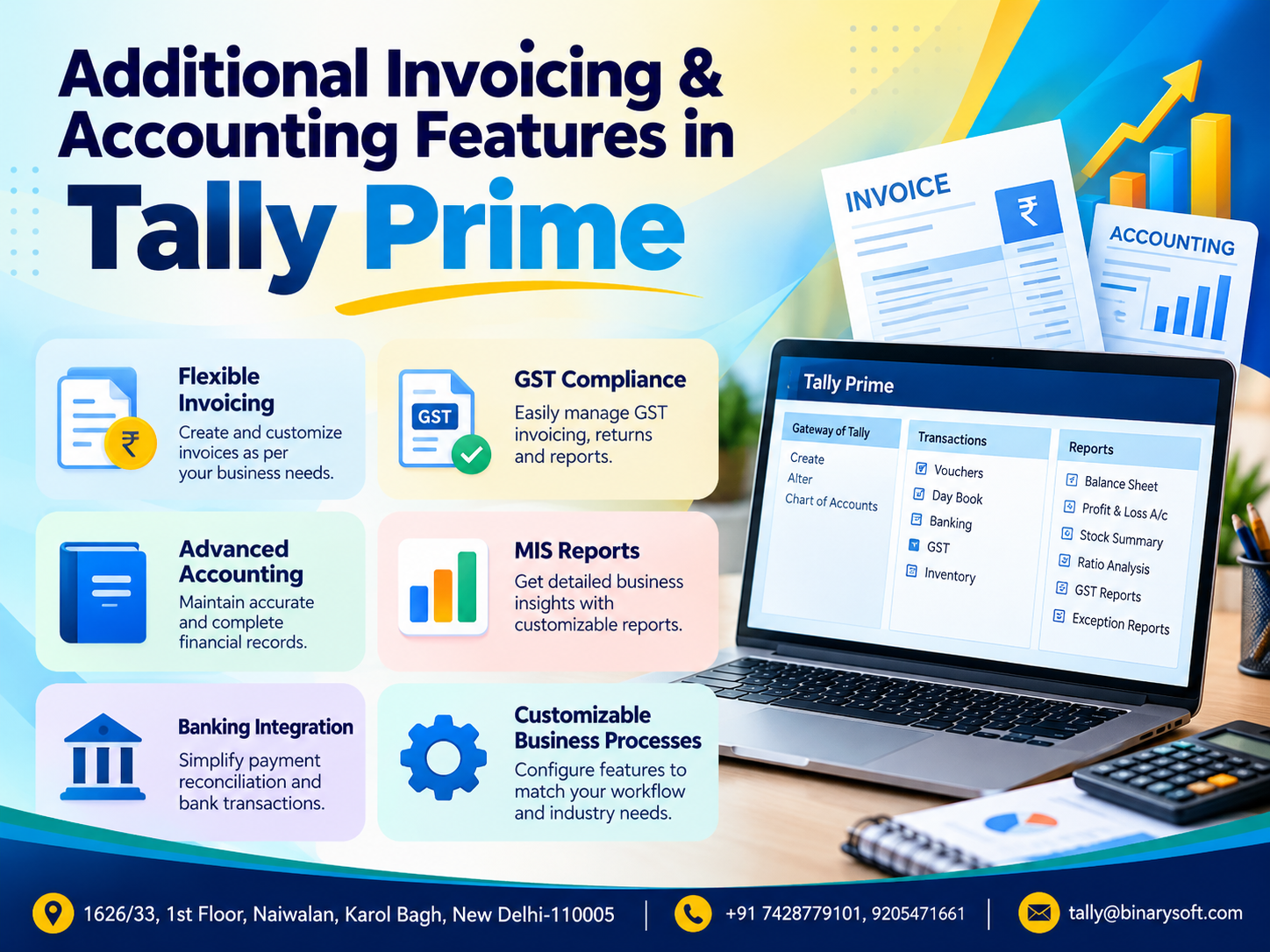
Additional Invoicing & Accounting Features in TallyPrime: Complete Guide to Smart Billing, GST Compliance, Financial Management and Business Automation in 2026
Introduction: Why Advanced Invoicing and Accounting Features Matter More in 2026
In 2026, Indian businesses are facing increasing pressure to manage GST-compliant invoices, customer payments, inventory movements, financial records and tax reporting with greater accuracy. As transaction volumes grow and businesses adopt digital workflows, traditional billing methods and disconnected spreadsheets can create costly mistakes, delayed collections and unnecessary accounting work. TallyPrime offers a comprehensive set of invoicing and accounting features designed to simplify everyday business operations, improve financial visibility and reduce repetitive manual processes. From customized invoices and multiple billing formats to outstanding management, cost centre accounting, bank reconciliation and GST reporting, businesses can bring important financial activities into one integrated system. For retailers, wholesalers, distributors, manufacturers and service providers, understanding these additional TallyPrime features can make a meaningful difference. The right configuration helps businesses generate professional invoices, monitor cash flow, maintain reliable accounts and make informed decisions without depending on complicated manual calculations.
1. Understanding Additional Invoicing and Accounting Features in TallyPrime
TallyPrime is a business management and accounting software solution developed to help organizations manage financial transactions, sales, purchases, inventory, taxation and business reporting.
Although many businesses initially adopt TallyPrime for basic billing and bookkeeping, the software provides additional capabilities that support more complex business requirements.
These features are particularly useful for businesses handling multiple customers, large transaction volumes, credit sales, different tax rates, multiple departments and detailed financial reporting.
Key areas covered by TallyPrime include:
-
Professional sales and purchase invoicing
-
GST-compliant billing and tax calculations
-
Multiple invoice formats and configurations
-
Credit and debit note management
-
Customer and supplier outstanding tracking
-
Cost centre and cost category accounting
-
Multi-currency transaction management
-
Bank reconciliation and payment tracking
-
Inventory-linked accounting
-
Budgeting and financial controls
-
Automated accounting reports
-
E-invoicing and e-Way Bill support for eligible businesses
-
Data import and export facilities
-
Financial analysis and management reporting
By configuring these capabilities according to business requirements, organizations can reduce duplicate work and improve consistency across departments.
2. Advanced Invoicing Features in TallyPrime
Invoicing is one of the most important business activities because every sales transaction affects revenue, customer balances, inventory and taxation.
TallyPrime supports different invoicing methods so businesses can create invoices according to their operational needs.
2.1 Accounting Invoice Mode
Accounting invoice mode is particularly suitable for service providers and businesses that do not need to maintain item-wise inventory for every transaction.
For example, a consultancy firm providing professional services can generate an invoice directly against an income ledger.
Benefits include:
-
Faster recording of service transactions
-
Simplified ledger-based invoicing
-
GST calculation where applicable
-
Customer balance updates
-
Clear income classification
-
Reduced dependency on stock item creation
This method is useful for consultants, professional firms, agencies, contractors and other service-oriented organizations.
2.2 Item Invoice Mode
Item invoice mode is designed for businesses that sell physical products and need inventory-linked billing.
When an invoice is recorded using stock items, the corresponding inventory quantities and accounting values can be updated according to the configured transaction.
For example, an electronics distributor selling 25 laptops can record the quantity, selling price, applicable GST and customer details in one transaction.
Advantages include:
-
Item-wise sales recording
-
Automatic stock quantity updates
-
Product-wise sales analysis
-
GST classification based on configured details
-
Better inventory visibility
-
Reduced manual stock adjustments
This feature is especially valuable for retailers, wholesalers, distributors and manufacturers.
2.3 Customized Invoice Printing
Different businesses require different invoice layouts.
A retail store may prefer a compact invoice, while a wholesale distributor may need detailed item descriptions, delivery information and payment terms.
TallyPrime provides invoice printing configurations that allow businesses to control supported invoice details and presentation.
Depending on the edition, release and configuration, businesses can include relevant information such as:
-
Company name and address
-
GSTIN and other statutory details
-
Customer billing and shipping information
-
Invoice number and date
-
Item description and quantity
-
Rate, discount and taxable value
-
CGST, SGST or IGST
-
Payment terms
-
Bank details
-
Declaration and authorized signatory information
More specialized invoice layouts may require customization or additional solutions.
A professional invoice helps businesses communicate clearly with customers and maintain consistent documentation.
3. Flexible Invoice Numbering and Billing Management
Invoice numbering is essential for maintaining organized business records.
TallyPrime provides voucher numbering options that help businesses maintain invoice sequences according to their requirements.
Businesses can configure suitable numbering methods, including automatic or manual numbering, subject to voucher type settings.
Benefits of flexible invoice numbering
Improved transaction identification: Each invoice can be identified using its voucher number.
Better document organization: Businesses can maintain structured billing records for different voucher types.
Simplified accounting review: Accountants can trace sales transactions more efficiently.
Reduced numbering mistakes: Appropriate configuration reduces dependence on manually entering every invoice number.
Businesses should configure invoice numbering carefully to meet applicable GST documentation requirements and preserve reliable audit trails.
4. GST-Compliant Invoicing and Tax Calculation
GST compliance remains a major responsibility for registered businesses in India.
TallyPrime helps businesses record GST-related transactions and calculate taxes using the information configured in company, ledger, stock item and voucher masters.
Important GST invoicing capabilities
CGST and SGST calculation: Applicable for qualifying intra-state supplies.
IGST calculation: Applicable for qualifying inter-state supplies and other transactions where IGST is required.
HSN and SAC management: Businesses can maintain product and service classifications for reporting purposes.
GST rate configuration: Applicable tax rates can be assigned through relevant master and transaction settings.
Tax invoice generation: Businesses can prepare invoices containing the statutory particulars required for their transactions.
GST reporting: TallyPrime provides GST-related reports and return preparation facilities, depending on the release and supported connected services.
Example of GST invoice calculation
A wholesale trader sells taxable goods worth ₹50,000 with an applicable GST rate of 18%.
|
Particulars
|
Amount
|
|---|
|
Taxable value
|
₹50,000
|
|
CGST at 9%
|
₹4,500
|
|
SGST at 9%
|
₹4,500
|
|
Total invoice value
|
₹59,000
|
This example assumes an intra-state taxable supply without additional charges or discounts.
For an equivalent inter-state supply attracting IGST at 18%, the tax would be ₹9,000.
Correct GST configuration helps minimize calculation errors and supports consistent transaction reporting.
5. E-Invoicing and E-Way Bill Integration
Businesses covered under applicable Indian GST e-invoicing and e-Way Bill requirements need efficient systems for preparing and managing statutory documents.
TallyPrime supports e-invoicing and e-Way Bill workflows in supported releases and configurations.
E-Invoicing capabilities
Eligible businesses can use supported functionality to:
-
Prepare invoices containing required transaction details
-
Generate or exchange e-invoice information through supported workflows
-
Obtain invoice reference information where supported
-
Maintain relevant e-invoice details
-
Track applicable transaction statuses
-
Reduce repeated entry of invoice information
E-Way Bill management
E-Way Bill functionality helps businesses manage information associated with the movement of goods.
Relevant details may include transporter information, vehicle details, dispatch locations and transaction values.
Important: E-invoicing eligibility, reporting timelines and e-Way Bill obligations depend on applicable government notifications and transaction circumstances. Businesses should verify current requirements rather than assuming that every GST-registered business must use these facilities.
6. A Business Story: How Better Invoicing Restored Confidence in a Growing Wholesale Business
Consider the illustrative story of Rajesh, who operates a wholesale electrical goods business in Delhi.
For several years, Rajesh managed his business through a combination of handwritten notes, spreadsheets and basic accounting entries.
His business was growing, but the increasing number of customer orders created new problems.
Invoices were sometimes prepared late. Customer payments were difficult to track. Inventory quantities did not always match physical stock, and his accountant frequently requested missing transaction details.
One evening, Rajesh discovered that a regular customer had been contacted twice for a payment already received.
The customer was upset.
Rajesh felt embarrassed because he had worked for years to build trust with his customers.
He realized that the problem was not simply about accounting. Poor financial visibility was beginning to affect business relationships.
He decided to improve his invoicing and accounting processes using TallyPrime.
After configuring inventory-linked billing, bill-wise receivables, GST details and bank reconciliation, his team began recording transactions in a more structured manner.
Customer invoices became easier to locate. Pending balances were visible through outstanding reports, and stock movements were recorded alongside sales.
Instead of searching through multiple spreadsheets, Rajesh could review important business information from his accounting system.
The biggest improvement was not merely faster billing.
It was the confidence that came from having more reliable information when customers asked questions.
For growing businesses, that confidence can be just as valuable as the time saved.
7. Credit Notes and Debit Notes for Accurate Accounting
Sales returns, purchase returns, price adjustments and billing corrections are common business activities.
TallyPrime supports credit notes and debit notes for recording relevant adjustments.
Credit Note
A credit note may be used when a business needs to reduce an amount previously charged to a customer, subject to the nature of the transaction and applicable tax rules.
For example, a customer purchases goods worth ₹20,000 and subsequently returns eligible goods worth ₹5,000.
The business can record the relevant return or adjustment using an appropriate credit note.
Debit Note
A debit note can be used for relevant purchase-side adjustments, returns or other transactions according to the accounting treatment required.
Benefits
-
Better recording of returns
-
Accurate customer and supplier balances
-
Clear documentation of adjustments
-
Improved GST reconciliation
-
More reliable sales and purchase reporting
Correct treatment is particularly important when a transaction affects taxable values or input tax credit.
8. Bill-Wise Accounting and Outstanding Management
Credit sales are common among wholesalers, distributors, manufacturers and service providers.
However, extending credit without properly tracking collections can create serious cash flow problems.
TallyPrime supports bill-wise accounting so businesses can track outstanding amounts against individual invoices.
Important bill-wise accounting functions
New Reference: Records a new bill reference against a transaction.
Against Reference: Adjusts a receipt or payment against an existing bill.
Advance: Records an advance amount where applicable.
On Account: Records amounts not immediately allocated against a specific bill.
Example
A distributor sells goods worth ₹1,00,000 on 30-day credit.
The customer pays ₹40,000 after 15 days.
With properly maintained bill-wise references, the business can identify the remaining ₹60,000 against the invoice.
This helps the accounts team avoid confusion between total ledger balances and individual unpaid invoices.
Business advantages
-
Better receivables tracking
-
Improved collection planning
-
Easier customer reconciliation
-
Visibility into overdue invoices
-
Reduced risk of forgotten payments
-
Better working capital management
For businesses dealing with hundreds of credit customers, bill-wise accounting can become one of the most valuable TallyPrime features.
9. Cost Centre and Cost Category Accounting
Many businesses need to understand not only their total expenses but also where those expenses originate.
Cost centre accounting helps allocate income and expenses to departments, projects, employees, branches or other business units.
Example: Department-wise expense tracking
A company operates three departments:
-
Sales
-
Administration
-
Operations
Instead of reviewing only total salary expenses, management can allocate relevant salary costs to these departments.
This allows the business to compare departmental expenditure and evaluate operational efficiency.
Applications
Project-based businesses: Track project expenses and profitability.
Service organizations: Analyze income and costs associated with different assignments.
Multi-department companies: Review departmental budgets and expenditures.
Contractors: Monitor expenses related to individual contracts.
Cost categories can support more detailed classification where multiple dimensions of cost analysis are required.
This helps management make better decisions about resource allocation.
10. Multi-Currency Accounting for International Transactions
Businesses involved in importing, exporting or providing international services may need to maintain transactions in foreign currencies.
TallyPrime supports multi-currency accounting to help record relevant foreign currency transactions.
Key capabilities
-
Creation of foreign currency masters
-
Recording of transactions in supported currencies
-
Exchange rate configuration
-
Accounting for exchange differences
-
Foreign currency-related reporting
Example
An Indian exporter issues an invoice for USD 5,000.
If the applicable accounting exchange rate is ₹84 per USD, the invoice value is ₹4,20,000.
If the payment is received at a different exchange rate, the difference may need to be accounted for appropriately.
Multi-currency accounting helps businesses record these transactions systematically.
Actual exchange difference recognition and tax treatment should follow applicable accounting standards and statutory requirements.
11. Bank Reconciliation and Payment Management
Bank reconciliation is essential for ensuring that business accounting records agree with bank transactions.
Differences can arise because of uncleared cheques, bank charges, interest, delayed deposits or unrecorded transactions.
TallyPrime provides bank reconciliation facilities, including bank statement-related capabilities in supported configurations.
Advantages
Identification of unmatched entries: Businesses can review differences between accounting records and bank transactions.
Better cash visibility: Reconciliation helps confirm recorded bank balances.
Reduced accounting errors: Missing or incorrectly recorded transactions can be identified.
Improved month-end closing: Regular reconciliation reduces the amount of pending work at financial year-end.
More reliable financial reporting: Correct bank records support accurate financial statements.
Businesses should reconcile their bank accounts regularly rather than waiting until the end of the financial year.
12. Inventory-Linked Accounting and Stock Management
One of the important advantages of TallyPrime is the connection between accounting and inventory management.
Businesses can maintain stock items, stock groups, units of measurement and relevant inventory classifications.
When properly configured, inventory transactions can affect stock quantities and associated accounting records.
Important inventory-related features
Stock Groups: Organize products into meaningful categories.
Stock Categories: Provide an additional method of classifying items.
Godowns or Locations: Track stock across warehouses and storage locations.
Batch-wise Details: Manage stock batches where applicable.
Multiple Units: Support products measured in different units.
Stock Valuation: Review inventory values using supported valuation methods.
Reorder-related information: Help businesses assess stock replenishment requirements.
Example
A hardware wholesaler purchases 500 units of a product and sells 180 units.
If all relevant transactions are recorded correctly, the system can show a remaining quantity of 320 units, assuming no other stock movements.
This helps businesses avoid over-selling, identify slow-moving items and make more informed purchasing decisions.
13. Additional Accounting Vouchers in TallyPrime
TallyPrime provides different voucher types to record business transactions according to their accounting nature.
|
Voucher Type
|
Common Purpose
|
|---|
|
Sales
|
Record sales transactions
|
|
Purchase
|
Record purchases
|
|
Payment
|
Record payments made
|
|
Receipt
|
Record money received
|
|
Contra
|
Record relevant cash and bank transfers
|
|
Journal
|
Record accounting adjustments
|
|
Credit Note
|
Record eligible sales returns or adjustments
|
|
Debit Note
|
Record eligible purchase returns or adjustments
|
|
Sales Order
|
Record customer orders
|
|
Purchase Order
|
Record supplier orders
|
|
Delivery Note
|
Record delivery of goods
|
|
Receipt Note
|
Record receipt of goods
|
|
Stock Journal
|
Record inventory transfers or adjustments
|
Some inventory and order vouchers require relevant features to be enabled.
Selecting the correct voucher type improves the organization of accounting records and supports more meaningful reports.
14. Sales Orders, Purchase Orders and Delivery Tracking
Businesses handling large quantities of goods often need to manage orders before generating invoices.
TallyPrime supports order processing and inventory voucher workflows that help connect order information with subsequent business transactions.
Sales Order Management
Sales orders help businesses record customer requirements before completing the sale.
A business can track relevant order information and monitor pending quantities.
Purchase Order Management
Purchase orders help businesses organize procurement requirements and communicate purchase details to suppliers.
Delivery Note Management
Delivery notes can record the movement or delivery of goods before or alongside subsequent invoicing workflows.
Benefits
-
Improved order organization
-
Better coordination between sales and stores
-
Visibility into pending orders
-
Reduced duplicate data entry
-
More accurate stock movement records
These features are particularly useful for distributors, trading companies and manufacturing businesses.
15. Discount Management and Additional Invoice Charges
Businesses frequently offer discounts or apply additional charges during sales.
TallyPrime supports relevant configurations for discounts and invoice-level accounting adjustments.
Common business situations
Trade Discounts: Discounts offered based on commercial agreements.
Item-Level Discounts: Discounts applied to particular products.
Freight Charges: Additional transportation-related charges.
Packing Charges: Charges for packaging materials or services.
Other Charges: Additional amounts applicable to a transaction.
The GST treatment of discounts and additional charges depends on the nature of the transaction and applicable law.
Businesses should configure ledgers and tax calculations carefully to ensure that taxable values are determined correctly.
16. Financial Statements and Accounting Reports
Reliable financial reporting is essential for business planning, taxation, credit assessment and management decisions.
TallyPrime provides accounting reports that help businesses understand their financial position.
Balance Sheet
The Balance Sheet presents assets, liabilities and capital balances according to the accounting records.
It helps management understand the financial position of the business at a particular date.
Profit and Loss Account
The Profit and Loss Account helps businesses review income, expenses and profitability for a selected period.
Trial Balance
The Trial Balance provides a structured view of ledger balances and helps accountants review the accounting records.
Cash Flow Statement
Cash flow reporting helps businesses understand relevant movements in cash and cash equivalents, subject to the report's configuration and accounting data.
Receivables and Payables Reports
These reports help identify amounts due from customers and amounts payable to suppliers.
Stock Summary
Stock Summary helps businesses review inventory quantities and values.
Together, these reports support more informed financial decisions.
17. Budgeting and Financial Controls
Budgeting helps organizations compare planned financial performance with actual results.
TallyPrime provides budgeting functionality that can help businesses establish financial targets and review relevant variances.
Example
A business sets a monthly marketing expense budget of ₹50,000.
Actual marketing expenditure reaches ₹65,000.
A budget variance review can highlight the ₹15,000 excess expenditure.
Management can then investigate whether the additional spending was justified.
Benefits of budgeting
-
Better expense planning
-
Department-wise financial monitoring
-
Early identification of overspending
-
Improved resource allocation
-
Stronger financial discipline
Budgeting is particularly useful for growing organizations with multiple cost centres or operational departments.
18. Data Import, Export and Integration
Businesses often need to exchange accounting information with spreadsheets, reporting tools or other business applications.
TallyPrime provides supported data import and export capabilities, with options varying by release and file format.
Common applications
-
Importing supported master information
-
Importing transactions through compatible formats or mappings
-
Exporting accounting reports
-
Sharing financial information with accountants
-
Preparing data for analysis
-
Integrating supported business workflows
Businesses migrating from spreadsheets should verify data formats, ledger mappings, tax classifications and opening balances before importing transactions.
Incorrect data mapping can create accounting discrepancies even when the import operation itself succeeds.
For large-scale migration, testing with sample data and maintaining backups is strongly recommended.
19. Business Data Security and User Access
Accounting data contains commercially sensitive information.
Businesses should protect customer records, supplier information, bank balances and financial transactions against unauthorized access.
TallyPrime offers security-related facilities that can help businesses manage access according to supported configurations.
Important security practices
User Access Control: Assign appropriate permissions based on job responsibilities.
Password Protection: Use secure credentials for authorized users.
Regular Data Backups: Maintain recoverable copies of accounting data.
Controlled Administrative Access: Limit high-level permissions to responsible personnel.
Audit and Change Review: Use available audit or edit-log capabilities where applicable and review changes regularly.
Software Updates: Keep the software and associated systems updated.
Security is not achieved through software settings alone. Employee training, backup testing and proper device security are equally important.
20. How Additional TallyPrime Features Benefit Different Industries
Different industries use invoicing and accounting features in different ways.
|
Industry
|
Useful Features
|
Business Benefits
|
|---|
|
Retail Shops
|
Item invoicing, GST, stock tracking
|
Faster billing and inventory visibility
|
|
Wholesale Traders
|
Bill-wise accounting, orders, discounts
|
Better credit and sales management
|
|
Manufacturers
|
Inventory, stock journals, cost centres
|
Improved material and cost tracking
|
|
Service Providers
|
Accounting invoices, receivables
|
Easier service billing and collections
|
|
Distributors
|
Orders, delivery notes, outstanding reports
|
Better order and payment coordination
|
|
Contractors
|
Cost centres, budgets, purchase accounting
|
Project expense monitoring
|
|
Importers and Exporters
|
Multi-currency, invoicing, accounting reports
|
Better international transaction records
|
|
Professional Firms
|
Service invoicing, financial statements
|
Organized income and expense accounting
|
The best configuration depends on transaction volume, industry requirements, number of users and the complexity of the business.
21. Practical Steps to Configure Advanced Invoicing in TallyPrime
Businesses planning to improve their invoicing processes can follow a structured implementation approach.
Step 1: Review Company Information
Ensure that the company name, address, financial year, GST registration information and other relevant details are correct.
Step 2: Configure GST Details
Enable and configure applicable GST features and verify relevant tax classifications.
Step 3: Create or Review Masters
Maintain accurate customer, supplier, ledger, stock item and unit masters.
Step 4: Select Appropriate Invoice Modes
Use accounting invoices or item invoices based on transaction requirements.
Step 5: Configure Invoice Numbering
Choose an appropriate voucher numbering method and review statutory requirements.
Step 6: Set Up Bill-Wise Tracking
Enable relevant bill-wise details for customers and suppliers where credit management is required.
Step 7: Configure Invoice Printing
Review the invoice format and confirm that all necessary commercial and statutory details appear correctly.
Step 8: Record Sample Transactions
Test sales, purchases, returns, receipts and payments before relying on a new configuration for live operations.
Step 9: Review Accounting Reports
Verify customer balances, GST calculations, stock quantities and financial statements.
Step 10: Train Employees
Provide practical training to billing operators, accountants and other relevant users.
Menu names and configuration steps can differ between TallyPrime releases, so businesses should refer to the instructions appropriate for their installed version.
22. Common Invoicing and Accounting Mistakes Businesses Should Avoid
Even advanced accounting software cannot compensate for inaccurate or incomplete business data.
Some common mistakes include:
Incorrect GST classification: Wrong tax rates or HSN/SAC details can affect invoice accuracy and statutory reporting.
Duplicate customer ledgers: Multiple ledgers for the same customer can create confusion in receivables.
Improper bill adjustments: Receipts not allocated against the correct invoices can distort outstanding reports.
Missing purchase entries: Unrecorded purchases can affect inventory and financial balances.
Irregular bank reconciliation: Delayed reconciliation can leave accounting differences unresolved.
Incorrect opening balances: Migration errors can affect future reporting.
Insufficient backup practices: Data loss can interrupt business operations.
Uncontrolled user permissions: Excessive access rights can increase operational and security risks.
Regular reviews and standardized accounting procedures help businesses prevent these issues.
23. Why Businesses Should Upgrade Their Accounting Processes in 2026
Business growth brings more transactions, customers, suppliers and reporting responsibilities.
When accounting processes remain dependent on manual records, the time required to maintain financial information can increase significantly.
TallyPrime's additional invoicing and accounting capabilities help businesses build more structured workflows.
Faster Day-to-Day Operations
Properly configured masters and vouchers reduce repetitive data entry.
Better Financial Visibility
Accounting reports provide timely information about income, expenses, receivables and liabilities.
Improved Customer Experience
Clear invoices and accurate payment records help reduce billing disputes.
More Reliable GST Records
Consistent transaction recording supports GST reporting and reconciliation.
Stronger Inventory Control
Inventory-linked transactions help businesses monitor stock movements.
Improved Decision-Making
Financial reports, cost centre analysis and budgeting help management evaluate business performance.
The objective is not simply to replace manual accounting with digital accounting. It is to create a dependable financial information system that supports business growth.
24. How Binarysoft Technologies Helps Businesses Use TallyPrime More Effectively
Implementing accounting software successfully requires more than installing an application.
Businesses need appropriate configuration, accurate master data, practical employee training and ongoing technical support.
Binarysoft Technologies Pvt. Ltd., an Authorized Tally Partner, assists businesses with TallyPrime-related requirements.
Depending on the scope of engagement, assistance may include:
-
TallyPrime software consultation
-
Installation and initial configuration
-
GST and invoicing configuration
-
Accounting and inventory setup
-
Invoice format customization
-
Data migration assistance
-
User training
-
Accounting workflow consultation
-
Troubleshooting and technical support
-
Guidance on suitable TallyPrime features and configurations
Whether a business operates a retail shop, wholesale trading firm, manufacturing unit or professional services organization, selecting and configuring the appropriate features can help simplify everyday operations.
For businesses in Delhi NCR and across India, structured TallyPrime implementation can support better billing, accounting and financial management.
25. Best Practices for Getting Maximum Value from TallyPrime
Businesses should treat accounting software as an important part of their operational infrastructure.
To achieve better results, organizations should establish clear procedures for recording and reviewing transactions.
A useful approach is to ensure that every sales transaction is recorded promptly, receipts are matched against outstanding invoices and purchase entries are checked against supplier documentation.
Inventory quantities should be reviewed periodically, particularly for businesses handling large numbers of stock items.
Bank accounts should be reconciled regularly, and GST reports should be reviewed before filing returns.
Management should also examine Profit and Loss reports, receivables, payables and stock summaries to identify operational problems early.
Employee training is equally important.
A well-configured accounting system becomes more valuable when users understand how their daily entries affect customer balances, inventory records and financial statements.
Conclusion: Make Business Accounting More Accurate, Efficient and Organized with TallyPrime
Additional invoicing and accounting features in TallyPrime provide businesses with practical tools to manage complex financial operations more efficiently.
From professional invoice generation and GST-compliant billing to bill-wise accounting, inventory management, cost centre analysis and financial reporting, these capabilities support better control over everyday business transactions.
For growing Indian businesses in 2026, accurate financial information is essential for maintaining customer trust, managing working capital and making confident business decisions.
However, the benefits depend on proper implementation, reliable data and consistent accounting practices.
Businesses that configure TallyPrime according to their operational requirements can reduce manual work, improve reporting accuracy and build more dependable financial processes.
With appropriate guidance and support from Binarysoft Technologies, organizations can identify suitable TallyPrime features and implement workflows that support their long-term business needs.
Powered by Binarysoft Technologies
Authorized Tally Partner
Location: 1626/33, 1st Floor, Naiwalan, Karol Bagh, New Delhi – 110005, INDIA
Contact Us: +91 7428779101, 9205471661
Email Us: tally@binarysoft.com
Business Hours: 10:00 AM – 6:00 PM, Monday to Friday
Frequently Asked Questions
What are the additional invoicing features available in TallyPrime?
TallyPrime provides accounting and item invoicing, invoice printing configurations, voucher numbering options, discounts, GST calculations, credit notes, debit notes and inventory-linked billing. Specific capabilities depend on the software release and configuration.
Can TallyPrime generate GST-compliant invoices?
CA. Aaryan Kanodia focuses on GST reporting, bookkeeping systems, and financial process improvement. He works with businesses to simplify routine accounting activities and maintain records suitable for compliance and internal review.