Call CA Tally HelpDesk
+91 9205471661,
7428779101
Introduction: Why Tally Cloud Services Are Transforming Business Accounting in 2026
Imagine running a successful business where your accounting team can manage invoices, check financial reports, monitor inventory and review outstanding payments from anywhere, without depending on a single office computer.
For many Indian businesses, this is becoming an essential part of everyday operations.
In 2026, businesses are increasingly looking for accounting systems that offer flexibility, security, reliability and convenient remote access. Traditional desktop-based accounting environments can create challenges when employees work from different locations, business owners travel frequently or accountants need to access financial records outside office hours.
This is where Tally Cloud Services provide a practical solution.
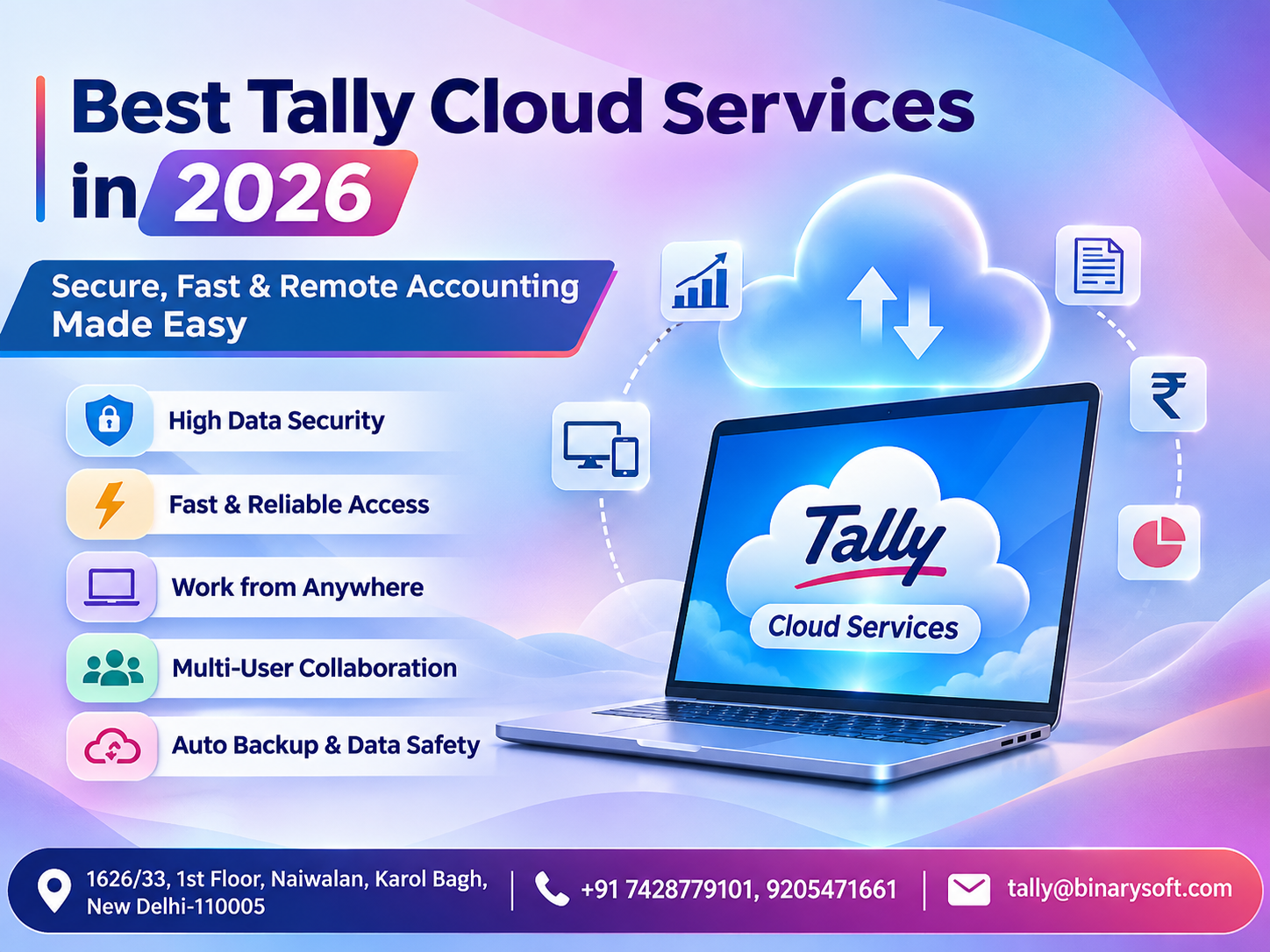
By hosting Tally Prime in a professionally managed cloud environment, businesses can access their accounting software remotely through an internet connection, subject to appropriate authentication and user permissions.
Whether you operate a retail shop, manufacturing company, wholesale business, consultancy firm or growing enterprise, Tally Prime on Cloud can help simplify accounting operations while supporting business continuity.
With a suitable cloud hosting provider, businesses can benefit from centralized accounting data, remote accessibility, managed infrastructure and improved collaboration between authorized users.
This comprehensive guide explains how Tally Cloud works, its major benefits, security considerations, pricing factors, practical applications and how businesses can choose the best Tally Cloud service in 2026.
1. What Are Tally Cloud Services?
Tally Cloud Services refer to hosting Tally Prime software and its associated accounting data on a remote server instead of relying entirely on a computer located inside the business premises.
Users connect to the hosted environment through a secure remote access method, allowing them to work with their accounting software from authorized devices and locations.
For example, a business owner in Delhi can review accounting information while travelling to Mumbai, while an authorized accountant working from the office continues recording daily transactions.
Both can work within the same centrally hosted accounting environment, provided the deployment supports the required user access and licensing.
How Tally Cloud Works
The basic process includes:
-
A cloud hosting provider provisions a suitable server environment.
-
Tally Prime is installed and configured on the hosted system.
-
Existing company data is transferred after appropriate backup and verification.
-
Authorized users receive secure remote access credentials.
-
Employees access the hosted software through supported remote desktop or application delivery methods.
-
Accounting records are maintained in the centralized environment, with backups and monitoring configured according to the hosting plan.
Importantly, Tally Cloud hosting does not necessarily turn Tally Prime into a browser-native application. The software generally continues operating within a hosted Windows environment.
The quality of the experience depends on server resources, internet connectivity, security configuration, user workload and the reliability of the hosting provider.
2. Why Businesses Need Tally Prime on Cloud in 2026
Modern businesses operate across multiple locations and increasingly depend on timely financial information.
A conventional office-based accounting setup may become restrictive when business operations expand.
Remote Working Requirements
Business owners, accountants and finance managers often need access to accounting information while travelling, working from home or visiting clients.
Tally Cloud allows authorized users to access the hosted accounting environment without being physically present in the office.
Multiple Business Locations
Businesses with branches, warehouses and regional offices may need centralized financial reporting.
A properly configured cloud environment can make it easier to work with shared accounting records and reduce dependence on isolated office computers.
Business Continuity
Hardware breakdowns, power interruptions and local network problems can interrupt accounting activities.
Cloud hosting can reduce reliance on individual office machines, although availability still depends on the cloud provider, connectivity and disaster recovery arrangements.
Growing Accounting Workloads
As transaction volumes increase, businesses may require more computing resources, storage capacity and concurrent user access.
A suitable hosting service may allow server resources to be upgraded without replacing every employee's computer.
Data Protection Requirements
Financial records contain sensitive business information, including customer balances, bank transactions, purchase details and tax records.
A professionally configured hosting environment can support stronger access controls, managed backups and centralized administration.
However, cloud hosting alone does not guarantee data security. Protection depends on the actual safeguards implemented.
3. Key Benefits of the Best Tally Cloud Services
3.1 Access Accounting Data from Anywhere
One of the most valuable benefits of Tally Prime on Cloud is remote accessibility.
Authorized employees can work with accounting information from supported devices connected to the internet.
A business owner attending a meeting outside the office can review outstanding receivables, while the accounting team continues routine work.
This flexibility helps businesses respond to operational requirements without unnecessary delays.
3.2 Centralized Accounting Management
When accounting data is stored in a centrally managed environment, authorized users can work with a common set of company records.
This reduces the need to transfer separate accounting files between different office locations.
Centralization can also make data management, backup planning and administrative oversight more convenient.
3.3 Improved Team Collaboration
Accountants, finance managers and business owners often need coordinated access to financial information.
A correctly licensed and configured multi-user deployment can support concurrent work according to the capabilities of the Tally Prime edition and the hosted environment.
For example, one employee may record purchase transactions while another reviews sales information.
This improves coordination and reduces dependence on manual file sharing.
3.4 Reduced Dependence on Office Hardware
Traditional accounting infrastructure may require businesses to maintain dedicated office computers, local servers, power backup systems and networking equipment.
With cloud hosting, some infrastructure responsibilities shift to the service provider.
Businesses still need reliable internet access, suitable endpoint devices and proper security procedures, but they may reduce the burden of maintaining local server hardware.
3.5 Flexible Infrastructure
Growing businesses may need additional memory, processing capacity, storage or user sessions.
Cloud hosting can make these upgrades easier, depending on the provider's infrastructure and subscription terms.
This flexibility is especially useful for companies experiencing seasonal workloads or business expansion.
3.6 Backup and Disaster Recovery Support
Accounting data represents years of business transactions and financial decisions.
A reliable cloud hosting arrangement should include scheduled backups, retention policies and documented recovery procedures.
Businesses should verify whether backups are stored separately, whether they can be restored successfully and how quickly operations can resume after an incident.
3.7 Better Financial Visibility
Remote access to Tally Prime reports helps decision-makers review business performance without waiting to return to the office.
Business owners can monitor cash flow, outstanding balances, stock positions and profitability using the reporting features available in their configured Tally Prime environment.
4. Security Features to Look for in Tally Cloud Hosting
Security should be a major consideration when choosing a Tally Cloud provider.
Accounting data may include confidential financial transactions, employee information, customer records and commercially sensitive business details.
The following controls are important.
Encrypted connections: Remote access should use secure, appropriately configured encrypted connections to reduce the risk of interception.
Multi-factor authentication: Where supported, additional authentication helps protect access even when a password becomes compromised.
Role-based access: Users should receive only the permissions necessary for their responsibilities. Tally Prime security controls and hosting-level permissions should be configured together.
Firewall protection: Network security controls should restrict unnecessary connections and exposed services.
Regular backups: Backup schedules, retention periods and restoration procedures should be documented and tested.
Security updates: The provider should maintain supported operating systems and apply relevant security patches.
Monitoring and incident response: Hosting providers should have procedures for detecting suspicious activity, responding to incidents and notifying affected customers.
Data ownership and exit policy: Businesses should understand who controls the accounting data, where it is stored and how it can be exported when changing providers.
The best Tally Cloud service is not simply the one advertising the highest security. It is the one that can demonstrate appropriate safeguards, clear responsibilities and reliable recovery arrangements.
5. An Emotional Story: When a Computer Failure Almost Stopped a Family Business
Rajesh Sharma had spent nearly fifteen years building his wholesale electrical supplies business in Delhi.
His business had started with a small rented shop, a few regular customers and handwritten accounting registers.
Over time, the business grew. He employed an accounting assistant, expanded his product range and started supplying goods to contractors across the city.
For Rajesh, every invoice represented more than a transaction. It represented years of effort, family sacrifices and the trust of customers who had supported his journey.
One Monday morning, his office computer suddenly stopped working.
The computer contained important accounting records, customer balances and purchase information.
His accountant could not access the latest company data. Several customer payment queries remained unanswered, and the sales team struggled to confirm outstanding balances.
Rajesh remembered the early days when his family depended on every payment arriving on time.
He worried that a technical problem could damage the reputation he had worked so hard to build.
After recovering his accounting data, Rajesh decided to reconsider his infrastructure.
He moved to a professionally managed Tally Prime cloud hosting environment with centralized access, scheduled backups and documented recovery procedures.
His accountant could now work from the office or another authorized location. Rajesh could review business reports while visiting customers.
More importantly, he no longer depended on a single office computer to access his accounting environment.
The experience changed his understanding of business technology.
He realized that protecting accounting records was not merely an IT decision. It was part of protecting his employees, customers and family's financial future.
This is an illustrative story created to demonstrate common business challenges and potential benefits of cloud hosting.
6. How Tally Prime on Cloud Helps Manage Everyday Business Operations
Tally Prime provides accounting, inventory, taxation and business reporting capabilities that can be accessed remotely when the software is deployed in a suitable cloud hosting environment.
Sales and Purchase Management
Businesses can use Tally Prime to record sales invoices, purchase transactions, debit notes, credit notes and related accounting entries.
With remote hosting, authorized employees can perform these activities from different locations.
For example, an accountant working remotely can record supplier invoices while a manager reviews purchase reports.
GST Accounting and Compliance
Tally Prime supports GST-related accounting workflows, including tax-enabled invoicing, ledger classification and relevant reporting.
Depending on the software version, configuration and applicable eligibility requirements, businesses can use supported GST reconciliation and compliance features.
Cloud hosting makes the configured software accessible remotely, but it does not automatically ensure statutory compliance.
Businesses must continue validating tax classifications, invoice information, return details and applicable deadlines.
Inventory Management
For businesses dealing with physical products, Tally Prime offers inventory capabilities such as stock item management, stock groups, units of measurement, godown tracking and stock reporting.
Additional features depend on the company's configuration and the software edition.
Cloud access helps authorized users review inventory information without being restricted to a single office computer.
Banking and Reconciliation
Tally Prime can support banking workflows such as recording receipts and payments, maintaining bank ledgers and reconciling bank transactions.
Supported bank statement import and connected banking functionality depend on the software version, bank availability and relevant service configuration.
A hosted environment enables authorized finance employees to perform these tasks remotely.
Financial Reports
Business owners can use Tally Prime to review important reports, including:
-
Balance Sheet
-
Profit and Loss Account
-
Cash and Fund Flow
-
Outstanding Receivables and Payables
-
Stock Summary
-
Sales and Purchase Registers
-
Ledger and Voucher Reports
These reports help management understand financial performance, identify overdue collections and make more informed business decisions.
User Access and Accountability
Tally Prime offers user security and access management capabilities that can help businesses control which employees can perform particular activities.
When combined with appropriate cloud access policies, these controls support better separation of responsibilities.
7. Step-by-Step Guide to Using Tally Prime on Cloud
Moving to cloud hosting requires careful planning to protect existing data and avoid unnecessary disruption.
Step 1: Assess business requirements
Identify the number of users, existing Tally Prime edition, company data size, transaction volume and remote access needs.
Step 2: Select a hosting provider
Evaluate security practices, server specifications, technical support, backup arrangements, service availability and data recovery commitments.
Step 3: Confirm licensing compatibility
Ensure that the Tally Prime licence and proposed hosting configuration support the intended deployment and number of users.
Step 4: Back up existing accounting data
Create and verify a complete backup before transferring information to the cloud environment.
Step 5: Configure the hosted environment
Install the appropriate software version, configure user access and apply required security settings.
Step 6: Migrate and validate data
Restore the accounting data and compare important balances, reports and company information with the original records.
Step 7: Test remote access
Check login procedures, printing, reports, concurrent access, application performance and internet connectivity.
Step 8: Train employees
Explain remote login procedures, password security, backup responsibilities and support escalation processes.
Step 9: Establish ongoing monitoring
Review user access, backup success, performance and recovery readiness regularly.
A controlled migration helps businesses maintain continuity while moving to a more flexible accounting environment.
8. Case Study 1: A Delhi Wholesale Business Improves Accounting Coordination
Illustrative case study based on a typical wholesale business scenario.
A medium-sized wholesale distributor in Delhi employed eight staff members, including three accounting employees.
Previously, accounting records were maintained on an office computer. When the owner travelled, he depended on telephone calls and emailed reports to understand outstanding customer payments.
The company also experienced delays when accountants needed to work remotely.
The Challenge
The business faced several operational difficulties:
-
Limited access to accounting records outside the office.
-
Delays in reviewing outstanding customer payments.
-
Dependence on one computer for important financial information.
-
Difficulty coordinating accounting activities during staff absences.
The Solution
The company adopted a suitable Tally Prime cloud hosting environment.
Its existing accounting data was migrated after backup verification. User permissions were configured, and authorized employees received remote access.
The team continued using Tally Prime for invoicing, purchases, stock management and financial reporting.
The Outcome
The business gained a more flexible accounting workflow.
The owner could review receivables while travelling, and accountants could complete authorized tasks without depending entirely on the office computer.
Centralized access also simplified coordination between employees.
The most important improvement was not simply faster accounting. It was the ability to access important business information when management needed it.
9. Case Study 2: A Manufacturing Company Simplifies Multi-Location Accounting
Illustrative case study demonstrating a potential cloud deployment.
A manufacturing company operated a production facility in Faridabad and an administrative office in Delhi.
Its accounting team regularly exchanged financial information between locations.
The process required additional coordination, especially when managers needed updated inventory and purchase reports.
The Challenge
The company wanted to improve financial visibility, reduce manual data transfers and make accounting information accessible to authorized employees at both locations.
The Solution
The business evaluated its Tally Prime licensing requirements and implemented a centralized cloud environment for the same legal business entity.
Employees received appropriate access permissions based on their responsibilities.
The company used Tally Prime to manage purchases, sales, inventory records, supplier balances and financial statements.
The Outcome
Authorized employees could work with centrally maintained accounting information.
Managers gained more convenient access to relevant reports, and the company reduced its dependence on transferring accounting files between offices.
The example demonstrates how cloud hosting can support coordinated operations when combined with appropriate licensing, internal processes and access controls.
10. Tally Cloud vs Traditional Desktop Accounting
|
Feature
|
Traditional Desktop Setup
|
Tally Prime on Cloud
|
|---|
|
Accessibility
|
Primarily office-based
|
Remote access supported
|
|
Data location
|
Local computer or server
|
Hosted server
|
|
Collaboration
|
Depends on local network
|
Centralized remote environment
|
|
Infrastructure
|
Locally managed
|
Provider-managed options
|
|
Backups
|
Business-managed
|
Managed options available
|
|
Scalability
|
May require hardware upgrades
|
Hosting resources may be upgraded
|
|
Internet dependency
|
Offline use may be possible
|
Internet generally required
|
|
Security
|
Depends on local controls
|
Depends on hosting and access controls
|
Neither approach is automatically superior for every business.
A small business operating from one location with limited remote access requirements may find a traditional desktop setup sufficient.
However, companies with remote teams, distributed operations or centralized accounting requirements may benefit significantly from cloud hosting.
11. How to Choose the Best Tally Cloud Hosting Provider in 2026
Choosing the right provider requires more than comparing subscription charges.
Businesses should consider several important factors.
Server Performance
Evaluate processing resources, memory, storage technology and expected performance under normal accounting workloads.
A provider should recommend infrastructure according to the number of users and size of the accounting data.
Security and Backup Policies
Ask about encryption, authentication, backup frequency, retention periods and disaster recovery arrangements.
Request clear information about how accounting records will be protected.
Technical Support
Reliable technical support is essential when employees depend on cloud access for daily operations.
Understand the provider's support hours, response commitments and escalation procedures.
Licensing Assistance
Confirm that the proposed deployment complies with applicable Tally Prime licensing and remote user requirements.
One licence should not be assumed to cover unrelated business entities or unlimited remote sessions.
Transparent Pricing
Cloud hosting charges may vary depending on users, computing resources, storage, backups and support.
Businesses should request a complete quotation covering recurring charges, taxes, migration costs and any additional services.
Data Migration and Exit Support
A suitable provider should explain how existing accounting records will be transferred, validated and restored if required.
The provider should also offer a practical process for retrieving company data when the hosting agreement ends.
12. Understanding Tally Cloud Hosting Costs
The cost of Tally Cloud Services depends on the selected hosting arrangement.
Common pricing factors include the number of users, virtual server resources, data storage, backup capacity, security services and support requirements.
Businesses should also account for Tally Prime software licensing, which may be separate from hosting charges.
A low-cost hosting package may be suitable for a small business with limited workloads, while a larger organization may require additional infrastructure.
Before purchasing, compare the total cost of ownership rather than focusing only on the advertised monthly price.
The most economical service is one that meets business requirements reliably without unnecessary infrastructure expenses.
13. Why Choose Binarysoft Technologies for Tally Prime Cloud Assistance?
Binarysoft Technologies, an Authorized Tally Partner, helps businesses explore Tally Prime accounting and cloud accessibility requirements.
Businesses considering remote accounting can seek assistance in evaluating their existing software environment, identifying appropriate user requirements and planning a suitable deployment.
Important areas of assistance may include Tally Prime licensing guidance, cloud hosting selection, migration planning, software configuration and user support.
The objective is to help businesses adopt an accounting environment that supports operational flexibility while maintaining appropriate control over financial records.
Organizations should confirm the scope, commercial terms and support commitments of any proposed cloud service before implementation.
14. The Future of Tally Cloud Accounting
As businesses become more digitally connected, demand for flexible accounting infrastructure is likely to continue.
Remote access, centralized data management, secure collaboration and scalable computing resources will remain important considerations.
Cloud hosting can help businesses modernize the way employees access Tally Prime without necessarily changing their established accounting workflows.
However, successful adoption will depend on more than technology.
Businesses must invest in employee training, appropriate security controls, reliable backups and disciplined accounting procedures.
Cloud infrastructure provides accessibility, while accurate accounting and effective management remain the responsibility of the business.
Conclusion: Make Business Accounting More Flexible with Tally Cloud Services
In 2026, Tally Cloud Services offer businesses an opportunity to make accounting operations more accessible, collaborative and resilient.
From small retailers and wholesalers to manufacturers and professional service firms, organizations can benefit from remotely accessing their Tally Prime environment through a properly configured hosting solution.
The key advantages include centralized accounting information, flexible working arrangements, reduced dependence on individual office computers and the potential for improved business continuity.
However, choosing the best Tally Cloud service requires careful evaluation of security, server performance, licensing, backup procedures, technical support and overall cost.
With the right planning, Tally Prime on Cloud can become a valuable part of a business's digital infrastructure.
Take the next step toward secure, fast and convenient remote accounting with Tally Prime Cloud assistance from Binarysoft Technologies.
Powered by Binarysoft Technologies
Authorized Tally Partner
Location: 1626/33, 1st Floor, Naiwalan, Karol Bagh, New Delhi – 110005, INDIA
Contact us: +91 7428779101, 9205471661
Email us: tally@binarysoft.com
Business Hours: 10:00 AM – 6:00 PM, Monday to Friday
Frequently Asked Questions
What is Tally Cloud Service?
Tally Cloud Service is a hosting arrangement that allows businesses to run Tally Prime in a remote computing environment and access their accounting data through authorized internet connections.
Can I access Tally Prime from anywhere?
Yes. With suitable cloud hosting, internet connectivity, supported devices and appropriate permissions, authorized users can access their hosted Tally Prime environment remotely. Geographic licensing restrictions may apply.
CA. Ankit Vardiya works closely with traders, wholesalers, and service businesses on accounting automation, GST reporting, and audit readiness. His professional exposure to day-to-day business operations allows him to translate complex accounting concepts into practical guidance for Indian business owners.