Call CA Tally HelpDesk
+91 9205471661,
7428779101
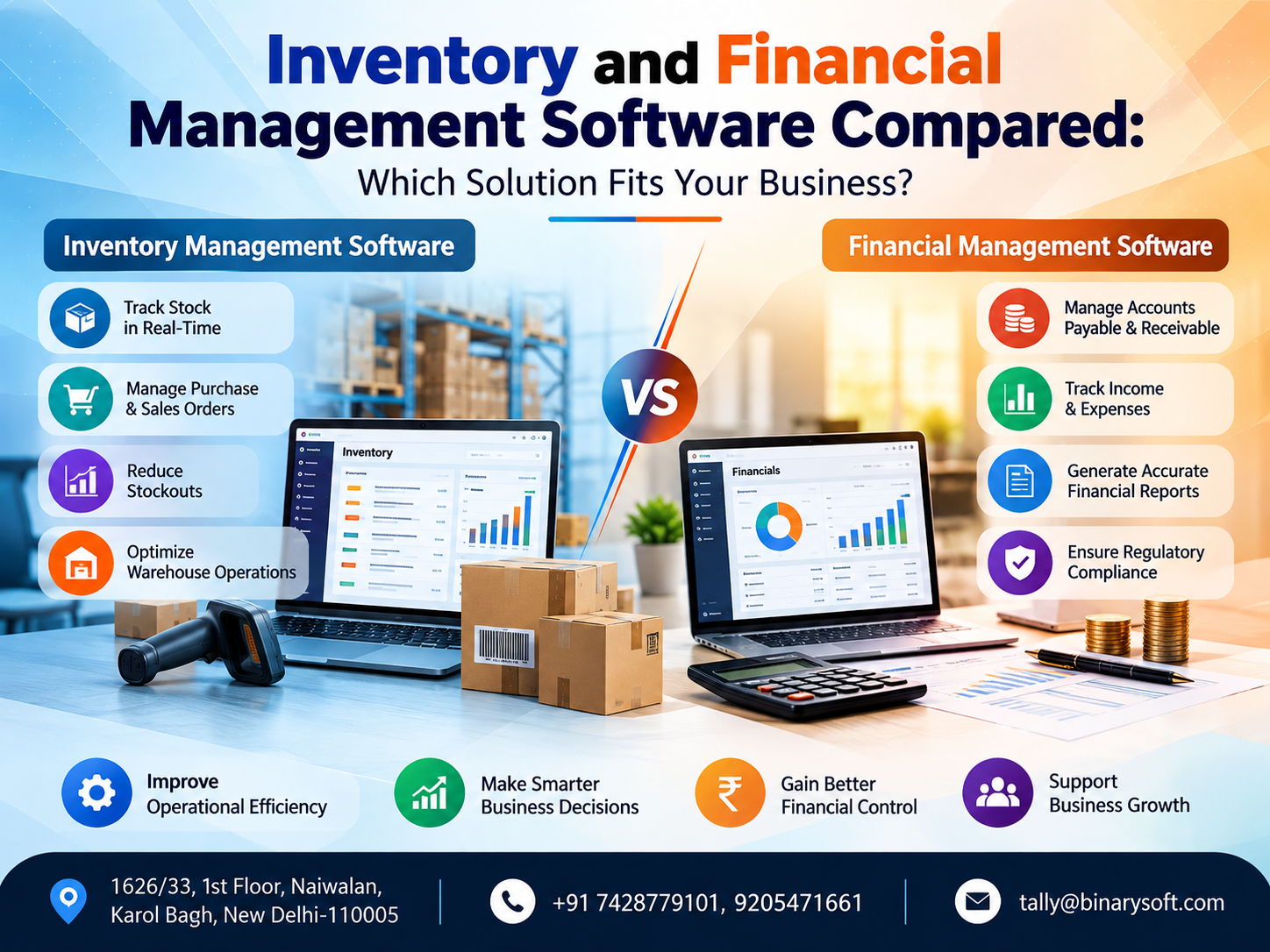
Introduction: Why Businesses Are Rethinking Inventory and Financial Management in 2026
In 2026, businesses are facing growing pressure to manage stock accurately, control operating expenses, maintain reliable financial records, and make faster decisions. Whether you operate a retail shop, wholesale distribution business, manufacturing unit, or service company, disconnected inventory and accounting processes can create expensive mistakes. A product may appear available in your records but be missing from your warehouse. Sales may increase while cash flow remains weak. Purchase costs may rise without being reflected in selling prices. These problems make choosing the right business software more important than ever.
Inventory management software helps businesses monitor stock quantities, purchases, product movement, and reorder requirements. Financial management software focuses on accounting, cash flow, profitability, taxation, and financial reporting. However, many growing businesses now need both capabilities working together.
Understanding the differences, benefits, limitations, and integration possibilities can help you choose software that improves operational efficiency, reduces errors, and supports sustainable business growth.
1. Understanding Inventory Management Software
Inventory management software is a digital solution designed to track, organize, and control the movement of goods within a business.
It provides information about available stock, incoming purchases, outgoing sales, warehouse transfers, and product availability.
Businesses dealing with physical products often depend on inventory management systems to maintain accurate stock records and avoid operational disruptions.
Key Features of Inventory Management Software
1. Real-Time Stock Monitoring
Inventory software helps businesses track available quantities across warehouses, stores, and other storage locations.
When integrated with billing and purchase systems, stock records can be updated as transactions occur.
2. Purchase and Sales Tracking
Businesses can monitor purchases from suppliers and sales to customers, making it easier to understand product movement and demand.
3. Reorder Level Management
The system can identify products approaching minimum stock levels and help purchasing teams plan replenishment.
4. Multiple Warehouse Management
Companies operating multiple warehouses can track inventory location-wise and manage stock transfers.
5. Batch and Expiry Date Tracking
Pharmaceutical distributors, food businesses, and other industries handling batch-controlled products can benefit from batch and expiry tracking.
6. Stock Valuation
Inventory management software can calculate stock values using supported valuation methods, such as FIFO or weighted average.
7. Inventory Reports
Useful reports may include:
Which Businesses Need Inventory Management Software?
Inventory software is particularly useful for retail stores, wholesalers, distributors, manufacturers, e-commerce sellers, hardware traders, garment businesses, FMCG distributors, and companies managing large product catalogs.
For these organizations, accurate inventory information directly affects customer satisfaction, purchasing decisions, and operational costs.
2. What Is Financial Management Software?
Financial management software helps businesses record, organize, analyze, and report financial transactions.
It supports accounting operations and provides management with information about revenue, expenses, liabilities, assets, cash flow, and profitability.
While inventory software answers questions about product availability, financial management software answers questions about the company's financial performance.
Important Features of Financial Management Software
1. Accounting and Bookkeeping
Financial management software records sales, purchases, receipts, payments, journal entries, and other business transactions.
2. Accounts Receivable Management
Businesses can monitor outstanding customer invoices, payment due dates, and overdue balances.
3. Accounts Payable Management
The software helps track supplier bills, outstanding liabilities, and upcoming payments.
4. Cash Flow Monitoring
Businesses can analyze cash inflows and outflows to understand their liquidity position.
5. GST Accounting and Reporting
For Indian businesses, appropriate software can support GST calculations, tax ledgers, reconciliation, and preparation of applicable GST reports.
Actual filing, reconciliation, and connected compliance capabilities depend on the software, release, subscription, and configuration.
6. Profit and Loss Reporting
A Profit and Loss Account helps business owners understand whether operations are generating profits or losses.
7. Balance Sheet Preparation
Financial software organizes assets, liabilities, and capital into financial statements.
8. Budgeting and Financial Planning
Some financial management systems support budgets, cost-center analysis, variance reporting, and financial forecasting.
Who Should Use Financial Management Software?
Financial management software is essential for businesses that need systematic financial records, including service providers, consultants, retailers, manufacturers, traders, contractors, and professional firms.
Even businesses without physical inventory require financial accounting to monitor income, expenditure, profitability, and statutory obligations.
3. Inventory Management vs Financial Management Software: Key Differences
Although both systems support business operations, their primary purposes are different.
|
Comparison
|
Inventory Management Software
|
Financial Management Software
|
|---|
|
Primary purpose
|
Control stock and product movement
|
Manage financial transactions and performance
|
|
Main focus
|
Products, quantities, warehouses
|
Revenue, expenses, assets, liabilities
|
|
Core activities
|
Stock tracking, purchasing, transfers
|
Accounting, payments, financial reporting
|
|
Important reports
|
Stock summary, ageing, reorder levels
|
Balance sheet, P&L, cash flow
|
|
Business benefits
|
Reduce stock shortages and excess inventory
|
Improve financial visibility and cost control
|
|
Primary users
|
Store managers, warehouse teams, purchasing teams
|
Accountants, finance managers, business owners
|
|
GST support
|
May supply product and tax data
|
May support GST accounting and compliance
|
|
Decision-making
|
What to purchase, store, or reorder
|
Where to invest, save, or control expenses
|
|
Common limitations
|
May lack complete accounting capabilities
|
May lack advanced warehouse and inventory controls
|
|
Best suited for
|
Product-intensive businesses
|
Businesses requiring financial control
|
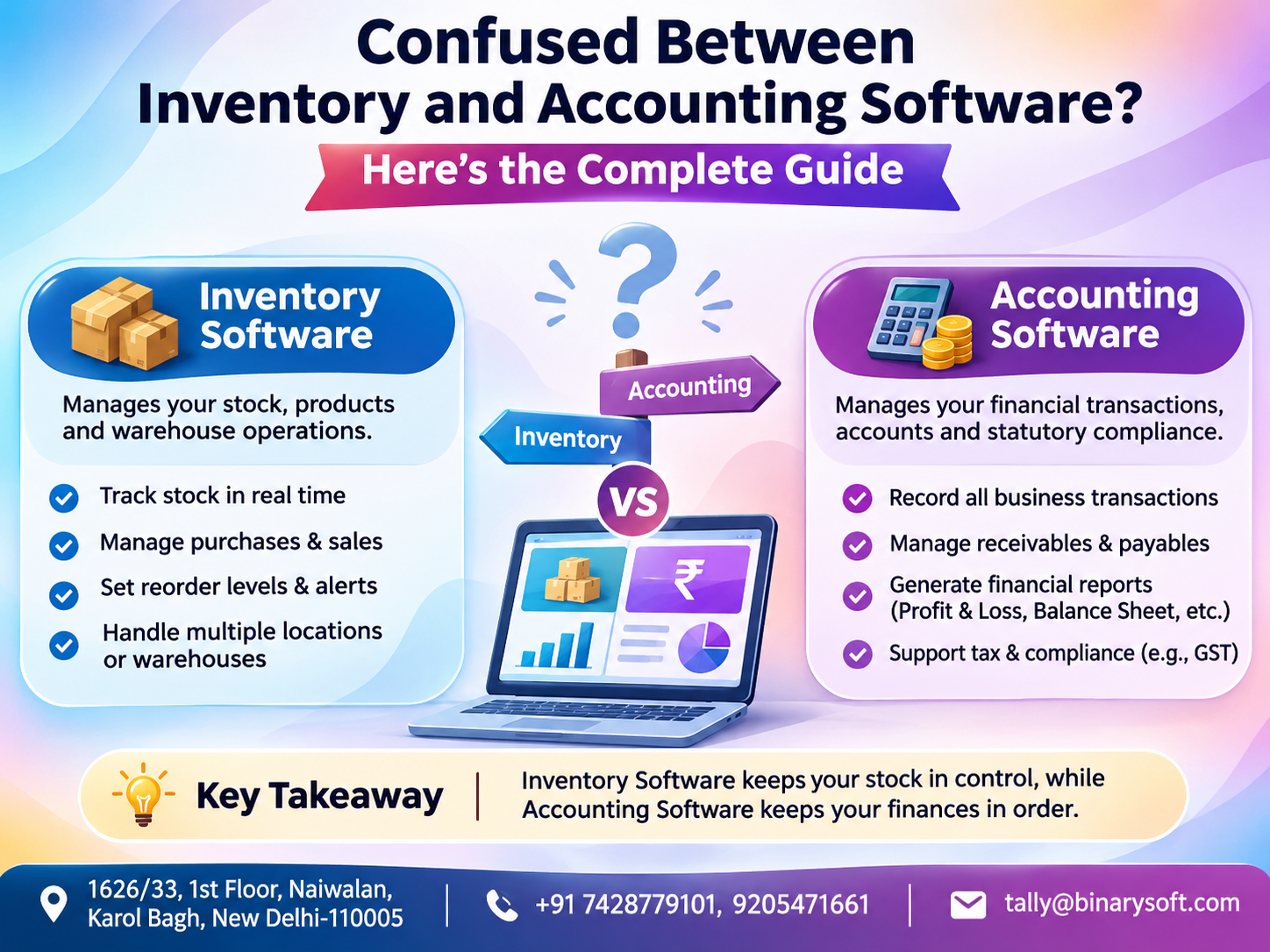
The most important difference is that inventory management measures and controls the movement of goods, while financial management measures and controls the movement and financial impact of money.
However, the two functions are closely connected.
When a business purchases inventory, it affects stock levels, supplier liabilities, and eventually cash flow. When inventory is sold, the transaction can affect stock quantities, revenue, tax liabilities, receivables, and the cost of goods sold.
An integrated solution can connect these activities.
4. A Business Owner's Story: When Strong Sales Failed to Produce Healthy Cash Flow
Consider the illustrative story of Rajesh, who operates a wholesale electrical goods business in Delhi.
His business supplied switches, cables, lighting products, and electrical accessories to contractors and retailers.
Orders were increasing, and customers frequently visited his warehouse. From the outside, his business appeared successful.
However, Rajesh was constantly worried about money.
Despite strong sales, he regularly struggled to pay suppliers on time.
One afternoon, a long-standing customer requested a large quantity of electrical cables. Rajesh checked his handwritten stock register and confirmed availability.
When his warehouse employee began preparing the order, they discovered that the required stock was unavailable.
The customer was disappointed and purchased from another supplier.
Rajesh felt frustrated because he had lost an important order despite investing heavily in inventory.
A few days later, his accountant identified another problem.
Large amounts of money were tied up in slow-moving products, while several customers had overdue payments.
Rajesh had been focusing on sales figures without fully understanding stock movement and cash flow.
He decided to improve his business processes by adopting an integrated inventory and accounting solution.
The new system helped his team monitor stock quantities, review customer outstanding balances, analyze purchase requirements, and generate financial reports.
Over time, Rajesh developed a clearer understanding of his business.
Instead of purchasing products based only on assumptions, he began reviewing actual sales patterns and inventory requirements.
He also started checking receivables before approving additional credit sales.
The most meaningful change was not simply the introduction of software.
It was the confidence of knowing what was available in the warehouse, what customers owed, and how much working capital was required.
This example illustrates an important lesson: a business can generate substantial sales and still experience financial difficulties if inventory and money are not managed together.
5. Why Inventory Management Is Important for Business Growth
Inventory represents a significant investment for businesses dealing in physical goods.
Poor stock management can affect revenue, profitability, customer relationships, and working capital.
Preventing Stock Shortages
When popular products become unavailable, customers may purchase from competitors.
Inventory software helps identify stock requirements and supports timely replenishment.
Reducing Excess Inventory
Purchasing more inventory than required can block working capital.
Excess stock also increases storage expenses and creates risks of damage, obsolescence, and expiry.
Improving Order Fulfilment
Accurate inventory records help businesses confirm product availability before accepting customer orders.
This reduces avoidable delivery delays and customer dissatisfaction.
Monitoring Product Performance
Inventory reports can identify products that sell frequently and products that remain unsold for extended periods.
Businesses can use this information to improve purchasing decisions.
Managing Multiple Locations
Companies operating several warehouses or branches benefit from centralized visibility into stock movement.
Reducing Manual Errors
Manual stock registers and disconnected spreadsheets can result in duplicate entries, incorrect quantities, and delayed updates.
Inventory management software reduces repetitive work and improves record consistency when properly configured.
6. Why Financial Management Software Matters for Every Business
Financial management is not limited to recording transactions.
It helps business owners understand the financial condition of their organization.
Better Cash Flow Control
A profitable business can still face cash shortages if customers delay payments or excessive funds remain invested in inventory.
Financial management software helps monitor receivables, payables, and cash balances.
Accurate Profitability Analysis
Business owners can evaluate sales revenue against direct costs and operating expenses.
This makes it easier to identify whether business growth is producing sustainable profits.
Improved Expense Monitoring
Businesses can classify expenses into categories such as salaries, rent, transportation, electricity, marketing, and administration.
Regular analysis can highlight opportunities to control unnecessary expenditure.
Better Financial Reporting
Reliable accounting software helps prepare financial reports for management, lenders, auditors, and other stakeholders.
Supporting Tax Compliance
Indian businesses may need to maintain records for GST, TDS, income tax, and other applicable statutory requirements.
Appropriate financial software can assist with recordkeeping and reporting, although compliance obligations still require verification.
Supporting Business Expansion
Before opening another branch, purchasing machinery, or hiring additional employees, business owners need accurate financial information.
Financial management software provides a stronger foundation for these decisions.
7. Why Growing Businesses Need Both Inventory and Financial Management
Many businesses initially use separate systems for inventory and accounting.
For example, warehouse employees may maintain stock in Excel, while accountants record sales and purchases in accounting software.
Although this arrangement can work for smaller operations, it creates challenges as transaction volumes increase.
Problems with Disconnected Systems
Duplicate Data Entry
The same purchase or sale may need to be entered in multiple systems.
Data Mismatch
Stock quantities may differ between warehouse records and accounting records.
Delayed Reporting
Management may need to wait for employees to consolidate information before receiving accurate reports.
Limited Profitability Visibility
Businesses may know how much inventory they have but struggle to understand its financial impact.
Higher Risk of Human Error
Repeated manual entry increases the possibility of incorrect quantities, amounts, and transaction classifications.
Benefits of Integrated Inventory and Financial Management
An integrated system can connect inventory transactions with accounting records.
For example, when a properly configured sales invoice is recorded, the software may update inventory quantities, sales revenue, customer receivables, tax ledgers, and related reports.
This reduces the need to maintain multiple disconnected records.
Integrated systems can also support better coordination between purchasing, warehouse, sales, and accounting teams.
8. How TallyPrime Supports Inventory and Financial Management
TallyPrime is a business management solution that combines accounting with inventory-related capabilities.
For many Indian trading, distribution, and manufacturing businesses, this integrated approach can reduce the need for separate basic inventory and accounting systems.
Accounting Management in TallyPrime
TallyPrime supports accounting activities such as:
-
Sales and purchase accounting
-
Receipt and payment vouchers
-
Journal entries
-
Customer and supplier ledgers
-
Outstanding receivables and payables
-
Bank reconciliation
-
Profit and Loss Account
-
Balance Sheet
-
Cash and bank reports
-
Cost centers and financial analysis
Inventory Management in TallyPrime
TallyPrime also provides inventory-related functionality, including:
-
Stock item creation
-
Stock groups and categories
-
Units of measurement
-
Godown or location management
-
Purchase and sales inventory transactions
-
Stock transfers
-
Stock valuation
-
Batch-wise inventory management
-
Reorder levels
-
Stock summary and movement reports
-
Manufacturing and stock journal transactions
The availability and behavior of specific functions depend on the version, configuration, and business requirements.
GST Management
TallyPrime supports GST-related accounting and reporting functions.
Depending on the supported release and configuration, businesses can manage GST information in transactions, review relevant reports, and use applicable reconciliation or connected GST features.
Financial Reporting
Business owners can review financial performance through reports such as the Balance Sheet, Profit and Loss Account, receivables, payables, and other accounting statements.
Inventory Reporting
Inventory reports help management monitor product quantities, stock values, and movement across locations.
For organizations requiring highly specialized warehouse automation, advanced barcode workflows, complex logistics integration, or industry-specific production planning, additional systems or integrations may still be necessary.
9. Inventory Management Software vs TallyPrime: Which Is Better?
The right choice depends on operational complexity.
A dedicated inventory management system may be preferable when warehouse operations require advanced picking, packing, barcode scanning, serial-number tracking, or logistics automation.
TallyPrime may be more suitable when a business primarily requires integrated accounting, GST-related records, billing, purchasing, and standard inventory management.
|
Business requirement
|
Suitable approach
|
|---|
|
Basic stock tracking and billing
|
Integrated accounting and inventory software
|
|
GST accounting with stock records
|
TallyPrime or comparable integrated software
|
|
Advanced warehouse picking and scanning
|
Dedicated warehouse management system
|
|
Financial statements and ledger accounting
|
Financial management software
|
|
Trading business with stock and receivables
|
Integrated inventory and accounting system
|
|
Complex manufacturing planning
|
Specialized manufacturing ERP, possibly integrated with accounting
|
|
Multi-warehouse stock control
|
Inventory system with location-wise capabilities
|
|
Service business without significant stock
|
Financial management software
|
Businesses should evaluate software based on actual workflows rather than selecting a solution only because it offers a large number of features.
10. Which Software Is Best for Small Businesses?
Small businesses usually need software that is affordable, easy to operate, and capable of handling essential business activities.
For a small retail shop, basic requirements may include billing, purchase records, stock tracking, GST accounting, and daily sales reports.
A small consulting company may not need detailed inventory features.
Instead, it may prioritize invoicing, expense management, bank reconciliation, and financial reporting.
Important Considerations for Small Businesses
Ease of Use
Employees should be able to perform routine tasks without excessive training.
Affordable Total Cost
Consider software licensing, implementation, training, customization, support, and recurring maintenance expenses.
Essential Features
Avoid paying for complicated features that the business does not require.
Data Backup
Choose software with reliable backup and recovery options.
Scalability
The system should accommodate future increases in customers, products, transactions, and users.
For small trading businesses, integrated accounting and inventory software is often a practical starting point.
11. Choosing Software for Medium and Growing Enterprises
Medium-sized businesses often have more complex operational requirements.
They may operate multiple branches, employ several accounting and warehouse staff, and process large transaction volumes.
At this stage, businesses should evaluate whether their existing software can support growth.
Important Requirements
Multi-User Access
Multiple employees may need controlled access to business data.
Department-Wise Reporting
Management may require separate reports for branches, departments, projects, or cost centers.
Inventory Control Across Locations
Businesses need accurate information about goods held in different warehouses.
Approval Processes
Larger organizations may require authorization for purchases, expenses, or other transactions.
Integration Capabilities
Software may need to exchange information with e-commerce platforms, point-of-sale systems, CRM applications, or other business tools.
Auditability and Security
Role-based permissions, backups, and suitable audit trails can help strengthen internal controls.
Growing enterprises should compare both present requirements and anticipated needs over the next several years.
12. Industry-Wise Software Requirements
Different industries have different inventory and financial management needs.
Retail Businesses
Retailers require fast billing, stock tracking, purchase management, customer records, and daily sales analysis.
Businesses operating multiple stores may also need branch-wise inventory visibility.
Wholesale and Distribution Businesses
Wholesalers often manage large product quantities, customer credit, supplier payments, and frequent stock movement.
They benefit from inventory reports integrated with receivables and payables.
Manufacturing Companies
Manufacturers may require raw material tracking, production entries, finished goods inventory, material consumption, and cost analysis.
Complex operations may also require bill-of-materials planning, production scheduling, and specialized ERP capabilities.
E-Commerce Sellers
Online sellers need to reconcile marketplace orders, returns, settlements, fees, inventory movement, and taxes.
Integration between marketplace data and accounting records can reduce manual reconciliation.
Pharmaceutical and Food Distributors
Businesses handling expiry-sensitive products may require batch tracking, expiry reporting, and traceability.
Service-Based Organizations
Consultants, agencies, and professional firms generally prioritize financial management, invoicing, expenses, and receivables rather than extensive inventory functionality.
Construction and Project-Based Businesses
Contractors may require project-wise expenses, material consumption, supplier liabilities, and profitability reporting.
13. How Inventory and Financial Management Improve Working Capital
Working capital is essential for day-to-day business operations.
It is generally calculated as:
Working Capital = Current Assets − Current Liabilities
Inventory and customer receivables form important components of working capital.
A business may have significant assets on paper while still struggling to meet immediate payment obligations.
Example of Working Capital Pressure
Consider a wholesale business with the following illustrative balances:
|
Particulars
|
Amount
|
|---|
|
Inventory
|
₹12,00,000
|
|
Customer receivables
|
₹8,00,000
|
|
Cash and bank
|
₹2,00,000
|
|
Total current assets
|
₹22,00,000
|
|
Supplier payables
|
₹10,00,000
|
|
Other current liabilities
|
₹3,00,000
|
|
Total current liabilities
|
₹13,00,000
|
|
Net working capital
|
₹9,00,000
|
Although the business has positive working capital of ₹9,00,000, only ₹2,00,000 is immediately available as cash and bank balances.
A large portion is tied up in stock and customer dues.
Inventory management software can help identify slow-moving products, while financial management software can highlight overdue receivables and upcoming supplier payments.
Together, these insights support better purchasing, credit, and cash flow decisions.
14. Common Mistakes Businesses Make While Selecting Software
Choosing Software Only Based on Price
Low-cost software may appear attractive initially but become expensive if it lacks necessary features or requires repeated manual work.
Ignoring Employee Training
Even powerful software cannot deliver its full benefits if employees do not understand how to use it correctly.
Failing to Define Business Requirements
Businesses should document their billing, inventory, accounting, and reporting needs before evaluating products.
Maintaining Duplicate Records
Using multiple spreadsheets alongside software without clear controls can create inconsistent information.
Neglecting Data Backup
Financial and inventory data are important business assets.
Backup and recovery procedures should be tested regularly.
Ignoring Future Expansion
Software that meets current needs may become unsuitable as transaction volumes and operational complexity increase.
Assuming Automation Guarantees Accuracy
Software processes the information entered or imported into it.
Incorrect master data, transaction classifications, or configuration can still produce inaccurate reports.
15. How to Choose the Right Inventory and Financial Management Software
A structured evaluation can prevent costly software selection mistakes.
Step 1: Identify Your Business Type
Determine whether your business primarily sells products, provides services, manufactures goods, or operates through multiple channels.
Step 2: Review Existing Problems
Identify recurring challenges such as stock mismatches, delayed financial reporting, outstanding customer payments, or duplicate entries.
Step 3: Define Essential Features
Prepare a list of functions that are necessary for daily operations.
Separate essential requirements from optional features.
Step 4: Evaluate Integration Requirements
Determine whether inventory, accounting, GST records, billing, and external platforms need to exchange data.
Step 5: Compare Total Ownership Costs
Review implementation expenses, software subscriptions, licensing, customization, training, support, and upgrades.
Step 6: Test Real Business Scenarios
Ask vendors to demonstrate typical transactions using examples relevant to your organization.
Step 7: Review Data Security
Evaluate user permissions, backup processes, data recovery, and audit controls.
Step 8: Assess Support Availability
Reliable implementation and technical support can be important during migration and daily operations.
Step 9: Plan Data Migration
Existing customer, supplier, product, opening balance, and stock information should be reviewed before migration.
Step 10: Monitor Performance After Implementation
Regularly review stock accuracy, accounting reports, user adoption, and operational efficiency.
16. Questions to Ask Before Buying Business Management Software
Before making a purchasing decision, business owners should obtain clear answers to several questions.
-
Can the software manage both accounting and inventory?
-
Does it support the applicable GST requirements of my business?
-
Can it handle multiple warehouses or business locations?
-
Does it provide customer and supplier outstanding reports?
-
Can it generate Balance Sheet and Profit and Loss reports?
-
Is it suitable for my industry's stock management requirements?
-
Can existing Excel data be imported?
-
What are the licensing, implementation, and support costs?
-
Does it provide suitable user access controls?
-
How will the software accommodate future business growth?
A product demonstration using real business scenarios is often more useful than relying only on promotional feature descriptions.
17. The Role of Automation in Modern Business Management
Automation is changing how businesses manage routine transactions.
Instead of repeatedly entering the same information, businesses can use suitable software integrations and automated workflows.
Automated Stock Updates
Sales and purchase transactions can update inventory records according to system configuration.
Automated Accounting Entries
Integrated systems can generate related accounting effects from properly recorded business transactions.
Faster Report Generation
Management can access updated reports without manually consolidating several spreadsheets.
Payment Follow-Up Support
Receivable reports can help teams identify overdue balances and prioritize customer follow-ups.
Data Import and Integration
Some systems support structured imports or integration with external applications.
The available automation capabilities vary between software products and may require configuration, add-ons, or third-party services.
Automation works best when supported by accurate master data, well-defined processes, and regular review.
18. How Better Reporting Helps Businesses Make Smarter Decisions
Reports are valuable when they help business owners take action.
Inventory and financial reports answer different but complementary questions.
Inventory Reports Help Answer:
-
Which products are selling quickly?
-
Which items are remaining unsold?
-
Which products need replenishment?
-
How much inventory is stored at each location?
-
What is the value of available stock?
Financial Reports Help Answer:
-
Is the business profitable?
-
Which customers have overdue payments?
-
How much money is owed to suppliers?
-
Are operating expenses increasing?
-
Is sufficient cash available for upcoming payments?
When both types of reports are reviewed together, management can make better decisions.
For example, a product with high sales volume may not necessarily generate strong profitability.
Its purchase cost, selling price, discounts, returns, transportation expenses, and related costs should also be considered.
Similarly, a business may report high revenue but experience poor liquidity because customers take too long to pay.
Combining operational and financial information helps reveal these issues.
19. Future Trends in Inventory and Financial Management Software
As businesses become increasingly digital, software requirements continue to evolve.
Greater Integration
Organizations are looking for systems that connect sales, purchasing, stock, accounting, and reporting.
Cloud and Remote Accessibility
Suitable cloud-hosted solutions can help authorized users access business information from different locations.
Businesses should evaluate hosting arrangements, security, connectivity, and software compatibility before adoption.
Improved Business Analytics
Reporting tools are increasingly focused on making operational and financial information easier to interpret.
More Automation
Businesses are seeking ways to reduce repetitive data entry, improve reconciliation, and simplify routine workflows.
Stronger Security Requirements
As business data becomes more centralized, access controls, backups, and recovery planning are increasingly important.
Industry-Specific Solutions
Specialized requirements in manufacturing, distribution, retail, and e-commerce are encouraging businesses to evaluate software tailored to their operations.
These developments do not mean every organization needs the most advanced system available.
The best software remains the one that solves real business problems at a sustainable cost.
20. How Binarysoft Technologies Helps Businesses Select and Implement TallyPrime
Choosing software is only the first stage of improving business management.
Successful implementation also requires appropriate configuration, accurate data, employee training, and ongoing support.
Binarysoft Technologies Pvt. Ltd., an Authorized Tally Partner, assists businesses with Tally-related solutions and implementation requirements.
TallyPrime Accounting Setup
Businesses can receive assistance with accounting configuration, ledger creation, voucher management, and financial reporting.
Inventory Configuration
Support can include stock item setup, units of measurement, stock groups, godown management, and relevant inventory features.
GST-Related Configuration
Businesses can seek assistance with applicable GST settings, transaction configuration, and reporting workflows.
Data Migration
Existing accounting and inventory information may be reviewed and migrated using suitable methods, subject to data quality and technical compatibility.
Training and Support
Employee training helps teams understand routine transactions, inventory processes, and financial reporting.
Business Process Improvement
Organizations can evaluate opportunities to reduce manual work and improve coordination between inventory and accounting operations.
The objective is to help businesses use appropriate software capabilities to manage their records more effectively.
21. Inventory and Financial Management Software: Final Decision Guide
Choosing between inventory management and financial management software depends on the nature of your business.
|
Your business situation
|
Recommended software approach
|
|---|
|
You operate a service company with little or no physical stock
|
Financial management software
|
|
You run a retail shop requiring billing and stock tracking
|
Integrated accounting and inventory software
|
|
You manage wholesale purchases, sales, and customer credit
|
Integrated business management software
|
|
You operate a large warehouse with complex logistics
|
Dedicated warehouse management software with accounting integration
|
|
You manufacture products using raw materials
|
Inventory and manufacturing software integrated with financial accounting
|
|
You need GST records, ledgers, and financial reports
|
Accounting software with suitable GST capabilities
|
|
You operate an online marketplace business
|
Accounting and inventory software with appropriate marketplace integration
|
|
You manage multiple branches and warehouses
|
Scalable integrated software or ERP
|
For many small and medium-sized Indian trading businesses, a solution combining inventory and financial management can offer practical advantages.
However, businesses with complex production, warehousing, or industry-specific workflows may need additional specialized applications.
Conclusion: Choose Software That Connects Stock, Money, and Business Growth
Inventory management and financial management are two essential functions of a successful business.
Inventory management software helps companies maintain product availability, reduce excess stock, monitor warehouse operations, and improve purchasing decisions.
Financial management software helps businesses control expenses, monitor receivables and payables, understand profitability, and prepare financial reports.
Neither function should be evaluated in isolation when inventory represents a major part of business operations.
A company with accurate stock records but poor financial visibility may struggle with cash flow. Similarly, a business with organized accounting but unreliable inventory records may experience stock shortages, unnecessary purchases, and dissatisfied customers.
For many businesses, integrated software provides a more practical approach by connecting stock transactions with financial records.
TallyPrime is one option for Indian businesses seeking accounting and standard inventory capabilities within a single system.
However, the right decision depends on business size, industry requirements, transaction volume, operational complexity, and available budget.
The goal is not simply to purchase software. It is to build a reliable system that helps you understand your inventory, control your finances, and make confident business decisions.
Powered by Binarysoft Technologies
Authorized Tally Partner
Binarysoft Technologies Pvt. Ltd. provides Tally-related solutions, implementation assistance, and support for businesses seeking better accounting and inventory management.
Location: 1626/33, 1st Floor, Naiwalan, Karol Bagh, New Delhi – 110005, INDIA
Contact us: +91 7428779101, 9205471661
Email us: tally@binarysoft.com
Business Hours: 10:00 AM – 6:00 PM, Monday to Friday
For assistance with TallyPrime accounting, inventory configuration, financial reporting, and business management requirements, contact Binarysoft Technologies.
Frequently Asked Questions
What is the main difference between inventory management and financial management software?
Inventory management software focuses on tracking products, stock quantities, purchases, warehouse movement, and inventory valuation. Financial management software focuses on accounting transactions, cash flow, expenses, receivables, payables, profitability, and financial reporting.
Which software is better for small businesses?
Small businesses should choose software based on their operational requirements. Retailers and traders may benefit from integrated inventory and accounting software, while service-based businesses may primarily require financial management features.
Can inventory management software replace accounting software?
Not always. Dedicated inventory software may track stock quantities and product movement without providing complete accounting, financial statements, or statutory reporting. Businesses should verify the capabilities of the selected product.
Does TallyPrime support inventory and financial management?
Yes. TallyPrime provides accounting and inventory management capabilities, including ledger accounting, purchase and sales transactions, stock records, inventory reports, and financial statements. Specific features depend on the software version and configuration.
CA. Shaurya Venkataraman specializes in business accounting, GST consultancy, and financial analysis. His articles focus on simplifying complex financial concepts and helping businesses improve operational efficiency.