Call CA Tally HelpDesk
+91 9205471661,
7428779101
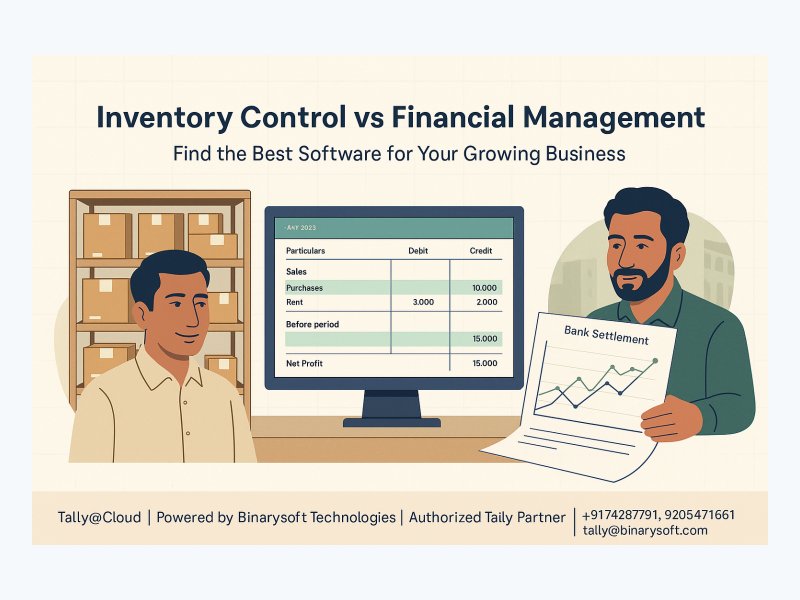
In 2026, growing sellers are facing a quieter but tougher accounting problem: the business is moving faster than the books. Orders arrive from marketplaces, walk-in counters, WhatsApp enquiries and repeat dealers, while returns, platform fees, delayed settlements and tax data arrive in separate reports. Nothing about this pressure needs a dramatic new rule to be real. The problem is operational: if a seller treats a net bank credit as sales, ignores returned stock, or misses marketplace deductions, profit starts looking better on paper than it is in cash. Clean records help owners buy the right stock, price products confidently, answer accountant questions faster and avoid last-minute scrambling before filings or audits. The practical advantage is simple: when inventory movement and financial entries tell the same story, a growing business can make decisions before cash is trapped in dead stock, unsettled dues or unreconciled marketplace balances.
Suggested URL slug: inventory-control-vs-financial-management-software-growing-business
Inventory Control vs Financial Management: Why This Choice Matters Now
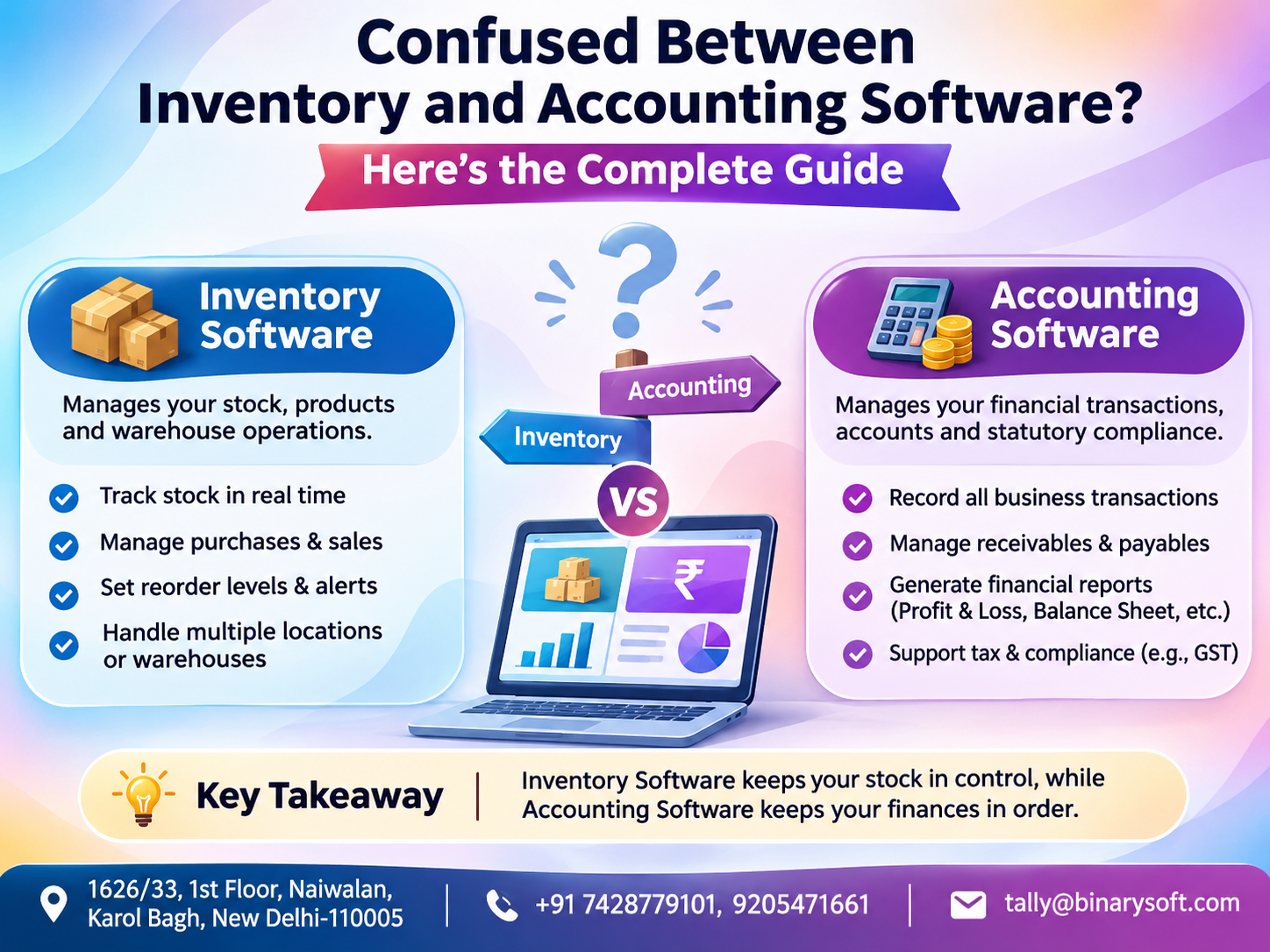
Many business owners start by asking a simple software question: should we buy inventory software or accounting software? The honest answer is that the business usually needs both disciplines, even if one system is used to manage them together. Inventory control tells you what is available, where it is, how fast it moves and when it should be reordered. Financial management tells you whether the business is profitable, solvent, tax-ready and able to fund its next round of purchases.
For a growing seller, these two areas cannot be separated for long. If the stock register says there are 200 units but the marketplace has 80 pending returns and the accountant has not booked platform fees, the owner is not looking at the real business. If the books show good profit but the warehouse is full of slow-moving models, the business may still face a cash squeeze. If sales are booked only when money reaches the bank, returns and fee deductions can disappear from the decision-making picture.
The best software decision is therefore not about choosing a fancy dashboard. It is about building a reliable operating system for the business. The right setup should help the owner answer practical questions quickly: which items are selling, which products are tying up cash, how much marketplace money is pending, whether Amazon fees are correctly booked, how much tax data needs review, and whether the bank receipts match the sales and settlement reports.
This article explains the difference between inventory control and financial management, when each matters most, how a growing business can organize Amazon sales and settlements in TallyPrime, and what to check before selecting software. It is written for Indian sellers, wholesalers, distributors and online merchants who need practical clarity rather than buzzwords.
A Karol Bagh Story: When Sales Grow Faster Than the Books
Consider an illustrative story from the trading lanes around Karol Bagh and Gaffar Market. Rohan, a second-generation seller of mobile accessories, runs a compact shop with his cousin. The shop sells charging cables, covers, earphones, power banks and small electronic accessories. During the day, customers walk in from the market. In the evening, staff pack marketplace orders. On weekends, a few dealers from nearby areas collect mixed cartons on credit.
For the first few years, the system felt manageable. Stock was counted mentally, fast-moving items were reordered by habit, and the accountant received bank statements at the end of the month. Then the business expanded online. Amazon orders looked exciting, especially during sale events. Rohan saw hundreds of dispatches and assumed the business had taken a big leap. His family started discussing a second warehouse room. His cousin pushed for more imports of the same high-selling items.
The tension appeared two months later. Some products showed high online sales but poor cash. Several items came back as customer returns, some opened and unsellable. Marketplace fee deductions were higher than expected. Bank credits did not match the order totals. A few dealer payments were mixed with marketplace settlements in the same bank account. The accountant asked for settlement reports, GST data, TCS and TDS details where applicable, sales returns and item-wise stock movement. Rohan had screenshots, courier labels, Excel files and bank credits, but not a clean chain of records.
The emotional weight of the problem was not only financial. Rohan felt embarrassed in front of his father, who had built the shop on trust and discipline. He had worked hard, packed late into the night and answered customer messages himself, yet the books made the business look confused. The lesson was painful but useful: growth without record control feels like success until the numbers need to be explained.
This is where the difference between inventory control and financial management becomes practical. Rohan did not merely need to know how many phone covers were left. He needed to connect stock movement, marketplace reports, settlement deductions, returns, bank receipts and tax records into one reliable system. That is the point at which software stops being an expense and becomes business infrastructure.
What Inventory Control Software Actually Does
Inventory control is the discipline of tracking goods from purchase to storage to sale to return. It helps a business know what it owns, where the goods are, how quickly they move and when replenishment is required. For a physical retailer, inventory control reduces stockouts and excess stock. For an online seller, it also reduces overselling, return confusion and mismatch between physical stock and marketplace listings.
Good inventory control starts with clean item masters. Each product should have a consistent name, unit of measurement, SKU or internal code, tax classification where relevant, purchase price, selling price and preferred supplier details. If one item is entered as fast charger cable, mobile cable fast, and USB cable premium in different places, stock reporting becomes unreliable. A growing business should standardize naming early.
Inventory control also covers stock valuation. The business needs to know the value of goods on hand, not only the quantity. This matters because money locked in stock is money unavailable for salaries, rent, marketing or new purchases. If a seller buys large quantities during a discount period but the items move slowly, the profit and loss statement may not show the pressure immediately. Stock ageing reports can reveal it sooner.
Inventory software may also manage batches, serial numbers, godowns, reorder levels, stock transfers and physical verification. The exact feature set varies by product and version, so sellers should confirm current product documentation before buying or configuring software. For electronics, appliances, spare parts and high-value goods, serial or batch-level tracking may be essential. For low-value accessories, practical SKU discipline may matter more than complex tracking.
Core Inventory Control Questions
- What is available for sale? The system should show real stock after purchases, sales, returns, damaged goods and transfers.
- Where is the stock located? A growing seller may have a shop, warehouse, packing table, marketplace reserved stock and goods in transit.
- Which items should be reordered? Reorder decisions should consider sales velocity, supplier lead time, seasonality and cash availability.
- Which items are not moving? Slow-moving stock can silently damage cash flow even when total sales look healthy.
- What is the true stock value? Inventory value affects profit, working capital and owner decisions.
- How are returns handled? Returned stock may be saleable, repairable, damaged, missing parts or not received at all.
What Financial Management Software Actually Does
Financial management covers accounting, cash flow, receivables, payables, bank reconciliation, profitability, statutory reporting support and management reporting. It explains whether sales are turning into profit and whether profit is turning into cash. For a growing business, financial management is the discipline that prevents sales volume from hiding weak margins.
Accounting software should help record sales, purchases, expenses, receipts, payments, journal entries, taxes, credit notes, debit notes and adjustments. It should provide reports such as profit and loss, balance sheet, ledger statements, outstanding receivables, payables, cash flow views and tax-related summaries. For Indian businesses, GST-related reporting support is often important, but the exact filing rules, formats, rates and thresholds should always be verified with the current law, accountant and software documentation.
Financial management also helps compare channels. A shop sale may have one margin profile, dealer credit another, and marketplace sales another. On Amazon or similar platforms, the seller may pay commission, closing fee, shipping fee, advertising cost, storage or handling charges, tax on services, return charges and other deductions depending on the category and program. If these costs are not booked correctly, a product that appears profitable by selling price may actually be weak after deductions.
For many Indian businesses, TallyPrime is used as a central accounting and business management system. It can support accounting, inventory, GST-related records, banking and business reporting depending on configuration and product version. Sellers should verify current TallyPrime features, licensing terms, cloud or remote access arrangements, and statutory capabilities from official documentation or an authorized Tally partner before finalizing the setup.
Core Financial Management Questions
- Are sales correctly recorded? Gross sales, returns, discounts and taxes should not be mixed with net bank credits.
- Are marketplace fees visible? Commission and service deductions should be booked as expenses or ledgers according to the accountant's advice.
- Is cash flow healthy? Profit does not guarantee bank balance if stock, credit sales or pending settlements consume cash.
- Are receivables and payables clear? Dealer dues, supplier payments and marketplace settlement balances should be trackable.
- Can tax data be reviewed? GST, TCS, TDS and other statutory information should be organized for accountant review.
- Can management see channel-wise performance? Marketplace, retail counter, wholesale and distributor channels may need separate reporting.
The Difference in One Practical Example
Suppose a seller purchases 500 mobile covers at a certain cost and lists them online. Inventory control asks how many units were purchased, how many were sold, how many were returned, how many are damaged and how many remain. Financial management asks what the sale value was, what tax applies, what marketplace fees were deducted, what bank amount was received, whether any TCS or TDS was reflected where applicable, and whether the profit after all costs is worth repeating.
If the seller only uses inventory control, the stock position may be accurate but the profitability may be unclear. If the seller only uses financial accounting without disciplined item records, the profit and loss may exist but purchasing decisions may still be blind. The best setup connects both. When a sale is recorded, stock should reduce. When a return is recorded, stock and accounts should reflect the correct status. When a marketplace settlement is received, it should clear the marketplace receivable rather than being treated as fresh sales.
This is the central idea for growing businesses: inventory control tells you what happened to goods, financial management tells you what happened to money, and a strong business system connects the two.
Why Marketplace Sellers Need Extra Discipline
Marketplace selling creates accounting pressure because the seller does not receive money in the same form as the customer paid it. The customer may pay the marketplace, the marketplace may deduct various fees, taxes on services, shipping costs, refunds, reserves or adjustments, and the seller may receive a net settlement after several days. The bank entry is therefore only the final cash movement, not the full business transaction.
This creates a common mistake. A seller sees a bank credit from Amazon and books it as sales. That may be simple, but it is usually incomplete. The bank credit may represent many orders, returns, fee deductions, reimbursements, tax collections or deductions and previous period adjustments. If it is recorded as sales, the books may understate gross sales, hide expenses, ignore returns and make tax reconciliation difficult.
Marketplace reports and bank statements serve different purposes. Marketplace reports explain the business events: orders, invoices, returns, fees, settlements, claims, TCS, TDS where applicable and adjustments. Bank statements prove cash received or paid. Reconciliation is the process of connecting these two worlds. Without reconciliation, the owner may celebrate sales that have not turned into money or miss deductions that are reducing profit.
How to Organize Amazon Sales Data in TallyPrime
Amazon report names, file formats and available fields can change, so sellers should confirm current report options inside their seller account and with their accountant. The principle remains stable: separate sales, returns, fees, taxes, deductions and bank receipts. Do not let the settlement deposit become the only accounting record.
In TallyPrime, the seller can organize Amazon data using a carefully designed ledger and voucher structure. The exact configuration depends on business type, GST registration, product categories, accounting policy, volume of transactions and current TallyPrime version. The following framework is practical but should be reviewed by a qualified accountant before implementation.
Step 1: Create Clear Sales and Party Structure
A marketplace sale may involve the end customer, Amazon as marketplace and Amazon as settlement intermediary. Many sellers maintain marketplace-related ledgers to track receivables and settlements. Depending on the accounting approach, the business may create an Amazon receivable ledger, marketplace clearing ledger or channel-wise sales ledgers. The key is consistency.
- Amazon sales ledger: Used to classify sales made through Amazon, possibly separated by taxable category if needed.
- Amazon receivable or settlement ledger: Used to track the amount expected from marketplace settlements before bank receipt.
- Sales return ledger or credit note process: Used for customer returns and cancelled orders according to accounting treatment.
- Output tax ledgers: Used as per GST setup and accountant guidance.
- Customer or marketplace party ledger: Used based on the chosen accounting workflow.
The goal is not to create too many ledgers. The goal is to make reports understandable. A small seller may need a simpler structure, while a high-volume seller may need automation or import tools. If transaction volume is heavy, discuss integration options, import utilities and controls with an authorized Tally partner and accountant.
Step 2: Maintain Accurate Stock Items
Stock items should match the products actually sold. Use consistent SKUs, units and descriptions. If Amazon SKUs differ from internal SKUs, maintain a mapping sheet. This helps prevent a frequent problem: sales reports show one SKU while the Tally stock item has a slightly different name. Over time, the business loses confidence in stock reports.
For example, an internal item named Cable Type C 1M Black should not appear in three more versions unless they are genuinely different products. If colour, size, warranty, compatibility or packaging affects sale and stock, create distinct items. If it does not matter for inventory, keep the item structure simpler. The right level of detail depends on business operations.
Step 3: Record Gross Sales, Not Only Net Receipts
When orders are shipped and invoices are generated, sales should be captured at the gross sale level as advised by the accountant. The bank receipt should not replace the sale entry. The invoice value, tax treatment, discounts and customer return risk all need proper accounting.
A practical illustration may look like this. A customer order has a product value, applicable tax component, shipping or promotional adjustment where relevant, and a final invoice amount. Later, the marketplace settlement deducts commission, closing fee, shipping fee, tax on marketplace services, TCS or TDS where applicable and any adjustments. The amount received in the bank is lower than the customer invoice. If only the bank amount is booked, the business loses visibility on both revenue and cost.
Exact GST classification, tax rates, invoice treatment and reporting requirements must be confirmed with the accountant and current law. Do not copy another seller's setup blindly, even if they sell similar products.
Step 4: Book Marketplace Fees Separately
Marketplace fees are a cost of selling. They should usually be visible in expense ledgers rather than hidden inside reduced sales. Typical fee categories may include referral or commission fees, closing fees, shipping-related charges, storage or handling charges, advertising charges and other platform deductions. The actual categories depend on the seller program and current marketplace reports.
Creating separate ledgers for major fee types helps the owner see margin leakage. If marketplace commission rises or return-related charges increase, the owner can identify the problem. If all deductions are entered into a single miscellaneous ledger, decision-making becomes weaker.
Step 5: Track TCS and TDS Where Applicable
Marketplace reports may show TCS, TDS or similar tax-related deductions where applicable. These should not be treated as ordinary selling expenses without review. They may represent amounts available for adjustment, credit or reporting according to current tax rules. The exact treatment, eligibility, reconciliation process, rates and forms must be verified with a qualified accountant and the current government portal data.
In TallyPrime, sellers commonly use separate ledgers for TCS receivable and TDS receivable or similar names recommended by the accountant. The purpose is to track amounts deducted or collected through the marketplace so they can be reconciled with marketplace reports, tax portal data and returns. If these amounts are buried in general expenses, they may be missed.
Step 6: Record Returns with Stock and Accounting Impact
Returns are not only a reduction of sales. They are also a stock event. A returned item may be saleable, damaged, missing accessories, replaced, reimbursed or not physically received. The accounting entry and stock entry should reflect reality.
For saleable returns, stock may come back into inventory and a credit note or sales return entry may be required. For damaged returns, the item may need to move to a damaged stock location, write-off process or claim tracking ledger. For marketplace reimbursements, the amount should be separately identifiable so the owner can see whether the return loss was recovered.
One of the biggest mistakes in growing online businesses is assuming that every return equals saleable stock. In categories such as mobile accessories, packaging damage, missing parts and customer use can reduce resale value. Inventory control must capture this loss, and financial management must show its cost.
Step 7: Match Settlements to Bank Receipts
Settlement reports show how the marketplace calculated the payout. Bank statements show whether the payout arrived. These should be reconciled. The settlement amount in the marketplace report should match the bank credit after considering timing, bank charges if any, and grouped settlements.
In TallyPrime, the seller can use a bank ledger and marketplace receivable or clearing ledger to track the flow. The sale creates an amount receivable from the marketplace or customer structure. The settlement entry clears that receivable after deducting fees, returns, taxes and adjustments. The bank receipt records the final cash. If the receipt is entered directly as sales, the receivable remains invisible and deductions are lost.
A Simple Settlement Example for Understanding
Assume a seller has one marketplace order for illustration. The customer invoice is ₹1,120, split between product value and applicable tax according to the accountant's classification. The marketplace deducts ₹80 as commission, ₹35 as shipping-related fee, applicable tax on platform services as per current rules, ₹10 as TCS where applicable and ₹5 as TDS where applicable. The bank receives the balance after these deductions and any adjustments.
This example is not tax advice and the numbers are simplified. The important lesson is that the bank credit is not the sale value. The sale value is ₹1,120 in this illustration, while the bank credit is only the net result after marketplace deductions. The seller should be able to see gross sales, tax liability or reporting value, platform costs, TCS, TDS, returns and bank receipt separately.
If the seller books only the bank credit as sales, several things go wrong. Sales are understated. Expenses are hidden. Tax-related deductions are not tracked. Product profitability appears unclear. The accountant may struggle to reconcile marketplace reports with GST and income tax records. The owner may keep selling a product that is actually weak after fees and returns.
Common Reconciliation Mistakes Sellers Should Avoid
- Treating net bank receipts as sales: This hides gross sales, fees, returns and tax-related deductions.
- Ignoring settlement period differences: An order placed in one month may settle in another. Month-end reporting must consider timing.
- Mixing marketplace and dealer receipts: Use clear references so Amazon settlements, shop sales and dealer collections are not confused.
- Not recording returns separately: Returns affect sales, stock and margin. They should not vanish inside settlement adjustments.
- Booking all deductions as one expense: Separate major fee categories to understand profitability.
- Forgetting TCS and TDS ledgers: Where applicable, these should be tracked for accountant review and portal reconciliation.
- Duplicating invoices: Importing marketplace data and manually entering invoices without controls can double sales.
- Using inconsistent SKUs: Mismatched item names make stock reports unreliable.
- Ignoring reimbursements and claims: Marketplace reimbursements should be matched to the underlying loss or return issue.
- Not checking current tax rules: Rates, thresholds, return formats and compliance steps can change. Confirm with professionals.
When Inventory Control Should Be the Priority
Inventory control should be the first priority when the business is losing money through stock confusion. This often happens in product-heavy businesses with many SKUs, multiple storage locations, fast-moving seasonal items or high return volumes. If staff cannot answer what is in stock without physically searching, the owner needs stronger inventory discipline.
For example, a seller of phone accessories may have thousands of similar items. Black covers, transparent covers, camera lens protectors and charging cables may look similar but differ by model. A wrong listing or wrong picking process can increase returns. Here, inventory control is not just a warehouse issue; it protects reputation and margins.
Inventory control is also critical when suppliers have long lead times. If imported goods take weeks to arrive, the seller must reorder before stock ends. But over-ordering can trap cash. Reorder levels, sales velocity and stock ageing help balance availability and cash.
Choose Inventory-First Focus If These Signs Appear
- Frequent stockouts despite regular purchases.
- High amount of dead stock or old models.
- Staff selling items that are not actually available.
- Physical stock count rarely matches system stock.
- Returns are received but not classified as saleable or damaged.
- Multiple warehouses or storage rooms create confusion.
- Item profitability is unclear because purchase cost mapping is weak.
When Financial Management Should Be the Priority
Financial management should be the priority when the owner cannot trust profit, cash flow or tax readiness. Many growing sellers experience this after marketplace expansion. Sales increase, but cash feels tight. Supplier dues rise. The owner cannot explain why bank balance is low despite strong order volume. This is usually a financial management problem.
Financial management is also urgent when the business has credit sales, supplier credit, loans, partner capital, tax notices, delayed filings or multiple channels. Without reliable ledgers, the owner may not know who owes money, which supplier is overdue, what the marketplace is holding, how much tax data is pending review or which expenses are rising.
For marketplace sellers, financial management should become stronger before scale multiplies mistakes. If a seller is processing 50 orders per day with weak reconciliation, the problem is manageable. At 500 orders per day, the same weakness becomes a serious operational risk.
Choose Finance-First Focus If These Signs Appear
- Bank receipts do not match sales reports.
- The accountant repeatedly asks for missing data.
- Marketplace fees are not visible by category.
- GST, TCS or TDS data is difficult to compile.
- Profit appears good but cash remains tight.
- Supplier dues are tracked informally.
- Owner decisions depend on bank balance rather than reports.
The Best Answer for a Growing Business: Integrated Control
The best software for a growing business is rarely only inventory control or only financial management. The best answer is integrated control, where goods movement and money movement are connected. This does not always require a complicated enterprise system. It requires a disciplined structure, correct ledgers, consistent item masters, reliable data import practices and regular reconciliation.
TallyPrime is widely used by Indian businesses because it can support accounting and inventory in one environment, subject to correct configuration and the current capabilities of the product version. A seller can maintain stock items, sales, purchases, returns, ledgers, bank entries, GST-related records and management reports. However, every business should verify the exact feature availability, release version, statutory support and marketplace integration approach before relying on it.
Some sellers also evaluate hosted access through solutions such as Tally@Cloud when owners, accountants and staff need secure access from different locations. The decision should include licensing, user permissions, data backup, internet reliability, security practices and support quality. A hosted setup can improve access, but it does not automatically fix poor accounting structure. The discipline still matters.
How TallyPrime Can Support Both Inventory and Finance
With the right implementation, TallyPrime can become the central record system for a growing seller. It can help connect purchase, stock, sale, receipt, expense and reporting workflows. But software configuration should follow business logic, not the other way around. Before entering data, define channels, ledgers, item groups, tax setup, voucher flow, approval responsibility and reconciliation frequency.
A practical TallyPrime setup for a marketplace and retail seller may include separate sales ledgers by channel, stock items grouped by category, purchase ledgers, supplier ledgers, marketplace fee ledgers, TCS and TDS receivable ledgers where applicable, bank ledgers, cash ledger, discount ledgers, sales return process and damaged stock tracking. Depending on the business, cost centres or categories may be used to compare channels or locations. Confirm current feature behavior in product documentation.
Suggested Ledger Planning Areas
- Sales ledgers: Retail sales, Amazon sales, wholesale sales or other channels as needed.
- Purchase ledgers: Local purchases, imports, freight or purchase expenses as advised by the accountant.
- Marketplace fees: Commission, shipping fees, closing fees, advertising charges and other major deductions.
- Tax-related ledgers: Output tax, input tax, TCS receivable, TDS receivable and other ledgers as applicable.
- Settlement clearing: A ledger to track amounts due from the marketplace before bank receipt.
- Returns and claims: Sales returns, damaged goods, reimbursements and claim receivable ledgers if needed.
- Bank and payment ledgers: Separate bank accounts, payment gateways and cash accounts.
Marketplace Reports vs Bank Receipts: The Clean Separation
One of the most important habits for sellers is to separate marketplace reports from bank receipts. A marketplace report is an operational and commercial statement. It tells you what orders were shipped, what was returned, what fee was deducted, what tax-related amount was shown and what settlement was calculated. A bank receipt is proof that money arrived.
Think of the marketplace report as the explanation and the bank entry as the evidence of cash movement. If you have the evidence without the explanation, your books are incomplete. If you have the explanation without matching cash, your receivable is still open. Reconciliation connects both.
For Amazon sellers, the useful data set may include order reports, invoice data, settlement reports, returns reports, fee reports, tax-related reports, TCS or TDS data where applicable, reimbursement reports and advertising reports if ads are used. Exact report names and availability should be verified in the seller account because marketplaces may update interfaces and formats.
A Practical Monthly Workflow for Amazon Sellers in TallyPrime
A disciplined monthly workflow reduces panic. The goal is not to make the owner an accountant. The goal is to make sure the accountant receives clean, complete and explainable data.
Daily or Every Two Days
- Download or capture shipped order details according to the chosen process.
- Check cancelled orders and returns initiated.
- Update stock for dispatched items if not automated.
- Record damaged or non-saleable returned goods separately.
- Keep courier, packing and claim documents organized.
Weekly
- Review settlement reports and expected payout dates.
- Check whether bank credits match settlement amounts.
- Book major marketplace fees in the correct ledgers.
- Track TCS and TDS amounts where applicable.
- Review high-return SKUs and customer complaints.
- Compare marketplace active inventory with Tally stock.
Monthly
- Reconcile gross sales with marketplace reports.
- Reconcile returns with credit notes and stock received.
- Match settlements to bank receipts.
- Review marketplace fee ratios by product group.
- Confirm GST, TCS, TDS and other statutory data with the accountant.
- Close pending claims, reimbursements and unmatched entries.
- Review slow-moving stock and reorder plans.
How to Compare Software Options Without Getting Distracted
Software demos often focus on dashboards, graphs and speed. Those are useful, but growing businesses should evaluate deeper controls. The best software is the one that produces reliable records with the least avoidable friction. It should fit the owner's team, accountant, transaction volume, tax needs and reporting expectations.
Before buying any system, map the business process on paper. How does a product enter the business? Who creates the purchase entry? Who updates stock? Who lists online? Who packs orders? Who records returns? Who downloads settlement reports? Who checks bank receipts? Who talks to the accountant? Software cannot fix an undefined process.
Also consider the cost of wrong data. A cheap tool that creates reconciliation confusion can become expensive. A complex tool that staff avoid can also fail. For many small and medium businesses, the right solution is a properly implemented system with training, not the most feature-heavy software.
Software Evaluation Checklist
- Accounting depth: Can it maintain proper ledgers, vouchers, receivables, payables and financial statements?
- Inventory accuracy: Can it track stock item-wise, location-wise and return status where needed?
- Marketplace handling: Can reports be imported, mapped or processed without losing fees, returns and taxes?
- GST readiness: Does it support current GST-related recording and reporting needs? Verify with current documentation.
- TCS and TDS tracking: Can applicable deductions be tracked in separate ledgers for reconciliation?
- Bank reconciliation: Can settlement receipts be matched with bank entries?
- User access: Can owner, accountant and staff work with suitable permissions?
- Scalability: Will it handle higher transaction volume without forcing a complete restart?
- Data export: Can reports be exported for accountant review and audit support?
- Support quality: Is there a knowledgeable local partner who understands both software and business workflow?
Which Business Stage Are You In?
The right software priority changes with business stage. A new seller may not need a complex setup on day one, but they should not create habits that become expensive to correct later. A growing seller needs structured ledgers and stock discipline. A multi-channel seller needs reconciliation controls and management reporting.
Stage 1: Early Seller
An early seller may have limited SKUs and manageable orders. The key is to start clean. Maintain consistent item names, record purchases and sales properly, avoid mixing personal and business bank transactions, and keep marketplace reports organized. Even if entries are summarized, the business should not treat bank credits as the only record of sales.
Stage 2: Growing Seller
A growing seller has more SKUs, more returns, more settlements and more pressure. This is the stage where TallyPrime configuration becomes important. Channel-wise sales ledgers, marketplace fee ledgers, return tracking, TCS and TDS ledgers where applicable, and monthly reconciliation should become standard.
Stage 3: Multi-Channel Business
A multi-channel business sells through retail counter, marketplace, wholesale, dealer networks and possibly its own website. At this stage, the owner needs reports by channel, location, item group and margin. Inventory and finance must work together. Staff roles, approvals, import routines and data backups become important.
Stage 4: Process-Led Growth
At a mature stage, the business should not depend on the owner's memory. Reorder decisions, pricing reviews, settlement reconciliation, tax data checks and stock ageing should follow a calendar. Software becomes part of governance. This is when cloud access, stronger controls, integrations and formal reporting may be considered.
Important Metrics Every Growing Seller Should Watch
Reports should lead to decisions. A seller does not need hundreds of numbers every morning. A practical set of metrics can reveal the health of stock, profit and cash.
- Gross sales by channel: Shows where demand is coming from before deductions.
- Net realization after marketplace fees: Shows what remains after platform costs.
- Return rate by SKU: Identifies products that create operational loss.
- Settlement pending amount: Shows money expected from marketplaces.
- Fee percentage by product group: Helps decide pricing and channel strategy.
- Stock ageing: Shows items that are not moving.
- Gross margin: Compares selling price against purchase cost before overheads.
- Cash conversion cycle: Shows how long money stays locked in stock and receivables.
- TCS and TDS receivable ageing: Helps ensure deductions are reviewed and reconciled.
- Supplier payable ageing: Prevents surprise pressure from overdue purchases.
Practical Example: Deciding Whether a Product Is Worth Selling Online
Suppose Rohan sells a power bank both in his Karol Bagh shop and online. In the shop, the customer pays immediately and returns are rare. Online, the selling price may be higher, but marketplace fees, shipping charges, returns and advertising cost reduce the margin. Without financial management, he may look only at the online selling price and order more. With proper records, he can compare channel-wise realization.
For each product, he should review purchase cost, packing cost, marketplace fees, return rate, damage rate, reimbursement history, settlement delay and advertising spend if any. Inventory control tells him whether the product moves fast. Financial management tells him whether the movement is profitable. A fast-moving product with poor net margin can still weaken the business.
This is especially important during sale events. High order volume can create excitement, but discounts and fees may reduce profits. Sellers should not assume that marketplace sale campaigns are always profitable. They should calculate after all deductions and confirm tax treatment with their accountant.
Data Hygiene: The Hidden Foundation of Good Software
Software quality depends on data discipline. If staff enter incomplete item names, skip return status, post settlement credits directly to sales and delay bank reconciliation, even a strong system will produce weak reports. Growing businesses should create simple written rules.
For example, decide how SKUs are named. Decide who can create new stock items. Decide how returned goods are classified. Decide which marketplace reports are downloaded and when. Decide what reference number is entered in TallyPrime for settlements. Decide how accountant queries are resolved. These rules do not need to be complicated, but they must be followed.
One useful practice is a monthly exception report. List unmatched settlements, negative stock items, old receivables, old payables, high-return SKUs, damaged stock and unusual fee spikes. The owner can review this in less than an hour and prevent small issues from becoming large losses.
Questions to Ask Before Finalizing Software
- Can the software show gross marketplace sales separately from net bank receipts?
- Can it track Amazon fees, returns, claims, TCS and TDS where applicable?
- Can it maintain item-wise stock with consistent SKU mapping?
- Can the accountant access or receive clean reports without manual rework?
- Can the system handle both retail counter sales and online orders?
- Can it support GST-related records according to current requirements?
- Can bank receipts be reconciled with settlement reports?
- Can reports be reviewed by channel, product group or location?
- Can staff be trained to use it correctly?
- Is support available when reports do not match?
Implementation Plan for the First 30 Days
A growing seller does not need to solve every problem in one day. A phased implementation reduces disruption and builds confidence.
Week 1: Map and Clean
- List all sales channels, bank accounts, marketplaces and payment methods.
- Prepare a clean stock item list with SKUs and categories.
- Identify major marketplace reports needed for sales, returns, fees and settlements.
- Review current ledger structure with the accountant.
- Remove duplicate or confusing item names where possible.
Week 2: Configure
- Create or revise sales ledgers, purchase ledgers and fee ledgers.
- Create TCS and TDS tracking ledgers where applicable and advised.
- Set up marketplace clearing or receivable ledgers.
- Define return and damaged stock handling.
- Confirm GST setup with current rules and accountant guidance.
Week 3: Enter and Reconcile
- Enter a sample period of marketplace transactions.
- Match settlement reports to bank credits.
- Check whether gross sales, fees and returns appear correctly.
- Compare stock movement with physical dispatch and returns.
- Resolve differences before scaling the process.
Week 4: Train and Review
- Train staff on item naming, returns and document references.
- Train accounts staff on settlement entry flow.
- Prepare a monthly closing checklist.
- Review reports with the owner and accountant.
- Decide whether automation, import tools or cloud access are needed.
Useful Checklist for Growing Sellers
- Maintain separate ledgers for marketplace sales and fee deductions.
- Do not record net settlement credit as total sales.
- Reconcile Amazon settlement reports with bank receipts every month.
- Track TCS and TDS where applicable in separate ledgers for accountant review.
- Record sales returns through proper credit note or return process.
- Classify returned stock as saleable, damaged, claim pending or write-off as appropriate.
- Keep SKU names consistent between marketplace and TallyPrime.
- Review fee percentage and return rate by product group.
- Confirm GST treatment, tax rates and filing requirements with current rules.
- Verify TallyPrime feature availability and setup steps with current product documentation.
- Back up data regularly and restrict unnecessary access.
- Review slow-moving stock before placing large purchase orders.
Where Tally@Cloud Fits for Growing Businesses
As the business expands, owners often want access from the shop, warehouse, home, accountant's office or while travelling. A hosted or cloud access environment for TallyPrime can be useful if implemented correctly. It may help different authorized users work on the same business data with better accessibility. However, cloud access should be evaluated with care.
Check licensing, user access, data security, backup policy, internet dependency, support response and performance. Also define who is allowed to enter, alter, export or delete data. Remote access is powerful only when combined with proper permissions and disciplined processes.
Tally@Cloud can be considered by businesses that want TallyPrime accessibility across locations while maintaining a familiar accounting environment. The setup should be reviewed by experts who understand TallyPrime, Indian business accounting and practical seller workflows.
Conclusion: The Best Software Is the One That Connects Stock, Money and Decisions
Inventory control and financial management are not competing priorities. They are two sides of the same growing business. Inventory control protects goods, availability and purchasing decisions. Financial management protects profit, cash flow, compliance readiness and owner confidence. For marketplace sellers, the connection becomes even more important because Amazon sales, returns, settlements, fees, TCS, TDS and GST data do not arrive as one simple bank entry.
The practical rule is clear: use marketplace reports to understand business activity, use bank statements to confirm cash movement, and use TallyPrime to organize the complete accounting and inventory story with the right ledgers, vouchers and reconciliation discipline. Verify tax treatment, rates, thresholds, filing rules and product features with your accountant and current documentation. Do not rely on assumptions when compliance and cash flow are at stake.
If your business is growing and your records are becoming harder to trust, now is the time to redesign the system before volume multiplies the confusion. For TallyPrime setup, Tally@Cloud guidance, marketplace accounting structure and practical business support, contact Tally@Cloud powered by Binarysoft Technologies, Authorized Tally Partner, 1626/33, 1st Floor, Naiwalan, Karol Bagh, New Delhi - 110005, INDIA. Call +91 7428779101, 9205471661 or email tally@binarysoft.com. Contact hours: 10:00 AM - 6:00 PM, Mon-Fri.
FAQ
What is the main difference between inventory control and financial management software?
Inventory control software focuses on goods: stock quantity, item movement, reorder levels, returns, damaged items and stock valuation. Financial management software focuses on money: sales, purchases, expenses, receivables, payables, bank reconciliation, profitability and tax-related records. A growing business usually needs both areas connected so stock reports and financial reports tell the same story.
Can TallyPrime be used for both inventory and accounting?
TallyPrime can support both accounting and inventory management, depending on configuration, business needs and the current product version. Sellers can maintain ledgers, vouchers, stock items, purchases, sales, returns, GST-related records and reports. However, feature availability, statutory support and setup steps should be confirmed from current TallyPrime documentation or an authorized Tally partner.
Why should Amazon sellers not book bank settlements directly as sales?
A bank settlement is usually a net amount after marketplace fees, returns, tax-related deductions, shipping charges and adjustments. If the seller books only the bank credit as sales, gross sales may be understated, expenses may be hidden and TCS or TDS amounts where applicable may be missed. Marketplace reports should explain the transaction, while the bank statement confirms cash receipt.
How should Amazon fees, TCS, TDS and GST data be organized in TallyPrime?
Sellers should create clear ledgers for marketplace sales, marketplace clearing or receivables, major fee categories, returns, TCS receivable and TDS receivable where applicable, and GST-related ledgers as advised by the accountant. Exact tax treatment, rates, eligibility and filing requirements must be verified with current rules and professional advice.
What are the most common reconciliation mistakes for marketplace sellers?
Common mistakes include treating net bank receipts as total sales, ignoring returns, mixing dealer payments with marketplace settlements, booking all deductions into one vague expense ledger, not tracking TCS or TDS where applicable, using inconsistent SKUs and failing to match settlement reports with bank credits.
When should a business prioritize inventory software first?
Inventory should be prioritized when stockouts, dead stock, wrong dispatches, damaged returns, multiple locations or SKU confusion are hurting operations. If staff cannot trust the stock report, purchasing and sales decisions become risky. Strong inventory discipline is especially important for sellers with many similar products or high return volumes.
When should a business prioritize financial management first?
Financial management should be prioritized when sales are growing but cash is tight, bank receipts do not match reports, supplier dues are unclear, tax data is difficult to prepare or marketplace fees are not visible. In such cases, the business needs better accounting structure, reconciliation and profitability reporting.
Is Tally@Cloud useful for growing sellers?
Tally@Cloud can be useful when owners, accountants and staff need access to TallyPrime from different locations, subject to licensing, security, permissions, backup and internet reliability. It should be implemented with proper accounting structure and user controls, because cloud access improves availability but does not replace disciplined bookkeeping.
Frequently Asked Questions
What is the main difference between inventory control and financial management software?
Inventory control software focuses on goods: stock quantity, item movement, reorder levels, returns, damaged items and stock valuation. Financial management software focuses on money: sales, purchases, expenses, receivables, payables, bank reconciliation, profitability and tax-related records. A growing business usually needs both areas connected so stock reports and financial reports tell the same story.
Can TallyPrime be used for both inventory and accounting?
TallyPrime can support both accounting and inventory management, depending on configuration, business needs and the current product version. Sellers can maintain ledgers, vouchers, stock items, purchases, sales, returns, GST-related records and reports. However, feature availability, statutory support and setup steps should be confirmed from current TallyPrime documentation or an authorized Tally partner.
Why should Amazon sellers not book bank settlements directly as sales?
A bank settlement is usually a net amount after marketplace fees, returns, tax-related deductions, shipping charges and adjustments. If the seller books only the bank credit as sales, gross sales may be understated, expenses may be hidden and TCS or TDS amounts where applicable may be missed. Marketplace reports should explain the transaction, while the bank statement confirms cash receipt.
How should Amazon fees, TCS, TDS and GST data be organized in TallyPrime?
Sellers should create clear ledgers for marketplace sales, marketplace clearing or receivables, major fee categories, returns, TCS receivable and TDS receivable where applicable, and GST-related ledgers as advised by the accountant. Exact tax treatment, rates, eligibility and filing requirements must be verified with current rules and professional advice.
What are the most common reconciliation mistakes for marketplace sellers?
Common mistakes include treating net bank receipts as total sales, ignoring returns, mixing dealer payments with marketplace settlements, booking all deductions into one vague expense ledger, not tracking TCS or TDS where applicable, using inconsistent SKUs and failing to match settlement reports with bank credits.
When should a business prioritize inventory software first?
Inventory should be prioritized when stockouts, dead stock, wrong dispatches, damaged returns, multiple locations or SKU confusion are hurting operations. If staff cannot trust the stock report, purchasing and sales decisions become risky. Strong inventory discipline is especially important for sellers with many similar products or high return volumes.
When should a business prioritize financial management first?
Financial management should be prioritized when sales are growing but cash is tight, bank receipts do not match reports, supplier dues are unclear, tax data is difficult to prepare or marketplace fees are not visible. In such cases, the business needs better accounting structure, reconciliation and profitability reporting.
Is Tally@Cloud useful for growing sellers?
Tally@Cloud can be useful when owners, accountants and staff need access to TallyPrime from different locations, subject to licensing, security, permissions, backup and internet reliability. It should be implemented with proper accounting structure and user controls, because cloud access improves availability but does not replace disciplined bookkeeping.
CA. Vishal Mehta is a Chartered Accountant specializing in accounting compliance, GST advisory, and business process optimization. He has assisted businesses in transitioning to structured accounting and inventory systems. His articles focus on accuracy, compliance, and sustainable business growth.