Call CA Tally HelpDesk
+91 9205471661,
7428779101
Introduction: Why Payment and Invoice Reconciliation Matters in 2026
Large organisations process enormous volumes of financial transactions every day.
A manufacturing company may receive hundreds of supplier invoices, while a retail chain collects payments through bank transfers, cards, UPI and online gateways. Service businesses manage customer advances, recurring invoices and partial settlements.
When these transactions are recorded across disconnected systems, reconciliation becomes increasingly difficult.
A payment may reach the bank without a clear invoice reference. A supplier may submit the same invoice twice. A customer may settle several invoices through one transfer.
In 2026, growing transaction volumes and digital payment channels make efficient reconciliation an important requirement for financial accuracy and operational control.
Businesses need systems that can identify unmatched transactions, track payment differences and provide reliable information to finance teams.
The right reconciliation software can reduce repetitive work and help organisations detect problems earlier.
However, successful automation requires accurate transaction data, clearly defined matching rules and appropriate review procedures.
This guide explains how reconciliation works, compares the major software categories and explores how Tally Prime can support structured payment and invoice management.
An Emotional Story: The Finance Manager Who Feared Closing Day
Meera worked as the finance manager of a growing distribution company in Delhi.
The company operated several warehouses and supplied products to hundreds of customers.
Every month, Meera's team processed thousands of invoices and payment entries.
Despite working long hours, the accounts department struggled to complete reconciliations on time.
One Friday evening, the managing director requested an urgent report of customer outstanding balances.
Meera discovered that several customer payments had reached the bank but had not been allocated correctly against invoices.
Some customers appeared overdue even though they had already paid.
The following morning, an important customer complained about repeated payment reminders.
Meera felt embarrassed and exhausted.
Her young son had been waiting for her to attend his school function, but she remained in the office trying to correct the records.
That night, she realised that her team was not failing because employees lacked dedication.
They were struggling because their processes depended on excessive manual work.
The company introduced standardized invoice references, structured payment allocation and regular bank reconciliation procedures.
It also improved its accounting configuration and introduced exception reviews for unmatched transactions.
Over time, the finance team reduced repetitive corrections and gained more confidence in its reports.
Meera could finally focus on financial analysis instead of spending every evening searching for missing payment references.
This fictional story illustrates common reconciliation challenges in growing organisations.
The lesson is clear: financial automation is not only about processing transactions faster. It is also about giving employees reliable information and reducing avoidable stress.
1. What Is Payment and Invoice Reconciliation?
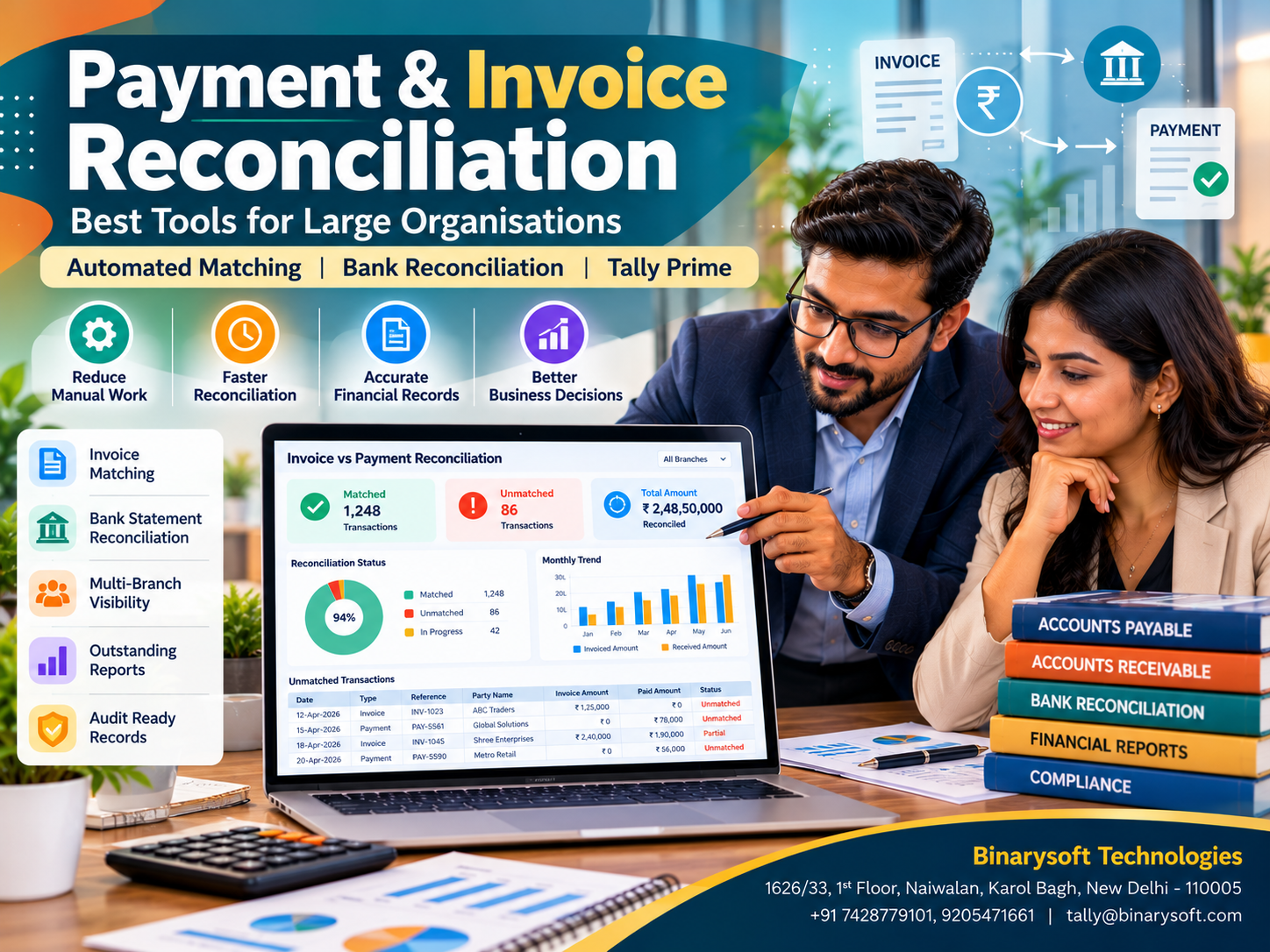
Payment and invoice reconciliation is the process of comparing invoices, accounting entries and actual payments to confirm that financial records are complete and accurate.
For accounts receivable, the process verifies whether customers have paid their outstanding invoices.
For accounts payable, it checks whether supplier invoices are valid, approved and correctly settled.
Bank reconciliation separately compares transactions recorded in accounting books with bank statement entries.
These activities are connected but serve different control objectives.
For example, matching a customer's receipt to an invoice does not automatically confirm that the related bank entry has been reconciled.
Large organisations need procedures for both.
2. Why Large Organisations Face Reconciliation Challenges
Large businesses operate across multiple departments, branches and banking channels.
Payments may arrive without references, or customers may combine several invoices into one transfer.
Suppliers may issue credit notes after an invoice has been recorded.
Different departments may use inconsistent customer or vendor identifiers.
These issues create unmatched transactions that require investigation.
Without a structured process, reconciliation backlogs can increase, delaying financial closing and reducing confidence in outstanding reports.
3. Most Effective Tools for Payment and Invoice Reconciliation
|
Tool category
|
Main purpose
|
Best suited for
|
|---|
|
Accounting software
|
Bill-wise settlement and bank reconciliation
|
Small and growing businesses
|
|
ERP finance modules
|
Integrated transaction and ledger management
|
Large enterprises
|
|
Accounts payable automation
|
Supplier invoice processing and matching
|
High-volume procurement
|
|
Accounts receivable automation
|
Customer payment allocation
|
High-volume collections
|
|
Bank reconciliation platforms
|
Matching bank and book entries
|
Multi-bank organisations
|
|
RPA and intelligent document processing
|
Repetitive tasks and invoice data extraction
|
Document-heavy finance teams
|
|
Reconciliation and financial-close platforms
|
Exception management and closing controls
|
Complex finance departments
|
Many organisations use a combination of these tools.
The most suitable solution depends on transaction volume, business processes, available integrations and required internal controls.
4. ERP Systems for Integrated Financial Reconciliation
ERP finance modules help connect purchasing, sales, inventory, payments and accounting.
Large enterprises may use platforms such as SAP, Oracle or Microsoft Dynamics 365.
These systems can support automated matching, approval workflows and financial reporting, depending on the selected modules and configuration.
The main advantage is that relevant transaction information can be maintained within a coordinated system.
However, enterprise ERP implementation can involve significant costs, process redesign and employee training.
Organisations should evaluate the complete implementation effort rather than comparing software subscription prices alone.
5. Accounts Payable Automation Software
Accounts payable automation focuses on processing supplier invoices accurately and efficiently.
A typical workflow begins when the organisation receives an invoice.
The system captures invoice details, identifies the supplier and checks the document against purchasing records.
Approvals are then routed to authorized employees.
Some platforms support duplicate invoice detection, exception handling and payment scheduling.
These capabilities are particularly valuable for businesses receiving thousands of supplier invoices each month.
However, automated extraction should be reviewed when documents contain missing information, unusual tax treatment or inconsistent purchase references.
6. Accounts Receivable Reconciliation Tools
Accounts receivable reconciliation helps organisations allocate customer payments to outstanding invoices.
This becomes difficult when customers make partial payments, combine several invoices or omit payment references.
Suitable tools may match receipts using invoice numbers, customer identifiers, amounts and bank references.
Unmatched payments should remain visible for investigation rather than being assigned arbitrarily.
For businesses using Tally Prime, bill-wise tracking supports invoice-level settlements and outstanding analysis.
7. Bank Reconciliation Software
Bank reconciliation compares the transactions in an organisation's accounting records with those appearing in bank statements.
Differences may arise from uncleared cheques, bank charges, interest, delayed deposits or missing entries.
Modern reconciliation tools can import bank statement information and assist with matching.
Tally Prime supports bank reconciliation workflows, including bank statement imports and automatic matching for supported formats and configurations.
Unmatched entries still require review and correction.
8. Three-Way Invoice Matching
Three-way matching is an important control in procurement-driven organisations.
It compares three documents:
-
Purchase Order
-
Goods Receipt or delivery confirmation
-
Supplier Invoice
For example, if a purchase order specifies 100 units at ₹500 each, the receiving team confirms 100 units and the supplier invoices 110 units, the difference should be investigated.
This process helps prevent payment for quantities not received or charges not agreed.
Not every service transaction requires conventional goods-receipt matching. Organisations should adapt controls to the nature of their purchases.
9. Artificial Intelligence and RPA in Reconciliation
Artificial intelligence and Robotic Process Automation can support reconciliation by extracting invoice information, identifying patterns and processing repetitive tasks.
For example, an intelligent document processing system may read invoice numbers, dates, amounts and supplier information.
Matching software can then compare extracted data with accounting records.
However, automated systems can make mistakes.
Low-confidence matches, unusual payments and disputed transactions should be escalated for human review.
Effective automation combines technology with documented approval and exception-handling procedures.
10. How Tally Prime Supports Payment and Invoice Reconciliation
Tally Prime provides several features that help businesses maintain accurate receivable, payable and banking records.
Bill-wise tracking: Maintain outstanding balances against individual invoices.
Receipt and payment allocation: Adjust transactions against existing invoice references.
Customer outstanding reports: Review unpaid invoices, due dates and overdue balances.
Supplier payable reports: Monitor outstanding supplier bills and settlement requirements.
Bank reconciliation: Compare bank statement transactions with accounting entries.
Credit management: Configure applicable customer credit periods and limits.
Financial reporting: Review ledgers, balances and financial statements.
These capabilities make Tally Prime useful for businesses requiring structured accounting and reconciliation.
For organisations with highly complex, high-volume matching requirements, additional automation or integration may be appropriate.
11. Step-by-Step Payment Reconciliation in Tally Prime
Businesses can establish a structured invoice reconciliation workflow using Tally Prime.
Step 1: Enable bill-wise tracking
Open the company features and enable bill-wise entry. Configure the relevant customer and supplier ledgers to maintain balances bill by bill.
Step 2: Record invoices with references
Create sales and purchase vouchers using consistent invoice references. Verify customer details, amounts, tax calculations and payment terms.
Step 3: Record receipts and payments
When money is received or paid, create the appropriate Receipt or Payment voucher.
Step 4: Allocate transactions against invoices
In the Bill-wise Details screen, select Against Ref to adjust the payment or receipt against an existing bill.
Use the appropriate reference type for advances or payments that cannot yet be matched to an invoice.
Step 5: Reconcile bank transactions
Import supported bank statements or review bank entries manually. Match accounting transactions with corresponding bank records.
Step 6: Review outstanding reports
Examine receivables, payables, overdue balances and unapplied amounts.
Step 7: Investigate discrepancies
Check unmatched payments, incorrect references, duplicate entries and differences in amounts.
Corrections should follow the organisation's accounting approval procedures.
12. Practical Example of Invoice and Payment Reconciliation
Consider a distributor receiving payments against three invoices.
|
Invoice
|
Invoice amount
|
Payment received
|
Outstanding
|
|---|
|
INV-101
|
₹75,000
|
₹75,000
|
₹0
|
|
INV-102
|
₹1,20,000
|
₹80,000
|
₹40,000
|
|
INV-103
|
₹95,000
|
₹0
|
₹95,000
|
|
Total
|
₹2,90,000
|
₹1,55,000
|
₹1,35,000
|
The second invoice has been partially settled, while the third remains unpaid.
The finance team should verify that the ₹1,55,000 received has been correctly allocated and reconciled with bank records.
Any deductions, disputes or short payments require separate investigation.
This example demonstrates why invoice-level reconciliation is more informative than reviewing only the overall customer balance.
13. Case Study One: A Manufacturing Company Reduces Supplier Reconciliation Backlogs
Illustrative case study — fictional business and figures.
A manufacturing company in Faridabad processed approximately 1,800 supplier invoices every month.
Its accounts team manually compared invoices with purchase records and bank payments.
The process frequently resulted in delayed reconciliations and repeated supplier enquiries.
Management introduced standardized supplier references, approval procedures and structured bill-wise accounting.
Tally Prime was used to maintain supplier ledgers, outstanding bills and payment records.
A separate review process identified invoices with missing purchase references or disputed amounts.
In this illustrative scenario, the monthly reconciliation backlog decreased substantially over three months.
The finance team also improved communication with suppliers.
Key lesson: Consistent invoice references, structured payment allocation and exception reviews can significantly improve accounts payable control.
14. Case Study Two: A Retail Chain Improves Customer Payment Matching
Illustrative case study — fictional business and figures.
A retail distribution chain operating across Delhi NCR received customer payments through multiple banking channels.
Some customers paid several invoices together, while others made partial payments.
The accounting team frequently struggled to identify the invoices associated with each receipt.
The business introduced standardized customer references and regular bank reconciliation.
Tally Prime supported invoice-wise outstanding tracking, receipt allocation and ledger reporting.
The team also created a procedure for investigating unidentified receipts.
Over time, customer outstanding statements became more reliable, and unnecessary payment reminders decreased.
Key lesson: Accurate payment allocation improves customer relationships while strengthening financial reporting.
15. Important Features to Look for in Reconciliation Software
When evaluating reconciliation tools, large organisations should consider transaction volume, matching accuracy and integration capabilities.
Other important requirements include configurable matching rules, approval workflows, exception reporting, audit trails and user permissions.
Businesses should also examine whether the system supports partial payments, multiple invoices against one payment and bank charges.
Data security is essential because reconciliation systems process sensitive financial information.
Before purchasing software, organisations should test representative transactions and verify how the system handles exceptions.
16. Common Reconciliation Mistakes to Avoid
One frequent mistake is treating every unmatched payment as a bookkeeping error.
Differences may arise from legitimate commercial disputes, bank charges, timing differences or incorrect customer references.
Another mistake is adjusting payments against unrelated invoices simply to clear outstanding balances.
Businesses should avoid deleting historical transactions without reviewing their accounting and audit implications.
Finance teams should also reconcile frequently rather than waiting until the financial year-end.
Clear responsibilities and documented review procedures help prevent recurring problems.
17. Benefits of Automated Payment Reconciliation
Automation can reduce repetitive data entry and improve transaction visibility.
It can also help identify discrepancies earlier, support faster month-end closing and improve customer and supplier communication.
However, benefits depend on data quality and implementation effectiveness.
An organisation should measure improvements using indicators such as unmatched transaction counts, reconciliation turnaround time and correction frequency.
Automation is most valuable when it reduces manual effort without weakening financial controls.
18. How to Implement Reconciliation Automation Successfully
Implementation should begin with an assessment of existing processes.
Finance teams should identify transaction sources, banking channels, invoice formats and common reconciliation problems.
The organisation should then standardize customer and supplier identifiers.
Matching rules must be tested using real transaction scenarios.
Employees should receive training on reviewing unmatched entries and approving corrections.
After deployment, management should monitor exception reports and periodically evaluate matching accuracy.
A phased rollout may be appropriate for organisations with multiple business units or banking relationships.
19. Future of Payment and Invoice Reconciliation
Reconciliation technology is increasingly moving toward integrated transaction processing, automated document capture and more sophisticated exception identification.
Finance teams may spend less time entering data and more time reviewing unusual transactions.
However, effective financial controls will remain essential.
Even advanced systems require reliable source records, appropriate access permissions and human oversight.
Businesses that combine organized accounting information with suitable automation will be better positioned to manage growing transaction volumes.
Conclusion: Accurate Reconciliation Creates Stronger Financial Control
Payment and invoice reconciliation is fundamental to reliable financial management.
For large organisations, manual processes can become difficult to maintain as transaction volumes and payment channels expand.
Accounting systems, ERP platforms, accounts payable automation, accounts receivable tools and bank reconciliation solutions each address different parts of the challenge.
Tally Prime supports important reconciliation activities through bill-wise tracking, receipt and payment allocation, outstanding reports and banking features.
With suitable processes, trained employees and additional integrations where necessary, businesses can improve accuracy and reduce avoidable administrative work.
The ultimate goal is not simply to reconcile transactions faster. It is to create financial records that management, customers, suppliers and auditors can trust.
Powered by Binarysoft Technologies
Authorized Tally Partner
Location: 1626/33, 1st Floor, Naiwalan, Karol Bagh, New Delhi – 110005, INDIA
Contact Us: +91 7428779101, 9205471661
Email: tally@binarysoft.com
Business Hours: 10:00 AM – 6:00 PM, Monday to Friday
Frequently Asked Questions
What is payment and invoice reconciliation?
It is the process of comparing invoices, receipts, payments and accounting records to confirm that transactions are correctly recorded and outstanding balances are accurate.
Which tools are best for reconciling payments in large organisations?
Common options include ERP finance modules, accounts payable automation platforms, accounts receivable reconciliation systems, bank reconciliation software and accounting applications such as Tally Prime.
Can Tally Prime reconcile customer payments against invoices?
Yes. Bill-wise tracking allows businesses to allocate receipts against specific outstanding invoices and monitor remaining balances.
Does Tally Prime support bank reconciliation?
Yes. Tally Prime provides bank reconciliation features, including statement imports and matching capabilities for supported banking formats and configurations.
CA. Aditya Khatod focuses on accounting automation, taxation, and financial reporting for MSMEs. He helps businesses organize transactions, improve reconciliation processes, and maintain structured records for compliance and management purposes.