Call CA Tally HelpDesk
+91 9205471661,
7428779101
Introduction: Why Choosing the Right ERP Deployment Can Save Your Business Money
Imagine investing thousands of rupees in business software, only to discover that maintaining the system costs almost as much as purchasing it.
For many Indian business owners, this situation is becoming increasingly relevant.
As businesses expand, they need reliable accounting, inventory management, GST billing, financial reporting and secure access to important business information.
However, selecting ERP software is only one part of the decision. Businesses must also determine where the software will operate.
Should they install ERP software on computers and servers inside their office? Or should they use a cloud-hosted environment that employees can access remotely?
This is the central question in the Cloud ERP vs On-Premise ERP comparison.
Both approaches have advantages, limitations and financial implications.
Cloud ERP generally reduces the need for upfront server investment, while on-premise ERP offers greater direct control over infrastructure.
Understanding the total cost of ownership helps businesses choose a deployment model that supports their operational requirements and long-term financial planning.
A Business Owner's Story: The Server Failure That Stopped an Entire Business
Amit owned a growing distribution business in Delhi.
His company supplied electrical equipment to retailers across Delhi NCR. Over the years, he had built a successful business with dedicated employees and loyal customers.
His accounting software was installed on an office computer that also stored important business records.
Every morning, employees depended on that system to prepare invoices, review stock quantities and check customer balances.
One Monday morning, the computer failed.
The accounting team could not access its records. Customers were waiting for invoices, suppliers wanted payment confirmations, and employees were unsure which orders had already been processed.
Amit spent the entire day coordinating with technicians.
The business eventually recovered its data from an available backup, but the interruption created delays and considerable stress.
That evening, Amit asked himself an important question:
Was maintaining his own office infrastructure really the most practical way to run a growing business?
He began evaluating cloud hosting and centralized accounting access.
He discovered that the right solution was not simply about software prices. It was about infrastructure, business continuity, employee productivity and long-term operating expenses.
This experience reflects a challenge faced by many businesses as they become increasingly dependent on digital accounting systems.
1. What Is Cloud ERP?
Cloud ERP refers to enterprise resource planning software hosted on remote infrastructure and accessed through an internet connection.
In a typical Software-as-a-Service arrangement, the ERP provider manages the application infrastructure and delivers the software through a subscription.
Businesses can access authorized functions without maintaining their own physical application servers.
Cloud ERP systems may support accounting, inventory management, sales, purchasing, financial reporting and other operational processes.
How Cloud ERP Works
A business subscribes to a cloud ERP service and receives authorized access to the application.
Employees connect through supported devices and interfaces.
Business information is stored and processed in the provider's hosting environment.
Depending on the service agreement, the provider may handle infrastructure maintenance, backups, security updates and system availability.
However, customers remain responsible for important activities such as user access management, accurate data entry and appropriate internal controls.
Important Benefits of Cloud ERP
Cloud ERP can reduce upfront infrastructure investment, simplify remote access, support business expansion and reduce internal server administration.
These advantages are particularly relevant for growing businesses with multiple offices or limited IT resources.
2. What Is On-Premise ERP?
On-premise ERP is business management software installed on infrastructure controlled by the organization.
The application may operate on office computers, dedicated servers or a company-managed data center.
The business is generally responsible for maintaining the hardware, operating environment, networking and supporting infrastructure.
How On-Premise ERP Works
A company purchases or licenses suitable software and installs it on its own infrastructure.
Employees access the system through local computers or an internal network.
The organization manages software deployment, server maintenance, security configurations, backups and recovery procedures.
External IT professionals may assist with these responsibilities.
Important Benefits of On-Premise ERP
On-premise ERP offers direct infrastructure control and can support specialized internal network requirements.
It may also be appropriate where internet connectivity is unreliable or business policies require particular hosting arrangements.
However, these advantages must be evaluated against hardware costs, maintenance responsibilities and long-term infrastructure requirements.
3. Cloud ERP vs On-Premise ERP: Key Differences
| Comparison Factor | Cloud ERP | On-Premise ERP |
|---|
| Hosting |
Remote cloud infrastructure |
Company-controlled infrastructure |
| Initial investment |
Generally lower |
Generally higher |
| Payment structure |
Often subscription-based |
Often license plus maintenance |
| Hardware requirements |
No company-owned application server required |
Local infrastructure generally required |
| Maintenance |
Provider or hosting partner manages infrastructure |
Business or IT partner manages infrastructure |
| Remote access |
Usually easier to configure |
Requires additional secure access arrangements |
| Scalability |
Capacity can often be expanded through service plans |
May require hardware upgrades |
| Backup |
Depends on provider and service agreement |
Must be arranged by the business |
| Security |
Shared responsibility |
Greater internal responsibility |
| Customization |
Depends on platform and hosting model |
May allow deeper infrastructure control |
| Internet dependency |
Generally high |
Local access may continue without internet |
| Long-term cost |
Recurring hosting or subscription charges |
Maintenance, support and hardware replacement |
Neither deployment model is universally superior.
The best choice depends on business size, financial resources, IT capabilities, security requirements and future expansion plans.
4. What Is Total Cost of Ownership in ERP?
Total Cost of Ownership, commonly called TCO, represents the complete expense of acquiring, implementing, operating and maintaining a business system over a defined period.
Many businesses compare ERP options based only on the initial software price.
However, this approach can overlook important expenses.
A complete ERP cost analysis should include software licensing, infrastructure, implementation, maintenance, support, security, backup, training and future upgrades.
ERP Total Cost of Ownership Formula
ERP TCO = Software Cost + Infrastructure Cost + Implementation Cost + Maintenance Cost + Security and Backup Cost + Training Cost + Other Operating Expenses
Businesses should calculate these expenses over three to five years rather than evaluating only the first year.
A longer comparison helps reveal the financial impact of recurring cloud subscriptions and periodic on-premise infrastructure replacement.
5. Cloud ERP vs On-Premise ERP: Detailed Cost Comparison
Software Licensing Costs
Cloud ERP often uses monthly or annual subscriptions.
Depending on the provider, charges may be based on users, features, storage capacity or transaction volumes.
This structure can make recurring expenditure easier to plan.
On-premise ERP may involve perpetual licenses, annual subscriptions or a combination of licensing and maintenance fees.
The actual licensing arrangement depends on the software.
Hardware and Infrastructure Costs
Cloud ERP generally eliminates the need to purchase dedicated office servers for hosting the application.
The provider maintains the hosting infrastructure.
On-premise ERP may require servers, storage devices, networking equipment, power backup and physical security arrangements.
These expenses increase the initial investment.
Maintenance Costs
Cloud hosting providers usually manage the underlying infrastructure according to their service agreements.
On-premise deployments require the business to maintain its own hardware and operating environment.
Maintenance may include hardware servicing, operating system updates, network troubleshooting and technical support.
Software Upgrade Costs
Cloud ERP services often include centrally managed application updates.
However, customization and integration changes may still require additional work.
On-premise ERP upgrades may require internal testing, technical assistance and scheduled maintenance.
Data Security Costs
Both models require appropriate security controls.
Cloud providers may offer managed infrastructure security, while customers remain responsible for passwords, permissions and user activity.
On-premise businesses must arrange suitable security controls for their own infrastructure.
Backup and Disaster Recovery Costs
Backup systems are essential for protecting financial records.
Cloud hosting plans may include automated backups, but retention periods and restoration arrangements must be verified.
On-premise businesses need to implement and maintain their own backup procedures.
6. Cloud ERP vs On-Premise ERP: Five-Year Cost Comparison
To understand the financial difference, consider a hypothetical small business with ten employees using accounting and inventory management software.
The following figures are illustrative estimates, not actual vendor quotations.
| Cost Component | Cloud ERP | On-Premise ERP |
|---|
| Initial software and setup |
₹40,000 |
₹60,000 |
| Server and infrastructure |
₹0 |
₹1,20,000 |
| Annual hosting or maintenance |
₹48,000 |
₹24,000 |
| Annual backup and security |
Included in assumed plan |
₹12,000 |
| Annual IT support |
₹6,000 |
₹30,000 |
| Five-year recurring expenses |
₹2,70,000 |
₹3,30,000 |
| Estimated five-year TCO |
₹3,10,000 |
₹5,10,000 |
In this illustrative scenario, cloud deployment costs ₹2,00,000 less over five years.
However, the result depends on actual licensing, infrastructure, hosting, support and maintenance requirements.
Cloud hosting may become more expensive over time if subscription charges increase substantially or additional users and resources are required.
Businesses should obtain detailed quotations before making a purchasing decision.
7. How Tally Prime Cloud Helps Reduce IT Infrastructure Complexity
Tally Prime is widely used by Indian businesses for accounting, GST billing, inventory management and financial reporting.
Businesses can operate Tally Prime through suitable local installations or supported cloud-hosting arrangements.
It is important to understand that hosting Tally Prime on a cloud server is not necessarily the same as purchasing a cloud-native SaaS ERP product.
A hosted deployment generally involves running the desktop application in a remotely managed computing environment.
Remote Accounting Access
Authorized employees can access the hosted accounting environment from supported locations and devices.
This is useful for businesses operating across multiple offices.
Reduced Local Server Requirements
A cloud-hosted deployment can eliminate the need to maintain a dedicated application server inside the office.
The hosting provider manages the underlying server infrastructure according to the agreed service plan.
Multi-User Operations
Businesses can configure access for multiple authorized users, subject to applicable software licensing and hosting capacity.
Backup and Recovery
Suitable hosting plans may provide scheduled backups and recovery options.
Businesses should verify backup frequency, retention periods and restoration procedures before selecting a provider.
Improved Operational Flexibility
Cloud hosting allows business owners and accounting teams to access centralized information without depending entirely on a particular office computer.
This can be especially useful for growing trading, manufacturing and distribution businesses.
8. Case Study One: A Wholesale Distributor Reduces Infrastructure Management
Business: Illustrative electrical goods distributor, Bhagirath Palace, Delhi
Business Challenge
A wholesale distributor maintained accounting and inventory records on a local office server.
The company employed eight people who regularly used accounting information for invoicing, stock verification and customer payment tracking.
As operations expanded, the business encountered difficulties with remote access and server maintenance.
Whenever the office server required servicing, employees experienced interruptions.
Solution
The company evaluated a managed cloud-hosting arrangement for Tally Prime.
The proposed deployment included centralized application access, appropriate user permissions and scheduled backup services.
Before migration, the business reviewed licensing requirements and verified its accounting data.
Business Benefits
The new arrangement reduced the need for employees to manage local server hardware.
Authorized users could access the hosted environment from approved locations.
Management also gained greater flexibility when reviewing accounting information outside the main office.
Key Learning: Cloud hosting can simplify infrastructure management for growing wholesale businesses.
This is an illustrative case study, not a verified customer testimonial.
9. Case Study Two: A Manufacturing Company Chooses On-Premise ERP
Business: Illustrative manufacturing unit, Bawana Industrial Area, Delhi
Business Challenge
A manufacturing company operated from a single facility with a dedicated internal network.
Its accounting and inventory users worked primarily inside the factory.
The business already maintained suitable server infrastructure and employed technical staff capable of supporting it.
Management considered migrating its accounting environment to the cloud.
Evaluation
The company compared cloud hosting costs with the expense of maintaining its existing infrastructure.
It also evaluated internet reliability, employee access requirements and internal security policies.
Decision
The company decided to continue using an on-premise deployment while improving its backup and disaster recovery arrangements.
Because most employees worked from one location and suitable infrastructure was already available, maintaining the existing deployment was a reasonable option.
Business Benefits
The company retained direct control over its local infrastructure and avoided unnecessary migration expenses.
Key Learning: On-premise deployment can remain practical when businesses have suitable infrastructure, technical resources and limited remote-access requirements.
This is an illustrative case study.
10. Security Comparison: Is Cloud ERP Safer Than On-Premise ERP?
Data security is a critical consideration for every business.
Accounting systems contain confidential financial information, customer records, supplier details and transaction histories.
Neither cloud nor on-premise deployment automatically guarantees stronger security.
Cloud ERP Security
Cloud environments may provide managed firewalls, infrastructure monitoring, backup services and controlled access.
However, security depends on the provider's implementation and the customer's internal practices.
Businesses should evaluate authentication, encryption, access restrictions and contractual responsibilities.
On-Premise ERP Security
On-premise systems give businesses greater direct control over infrastructure.
However, organizations must maintain operating system updates, network security, physical access controls and backup arrangements.
Poorly maintained local infrastructure can create significant risks.
Recommended Security Practices
Regardless of deployment type, businesses should use strong authentication, restrict user permissions, maintain current software, protect backups and regularly test recovery procedures.
11. Scalability: Which ERP Deployment Supports Business Growth?
Growing businesses frequently require additional employees, storage capacity and computing resources.
Cloud hosting can make infrastructure expansion easier because businesses may upgrade their hosting plans without purchasing physical servers.
For example, a distributor opening a second office may be able to provide authorized access to its existing hosted accounting environment.
On-premise systems can also support growth, but expansion may require additional hardware, network capacity or server upgrades.
The appropriate choice depends on transaction volumes, performance requirements and available IT resources.
12. Hidden Costs Businesses Should Consider
ERP deployment decisions should account for expenses that may not appear in the initial quotation.
Employee Training
Employees may require training when business processes or access methods change.
Data Migration
Moving accounting information between environments requires careful planning and verification.
Internet Connectivity
Cloud-dependent operations require reliable connectivity.
Businesses may need backup internet connections to reduce disruption.
Downtime
System interruptions can delay billing, order processing and financial reporting.
Technical Support
Support arrangements should clearly identify which organization handles software problems, hosting issues and infrastructure failures.
Subscription Increases
Cloud service charges may increase during contract renewals.
Hardware Replacement
On-premise servers and supporting equipment may require replacement during the ERP system's operating life.
These expenses should be included in a realistic long-term cost calculation.
13. How to Choose Between Cloud ERP and On-Premise ERP
Businesses should begin by understanding their operational requirements rather than selecting a deployment model solely because it is popular.
Cloud ERP may be suitable when:
- Employees require access from multiple locations.
- The business wants to avoid purchasing dedicated servers.
- Internal IT resources are limited.
- Management prefers recurring infrastructure expenses.
- Business expansion may require additional computing capacity.
On-premise ERP may be suitable when:
- Most employees work from one location.
- Reliable local infrastructure already exists.
- Internet connectivity is inconsistent.
- Specialized internal hosting requirements apply.
- The organization has suitable technical support resources.
Some organizations may also benefit from hybrid arrangements that combine local infrastructure with selected cloud services.
14. Practical Steps for Moving Tally Prime to Cloud Hosting
Businesses considering cloud hosting should follow a structured migration process.
Step 1: Review Existing Requirements
Identify the number of users, accounting data size, remote-access needs and expected workload.
Step 2: Evaluate Hosting Providers
Compare infrastructure specifications, security arrangements, backup policies, support availability and contractual terms.
Step 3: Verify Licensing
Confirm that the proposed hosting arrangement is compatible with applicable Tally Prime licensing and usage requirements.
Step 4: Prepare Backups
Create and verify a complete backup before migration.
Step 5: Configure User Access
Establish appropriate access permissions and authentication controls.
Step 6: Test the Environment
Verify application performance, company data, printing requirements and user access.
Step 7: Train Employees
Explain the new access procedure and support process.
Step 8: Review Performance
Monitor system responsiveness, connectivity and backup reliability after migration.
15. The Future of Cloud ERP for Indian MSMEs
Indian businesses are increasingly evaluating digital solutions that improve operational flexibility.
Cloud-hosted accounting environments can help organizations support remote work, centralized information access and infrastructure management.
At the same time, on-premise systems remain relevant for organizations with specialized technical requirements or existing infrastructure investments.
The future of business software is not necessarily cloud-only.
Businesses are likely to continue choosing between cloud, on-premise and hybrid models according to cost, performance, security and operational requirements.
For small and medium businesses, the most important objective is maintaining accurate information and reliable access to essential business applications.
Conclusion
Choosing between Cloud ERP and On-Premise ERP requires more than comparing software prices.
Businesses must evaluate the complete cost of ownership, including licensing, infrastructure, maintenance, security, backups, technical support and future expansion.
Cloud ERP generally reduces upfront infrastructure investment and can simplify remote access.
On-premise ERP provides greater direct control over infrastructure and may remain cost-effective for organizations with existing technical resources.
For businesses using Tally Prime, a suitable cloud-hosting arrangement can provide centralized access and reduce dependence on local server infrastructure.
However, the financial benefits depend on actual hosting costs, licensing, support arrangements and business requirements.
The best ERP deployment is the one that delivers reliable performance, appropriate security and sustainable long-term costs for your business.
Featured Image and Short Description
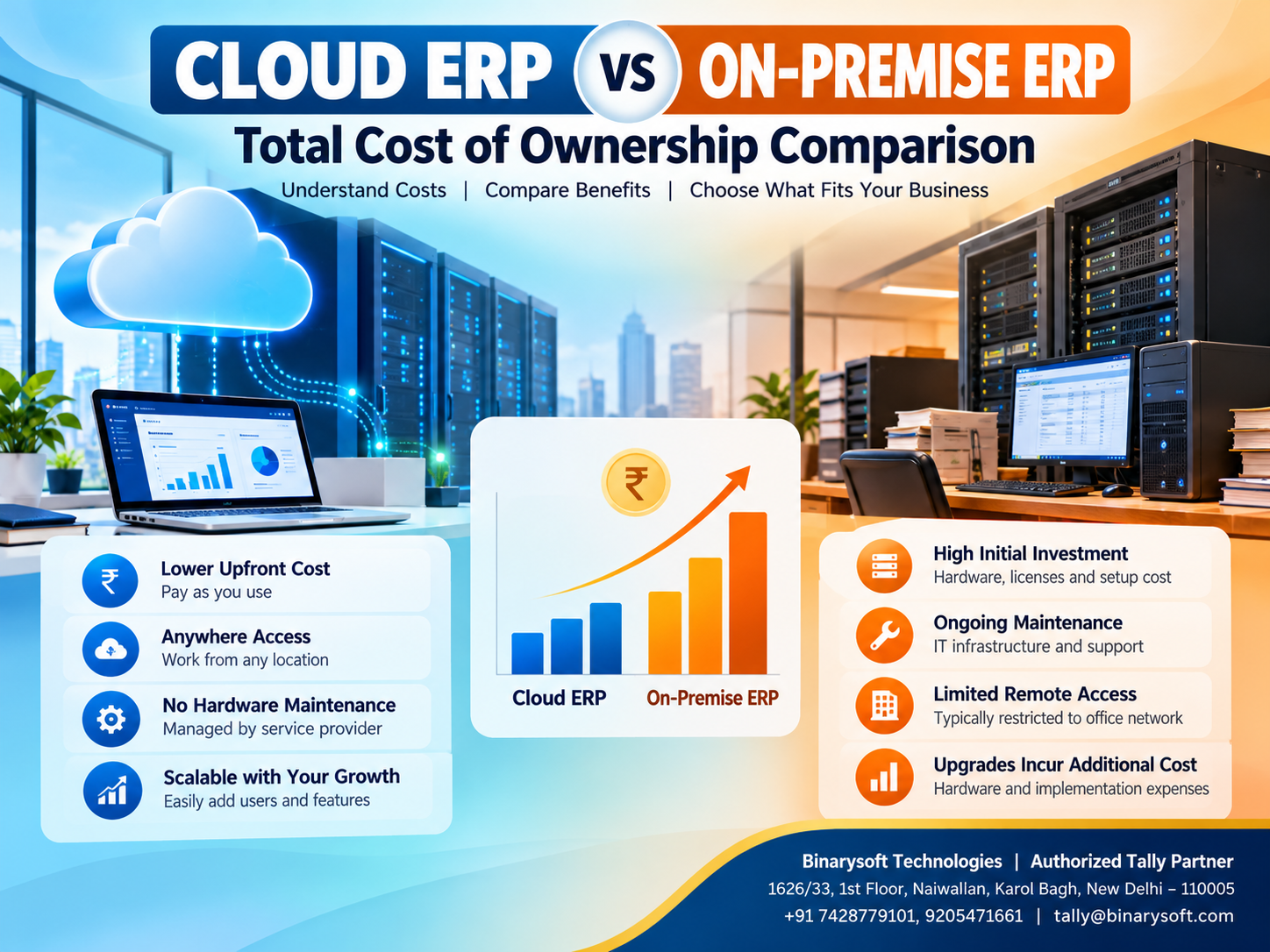
Featured Image Title: Cloud ERP vs On-Premise ERP – Total Cost of Ownership Comparison
Image Description: A professional comparison graphic illustrating cloud-based ERP infrastructure and traditional on-premise ERP systems. The design highlights infrastructure investment, remote access, maintenance requirements and scalability.
Suggested Image Size: 800 × 600 pixels
Image Alt Text: Cloud ERP vs On-Premise ERP total cost of ownership comparison for Indian businesses using accounting and inventory management software.
Short Description:
Compare Cloud ERP and On-Premise ERP to understand differences in licensing, infrastructure, maintenance, security and long-term ownership costs. Discover how Tally Prime cloud hosting can help Indian businesses simplify accounting access and infrastructure management.
Powered by Binarysoft Technologies
Authorized Tally Partner
Location: 1626/33, 1st Floor, Naiwalan, Karol Bagh, New Delhi – 110005, INDIA
Contact Us: +91 7428779101, 9205471661
Email: tally@binarysoft.com
Business Hours: 10:00 AM – 6:00 PM, Monday to Friday
Frequently Asked Questions
What is the main difference between Cloud ERP and On-Premise ERP?
Cloud ERP operates on remotely hosted infrastructure, while on-premise ERP operates on infrastructure controlled by the business. The major differences involve hosting responsibilities, costs, maintenance and access.
Is Cloud ERP cheaper than On-Premise ERP?
Cloud ERP often requires less initial infrastructure investment. However, recurring subscriptions and hosting charges must be compared with on-premise maintenance and hardware costs over several years.
What is ERP Total Cost of Ownership?
ERP Total Cost of Ownership is the combined cost of acquiring, implementing, maintaining and operating an ERP system throughout its useful life.
Can businesses migrate from On-Premise ERP to Cloud ERP?
Yes. Migration is possible when the application and hosting arrangement support it. Businesses should plan data transfer, licensing, testing and backup procedures carefully.
CA. Vedant Jhaveri works on GST compliance, accounting systems, and business reporting for growing enterprises. His approach combines accounting discipline with practical workflows suited to everyday business operations.








