Call CA Tally HelpDesk
+91 9205471661,
7428779101
Introduction: Why Choosing the Right ERP Vendor Matters
Choosing ERP software is one of the most important technology decisions a growing business can make.
Whether you operate a manufacturing company, wholesale trading business, retail store or service organization, the right software can improve accounting accuracy, inventory management, financial reporting and operational efficiency.
However, selecting ERP software is not always straightforward.
Different vendors offer different features, pricing structures, implementation services and support arrangements.
Some solutions specialize in financial accounting, while others provide extensive manufacturing, customer relationship management, human resources and supply chain capabilities.
Selecting software based only on price or popularity can lead to unnecessary expenses and operational difficulties.
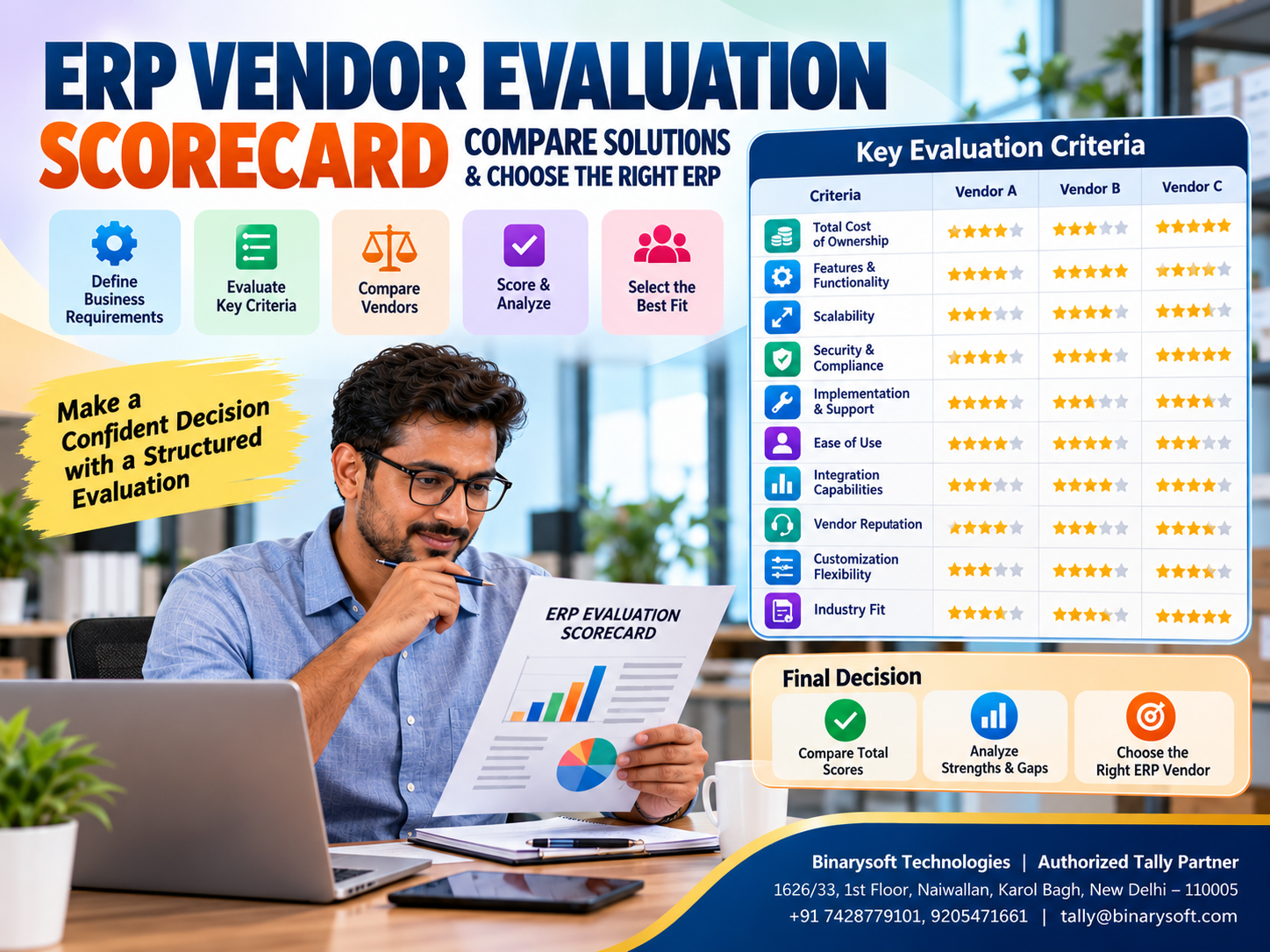
An ERP Vendor Evaluation Scorecard provides a structured approach to comparing software solutions.
Instead of relying on sales presentations or promotional claims, businesses can evaluate vendors using measurable criteria such as functionality, cost, security, scalability, implementation requirements and technical support.
For Indian small and medium businesses, Tally Prime is one option worth evaluating when accounting, GST compliance, inventory management and financial reporting are primary requirements.
This guide explains how to create an effective ERP vendor evaluation scorecard, compare competing solutions and select software that supports long-term business growth.
A Business Owner's Story: The Software Decision That Almost Cost a Growing Business Its Future
Vikram operated a successful electrical distribution business in Delhi.
His company supplied electrical switches, cables and lighting equipment to retailers across Delhi NCR.
After several years of steady growth, Vikram decided to modernize his business operations.
His accounting team used spreadsheets for inventory records, separate files for customer outstanding balances and basic software for financial transactions.
As business increased, maintaining accurate information became difficult.
One day, a software vendor demonstrated an ERP application with impressive dashboards, colorful reports and advanced features.
Vikram was convinced.
Without comparing alternatives or discussing requirements with his employees, he purchased the software.
Three months later, problems began.
Employees struggled with complicated data-entry screens. Several important reports required additional customization, and the implementation cost exceeded the original estimate.
The accounting team became frustrated, while daily operations slowed.
Vikram realized that he had selected software based on its presentation rather than its suitability.
He decided to review his business requirements and compare available solutions systematically.
This time, he prepared an evaluation scorecard covering accounting, inventory, GST, ease of use, implementation costs and technical support.
The exercise helped him understand which features were essential and which were unnecessary.
The lesson was clear: the best ERP software is not necessarily the most expensive or feature-rich solution. It is the software that matches the actual needs of the business.
1. What Is an ERP Vendor Evaluation Scorecard?
An ERP vendor evaluation scorecard is a structured assessment tool used to compare different enterprise resource planning solutions.
It helps businesses evaluate software vendors against predefined requirements.
Instead of making decisions based on individual opinions, organizations assign scores to important evaluation criteria.
Typical criteria include:
-
Accounting and financial management
-
Inventory management
-
Sales and purchase processing
-
GST and regulatory compliance
-
Software usability
-
Data security
-
Integration capabilities
-
Implementation requirements
-
Technical support
-
Scalability and total cost of ownership
Each criterion receives a score based on how well a particular ERP solution meets business requirements.
Businesses can also assign different weights to individual criteria.
For example, a wholesale distributor may give inventory management greater importance than payroll functionality.
A service organization may prioritize financial reporting, project accounting and customer billing.
This approach makes the ERP selection process more transparent and consistent.
2. Why Businesses Need an ERP Evaluation Scorecard
Avoid Expensive Software Selection Mistakes
ERP implementation can involve licensing, configuration, training, migration and ongoing support expenses.
Selecting unsuitable software may require additional customization or replacement.
A scorecard helps identify potential limitations before purchase.
Compare Vendors Objectively
Software demonstrations often emphasize attractive features.
A structured evaluation helps businesses compare vendors using the same criteria.
Identify Essential Features
Not every business requires advanced manufacturing planning or enterprise-level automation.
A scorecard separates essential requirements from optional features.
Improve Financial Planning
Businesses can compare initial costs, recurring subscriptions, implementation charges and long-term maintenance expenses.
Involve Different Departments
Accounting, sales, purchasing, inventory and management teams may have different requirements.
A shared evaluation process allows stakeholders to contribute before the final decision.
Support Long-Term Growth
Software should meet current operational needs while providing reasonable flexibility for future expansion.
3. Important ERP Vendor Evaluation Criteria
Accounting and Financial Management
Financial accounting is essential for nearly every business.
ERP software should support relevant accounting transactions, ledger management, receivables, payables and financial statements.
Businesses should evaluate the availability of Balance Sheets, Profit and Loss Accounts, cash flow information and other financial reports.
Tally Prime provides integrated accounting capabilities suitable for many Indian businesses.
Inventory Management
Inventory management is particularly important for manufacturers, retailers, wholesalers and distributors.
Important capabilities may include stock item management, godown tracking, batch-wise records, inventory valuation and stock movement reporting.
Tally Prime supports several inventory management functions that help businesses maintain organized stock records.
GST and Regulatory Compliance
Indian businesses must consider applicable GST requirements when evaluating accounting software.
Relevant capabilities may include GST invoicing, tax classification, transaction reporting and reconciliation support.
Tally Prime provides GST-related accounting and reporting features.
However, businesses must verify that the selected product version and configuration meet their specific compliance requirements.
Ease of Use
Software usability directly affects employee productivity.
A system with complicated workflows may require extensive training.
Businesses should ask employees to test common activities during demonstrations.
Integration Capabilities
Growing businesses may use separate applications for e-commerce, customer management, payroll or logistics.
ERP vendors should explain which integrations are supported and whether additional tools or development work are required.
Data Security
ERP systems contain confidential business information.
Evaluate access controls, authentication, backup arrangements, data recovery and security responsibilities.
Scalability
Businesses should consider whether the software can support additional users, locations and transaction volumes.
Vendor Support
Technical support is important during implementation and daily operations.
Evaluate support availability, response arrangements, training resources and partner capabilities.
Total Cost of Ownership
Compare all relevant costs rather than only the software license price.
Include implementation, customization, training, hosting, maintenance, support and future upgrades.
4. How to Create an ERP Vendor Evaluation Scorecard
A useful scorecard combines weighted criteria with a consistent rating system.
Step 1: Define Business Requirements
Begin by identifying the problems your business needs to solve.
A wholesale company may require better inventory tracking and customer outstanding management.
A manufacturing business may prioritize material consumption, production accounting and financial reporting.
Step 2: Identify Evaluation Categories
Group requirements into categories such as functionality, cost, usability, security, implementation and support.
Step 3: Assign Weights
Not all criteria are equally important.
Assign higher weights to essential requirements.
The total weight should equal 100%.
Step 4: Select a Rating Scale
A five-point scale is simple to understand.
| Score | Evaluation |
|---|
| 1 |
Does not meet requirements |
| 2 |
Meets requirements poorly |
| 3 |
Partially meets requirements |
| 4 |
Meets most requirements |
| 5 |
Fully meets requirements |
Step 5: Evaluate Vendors
Request demonstrations and assess each vendor against the same requirements.
Ask vendors to demonstrate real business scenarios rather than generic product features.
Step 6: Calculate Weighted Scores
Multiply each rating by the assigned weight.
Weighted Score = (Vendor Rating ÷ 5) × Criterion Weight
Add the weighted scores to calculate the final result.
Step 7: Review Risks and Make a Decision
The highest score should not automatically determine the winner.
Businesses should also consider mandatory requirements, implementation risks and contractual terms.
5. Sample ERP Vendor Evaluation Scorecard
The following example shows how a small trading business might compare three hypothetical ERP solutions.
| Evaluation Criteria | Weight | Vendor A | Vendor B | Vendor C |
|---|
| Accounting Features |
20% |
5 |
4 |
4 |
| Inventory Management |
15% |
5 |
4 |
3 |
| GST Compliance |
15% |
5 |
4 |
3 |
| Ease of Use |
10% |
4 |
3 |
5 |
| Implementation Cost |
10% |
4 |
3 |
5 |
| Security |
10% |
4 |
5 |
4 |
| Scalability |
10% |
4 |
5 |
3 |
| Vendor Support |
10% |
5 |
4 |
3 |
| Total Weight |
100% |
|
|
|
Using the weighted scoring formula, the hypothetical results are:
Vendor A: 92/100
Vendor B: 80/100
Vendor C: 74/100
Vendor A receives the highest overall score because it performs strongly in the categories most important to this particular business.
These ratings are illustrative and do not represent actual product testing or vendor performance.
A different business may assign different weights and reach a different conclusion.
6. How to Evaluate ERP Software Pricing and Total Cost of Ownership
Software pricing should be evaluated over several years.
Initial Licensing Cost
Some ERP solutions require upfront licensing fees, while others use monthly or annual subscriptions.
Implementation Cost
Implementation may include installation, configuration, data migration and employee training.
Customization Cost
Businesses requiring specialized reports or integrations may incur additional development expenses.
Hosting and Infrastructure Cost
On-premise deployments may require servers and networking equipment.
Cloud-hosted environments generally involve recurring hosting or subscription charges.
Maintenance and Support
Evaluate annual maintenance contracts, technical assistance and software update arrangements.
Employee Training
Training expenses should be included in the implementation budget.
Long-Term Expansion
Additional users, branches and integrations may increase future costs.
A five-year cost comparison provides a more complete financial picture than a simple license-price comparison.
7. How Tally Prime Can Be Evaluated for Indian Businesses
Tally Prime provides accounting, invoicing, inventory management, GST-related features and financial reporting capabilities.
For businesses primarily concerned with these activities, it may be a suitable option.
Accounting Management
Tally Prime supports financial transactions, ledger maintenance, receipts, payments and financial statements.
Inventory Management
Businesses can maintain stock items, stock groups, godowns and relevant inventory records.
GST Billing
Tally Prime supports GST-related invoicing and reporting.
Outstanding Management
Businesses can review customer receivables and supplier payables.
Financial Reporting
Management can access accounting and operational reports based on recorded transactions.
Cloud Hosting Options
Businesses requiring remote access can evaluate suitable Tally Prime cloud-hosting arrangements.
Cloud hosting services, licensing and infrastructure charges should be assessed separately.
Important Evaluation Consideration
Tally Prime should not be assumed to include every feature available in large enterprise ERP platforms.
Organizations requiring advanced CRM, human resource management, complex production planning or specialized workflow automation should evaluate additional applications or broader ERP solutions.
8. Case Study One: ERP Vendor Selection for a Wholesale Business
Business: Illustrative electronics distributor, Karol Bagh, New Delhi
Business Challenge
A growing electronics distributor handled hundreds of products and numerous customer transactions.
The company wanted to improve inventory accuracy, GST billing and payment tracking.
Management received proposals from several software vendors.
Each vendor offered different features and pricing structures.
Evaluation Process
The company prepared a scorecard with the following priorities:
Accounting and GST functionality received the highest weight.
Inventory management and outstanding tracking were also considered essential.
Ease of use, implementation time and technical support were evaluated separately.
Solution
After reviewing demonstrations and costs, the business selected a solution that met its core operational requirements without unnecessary complexity.
The accounting team received training, and stock masters were organized before implementation.
Results
The structured selection process helped management understand implementation requirements and avoid paying for features it did not need.
The business gained clearer inventory information and more consistent accounting processes.
Key Learning: A weighted ERP scorecard helps wholesale businesses prioritize operational requirements over promotional claims.
This is an illustrative case study.
9. Case Study Two: ERP Evaluation for a Manufacturing Company
Business: Illustrative packaging manufacturer, Bawana Industrial Area, Delhi
Business Challenge
A manufacturing company wanted to improve raw material tracking, production accounting and financial reporting.
Its existing accounting process involved separate inventory registers and manual reconciliation.
Management considered several ERP applications.
Evaluation Process
The company assigned higher weights to inventory functionality, manufacturing requirements and implementation support.
During demonstrations, employees tested material consumption records, purchase transactions and financial reports.
Solution
The business selected a system that supported its immediate accounting and inventory requirements.
It also identified specialized production-planning functions that might require additional software in the future.
Results
The evaluation process helped the company establish realistic expectations and plan implementation more effectively.
Employees gained clearer procedures for recording material movements and financial transactions.
Key Learning: Manufacturing businesses should evaluate actual production requirements instead of assuming that every ERP application provides comprehensive manufacturing management.
This is an illustrative case study.
10. Questions to Ask ERP Vendors Before Purchasing
Businesses should prepare a standard questionnaire for every shortlisted vendor.
Important questions include:
-
Does the software support our essential accounting and operational requirements?
-
Can the vendor demonstrate our actual business workflows?
-
What are the initial and recurring costs?
-
Are implementation and training included?
-
What customization options are available?
-
How are backups and data recovery managed?
-
What technical support arrangements are provided?
-
Can the system support additional users and branches?
-
Which integrations are officially supported?
-
What happens if we decide to migrate to another system?
These questions help businesses identify contractual and operational risks before making a commitment.
11. Common Mistakes During ERP Vendor Evaluation
Selecting Software Based Only on Price
The cheapest solution may not provide the required functionality or support.
Ignoring Employee Feedback
Employees who use the software daily should participate in demonstrations and testing.
Overlooking Implementation Costs
Licensing is only one part of the total investment.
Choosing Unnecessary Features
Complex functionality can increase costs and training requirements.
Failing to Test Real Transactions
Generic demonstrations may not reveal limitations affecting actual business operations.
Ignoring Data Migration
Moving inaccurate or incomplete records into a new system can create serious problems.
Overlooking Support Quality
Reliable technical assistance is important for maintaining business continuity.
12. ERP Vendor Evaluation Checklist for Indian MSMEs
Before finalizing an ERP vendor, confirm that the evaluation covers the following areas.
Business Requirements: The software supports essential operational processes.
Accounting: Required financial transactions and reports are available.
Inventory: Relevant stock management features are supported.
GST: Applicable tax accounting and reporting requirements can be addressed.
Usability: Employees can perform routine tasks efficiently.
Security: Appropriate permissions, backups and recovery arrangements exist.
Scalability: The system can accommodate reasonable future expansion.
Implementation: Responsibilities, timelines and deliverables are documented.
Support: Technical assistance and escalation arrangements are clearly defined.
Cost: Initial and recurring expenses are understood.
Contract: Data ownership, renewal terms and exit provisions have been reviewed.
A completed checklist helps management identify unresolved issues before signing an agreement.
13. Future Trends in ERP Vendor Evaluation
ERP selection criteria are evolving as businesses adopt digital tools.
Cloud accessibility, integration capabilities, cybersecurity and business intelligence are becoming increasingly important.
Some ERP platforms also offer artificial intelligence features for document processing, forecasting and operational analysis.
However, businesses should verify these capabilities through practical demonstrations.
Advanced technology should not distract management from essential requirements such as accurate accounting, inventory visibility and reliable financial reporting.
For Indian MSMEs, practical functionality, affordability and implementation support will continue to influence ERP purchasing decisions.
14. Why a Structured ERP Evaluation Supports Business Growth
ERP software becomes part of a company's daily operations.
An unsuitable system can create unnecessary administrative work, while a well-selected solution can improve information management and employee productivity.
A structured evaluation scorecard encourages businesses to make decisions based on evidence.
It also creates a documented record of why a particular solution was selected.
This information can be valuable during implementation, future upgrades and software reviews.
For organizations evaluating Tally Prime, the same approach applies.
Businesses should assess accounting, inventory, GST, reporting, access requirements and implementation support before making a decision.
Conclusion
Choosing ERP software requires careful planning, objective comparison and a clear understanding of business requirements.
An ERP Vendor Evaluation Scorecard helps organizations compare competing solutions using measurable criteria such as functionality, usability, cost, security, scalability and technical support.
By assigning weights to important requirements, businesses can identify which software provides the strongest overall fit.
Tally Prime offers useful accounting, inventory, invoicing, GST and financial reporting capabilities for many Indian small and medium businesses.
However, every organization should evaluate its own operational needs before selecting a solution.
The right ERP vendor is not simply the one offering the most features. It is the vendor that provides suitable functionality, dependable support and sustainable value for your bus
Powered by Binarysoft Technologies
Authorized Tally Partner
Location: 1626/33, 1st Floor, Naiwalan, Karol Bagh, New Delhi – 110005, INDIA
Contact Us: +91 7428779101, 9205471661
Email: tally@binarysoft.com
Business Hours: 10:00 AM – 6:00 PM, Monday to Friday
Frequently Asked Questions
What is an ERP Vendor Evaluation Scorecard?
An ERP Vendor Evaluation Scorecard is a structured tool used to compare software vendors based on features, pricing, security, implementation requirements and support.
Why is an ERP scorecard important?
It helps businesses make objective software purchasing decisions and reduces the risk of selecting unsuitable solutions.
What are the most important ERP selection criteria?
Important criteria include accounting functionality, inventory management, compliance features, usability, security, scalability, implementation costs and technical support.
How do you calculate an ERP vendor score?
Assign weights to evaluation criteria, rate each vendor using a consistent scale and calculate weighted scores to compare overall suitability.
CA. Devansh Rathi works closely with wholesalers, distributors, and growing enterprises on taxation, reconciliations, and financial controls. His approach emphasizes accurate records, timely compliance, and efficient accounting systems.








