Call CA Tally HelpDesk
+91 9205471661,
7428779101
Introduction: Why Choosing the Right Accounting Software Can Change the Future of a Small Business
Running a small business in India requires more than selling products or providing quality services. Every business owner must manage invoices, expenses, supplier payments, customer collections, inventory and tax compliance while trying to increase profitability.
For many entrepreneurs, accounting becomes one of the most stressful parts of business management.
Imagine a small wholesale trader in Delhi who starts his day by checking customer orders, coordinating deliveries and negotiating with suppliers. By evening, he still needs to calculate sales, review pending payments and understand whether the business is actually making money.
His notebook contains important transactions, but the information is scattered across different pages. Some invoices are maintained in Excel, while purchase records are stored in separate folders.
As the business grows, maintaining accurate financial records becomes increasingly difficult.
This is where modern accounting software becomes essential.
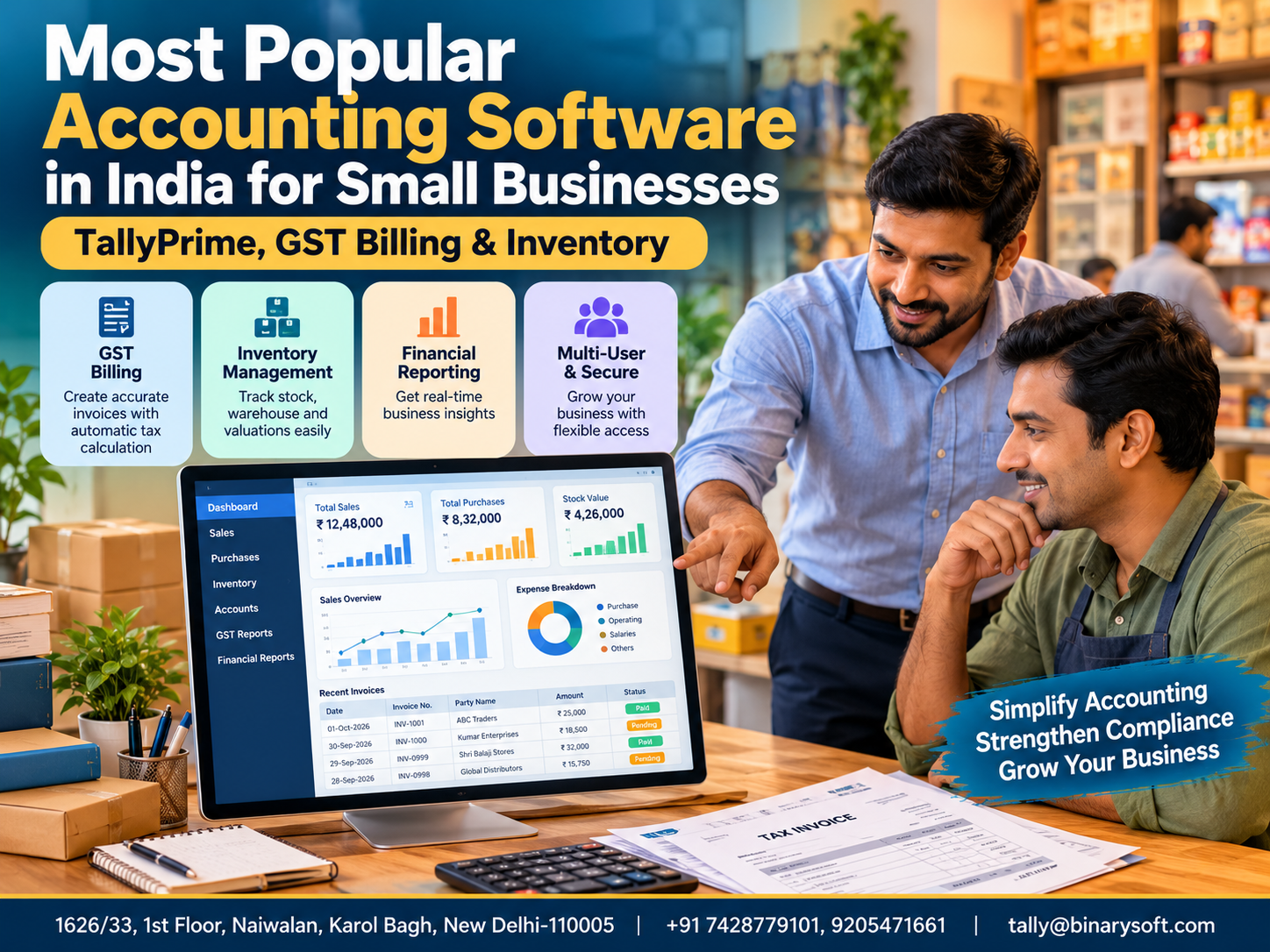
TallyPrime is one of India's well-established accounting software solutions for small and medium-sized businesses, offering accounting, GST billing, inventory management, banking and financial reporting capabilities.
Other solutions, including Zoho Books, Busy, Marg ERP and cloud-based accounting platforms, also serve different business requirements.
The best choice depends on transaction volume, industry, budget, operational complexity and the level of automation required.
This comprehensive guide explores popular accounting software options in India, explains why TallyPrime remains a strong choice for many businesses and demonstrates how digital accounting can improve everyday financial operations.
1. What Is Accounting Software for Small Businesses?
Accounting software is a digital application that helps businesses record, organise, monitor and analyse financial transactions.
Instead of maintaining separate registers for purchases, sales, expenses and payments, businesses can manage these activities through a structured accounting system.
Modern accounting software commonly provides:
-
Sales invoicing and purchase accounting.
-
GST calculation and reporting.
-
Customer and supplier ledger management.
-
Inventory and stock tracking.
-
Banking and reconciliation.
-
Expense and cash flow management.
-
Financial statements and business reports.
-
Outstanding payment monitoring.
-
Data security and backup capabilities.
Some accounting solutions also provide cloud access, integrations, automation and collaboration features.
The primary objective is to reduce manual work while improving the accuracy and availability of financial information.
For Indian MSMEs, accounting software can also simplify GST-related workflows and support better financial decision-making.
2. Which Accounting Software Is Most Popular in India?
India has a competitive accounting software market serving businesses of different sizes and industries.
TallyPrime is among the most widely recognised and established choices, particularly for businesses requiring comprehensive accounting, GST and inventory functionality.
However, no single publicly verified market-share ranking establishes one product as the most popular across every small-business category.
The following solutions are commonly considered by Indian businesses.
|
Accounting software
|
Common business suitability
|
|---|
|
TallyPrime
|
Accounting, GST, inventory, trading and manufacturing
|
|
Zoho Books
|
Cloud accounting, invoicing and online collaboration
|
|
Busy
|
GST accounting, trading and inventory workflows
|
|
Marg ERP
|
Distribution, retail and inventory-intensive operations
|
|
Vyapar
|
Small-business billing, invoicing and basic inventory
|
|
QuickBooks alternatives
|
Businesses evaluating cloud-first bookkeeping solutions
|
QuickBooks Online is no longer offered as a local Indian product, so businesses seeking a new India-focused solution should evaluate currently supported alternatives.
The most appropriate software depends on the features required rather than brand recognition alone.
3. Why TallyPrime Is a Strong Choice for Indian Small Businesses
TallyPrime combines several business management functions within one accounting environment.
Comprehensive Accounting
Businesses can record sales, purchases, receipts, payments, journals and other transactions.
The software maintains accounting ledgers and generates financial reports based on recorded entries.
GST Billing and Compliance Support
TallyPrime supports GST invoicing, tax calculations and relevant reporting workflows.
This is particularly useful for businesses handling regular taxable transactions.
Inventory Management
Retailers, wholesalers and manufacturers can maintain stock items, units, stock groups and inventory records.
Businesses requiring more detailed control can configure godowns, batches and other applicable inventory features.
Financial Reporting
TallyPrime provides access to reports such as the Balance Sheet, Profit and Loss Account, Trial Balance and outstanding statements.
Business Scalability
The software can support businesses with relatively simple bookkeeping needs as well as organisations managing more complex accounting and inventory operations.
Familiar Accounting Workflows
TallyPrime follows structured accounting principles and voucher-based transaction entry, making it suitable for accountants familiar with traditional bookkeeping methods.
Its combination of features makes it particularly relevant for businesses seeking integrated financial and operational control.
4. Key Features to Look for in Small Business Accounting Software
Selecting accounting software should begin with understanding business requirements.
Easy Invoice Creation
The software should allow users to prepare professional invoices containing customer information, product descriptions, quantities, rates, tax calculations and payment details.
Businesses should also evaluate invoice printing and sharing options.
GST Management
GST-registered businesses need appropriate facilities for tax calculation, invoice classification and preparation of relevant GST reports.
The software should support the business's applicable compliance requirements.
Customer Outstanding Tracking
Businesses selling on credit need accurate information about unpaid invoices and customer balances.
Outstanding reports help identify overdue amounts and improve payment follow-up.
Inventory Control
Businesses dealing in physical goods should evaluate stock tracking, valuation, batch management and warehouse requirements.
Banking Features
Bank reconciliation and payment tracking can reduce manual checking and improve financial accuracy.
Reporting and Analysis
Business owners need timely information about sales, expenses, profit, liabilities and cash flow.
Security and Backup
Financial information is sensitive and business-critical.
Accounting software should support suitable user permissions, backup procedures and secure access.
Integration and Scalability
Businesses should consider whether the software can accommodate future growth, additional users and changing operational requirements.
5. How TallyPrime Helps Small Businesses Manage Daily Accounting
TallyPrime provides a structured environment for recording everyday financial transactions.
Sales and Purchase Management
Businesses can record sales invoices, purchase bills, debit notes, credit notes and related transactions.
For inventory-enabled businesses, invoices can also contain stock item details.
Expense Tracking
Regular expenses such as rent, electricity, salaries, transportation and maintenance can be recorded under appropriate ledgers.
This helps owners understand operational costs.
Receivables and Payables
Bill-wise accounting allows businesses to monitor customer outstanding amounts and supplier liabilities.
The accounts team can identify transactions requiring follow-up.
Inventory and Stock Monitoring
Stock-related transactions can update inventory records when the system is configured appropriately.
Businesses can review stock summaries and relevant movement reports.
Financial Statements
TallyPrime generates financial reports from recorded transactions, helping owners understand their financial position.
This reduces dependence on manually preparing multiple disconnected spreadsheets.
6. An Emotional Story: The Shopkeeper Who Almost Lost His Family Business
Consider the illustrative story of Ramesh, a second-generation electrical goods trader operating in Karol Bagh, New Delhi.
His father had started the business with a small shop, limited capital and a reputation for honesty.
Over the years, the family built relationships with retailers, electricians and contractors.
When Ramesh took responsibility for the business, he wanted to honour his father's hard work.
However, business operations had become more complicated.
Customers expected faster billing. Suppliers demanded timely payments. GST requirements needed attention, and stock availability was difficult to monitor.
Ramesh maintained several records manually.
One evening, a supplier informed him that an important payment was overdue.
Ramesh believed the amount had already been settled.
After searching through notebooks, payment messages and invoice files, he discovered that a payment had been recorded incorrectly.
The mistake created financial pressure and strained an important supplier relationship.
That evening, his father quietly asked, “Are we losing control of the business we built together?”
The question stayed with Ramesh.
He realised that working longer hours was not enough. The business needed better systems.
Ramesh decided to implement structured accounting through TallyPrime.
He organised customer and supplier ledgers, introduced proper invoice recording and began reviewing outstanding reports regularly.
His team also improved stock item records and purchase accounting procedures.
Over time, the business gained better visibility into payments, inventory and profitability.
One afternoon, his father reviewed the financial reports and smiled.
For Ramesh, that moment meant more than improved accounting.
It meant protecting the family business and preparing it for the next generation.
The story illustrates why accounting software is not merely a technology investment. For many small-business owners, it represents financial confidence, business continuity and peace of mind.
7. Case Study 1: Wholesale Trader Improves Inventory and Accounting Control
Illustrative case study — figures are hypothetical
Business Background
A wholesale stationery distributor in Sadar Bazaar supplies notebooks, office materials and packaging products to retailers across Delhi NCR.
The company processes approximately 1,500 sales invoices monthly.
Business Challenges
The distributor previously maintained sales records in spreadsheets while tracking stock separately.
This created differences between physical inventory and accounting records.
Customer outstanding amounts also required manual verification.
TallyPrime Implementation
The business introduced TallyPrime for sales invoicing, purchase accounting, inventory tracking and customer ledger management.
Stock items were organised into groups, and bill-wise accounting was configured for credit customers.
The accounts department began reviewing outstanding statements and stock reports regularly.
Illustrative Results
|
Performance indicator
|
Before
|
After
|
|---|
|
Monthly sales invoices
|
1,500
|
1,500
|
|
Invoice preparation time
|
5 minutes
|
2 minutes
|
|
Stock review process
|
Manual spreadsheets
|
Integrated reports
|
|
Customer outstanding review
|
Periodic manual checks
|
Regular ledger reports
|
The time figures are examples of potential improvements, not verified customer results.
Business Benefits
The distributor could reduce duplicate recordkeeping, improve stock visibility and simplify customer balance monitoring.
The case demonstrates how integrated accounting and inventory management can support a growing wholesale operation.
8. Case Study 2: Manufacturing MSME Strengthens Financial Reporting
Illustrative case study — not a documented customer engagement
Business Background
A small manufacturing company in Bawana Industrial Area produces packaging materials for industrial customers.
The company purchases raw materials, maintains finished goods inventory and supplies products on credit.
Challenges
The business faced difficulties tracking material consumption, purchase expenses, customer payments and production-related costs.
Management relied heavily on manually prepared monthly reports.
Implementation
The company evaluated TallyPrime for integrated accounting and inventory management.
It established appropriate stock groups, purchase ledgers, sales ledgers and expense classifications.
Relevant inventory and manufacturing workflows were configured according to operational requirements.
Expected Improvements
The company set internal targets to reduce manual report preparation, improve stock reconciliation and obtain more timely financial information.
It also introduced monthly reviews of customer outstanding balances and operating expenses.
Key Learning
Manufacturing businesses need accounting software that can connect financial records with inventory and operational information.
TallyPrime can support these requirements when masters, voucher types and inventory procedures are configured correctly.
9. TallyPrime vs Cloud Accounting Software: What Should Businesses Choose?
Both desktop-based and cloud-first accounting solutions have advantages.
The correct choice depends on the business's operational environment.
|
Requirement
|
TallyPrime
|
Cloud-first accounting software
|
|---|
|
Core accounting
|
Comprehensive
|
Varies by provider
|
|
GST invoicing
|
Supported
|
Usually supported in India-focused products
|
|
Inventory
|
Extensive options
|
Varies by plan
|
|
Offline operation
|
Supported in local deployment
|
Often requires internet
|
|
Remote accessibility
|
Available through suitable configurations
|
Commonly browser-based
|
|
Advanced customisation
|
TDL and supported extensions
|
Usually APIs and integrations
|
|
Backup responsibility
|
Depends on deployment
|
Depends on provider and plan
|
Businesses requiring detailed inventory control and traditional accounting workflows may prefer TallyPrime.
Companies prioritising browser-based collaboration may also consider cloud-first solutions.
Neither approach is universally superior.
10. How TallyPrime on Cloud Can Help Growing Businesses
Businesses with multiple locations or remote accounting teams may need access to their accounting environment outside the office.
TallyPrime can be deployed through suitable cloud-hosted desktop environments.
This approach can allow authorised users to access the accounting application remotely, subject to network availability, licensing and hosting configuration.
Multi-Location Working
Owners and authorised employees can work with accounting data from different locations through an appropriately configured environment.
Remote Accounting
Accountants can access the hosted system without being physically present at the main office.
Centralised Operations
A properly designed deployment can reduce the need to maintain disconnected accounting records at multiple offices.
Data Protection
Cloud hosting may provide managed infrastructure, backups and security controls, depending on the service agreement.
Businesses should verify backup frequency, access controls, data recovery procedures and service availability.
Cloud hosting is not automatically included with every TallyPrime licence and may involve additional charges.
11. How to Implement TallyPrime in a Small Business
A successful accounting software implementation requires planning.
Step 1: Review existing records. Identify current sales, purchase, expense, inventory and banking processes.
Step 2: Create the company. Configure the financial year, company details and applicable statutory information.
Step 3: Prepare accounting masters. Create relevant ledgers, groups, customer accounts and supplier accounts.
Step 4: Configure GST. Enter applicable registration details and configure relevant tax information.
Step 5: Set up inventory. Create stock items, units and stock groups where required.
Step 6: Enter opening balances. Verify customer balances, supplier liabilities, bank balances and opening stock.
Step 7: Train employees. Ensure staff understand voucher entry, invoice verification and reporting procedures.
Step 8: Review reports. Monitor financial statements, outstanding balances and inventory reports regularly.
Businesses migrating from existing systems should reconcile opening information before fully adopting the new software.
12. Common Mistakes to Avoid When Choosing Accounting Software
Many businesses select accounting software based only on price.
However, an inexpensive solution may become costly if it cannot handle important operational requirements.
Other common mistakes include choosing software without considering inventory complexity, ignoring GST requirements and failing to evaluate data backup procedures.
Businesses may also underestimate the importance of employee training.
Another mistake is adopting advanced features without first establishing accurate accounting masters and transaction procedures.
The most effective software implementation begins with reliable data and clearly defined responsibilities.
13. Why TallyPrime Is Suitable for Different Business Industries
TallyPrime supports a broad range of business models.
Retail businesses can use it for sales billing, inventory monitoring and daily financial records.
Wholesale distributors can manage customer credit, purchase transactions and stock movement.
Manufacturers can configure relevant inventory and production accounting workflows.
Professional service providers can use accounting invoices, expense ledgers and financial reports.
Trading companies can monitor purchase costs, sales transactions and supplier liabilities.
The software's flexibility makes it suitable for organisations with different operational needs, although specialised industries may require additional configuration or integrations.
14. How Accounting Software Supports GST Compliance and Business Transparency
GST compliance is an important responsibility for registered businesses in India.
Accounting software can help maintain structured records of taxable transactions, tax amounts and relevant statutory information.
TallyPrime provides GST-related features that can support invoice preparation, reporting and applicable reconciliation workflows.
Businesses should configure tax rates, HSN or SAC information, party registration details and place-of-supply information correctly.
However, accounting software does not independently guarantee compliance.
Users must verify transactions, review exceptions and follow applicable statutory requirements.
Accurate records also improve transparency when preparing financial statements, responding to supplier queries or reviewing business performance.
15. Understanding the Cost of Accounting Software
Accounting software costs vary according to the product, licence type, number of users and included features.
Businesses should evaluate the total cost of ownership rather than only the initial purchase price.
Important cost considerations include software licensing, subscription renewals, implementation, training, customisation, data migration and technical support.
Businesses considering cloud hosting should also include hosting fees, backup arrangements and infrastructure requirements.
A suitable solution should provide value through improved efficiency, better information and reduced administrative work.
The lowest-priced option is not necessarily the most economical over several years.
16. The Future of Small Business Accounting in India
Small-business accounting is becoming increasingly digital.
Businesses are adopting electronic invoicing, connected banking, automated reconciliation, cloud accessibility and AI-assisted document processing.
These developments can reduce repetitive administrative tasks and improve the availability of financial information.
For example, AI-assisted invoice capture may help prepare draft accounting transactions, while connected services can simplify selected banking and GST workflows.
However, automation still requires verification, appropriate controls and professional judgment.
The future of accounting will increasingly involve a combination of reliable software, automation and skilled financial professionals.
For Indian MSMEs, adopting suitable digital systems can support better operational control and long-term growth.
17. How Binarysoft Technologies Helps Businesses with TallyPrime
Binarysoft Technologies provides TallyPrime-related services for businesses seeking better accounting, GST billing, inventory management and financial reporting.
Businesses can seek assistance with evaluating suitable TallyPrime configurations, licence requirements, implementation, training and cloud-hosting options.
The objective is to help organisations adopt accounting workflows that match their operational requirements.
Whether a business operates a small retail shop, wholesale distribution network or manufacturing unit, selecting and configuring the right accounting system can improve financial visibility and everyday efficiency.
Conclusion
Choosing the most suitable accounting software is an important decision for every Indian small business.
TallyPrime is a well-established option because it combines accounting, GST invoicing, inventory management, banking and financial reporting within one system.
Its flexibility makes it relevant for retailers, wholesalers, manufacturers, distributors and service providers.
Other accounting platforms also offer valuable capabilities, particularly for businesses prioritising cloud-first workflows or specialised industry requirements.
The best accounting software is the one that matches the organisation's actual needs, supports accurate financial records and can adapt as the business grows.
For small-business owners, reliable accounting is not simply about maintaining books. It is about understanding the business, protecting cash flow and making confident decisions for the future.
Powered by Binarysoft Technologies Authorized Tally Partner
Location: 1626/33, 1st Floor, Naiwalan, Karol Bagh, New Delhi – 110005, INDIA
Contact us: +91 7428779101, 9205471661
Email: tally@binarysoft.com
Business Hours: 10:00 AM – 6:00 PM, Monday to Friday
Frequently Asked Questions
Where can I get TallyPrime implementation and cloud-hosting assistance?
Binarysoft Technologies, an Authorized Tally Partner in New Delhi, can assist businesses with TallyPrime-related requirements, implementation guidance and evaluation of suitable cloud solutions.
Is TallyPrime suitable for manufacturers and wholesalers?
Yes. TallyPrime supports relevant accounting and inventory workflows for trading and manufacturing businesses.
Can TallyPrime generate Balance Sheets and Profit and Loss Accounts?
Yes. TallyPrime generates financial statements based on the accounting transactions recorded in the company.
Is TallyPrime better than Excel for accounting?
For businesses managing regular transactions, inventory, GST and financial reports, dedicated accounting software generally offers more integrated controls than separate spreadsheets.
CA. Arvindh Khetwaani is a Chartered Accountant with experience in financial reporting, compliance management, and accounting software implementation. He has assisted businesses in adopting structured inventory and billing practices, and his articles focus on accuracy, controls, and sustainable business growth.








