Call CA Tally HelpDesk
+91 9205471661,
7428779101
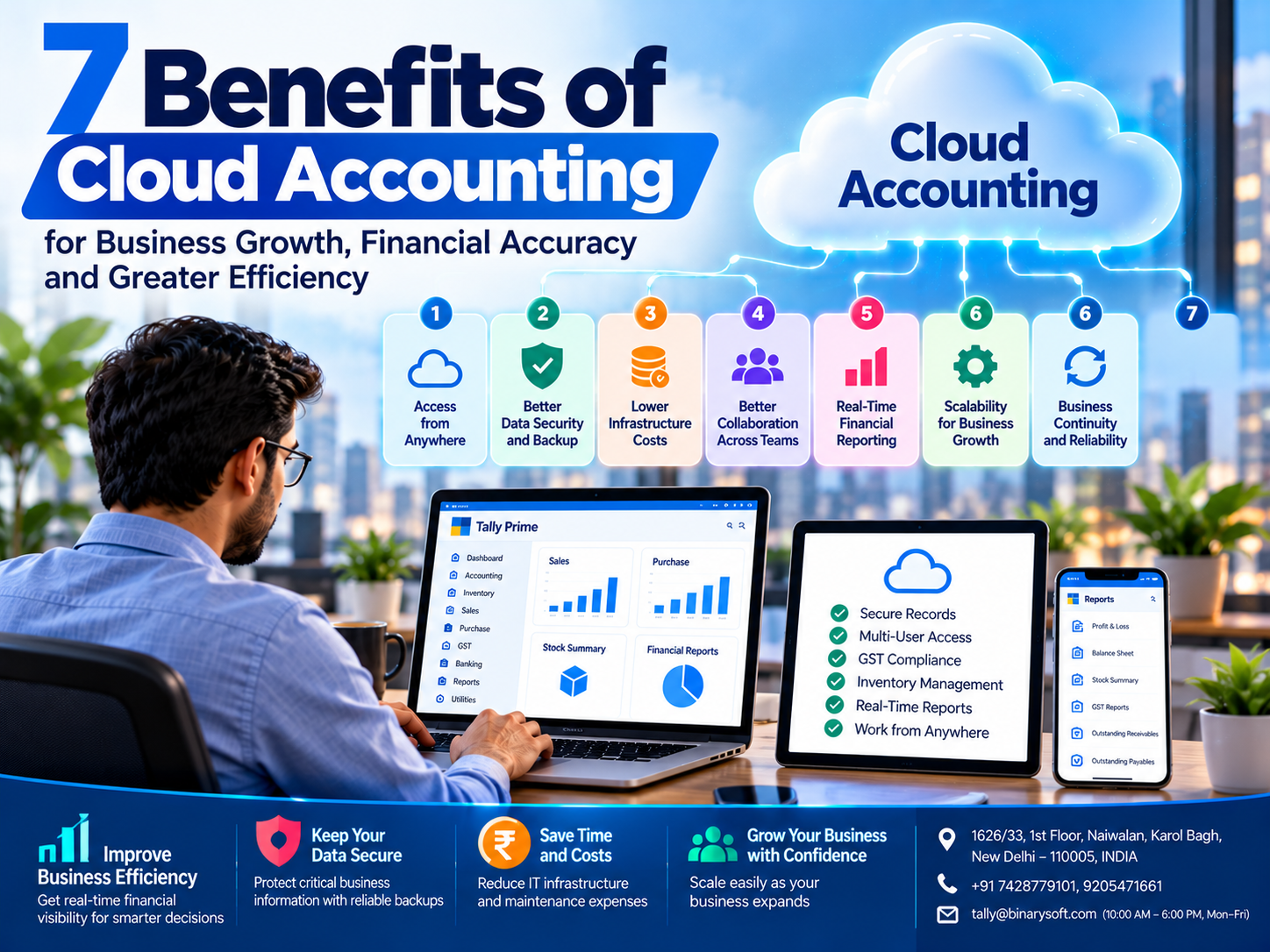
Introduction: Why Cloud Accounting Is Transforming Modern Businesses
Managing business finances has become more demanding than ever.
Business owners must monitor daily transactions, manage customer payments, maintain inventory, prepare GST-related records, control expenses and make timely financial decisions.
Traditional accounting arrangements can become difficult to manage when financial information is accessible only from a particular office computer.
Employees may need to exchange files manually, accountants may struggle to work remotely, and business owners may have to wait until they return to the office to review important reports.
Cloud accounting helps address many of these challenges.
By making accounting applications or financial information accessible through appropriately configured cloud services, businesses can support more flexible and connected financial operations.
Cloud accounting can improve accessibility, collaboration, business continuity and financial visibility while reducing dependence on a single office location.
However, not every cloud accounting solution provides identical features.
Some applications are developed as cloud-native services, while others, including Tally Prime, can be accessed through suitable cloud-hosting or remote-access arrangements.
The benefits depend on the selected software, hosting configuration, security controls and business processes.
In this article, we explore seven important advantages of cloud accounting and explain how businesses can use Tally Prime on Cloud to support efficient financial management.
A Business Story: The Day a Small Business Owner Realized His Accounting System Was Holding Him Back
For twelve years, Amit had operated a successful electrical goods distribution business in Delhi.
He started with a small shop, limited stock and a dream of building a company that could provide financial security for his family.
His father had helped him establish the business.
Together, they spent long hours serving customers, maintaining stock records and managing supplier relationships.
Over time, the company expanded.
Amit hired accountants, opened a warehouse and began supplying products to customers in several cities.
However, his accounting system remained tied to a computer at the main office.
Every evening, Amit waited for his accountant to prepare sales summaries, payment details and outstanding customer balances.
When he travelled to meet suppliers, he often struggled to obtain updated financial information.
One evening, while attending a family celebration, Amit received an urgent call.
A major customer wanted confirmation of an outstanding balance before releasing a payment.
The accountant had already left the office, and the necessary information was unavailable remotely.
Amit could not provide an immediate answer.
The payment was delayed.
That night, he began questioning whether his business systems were keeping pace with the company's growth.
He had worked hard to create opportunities for his employees and family, but daily financial decisions still depended on access to one office computer.
After consulting a technology specialist, Amit evaluated cloud-hosted accounting options.
He selected an arrangement suitable for his existing Tally Prime workflow.
The transition included data verification, authorized user access, security controls and backup procedures.
His accounting team could now perform approved activities from different locations.
Amit could review important financial information without depending entirely on physical access to the office.
For him, the improvement was not simply technological.
It meant spending less time chasing reports and more time focusing on customers, employees and family.
The lesson: business growth becomes more sustainable when financial information is accessible, organized and protected.
This is an illustrative story created to demonstrate common business challenges.
What Is Cloud Accounting?
Cloud accounting refers to using accounting software or financial systems through cloud-based infrastructure or services.
Instead of relying exclusively on a single locally installed system, authorized users can access accounting functionality or information through supported remote methods.
Cloud accounting solutions may be delivered in different ways.
A cloud-native accounting application operates through infrastructure designed specifically for online access.
Alternatively, an established desktop accounting application may be made available through a compatible cloud-hosting environment.
For example, Tally Prime can be used through suitable cloud-access arrangements, depending on licensing, compatibility and service configuration.
Cloud accounting can support activities such as:
-
Sales and purchase accounting
-
Expense tracking
-
Customer and supplier management
-
Inventory accounting
-
GST-related recordkeeping
-
Banking and reconciliation
-
Financial reporting
-
Cash flow monitoring
-
Remote collaboration
The actual capabilities depend on the accounting application and hosting arrangement.
7 Major Benefits of Using Cloud Accounting in Your Business
1. Access Financial Information from Anywhere
One of the most valuable advantages of cloud accounting is the ability to access approved accounting functions without being physically present in the main office.
Traditional accounting arrangements may require employees to work directly on a particular computer or local network.
This can create difficulties when business owners travel, accountants work remotely or organizations operate from multiple branches.
A suitable cloud accounting environment can support access from different locations.
How Remote Access Improves Business Efficiency
Imagine a distributor attending a supplier meeting in another city.
The supplier offers a discount for immediate payment.
Before making a decision, the business owner needs to review available funds, outstanding receivables and current purchase obligations.
With appropriately configured remote accounting access, the owner may be able to review relevant financial information more conveniently.
This supports informed decision-making.
Benefits for Business Owners
Remote accounting access can help organizations:
-
Review financial information while travelling
-
Support authorized work outside the office
-
Coordinate accounting activities between branches
-
Reduce dependence on a particular workstation
-
Respond more quickly to financial queries
How Tally Prime on Cloud Helps
Tally Prime supports accounting reports, outstanding balances and business transaction records.
Through a suitable cloud-access arrangement, authorized users can access these capabilities remotely.
Access should be protected by appropriate authentication, user permissions and secure connectivity.
Business Advantage: Greater flexibility and faster access to financial information.
2. Improve Financial Data Security and Backup Management
Financial information is among a business's most valuable assets.
Accounting records may contain customer balances, supplier transactions, bank details, inventory values and historical financial information.
Data loss or unauthorized access can create serious operational problems.
Cloud-hosting arrangements can provide additional opportunities for centralized security management and backup planning.
However, cloud accounting is not automatically more secure than local accounting.
Security depends on how the environment is designed, configured and maintained.
Important Security Measures
Businesses should evaluate:
Access Controls: Employees should receive only the permissions required for their responsibilities.
Authentication: Strong authentication helps protect user accounts.
Encryption: Appropriate encryption can help protect stored information and data transmitted between systems.
Monitoring: Security monitoring can help identify unusual activity.
Backup Procedures: Regular backups help businesses prepare for accidental deletion, system failures and other disruptions.
Recovery Testing: Backup files should be periodically tested to confirm that information can be restored.
How Tally Prime on Cloud Helps
Tally Prime provides user-level security capabilities that help businesses restrict access to accounting functions.
Depending on the edition and configuration, relevant audit and Edit Log capabilities may also support transaction reviews.
When Tally Prime is accessed through a cloud-hosting arrangement, these application-level controls should be combined with suitable infrastructure security.
Businesses should confirm whether the hosting provider includes backup services and who is responsible for recovery.
Business Advantage: Better opportunities to organize security, backup and recovery responsibilities.
3. Reduce Infrastructure Costs and Improve Resource Efficiency
Maintaining office-based accounting infrastructure can involve several expenses.
Businesses may need to purchase computers, servers, storage devices, backup equipment and networking components.
They may also incur costs for maintenance, repairs, electricity and technical support.
Cloud hosting can reduce certain infrastructure responsibilities.
Instead of purchasing all hardware internally, businesses may pay for computing services according to an agreed plan.
Potential Cost Benefits
Cloud-hosted accounting may help businesses:
-
Reduce certain upfront hardware investments
-
Avoid maintaining dedicated servers at every location
-
Centralize infrastructure administration
-
Adjust hosting resources as requirements change
-
Reduce some hardware maintenance responsibilities
However, cloud hosting also introduces recurring expenses.
These may include hosting subscriptions, software licenses, backup storage, technical support and additional resources.
Understanding Total Cost of Ownership
Businesses should compare the full cost of different accounting arrangements.
For example:
| Expense Category | Local Accounting Infrastructure | Cloud-Hosted Accounting |
|---|
| Server Hardware |
May require direct investment |
Usually included in hosting infrastructure |
| Software Licensing |
Depends on software |
Depends on software and hosting terms |
| Maintenance |
Internally managed or outsourced |
Shared with hosting provider |
| Backup |
Requires a backup arrangement |
Depends on hosting plan |
| Remote Access |
Requires suitable configuration |
May be included or separately configured |
| Technical Support |
Internal or outsourced |
Depends on service agreement |
| Recurring Costs |
Maintenance and operating expenses |
Subscription and service expenses |
The lowest-cost option depends on business size, user requirements and the services included.
How Tally Prime on Cloud Helps
Businesses can evaluate Tally Prime cloud-hosting arrangements that reduce dependence on locally maintained server hardware.
However, they should confirm application compatibility, licensing and total service costs before making a decision.
Business Advantage: Potentially more flexible infrastructure spending and reduced hardware management.
4. Support Better Collaboration Between Accountants and Business Teams
Accounting is rarely performed by one person in a growing organization.
Sales teams generate invoices.
Purchase departments record supplier transactions.
Warehouse employees manage inventory movements.
Accountants review entries and prepare financial reports.
Management uses financial information to make decisions.
When these teams work through disconnected systems, delays and inconsistencies can occur.
Cloud-hosted accounting can support more coordinated access to centrally maintained information.
Example of Improved Collaboration
Consider a manufacturing company with offices in Delhi and Gurugram.
Its purchasing team operates from one location, while the accounting department works from another.
Without a coordinated system, employees may exchange spreadsheets and accounting files manually.
This increases the risk of working with outdated information.
A properly configured shared accounting environment can reduce some of these difficulties.
Authorized employees can work with the same centrally maintained company data, subject to application capabilities and access permissions.
How Tally Prime on Cloud Helps
Tally Prime supports multi-user accounting under suitable licensing and configuration.
A compatible hosting environment can allow authorized users to work from different locations.
Businesses should ensure that concurrent access is implemented through supported methods.
They should also define responsibilities for transaction entry, approval and review.
Business Advantage: Better coordination and reduced dependence on manual information exchange.
5. Improve Financial Reporting and Business Decision-Making
Business owners need accurate financial information to make important decisions.
Questions may include:
How much money do customers owe?
Which suppliers require payment?
Is the business generating sufficient profit?
How much stock is available?
Are expenses increasing faster than revenue?
How much cash may be needed next month?
Reliable accounting reports help answer these questions.
Cloud accounting can make relevant reports more accessible to authorized decision-makers.
Important Financial Reports
Businesses commonly use:
Profit and Loss Account: Helps evaluate income, expenses and profitability.
Balance Sheet: Provides information about assets, liabilities and financial position.
Cash Flow Information: Helps management understand cash movements and liquidity.
Outstanding Receivables: Shows amounts due from customers.
Outstanding Payables: Shows amounts payable to suppliers.
Inventory Reports: Provide information about stock quantities and values.
How Tally Prime on Cloud Helps
Tally Prime includes financial and inventory reporting capabilities.
Authorized users can review relevant information through a suitable cloud-access arrangement.
This can help management monitor business performance without waiting for reports to be manually transferred between locations.
However, report accuracy still depends on timely and correct accounting entries.
Business Advantage: More convenient financial visibility and better-informed management decisions.
6. Support Business Growth and Scalability
A business's accounting requirements change as it expands.
A company may begin with one accountant and later require a larger finance team.
It may open new branches, add warehouses or increase transaction volumes.
These changes can create additional infrastructure requirements.
Cloud-hosting arrangements may offer flexible computing resources that can be adjusted according to business needs.
Why Scalability Matters
Growing organizations may require:
-
Additional authorized users
-
More processing capacity
-
Increased storage
-
Improved backup capacity
-
Better support for multiple locations
-
Stronger monitoring and access controls
A scalable hosting environment can help businesses respond to these changes.
However, adding resources does not automatically improve every application.
Performance depends on the software architecture, workload characteristics, storage and network connectivity.
How Tally Prime on Cloud Helps
Businesses using Tally Prime can review hosting resources as their accounting workloads increase.
For example, a company with more concurrent users may require a different hosting configuration.
Any expansion should also consider the appropriate Tally Prime licensing arrangements.
Business Advantage: Greater flexibility to align infrastructure with business expansion.
7. Strengthen Business Continuity and Operational Reliability
Unexpected disruptions can affect any organization.
Examples include hardware failures, power interruptions, office access problems, accidental data deletion and cybersecurity incidents.
When accounting operations depend entirely on one office computer, a local disruption can interrupt important financial activities.
Cloud-hosting arrangements can support business continuity through remote infrastructure, backup services and recovery planning.
However, the actual level of resilience depends on the selected service.
Business Continuity Measures
Organizations should consider:
Reliable Hosting Infrastructure: Evaluate the provider's availability commitments and service architecture.
Regular Backups: Maintain appropriate copies of essential accounting information.
Disaster Recovery Planning: Define procedures for restoring applications and data after disruptions.
Secure Remote Access: Enable authorized employees to continue approved activities when they cannot access the main office.
Recovery Testing: Confirm that backup and restoration procedures work as expected.
How Tally Prime on Cloud Helps
A suitable Tally Prime hosting arrangement can reduce dependence on a particular office computer.
Authorized users may be able to access accounting functions from alternative locations during certain local disruptions.
However, cloud services can also experience outages.
Businesses should understand the provider's service commitments, recovery responsibilities and limitations.
Business Advantage: Improved preparedness for operational disruptions.
Additional Advantages of Cloud Accounting for Indian Businesses
Beyond the seven core benefits, cloud accounting can support several important operational requirements.
Better GST-Related Recordkeeping
Indian businesses must maintain accurate transaction information for applicable GST obligations.
Tally Prime supports GST-related accounting and reporting.
Cloud access can make these functions more convenient for authorized accounting teams.
However, compliance remains dependent on correct configuration, accurate records and applicable legal requirements.
More Organized Customer and Supplier Information
Accounting systems help businesses maintain customer balances, supplier records and transaction histories.
Centralized access can support better coordination between sales, purchasing and finance departments.
Improved Inventory Visibility
Businesses dealing with physical goods require accurate stock information.
Tally Prime supports inventory accounting and stock reports.
Authorized cloud access can help employees review relevant information from different locations.
Better Support for Professional Accountants
Accountants working with multiple business locations may benefit from suitable remote-access arrangements.
Businesses should ensure that confidential information remains protected and access is limited appropriately.
Cloud Accounting vs Traditional Desktop Accounting
| Feature | Cloud Accounting | Traditional Local Accounting |
|---|
| Accessibility |
Supports remote access through approved methods |
Primarily local unless remote access is configured |
| Collaboration |
Can support distributed teams |
Depends on network and application setup |
| Infrastructure |
Uses hosted or cloud-managed resources |
Uses locally maintained infrastructure |
| Backup |
Depends on service configuration |
Managed locally or through external services |
| Security |
Shared responsibilities |
Primarily organization-managed |
| Scalability |
May offer flexible infrastructure options |
May require hardware upgrades |
| Internet Dependency |
Usually requires reliable connectivity |
Local operation may continue without internet |
| Costs |
Often recurring hosting charges |
Hardware and maintenance expenses |
Both approaches can be appropriate.
The best choice depends on operational requirements, security expectations, connectivity and total cost.
How to Move Your Tally Prime Accounting to a Cloud Environment
Businesses should approach cloud migration carefully to protect accounting information and minimize operational disruption.
Step 1: Evaluate Business Requirements
Identify the number of users, locations, transaction volumes and required accounting functions.
Step 2: Select a Suitable Hosting Arrangement
Evaluate application compatibility, performance, security, technical support and backup procedures.
Step 3: Review Software Licensing
Confirm that the proposed arrangement is compatible with the applicable Tally Prime licensing and usage requirements.
Step 4: Create and Verify Backups
Prepare a verified backup of existing company data before migration.
Step 5: Configure User Access
Define user roles, permissions and approved access methods.
Step 6: Transfer and Validate Data
Move company information using appropriate supported procedures.
Verify important balances, reports and transaction records after migration.
Step 7: Test Accounting Workflows
Test sales entries, purchases, inventory functions, GST-related reports and other important activities.
Step 8: Train Employees
Explain the new access process, security responsibilities and support procedures.
Step 9: Establish Backup and Recovery Responsibilities
Confirm backup schedules, retention periods and restoration procedures.
Step 10: Monitor Performance
Review application responsiveness and infrastructure requirements after deployment.
Case Study 1: Retail Distributor Improves Accounting Access Across Multiple Branches
Business: Illustrative electrical goods distributor
Location: New Delhi
Challenge: Delayed financial reports and limited remote access
A growing distributor operated from three locations.
Its accounting information was maintained at the head office.
Branch employees regularly contacted the finance team to obtain customer balances, stock details and payment information.
Management found it difficult to review updated financial reports while travelling.
Solution
The company evaluated a suitable cloud-hosting arrangement for Tally Prime.
It implemented authorized user access, verified existing accounting data and documented backup procedures.
Employees received training on the approved remote-access process.
Illustrative Results
The company experienced:
-
More convenient access to accounting information
-
Improved coordination between branches
-
Reduced delays in obtaining financial reports
-
Better visibility into outstanding customer balances
-
Clearer data backup responsibilities
Key Lesson
Cloud accounting can help growing businesses coordinate financial activities across locations when access and infrastructure are configured appropriately.
This case study is illustrative and does not represent verified customer results.
Case Study 2: Manufacturing Business Strengthens Financial Continuity
Business: Illustrative furniture manufacturer
Location: Gurugram, Haryana
Challenge: Dependence on one office server and inconsistent backup practices
A furniture manufacturing company used Tally Prime to manage purchases, sales, stock records and financial reporting.
Its accounting system operated on a local server.
During a hardware problem, employees temporarily lost access to important financial information.
Although the company recovered its data, management became concerned about future disruptions.
Solution
The business reviewed cloud-hosting options and selected a service suitable for its accounting requirements.
The implementation included data migration testing, user access controls and documented backup procedures.
Management also introduced periodic recovery reviews.
Illustrative Results
The company achieved:
-
Reduced dependence on a single office computer
-
More flexible access for authorized employees
-
Improved awareness of backup responsibilities
-
Better preparedness for certain local disruptions
-
More consistent accounting coordination
Key Lesson
Cloud accounting can contribute to business continuity, but dependable recovery requires tested backups and clear operational procedures.
This case study is hypothetical.
Common Mistakes Businesses Should Avoid When Adopting Cloud Accounting
Choosing a Provider Only by Price
Businesses should compare performance, security, support and backup services rather than relying solely on advertised hosting charges.
Ignoring Internet Connectivity
Cloud-hosted accounting generally depends on reliable network access.
Businesses should evaluate their connectivity requirements.
Assuming Backups Are Automatic
Not every hosting arrangement includes managed backups.
Backup responsibilities should be confirmed in writing.
Giving Excessive User Permissions
Employees should receive only the access required for their responsibilities.
Skipping Data Validation
After migration, businesses should verify accounting balances, transactions and reports.
Ignoring Security Updates
Hosting environments and related software require appropriate maintenance.
Failing to Train Employees
Employees should understand secure login practices, data handling responsibilities and support procedures.
Best Practices for Successful Cloud Accounting
Businesses should begin with a clear assessment of their accounting requirements.
They should select compatible hosting services and evaluate total costs.
Access permissions must reflect employee responsibilities.
Important financial information should be backed up according to a documented schedule.
Backup restoration should be tested periodically.
Businesses should review application performance and connectivity requirements.
Security controls should be updated as operational needs change.
Finally, management should ensure that accounting data remains accurate, accessible to authorized users and protected from unnecessary risks.
The Future of Cloud Accounting for Small and Growing Businesses
Cloud technology is expected to remain important as businesses adopt more flexible digital operations.
Organizations increasingly require accounting information across multiple locations and devices.
Modern hosting environments may support improved monitoring, flexible resource allocation and more structured recovery procedures.
Artificial intelligence and automation may also help businesses analyze financial information and streamline selected administrative activities.
However, organizations should evaluate new capabilities according to their actual requirements.
Technology cannot replace accurate bookkeeping, responsible financial management or effective internal controls.
For businesses using Tally Prime, the priority should be combining reliable accounting functionality with secure and appropriate access arrangements.
The objective is not simply to move accounting software to a remote server.
It is to create financial workflows that support accuracy, efficiency and sustainable business growth.
Conclusion: Cloud Accounting Can Help Your Business Work Smarter
Cloud accounting offers important opportunities for businesses seeking more flexible and efficient financial operations.
Its seven major benefits include remote access, better opportunities for data protection, flexible infrastructure spending, improved collaboration, financial visibility, scalability and business continuity.
For organizations using Tally Prime, suitable cloud-hosting arrangements can help authorized users manage accounting, inventory, GST-related records and financial reports from different locations.
However, these benefits depend on proper implementation.
Businesses must evaluate security, software compatibility, licensing, backup procedures, technical support and overall costs.
The greatest advantage of cloud accounting is not simply accessing financial information from anywhere. It is helping business owners make informed decisions, coordinate their teams and protect the financial records that support their future.
With thoughtful planning and reliable technical support, cloud accounting can become an important part of long-term business growth.
Simplify Your Business Accounting with Tally Prime on Cloud
Improve your accounting operations, GST-related recordkeeping, inventory management and financial reporting with professional Tally Prime assistance.
Powered by Binarysoft Technologies
Authorized Tally Partner
Location: 1626/33, 1st Floor, Naiwalan, Karol Bagh, New Delhi – 110005, INDIA
Contact Us: +91 7428779101, 9205471661
Email: tally@binarysoft.com
Business Hours: 10:00 AM – 6:00 PM, Monday to Friday
Frequently Asked Questions
Does cloud accounting automatically provide real-time financial reports?
Cloud access can make reports more readily available, but their accuracy and timeliness depend on the accounting software, transaction updates and data quality.
Can cloud accounting help with GST compliance?
Accounting applications such as Tally Prime support GST-related accounting and reporting. Compliance still requires accurate records, appropriate configuration and adherence to applicable requirements.
What happens if the internet connection fails?
Cloud-hosted accounting access may be interrupted during connectivity failures. Businesses should evaluate backup connectivity and operational continuity arrangements.
Is accounting data automatically backed up in the cloud?
Not necessarily. Backup availability, frequency and retention depend on the selected service. Businesses should verify these arrangements.
CA. Reyansh Kulkarni has expertise in GST advisory, accounting compliance, and financial planning. He frequently contributes articles on digital accounting, inventory management, and modern financial practices for businesses.








