Call CA Tally HelpDesk
+91 9205471661,
7428779101
Introduction: Why Your Operating System Matters More Than You Think
Imagine running a growing business where employees depend on computers for billing, accounting, inventory management, customer communication and financial reporting.
Every day, the system handles hundreds of transactions.
Initially, everything works smoothly. However, as business operations expand, employees begin experiencing slow applications, delayed reports and difficulties running multiple programs.
The business owner considers purchasing a faster computer but overlooks an important factor: the operating system.
A computer's operating system determines how applications interact with hardware, access memory and manage resources.
One important distinction is whether the system uses a 32-bit or 64-bit architecture.
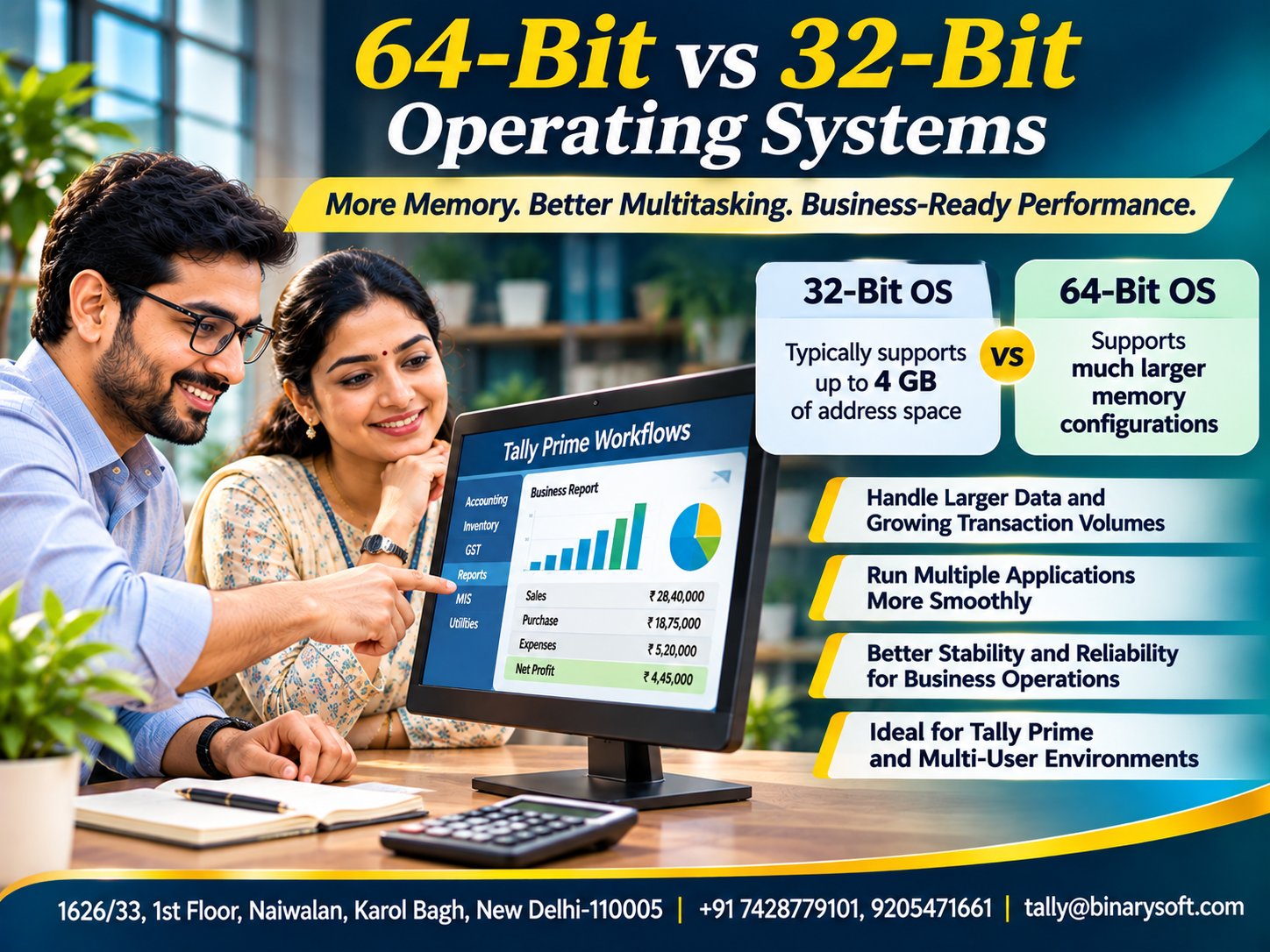
A 64-bit operating system can address substantially more memory than a 32-bit operating system, making it better suited to many modern computing workloads.
For businesses using accounting applications such as Tally Prime, understanding this difference can help when purchasing computers, upgrading infrastructure or planning future software requirements.
This guide explains the technology, practical advantages, limitations and business benefits of moving toward a suitable 64-bit computing environment.
1. What Is a 32-Bit Operating System?
A 32-bit operating system is designed around a computing architecture that commonly uses 32-bit addressing and related system conventions.
The term refers to characteristics of the system architecture rather than simply the speed of the computer.
A major limitation of typical 32-bit desktop operating systems is their restricted address space.
A 32-bit address can represent:
2³² = 4,294,967,296 possible addresses.
When addressing individual bytes, this corresponds to 4 GiB of address space.
In practice, many 32-bit Windows installations make less than 4 GB of physical RAM available to applications because portions of the address space are reserved for hardware and system functions.
This limitation can become significant when several applications are running simultaneously.
Older computers and legacy business applications frequently used 32-bit operating systems.
Although some remain operational, they are increasingly unsuitable for modern software requirements.
2. What Is a 64-Bit Operating System?
A 64-bit operating system uses a 64-bit computing architecture with substantially greater memory-addressing capabilities.
The theoretical address space associated with 64-bit addressing is enormous.
However, actual usable memory depends on the processor, operating system edition and hardware configuration.
Modern 64-bit systems do not necessarily implement every possible 64-bit address.
Nevertheless, they can support far more memory than conventional 32-bit desktop systems.
This allows businesses to use computers with 8 GB, 16 GB, 32 GB or greater RAM capacities, subject to supported limits.
A 64-bit environment also provides access to modern processor capabilities and operating-system security features.
These advantages make it the standard choice for most new business computers.
3. Key Differences Between 32-Bit and 64-Bit Systems
Understanding the main differences helps businesses make informed purchasing decisions.
| Feature | 32-Bit Operating System | 64-Bit Operating System |
|---|
| Address space |
Typically limited to 4 GiB |
Much larger |
| Practical RAM support |
Often below 4 GB on standard desktop Windows |
Supports substantially more RAM |
| Modern software compatibility |
Increasingly limited |
Better support for current applications |
| Large-memory workloads |
More constrained |
Better suited |
| Multitasking |
Limited by available resources |
Can benefit from greater memory capacity |
| Security capabilities |
Depends on platform |
Supports modern platform security mechanisms |
| Hardware suitability |
Mainly legacy systems |
Standard for modern computers |
A 64-bit system is not automatically faster for every task.
Actual performance depends on the processor, RAM, storage, application design and workload.
4. Advantage One: Better Memory Utilization
One of the most important benefits of a 64-bit operating system is improved memory-addressing capacity.
Consider an office computer with 8 GB of installed RAM.
A conventional 32-bit Windows installation cannot normally make all 8 GB available for general application use.
A suitable 64-bit Windows installation can use the installed memory within its supported limits.
This difference becomes important when employees run several applications together.
For example, an accountant may simultaneously use:
When insufficient RAM is available, the computer may rely more heavily on storage-based virtual memory.
This can reduce responsiveness.
A 64-bit operating system allows businesses to take advantage of greater physical memory capacity.
5. Advantage Two: Improved Multitasking
Modern business operations rarely involve a single application.
Employees frequently switch between accounting reports, customer emails, spreadsheets and online portals.
A computer with insufficient memory may become slow when several programs remain open.
A 64-bit operating system can support larger memory configurations, helping reduce this pressure.
For example, an accounts employee may prepare a financial report while reviewing supporting invoices and communicating with colleagues.
With sufficient RAM and appropriate hardware, the system can keep more application data in memory.
This may reduce delays caused by excessive disk swapping.
However, multitasking performance also depends on CPU capacity, storage speed and background processes.
Simply installing a 64-bit operating system without adequate hardware may not produce a noticeable improvement.
6. Advantage Three: Better Support for Modern Applications
Software developers increasingly design applications for 64-bit operating systems.
Modern applications may require larger memory spaces or newer operating-system capabilities.
Some current software releases no longer support 32-bit environments.
This can create difficulties for businesses using older computers.
Employees may be unable to install required applications or receive important updates.
A suitable 64-bit operating system provides a stronger foundation for modern software compatibility.
For businesses planning long-term technology investments, this is an important consideration.
However, compatibility should always be checked against the specific software release and its official requirements.
7. Advantage Four: Support for Memory-Intensive Workloads
Some business activities require substantial memory.
Examples include large spreadsheet analysis, complex reporting, image processing and data-intensive applications.
A 32-bit application typically operates within a restricted virtual address space.
A native 64-bit application can potentially use a much larger address space.
This can benefit software designed to process large datasets.
However, running a 32-bit application on a 64-bit operating system does not automatically remove the application's own memory limitations.
The application must be designed appropriately to benefit from expanded addressability.
This distinction is important when evaluating accounting software performance.
8. Advantage Five: Modern Security Capabilities
Security is essential for businesses handling financial and customer information.
Modern 64-bit operating systems support security mechanisms designed for contemporary hardware.
Depending on the operating system and configuration, these may include stronger driver requirements, memory protections, virtualization-based security and hardware-assisted safeguards.
However, security is not determined by architecture alone.
A fully updated 32-bit system may be safer than an outdated or poorly configured 64-bit system.
Businesses should prioritize supported operating-system versions, security updates, endpoint protection and appropriate user permissions.
Reliable backups and employee awareness are equally important.
A 64-bit platform provides access to modern security capabilities, but those capabilities must be configured and maintained properly.
9. Advantage Six: Greater Flexibility for Future Expansion
Businesses rarely remain the same size forever.
A small trading company may begin with one computer and eventually expand to several departments.
Accounting records grow.
Inventory transactions increase.
Employees require additional software.
A 64-bit computing environment provides more flexibility for upgrading RAM and adopting modern applications.
This can extend the useful life of suitable hardware.
For example, upgrading a compatible computer from 8 GB to 16 GB RAM may help support heavier multitasking workloads.
A conventional 32-bit desktop operating system would not be able to take full advantage of that memory.
Choosing the right architecture therefore supports future technology planning.
10. An Emotional Story: The Computer That Nearly Cost a Family Business Its Biggest Customer
For sixteen years, Prakash operated a small wholesale electrical goods business in Delhi.
He started with a rented shop and gradually built relationships with contractors and retailers.
His wife managed customer communication while he supervised purchases and accounting.
Their son had recently joined the business after completing his education.
The company used an aging office computer.
For years, Prakash believed replacing it was an unnecessary expense.
“It still works,” he would say whenever his son suggested an upgrade.
One afternoon, an important customer requested a detailed statement and supporting invoices before approving a large order.
Prakash opened the accounting application, several spreadsheets and the customer's email.
The computer became extremely slow.
Applications stopped responding, and the required information took much longer to prepare.
The customer eventually called again, frustrated by the delay.
Prakash felt embarrassed.
He had spent years earning that customer's trust.
That evening, his son reviewed the computer's specifications.
The system was using an older 32-bit operating environment with limited usable memory.
The family evaluated its software requirements, backed up important records and replaced the computer with a suitable modern 64-bit system.
They also improved storage performance and established a regular maintenance routine.
The improvement was not caused by architecture alone.
Better hardware, adequate RAM and a supported operating system all contributed.
A few weeks later, another urgent customer request arrived.
This time, the team prepared the required documents without the earlier difficulties.
Prakash smiled at his son.
He realized that investing in dependable technology was not simply about buying a faster computer.
It was about protecting the business his family had spent years building.
This is a fictional illustrative story.
11. Case Study One: Trading Company Modernizes Its Accounting Computers
Business Background
A hypothetical trading company employs twelve people.
Its accounting department uses older desktop computers with 32-bit Windows installations.
The Challenge
Employees experience delays while switching between accounting software, spreadsheets and browser-based applications.
The computers also have limited usable RAM.
The Solution
Management evaluates application compatibility and upgrades selected systems to supported 64-bit hardware and operating environments.
The company installs sufficient RAM and suitable solid-state storage.
How Tally Prime Helps
The accounting team continues using Tally Prime for transaction recording, outstanding reports and financial analysis.
The improved computer environment supports the employees' overall workload.
Illustrative Outcome
Suppose an employee previously spent fifteen minutes each day waiting during routine application switching and document preparation.
After modernization, the estimated waiting time falls to six minutes.
Daily Time Saving:
15 − 6 = 9 minutes.
For twenty-two working days:
9 × 22 = 198 minutes.
That equals approximately 3.3 hours per employee per month.
These figures are hypothetical and do not isolate the effect of the operating-system architecture.
Business Lesson
System performance depends on the complete computing environment, including memory, storage, processor and software compatibility.
This case study is illustrative.
12. Case Study Two: Manufacturing Company Prepares for Business Growth
Business Background
A hypothetical manufacturing company manages purchasing, production-related inventory and financial reporting.
Its accounting workload increases as the organization expands.
The Challenge
Older office computers cannot support the company's preferred combination of applications and memory requirements.
The Solution
The company introduces modern 64-bit workstations with adequate RAM and reliable storage.
It also reviews network performance, backup procedures and software requirements.
How Tally Prime Helps
Tally Prime supports the company's accounting, inventory records and relevant business reports.
Employees use suitable hardware to access the information required for daily operations.
Illustrative Outcome
Management reduces interruptions caused by insufficient memory and improves its overall workstation environment.
The organization also establishes a planned hardware replacement cycle.
No specific speed improvement is assumed because actual results depend on the workload.
Business Lesson
Modernization is most effective when operating-system architecture is considered alongside complete infrastructure requirements.
This case study is hypothetical.
13. How a 64-Bit Operating System Can Support Tally Prime Workflows
Tally Prime helps businesses manage accounting, inventory, taxation-related records and financial reporting.
Its performance depends on several factors, including supported software versions, hardware configuration, storage performance and company data characteristics.
A suitable 64-bit operating system can support the broader working environment in several ways.
Accounting and Bookkeeping
Employees can work with Tally Prime while keeping supporting documents and other applications open.
GST-Related Workflows
Accountants may need to review transaction information alongside spreadsheets and relevant online services.
Inventory Management
Businesses can use suitable workstations for inventory reporting and related operational activities.
Financial Analysis
Management can review reports while using other productivity applications.
Multi-Application Workflows
Employees may switch between accounting, communication and document-management tools.
A 64-bit operating system does not guarantee that every Tally Prime operation will become faster.
Businesses should verify the system requirements and compatibility of their installed Tally Prime release.
14. Understanding 32-Bit Applications on 64-Bit Windows
A common misconception is that every application must be 64-bit to run on a 64-bit operating system.
Many 64-bit Windows environments can run compatible 32-bit applications through a compatibility subsystem.
However, not every older program will work correctly.
Legacy drivers, installers and specialized integrations may create problems.
Businesses should test critical applications before upgrading.
Another important distinction is that a 32-bit application generally retains its own address-space limitations even when running on a 64-bit operating system.
Therefore, the benefits of upgrading depend on both the operating system and the software being used.
15. How to Check Whether Your Windows Computer Is 32-Bit or 64-Bit
Windows provides a straightforward way to check system architecture.
Step 1
Open Windows Settings.
Step 2
Navigate to the system information or About section.
Step 3
Locate the System Type field.
The system may display information such as:
“64-bit operating system, x64-based processor.”
This indicates that the installed operating system is 64-bit.
A computer may also have a 64-bit processor while running a 32-bit operating system.
In that situation, an upgrade may be possible, but compatibility and installation requirements must be evaluated.
16. Can You Upgrade from 32-Bit Windows to 64-Bit Windows?
Moving from a 32-bit Windows installation to a 64-bit version generally requires a fresh operating-system installation rather than a simple in-place architecture change.
Before proceeding, businesses should take several precautions.
First, verify that the processor supports the intended 64-bit operating system.
Second, confirm that the computer meets all applicable system requirements.
Third, check compatibility with accounting software, printers, scanners and other essential applications.
Fourth, back up important business information.
Fifth, prepare installation files and licensing details.
Finally, test the restored applications and business data before returning the computer to normal use.
Organizations should not attempt major operating-system changes during critical reporting or filing periods without a suitable contingency plan.
17. Best Practices for Improving Accounting Computer Performance
Businesses can improve computer reliability through practical maintenance.
Install Sufficient RAM
Choose memory capacity according to actual application requirements.
Use Reliable Storage
Solid-state drives can improve many storage-intensive operations compared with older mechanical drives.
Maintain Backups
Keep verified copies of important accounting information.
Update Supported Software
Use appropriate software versions and security updates.
Monitor Available Disk Space
Insufficient free space can affect normal system operation.
Review Network Conditions
Multi-user workflows may depend on reliable connectivity.
Avoid Unnecessary Background Applications
Excessive startup programs can consume system resources.
Evaluate Hardware Before Upgrading
Identify whether the main limitation is memory, processor, storage or another component.
These measures often provide more meaningful improvements than focusing on operating-system architecture alone.
18. The Future of 64-Bit Computing in Business
Modern business software increasingly assumes the availability of 64-bit computing environments.
As organizations adopt more demanding applications, the ability to use larger memory configurations becomes increasingly valuable.
Businesses also expect improved security, dependable multitasking and compatibility with current software.
For MSMEs, technology planning should focus on long-term suitability rather than short-term cost alone.
A computer that meets only today's minimum requirements may become restrictive as business operations expand.
Choosing appropriate hardware and a supported 64-bit operating system can provide a stronger foundation for future growth.
The objective is not to purchase the most expensive equipment.
It is to select dependable technology that matches actual business requirements.
Conclusion
The transition from 32-bit to 64-bit operating systems represents an important development in modern computing.
A 64-bit operating system provides substantially greater memory-addressing capacity and supports the requirements of many contemporary applications.
For businesses, this can mean greater flexibility, improved multitasking potential and access to modern software and security capabilities.
However, architecture alone does not determine performance.
Processor capacity, RAM, storage speed, application design and system maintenance all influence the user experience.
Businesses using Tally Prime should select computers according to the requirements of their installed software and everyday workloads.
The best technology investment is not simply a faster computer. It is a dependable computing environment that helps employees work confidently, protects important business information and supports future growth.
Powered by Binarysoft Technologies
Authorized Tally Partner
Binarysoft Technologies helps businesses implement and use Tally Prime for accounting, inventory management, GST-related workflows and financial reporting.
Organizations planning computer upgrades or seeking to improve accounting operations can benefit from evaluating software compatibility, infrastructure requirements and data-protection procedures.
Location:
1626/33, 1st Floor, Naiwalan, Karol Bagh, New Delhi – 110005, INDIA
Contact Us:
+91 7428779101, 9205471661
Email:
tally@binarysoft.com
Business Hours:
10:00 AM – 6:00 PM, Monday to Friday
Frequently Asked Questions
Why are 64-bit systems better suited to modern businesses?
They support larger memory configurations and provide a more suitable environment for many current applications and workloads.
How can Binarysoft Technologies help businesses using Tally Prime?
Binarysoft Technologies can assist with Tally Prime implementation, accounting workflows, inventory management and financial reporting, helping businesses plan reliable software environments.
Is 8 GB RAM sufficient for business accounting?
It may be sufficient for many ordinary workloads, but requirements vary according to applications, data volumes and multitasking needs.
Can I change from 32-bit Windows to 64-bit Windows without reinstalling?
Changing the operating-system architecture generally requires a fresh installation, along with appropriate backups and application reinstallation.
CA. Rudransh Suryavanshi focuses on GST compliance, financial management, and internal controls. He regularly contributes content on business accounting solutions and effective tax planning strategies.








