Call CA Tally HelpDesk
+91 9205471661,
7428779101
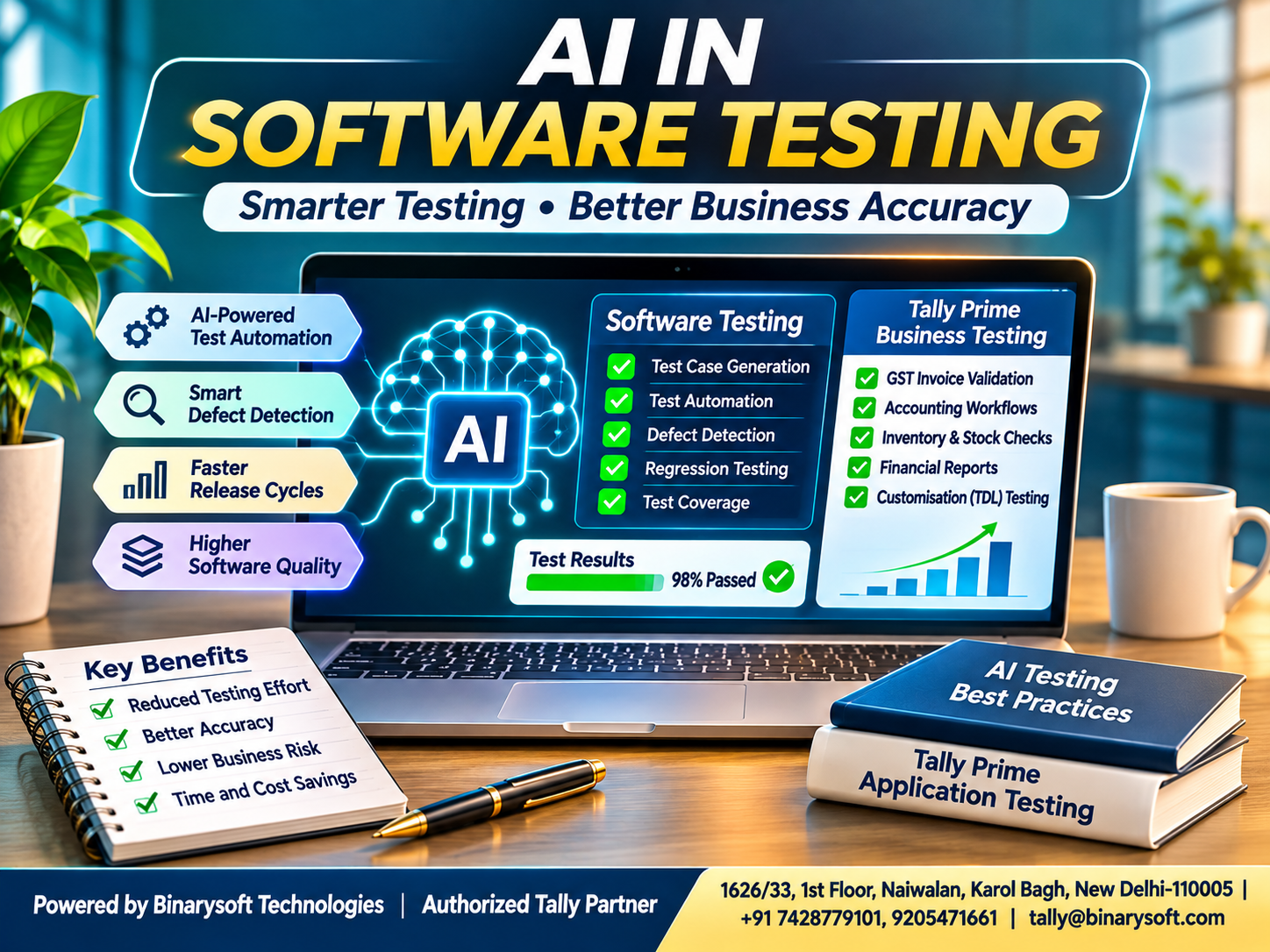
Introduction: Why Software Quality Matters More Than Ever
Imagine a growing business processing hundreds of customer orders, invoices and financial transactions every day.
One morning, the accounting team discovers that a software update has caused incorrect discount calculations.
Customers begin questioning invoices, employees struggle to identify affected transactions, and management worries about financial accuracy.
A seemingly small software defect has suddenly become a serious business problem.
Situations like this demonstrate why software testing is essential for organizations of every size.
Modern applications contain complex workflows, integrations, databases and security requirements. Traditional manual testing alone can become time-consuming and difficult to scale.
Artificial intelligence offers new opportunities to address these challenges.
AI in software testing uses technologies such as machine learning, natural language processing and generative AI to support test creation, execution, defect identification and quality assurance.
Instead of relying exclusively on repetitive manual procedures, testing teams can use intelligent tools to improve efficiency and explore more scenarios.
For businesses using Tally Prime, AI-assisted testing can be particularly valuable when validating accounting customizations, GST workflows, inventory integrations and external business applications.
Understanding these technologies can help organizations protect financial accuracy while improving software reliability.
1. What Is AI in Software Testing?
AI in software testing refers to using artificial intelligence techniques to support or automate activities within the software quality assurance process.
Traditional testing often depends on predefined scripts and manually prepared scenarios.
AI-assisted systems can analyze requirements, recognize patterns, suggest additional tests and help identify potential defects.
For example, a conventional automated test may verify whether an invoice form accepts valid customer information.
An AI-assisted testing workflow could additionally suggest scenarios involving missing customer details, invalid quantities, unusual discounts and duplicate submissions.
Some AI-powered tools can also help maintain tests when application interfaces change.
However, AI does not automatically understand every business requirement.
Generated scenarios and automated results must still be validated against approved specifications.
Main Technologies Used
Machine Learning: Identifies patterns in testing data and historical defects.
Natural Language Processing: Helps interpret requirements and convert written instructions into test scenarios.
Generative AI: Assists with test cases, scripts, documentation and defect explanations.
Computer Vision: Supports visual testing by comparing application screens and identifying interface differences.
Predictive Analytics: Helps estimate areas of software that may require additional testing.
Together, these technologies can improve the effectiveness of quality assurance activities.
2. How AI Is Changing Traditional Software Testing
Traditional software testing generally follows a structured process.
Testers study requirements, prepare test cases, execute them, report defects and verify corrections.
Although this approach remains essential, complex applications can require thousands of test combinations.
AI-assisted testing helps teams manage this complexity.
Faster Test Preparation
AI can generate preliminary scenarios from functional requirements, reducing repetitive documentation.
Improved Test Coverage
Intelligent tools can suggest boundary conditions, negative scenarios and unusual input combinations.
Automated Test Maintenance
Certain platforms can identify changed interface elements and suggest updates to existing automated tests.
Better Defect Analysis
AI can examine logs, error messages and historical testing results to help identify likely causes.
Risk-Based Testing
Machine learning can help prioritize application areas based on historical failures and other indicators.
These improvements allow experienced testers to concentrate on complex business rules and critical application behavior.
The objective is not to eliminate human testers but to make testing more efficient, systematic and reliable.
3. Major Benefits of AI-Powered Software Testing
Artificial intelligence offers several potential advantages for software development teams.
Reduced Repetitive Work
Routine activities such as generating test data, preparing documentation and organizing test results can be partially automated.
Faster Testing Cycles
AI-assisted tools may reduce preparation and maintenance time, helping teams complete testing activities more efficiently.
Better Defect Detection
Pattern analysis and additional scenario generation can help identify defects that conventional testing might overlook.
Improved Regression Testing
AI can assist in identifying which existing workflows require retesting after software modifications.
Greater Testing Consistency
Structured automation helps teams apply repeatable testing procedures.
Potential Cost Optimization
Reduced manual effort and earlier defect identification may lower overall quality assurance costs.
However, savings depend on implementation expenses, tool licensing, application complexity and maintenance requirements.
Organizations should evaluate measurable outcomes rather than assuming that AI automatically reduces costs.
4. Types of AI Testing Used in Modern Applications
Different AI-assisted testing approaches address different quality assurance requirements.
Functional Testing
Functional testing verifies whether application features behave according to approved requirements.
AI can help generate scenarios for login forms, billing modules, calculations and transaction processing.
Regression Testing
Regression testing checks whether software changes have affected previously working functionality.
AI-assisted analysis can help identify relevant tests after code modifications.
Visual Testing
Visual testing examines application screens for unexpected layout changes.
AI-based visual comparison tools can help distinguish meaningful differences from minor rendering variations.
Performance Testing
Performance testing evaluates application behavior under different workloads.
AI can help analyze response-time patterns, resource utilization and unusual performance changes.
Security Testing
AI may assist in identifying suspicious patterns and prioritizing potential vulnerabilities.
Dedicated security testing and professional verification remain necessary.
API Testing
AI can help generate requests, validate responses and identify unusual behavior in application programming interfaces.
Integration Testing
Integration testing verifies information exchange between connected applications.
This is especially important for accounting systems, inventory platforms and online business applications.
5. Popular AI-Powered Software Testing Tools
Several established testing platforms offer AI-assisted capabilities.
Testim
Testim supports automated application testing and provides intelligent capabilities designed to reduce maintenance effort.
It can be useful for teams managing frequently changing web applications.
mabl
mabl focuses on automated application testing, including browser-based workflows and AI-assisted testing capabilities.
Organizations can use it to support continuous quality assurance processes.
Applitools
Applitools specializes in visual testing and interface validation.
Its visual comparison technology helps teams identify unexpected differences across application screens.
Functionize
Functionize provides AI-assisted testing capabilities for creating, executing and maintaining automated tests.
It is designed to support enterprise testing workflows.
ACCELQ
ACCELQ offers cloud-based test automation capabilities, including support for application and API testing.
Its approach can help teams organize testing across connected systems.
Choosing the Right Tool
Businesses should compare tools based on application compatibility, supported testing types, security requirements, licensing costs and technical expertise.
Not every platform supports every application environment.
For desktop accounting software, teams may need specialized automation methods rather than relying exclusively on browser-testing platforms.
6. An Emotional Story: When a Software Error Threatened a Family Business
Rohit managed a small manufacturing business established by his father in Faridabad.
For more than twenty years, the company had built its reputation on dependable deliveries and honest customer relationships.
Rohit wanted to modernize operations.
He introduced a customized order-management application to improve billing and inventory coordination.
Initially, the system appeared successful.
Employees completed orders faster, and customers appreciated the improved communication.
Then an unexpected problem emerged.
A software modification caused certain orders to display incorrect quantities during data transfer.
Some customers received invoices that did not match their original orders.
Rohit spent several evenings reviewing records and contacting customers personally.
He remembered watching his father carefully maintain handwritten business registers.
His father had always believed that accuracy was a promise made to every customer.
Now Rohit feared that years of trust could be damaged by a technical mistake.
The development team discovered that testing had covered normal transactions but overlooked several unusual combinations.
They introduced a more structured testing process.
AI-assisted tools helped prepare additional scenarios involving quantity changes, duplicate submissions and incomplete transactions.
The team executed the tests, corrected the defects and introduced mandatory regression checks before future releases.
Over time, confidence in the application improved.
One evening, Rohit's father visited the office.
Seeing the team reviewing verified reports, he told Rohit that technology was valuable when it helped people keep their promises.
Rohit realized something important.
Software quality is not only about avoiding technical errors. It is about protecting the relationships on which businesses are built.
This fictional story illustrates the human importance of dependable software testing.
7. How AI-Assisted Testing Can Support Tally Prime
Tally Prime helps organizations manage accounting, invoicing, GST-related records, inventory and financial reporting.
Businesses may also use customizations and external applications to extend their accounting workflows.
These additional components require careful testing.
AI-assisted tools can help organizations prepare and analyze tests for such environments.
Importantly, AI testing is not automatically a built-in capability of Tally Prime.
External tools, authorized integrations and controlled testing environments may be required.
Accounting Transaction Validation
AI can help generate scenarios for sales, purchases, receipts, payments and journal vouchers.
Testers can verify whether transactions produce the expected ledger balances.
GST Invoice Testing
Businesses can test invoice calculations involving applicable tax configurations, discounts, taxable values and rounding.
AI can suggest additional scenarios, but expected results must be verified against current rules.
Inventory Management Testing
Testing teams can validate stock movements, units of measurement, purchase entries and sales transactions.
AI-generated scenarios may help identify unusual inventory conditions.
TDL Customization Testing
Organizations using Tally Definition Language customizations can prepare tests for modified screens, validations and reports.
Data Integration Testing
When external applications exchange information with Tally Prime, AI-assisted testing can help identify missing records, duplicate transactions and inconsistent values.
Financial Report Reconciliation
AI can help organize comparison scenarios involving approved reports and source transactions.
Actual financial calculations must remain grounded in verified accounting records.
8. Case Study One: Improving GST Billing Accuracy
Illustrative Case Study
Business Background
A medium-sized electronics distributor processes approximately 1,800 sales invoices every month.
The organization uses Tally Prime for accounting, inventory management and GST-related records.
A separate order-processing application transfers approved transaction information into its accounting workflow.
The Challenge
After modifying the order-processing application, employees noticed occasional differences in discount calculations.
The original testing process had focused primarily on standard invoice scenarios.
The AI-Assisted Approach
The technology team introduced structured AI-assisted test generation.
Testing scenarios covered intrastate and interstate transactions, multiple discounts, invalid quantities, invoice cancellation and duplicate submissions.
Testers compared actual outputs against independently verified expected results.
The Outcome
The revised testing process helped the team identify overlooked validation conditions before subsequent releases.
It also produced a reusable regression testing checklist.
Business Lesson
AI-assisted testing can strengthen accounting integrations when generated scenarios are reviewed and executed by qualified professionals.
9. Case Study Two: Improving Inventory Integration Reliability
Illustrative Case Study
Business Background
A manufacturing company uses Tally Prime for accounting and inventory records.
Its production management application exchanges approved stock-related information with the accounting system.
The Challenge
Following an application update, certain inventory transactions required manual reconciliation.
The team needed better coverage of unusual transaction conditions.
The AI-Assisted Approach
AI tools helped generate scenarios involving material consumption, stock adjustments, incorrect units, missing references and repeated submissions.
The testing team executed the relevant scenarios in a controlled environment.
The Outcome
The organization established clearer integration testing procedures and improved documentation of expected transaction behavior.
Business Lesson
AI-assisted testing can help teams examine complicated business workflows without replacing the need for reconciliation and human verification.
10. How to Implement AI in Software Testing
Organizations should introduce AI-assisted testing through a structured process.
Step 1: Identify Testing Requirements
Determine which applications, modules and business processes require testing.
Step 2: Evaluate Existing Challenges
Review repetitive tasks, recurring defects and areas with limited test coverage.
Step 3: Select Appropriate Tools
Choose tools compatible with the application environment and testing objectives.
Step 4: Prepare Reliable Test Data
Use synthetic or appropriately anonymized information wherever possible.
Step 5: Generate Test Scenarios
Use AI to prepare functional, negative, boundary and integration test cases.
Step 6: Review Expected Results
Verify that generated scenarios reflect approved business requirements.
Step 7: Execute Tests
Run tests through suitable automation tools or controlled manual procedures.
Step 8: Analyze Results
Investigate failures and distinguish actual defects from incorrect test assumptions.
Step 9: Maintain Regression Tests
Preserve important scenarios for future software updates.
Step 10: Monitor Performance
Measure testing coverage, defect detection, execution time and maintenance effort.
A gradual implementation helps organizations understand practical benefits before expanding investment.
11. Best Practices for AI-Based Quality Assurance
Effective AI-assisted testing requires more than installing automation software.
Use Clear Requirements: Accurate specifications improve test quality.
Prioritize Critical Workflows: Focus on financial calculations, permissions and data integrity.
Maintain Human Review: Experienced testers should validate generated scenarios.
Protect Business Information: Avoid exposing confidential records to unauthorized AI services.
Use Controlled Environments: Test software changes before production deployment.
Verify Calculations Independently: AI-generated financial results should not be accepted without validation.
Maintain Testing Evidence: Record expected results, actual results and defect resolutions.
Review Tool Performance: Periodically evaluate whether AI assistance is delivering measurable value.
These practices help organizations build dependable testing processes.
12. Challenges and Limitations of AI in Software Testing
AI introduces new capabilities, but it also presents important limitations.
Incorrect Test Scenarios
AI may generate tests based on assumptions that do not match actual requirements.
False Positives
Automated tools may identify apparent defects that are not genuine application problems.
Incomplete Coverage
AI cannot guarantee that every important scenario has been considered.
Integration Complexity
Connecting testing tools to existing applications may require technical expertise.
Data Security
Testing environments may contain confidential customer and financial information.
Implementation Costs
Licensing, infrastructure, training and maintenance can increase expenses.
Dependence on Human Expertise
AI cannot independently establish whether complex accounting or regulatory behavior is correct.
Organizations should address these challenges through governance, testing standards and ongoing evaluation.
13. The Future of AI in Software Testing
AI-assisted software testing is expected to become increasingly integrated into modern development practices.
Emerging approaches include intelligent test selection, natural-language test creation, automated defect classification and more adaptive test maintenance.
Development teams may also use AI to analyze application changes and recommend targeted regression testing.
For accounting-related applications, these capabilities could improve validation of customized workflows and external integrations.
However, reliable financial systems will continue to require deterministic calculations, secure transaction processing and independently verified results.
The most effective future testing strategies will combine intelligent automation with experienced professionals.
Conclusion
Artificial intelligence is creating valuable opportunities to improve software testing efficiency, coverage and consistency.
AI-powered tools can help generate test cases, analyze defects, maintain automation scripts and identify potential risks.
For businesses using Tally Prime, AI-assisted testing can support validation of accounting customizations, GST billing workflows, inventory integrations and external applications.
However, AI should complement established testing practices rather than replace them.
Reliable business software depends on accurate requirements, verified calculations, secure processes and professional oversight.
Organizations that adopt AI-assisted testing thoughtfully can strengthen software quality while protecting customer confidence and operational reliability.
Powered by Binarysoft Technologies
Authorized Tally Partner
Binarysoft Technologies supports businesses with Tally Prime implementation, accounting software solutions, customization, technical assistance and cloud-based accounting requirements.
Our objective is to help organizations improve accounting efficiency, strengthen financial visibility and support reliable business operations.
Location:
1626/33, 1st Floor, Naiwalan, Karol Bagh, New Delhi – 110005, INDIA
Contact Us:
+91 7428779101, 9205471661
Email:
tally@binarysoft.com
Business Hours:
10:00 AM – 6:00 PM, Monday to Friday
Frequently Asked Questions
What are the main benefits of AI testing?
Potential benefits include faster test preparation, improved coverage, reduced repetitive work and better defect analysis.
Which tools are used for AI software testing?
Examples include Testim, mabl, Applitools, Functionize and ACCELQ. Suitability depends on the application and testing requirements.
Can AI help identify GST billing errors?
AI can help generate test scenarios and identify unusual patterns. Tax calculations must still be checked against applicable rules.
What is the future of AI in software testing?
AI is likely to play a growing role in test generation, maintenance, defect analysis and risk-based testing while human oversight remains essential.
CA. Devansh Rathi works closely with wholesalers, distributors, and growing enterprises on taxation, reconciliations, and financial controls. His approach emphasizes accurate records, timely compliance, and efficient accounting systems.








