Call CA Tally HelpDesk
+91 9205471661,
7428779101
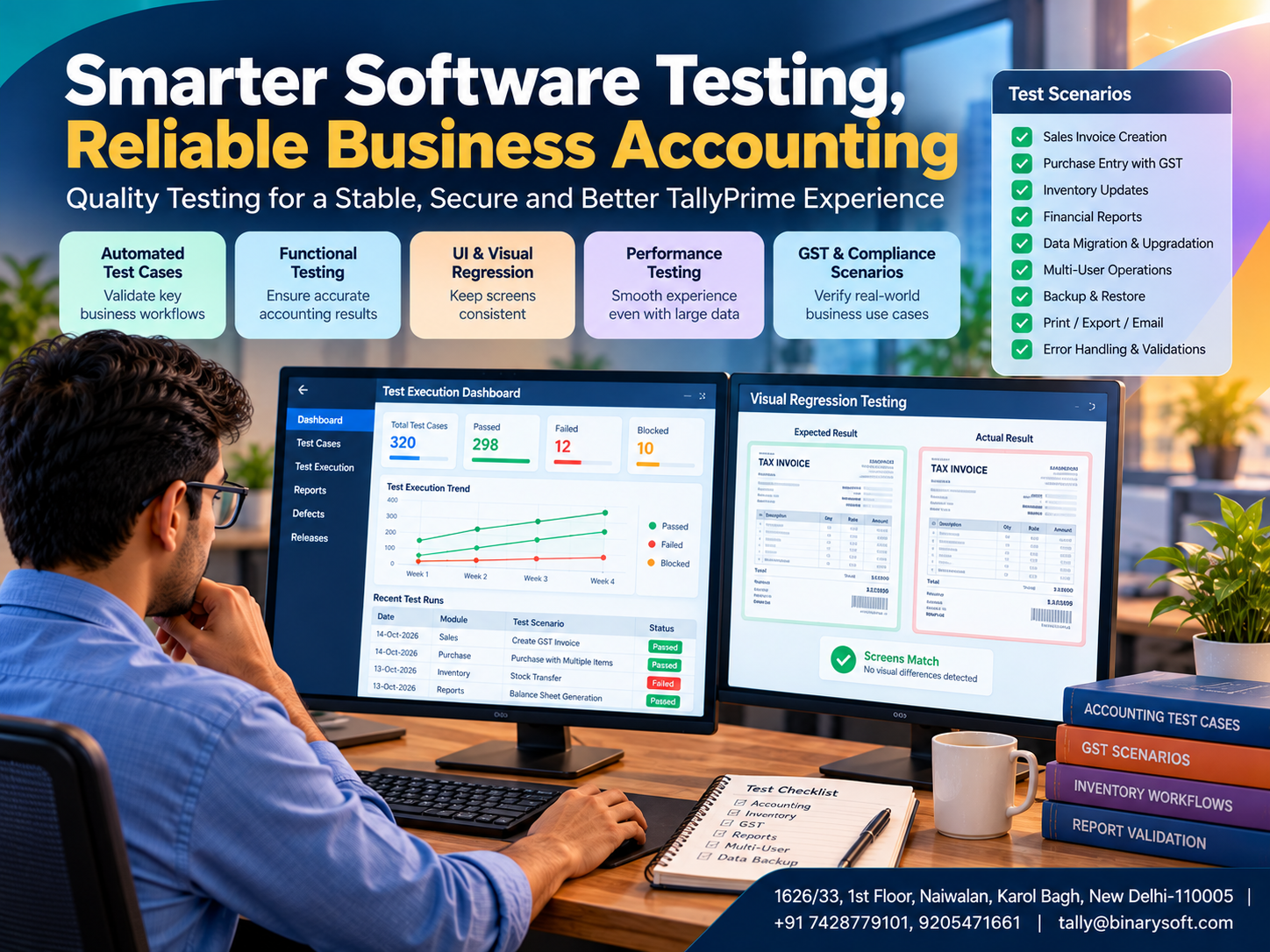
Introduction: Why Reliable Accounting Software Matters More Than Ever
Imagine preparing GST invoices during the busiest week of the financial year.
Customers are waiting for deliveries, suppliers are requesting payments, and your accounting team is completing hundreds of transactions.
Suddenly, an unexpected software issue interrupts invoice preparation.
For a growing business, even a small technical problem can create serious operational difficulties.
An incorrect calculation may require additional verification. A slow report can delay important decisions. An unexpected application error may interrupt customer billing.
This is why software quality is not simply a technical concern. It is an essential part of business continuity, financial accuracy and customer confidence.
Modern accounting software must handle complex transactions, changing statutory requirements, multiple users, large datasets and connected services.
Traditional manual testing alone cannot efficiently verify every possible situation across frequent software updates.
Intelligent automation testing provides a more scalable approach.
Specialised testing frameworks can repeatedly execute accounting workflows, examine application behaviour, measure performance and identify unexpected results before software reaches customers.
TallyPrime's engineering environment includes a specialised automation framework called TallyRobot, supported by context-aware testing, performance measurement, visual verification and AI-assisted failure analysis.
This article explains the technology behind modern accounting software testing, its practical business benefits and how organisations using TallyPrime can improve their own accounting and operational reliability.
1. What Is Automation Testing in Accounting Software?
Automation testing is the process of using software tools to execute predefined test scenarios and compare actual results with expected outcomes.
Instead of manually repeating the same operations, automated scripts perform selected actions and verify the results.
For accounting applications, these scenarios may include:
-
Creating sales and purchase vouchers.
-
Checking GST calculations.
-
Verifying customer and supplier balances.
-
Testing inventory transactions.
-
Opening financial statements.
-
Checking report calculations.
-
Evaluating application performance.
-
Validating customised screens and workflows.
For example, a test may create a purchase invoice containing multiple stock items and different tax details.
The testing framework can verify whether the transaction is recorded correctly and whether the relevant reports reflect the expected values.
Automation is particularly useful for repetitive regression testing, where previously working features must continue functioning after software changes.
2. Why Conventional Testing Tools May Not Be Enough
Many general-purpose testing tools are designed around websites, mobile applications or standard desktop interfaces.
Accounting applications can present different challenges.
TallyPrime uses specialised interface and application architecture, including functionality developed through Tally Definition Language (TDL).
Its workflows frequently depend on keyboard navigation, voucher context, company configuration and dynamically displayed fields.
A generic testing script may depend heavily on fixed screen positions or a predetermined sequence of keystrokes.
If the interface changes, the script may fail even when the underlying accounting feature works correctly.
This creates unnecessary maintenance work.
A purpose-built testing framework can better understand application context and reduce dependence on fragile navigation instructions.
The objective is not simply to automate more clicks.
It is to create tests that remain meaningful as the application evolves.
3. Understanding TallyRobot: A Specialised Testing Framework
TallyRobot is a purpose-built automation testing framework designed for TallyPrime's application environment.
It combines application-specific scripting with reusable navigation information, multiple validation capabilities and scalable test execution.
Unlike a general-purpose recorder that simply repeats mouse or keyboard actions, TallyRobot is designed to work with the context of TallyPrime's interface.
Its major capabilities include:
-
Custom scripting for TDL-based interfaces.
-
Map-file and keyword-driven automation.
-
Context-aware navigation.
-
Reusable scripts for different testing scenarios.
-
Integrated performance measurements.
-
Screen capture and visual comparison.
-
Scalable test execution infrastructure.
-
AI-assisted analysis of test failures.
These capabilities help engineering teams test complex application behaviour systematically.
TallyRobot is an internal software quality framework, not a standard end-user feature that customers can activate from the TallyPrime menu.
4. Custom Scripting: Why Application-Specific Automation Is Important
Traditional testing scripts may contain numerous low-level instructions.
For example, a script may open a menu, press several keys, select a field and enter a value.
When the application interface changes, these instructions can become unreliable.
Application-specific scripting allows test engineers to describe operations using a format aligned with the software being tested.
In TallyRobot, the scripting approach is designed around TDL-based user interfaces.
This can make test scripts easier to write, understand and maintain.
Business Example
Consider a test that verifies sales invoice creation.
Instead of depending entirely on fixed screen coordinates, the test can use application-specific navigation definitions to reach the intended voucher context.
This reduces unnecessary dependence on visual positioning.
For accounting software, this matters because interface reliability directly affects everyday activities such as invoice entry and report generation.
5. Map-File and Keyword-Driven Testing
One distinctive aspect of TallyRobot is its map-file and keyword-driven structure.
A map file provides centralised information about interface elements and navigation.
Test scripts refer to this shared information rather than repeating the same navigation details throughout multiple scripts.
How the Process Works
First, the testing framework identifies the intended application context.
Next, it verifies whether the expected screen or interface element is available.
The framework then performs the required action.
Finally, the test checks the resulting application behaviour.
Why Centralised Mapping Helps
Suppose 200 automated tests depend on a particular interface element.
If that element changes, a poorly designed testing system may require modifications across many individual scripts.
With centralised mapping, engineers may be able to update the relevant shared definition instead.
This improves maintainability and reduces duplicated effort.
Context verification also helps prevent a test from entering information into the wrong screen.
For accounting applications, such precision is particularly valuable.
6. One Test Script, Multiple Testing Scenarios
Software testing becomes expensive when engineers must create separate scripts for every variation of a feature.
A reusable automation framework reduces this duplication.
TallyRobot supports using the same script across different scenarios, including remote functionality and multilingual testing.
For example, an accounting workflow may need verification in different interface languages or operating contexts.
Reusing the core script helps maintain consistent test coverage.
It also allows engineers to spend more time designing meaningful test cases instead of repeatedly recreating the same navigation steps.
This approach is particularly useful when accounting software serves businesses with diverse working environments.
7. Built-In Performance Testing for Faster Accounting Operations
Accounting software must remain responsive while processing large volumes of transactions.
Performance testing evaluates how an application behaves under defined workloads.
TallyRobot includes performance-testing capabilities within its scripting environment.
Test engineers can use commands such as perfstart and perfend to identify the portion of a test where performance should be measured.
The framework can capture metrics including execution duration, CPU usage, CPU time, memory consumption and input/output operations.
For example, engineers may measure the time required to open a stock summary containing thousands of items.
They can compare results across software builds to identify performance changes.
This is valuable because slow reporting can affect billing efficiency, inventory reviews and financial decision-making.
Performance testing does not guarantee identical results on every customer computer. Hardware, data size, network conditions and installed customisations can influence actual performance.
8. Visual Testing: Checking What Users Actually See
Traditional automated tests may verify that a transaction has been saved successfully without checking whether the interface displays the information correctly.
Visual testing addresses this limitation.
TallyRobot can capture application screens during test execution and compare them with expected results.
This helps identify unexpected differences in interface presentation.
For example, a test may verify whether invoice details appear correctly after a change to the application.
Visual comparison can also assist with detecting unexpected changes in report layouts or displayed information.
Not every visual difference represents a defect, so meaningful differences still require interpretation.
Combining functional checks with visual validation provides broader test coverage.
9. Scalable Testing Through Jenkins and Cloud Infrastructure
Testing thousands of scenarios sequentially can require considerable time.
Large-scale testing infrastructure allows multiple tests to execute across distributed computing resources.
TallyRobot's testing ecosystem uses Jenkins-based orchestration and cloud infrastructure to support large-scale execution.
Its infrastructure can provision additional resources according to workload, manage test results and identify stalled executions.
Cloud services can also support versioned test information and historical result tracking.
The engineering system has reported approximately 1.3 million test validations in a day, demonstrating the scale of its internal testing operations.
This figure describes an internal testing capability rather than a performance guarantee for individual customer installations.
10. FailSense AI: Intelligent Analysis of Test Failures
Large automated test suites can generate many failure reports.
However, not every failed test indicates a new software defect.
Some failures may share a common underlying cause. Others may result from infrastructure problems, unexpected test conditions or outdated expectations.
FailSense AI assists with analysing these results.
Its capabilities include grouping failures by patterns, highlighting recurring problems and identifying potentially new defects.
Visual comparisons and detailed reports help engineers investigate unexpected behaviour.
This can reduce the time spent reviewing repetitive failure reports.
The important principle is that automation testing becomes more valuable when teams can understand why tests fail, not merely how many tests failed.
11. An Emotional Story: The Business Owner Who Could Not Afford Another Billing Delay
Consider the illustrative story of Arun, who operates a family-owned electrical supplies business in Karol Bagh.
His father started the shop more than thirty years ago.
Over time, Arun expanded the business, employed additional staff and began supplying products to contractors across Delhi NCR.
During the festive season, the shop handled an unusually high volume of invoices.
One afternoon, a software issue interrupted an important billing workflow.
Employees began checking transactions manually while customers waited.
Arun worried about delayed deliveries and the possibility of incorrect accounting records.
That evening, his father noticed the concern on his face.
He said, “Customers remember whether we kept our promises. Our systems must help us keep them.”
Arun realised that software reliability was just as important as employee efficiency.
He began reviewing the company's software update procedures, data backups and customised billing workflows.
Before future changes, his team tested essential transactions using a separate company dataset.
They verified invoices, tax calculations, inventory movements and financial reports.
The business also established a backup and recovery procedure.
Gradually, Arun gained greater confidence in the company's operational readiness.
The story illustrates why software testing matters beyond engineering departments.
For small-business owners, reliable systems help protect customer relationships, employee productivity and the reputation built through years of hard work.
12. Case Study 1: Wholesale Distributor Tests GST Billing Workflows
Illustrative case study — not a documented customer implementation.
Business Background
An electronics distributor in Nehru Place processes approximately 1,800 sales invoices every month.
The company uses TallyPrime for billing, inventory and accounting.
Business Challenge
The distributor uses a customised invoice format and wants to verify its compatibility before software upgrades.
Proposed Testing Approach
The company establishes a separate test environment containing representative transactions.
Its implementation team verifies GST calculations, invoice printing, customer balances and stock updates.
Where appropriate, the technical team uses supported automation tools to repeat selected checks.
Illustrative Results
|
Indicator
|
Previous process
|
Target process
|
|---|
|
Test scenarios
|
20
|
75
|
|
Testing frequency
|
Occasional
|
Before major changes
|
|
Invoice layout verification
|
Manual sampling
|
Repeatable comparison
|
|
Defect documentation
|
Informal
|
Structured issue records
|
These are hypothetical process improvements, not verified results.
Key Learning
A repeatable testing process can help identify compatibility problems before customised billing workflows are used in live operations.
13. Case Study 2: Manufacturing MSME Improves Inventory Testing
Illustrative case study — proposed business scenario.
Business Background
A packaging manufacturer in Bawana Industrial Area manages raw materials, finished goods and multiple inventory locations.
Existing Challenges
The company occasionally changes inventory reports and custom workflows.
Management wants greater confidence that these changes will not affect stock calculations.
Proposed Solution
The business creates representative test scenarios covering purchases, stock transfers, manufacturing consumption and sales.
Employees compare expected inventory balances with actual results.
The technical team also measures report performance using realistic datasets.
Expected Benefits
The company aims to reduce unexpected problems after customisation updates and improve the documentation of test results.
Key Learning
Testing should reflect actual business operations rather than relying only on basic software installation checks.
14. How Businesses Can Test Their Own TallyPrime Workflows
Businesses do not need access to internal engineering frameworks to establish better testing procedures.
A practical approach involves creating a separate test company or working with a verified backup copy.
Test transactions should cover the company's important activities.
These may include sales invoices, purchase vouchers, GST calculations, customer receipts, supplier payments and inventory movements.
After performing the transactions, users should compare the resulting reports with expected values.
Businesses using TDL customisations or external integrations should test those components before deployment.
A simple checklist can include invoice accuracy, GST treatment, ledger balances, stock movements, printing, exports, backups and user permissions.
Testing should never involve experimenting with unverified transactions in live company data.
15. Why Automation Testing Matters for GST and Inventory Accuracy
GST accounting and inventory management involve interconnected business records.
A sales invoice may affect customer balances, revenue accounts, tax ledgers and stock quantities.
An incorrect transaction can therefore influence multiple reports.
Automation testing can verify that expected relationships remain consistent after software changes.
For example, a test may compare the taxable amount, tax components and invoice total.
Another test may verify that a stock movement produces the expected inventory quantity.
However, software testing cannot replace checking actual business transactions or interpreting statutory requirements.
Accurate master data and proper accounting procedures remain essential.
16. The Future of AI-Powered Software Quality Assurance
Software testing is becoming increasingly intelligent.
AI-assisted tools can help identify recurring failures, prioritise investigations and analyse large collections of test results.
Cloud infrastructure can also improve test execution capacity.
Future testing systems may become better at generating representative scenarios, identifying unusual behaviour and adapting to application changes.
However, meaningful quality assurance will continue to require experienced engineers, reliable test data and clear acceptance criteria.
The most effective approach combines automation, analytical intelligence and human judgment.
17. How Binarysoft Technologies Can Help
Binarysoft Technologies assists businesses with TallyPrime accounting, GST billing, inventory management and related implementation requirements.
Businesses planning software upgrades, customisations or integrations can benefit from reviewing their existing workflows and establishing appropriate testing procedures.
Important areas include data backup, transaction verification, custom invoice formats, reporting accuracy and compatibility checks.
The objective is to help businesses maintain reliable accounting operations as their requirements evolve.
Conclusion
Automation testing plays an important role in maintaining the quality and reliability of modern accounting software.
Specialised frameworks such as TallyRobot demonstrate how application-aware scripting, centralised navigation, performance measurement and visual verification can work together.
Scalable infrastructure makes it possible to execute extensive test suites, while AI-assisted failure analysis helps engineering teams investigate meaningful problems more efficiently.
For businesses using TallyPrime, these principles highlight the importance of dependable accounting workflows and carefully tested customisations.
Although customers do not directly operate internal engineering testing frameworks, they can adopt practical testing procedures for their own accounting environments.
Reliable accounting software is not created through a single successful test. It is supported by continuous verification, disciplined engineering and a commitment to protecting the business operations that depend on it.
Powered by Binarysoft Technologies Authorized Tally Partner
Location: 1626/33, 1st Floor, Naiwalan, Karol Bagh, New Delhi – 110005, INDIA
Contact us: +91 7428779101, 9205471661
Email: tally@binarysoft.com
Business Hours: 10:00 AM – 6:00 PM, Monday to Friday
Frequently Asked Questions
What is automation testing in TallyPrime?
Automation testing uses predefined scripts and verification methods to check accounting software functionality, performance and expected behaviour.
What is visual regression testing?
Visual regression testing compares current application screens with expected results to identify unexpected presentation differences.
How can Binarysoft Technologies help with TallyPrime reliability?
Binarysoft Technologies can assist businesses with TallyPrime implementation, accounting workflows, customisation considerations and planning appropriate verification procedures for their operating environment.
Binarysoft Technologies can assist businesses with TallyPrime implementation, accounting workflows, customisation considerations and planning appropriate verification procedures for their operating environment.
Yes. Businesses should verify important TDL customisations, integrations, invoice formats and reports in a separate environment before updating live systems.
CA. Vihaan Taparia focuses on GST compliance, ledger reconciliation, and accounting process management. He helps trading and service businesses establish structured workflows for accurate reporting and efficient record maintenance.








