Call CA Tally HelpDesk
+91 9205471661,
7428779101
1. Introduction: Is Your Existing Accounting System Holding Your Business Back?
Every growing business reaches a moment when its existing accounting processes begin to feel inadequate.
A retailer may struggle to maintain accurate stock records. A wholesaler may spend hours reviewing unpaid invoices. A manufacturer may find it difficult to connect inventory information with financial reports.
Meanwhile, accountants must manage GST compliance, bank reconciliation, supplier payments and daily bookkeeping.
When these activities depend on disconnected spreadsheets, outdated software or repeated manual entry, business operations become unnecessarily complicated.
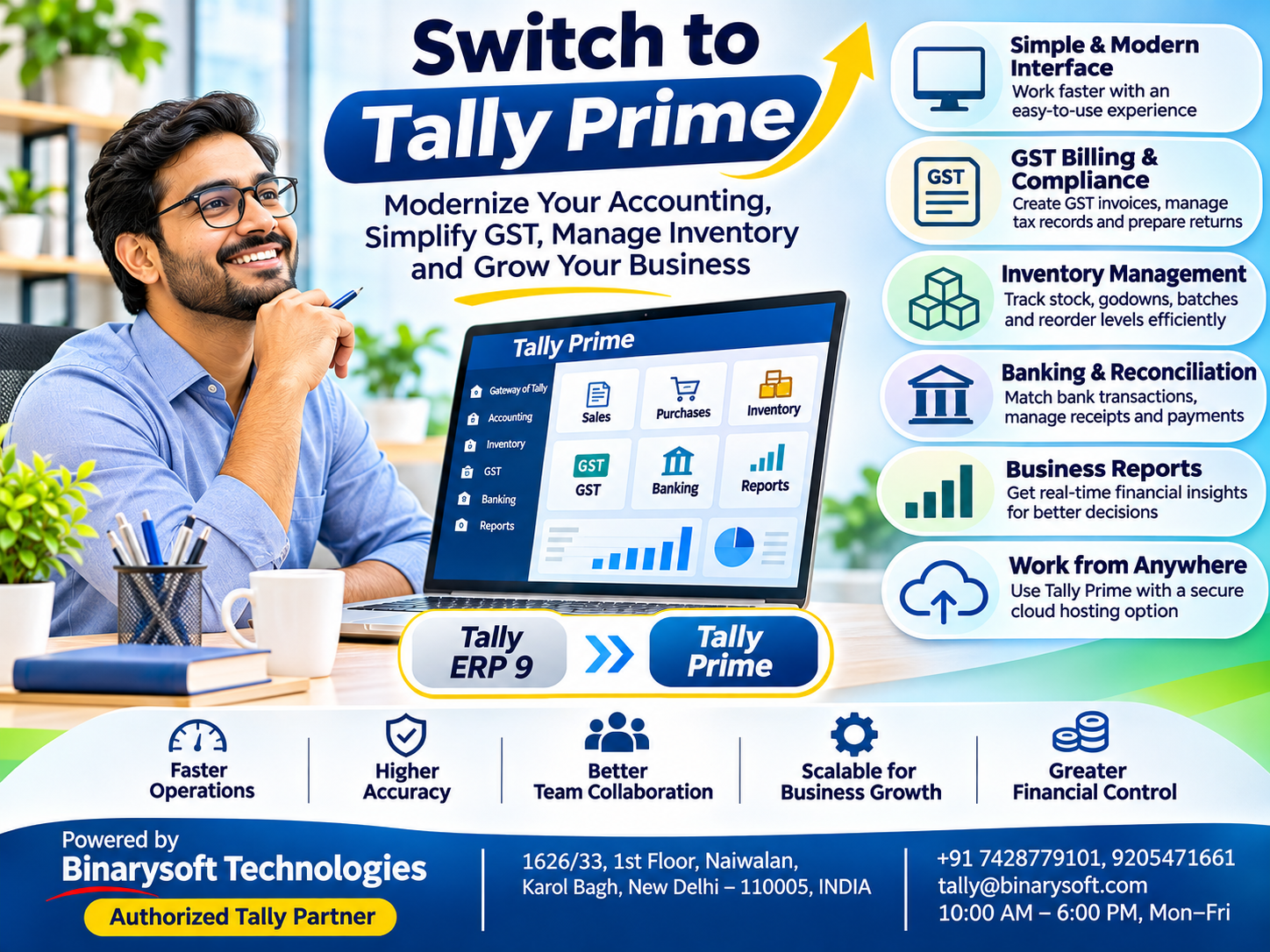
Switching to Tally Prime offers an opportunity to bring accounting, invoicing, inventory management and financial reporting into a more organized environment.
Tally Prime is designed to support everyday business accounting through structured transactions, configurable reports and practical navigation features.
It can serve small traders, retail shops, wholesalers, manufacturers, distributors and professional service providers.
For businesses using older accounting software, moving to Tally Prime can also provide access to updated workflows and supported digital capabilities.
However, successful adoption requires more than installing software.
Businesses must evaluate their requirements, protect existing financial records, configure appropriate features and train employees.
This guide explains how switching to Tally Prime in 2026 can help businesses improve financial control, simplify operations and prepare for long-term growth.
2. What Does Switching to Tally Prime Mean?
Switching to Tally Prime means adopting the application as the primary environment for managing relevant accounting and business transactions.
The process differs depending on the software a business currently uses.
Moving from Tally ERP 9
Businesses using Tally ERP 9 can evaluate the supported migration process to Tally Prime.
This transition can provide an updated interface and different navigation workflows while retaining compatible accounting information through appropriate migration procedures.
Moving from another accounting application
Businesses using spreadsheets or different accounting software may need to transfer their financial information into Tally Prime.
This can involve creating company records, importing supported data, entering opening balances and verifying transactions.
Not every external data format can be imported directly without conversion or additional work.
Starting accounting software for the first time
A new business can configure Tally Prime with company information, ledgers, inventory masters and applicable tax settings.
The best approach depends on transaction volume, business structure, data quality and reporting requirements.
3. Why Indian Businesses Are Choosing Tally Prime
Indian businesses operate in a competitive environment where accurate financial information is essential.
Business owners need to know how much money customers owe, which suppliers require payment and whether inventory levels are sufficient.
Tally Prime helps maintain these records within a structured accounting system.
Simplified everyday accounting
Businesses can record sales, purchases, receipts, payments, journal entries and other financial transactions.
These entries contribute to relevant ledgers and financial reports.
Easier navigation
Features such as Go To navigation help users locate reports and functions without repeatedly navigating through several menus.
Integrated inventory management
Businesses can maintain stock items, stock groups, units and godown information alongside accounting transactions.
GST-related accounting
Tally Prime provides configurable GST invoicing, tax reporting and supported compliance-related functions.
Better business visibility
Reports such as the Balance Sheet, Profit and Loss Account, Stock Summary and outstanding statements help management review business performance.
These capabilities make Tally Prime useful for organizations seeking more dependable accounting operations.
4. Simplify GST Billing and Compliance with Tally Prime
GST compliance is an important responsibility for many Indian businesses.
Companies must maintain accurate invoices, record taxable transactions and prepare information for applicable returns.
Tally Prime supports GST-related accounting through configurable tax details and reporting capabilities.
GST invoice creation
Businesses can configure GST registration details, customer information, tax ledgers and relevant HSN or SAC classifications.
When preparing an invoice, applicable tax amounts can be calculated according to the transaction configuration.
This supports consistent recording of taxable sales and purchases.
GST reporting
Accountants can review GST-related transaction reports and identify records requiring correction.
Supported releases may also provide connected GST capabilities, depending on subscription eligibility and service configuration.
E-invoicing and e-way bills
Eligible businesses can evaluate supported electronic invoicing and e-way bill workflows for applicable transactions.
These functions can reduce repetitive information entry when correctly configured.
Businesses must still verify current statutory requirements and review the accuracy of submitted information.
Business advantage: Organized GST records can make compliance preparation more predictable and reduce avoidable accounting errors.
5. Faster Sales Invoicing and Customer Management
Sales invoicing is a regular activity for retailers, wholesalers and service providers.
An inefficient billing process can create long customer waiting times and additional administrative work.
Tally Prime allows businesses to prepare invoices using configured customer ledgers, product information, transaction values and applicable taxes.
How it helps
When a sales invoice is recorded, the relevant accounting information is updated.
If inventory integration is enabled and configured, the transaction can also affect stock records.
This helps businesses avoid maintaining separate billing and accounting systems.
Customer ledgers and outstanding reports provide information for payment follow-ups.
Practical example
A wholesale stationery supplier receives an order for 200 notebooks, 100 files and 50 stationery kits.
The accountant selects the customer, enters the items and quantities, verifies the invoice values and records the transaction.
The business can subsequently review the sale through its accounting reports.
This creates a clearer connection between billing, stock records and customer balances.
6. Improve Inventory Management and Stock Visibility
Inventory is one of the most valuable assets for businesses dealing in physical products.
Poor stock management can result in excess purchases, unavailable products and unnecessary working capital pressure.
Tally Prime provides inventory features that help businesses organize stock information.
Stock groups and categories
Businesses can classify products into meaningful groups and categories for easier reporting.
For example, an electronics distributor may organize products into cables, switches, lighting equipment and electrical accessories.
Godown management
Companies operating multiple warehouses can maintain godown records to review inventory by location.
Stock movement
Purchase, sales and other appropriately configured inventory transactions help maintain stock information.
Inventory reporting
Stock Summary and related reports can help management examine quantities, values and product movement.
These features support more informed purchasing and inventory decisions.
7. Banking, Payment Tracking and Cash Flow Control
A profitable business can still experience financial pressure when customer payments are delayed.
Businesses must monitor bank transactions, customer receivables and supplier obligations.
Tally Prime provides accounting and banking-related capabilities that support these activities.
Bank reconciliation
Businesses can compare recorded bank transactions with bank statements to identify unmatched entries.
Supported statement imports and connected banking functions depend on the bank and software release.
Outstanding receivables
Customer outstanding reports help identify unpaid invoices and overdue balances.
Outstanding payables
Supplier reports help businesses understand upcoming payment obligations.
Cash flow planning
By reviewing cash, bank and outstanding information, management can make better-informed decisions about purchases and expenses.
The result is improved visibility into the financial commitments affecting everyday operations.
8. An Emotional Story: A Father's Dream and the Decision That Changed His Business
The following story is fictional and illustrates the human value of improving business accounting.
For twenty-two years, Ramesh operated a family-owned electrical goods business in Karol Bagh, New Delhi.
His father had started the shop with a small amount of savings and a determination to build a respected business.
Ramesh inherited that determination.
He worked long hours, developed relationships with suppliers and gradually expanded the business.
But as sales increased, accounting became more complicated.
His employees maintained several spreadsheets, customer payments were difficult to track and stock records often required manual verification.
Every evening, Ramesh stayed at the shop after closing time.
His wife frequently asked him to return home earlier.
His daughter, Ananya, was preparing for her school farewell ceremony.
She had been selected to receive an academic award and wanted her father to attend.
Ramesh promised he would be there.
On the day of the ceremony, however, an urgent payment discrepancy kept him at the office.
By the time he reached the school, the event had ended.
Ananya showed him her certificate and smiled, but he could see the disappointment in her eyes.
That night, Ramesh realized something important.
He had spent years building a business to provide a better future for his family, yet the business was taking away moments he could never recover.
He decided to change how the company operated.
With professional assistance, his team evaluated Tally Prime and prepared a structured transition from its existing accounting processes.
They organized customer and supplier records, verified opening balances and configured inventory information.
Employees learned how to record transactions and review financial reports.
The transition required effort, but gradually the business became more organized.
Ramesh could check outstanding payments more easily, and employees no longer depended on him for every routine accounting question.
Several months later, Ananya participated in a college cultural event.
This time, Ramesh arrived early.
He watched from the front row as she stepped onto the stage.
For him, the greatest benefit of better accounting was not simply faster billing or improved reporting.
It was the freedom to be present for the people he loved.
The experience reminded him that business success should create opportunities for life, not consume every moment of it.
9. Case Study One: A Delhi Wholesale Distributor Switches to Tally Prime
Illustrative case study — not a verified customer testimonial.
Business background
A wholesale electrical accessories distributor in Delhi supplies products to retailers across northern India.
The company manages hundreds of stock items and approximately 150 active customer accounts.
Previously, employees used separate spreadsheets for certain inventory and payment-tracking activities.
Challenges
The accounts department struggled to maintain consistent stock information.
Customer outstanding balances required additional checking, and monthly financial reporting involved considerable manual work.
Management wanted to improve accounting accuracy and reduce dependence on disconnected records.
Solution using Tally Prime
The company introduced Tally Prime after reviewing its accounting requirements.
Its implementation included:
-
Creating structured customer and supplier ledgers.
-
Configuring stock groups, items and units.
-
Recording verified opening balances.
-
Establishing consistent purchase and sales procedures.
-
Training employees to use financial and inventory reports.
Business outcome
The distributor established a more organized accounting process.
Management could review inventory information and outstanding customer balances through relevant reports.
Employees also gained a clearer understanding of their accounting responsibilities.
Key learning
Switching to accounting software produces the best results when accurate master data, employee training and consistent procedures accompany implementation.
10. Case Study Two: A Manufacturing Company Modernizes Accounting
Illustrative case study — operational results are hypothetical.
Business background
A packaging manufacturer in Faridabad produces cartons and other packaging materials for industrial customers.
The company purchases raw materials, records production-related transactions and sells finished products.
Its management needs dependable information about costs, stock and outstanding payments.
Challenges
The business relied on several spreadsheets alongside its existing accounting system.
Stock values were difficult to verify consistently, and management lacked a convenient view of customer and supplier balances.
Solution using Tally Prime
The company adopted Tally Prime and organized its accounting and inventory masters.
It configured stock items, units, godowns and relevant accounting ledgers.
Employees received training in purchase entries, sales invoicing and financial reporting.
The business also introduced periodic bank reconciliation and stock verification.
Business outcome
Management gained a more consistent foundation for financial and inventory reporting.
The accounts team reduced reliance on separately maintained records and could review business information more systematically.
Key learning
The value of accounting modernization depends on the quality of the underlying records and the discipline with which employees maintain them.
11. How to Switch to Tally Prime: Step-by-Step Implementation Guide
Switching accounting systems requires careful planning to protect financial information and maintain business continuity.
Step 1: Evaluate your business requirements
Identify the number of users, accounting activities, inventory needs, GST requirements and reporting expectations.
Step 2: Choose the appropriate edition
Tally Prime Silver generally addresses single-user requirements, while Gold supports multi-user operations in compatible environments.
Verify the applicable licensing conditions before purchasing.
Step 3: Review existing accounting data
Examine customer balances, supplier liabilities, bank balances, stock values and tax-related records.
Correct known discrepancies before migration where practical.
Step 4: Create verified backups
Maintain secure copies of existing financial information.
Do not overwrite the only working copy of your historical records.
Step 5: Configure Tally Prime
Create or migrate company information and configure the relevant ledgers, inventory masters, taxes and voucher settings.
Step 6: Transfer and verify data
Use supported migration or import procedures.
Compare important balances and reports before and after the transition.
Step 7: Train employees
Allow employees to practice common transactions and reporting activities.
Step 8: Begin production operations
Move to the new system after completing the necessary checks.
Maintain a backup and recovery plan during the transition.
12. Switching from Tally ERP 9 to Tally Prime
Businesses using Tally ERP 9 may find Tally Prime a natural modernization option.
Both applications support core accounting requirements, but Tally Prime provides an updated interface and navigation experience.
|
Area
|
Tally ERP 9
|
Tally Prime
|
|---|
|
User interface
|
Traditional interface
|
Updated interface
|
|
Navigation
|
Conventional menu structure
|
Go To and streamlined navigation
|
|
Accounting
|
Core accounting functions
|
Core accounting with updated workflows
|
|
Inventory
|
Stock management
|
Stock management with updated usability
|
|
GST
|
Release-dependent features
|
Supported GST features vary by release
|
|
Reporting
|
Financial and inventory reports
|
Updated report access and presentation
|
Before migration, businesses should review data compatibility, customizations, integrations and the applicable upgrade procedure.
A test migration is recommended before moving production records.
13. Tally Prime Cloud: Work Beyond the Office
Business owners increasingly need accounting access while travelling or managing multiple locations.
Tally Prime Cloud hosting can provide a remotely accessible environment for the accounting application.
Authorized employees may access the hosted system through suitable connections and permissions.
This can help businesses coordinate accounting work between offices or support remote working arrangements.
However, cloud hosting is separate from the standard Tally Prime license unless specifically included in a service package.
Businesses should evaluate hosting security, backup arrangements, availability and recovery procedures before choosing a provider.
14. Important Financial Reports in Tally Prime
One of the strongest reasons to adopt structured accounting software is the ability to review business information consistently.
|
Report
|
How it helps
|
|---|
|
Balance Sheet
|
Review assets, liabilities and financial position
|
|
Profit and Loss
|
Monitor income, expenses and profitability
|
|
Cash and Bank Books
|
Examine recorded cash and banking transactions
|
|
Sales Register
|
Review sales transactions
|
|
Purchase Register
|
Review purchases
|
|
Outstanding Receivables
|
Identify customer balances awaiting collection
|
|
Outstanding Payables
|
Monitor supplier obligations
|
|
Stock Summary
|
Examine stock quantities and values
|
|
GST Reports
|
Review relevant tax transactions
|
These reports help management make decisions based on recorded business information rather than assumptions.
15. Why Choose Binarysoft Technologies to Switch to Tally Prime?
Moving to a new accounting environment can involve important decisions about licensing, data migration, GST configuration, inventory management and employee training.
Binarysoft Technologies, an Authorized Tally Partner, helps businesses evaluate suitable Tally Prime solutions and plan their accounting requirements.
Businesses can seek guidance on Tally Prime licensing, installation, migration planning, accounting configuration, GST-related features and suitable cloud hosting options.
For retailers, wholesalers, manufacturers and professional service providers, the objective is to create an accounting environment that is accurate, practical and capable of supporting future growth.
16. Conclusion: Make the Switch to Smarter Business Accounting
Growing businesses need reliable financial information, organized inventory records and efficient accounting processes.
Continuing with disconnected or outdated systems can increase administrative work and make financial decisions more difficult.
Switching to Tally Prime can help businesses simplify accounting, improve GST-related workflows, manage inventory and monitor financial performance.
However, the most successful transitions involve careful planning, verified data, suitable configuration and employee training.
Whether a business is moving from spreadsheets, another accounting application or Tally ERP 9, the goal should be to build a dependable accounting foundation.
For Indian businesses preparing for continued growth in 2026, Tally Prime offers a practical opportunity to modernize financial management.
Powered by Binarysoft Technologies
Authorized Tally Partner
Location: 1626/33, 1st Floor, Naiwalan, Karol Bagh, New Delhi – 110005, INDIA
Contact Us: +91 7428779101, 9205471661
Email: tally@binarysoft.com
Business Hours: 10:00 AM – 6:00 PM, Monday to Friday
Frequently Asked Questions
Why should I switch to Tally Prime?
Tally Prime helps businesses organize accounting, invoicing, inventory, GST-related records and financial reporting within a structured environment.
Can I switch from Tally ERP 9 to Tally Prime?
Yes. Compatible company data can be migrated through supported procedures. Verify backups and important balances before production use.
Can I move data from another accounting application?
Data transfer may be possible through supported import formats, conversion or assisted migration. The process depends on the existing system.
What is the difference between Tally Prime Silver and Gold?
Silver generally supports single-user requirements, while Gold is intended for multi-user environments, subject to applicable licensing conditions.
CA. Arinav Chakraborty advises businesses on taxation, accounting systems, and financial planning. His professional interests include digital transformation, compliance management, and improving business efficiency through technology.








