Call CA Tally HelpDesk
+91 9205471661,
7428779101
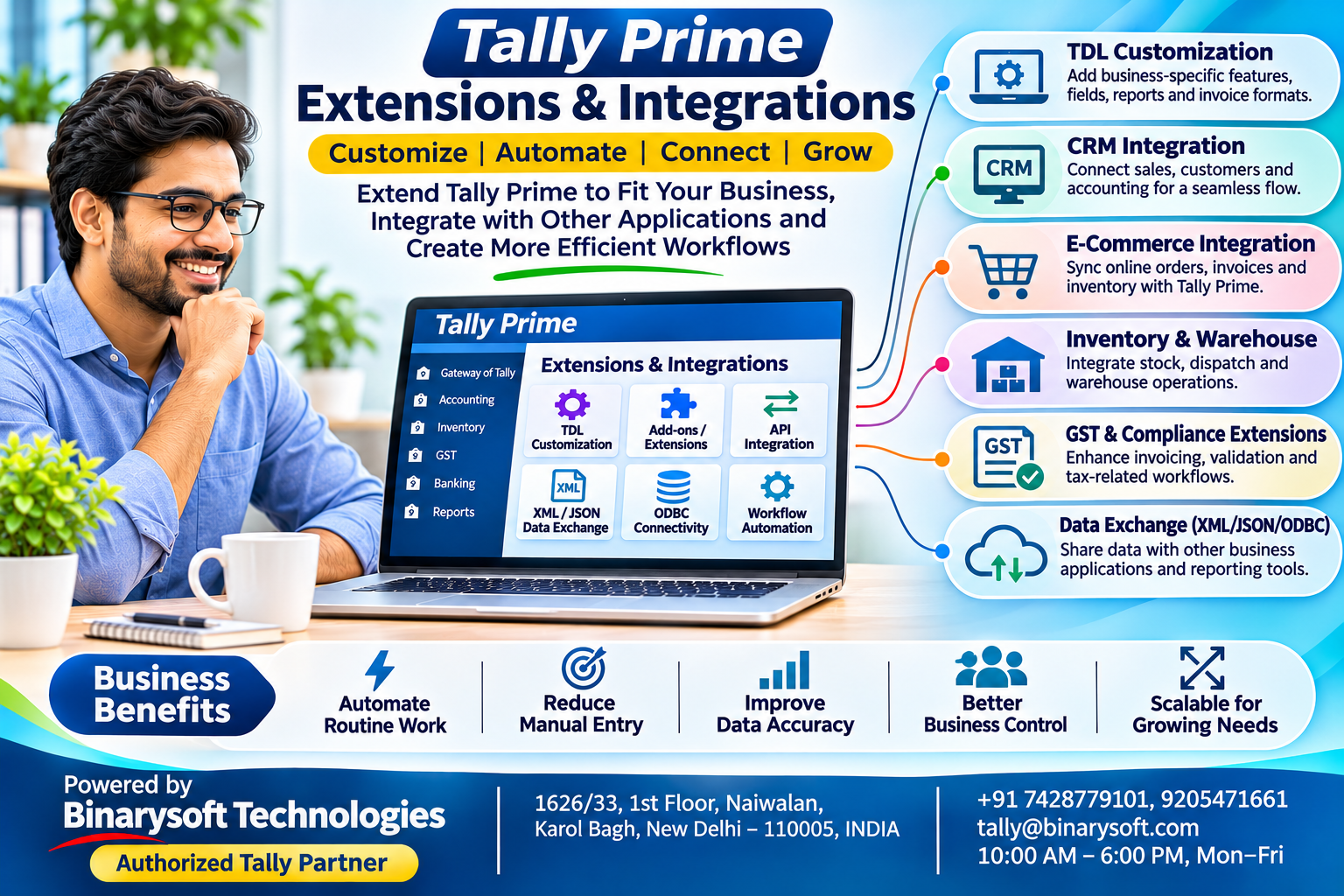
1. Introduction: Make Your Accounting Software Work According to Your Business
Every business operates differently.
A wholesale distributor needs efficient order processing and inventory tracking. A manufacturer may require specialized production reports. A retail business may want customized invoices, while a growing online seller needs accounting records synchronized with its e-commerce operations.
Although standard accounting software supports essential financial activities, businesses sometimes require additional capabilities.
This is where Tally Prime extensions and integrations become valuable.
Tally Prime provides a flexible environment for adding suitable functionality, customizing business processes and exchanging information with external applications.
Instead of maintaining disconnected spreadsheets and repeatedly entering the same information, businesses can develop more organized workflows.
Tally Prime extensions and integrations help organizations connect accounting with everyday business operations while reducing unnecessary manual work.
Through Tally Definition Language (TDL), supported integration methods and appropriate third-party solutions, businesses can adapt Tally Prime to specific requirements.
This guide explores how these capabilities work, their practical applications and the considerations involved in implementing them successfully.
2. What Are Tally Prime Extensions?
Extensions are additional software capabilities that enhance or modify existing functionality.
They allow businesses to introduce features that may not be included in the standard configuration.
For example, a distributor might require an additional field on its invoice, while a manufacturer may want a specialized report showing production-related information.
An appropriately designed extension can address these requirements without replacing the accounting application.
Extensions may support:
-
Customized invoice formats and additional fields.
-
Specialized inventory reports.
-
Business-specific validations and controls.
-
Additional management reports.
-
Industry-oriented accounting workflows.
-
Automation of selected repetitive activities.
Not every extension is compatible with every software release or business configuration.
Businesses should verify compatibility, licensing requirements and technical support before implementation.
3. Understanding Tally Definition Language (TDL)
Tally Definition Language, commonly called TDL, is the development language used to customize and extend Tally Prime.
It enables developers to create additional screens, reports, fields and business logic.
TDL can also support integration-related requirements within the application.
How TDL helps businesses
A company may need its invoice to display an additional customer reference number.
Another business may require a warning when employees enter transactions that do not meet specified internal conditions.
A developer can evaluate whether these requirements can be addressed through TDL customization.
Practical example
Consider a machinery distributor that records equipment serial numbers.
The company wants relevant serial-number information displayed on a customized sales invoice.
An appropriately developed solution can support this requirement, subject to the company's data structure and workflow.
Important consideration
TDL development should be tested carefully.
Incorrect customizations can disrupt workflows or create inconsistent information.
Businesses should maintain backups and validate changes before using them in production.
4. What Are Tally Prime Integrations?
Integration connects Tally Prime with another application, service or business system.
The objective is to exchange relevant information without repeatedly entering identical data.
For example, a business may maintain customer enquiries in a CRM application while recording financial transactions in Tally Prime.
A suitable integration can transfer approved information between these environments.
Common integration requirements
Businesses may want to connect Tally Prime with customer relationship management systems, e-commerce platforms, inventory applications, dealer management software, reporting tools or custom web applications.
The exact capabilities depend on the external application, supported interfaces and integration design.
Two-way data exchange
Some integrations support information moving in both directions.
For example, an external sales system may send transaction information to Tally Prime, while a reporting application retrieves accounting data.
However, bidirectional synchronization must be designed carefully to prevent duplicate records, incorrect updates and conflicting information.
5. Online and Offline Integration Methods
Tally Prime supports different approaches to data exchange.
Online integration
Online integration involves communication between systems through supported interfaces.
Depending on the architecture, this can involve Tally Prime communicating with another application, service or database.
It may support near-real-time information exchange when the required infrastructure is available.
Offline integration
Offline integration generally involves exporting information from one application and importing it into another.
Supported file formats and import structures depend on the software release and implementation.
This approach can be suitable when continuous connectivity is unnecessary.
Choosing the right method
Online integration is useful when frequent information exchange is essential.
Offline integration may be simpler when data transfers are periodic and can be reviewed before import.
Businesses should select the approach according to transaction volume, security requirements and operational complexity.
6. Tally Prime Integration with CRM Software
Customer relationship management software helps businesses organize customer interactions, enquiries and sales opportunities.
Accounting software maintains financial transactions, customer balances and related records.
Connecting these systems can improve coordination between sales and accounts.
Practical workflow
A sales employee records a customer order in the CRM system.
After the order is approved, a properly designed integration can transfer relevant information for accounting processing.
The accounts department verifies the transaction and records the appropriate voucher.
Selected invoice or payment information may subsequently be made available to the CRM, depending on the integration.
Business benefits
This can reduce repeated customer-data entry and improve consistency between departments.
Sales employees may also gain better visibility into approved financial information.
However, sensitive accounting data should be shared only with authorized users.
7. E-Commerce Integration with Tally Prime
Online sellers frequently manage orders through websites or e-commerce platforms.
These orders must eventually be reflected in accounting records.
Manual processing can become difficult when order volumes increase.
A suitable integration can help transfer order-related information into Tally Prime.
Example
An online home décor retailer receives orders through its website.
The integration processes eligible order information and prepares it for accounting.
The business then applies appropriate checks for taxes, shipping charges, discounts, cancellations and returns.
Important safeguards
E-commerce transactions can be complicated.
Refunds, marketplace commissions, payment gateway settlements and returned goods may require separate accounting treatment.
Businesses should ensure that the integration handles these situations correctly rather than assuming every order is a completed sale.
8. Inventory and Warehouse Integrations
Businesses managing multiple warehouses often use specialized operational applications.
These systems may record picking, packing, dispatch and other warehouse activities.
Tally Prime can maintain the related accounting and inventory information.
An appropriately designed integration can help connect relevant transactions.
Business applications
A distributor may want dispatch information reflected in accounting records.
A manufacturer may need information from a production management system.
A retailer may want approved stock movements exchanged with a warehouse application.
Benefits
Better integration can reduce duplicate entries and improve coordination.
However, physical stock verification remains necessary.
An integration cannot automatically correct inaccurate source information or unrecorded stock movements.
9. An Emotional Story: When Technology Helped Save a Family Business
The following story is fictional and illustrates the importance of organized business systems.
For nearly twenty years, Rajiv managed a family-owned electrical distribution business in Delhi.
His father had established the company with a small shop and a commitment to honest customer service.
Rajiv expanded the business gradually.
He introduced new products, hired employees and began supplying retailers across northern India.
But growth created new challenges.
The sales team maintained customer orders in spreadsheets, warehouse employees used separate stock records and the accounts department entered invoices manually.
Every month, employees spent hours comparing information.
Sometimes an order appeared in the sales records but had not been communicated correctly to accounts.
On other occasions, customers called about invoices that had not been prepared.
Rajiv frequently worked late into the evening.
One night, his mother called while he was reviewing a disputed customer balance.
She reminded him that the following day marked his father's seventieth birthday.
Rajiv promised to attend the family celebration.
But the next morning, an important customer order required urgent verification.
By the time Rajiv reached home, the celebration was almost over.
His father quietly said, "I built this business so our family could have a better life. Don't let it take away the life you are building."
Those words affected Rajiv deeply.
He realized that the problem was not simply the amount of work.
It was the way information moved through the business.
Rajiv consulted an accounting technology professional and reviewed the company's processes.
The team identified opportunities to connect selected order information with accounting workflows and develop additional reporting controls.
They introduced a carefully tested integration with Tally Prime, trained employees and established clear responsibilities.
The changes did not eliminate every challenge, but they reduced repetitive data handling and made transaction review more systematic.
Over time, Rajiv spent less time resolving routine discrepancies.
A year later, he organized a family gathering for his father's birthday.
This time, he arrived before everyone else.
As his father entered the room, Rajiv smiled and said, "This year, I kept my promise."
The lesson was meaningful.
Technology had not replaced hard work or responsibility.
It had helped the business use those efforts more effectively.
10. Case Study One: A Delhi Distributor Connects Sales and Accounting
Illustrative case study; not a verified customer testimonial.
Business background
A wholesale electrical goods distributor in Delhi manages orders from retailers across several cities.
Its sales department records customer orders in a separate application.
The accounts team uses Tally Prime for financial transactions.
Challenges
Employees manually re-entered approved order information.
This increased administrative work and created opportunities for data-entry discrepancies.
Management wanted a more consistent connection between sales operations and accounting.
Solution
The business developed an integration to transfer selected approved order information into an accounting review workflow.
The implementation included customer mapping, product mapping, duplicate checks and transaction validation.
Employees were trained to review exceptions before finalizing entries.
Business outcome
The distributor established a more organized information flow between departments.
The accounts team could concentrate on reviewing transactions instead of repeatedly typing the same information.
Key learning
Successful integration requires accurate master data and clear validation rules, not merely automated data transfer.
11. Case Study Two: A Manufacturing Company Uses Customized Reporting
Illustrative case study; results are hypothetical.
Business background
A packaging manufacturer in Faridabad produces different types of cartons for industrial customers.
Management requires additional reporting information to monitor product-related performance.
Challenges
The company used spreadsheets to prepare certain management reports.
Employees manually combined accounting information with production-related records.
This process required repeated verification.
Solution
The company evaluated its reporting requirements and introduced a suitable TDL-based customization.
The solution presented selected accounting information in a business-specific report.
Additional validation checks were included where appropriate.
Business outcome
Management gained a more convenient method for reviewing the selected information.
The company reduced dependence on manually assembled reports and improved reporting consistency.
Key learning
Customization is most effective when it addresses a clearly defined business requirement and is supported by accurate underlying records.
12. How to Implement Extensions and Integrations Safely
Businesses should follow a structured implementation process.
Step 1: Identify the requirement. Document the existing problem and the expected business improvement.
Step 2: Review existing features. Confirm whether standard Tally Prime functionality already meets the requirement.
Step 3: Select the technical approach. Determine whether an extension, TDL customization, online integration or offline data transfer is most suitable.
Step 4: Verify compatibility. Review the installed release, licensing arrangements, external application requirements and hosting environment.
Step 5: Create backups. Preserve verified copies of accounting data before making changes.
Step 6: Test with sample data. Validate master mapping, transaction accuracy, duplicate prevention and error handling.
Step 7: Review security. Restrict integration access and protect credentials and sensitive information.
Step 8: Train employees. Explain the new workflow and procedures for handling exceptions.
Step 9: Monitor performance. Review synchronization failures, discrepancies and operational results after deployment.
13. Tally Prime API, XML, JSON and ODBC Connectivity
Different integration requirements may use different technologies.
| Technology | Common application |
|---|
| TDL |
Custom screens, reports and internal business logic |
| XML |
Structured accounting data exchange |
| JSON |
Supported modern data-exchange workflows |
| ODBC |
Accessing selected data for reporting applications |
| HTTP/API interfaces |
Communication with external software and services |
| File import/export |
Periodic offline data transfer |
The available methods depend on the software version and integration architecture.
Not every integration is a ready-made feature. Some require custom development, middleware or additional infrastructure.
Businesses should verify supported methods and avoid exposing accounting services directly to untrusted networks.
14. Extensions for GST, Invoicing and Business Reporting
Businesses may require additional functionality around invoicing, reporting and compliance-related workflows.
Examples include customized invoice layouts, additional validation fields and specialized management reports.
An organization may also require information to be exchanged with an external tax or document-management application.
However, customizations should not interfere with statutory invoice requirements or the accuracy of accounting records.
Any compliance-related solution must be reviewed against applicable legal requirements.
Businesses should also retest extensions after major software updates.
15. Tally Prime Cloud and Integration Considerations
Cloud hosting can provide remote access to Tally Prime through a suitable hosted environment.
Businesses may also want their hosted accounting application to communicate with external systems.
Such arrangements require careful technical planning.
Network accessibility, authentication, firewall settings, service availability and hosting restrictions can affect integration design.
Cloud hosting does not automatically guarantee that every desktop integration will work remotely.
Businesses should confirm compatibility before deployment and ensure that financial data remains appropriately protected.
16. Why Choose Binarysoft Technologies for Tally Prime Extensions and Integrations?
Businesses considering customized accounting workflows often need assistance understanding the technical and operational requirements.
Binarysoft Technologies, an Authorized Tally Partner, can help businesses evaluate their Tally Prime requirements and suitable implementation options.
Organizations can enquire about accounting configuration, specialized reporting requirements, data migration, supported integrations and related business processes.
A successful solution should be designed around actual operational needs.
The objective is not to introduce unnecessary complexity, but to improve the reliability and efficiency of business information.
17. Conclusion: Extend Your Accounting Capabilities for Future Growth
Modern businesses depend on accurate information moving between departments and applications.
When sales, inventory and accounting operate through disconnected systems, employees may spend valuable time repeating routine work.
Tally Prime extensions and integrations provide opportunities to customize accounting workflows and connect relevant business applications.
TDL can support additional functionality within Tally Prime, while supported integration methods enable structured information exchange with external systems.
These capabilities can help organizations improve reporting, reduce repetitive data entry and strengthen operational coordination.
However, successful implementation requires proper planning, secure configuration, testing and ongoing maintenance.
The greatest value of Tally Prime customization is achieved when technology solves a genuine business problem while preserving accurate accounting records.
For Indian businesses preparing for growth in 2026, carefully selected extensions and integrations can support a more connected, efficient and dependable operating environment.
Powered by Binarysoft Technologies
Authorized Tally Partner
Location: 1626/33, 1st Floor, Naiwalan, Karol Bagh, New Delhi – 110005, INDIA
Contact Us: +91 7428779101, 9205471661
Email: tally@binarysoft.com
Business Hours: 10:00 AM – 6:00 PM, Monday to Friday
Frequently Asked Questions
Where can I get Tally Prime customization and integration guidance in Delhi?
Binarysoft Technologies, an Authorized Tally Partner in Karol Bagh, New Delhi, can assist businesses in evaluating Tally Prime requirements and suitable customization or integration options.
Can integrations affect accounting data?
Poorly designed integrations can introduce incorrect or duplicate records. Testing, backups, validation and access controls are essential.
Are Tally Prime extensions free?
Some customizations may be provided without separate charges, while commercial extensions and custom development may involve licensing or service fees.
What is ODBC integration?
ODBC enables compatible applications to access selected data through a database connectivity interface, commonly for reporting and analysis.
Can Tally Prime use JSON for integrations?
Supported releases and integration interfaces provide JSON-related capabilities. Exact availability depends on the implementation.
CA. Ishaan Bagaria works closely with traders and service enterprises on accounting systems, GST compliance, and reporting processes. His focus is on improving record accuracy and simplifying day-to-day financial management.








