Call CA Tally HelpDesk
+91 9205471661,
7428779101
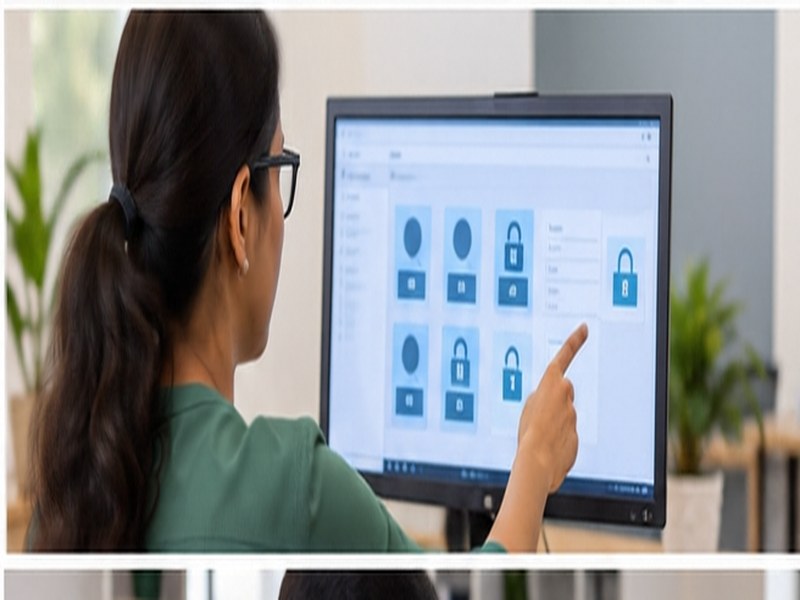
Introduction: Why Business Data Security Matters More Than Ever
Every successful business depends on trust. Customers trust businesses with their payments, employees trust organizations with their salaries, and business owners trust their accounting systems to maintain accurate financial records.
But what happens when sensitive business information falls into the wrong hands?
Imagine discovering that confidential financial reports have been accessed without permission, important accounting entries have been modified, or an employee has accidentally deleted critical records. Such situations can create financial losses, operational disruption and serious concerns about business credibility.
For small and medium-sized businesses, protecting accounting information is no longer optional. As organizations grow, more employees become involved in billing, purchasing, inventory management, banking and financial reporting. Without proper access controls, confidential information may become unnecessarily exposed.
This is where Tally Prime's simplified security and user management system becomes valuable.
Tally Prime provides security controls that help businesses manage who can access company data, which activities users can perform and how financial information is protected.
From password-protected company access to role-based permissions and administrative controls, Tally Prime helps organizations establish a more disciplined accounting environment.
Whether you operate a retail store, manufacturing unit, trading company, consultancy firm or growing enterprise, understanding these security features can help you reduce operational risks and build greater confidence in your accounting processes.
1. What Is Tally Prime's Security and User Management System?
Tally Prime's security and user management system is a collection of features designed to control access to accounting data and restrict user activities according to assigned responsibilities.
Instead of allowing every employee unrestricted access to financial records, businesses can establish different levels of permission.
For example, a sales executive may need access to sales invoices but not employee salary information. A purchase manager may require access to supplier transactions without permission to change company-wide accounting settings.
Similarly, an accountant may need to prepare financial reports while a business owner requires broader administrative control.
Tally Prime helps organizations implement these distinctions through user accounts, security levels and permissions.
The primary objectives include:
-
Protecting confidential accounting information.
-
Restricting unauthorized access to company data.
-
Assigning responsibilities through user roles.
-
Reducing accidental changes to sensitive records.
-
Supporting accountability for accounting activities.
-
Simplifying administration as businesses expand.
By aligning system access with actual job responsibilities, businesses can create a safer and more organized financial environment.
2. A Story of Trust, Responsibility and Business Growth
How a Small Business Owner Learned the Importance of Financial Security
Rajesh Sharma had spent nearly fifteen years building his electrical equipment distribution business in Delhi.
What began as a small shop eventually became a growing operation with multiple employees, hundreds of customers and significant monthly transactions.
Rajesh believed in treating his employees like family. He trusted his team and rarely questioned how accounting information was being handled.
However, as the business expanded, several employees began using the same accounting credentials.
One evening, while reviewing monthly reports, Rajesh discovered unexpected changes in customer outstanding balances.
Some entries had been modified, and identifying who had made those changes became difficult.
The incident created more than financial uncertainty. It affected the trust Rajesh had spent years building.
His accountant suggested implementing separate user accounts and clearly defined access permissions in Tally Prime.
Rajesh introduced individual user credentials, restricted sensitive financial functions and established regular reviews of user access.
Sales employees received access appropriate to billing activities, while accounting and administrative responsibilities were separated.
Over time, the business developed a more accountable working environment.
Rajesh realized an important lesson: trusting employees and protecting business information are not opposing ideas. Good security helps protect everyone.
This illustrative story reflects a challenge faced by many growing businesses: informal accounting practices that become increasingly risky as teams expand.
3. Password Protection for Company Data
Password protection is one of the fundamental safeguards available in Tally Prime.
Businesses can enable security controls and require authorized users to authenticate before accessing protected company information.
This reduces the likelihood of casual or unauthorized access to financial records.
How password protection helps
Confidentiality: Sensitive information such as customer balances, supplier payments and financial statements can be restricted to authorized personnel.
Administrative control: Designated administrators can manage security settings and user permissions.
Reduced accidental access: Employees without appropriate credentials cannot simply open protected company data through the normal application interface.
Greater accountability: Individual user accounts help organizations distinguish authorized activities.
Practical security recommendations
Businesses should avoid shared passwords, create strong credentials and change access permissions when employees move to different responsibilities.
User credentials should not be stored in openly accessible files or shared through unsecured communication channels.
Password protection is an important starting point, but it should be combined with proper backups, operating-system security and controlled access to company data files.
4. Role-Based User Management in Tally Prime
One of the most useful aspects of Tally Prime is its ability to manage users according to their responsibilities.
Instead of granting unrestricted access to everyone, organizations can configure security levels and permissions.
Tally Prime supports administrative security levels and allows businesses to define additional security levels for different categories of users.
For example:
|
Business role
|
Suggested access
|
|---|
|
Business owner
|
Administrative access and company-wide reporting
|
|
Accounts manager
|
Accounting entries and financial reporting
|
|
Sales executive
|
Sales invoicing and relevant customer information
|
|
Purchase executive
|
Purchase transactions and supplier-related records
|
|
Inventory operator
|
Authorized stock and inventory activities
|
|
Junior accountant
|
Limited accounting entries and selected reports
|
These are illustrative configurations rather than automatic preset roles. Actual permissions must be configured according to business requirements.
Role-based access reduces unnecessary exposure of confidential information and supports a more disciplined separation of responsibilities.
5. How to Enable Security and Create Users in Tally Prime
Setting up user management involves enabling company security and creating users with suitable permissions.
Step 1: Open the company
Launch Tally Prime and select the company for which security controls are required.
Step 2: Enable company security
Open the company alteration settings and locate the security control options.
Enable the appropriate security controls and establish administrator credentials.
The exact menu labels and screens may vary according to the installed Tally Prime version.
Step 3: Configure security levels
Use the security configuration or user management options to define security levels for different responsibilities.
For example, create a security level for sales staff that permits invoicing but restricts sensitive administrative functions.
Step 4: Create individual users
Create separate user accounts and assign each employee an appropriate security level.
Avoid using a single account for an entire department when individual accountability is required.
Step 5: Define permissions
Configure the relevant permissions for activities and reports. Review the available access options carefully to ensure employees can complete their work without receiving unnecessary privileges.
Step 6: Test user access
Sign in using a test account and verify that the user can perform permitted activities while restricted functions remain unavailable.
Step 7: Review periodically
Update user access whenever employees change roles, leave the organization or receive additional responsibilities.
A periodic review helps keep the security structure aligned with current business operations.
6. Protecting Sensitive Financial Information
Accounting systems contain information that can directly affect a company's competitive position.
Customer pricing, supplier agreements, employee compensation, outstanding payments and profitability reports may all require different levels of confidentiality.
Tally Prime helps businesses restrict access to appropriate functions and reports through configured security permissions.
For example, a billing operator may be permitted to create sales invoices without receiving access to confidential payroll-related records.
Similarly, an inventory employee may work with stock transactions without requiring access to financial administration.
This approach follows the principle of least privilege: every user receives only the permissions necessary to perform their assigned work.
Businesses should also consider physical access to computers, operating-system permissions and the security of shared folders containing company data.
Application-level access controls cannot protect information effectively if unauthorized individuals can directly copy or manipulate unprotected data files.
7. Controlling Changes to Accounting Records
One of the greatest risks in accounting is the unauthorized modification or deletion of financial entries.
Even a small change can affect customer balances, stock valuations, tax calculations and financial reports.
Tally Prime's configurable security permissions can help organizations restrict activities such as creating, altering and deleting relevant accounting records.
Why transaction controls matter
Consider a business where sales executives generate invoices throughout the day.
These employees may require permission to create invoices, but unrestricted deletion rights could introduce unnecessary risk.
By separating transaction creation from sensitive modification activities, businesses can establish stronger internal controls.
For particularly sensitive operations, organizations may introduce supervisory review procedures outside the software or use suitable configured workflows.
This helps ensure that important changes receive appropriate attention.
8. Tracking User Activities with Audit Capabilities
Security becomes more effective when businesses can investigate how records have changed.
Depending on the edition, version and configuration, Tally Prime provides audit-related capabilities that can support the review of transaction changes.
These capabilities may help authorized personnel examine relevant changes and identify accounting records requiring attention.
For example, if a purchase voucher amount changes unexpectedly, an administrator or auditor may review available change information to understand what occurred.
However, the availability and scope of detailed audit trails should be verified for the specific Tally Prime installation.
Businesses should not assume that every action is recorded or that application audit features replace a dedicated security monitoring system.
For stronger accountability, combine audit-related functionality with individual user accounts, periodic reviews and documented authorization procedures.
9. Case Study One: Improving Security in a Wholesale Trading Business
Illustrative case study based on common business practices
Business Background
A wholesale electrical goods distributor in Delhi operated with 18 employees across sales, purchasing, inventory and accounting departments.
As transaction volumes increased, several employees began accessing accounting information using shared credentials.
The organization experienced difficulty identifying responsibility for modified invoices and discrepancies in customer balances.
Challenges
The company faced three major problems: excessive access to financial information, limited accountability for transaction changes and inconsistent user management.
Management also wanted to prevent junior employees from accessing sensitive profitability information.
Tally Prime Implementation
The company introduced individual user accounts and configured security levels based on departmental responsibilities.
Sales employees received relevant billing permissions, while inventory personnel were assigned access appropriate to stock-related activities.
The accounts manager retained broader accounting permissions, and administrative access remained with designated senior personnel.
The organization also introduced monthly reviews of user permissions and regular data backups.
Business Benefits
The revised structure created clearer responsibility for accounting activities.
Employees could focus on their assigned tasks without unnecessary access to confidential reports.
Management gained a more structured process for investigating discrepancies and controlling sensitive changes.
The case demonstrates how carefully configured permissions can improve accountability without making daily accounting unnecessarily complicated.
10. Case Study Two: Protecting Financial Data in a Manufacturing Company
Illustrative case study based on common manufacturing workflows
Business Background
A medium-sized manufacturing company in Faridabad managed raw materials, production-related inventory, purchase transactions and customer billing through its accounting operations.
Different departments needed access to business information, but their responsibilities varied significantly.
Challenges
Production personnel required stock information, purchasing employees needed supplier records, and the finance team handled banking and accounting.
Previously, broad access permissions created concerns about confidentiality and accidental changes.
The business also wanted greater control over who could modify important records.
Security Improvements
Management implemented separate security levels for inventory, purchasing and accounting personnel.
Access to confidential financial reports was limited to designated users.
The company established procedures for reviewing sensitive changes, maintaining backups and updating permissions when employee responsibilities changed.
Results and Lessons
The new structure supported clearer departmental boundaries and reduced unnecessary exposure of confidential information.
It also helped management establish more consistent accounting procedures.
The important lesson is that accounting security should grow alongside business complexity.
A manufacturing business with multiple departments needs more than a single password. It requires a coordinated approach involving user permissions, employee responsibilities, data protection and management oversight.
11. How Tally Prime Helps Small and Medium Businesses
Small and medium-sized businesses often operate with limited administrative resources.
Business owners may personally supervise accounting, sales, inventory and banking activities.
As operations expand, managing every transaction becomes increasingly difficult.
Tally Prime can help by bringing core business activities into a structured accounting environment while allowing appropriate restrictions on user access.
Better delegation
Business owners can delegate selected accounting activities without automatically granting complete administrative access.
Improved confidentiality
Sensitive information can be made available only to personnel who need it for their responsibilities.
Reduced operational risk
Restricted permissions can help limit accidental or unauthorized changes through normal application functions.
More organized accounting
Clear user responsibilities make it easier to establish consistent processes for billing, purchasing, inventory and financial reporting.
Support for business expansion
As employees and departments increase, administrators can review and update security levels to reflect changing responsibilities.
These advantages depend on correct configuration, employee training and regular monitoring.
12. Tally Prime Security and Remote Working
Remote accounting has become increasingly important for businesses with multiple offices, travelling owners and external accounting professionals.
However, remote access introduces additional security considerations.
Businesses using Tally Prime through a cloud-hosted or remote desktop environment should combine application security with infrastructure-level safeguards.
Important precautions include encrypted connections, strong authentication, restricted remote access and reliable backup arrangements.
Where supported by the hosting platform, multi-factor authentication can provide an additional layer of protection for remote sign-in.
Businesses should also ensure that former employees and external service providers no longer retain access after their work is completed.
Tally Prime's user permissions remain useful in these environments, but they do not replace the security responsibilities of the hosting provider or system administrator.
13. Best Practices for Maintaining Accounting Security
Security is not a one-time configuration exercise.
Organizations should establish an ongoing process for protecting accounting information.
Use individual accounts: Avoid sharing administrator credentials among multiple employees.
Assign minimum necessary permissions: Provide access according to actual responsibilities rather than convenience.
Review access regularly: Examine permissions when employees join, leave or change departments.
Protect backups: Maintain backup copies in secure locations and periodically test restoration procedures.
Secure company data folders: Restrict operating-system and network access to accounting files.
Update software: Keep Tally Prime and supporting systems updated according to a planned maintenance process.
Train employees: Explain password security, suspicious attachments, unauthorized software and responsible handling of financial information.
Review sensitive transactions: Establish supervisory checks for high-value or unusual accounting changes.
A combination of technical safeguards and disciplined business processes offers stronger protection than relying on passwords alone.
14. Common User Management Mistakes to Avoid
Even businesses that enable security controls may unintentionally weaken their protection through poor administration.
One common mistake is giving every employee administrative access. This defeats the purpose of role-based permissions and makes sensitive information unnecessarily available.
Another mistake is continuing to use shared credentials. Shared accounts reduce individual accountability and complicate investigations.
Businesses may also forget to disable access for former employees or external accountants after assignments end.
Weak passwords, unprotected backups and unrestricted access to company data folders create additional risks.
A further problem is configuring permissions without testing them. Overly restrictive settings may prevent employees from completing legitimate work, while overly broad settings can expose confidential information.
Organizations should therefore test security configurations carefully and review them whenever business processes change.
15. Building a Long-Term Security Strategy with Tally Prime
A reliable accounting security strategy should balance protection, usability and operational efficiency.
Businesses should begin by identifying their most sensitive information, including financial statements, customer records, banking information and employee-related data.
Next, they should identify which employees genuinely require access to each category of information.
Appropriate security levels can then be configured in Tally Prime.
Management should document important permissions, establish a process for approving access changes and schedule periodic reviews.
As businesses expand, the security structure should evolve to accommodate additional departments, branches and responsibilities.
Most importantly, owners should understand that no accounting application can eliminate every cybersecurity risk.
Strong protection requires a combination of application permissions, secure infrastructure, employee awareness, backups and effective internal controls.
16. Why Choose Binarysoft Technologies for Tally Prime Security Support?
Implementing user management correctly requires understanding both accounting workflows and software configuration.
Binarysoft Technologies, an Authorized Tally Partner, helps businesses with Tally Prime implementation, configuration and operational support.
Organizations can seek assistance with planning user responsibilities, configuring appropriate access levels and understanding security-related functionality.
Businesses can also discuss accounting workflows, inventory management, financial reporting and suitable deployment arrangements.
The objective is to help organizations use Tally Prime more effectively while maintaining appropriate control over business information.
Conclusion: Secure Accounting Builds a Stronger Business
Financial information represents years of effort, customer relationships and business decisions.
Protecting that information is essential for maintaining operational stability and management confidence.
Tally Prime's security and user management features help organizations establish more controlled access to accounting activities through passwords, user accounts, security levels and configurable permissions.
When these capabilities are implemented carefully, businesses can reduce unnecessary access, support accountability and improve the organization of their financial operations.
However, effective security requires more than software settings. Regular reviews, reliable backups, secure infrastructure and responsible employee practices are equally important.
For businesses planning long-term growth, a structured approach to accounting security is an investment in continuity, trust and operational resilience.
Powered by Binarysoft Technologies
Authorized Tally Partner
Location: 1626/33, 1st Floor, Naiwalan, Karol Bagh, New Delhi – 110005, INDIA
Contact us: +91 7428779101, 9205471661
Email us: tally@binarysoft.com
Business Hours: 10:00 AM – 6:00 PM, Monday–Friday
Frequently Asked Questions
What is the security and user management system in Tally Prime?
What is the security and user management system in Tally Prime?
Can I create multiple users in Tally Prime?
Yes. Businesses can configure multiple users and assign appropriate security levels, subject to the capabilities and licensing of their Tally Prime environment.
Can I restrict employees from viewing confidential reports?
Yes. Suitable security permissions can restrict access to selected reports and functions. The exact restrictions depend on configuration and available features.
Can sales employees access only billing functions?
Businesses can configure security levels that permit relevant sales activities while restricting unrelated accounting functions, subject to the available permission options.
CA. Arnav Kankaria focuses on accounting automation, GST reconciliations, and financial record management. He helps businesses streamline routine accounting activities while maintaining reliable records for reporting and review.