Call CA Tally HelpDesk
+91 9205471661,
7428779101

1. Introduction: Why Upgrading Your Accounting Software Matters in 2026
Every successful business reaches a stage when its existing systems must evolve.
A small retailer may begin with basic bookkeeping, while a growing wholesaler eventually needs inventory tracking, GST compliance, banking reconciliation and detailed financial reporting.
As transactions increase, outdated accounting processes can become difficult to manage.
Employees may spend unnecessary time navigating screens, preparing reports, correcting invoice errors or transferring information between applications.
These challenges can affect productivity, customer service and financial decision-making.
Upgrading to Tally Prime offers businesses an opportunity to improve accounting efficiency, simplify everyday operations and prepare for changing business requirements.
Tally Prime provides a structured environment for financial accounting, GST-related activities, inventory management, banking and business reporting.
Businesses moving from older accounting software can benefit from a more modern interface and improved workflows, while existing Tally Prime users can evaluate newer releases for relevant enhancements.
However, upgrading should be approached carefully.
Accounting data represents years of business activity, including customer balances, supplier liabilities, inventory values and financial records.
A successful upgrade must protect this information while introducing improvements that genuinely benefit the organization.
This guide explains how Indian businesses can evaluate, plan and implement a Tally Prime upgrade in 2026.
2. What Is a Tally Prime Upgrade?
A Tally Prime upgrade involves moving from an older supported accounting software version to a newer Tally Prime environment or release.
There are two common situations.
Upgrading from Tally ERP 9 to Tally Prime
Businesses using Tally ERP 9 may decide to migrate to Tally Prime for its updated interface, navigation and supported accounting capabilities.
This transition may require data migration, configuration review and employee familiarization.
Upgrading an existing Tally Prime installation
Businesses already using Tally Prime may install a newer compatible release to access improvements, fixes and supported features.
The exact benefits depend on the release being installed.
Not every feature is available in every edition, subscription or configuration.
Before upgrading, businesses should review compatibility, licensing, data requirements and the features relevant to their operations.
The objective is not simply to install newer software. It is to establish a reliable accounting environment that supports current business needs.
3. Major Benefits of Upgrading to Tally Prime
Improved navigation and user experience
Tally Prime provides an interface designed to make everyday accounting tasks easier to locate and perform.
Features such as Go To navigation, report access and configurable views help users work more efficiently.
Accountants can move between vouchers, ledgers and reports without repeatedly searching through complex menus.
More efficient accounting operations
Businesses can manage sales, purchases, receipts, payments, journal entries and other accounting transactions in one system.
Structured voucher entry helps maintain consistent financial records.
Better GST-related workflows
Supported GST capabilities help businesses organize tax information, prepare reports and perform applicable compliance activities.
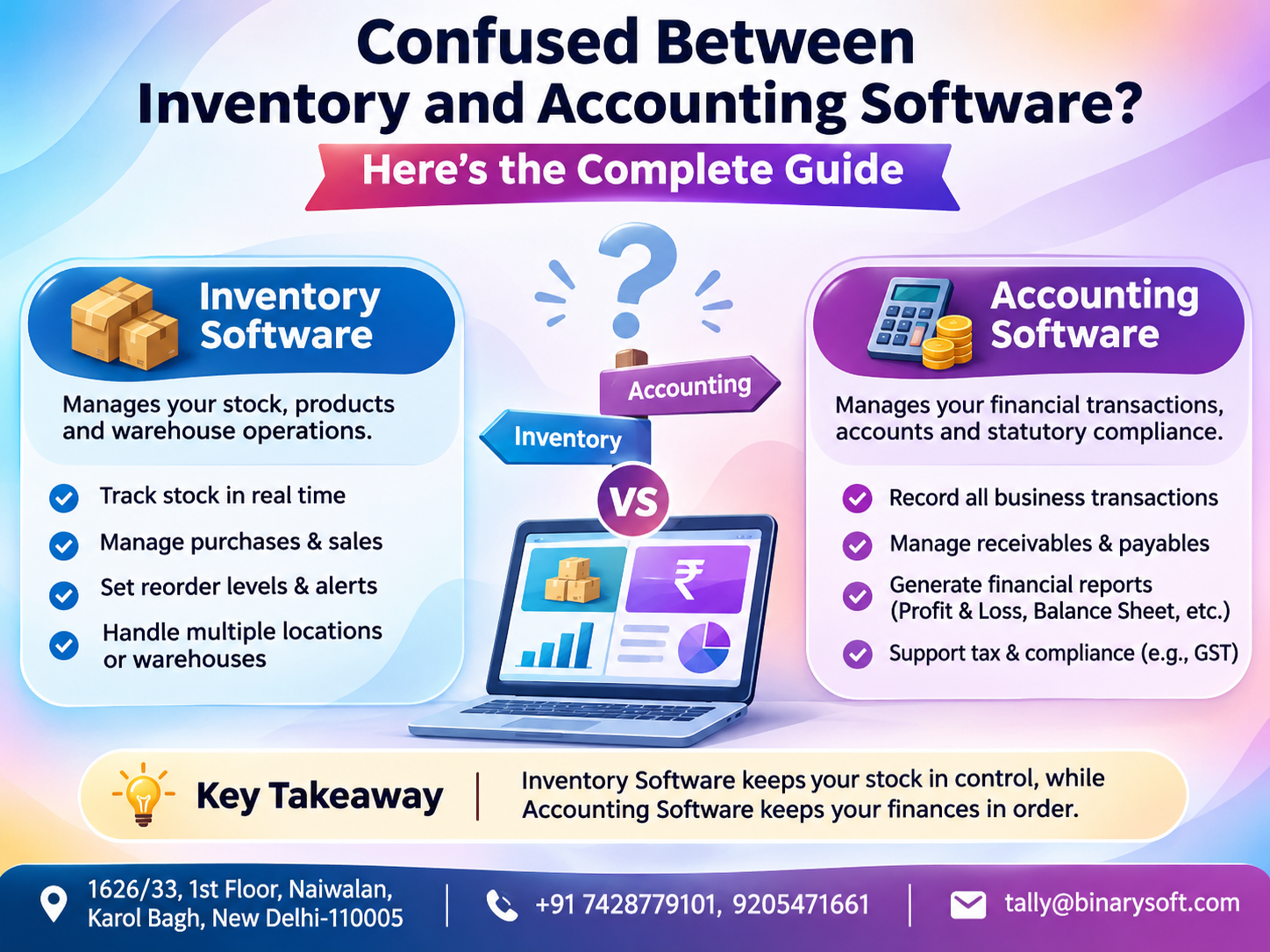
Inventory management
Stock groups, stock items, godowns and inventory reports help businesses monitor product movement and stock availability.
Financial visibility
Business owners can review financial statements, outstanding balances and transaction reports to support decisions.
Continued software compatibility
Using an appropriate supported release can help businesses maintain compatibility with relevant features and service requirements.
These advantages make an upgrade particularly useful when an existing accounting environment no longer meets operational expectations.
4. How Tally Prime Helps Businesses Manage GST Compliance
GST compliance is a major consideration for Indian businesses planning an accounting software upgrade.
Companies must maintain accurate tax records, classify transactions correctly and prepare information for applicable returns.
Tally Prime provides GST-related accounting and reporting capabilities that can support these responsibilities.
GST invoice preparation
Businesses can configure GST registration details, tax ledgers, HSN or SAC classifications and customer information.
When creating sales invoices, applicable tax amounts can be calculated according to the transaction configuration.
This helps maintain consistency across taxable sales, purchases, credit notes and debit notes.
GST reporting and reconciliation
Tally Prime provides reports that allow accountants to examine GST-related transactions and identify differences requiring review.
Depending on the installed release and configured services, additional connected GST workflows may be available.
Businesses can use these capabilities to organize compliance information and reduce repetitive work.
Electronic invoicing and e-way bills
Eligible businesses may use supported electronic invoicing and e-way bill functions for applicable transactions.
Availability depends on statutory requirements, software release and service configuration.
Before upgrading, businesses should verify whether the selected release supports their required GST workflows.
Practical benefit: A well-configured accounting system helps reduce last-minute GST preparation pressure while improving transaction visibility.
5. Faster Billing and Professional Invoice Management
Billing is one of the most frequently performed activities in many businesses.
A retail shop may generate dozens of invoices daily, while a distributor may handle hundreds of customer transactions.
Tally Prime supports different invoicing requirements through configurable sales vouchers and related accounting features.
Businesses can maintain customer details, item descriptions, quantities, prices, discounts and applicable taxes.
How upgraded billing workflows help
An accountant can select a customer, enter stock items, verify transaction values and prepare the invoice.
The transaction updates relevant accounting records and, where inventory integration is configured, stock information.
This reduces the need to maintain separate billing and bookkeeping records.
Businesses can also review sales registers, customer balances and invoice information when handling customer enquiries.
For growing companies, efficient billing contributes to faster service and more dependable financial records.
6. Advanced Inventory Management for Growing Businesses
Inventory represents a significant investment for manufacturers, wholesalers, distributors and retailers.
Poor stock visibility can result in excess purchases, missed sales opportunities and unnecessary storage expenses.
Tally Prime provides inventory management capabilities that help businesses organize and monitor stock.
Important features include stock groups, stock categories, units of measurement, godown management and inventory reports.
Example: Managing multiple warehouses
A distributor maintains stock at warehouses in Delhi and Gurugram.
By configuring appropriate godown records, the business can monitor inventory movement and review stock availability by location.
This helps employees understand where products are available before confirming customer orders.
Inventory and accounting integration
When inventory transactions are properly configured, purchase and sales entries can update relevant stock and accounting information.
Managers can examine stock summaries alongside financial reports.
This connection supports more informed purchasing, sales and working capital decisions.
7. Banking, Reconciliation and Cash Flow Management
Businesses regularly receive customer payments and make payments to suppliers, employees and service providers.
Maintaining accurate banking records is essential for understanding cash flow.
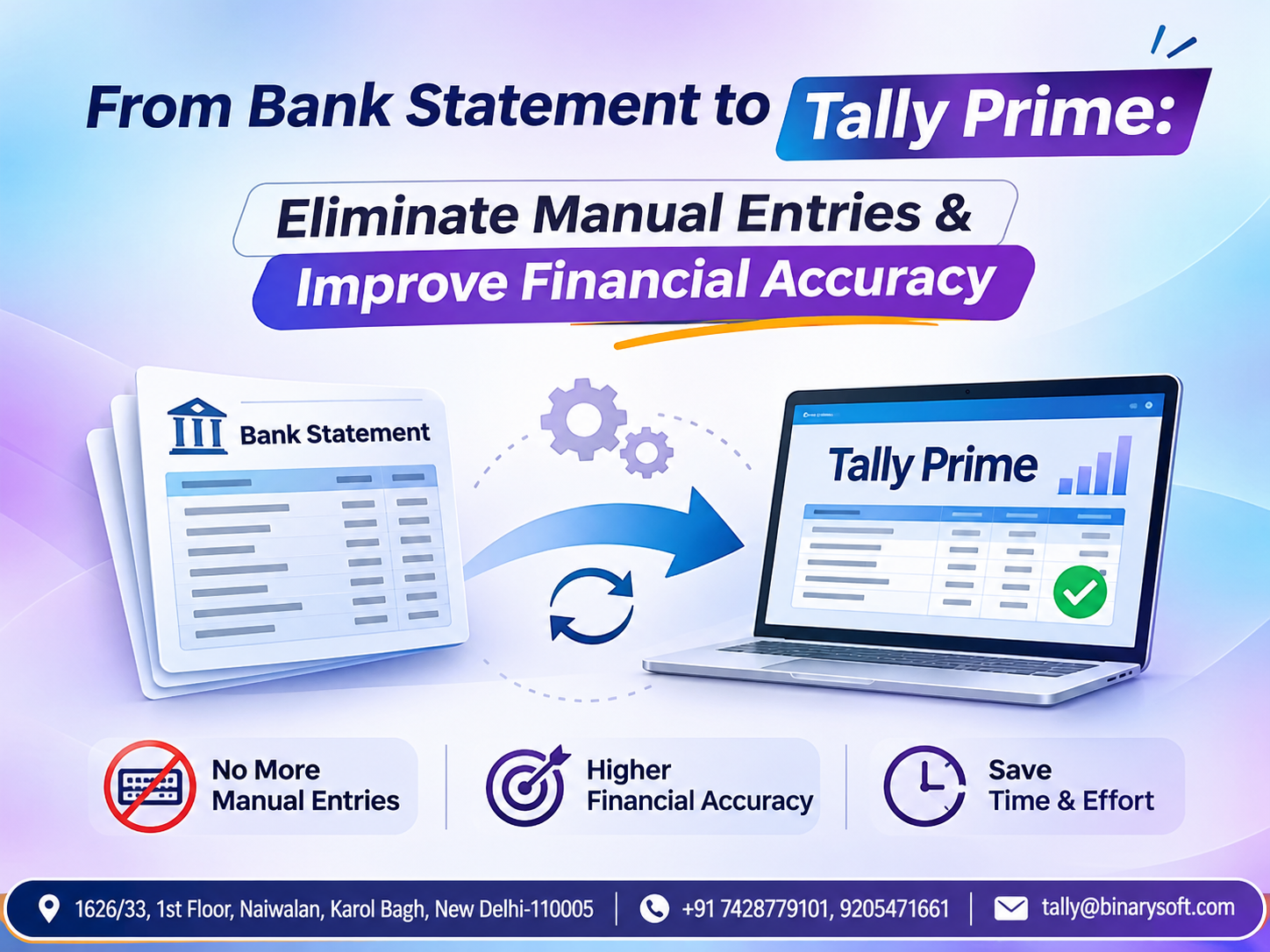
Tally Prime provides banking-related accounting and reconciliation functions that help businesses compare recorded transactions with bank information.
Supported bank statement imports and connected banking capabilities may vary by bank and software release.
Why bank reconciliation matters
A business may record a customer payment but overlook a bank charge or incorrectly match a deposit.
Without reconciliation, the accounting balance may differ from the bank balance.
Regular reconciliation helps identify these differences.
Businesses can also use outstanding receivable and payable reports to monitor upcoming collections and obligations.
Practical benefit: Better visibility into banking and outstanding balances can help owners plan supplier payments, monitor liquidity and avoid unnecessary financial uncertainty.
8. An Emotional Story: The Business Owner Who Almost Lost His Family Time
The following story is fictional and illustrates how improved accounting processes can affect everyday business life.
For twenty years, Sandeep operated a wholesale stationery business in Delhi.
His father had established the company with a small investment and a strong belief in honest business relationships.
Sandeep wanted to expand that legacy.
Over time, his business grew from a small shop into a distribution operation serving schools, offices and retailers.
But his accounting processes had not grown at the same pace.
His employees struggled with older workflows, inventory information was difficult to verify, and monthly financial reporting often required additional checking.
Every evening, Sandeep stayed at the office to review invoices and customer balances.
His wife frequently reminded him that their son was growing up quickly.
One Saturday, his son participated in an important school cricket match.
Sandeep promised to attend.
Unfortunately, a customer payment discrepancy and urgent accounting work kept him at the office.
When he finally reached the playground, the match had ended.
His son had scored his first half-century.
Instead of celebrating with his father, he quietly asked, "Papa, was your office more important than my match?"
Sandeep had no answer.
That evening, he decided his business needed a better system.
He consulted an accounting software professional, reviewed his existing records and planned a transition to Tally Prime.
Before migration, his team created verified backups and checked important financial balances.
After the upgrade, employees received training in navigation, invoicing, inventory reporting and banking reconciliation.
The business also introduced more disciplined accounting procedures.
Gradually, Sandeep found that routine financial questions were easier to answer.
His employees could locate reports more quickly, and he no longer needed to personally investigate every small discrepancy.
The business still required hard work, but the workload became more manageable.
Several months later, his son played another cricket match.
This time, Sandeep was sitting in the front row before the first ball.
The upgrade had not magically solved every business problem.
It had helped create a more organized operation, giving Sandeep greater confidence in his team and more time for his family.
For him, that was the most meaningful return on the investment.
9. Case Study One: A Delhi Wholesale Business Upgrades from Tally ERP 9
Illustrative case study; not a verified customer result.
Business background
A wholesale electrical accessories distributor in Delhi manages approximately 150 customer accounts and a large product catalogue.
The company had been using Tally ERP 9 for several years.
As its transaction volume increased, employees wanted simpler navigation and more convenient reporting.
Challenges
The accounts department spent considerable time locating reports, reviewing outstanding balances and coordinating inventory information.
Management also wanted a more consistent process for GST-related accounting.
Upgrade strategy
The business planned its migration to Tally Prime after reviewing the existing company data.
Its implementation process included:
-
Creating verified backups of accounting data.
-
Checking customer and supplier balances.
-
Reviewing stock records and GST configuration.
-
Testing migration using a separate copy.
-
Training employees before production use.
Results
After adopting the new environment, employees became more comfortable navigating vouchers and financial reports.
Management could review outstanding balances and stock information through more organized workflows.
The business also established a regular reconciliation schedule.
Key learning
The successful transition depended on preparation, employee training and data verification rather than installation alone.
10. Case Study Two: A Manufacturing Company Improves Financial Control
Illustrative case study; operational outcomes are hypothetical.
Business background
A small manufacturing company in Faridabad produces packaging materials for industrial customers.
The company purchases raw materials, manages production-related transactions and supplies finished goods to distributors.
Its management wanted more dependable financial and inventory information.
Challenges
Stock reports required additional checking, purchase costs were difficult to analyze consistently, and the accounting team relied on supplementary spreadsheets.
Management also wanted better visibility into supplier payments and customer collections.
Solution
The company upgraded its accounting environment and reorganized its inventory masters.
It reviewed stock groups, units of measurement, godowns and accounting ledgers.
Employees were trained to record purchases, sales and inventory movements consistently.
The company also introduced regular reviews of financial statements, stock summaries and outstanding balances.
Results
The improved processes provided a more consistent foundation for inventory and financial reporting.
Managers could identify stock movement and payment obligations without relying as heavily on disconnected records.
Key learning
An accounting software upgrade delivers greater value when combined with accurate master data and well-defined operating procedures.
11. How to Upgrade to Tally Prime Safely: Step-by-Step Guide
Upgrading accounting software requires careful preparation because financial records must remain accurate and accessible.
Step 1: Review your current software
Identify the installed software version, license details, company data location and any customizations.
Check whether third-party integrations or additional modules require compatibility testing.
Step 2: Verify upgrade eligibility
Confirm the relevant license, subscription status and supported upgrade path.
Different software editions and releases may have different requirements.
Step 3: Create a complete backup
Before installing or migrating anything, create a backup of all relevant company data.
Store another verified copy in a separate secure location.
Do not overwrite the only working copy of your existing data.
Step 4: Test the upgrade
Use a separate test environment or copied dataset where practical.
Open the company data in the intended Tally Prime release and complete any required migration process.
Step 5: Verify accounting information
Compare important records before and after migration.
These should include the trial balance, customer and supplier balances, stock values, bank balances and relevant tax reports.
Step 6: Review configuration and security
Check user permissions, GST settings, voucher configurations, printers, custom reports and integrations.
Step 7: Train employees and go live
Allow employees to practice common transactions before moving to the production environment.
Maintain the original backup and a rollback plan until the upgraded environment has been validated.
12. Tally ERP 9 vs Tally Prime: Understanding the Difference
|
Feature
|
Tally ERP 9
|
Tally Prime
|
|---|
|
Interface
|
Older navigation structure
|
Updated user interface
|
|
Navigation
|
Traditional menu workflows
|
Go To and streamlined navigation
|
|
Accounting
|
Core accounting features
|
Core accounting with updated workflows
|
|
Inventory
|
Inventory management
|
Inventory management with updated usability
|
|
GST
|
Depends on installed release
|
Supported GST workflows vary by release
|
|
Reporting
|
Financial and inventory reports
|
Updated report navigation and views
|
|
Connected capabilities
|
Legacy feature availability
|
Release-dependent connected services
|
The best upgrade decision depends on the business's current system, required features, employee readiness and compatibility requirements.
13. Tally Prime Cloud: Extend the Value of Your Upgrade
After upgrading, businesses may consider suitable cloud hosting to support remote accounting operations.
Tally Prime Cloud hosting can allow authorized employees to access a hosted accounting environment from supported locations.
This can be useful for organizations with multiple offices, travelling business owners or accountants working remotely.
Cloud hosting should include appropriate user permissions, secure connections, backups and recovery arrangements.
It is important to understand that upgrading Tally Prime does not automatically convert the application into a cloud-hosted system.
Cloud hosting is a separate deployment decision that requires suitable infrastructure and configuration.
14. Why Choose Binarysoft Technologies for Your Tally Prime Upgrade?
A successful accounting upgrade involves much more than installing a newer application.
Businesses need to protect historical data, configure important features and ensure that employees can continue their work without unnecessary disruption.
Binarysoft Technologies, an Authorized Tally Partner, provides assistance with Tally Prime licensing, upgrade planning, accounting configuration and related business requirements.
Businesses can seek guidance on data migration, GST-related settings, inventory configuration, financial reporting and suitable cloud hosting options.
Whether your company operates in Delhi NCR or elsewhere in India, professional upgrade planning can help reduce implementation risks.
The goal is to establish a dependable accounting environment that supports everyday operations and future growth.
15. Conclusion: Upgrade Today for Smarter Business Accounting
Accounting software should help businesses grow rather than become an obstacle to growth.
As transaction volumes increase and compliance requirements evolve, companies need dependable financial records, efficient workflows and timely business information.
Upgrading to Tally Prime can help businesses modernize their accounting environment, improve navigation, organize inventory records and strengthen financial reporting.
With proper configuration, businesses can also benefit from supported GST-related functions, banking reconciliation and other relevant capabilities.
However, the most important elements of a successful upgrade are careful preparation, verified backups, compatibility testing and employee training.
A well-planned Tally Prime upgrade is an investment in accounting accuracy, operational efficiency and long-term business confidence.
For organizations planning an upgrade in 2026, Binarysoft Technologies can help evaluate requirements and identify an appropriate implementation approach.
Powered by Binarysoft Technologies
Authorized Tally Partner
Location: 1626/33, 1st Floor, Naiwalan, Karol Bagh, New Delhi – 110005, INDIA
Contact Us: +91 7428779101, 9205471661
Email: tally@binarysoft.com
Business Hours: 10:00 AM – 6:00 PM, Monday to Friday
Frequently Asked Questions
Can I use Tally Prime on the cloud after upgrading?
Yes, with a suitable cloud hosting arrangement. Cloud hosting is separate from the standard software upgrade.
How long does a Tally Prime upgrade take?
The time required depends on company data size, current software version, customizations, integrations and testing requirements. Larger or more complex installations may require additional preparation.
Is Tally Prime suitable for manufacturers and wholesalers?
Yes. Tally Prime supports accounting and inventory workflows relevant to many manufacturing, wholesale, distribution and retail businesses.
Should I upgrade immediately when a new release becomes available?
Businesses should first review release compatibility, required features, customizations and backup readiness. Testing before production deployment is recommended.
CA. Advait Chitale advises businesses on taxation, audit, and financial controls. He is passionate about helping organizations adopt technology-driven accounting solutions that enhance productivity and ensure regulatory compliance.